

Continia Expense Management vs Expense 365: Which One to Choose

- Expense 365 is the stronger pick for most companies. It runs across the Microsoft 365 tools your staff already open every day Teams, SharePoint, Outlook, Power BI connects directly to QuickBooks and Xero and is built to go live in minutes rather than weeks.
- Continia Expense Management is a well-built module, but it only works inside Microsoft Dynamics 365 Business Central, so the license, the partner-led rollout, and the ongoing module purchases all get tied to that single ERP.
- If your team isn’t fully committed to Business Central, Expense 365 gives you a faster path to a working expense with fewer strings attached.
If your organization already uses Microsoft 365, you may find yourself comparing Continia Software and Expense 365.
Since both solutions support Microsoft-based workflows, it’s easy to assume they’re interchangeable.
Continia is built on Microsoft’s cloud infrastructure, providing enterprise-grade security, encryption, and reliability. It supports role-based access controls, audit trails, and compliance capabilities to help organizations protect financial data and meet internal governance and regulatory requirements. These security features help organizations maintain visibility over expense data while supporting secure financial operations.
However, they are designed for different use cases. While Expense 365 is built as a native Microsoft 365 solution, the other is designed specifically for organizations using Microsoft Dynamics 365 Business Central. Understanding these differences is the key to making the right investment.
This comparison breaks down those differences so you can choose the solution that best matches your organization’s needs.
What Is Expense 365?
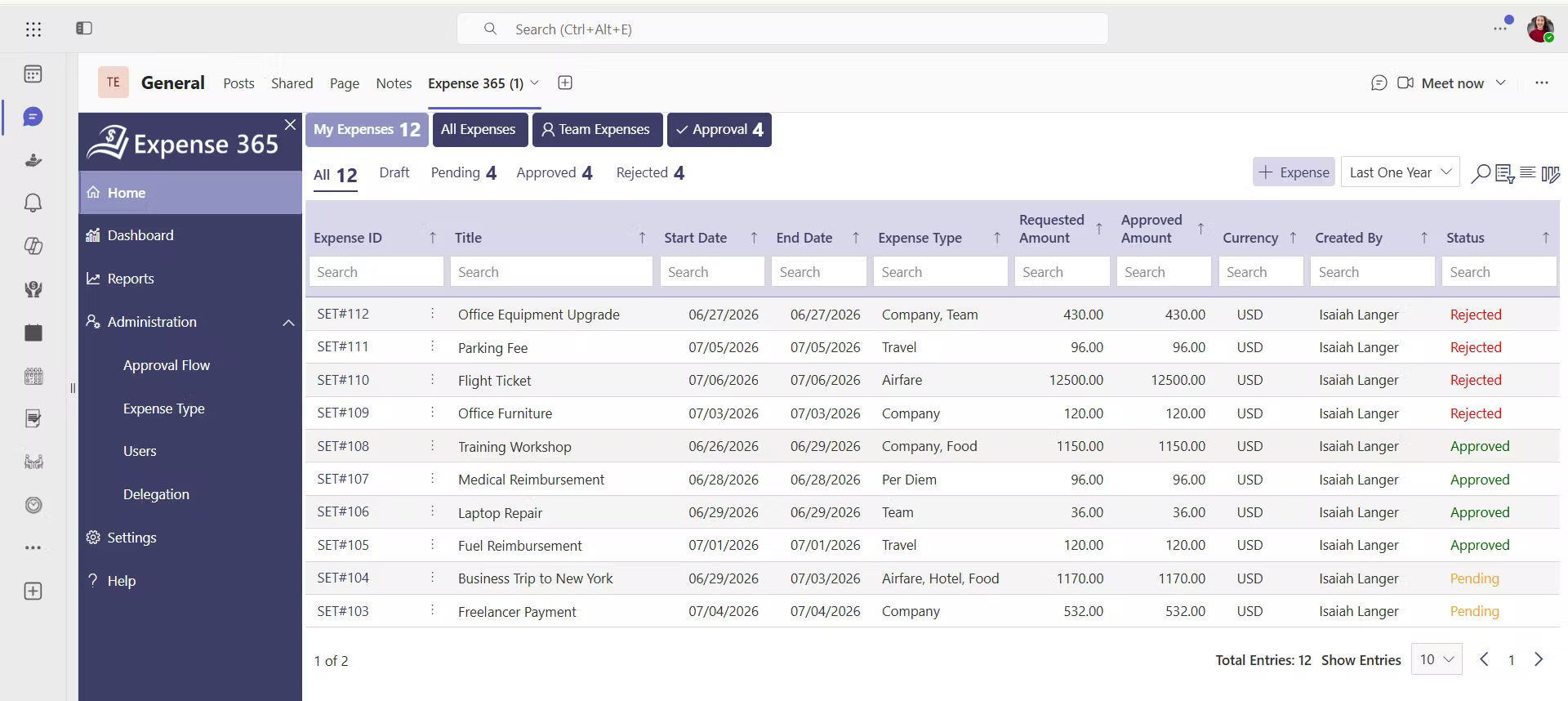
Expense 365, formerly known as Expense Tracker 365, is an expense tracking software built within Microsoft 365 environment, rather than for one specific ERP.
It can be installed as a SharePoint web part, added as a personal or channel tab inside Microsoft Teams, or used as a standalone web app. Employees can scan a receipt, and AI-based receipt scanning software reads the amount, date, detect duplicates and vendor automatically, cutting down the manual typing that slows down paper-based or spreadsheet-based claims.
The app integrates with MS Teams, Outlook for approval notifications, with Power BI for spend dashboards, to Power Automate for custom workflow logic, and to accounting platforms such as QuickBooks, Zoho Books and Xero for the accounting.
Expense 365 can deploy in under 10 minutes from sign-up to first use and positions pricing around what small and mid-size companies can absorb without a separate ERP purchase attached to it.
Reviewers on third-party software directories have pointed to the app’s interface and support responsiveness as reasons it gets picked over older, ERP-locked alternatives.
What Is Continia Software?
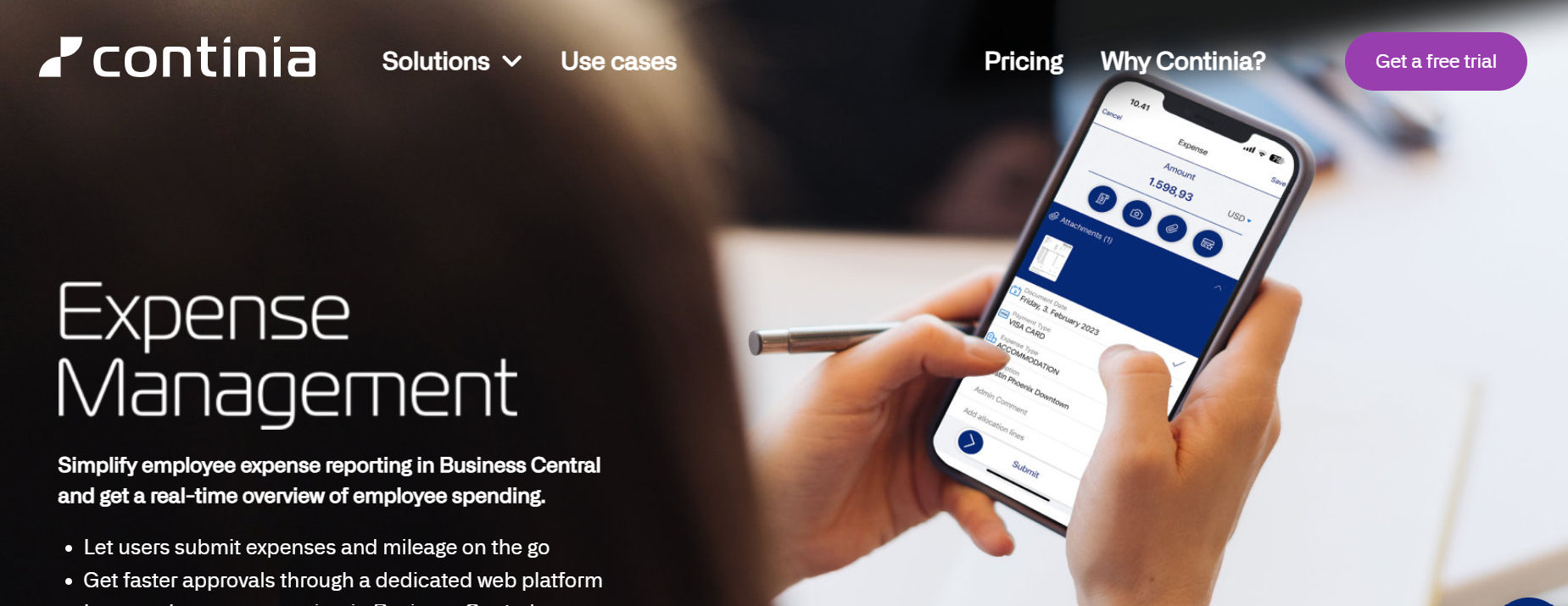
Continia Expense Management is an add-on built by Continia Software for Microsoft Dynamics 365 Business Central. It is one part of a larger suite that also covers accounts payable and accounts receivable automation for the same ERP.
The module handles day-to-day expense entries, mileage claims, and per diem reports for employees, who submit their receipts through a dedicated mobile app or a browser-based portal. Everything else admin setup, approval routing, and financial posting, happens inside Business Central, so the interface will feel familiar to anyone who already works in that ERP.
The module is split into separate pieces: an Essential tier for basic submission and approval, a Per diem tier for travel allowances, a Credit Card Transactions tier for automatic card imports, and a Purchase Contracts tier for recurring vendor agreements.
Each of these is priced and licensed on its own, so the final feature set (and cost) depends on how many pieces a company decides to add.
Feature-by-Feature Comparison Table
The table below lines up both products across the categories that matter most when a finance team is shortlisting expense software. Cells marked in green show the stronger option for that row.
Category | Expense 365 | Continia Expense Management |
Underlying platform | Standalone app across Microsoft 365 (Teams, SharePoint, Outlook) | Add-on for Microsoft Dynamics 365 Business Central only |
Typical setup time | Minutes, self-service sign-up | Days to weeks, via a certified partner |
Mobile receipt capture | In-app capture plus Teams and Outlook access | Dedicated Continia Expense mobile app |
Receipt reading (OCR) | AI-powered OCR across submission and approval | Auto-suggests amount, date, currency |
Mileage and per diem | Supported through configurable expense categories | Built-in, with Google Maps integration |
Accounting integrations | QuickBooks, Xero, and Zoho Books | Business Central only |
Reporting dashboards | Power BI-based dashboards | Inside Business Central |
Automation and Power Automate support | Native Power Automate connections | Limited to Business Central workflow rules |
Credit card transaction import | Supported via connected accounting platform | Direct integration with major card providers |
Pricing model | Transparent | Quote-based pricing |
Purchase and support channel | Direct vendor sign-up and support | Sold exclusively through certified Continia partners |
Best fit | Companies on Microsoft 365 wanting a fast, flexible rollout | Companies already fully running Business Central |
Deployment and Setup Time
Deployment speed is often the first place the two products separate from each other.
Continia Software
Continia Expense Management is installed as an extension inside an existing Business Central tenant, and getting it configured, approval rules mapped, and users onboarded is handled by a certified Continia partner. Any change to the chart of accounts, approval hierarchy, or user roles inside Business Central can affect how long the expense piece takes to go live.
Expense 365
Expense 365 takes a different route by design. Because it is not bound to a single ERP’s deployment cycle, a team can install it into SharePoint or Teams, connect it to an accounting platform, and start submitting expenses the same day. It markets a setup window of under ten minutes and even allowing for a slower real-world rollout with policy configuration, the gap between the two products’ time-to-value is wide.
For a finance team that needs a working process this quarter, not next year, that gap matters as much as any single feature.
Platform Dependency and Licensing
Although both solutions support expense management, they differ in the platforms they rely on and how they’re licensed. This impacts everything from deployment and integrations to ongoing costs.
Continia Software
This is the structural difference that shapes almost everything else on this page. Continia Expense Management does not exist independently of Microsoft Dynamics 365 it is built, licensed, and sold as an extension of it. A company evaluating Continia is really evaluating a add-on, and the decision carries the weight of the parent ERP’s licensing, hosting, and partner arrangements along with it.
Expense 365
Expense 365 was built the opposite way. It lives at the Microsoft 365 ecosystem, Teams, SharePoint, Outlook, which almost every organization is on Microsoft’s stack. Expense 365 also integrates with SharePoint for companies that do run it, so switching to Expense 365 doesn’t force a company off Business Central if they already use it; it just removes the requirement to have it in the first place.
Pricing Structure
Pricing isn’t just about the subscription cost, it also includes licensing requirements, implementation, and long-term ownership costs. Understanding how each solution is priced will help you estimate the total investment.
Continia Software
Continia does not publish flat public pricing. Costs are quoted through its partner network and scale with which modules a company adds Essential, Per diem, Credit Card Transactions, and Purchase Contracts. That modular structure gives a company control over which features it pays for, but it also means the total bill is spread across multiple line items.
Expense 365
Expense 365 follows a transparent pricing model as a standalone expense management solution, allowing organizations to purchase only the functionality they need without requiring an ERP subscription. It also offers specialized pricing for non–profit organizations (NPOs) and educational institutions, making it a cost-effective option for organizations with different budget requirements.
This straightforward approach helps buyers estimate the total cost of ownership with greater clarity before making a purchasing decision.
What’s Special about Expense 365 Pricing?
Know exactly what you pay for. No hidden charges, transparent pricing, and exclusive pricing for government-funded educational institutions and NPOs.
Integration Ecosystem
Integrations determine how well an expense management fits into your existing business processes. Comparing each product’s integration ecosystem helps you understand how easily it connects with the tools your teams use every day.
Continia
Continia’s integrations run deep but narrow: Business Central for financial posting, Google Maps for mileage calculation, and a set of major credit card providers for transaction import. If your company’s financial stack begins and ends with Business Central, that depth is a genuine advantage.
Expense 365
Expense 365 spreads wider across the tools a modern office already uses. Teams for notifications and approvals, SharePoint for storage, Outlook for email-based actions, Power BI for spend dashboards, Power Automate for custom logic, and direct connections into QuickBooks, Xero, and Zoho Books for the accounting side. For any company running a mixed toolset, which describes most mid-size businesses, that wider spread of native connections means less custom integration work down the line.
See How Expense 365 Fits into Your Existing Tech Stack
Mobile Experience and Adoption
Mobile usability plays a key role in employee adoption. Comparing the mobile experience helps you understand which solution is easier for teams to use.
Continia
Continia gives employees a purpose-built mobile app and a browser portal for submitting expenses, per diems, and mileage. It is functional and familiar to anyone who has used a Business Central-adjacent tool before, but it is one more app for staff to install and remember to open.
Expense 365
Expense 365 makes it easy for employees to capture expenses on the go. Using the mobile app, they can scan receipts, automatically extract expense details, and submit them for expense reimbursement in just a few taps. This reduces manual effort, speeds up expense reporting, and encourages timely submissions.
AI and Automation
AI and automation reduce manual work by speeding up expense capture, approvals, and data processing. Comparing these capabilities helps you understand how much time each solution can save.
Continia Software
Both products automate the tedious part of expense entry reading a receipt and filling in the fields but they lean on it differently. Continia’s receipt recognition reads amount, date, and currency and suggests them into the form, which removes a chunk of manual typing at the submission stage.
Expense 365
Expense 365 uses Agentic AI to automate repetitive expense management tasks. Employees can scan receipts to extract expense details automatically, while AI helps detect duplicate receipts and invoices before they enter the approval process. Users can also clone recurring expenses, reducing manual data entry and making expense submission faster with AI expense management.
Approval Workflows and Policy Control
Approval workflows and policy controls help organizations review expenses consistently while maintaining compliance with company spending policies.
Continia Software
Continia routes expense reports through workflow engine, so an approval chain can be tied directly to the same approval structure used for purchase orders or vendor invoices. That consistency is useful in companies that already lean heavily on Business Central’s native workflow tools.
Expense 365
Expense 365 provides automated expense approval workflows that route expense claims to the right approvers based on your organization’s policies. Approvals can be configured for multiple levels, ensuring expenses follow the correct review process before reimbursement. This reduces manual follow-ups, speeds up approvals, and keeps expense policies consistently enforced.
Reporting and Analytics
Built-in reporting helps finance teams track spending, monitor trends, and gain better visibility into company expenses.
Continia
Continia provides built-in reporting that gives finance teams a real-time view of company spending. This makes it easier to monitor expenses, analyze trends, and make informed financial decisions. Customizable reports and dashboards also help organizations track spending patterns and identify opportunities to improve cost control.
Expense 365
Expense 365 provides interactive dashboards and expense report management through Power BI, giving finance teams clear visibility into expense trends, policy compliance, reimbursement status, and spending patterns. Organizations can customize reports, track key expense metrics in real time, and combine expense data with other business insights to support better financial decisions.
Spreadsheets aren’t Enough for Better Expense Reporting
Spreadsheets help you record expenses. Expense 365 helps you understand them with structured reports and spend analysis.
Support and Implementation
The success of an expense management solution depends not only on its features but also on how quickly it can be implemented and the quality of support available after deployment.
Continia
Continia Expense Management is sold exclusively through certified Continia partners, so support, onboarding, and any customization go through that partner relationship. This can work well if a company already has a trusted, but it also means support quality varies by which partner a company happens to work with.
Expense 365
Expense 365 offers dedicated customer support through multiple channels, helping organizations with onboarding and product-related queries. Backed by Apps 365’s 90% customer satisfaction (CSAT) score, our fast, reliable support helps teams resolve issues quickly and maintain uninterrupted expense management.
Data Security and Compliance
Protecting financial data is a key consideration when evaluating an expense management solution. Security, access controls, and compliance capabilities help organizations manage expenses with confidence.
Continia
Continia is built on Microsoft’s cloud infrastructure, providing enterprise-grade security, encryption, and reliability. It supports role-based access controls, audit trails, and compliance capabilities to help organizations protect financial data and meet internal governance and regulatory requirements. These security features help organizations maintain visibility over expense data while supporting secure financial operations.
Expense 365
Expense 365 stores your expense data within your organization’s Microsoft 365 tenant, allowing you to retain control over your information. It follows Microsoft’s Zero Trust security model and benefits from enterprise-grade security standards, including ISO-certified infrastructure and SOC 2 compliance. This helps organizations protect sensitive financial data while supporting governance, compliance, and access control requirements.
Pros and Cons at a Glance
Every organization has different needs. Comparing the pros and cons can help you choose the solution that best fits your business.
Continia Expense Management
Strengths
- Deep, native fit for companies fully committed to Business Central
- Strong mileage and per diem calculation, tied to Google Maps
- Direct credit card provider import
Limitations
- Only works inside Microsoft Dynamics 365 Business Central
- Setup depends on a certified partner and can take weeks
- Modules are priced and licensed separately, adding up over time
- No native connection to QuickBooks, Xero, Teams, or Power BI
Expense 365
Strengths
- Works without a Business Central license or purchase
- Self-service setup, live in minutes rather than weeks
- Native connections to Teams, SharePoint, Outlook, Power BI, Power Automate, QuickBooks, and Xero
- Approvals actionable directly from email or Teams
- Priced for small and mid-size company budgets
Limitations
- Mileage and per diem handled through configurable categories rather than a purpose-built module
- Newer market presence compared with an established ERP-native add-on
Which One Should You Choose?
The best choice depends on your existing business systems and long-term technology strategy.
Choose Expense 365 if your organization relies on Microsoft 365 but doesn’t want to be tied to a specific ERP. It’s well suited for businesses using QuickBooks, Xero, or other accounting software, as well as organizations looking for faster deployment, transparent pricing, and broad integration with Microsoft 365 applications. Employees can submit expenses from anywhere, finance teams can automate approvals, and organizations can gain real-time visibility into spending without adding unnecessary complexity.
Choose Continia Expense Management if your organization has standardized its financial operations on Microsoft Dynamics 365 Business Central and you want expense management to remain part of that ecosystem. It’s a strong fit for businesses that prefer managing financial processes within a single ERP environment.
Ultimately, both solutions are capable expense management platforms. The right decision comes down to whether you want an ERP-centric solution or a flexible, Microsoft 365-native platform that works with the tools your business already uses.
Frequently Asked Questions
When is Continia Expense Management the better choice?
Continia is better suited for organizations that already manage their accounting and finance operations through a single ERP platform and want expense management to remain part of the same financial environment.
We already use Microsoft 365. Why should we compare these two products?
Because they solve similar problems in different ways. Both solutions automate expense management, but one is designed as a standalone Microsoft 365 application while the other extends an existing finance platform. Understanding how each product fits into your current technology stack is more important than comparing features alone.
Does Expense 365 integrates with QuickBooks or Xero?
Yes. Expense 365 integrates with QuickBooks and Xero, allowing approved expenses to sync with your accounting software. This lets organizations automate expense management without changing the financial tools they already use.
Can Expense 365 detect duplicate expense claims?
Yes. Expense 365 uses AI to identify duplicate receipts and duplicate expense claims before they move through the approval process. This helps prevent duplicate reimbursements, improves data accuracy, and reduces the time finance teams spend reviewing claims manually.


_JiluXJRGNl.svg)























