Digital HR Transformation: A Practical Guide to Modern HR Teams

- Digital HR transformation replaces manual HR processes with connected digital systems.
- Digital HR Platform brings employee information, workflows, reporting, and HR activities into one platform.
- Microsoft 365 provides a strong foundation for organizations planning digital HR transformation.
- HR365 HRMS brings core HR processes into the Microsoft 365, SharePoint, and Teams ecosystem.
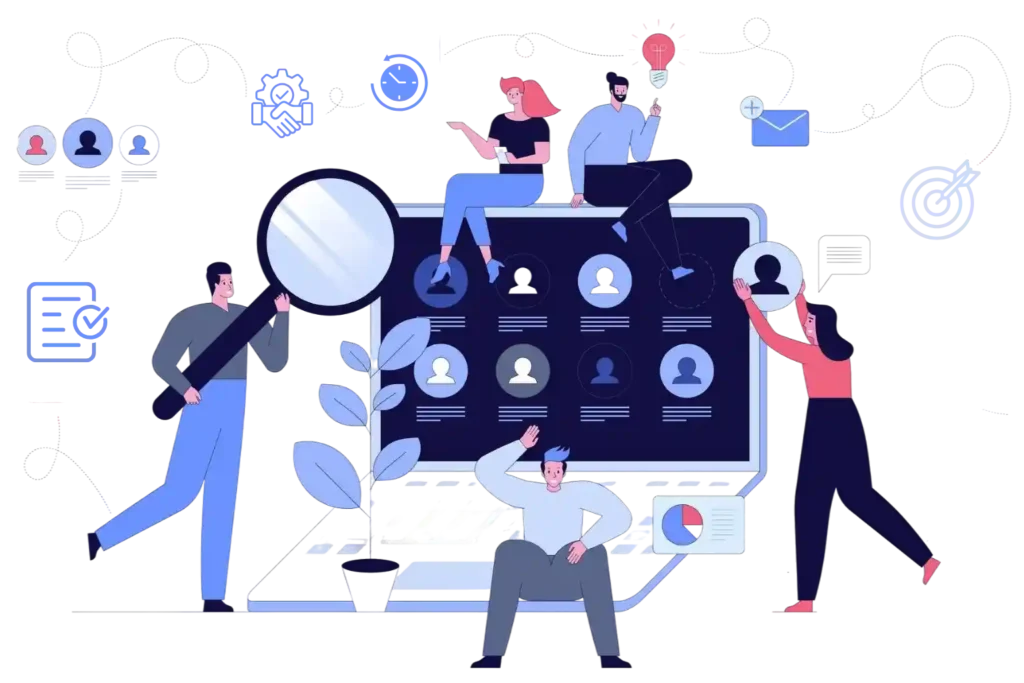
HR teams are moving away from spreadsheets, paper-based processes, and disconnected HR tools. Digital HR transformation brings employee information, HR processes, automation, and reporting into a connected digital environment.
For organizations already using Microsoft 365, digital HR Platform with Microsoft 365 can bring HR activities closer to the tools teams already use. A Microsoft-focused HR platform such as HR365 HRMS can connect employee management, onboarding, leave, attendance, performance, recruitment, learning, expenses, and HR reporting in one environment.
What Is Digital HR Transformation?
Digital HR transformation is the process of using digital technology to modernize HR processes, employee information, workflows, communication, and reporting.
It goes beyond replacing paper forms with online forms. A complete transformation connects different HR activities so that information can move between processes without relying on spreadsheets, emails, or multiple disconnected systems.
Traditional HR operations often involve separate tools for employee records, leave requests, attendance, recruitment, performance reviews, training, and expenses. This can make it difficult for HR teams and managers to find the right information or understand what is happening across different processes.
Employee Management: Maintaining employee profiles, documents, and employment information digitally.
HR Automation: Automating repetitive activities, approvals, notifications, and administrative tasks.
Employee Self-Service: Allowing employees to manage requests and access HR information independently.
Workforce Analytics: Using HR data to monitor trends and support workforce planning.
System Integration: Connecting HR platforms with existing workplace applications.
Why Digital HR Transformation Matters?
Modern workplaces require HR departments to manage growing employee expectations, changing business requirements, and increasing amounts of workforce information.
Changing Employee Expectations: Employees expect quick access to HR services, leave balances, documents, and company information.
Increasing Administrative Work: Digital processes reduce time spent managing spreadsheets, emails, and repetitive requests.
Need for Accurate Information: Connected systems help HR teams maintain consistent employee records across departments.
Growing Workforce Complexity: Digital HR tools support businesses managing remote, hybrid, and distributed employees.
- Better Business Decisions: Workforce data provides insights into staffing, attendance, performance, and employee engagement.
Digital HR vs. Traditional HR
The difference between traditional HR and Digital HR is not simply paper versus software. It is about how information and processes are managed.
Traditional HR | Digital HR |
Paper and spreadsheet-based records | Centralized digital employee records |
Manual data entry | Connected digital information |
Email-based approvals | Digital workflows |
Separate HR files | Centralized employee profiles |
Manual reporting | HR dashboards and reports |
Disconnected HR processes | Connected HR activities |
Manual onboarding checklists | Digital onboarding workflows |
Limited process visibility | Greater visibility across HR activities |
Traditional HR processes can still work for smaller or less complex organizations, but they become harder to manage as the number of employees, departments, and HR activities increases.
A digital approach gives organizations a way to bring these processes into a more structured environment.
The right digital HR software can also reduce the need for HR teams to switch between multiple systems for everyday activities.
Key Components of Digital HR Transformation
Digital HR transformation can cover almost every part of the employee lifecycle. The exact combination depends on the organization’s requirements, but several core areas are common across modern HR platforms.
Centralized employee management systems help HR departments organize workforce information while making relevant records accessible to authorized users.
- Maintain employee profiles and employment information.
- Store important HR documents digitally.
- Track employee information throughout the employment lifecycle.
Digital recruitment and onboarding processes improve coordination between recruiters, hiring managers, HR teams, and new employees.
- Manage candidate applications and interview activities.
- Automate onboarding tasks and document collection.
- Monitor new employee onboarding progress.
Digital attendance and leave management reduce manual tracking while helping employees and managers complete routine activities.
- Track employee attendance and leave balances.
- Enable digital leave requests and approvals.
- Maintain public holiday and attendance records.
4. Performance Management
Digital performance management gives organizations a structured approach to employee evaluations, feedback, and development planning.
- Establish employee goals and expectations.
- Record feedback and performance discussions.
- Track development plans and employee progress.
5. HR Automation and AI
Automation and AI-assisted capabilities can reduce repetitive activities and help HR professionals focus on employee support and strategic responsibilities.
- Automate routine approval workflows.
- Generate reminders and employee notifications.
- Assist with HR information retrieval and reporting.
6. HR Analytics and Reporting
Connected HR data helps organizations understand workforce patterns and identify opportunities for operational improvements.
- Monitor employee turnover and attendance trends.
- Generate workforce and performance reports.
- Support planning with measurable HR insights.
Benefits of Moving to Digital HR
Digital HR transformation can affect more than the HR department. When HR processes are connected, managers and team members can also have a clearer way to interact with HR services.
- Less Manual Administration: Digital workflows can reduce repetitive data entry, manual follow-ups, and spreadsheet-based HR activities.
- Better Access to Information: Centralized employee information gives authorized users a clearer place to find relevant HR details.
- More Consistent HR Processes: Defined digital workflows create a consistent structure for recurring activities such as onboarding, leave requests, approvals, and tasks.
- Better HR Visibility: Dashboards and centralized reporting can give HR teams a clearer view of activities across departments.
- Easier Collaboration: Connecting HR processes with Microsoft Teams and other Microsoft 365 tools can bring HR activities closer to the organization’s existing work environment.
- Greater Use of HR Data: When HR information is centralized, organizations have a stronger foundation for reporting and data-based decision-making.
- A Connected Employee Lifecycle: Digital HR can connect recruitment, onboarding, employee management, performance, learning, leave, attendance, expenses, and other HR activities within a broader system.
How to Implement Digital HR Transformation
A successful digital HR transformation requires planning, employee involvement, and clear business objectives. Organizations should gradually introduce improvements rather than attempting to replace every HR process simultaneously.
Review current HR operations to identify manual tasks, disconnected systems, and processes that require improvement.
Audit recruitment, onboarding, attendance, and employee management.
Identify recurring errors and approval delays.
Gather employee and manager feedback.
Establish measurable goals that connect digital HR improvements with business requirements.
Reduce manual administrative activities.
Improve employee self-service adoption.
Establish targets for processing time and data accuracy.
Choose a platform that supports essential HR activities and integrates with your organization’s existing technology.
Evaluate automation, reporting, and security capabilities.
Check integration with Microsoft Teams and SharePoint.
Review implementation requirements and scalability.
Prepare employee information before transferring records to a new digital platform.
Remove duplicate and outdated records.
Validate employee information and documents.
Establish appropriate data access permissions.
Employee adoption plays an important role in determining whether digital transformation delivers meaningful results.
Provide training on new HR workflows.
Introduce employee self-service features.
Collect feedback during implementation.
Monitor whether the transformation achieves its intended objectives and identify areas requiring further improvement.
Track HR processing time and adoption rates.
Review employee feedback and system usage.
Update workflows based on performance results.
How HR365 HRMS Supports Digital HR Transformation
Organizations using Microsoft 365 can benefit from HR solutions that connect employee management with familiar workplace applications.
HR365 HRMS supports digital HR operations within the Microsoft 365 ecosystem, helping organizations manage employee information, HR workflows, and everyday workforce activities.
Key capabilities include:
Centralized Employee Records: Organize employee information and important HR documents in one connected environment.
Leave and Attendance Management: Manage employee leave requests, attendance information, and approval activities.
Employee Self-Service: Enable employees to access relevant HR information and submit routine requests.
Performance Management: Support employee evaluations, feedback, and goal tracking.
Microsoft 365 Integration: Connect HR activities with familiar tools such as Microsoft Teams and SharePoint.
HR Reporting: Provide workforce information that supports monitoring and management decisions.
By connecting employee management with existing workplace technology, HR365 HRMS helps organizations improve everyday HR operations without requiring employees to work across multiple disconnected systems.
Conclusion
Digital HR transformation is becoming an important part of how organizations manage modern HR operations. The shift is not only about moving HR records online. It is about connecting employee information, workflows, HR processes, reporting, and automation in a way that fits how the organization works.
For organizations already using Microsoft 365, digital HR transformation with Microsoft 365 offers a practical path to connect HR with tools such as SharePoint, Microsoft Teams, Power Automate, and Power BI. HR365 HRMS brings core HR activities into this Microsoft ecosystem, giving organizations a digital environment for managing the employee lifecycle.
Ready to modernize your HR operations?
Book a Demo of HR365 HRMS to explore digital employee management within Microsoft 365.
Frequently Asked Questions
What is digital HR transformation?
Digital HR transformation is the use of digital technology to modernize HR processes, employee information, workflows, communication, and reporting. It can replace manual and disconnected HR activities with centralized digital processes.
What are the main components of Digital HR?
Common components include employee records, recruitment, onboarding, leave management, attendance, performance management, learning and training, expense management, task management, reporting, dashboards, and workflow automation.
What is digital HR software?
Digital HR software is technology used to manage HR processes and employee information digitally. Depending on the platform, it can cover employee management, recruitment, onboarding, leave, attendance, performance, training, expenses, reporting, and automation.
How does digital HR transformation work with Microsoft 365?
Digital HR transformation with Microsoft 365 connects HR processes with technologies such as SharePoint, Microsoft Teams, Power Automate, Power BI, and Microsoft Entra ID. This can bring HR activities into an organization’s existing Microsoft environment.
What should a digital HR platform include?
A digital HR platform should support the HR processes an organization needs to manage, such as employee records, onboarding, leave, attendance, performance, recruitment, training, expenses, reporting, and workflow automation. Microsoft 365 integration can also be important for organizations already using the Microsoft ecosystem.
Is HR365 HRMS a digital HR platform for Microsoft 365?
Yes. HR365 HRMS is designed for organizations using Microsoft 365, SharePoint, and Microsoft Teams. It brings core HR activities such as employee management, onboarding, leave, attendance, performance, recruitment, learning, expenses, tasks, automation, and reporting into the Microsoft ecosystem.