
Essential HR Management Functions Every Startup Needs in 2026

Startups move quickly, but managing people becomes more challenging as the team grows. Building clear HR processes early helps create a better experience for new hires, managers, and the entire organization.
According to Business.com, more than 3.2 million small and midsize businesses use cloud-based HR software to manage hiring, onboarding, attendance, performance, and other HR activities, showing the growing demand for digital HR solutions.
- HR management becomes essential as startups begin hiring and expanding their teams.
- Well-defined HR processes reduce manual work and improve consistency.
- Digital HR software helps manage hiring, onboarding, attendance, leave, and performance from one place.
- Building scalable HR practices early prepares startups for long-term growth.
Whether your startup has five people or fifty, the right HR foundation supports hiring, improves communication, keeps records organized, and prepares your business for future growth.
This guide explains everything startups need to know about HR management, the common challenges growing businesses face, and the best practices for creating HR processes that can grow with your organization.
What Is HR Management?
HR management for startups is the process of organizing every activity related to people throughout their journey in the company. It includes hiring, onboarding, maintaining employee records, tracking attendance, managing leave requests, setting performance goals, supporting learning, and handling everyday HR tasks.
Unlike larger enterprises with dedicated HR departments, startups often have founders, operations managers, or office administrators managing these responsibilities alongside many other responsibilities.
A structured HR management system brings these activities together into one centralized platform. Instead of switching between multiple files and communication channels, teams can manage HR information, automate routine tasks, and gain better visibility into daily operations.
Modern HR management is not only about maintaining employee records. It also supports:
- Hiring and recruitment
- Employee onboarding
- Attendance and timesheet tracking
- Leave management
- Performance reviews
- Learning and training
- Expense management
- HR reporting and dashboards
- Task management
- Employee directory
When these processes are connected, startups can spend less time on administration and more time building their business.
Why Is HR Management Important for Startups?
Many founders believe HR becomes important only after reaching 50 or 100 employees. In reality, HR management starts with the first hire.
Every new team member brings documents, onboarding activities, leave requests, performance expectations, and communication needs. Without clear processes, these tasks quickly become difficult to manage.
Starting with organized HR practices offers several long-term benefits.
Creates a Better Hiring Experience
Recruitment is often the first interaction candidates have with your company. Organized hiring workflows, interview scheduling, and communication help create a professional experience that reflects your company culture.
Candidates notice when hiring processes are well planned and responsive.
Makes Onboarding More Consistent
New hires need access to documents, policies, training materials, and equipment before they can contribute effectively.
A structured onboarding process ensures every new employee receives the same experience instead of relying on manual checklists or memory.
This reduces confusion during the first weeks of employment.
Keeps Employee Information Organized
Employee information grows over time.
A startup may need to maintain:
- Contact information
- Emergency contacts
- Employment documents
- Offer letters
- Department details
- Reporting managers
- Skills
- Certifications
- Training history
Keeping everything in one location saves time whenever information needs updating.
Improves Team Communication
HR is connected to many daily activities.
Managers approve leave requests.
Employees submit attendance.
Recruiters coordinate interviews.
HR shares company announcements.
When these activities happen through one centralized platform, communication becomes easier for everyone involved.
Supports Better Decision Making
As startups expand, founders need answers to questions like:
- Which departments are hiring?
- How many people joined this quarter?
- Which teams have the highest leave usage?
- Are performance reviews completed?
- Which onboarding tasks remain pending?
HR dashboards provide quick visibility into these metrics without manually compiling spreadsheets.
Prepares the Business for Growth
Processes created early become the foundation for future expansion.
A startup with clear HR policies and organized records can onboard larger teams more efficiently than one relying entirely on manual processes.
Building HR systems early reduces disruption later.
What Are the Common HR Challenges for Startups?
Every growing startup experiences HR challenges. The difference is how quickly they identify and solve them.
Here are the most common issues startups encounter.
Hiring at Speed
Startups often need to fill positions quickly to support business growth.
Managing job applications, interview scheduling, candidate feedback, and hiring decisions through email becomes difficult as applications increase.
Without a structured recruitment process, important candidates may experience delays or inconsistent communication.
Employee Onboarding Takes Too Much Time
Many startups repeat the same onboarding tasks for every new hire, such as:
- Sending welcome emails
- Collecting documents
- Sharing policies
- Creating accounts
- Assigning equipment
- Scheduling introductions
When these tasks remain manual, onboarding consumes valuable time that could be spent supporting new team members.
Managing Employee Information Across Multiple Files
Small businesses frequently store HR information in different spreadsheets, cloud folders, emails, and paper documents.
This creates challenges such as:
- Duplicate information
- Missing documents
- Outdated records
- Difficulty finding files
- Version control problems
A centralized employee directory helps eliminate these issues.
Tracking Attendance and Leave
As teams become hybrid or remote, attendance management becomes more complex.
Managers need visibility into:
- Working hours
- Time entries
- Leave balances
- Holiday calendars
- Absences
Manual attendance tracking often leads to reporting errors and unnecessary administrative work.
Performance Reviews Become Inconsistent
Performance conversations often happen informally in startups.
As the organization grows, different managers begin using different evaluation methods.
Without structured performance management, reviews become inconsistent and difficult to compare across departments.
Clear goals, review cycles, and feedback processes create a more consistent experience.
Limited HR Resources
Many startups cannot justify hiring a large HR department during their early growth stages.
Instead, HR responsibilities are shared among founders, operations managers, finance teams, or office administrators.
Automation becomes especially valuable because it reduces repetitive administrative work while maintaining organized HR processes.
Difficulty Scaling Existing Processes
The methods that worked for ten people rarely work for one hundred. Common challenges include:
- Manual approvals become slower
- Documents become harder to manage
- Recruitment volume increases
- Performance reviews require coordination
- Training expands
Without scalable HR processes, administrative work grows faster than the organization itself.
Lack of HR Visibility
Founders need accurate information to make business decisions.
If HR data is spread across different systems, creating reports becomes time-consuming.
Modern HR dashboards provide visibility into hiring, attendance, leave, onboarding, and performance, helping leadership make informed decisions based on current information.
HR Functions That Build a Strong Startup Foundation
A growing startup needs more than basic employee records. As teams expand, different HR activities become connected. Hiring leads to onboarding, onboarding leads to training, performance reviews depend on goals, and attendance data supports productivity discussions.
Creating these functions early helps maintain consistency as the organization grows.
1. Recruitment Management
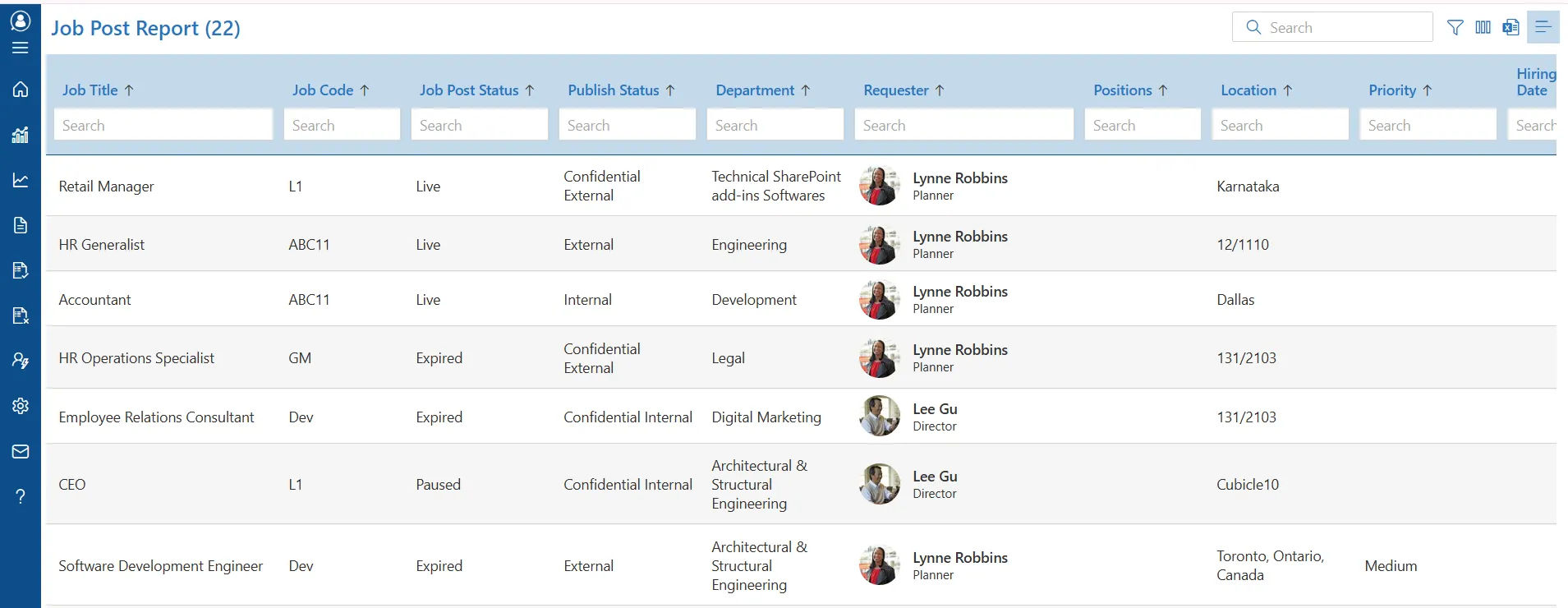
Finding the right people is one of the most important responsibilities for any startup. A structured hiring process helps managers evaluate candidates fairly while keeping every stage organized.
Instead of managing resumes through email inboxes and spreadsheets, startups should build a recruitment workflow that includes:
- Job requisitions
- Candidate applications
- Resume management
- Interview scheduling
- Interview feedback
- Hiring approvals
Having each hiring stage documented gives everyone involved a clear view of candidate progress.
Recommended Read: Complete Guide to Hire your Candidates
2. Employee Onboarding
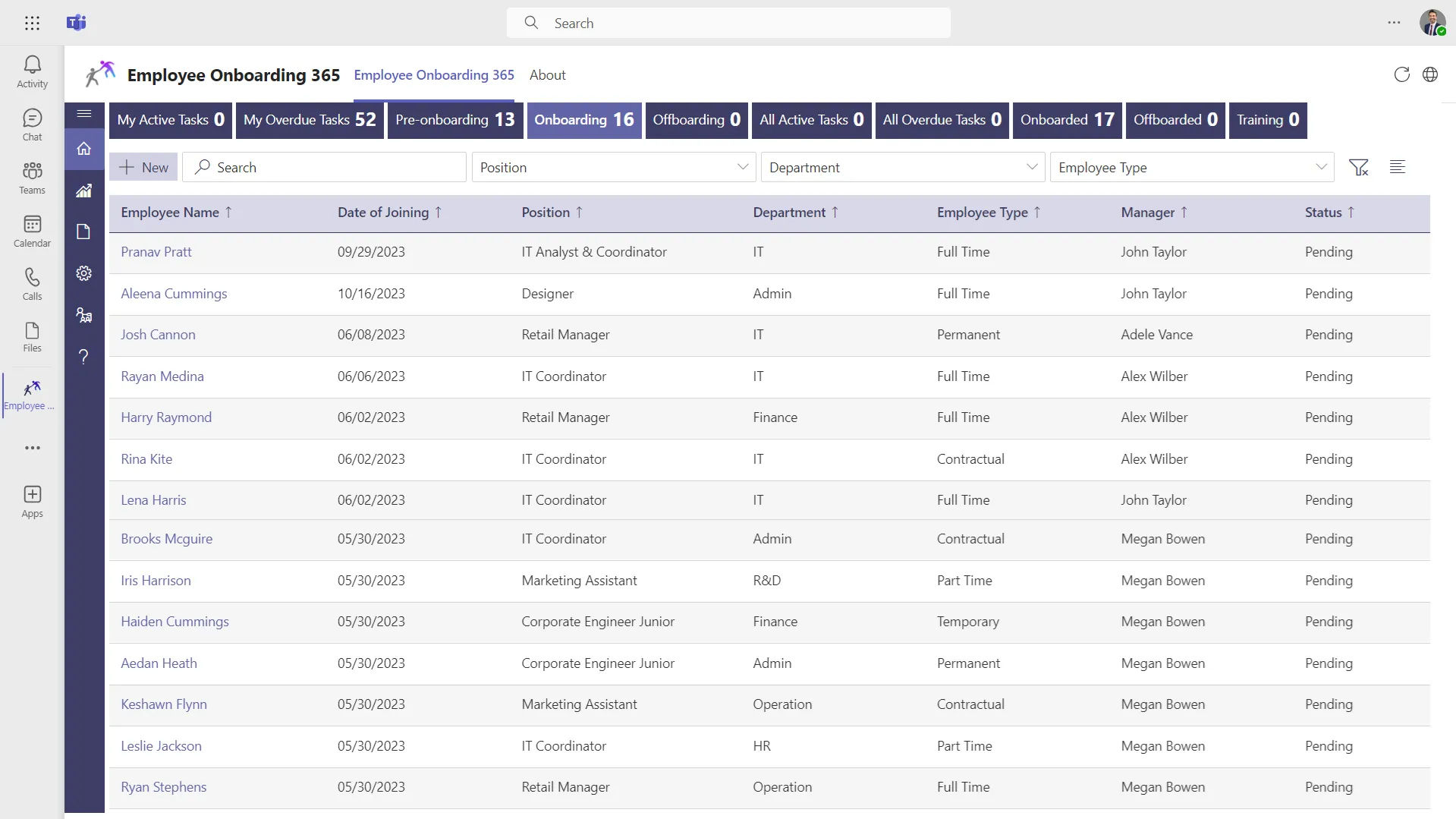
The first few days often shape a new hire’s perception of the organization. A planned onboarding process helps people understand their responsibilities, company culture, and available resources without unnecessary confusion.
Rather than sending information in multiple emails, startups should prepare a repeatable onboarding journey.
An effective onboarding process usually includes:
- Digital document collection
- Welcome communication
- Company policies
- Department introductions
- Equipment assignment
- Training schedules
- Initial goals
- Manager check-ins
When onboarding follows the same structure for every new team member, managers spend less time coordinating administrative tasks.
Recommended Read: Best Microsoft Employee Onboarding Software: Guide 2026
3. Employee Directory
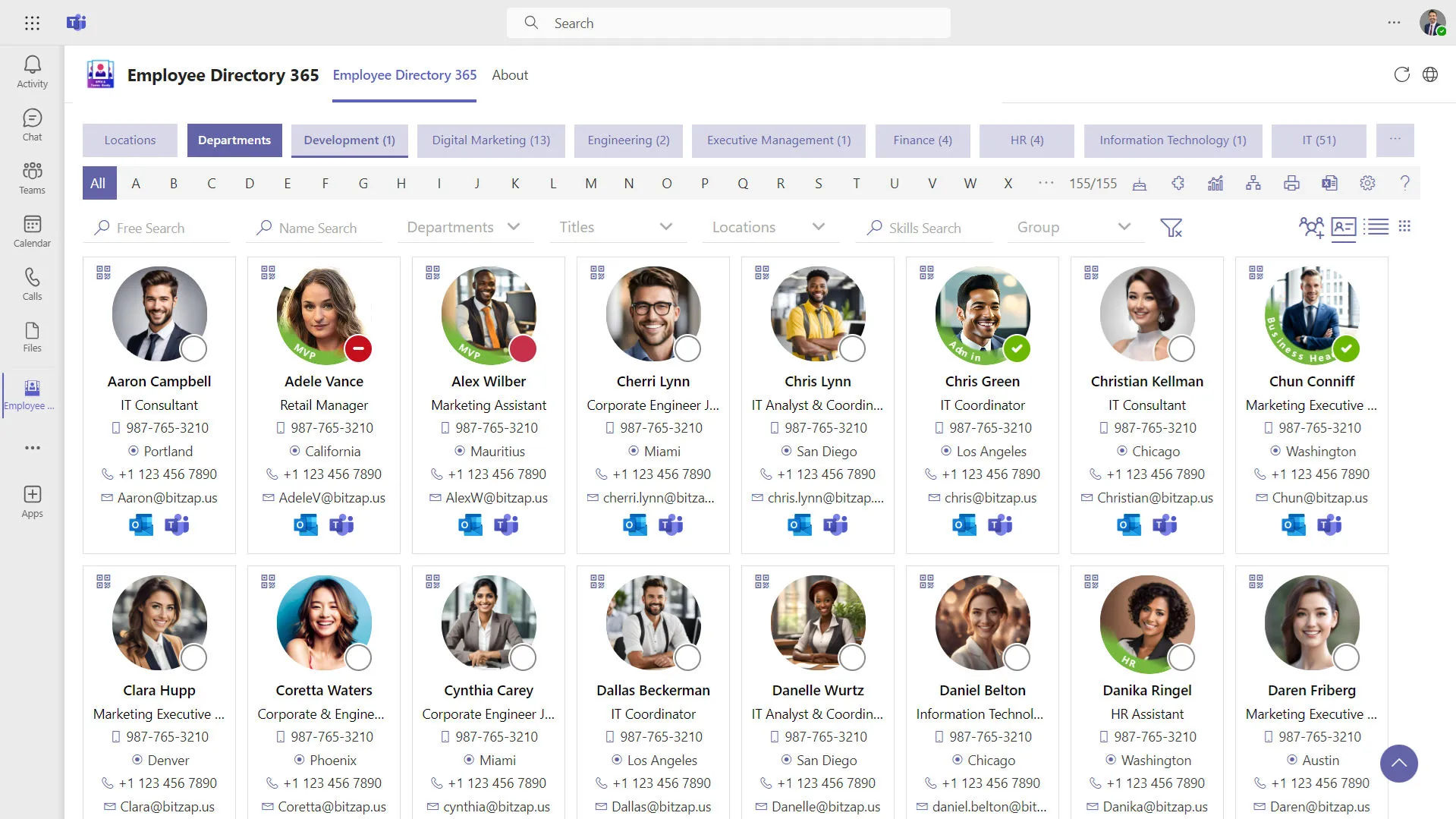
As startups grow, remembering reporting structures, department assignments, or contact details becomes difficult.
An employee directory creates a single source of information for the entire organization.
Typical information includes:
- Name and designation
- Department
- Reporting manager
- Contact information
- Work location
- Joining date
- Skills
- Employment status
A searchable directory also supports collaboration by helping people quickly identify colleagues across different departments.
Instead of requesting contact details from HR, authorized users can find updated information whenever needed.
For organizations using Microsoft 365, HR365 HRMS integrates naturally with SharePoint, making employee information easily accessible within the existing digital workplace.
Recommended Read: Employee Directory: The Complete Guide to Building a Connected Workplace
4. Leave Management
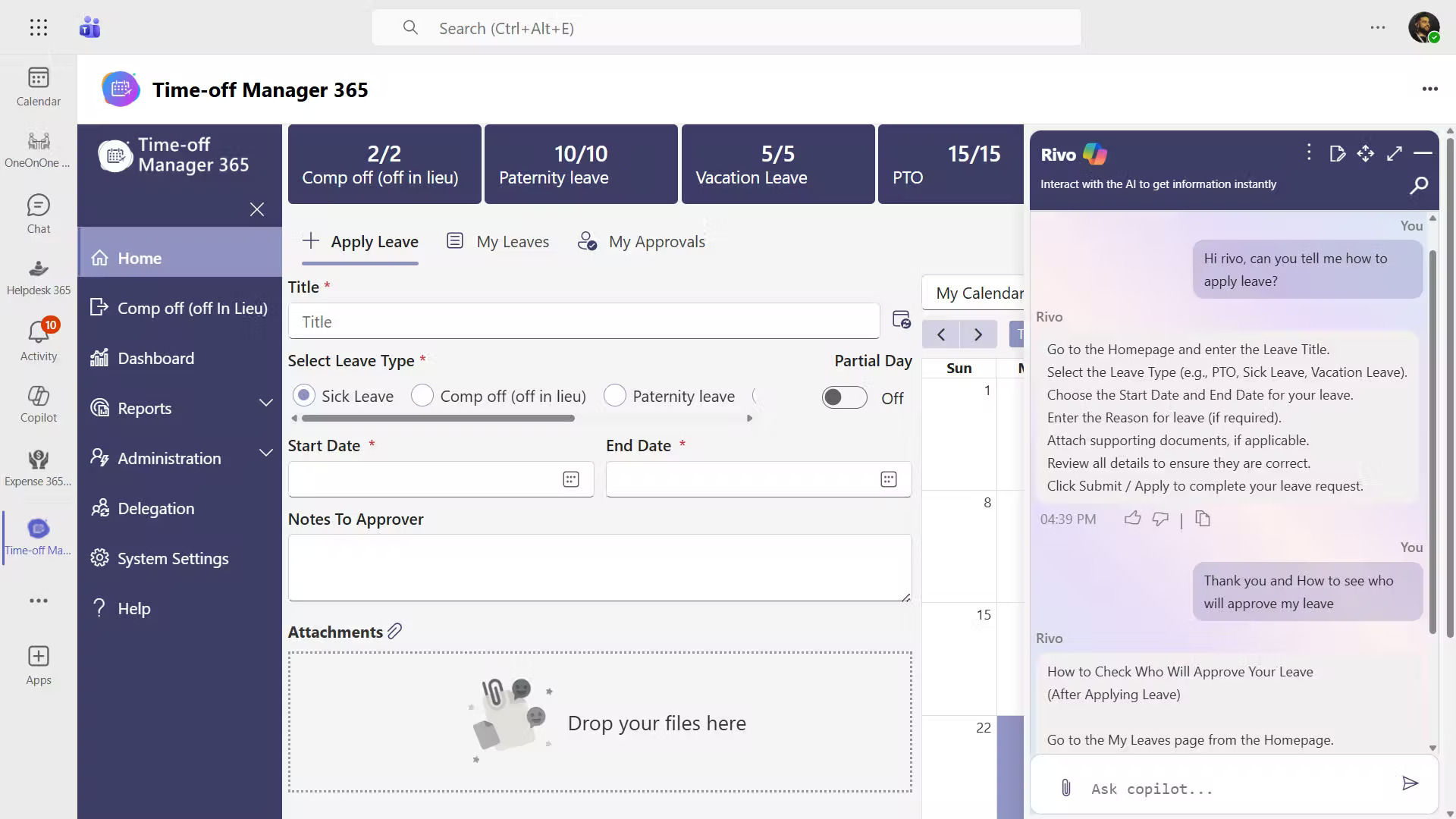
Managing leave manually often creates unnecessary communication between team members, managers, and HR.
A digital leave process gives everyone visibility into leave balances, approvals, and upcoming absences.
A startup leave system should include:
- Leave requests
- Approval workflows
- Holiday calendars
- Leave balance tracking
- Leave history
- Manager notifications
When managers can see upcoming leave schedules, project planning becomes easier. At the same time, team members receive faster responses because approval requests are routed automatically.
HR365 HRMS supports configurable leave policies, approval workflows, and real-time leave tracking without relying on spreadsheets.
Recommended Read: Leave Management Software: Complete Guide 2026
5. Attendance and Timesheets
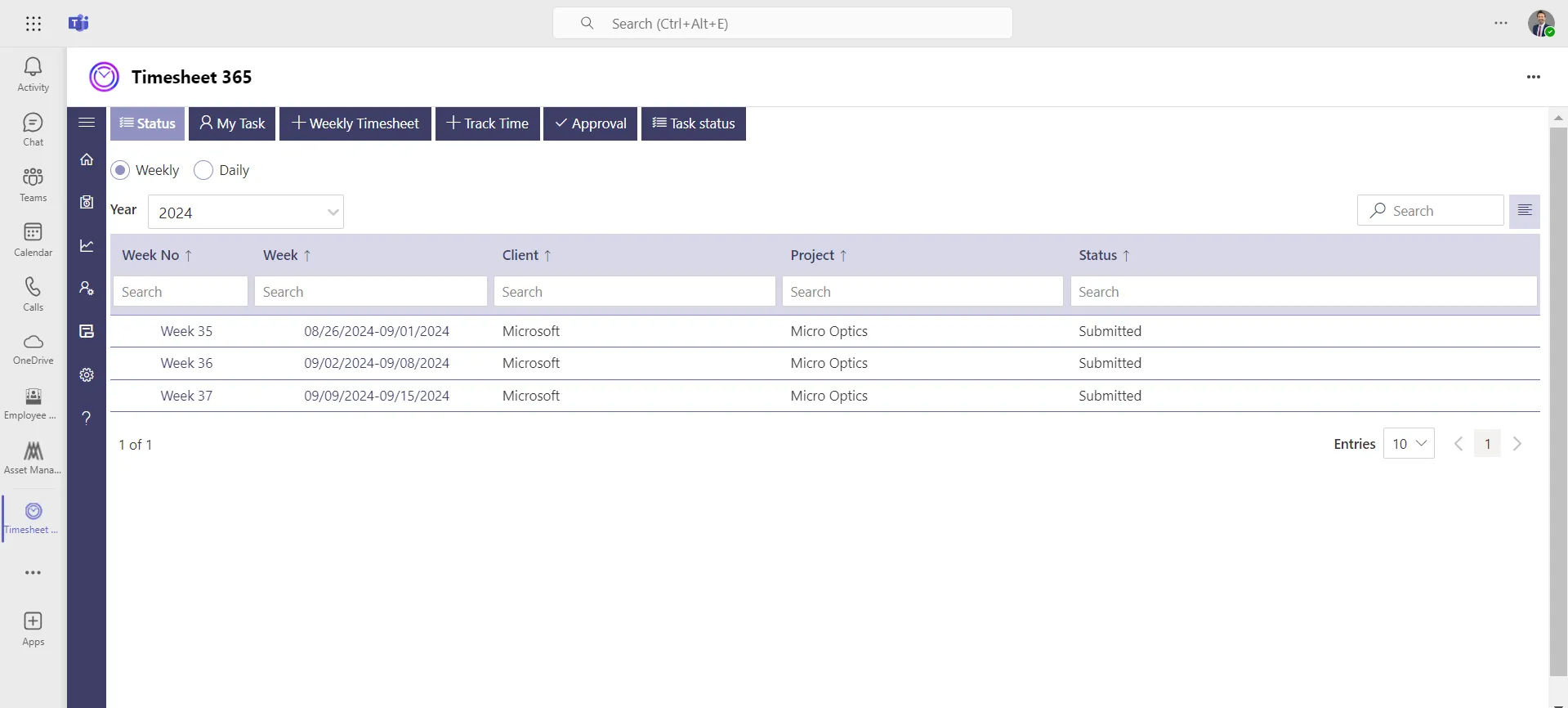
Understanding when work is performed becomes increasingly important as organizations adopt hybrid or remote work models.
Attendance records and timesheets provide managers with visibility into work hours while giving personnel an easy way to submit daily entries.
Depending on business requirements, startups may record:
- Daily attendance
- Working hours
- Break times
- Project hours
- Weekly timesheets
- Overtime records
Instead of collecting attendance information through emails or manual registers, digital tracking creates accurate historical records that managers can review whenever needed.
HR365 HRMS includes attendance recording and timesheet capabilities that support both office-based and distributed teams from one platform.
Recommended Read: Time Tracking Software: Tools and Benefits in 2026
6. Performance Management
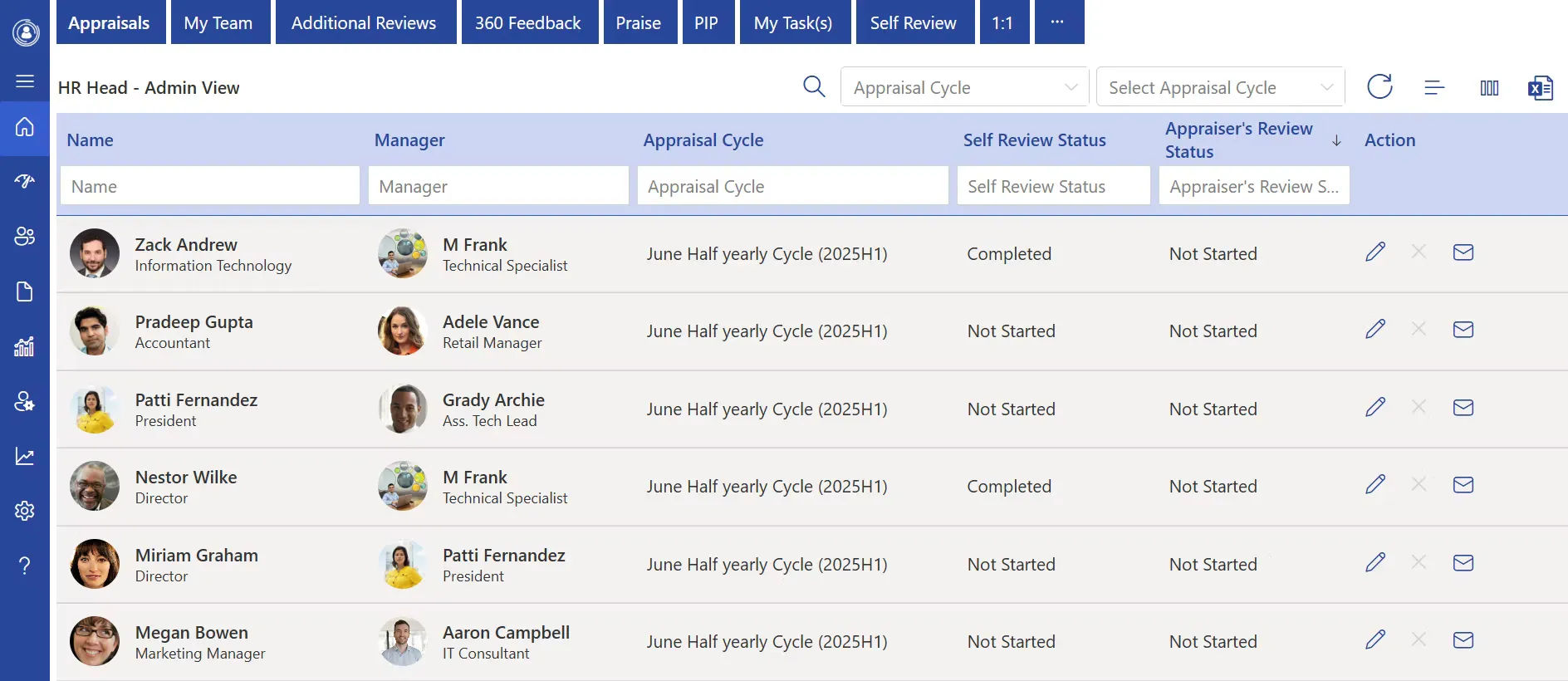
Performance discussions become more valuable when they follow a structured process instead of happening only during annual reviews.
Startups benefit from setting measurable goals that connect individual contributions with business objectives.
A performance framework may include:
- Goal setting
- Regular manager check-ins
- Feedback discussions
- Self-assessments
- Performance reviews
- Development plans
Frequent conversations help identify achievements and development opportunities before small issues become larger challenges.
Managers also gain a consistent approach to evaluating team performance across departments.
With HR365 HRMS, organizations can manage goals, review cycles, and performance evaluations within a centralized environment.
Recommended Read: Microsoft Performance Management: Essential Guide
7. AI and HR Automation
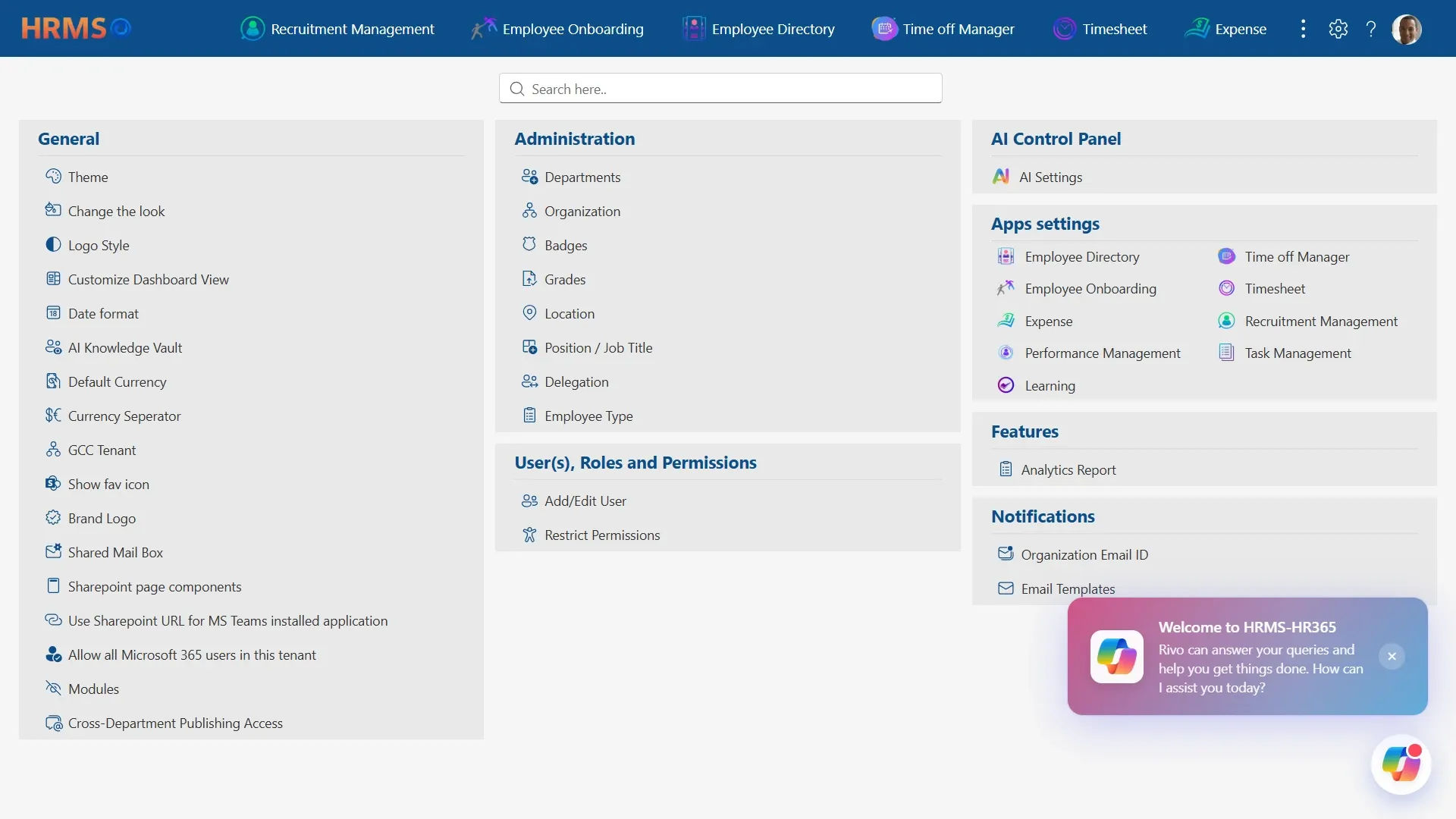
As startups grow, HR teams often spend a significant amount of time on repetitive administrative work. Tasks like sending reminders, tracking approvals, answering common questions, and updating records can quickly take time away from strategic priorities.
AI and automation help startups handle these routine activities more efficiently while maintaining consistency across HR processes.
Instead of replacing HR professionals, AI supports faster decision-making and reduces manual effort, allowing HR teams and managers to focus on hiring, employee development, and business growth.
8. Learning and Training
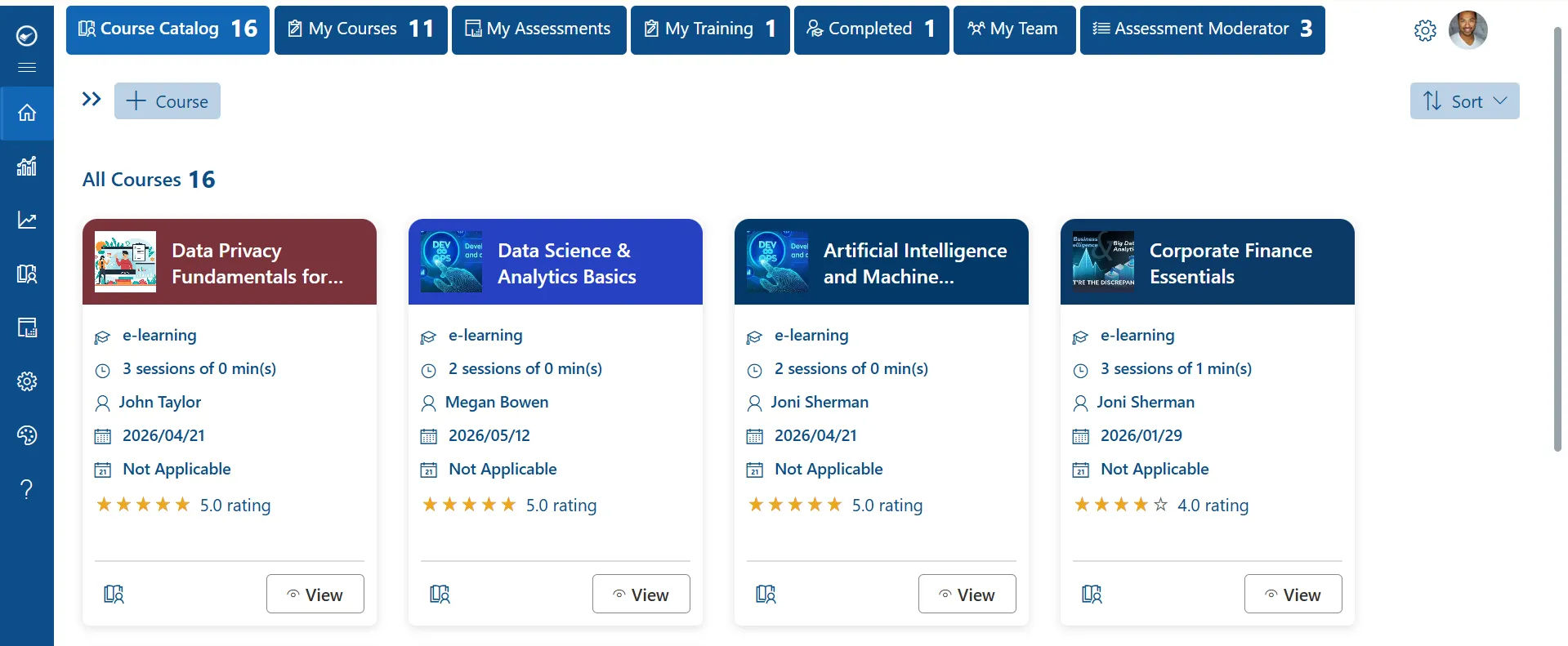
Every growing organization reaches a point where informal knowledge sharing is no longer enough.
Training helps new hires become productive faster while supporting continuous skill development across existing teams.
Training activities may include:
- New hire orientation
- Technical learning
- Leadership development
- Product knowledge
- Internal workshops
- Compliance awareness
- Professional certifications
Keeping training records in one location makes it easier to monitor completed courses and identify future learning needs.
HR365 HRMS provides learning and training management features that help organizations organize learning programs and monitor participation.
Recommended Read: Smarter Training with Microsoft Learning Management System
9. Expense Management
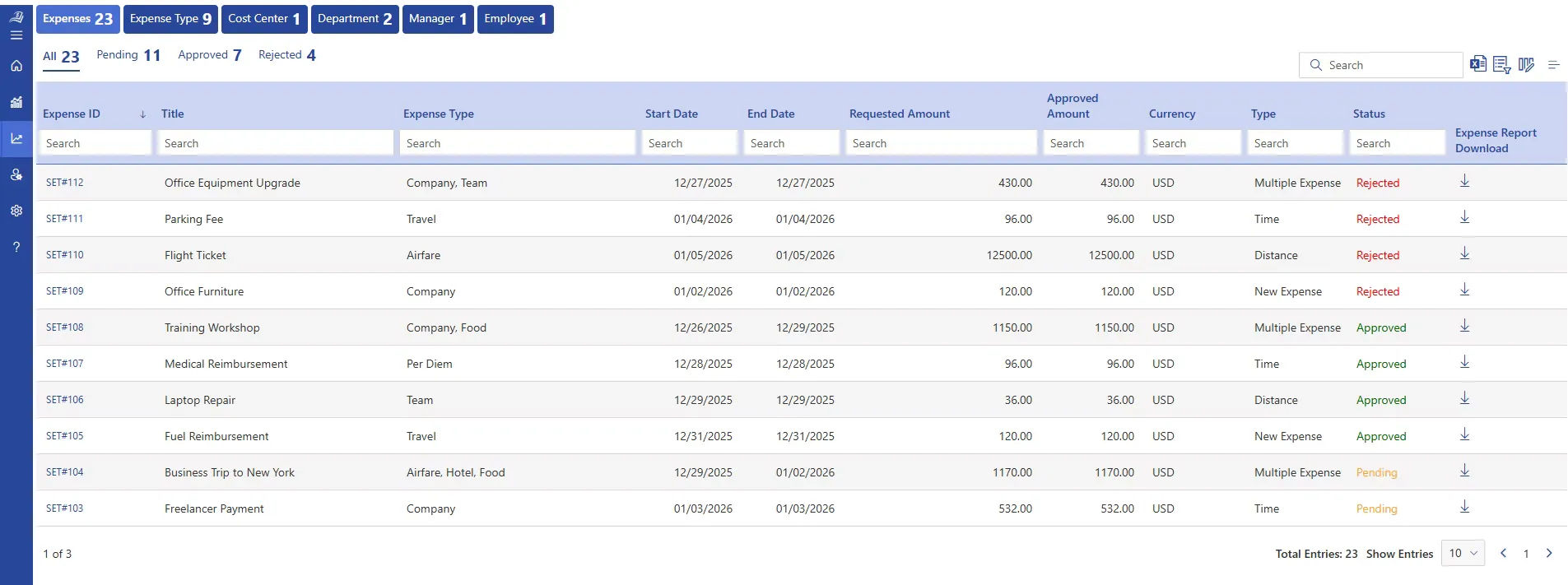
Business expenses increase as startups expand their operations.
Without a standardized process, finance and HR teams often spend considerable time following up on receipts, approvals, and reimbursement requests.
A structured expense process typically includes:
- Expense submission
- Ai receipt scanning
- Receipt uploads
- Manager approvals
- Category tracking
- Status updates
- Expense history
Digital workflows reduce unnecessary back-and-forth communication while providing greater visibility into pending requests.
HR365 HRMS offers expense management capabilities that simplify submission, approval, and tracking from one centralized platform.
Recommended Read: How to Manage Expense Reports in SharePoint
10. HR Dashboard and Reporting
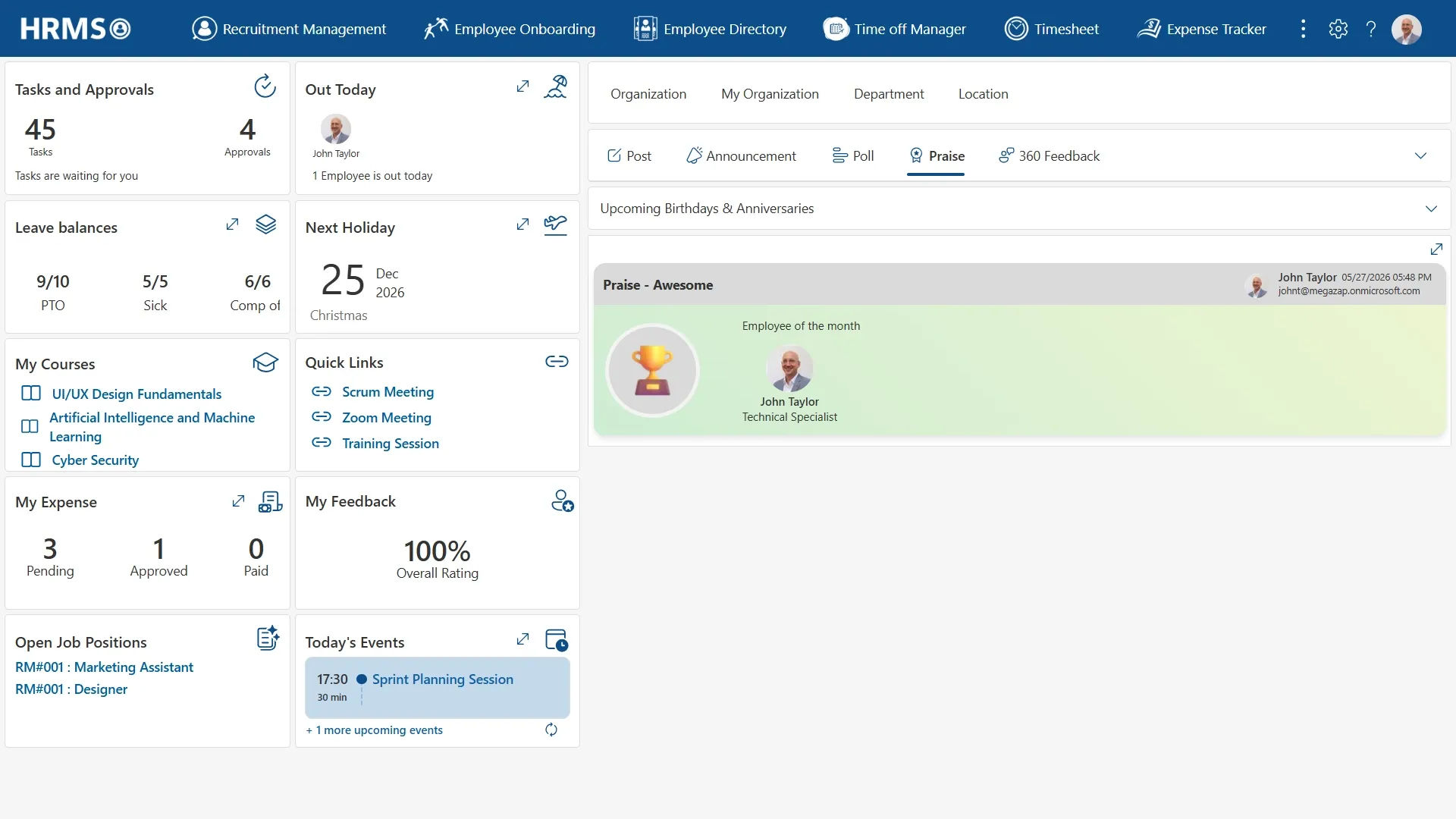
As startup operations become more complex, leaders need quick access to meaningful information rather than manually preparing reports.
An HR dashboard brings together data from different HR functions into a single view.
Common dashboard insights include:
- New hires
- Open positions
- Attendance trends
- Leave activity
- Performance review progress
- Training completion
- Pending approvals
Instead of searching through multiple systems, managers can monitor organizational activity from one location and respond more quickly to changing priorities.
HR365 HRMS provides interactive dashboards that help decision-makers view HR data across recruitment, onboarding, leave, attendance, performance, learning, and other core functions.
11. Task Management
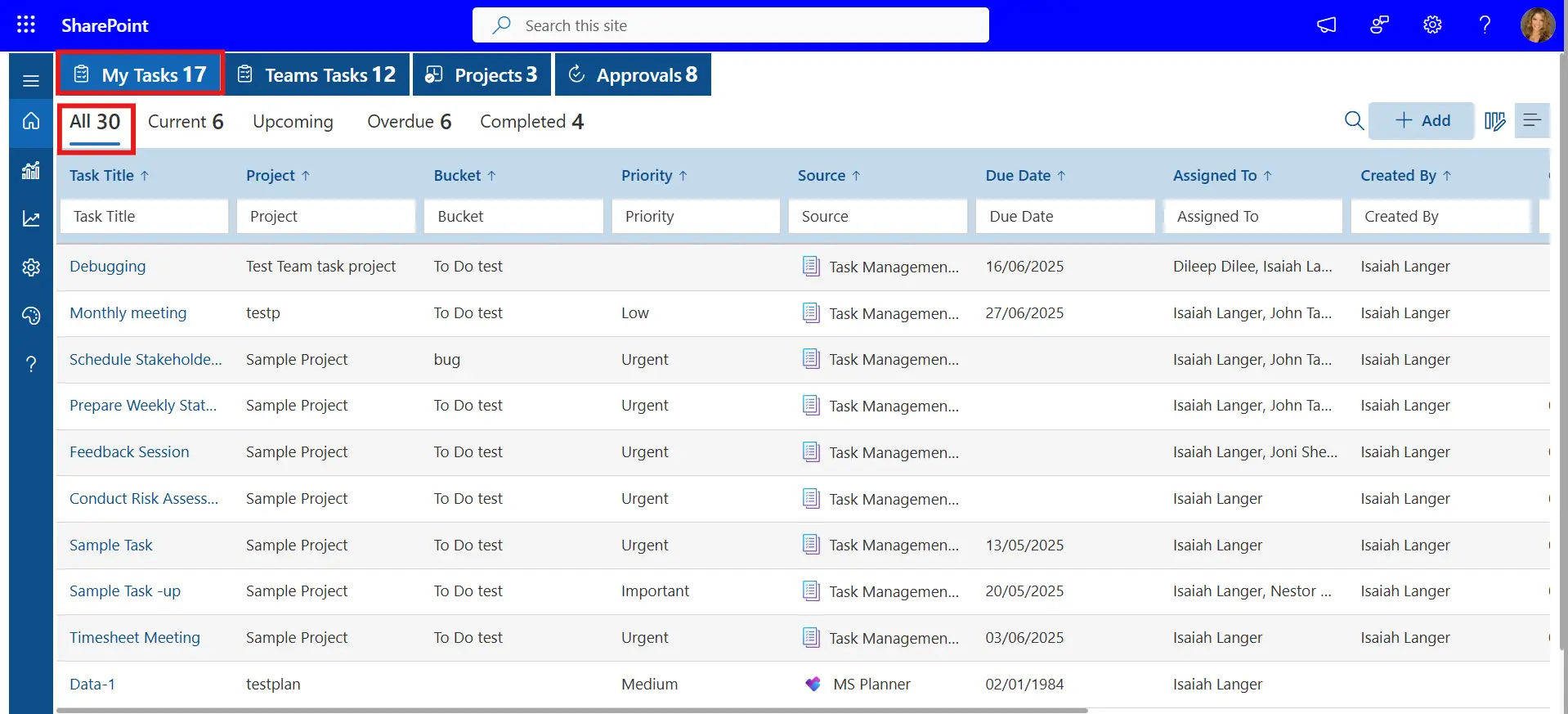
Many HR activities involve multiple people and deadlines.
Examples include:
- Completing onboarding tasks
- Preparing offer letters
- Scheduling interviews
- Assigning training
- Updating employee records
- Conducting review meetings
Task management helps ensure responsibilities are assigned clearly and completed on time.
Instead of relying on reminder emails, managers can monitor progress through a centralized task list.
HR365 HRMS includes task management tools that help departments coordinate HR activities more effectively.
Recommended Read: Task Management: A Complete Package for Modern Teamwork
How to Build HR Processes That Scale with Your Startup
Building HR processes is only the first step. As your startup grows, those processes should remain simple, consistent, and easy to follow. Small improvements made early can prevent larger operational challenges later.
Here are some best practices that support long-term growth.
Document HR Processes
Every recurring HR activity should have a documented process. This includes hiring, onboarding, leave requests, performance reviews, and offboarding.
Documented workflows help managers follow the same steps, reduce confusion, and make it easier to train new HR team members as the organization expands.
Centralize Employee Information
Storing HR records across emails, spreadsheets, and shared folders often leads to duplicate files and outdated information.
Keeping employee profiles, documents, leave records, and performance history in one system gives managers quick access to accurate information whenever they need it.
Automate Repetitive Tasks
Many HR activities follow the same pattern every day.
Examples include:
- Sending onboarding tasks
- Routing leave approvals
- Reminding managers about performance reviews
- Assigning training programs
- Tracking pending approvals
Automation reduces manual follow-ups and helps HR teams focus on higher-value activities such as talent development and employee engagement.
Review HR Processes Regularly
The HR practices that work for a team of 15 may not support a company of 150.
Schedule regular reviews to evaluate:
- Hiring timelines
- Onboarding completion
- Attendance trends
- Leave policies
- Performance review cycles
- Learning participation
Making small adjustments over time keeps HR processes aligned with business growth.
Use Data to Support Decisions
HR data can reveal patterns that are difficult to identify through manual observation.
Examples include:
- Departments with higher hiring activity
- Training completion rates
- Leave trends across teams
- Performance review completion
- Onboarding progress
Reviewing these insights regularly helps managers make informed decisions based on current information rather than assumptions.
How Can Startups Use AI in HR Management?
Artificial intelligence is becoming part of everyday HR operations. Rather than replacing HR professionals, AI supports faster decision-making by handling repetitive work and organizing information more efficiently.
For startups with limited HR resources, this can make a noticeable difference.
Some common applications include:
Resume Screening
AI can organize candidate applications, identify relevant skills, and reduce the time required for initial resume reviews.
Smart HR Assistance
AI-powered assistants can answer common HR questions, helping team members find information about company policies, leave balances, or onboarding tasks without waiting for HR support.
Automated Notifications
AI can remind managers about pending approvals, upcoming reviews, document submissions, and training deadlines, helping important activities stay on schedule.
HR Reporting
Instead of manually compiling reports, AI can summarize HR data into clear insights, making it easier for leadership teams to understand workforce trends.
Better Knowledge Access
Organizations using Microsoft 365 can combine AI capabilities with their existing digital workplace, making HR information easier to find while reducing time spent searching across multiple systems.
As AI continues to evolve, startups that adopt automation early will be better positioned to manage growth efficiently.
How to Choose the Right HR Management Software for Your Startup
Not every HR platform is designed for growing businesses. Before selecting a solution, evaluate how well it supports your current needs while remaining flexible as your organization expands.
Consider the following factors.
Easy to Use
The platform should have a simple interface that managers and team members can adopt quickly without extensive training.
Covers Core HR Functions
Look for software that supports:
- Recruitment
- Onboarding
- Employee Directory
- Leave Management
- Attendance and Timesheets
- Performance Management
- Learning and Training
- Expense Management
- Dashboards
- Automation
Using one platform instead of several disconnected applications creates a more consistent experience.
Automation Capabilities
Choose software that reduces manual work through automated workflows, notifications, approvals, and task assignments.
Reporting and Dashboards
Access to real-time HR insights helps managers monitor hiring progress, attendance trends, leave activity, and performance without preparing reports manually.
Microsoft 365 Compatibility
Organizations already using Microsoft 365 benefit from HR software that integrates with SharePoint, Microsoft Teams, and the broader Microsoft ecosystem.
This reduces duplicate work and fits naturally into existing business processes.
Scalability
The software should support your organization as new departments, locations, and team members are added over time.
Selecting a scalable platform today reduces the need for future system changes.
Why HR365 HRMS Is a Smart Choice for Growing Startups
Growing startups need HR software that is practical, flexible, and ready to support future expansion.
HR365 HRMS brings together the essential HR functions required by modern organizations within one centralized platform built for businesses using Microsoft 365.
Key capabilities include:
- Recruitment management
- Employee onboarding
- Employee directory
- Leave management
- Attendance and timesheet tracking
- Performance management
- Learning and training
- Expense management
- HR dashboards
- Task management
- AI-powered automation
Because HR365 HRMS integrates with Microsoft 365, SharePoint, and Microsoft Teams, organizations can manage HR activities within the digital tools they already use every day.
Instead of switching between multiple systems, managers and HR teams gain a connected environment for managing the complete employee lifecycle.
Whether your startup is hiring its first team members or expanding across multiple departments, HR365 HRMS provides the flexibility to support each stage of growth.
Conclusion
Every successful startup reaches a point where informal HR processes are no longer enough. Building structured HR practices early creates consistency across hiring, onboarding, performance management, attendance, learning, and day-to-day operations.
Choosing the right HR software helps reduce manual work while giving managers better visibility into their teams. For organizations using Microsoft 365, HR365 HRMS provides a connected solution that supports every stage of business growth from one centralized platform.
Ready to Build a Strong HR Foundation for Your Startup?
Book a free demo today and see how HR365 HRMS can help your startup build organized HR processes that scale with confidence.
Frequently Asked Questions
What is HR management for startups?
HR management for startups involves organizing hiring, onboarding, employee records, attendance, leave, performance, learning, and other HR activities. A structured approach helps startups manage people efficiently while preparing for future business growth.
When should a startup invest in HR software?
A startup should consider HR software when manual processes become difficult to manage. If spreadsheets, emails, and disconnected tools are slowing down hiring, onboarding, or daily HR tasks, it is time to adopt a centralized solution.
Can HR software support business growth?
Yes. Many affordable HR software solutions are built to grow alongside your business. As your organization expands, they support additional users, automate more HR processes, and offer advanced features that help manage increasing HR responsibilities without switching to another platform.
What HR functions are most important for startups?
The most important HR functions include recruitment, employee onboarding, employee records, leave management, attendance tracking, performance management, learning and training, expense management, reporting, and workflow automation to support business growth.
Can startups manage HR without a dedicated HR team?
Yes. Many early-stage startups rely on founders, operations managers, or office administrators to handle HR responsibilities. Using HR software helps organize these tasks, reduce manual work, and maintain consistency as the organization expands.
How does HR software support startup growth?
HR software centralizes employee information, automates routine workflows, improves reporting, and simplifies daily HR operations. This helps startups manage growing teams more efficiently while reducing administrative effort and supporting long-term scalability.
Why is onboarding important for startups?
A structured onboarding process helps new team members understand company policies, complete required documentation, access essential resources, and become productive faster. It also creates a consistent experience for every new hire joining the organization.
Does HR365 HRMS integrate with Microsoft 365?
Yes. HR365 HRMS integrates with Microsoft 365, SharePoint, and Microsoft Teams, allowing organizations to manage recruitment, onboarding, attendance, leave, performance, and other HR activities within their existing Microsoft digital workplace.


_JiluXJRGNl.svg)























