
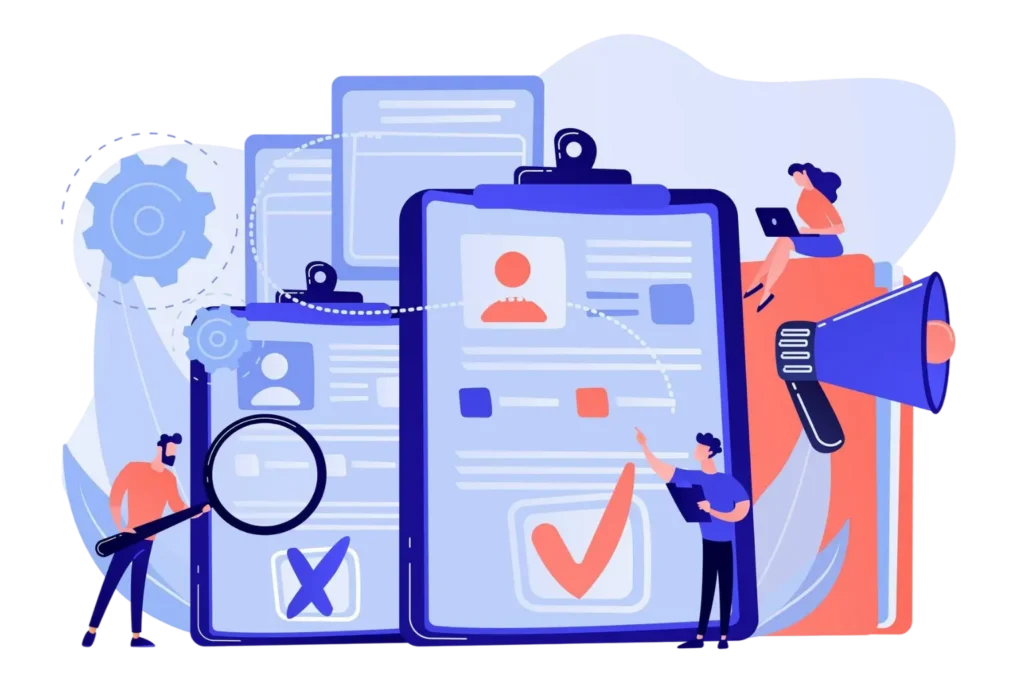

- HR software brings candidate records, interviews, tasks, feedback, and hiring decisions into one structured hiring process.
- Defined hiring process steps give HR teams and hiring managers better visibility into candidate progress and responsibilities.
- HR software can connect the HR hiring process with onboarding, employee records, tasks, learning, and performance management.
- HR365 HRMS connects hiring and broader HR activities with Microsoft 365, SharePoint, and Microsoft Teams.
Hiring involves much more than publishing a job opening and reviewing resumes. HR teams need to manage candidate information, coordinate with hiring managers, schedule interviews, collect feedback, track decisions, and prepare selected candidates for their next stage. When these activities are handled through spreadsheets, email threads, and separate files, it becomes difficult to see what is happening at each point of the hiring process.
HR software gives teams a structured way to manage these activities from one place. Instead of treating hiring as a collection of separate tasks, HR teams can connect job openings, candidate records, interviews, approvals, hiring decisions, and onboarding activities within a single workflow.
For organizations using Microsoft 365, SharePoint, and Microsoft Teams, HR365 HRMS brings recruitment and hiring together with other HR functions. Its recruitment capabilities cover job openings, candidates, applications, interviews, and hiring activities, while the wider HRMS connects hiring with onboarding, employee records, tasks, learning, performance, and other HR operations.
What Is the Hiring Process?
The hiring process is the series of activities an organization follows to find, evaluate, select, and hire the right candidate for an open position. It starts when a department identifies a hiring need and continues through candidate evaluation, interviews, selection, and the transition into onboarding.
A typical hiring process includes several connected activities, such as:
- Identifying an open position and hiring requirements
- Creating and approving the job opening
- Finding and reviewing candidates
- Shortlisting qualified candidates
- Conducting interviews and evaluations
- Collecting feedback from hiring managers
- Selecting the right candidate
- Completing hiring approvals
- Preparing the selected candidate for onboarding
The hiring process steps can vary based on the organization’s size, role, department, and internal workflow. HR software can bring these activities into one structured system, giving HR teams and hiring managers a clearer view of candidate status, responsibilities, decisions, and next actions.
With HR365 HRMS, organizations can connect recruitment and hiring activities with onboarding and other HR functions within the Microsoft 365 and SharePoint environment.
What Role Does HR Software Play in the Hiring Process?
The hiring process involves many activities that happen between identifying a hiring need and bringing a selected candidate into the organization. HR software provides a central place to organize those activities, assign responsibilities, track progress, and maintain candidate information.
Rather than replacing the judgment of HR teams and hiring managers, software gives them the information and workflow structure they need to make decisions.
A well-designed HR software for recruitment can help teams manage:
- Job openings and hiring requests
- Candidate information
- Applications and resumes
- Hiring stages
- Interview activities
- Interview feedback
- Hiring tasks
- Approvals
- Candidate decisions
- Onboarding preparation
This is important because the HR hiring process often involves several departments and decision-makers. HR may manage candidate records while a department manager reviews qualifications and interview feedback. Without a shared system, information can become fragmented.
The goal is not simply to move candidates through a list of stages. The goal is to create a clear operating structure around the hiring process so HR teams can spend more time evaluating candidates and less time searching for information.
How HR Software Manages the Hiring Process Step by Step
The exact hiring process steps can vary by organization, but HR software can provide a consistent structure for managing them. The following shows how software can support the operational side of hiring.
1. Create and Organize the Hiring Request
The hiring process can begin with a request for a new position.
Instead of starting with scattered emails, HR software can capture important information about the position, such as:
- Position title
- Department
- Hiring manager
- Number of openings
- Required skills
- Position details
- Hiring status
- Approval information
A structured request also makes it easier to identify who owns the hiring activity and what information is needed before the position moves forward.
For larger organizations, this type of structure becomes especially useful when several departments are hiring at the same time.
2. Create a Central Candidate Record
Once applications begin arriving, candidate information needs to be organized.
An HR recruitment software can create a centralized candidate record with key details like contact info, resume, application data, role applied for, interview notes, and hiring status.
This removes the need to search through emails or spreadsheets. It also gives hiring managers a clear, consistent view during reviews.
3. Organize Candidates by Hiring Stage
One of the most useful capabilities of HR software is the ability to track where each candidate stands.
For example, an organization may use stages such as:
New → Review → Shortlisted → Interview → Evaluation → Selected → Hired
The specific stages can vary, but the principle remains the same: each candidate should have a visible status.
This makes the hiring process steps easier to follow because HR can quickly identify which candidates require attention.
4. Coordinate HR and Hiring Managers
Hiring is rarely handled by one person.
HR may manage recruitment, while hiring managers assess skills and fit. Other decision-makers may also be involved.
HR software assigns clear roles in the workflow:
HR: manages candidate data and hiring activities.
Hiring manager: reviews candidates and gives feedback.
Leadership: joins decisions when needed.
This shared setup helps teams collaborate using the same candidate information instead of separate notes. For organizations using HR software for hiring process management, collaboration is key alongside tracking.
5. Manage Interview Activities
Interviews create another layer of coordination.
Recruiters need to know who is interviewing the candidate, when the interview is taking place, what stage the candidate has reached, and whether feedback has been submitted.
Teams can use it to manage information such as:
- Interview status
- Interviewer
- Candidate details
- Interview notes
- Evaluation feedback
- Follow-up actions
- Next hiring stage
This provides better visibility into the interview portion of the hiring process. It also reduces the risk of a candidate remaining in an unclear state simply because an interviewer has not communicated the next action.
6. Track Hiring Decisions and Approvals
The final hiring decision can involve more than selecting a candidate.
Depending on the organization, HR may need input or approval from a hiring manager, department leader, or another decision-maker.
Instead of relying on separate email conversations, the system can track:
- Candidate selection
- Decision status
- Approval status
- Hiring manager feedback
- Final hiring stage
- Next action
This creates a clearer record of how a candidate moved from evaluation to selection.
For teams managing several open positions, having this information in one place can make the HR hiring process easier to monitor.
7. Move From Hiring to Onboarding
The hiring process should not become disconnected from what happens after a candidate is selected.
Once a candidate accepts an offer, HR still has work to complete before the person starts. This can include collecting information, preparing documents, assigning tasks, arranging training, and creating the employee record.
This is where an HRMS can provide an advantage over a recruitment-only tool.
HR365 HRMS covers recruitment alongside employee onboarding, employee information, tasks, learning, performance, and other HR functions. Its feature set is designed around the employee journey from preboarding through offboarding.
How HR Software Integrates Hiring With HR Operations
Recruitment is only one part of the employee lifecycle.
This is where an HRMS can provide more value than a standalone recruitment application. Instead of stopping at candidate selection, the system can connect hiring with other HR activities.
Employee Directory
After hiring, the selected candidate becomes part of the organization’s employee records.
An HRMS can connect employee information with profiles, roles, departments, and team structures. HR365 HRMS includes centralized employee information management as part of its broader HR platform.
Employee Onboarding
The transition from candidate to new hire can be connected to onboarding tasks and information collection.
HR365 HRMS includes onboarding as part of its employee lifecycle capabilities
Task Management
Hiring and onboarding both involve tasks.
HR software can assign activities, track progress, and show which actions remain incomplete. HR365 HRMS includes task and approval capabilities that can be used across HR activities.
Learning and Training
New hires may need role-specific training after joining.
Connecting learning with the wider HR environment provides a more complete employee journey. HR365 HRMS includes learning management and progress tracking.
Performance Management
Hiring does not end the relationship between HR and a new team member.
After onboarding, organizations may need to manage goals, feedback, and performance. Connecting these activities gives HR a continuous view of the employee lifecycle.
Where HR Software Reduces Manual Work in Hiring
The value of HR software becomes clearer when you look at the manual activities that surround hiring.
1. Candidate information stored in different places
Without software: resumes, notes, and candidate details may be stored across email, folders, and spreadsheets.
With software: candidate information can be organized within a central system.
2. Hiring status tracked manually
Without software: HR may need to update spreadsheets whenever a candidate changes stage.
With software: candidate status can be maintained within the hiring workflow.
3. Interview feedback collected through email
Without software: interviewers may send feedback separately to HR.
With software: feedback can be connected to the candidate record.
4. Hiring tasks assigned informally
Without software: HR may rely on messages or meetings to remind people about next actions.
With software: tasks can be assigned and tracked as part of the workflow.
5. Hiring decisions difficult to follow
Without software: decisions can be buried in email threads.
With software: candidate status, decisions, and actions can be recorded in one place.
These examples show why HR software for recruitment is not only about finding candidates. It also manages the work that happens around every candidate.
Who Benefits Most from HR Software in the Hiring Process?
A strong hiring system should work for everyone involved, not only recruiters.
1. HR Teams
HR teams need visibility across open positions and candidates.
Software can give HR a central view of:
- Candidate records
- Hiring stages
- Interview activities
- Open positions
- Hiring tasks
- Decisions
This gives recruiters a clearer picture of the overall hiring process.
2. Hiring Managers
Hiring managers need access to the information required to evaluate candidates and provide feedback.
A structured system can help them review candidates, participate in interviews, record feedback, and complete assigned actions.
3. Department Leaders
Department leaders may need to review hiring requests or participate in final decisions.
Having a defined workflow gives them a clearer point of involvement instead of requiring HR to manually collect information.
4. HR Administrators
Administrators can maintain hiring records, update workflows, monitor activities, and support the transition from hiring to onboarding.
The result is a more connected HR hiring process, where each participant has a clear responsibility.
What to Look for in HR Software for Hiring Process Management
Not every HR platform approaches hiring in the same way. Before choosing HR software for hiring process management, evaluate whether it supports the full workflow rather than only one recruitment activity.
- Candidate Management: The platform should provide a clear place for candidate information and application details.
- Hiring Stage Tracking: You should be able to identify where candidates are within the workflow without maintaining a separate tracker.
- Interview Management: Look for capabilities that support interview scheduling, interviewer information, notes, and feedback.
- Tasks and Approvals: Hiring often requires multiple people to complete actions. Task assignment and approval workflows can make ownership clearer.
- Hiring Dashboards: HR teams should have a way to monitor hiring activities and open positions from a central view.
- Onboarding Connection: A selected candidate should be able to move naturally into onboarding activities.
- Microsoft 365 Integration: For Microsoft-based organizations, integration with SharePoint, Teams, Outlook, Power Automate, and Power BI can be an important consideration.
- AI Capabilities: AI can support repetitive HR activities and provide information or insights, but organizations should still keep human judgment at the center of candidate evaluation.
These capabilities help turn HR software for recruitment from a candidate database into a broader hiring management system.
Why Use HR365 HRMS for Hiring Process Management?
For organizations already working with Microsoft 365, HR365 HRMS provides an HR management environment connected to the Microsoft ecosystem.
Its hiring capabilities cover job openings, candidates, and hiring steps, while the wider HRMS connects recruitment with employee information, onboarding, tasks, learning, performance, and other HR activities.
Manage Candidates and Hiring Activities
HR365 HRMS can organize candidate information and hiring activities within the HR environment.
The platform’s recruitment capabilities include managing job postings, tracking applicants, scheduling interviews, and maintaining candidate information.
Connect Hiring With Onboarding
Once a candidate is selected, the next stage can move into onboarding.
This avoids treating recruitment and onboarding as completely separate HR activities.
Use Microsoft 365 and SharePoint
HR365 HRMS is designed for organizations using Microsoft 365 and SharePoint.
Its integration model includes SharePoint for HR information and documents, Microsoft Teams for HR activities, and Microsoft tools such as Power Automate, Power BI, Outlook, Copilot, and Azure OpenAI.
This is especially relevant for organizations that want their HR operations to fit within an existing Microsoft environment rather than introducing another disconnected workspace.
Work Inside Microsoft Teams
HR365 HRMS is available within Microsoft Teams, allowing HR activities and approvals to be handled where teams already collaborate.
For organizations already using Teams every day, this can make the HR hiring process part of the same digital environment used for regular workplace communication.
Use AI and Automation for HR Activities
AI and automation can support repetitive HR activities.
HR365 HRMS includes AI capabilities for areas such as recruitment management, onboarding tasks, employee information, leave, expenses, timesheets, and performance.
The practical value is not replacing human hiring decisions. Instead, automation can reduce repetitive administrative work so HR and hiring managers can focus on reviewing candidates and making informed decisions.
Conclusion
The hiring process involves many connected activities, from opening a position and managing candidates to coordinating interviews, collecting feedback, recording decisions, and preparing new hires for onboarding. HR software can bring these activities into a structured workflow so teams can see what needs to happen and who is responsible for each action.
For organizations using Microsoft 365, SharePoint, and Teams, HR365 HRMS provides a broader HR environment where recruitment and hiring can connect with onboarding, employee records, tasks, learning, performance, dashboards, and other HR activities. Its recruitment capabilities support candidate and hiring management, while Microsoft integrations bring HR work closer to the tools teams already use.
Frequently Asked Questions
How can HR software manage the hiring process?
HR software can manage the hiring process by organizing job openings, candidate information, hiring stages, interviews, feedback, tasks, approvals, and hiring decisions in one system. It can also connect selected candidates with onboarding and other HR activities.
What hiring process steps can HR software manage?
The hiring process steps that HR software can manage include creating hiring requests, organizing candidate records, tracking applications, managing interview activities, collecting feedback, recording hiring decisions, and preparing selected candidates for onboarding.
How does HR software for recruitment help hiring managers?
HR software for recruitment gives hiring managers access to candidate information, interview activities, feedback, assigned tasks, and hiring decisions. This gives managers a clearer role within the hiring workflow.
Can HR software connect hiring with employee onboarding?
Yes. An HRMS can connect recruitment and hiring with employee onboarding. This creates a transition from candidate management to new-hire activities without requiring HR to manage completely separate workflows.
What should HR teams look for in HR software for hiring process management?
HR teams should look for candidate management, hiring-stage tracking, interview management, tasks and approvals, dashboards, onboarding capabilities, automation, and integrations with the organization’s existing business tools.
Can HR365 HRMS manage the HR hiring process?
Yes. HR365 HRMS supports recruitment and hiring activities such as managing job openings, candidates, applications, interviews, and candidate information. It also connects hiring with onboarding and broader HR management capabilities.
Is HR365 HRMS suitable for organizations using Microsoft 365?
Yes. HR365 HRMS is designed around the Microsoft ecosystem, with integrations including SharePoint, Microsoft Teams, Outlook, Power Automate, Power BI, Copilot, and Azure OpenAI.


_JiluXJRGNl.svg)























