

Employee Expense Cards: The Complete Guide for Businesses in 2026

Tracking business expense can become challenging as companies grow. Employees often need access to funds for travel, client meetings, software subscriptions, and office supplies.
Relying on employees to pay expenses personally and submit expense reimbursement requests later can slow down the process and make expense management less efficient.
Employee expense cards solve this problem directly. They give your team the money they need, exactly where they need it, with guardrails your finance team can control.
This guide covers everything you need to know; what employee expense cards are, how they differ from regular business cards, what to look for when choosing one, and how to roll them out across your team
- Employee expense cards help businesses track spending instantly instead of figuring it out after expenses happen.
- Teams can make approved business purchases quickly without depending on reimbursements or back-and-forth approvals.
- Expense cards reduce manual work by automatically organizing receipts, reports, and transaction details.
- Finance teams get better control over company spending with clearer visibility, limits, and approval tracking.
What Are Employee Expense Cards?
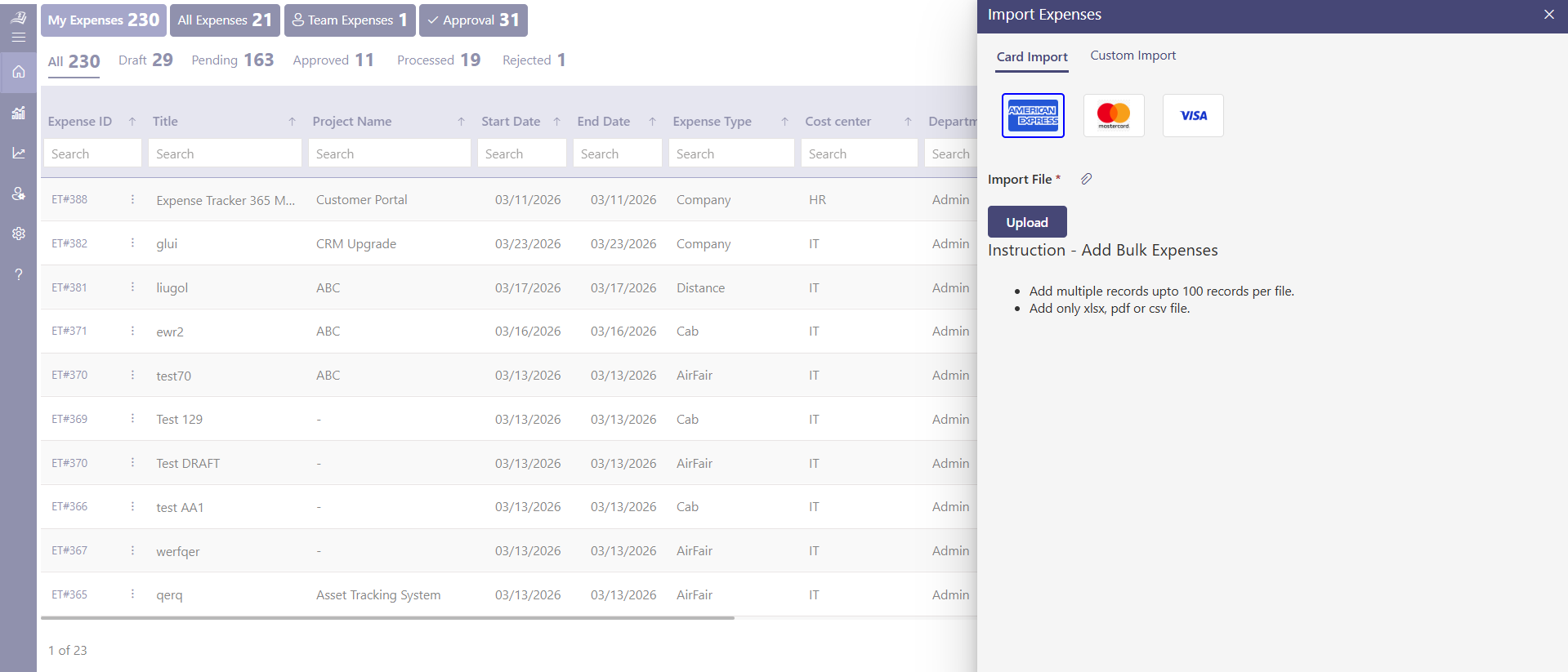
An employee expense card is a payment card issued to individual employees specifically for work-related spending. Unlike a shared company credit card that gets passed around, each employee gets their own card tied to a set budget and every transaction is recorded automatically.
These cards can be prepaid, debit-based, or credit-based depending on the provider. But the core idea is the same; the company loads funds or sets a credit limit, the employee spends within those boundaries, and every purchase flows back into a central dashboard in real time.
Think of it as giving your employee a company wallet one that you can top up, cap, monitor, and cut off if needed.
A smarter corporate card built for both growing teams and finance control
Employee Expense Cards vs. Traditional Company Credit Cards
Most businesses start with a single corporate credit card. Someone in finance holds it, employees borrow it for trips or purchases, and the monthly bill arrives with a long list of charges nobody can fully explain.
Here’s how that compares to using individual employee expense cards
Feature | Shared Company Card | Employee Expense Cards |
Ownership | One card, multiple users | Each employee has their own |
Spending limits | Same limit for everyone | Set per employee or per category |
Real-time tracking | No | Yes |
Receipt collection | Manual, often lost | Digital, captured at point of sale |
Audit readiness | Difficult | Built-in |
The single shared card works fine when you have three employees. It breaks down fast when you scale. Employee cards for business are built for that growth.
How Corporate Expense Cards Work?
Here’s how corporate expense cards help businesses manage employee spending with better visibility, automated controls, and simplified expense tracking.
Step 1: Issue cards to employees
Each employee receives virtual card. Virtual cards can be created instantly and used for online purchases. Physical cards take a few days to arrive.
Step 2: Set spending rules
Finance teams assign limits per card. Some platforms let you set
- Daily, weekly, or monthly caps
- Restrictions by merchant category (e.g., no gambling sites, yes to airlines)
- Single-use virtual cards for one-time vendor payments
Step 3: Employee spends
The employee uses the corporate card for a work purchase hotel, software, flight, office supplies. At the point of sale, or immediately after, they snap a photo of the receipt through a mobile app.
Step 4: Transactions sync automatically
Every charge appears in the company dashboard in real time. Finance can see who spent what, where, and when without chasing anyone.
Step 5: Month-end closes faster
Because receipts are attached and categorized throughout the month, your accounting team spends less time reconciling and more time on actual financial work.
Types of Employee Expense Cards
Not all employee cards are the same. Here are the three main types and when each makes sense.
1. Prepaid Corporate Cards
You load a fixed amount onto the card before the employee can use it.There’s no credit involved when the balance runs out, the card stops working.
Best for: Teams with predictable, project-based spending. Good for contractors or employees who travel occasionally.
Watch out for: If you forget to top up, the employee can’t pay for something urgent. Requires more active management.
2.Corporate Debit Cards
These are linked to a dedicated company account. Spending draws directly from that account balance.
Best for: Businesses that want the simplicity of debit without credit risk.
Watch out for: If the account is directly connected to your main operating account, there’s a higher exposure risk than with prepaid cards.
3.Corporate Credit Cards (Per Employee)
Each employee gets a credit card with their own assigned limit. The company pays the bill at the end of the month.
Best for: Larger companies with mature finance processes and employees who travel often.
Watch out for: Higher risk if an employee overspends. Requires strong policy enforcement and regular audits.
Most modern business expense card platforms offer a hybrid: prepaid or debit cards with software controls that behave like credit cards in terms of flexibility.
Make reimbursements faster, more accurate, and stress-free.
Key Features to Look for in Employee Expense Cards
Not all expense card platforms offer the same level of control and automation. The right solution should help businesses manage spending, simplify approvals, and reduce manual work. Here’s what matters most.
1. Real-Time Spending Visibility
Real-time spending visibility gives finance teams a complete view of company expenses as transactions happen. Every purchase is automatically recorded with details such as merchant name, transaction amount, expense category and payment status. This level of transparency helps businesses monitor budgets more effectively and maintain stronger financial control across departments.
2. Customizable Spending Limits
Customizable spending limits allow businesses to create expense controls based on employee roles, departments, projects, or business requirements. Sales teams, operations staff, managers, and executives often have different spending responsibilities. Many employee expense card platforms also support category-based restrictions
3. Integrated Receipt Capture
Integrated receipt scanner uses AI-powered scanning to extract key details such as merchant name and expense category automatically. The receipt is digitally stored and linked to the transaction, reducing manual entry, improving accuracy. The scanned receipt is digitally stored and linked to the corresponding transaction, creating a centralized and organized expense record.
4. Automatic Policy Enforcement
Automatic expense policy helps businesses apply expense policies directly within the card platform. Instead of relying entirely on manual checks, the system automatically controls spending based on predefined company rules and approval settings. Businesses can restrict certain merchant categories, set spending caps, block unauthorized transactions, and enforce travel or entertainment limits.
5. Multi-Card and Virtual Card Support
Multi-card and virtual card support provides greater flexibility for businesses managing employee expenses and project-based spending. Physical cards can be assigned to employees for daily operational expenses, while virtual cards can be created instantly. Virtual cards improve payment security by allowing businesses to generate vendor-specific or one-time-use cards with predefined spending limits.
6. Accounting Integration
Seamless accounting integration plays a major role in simplifying financial operations. Employee expense card platforms that integrate with tools like QuickBooks, Xero help automate transaction syncing, expense categorization, and reconciliation processes. Automated integrations reduce manual data entry, minimize accounting errors, and improve reporting accuracy.
Sync expenses directly with accounting systems in real time
7. Automated Approval Workflows
Approval workflows help businesses maintain accountability and control over higher-value or policy-sensitive expenses. Employees can submit purchase requests or expense approvals directly within the platform before spending occurs. Managers and finance teams can review requests, approve budgets, or reject transactions through automated workflows.
Benefits of Employee Expense Cards for Businesses
Employee expense cards help businesses simplify spending management, improve financial visibility, and maintain better control. Here are some benefits to consider.
1. Employees Don't Pay Out of Pocket
Asking employees to front money for business expenses flights, hotels, team dinners and then wait weeks for reimbursement is unpopular. It creates cash flow problems for individuals and a slow, administrative burden for finance. With AMEX cards, employees never have to spend their own money on company business.
2. Finance Gets Real-Time Budget Control
Instead of discovering budget overruns at month-end, finance teams can monitor spending as it happens. If a department is tracking 20% over budget by week two, you can act on it immediately not four weeks later. Real-time visibility also helps businesses make faster budgeting decisions and maintain better control over company spending.
3. Audit Trails Are Automatic
Every transaction has a timestamp, merchant, amount, category, and receipt attached. When auditors come calling or when reviewing past travel expenses, the data is already organized and searchable. This improves financial transparency and makes compliance reporting much easier for finance teams.
4. Reduced Expense Fraud
Individual cards with custom spending limits create clear accountability for every transaction. When each purchase is linked to a specific employee, unauthorized spending and policy misuse are significantly reduced. Real-time monitoring and spending controls also help businesses detect unusual activity much faster.
5. Faster Month-End Close
Finance teams often spend days collecting receipts, matching transactions, and resolving expense discrepancies at month-end. With automated receipt management and transaction categorization, the entire reconciliation process becomes faster and more accurate. This helps finance teams close books more efficiently while reducing manual administrative work.
6. Better Employee Experience
Traditional expense reporting can be time-consuming and frustrating for employees, especially for frequent travelers. Employee expense cards simplify the process by automatically capturing transaction data and allowing quick receipt uploads through a mobile app. A smoother expense experience improves employee convenience and reduces time spent on manual reporting tasks.
Common Use Cases for Employee Cards for Business
Employee cards support a wide range of business expenses by helping teams manage everyday spending, simplify payments, and maintain better visibility.
Business Travel: Hotels, flights, taxis, meals travel is one of the highest-volume expense categories for most companies. Employee expense cards with travel-specific limits and real-time tracking make it manageable
Remote Team Expenses: Distributed teams buy their own equipment, software, and coworking spaces. Virtual corporate expense cards let you equip remote employees without sending physical cards or requiring reimbursements.
Marketing and Advertising Spend: Digital ad accounts need payment cards. Rather than using the founder’s personal card (which many startups do), assign a virtual card with a monthly cap to each ad platform. You get control and visibility into what’s being spent where.
Vendor and Subscription Payments: SaaS subscriptions, freelancer payments, API access these recurring costs are easy to lose track of. With dedicated virtual cards per vendor, you know exactly what’s being charged and can cancel them instantly if needed.
Field Teams: Sales reps, technicians, delivery staff employees who work outside the office often need to make quick purchases. A preloaded card means they’re never stuck waiting for approval or using personal funds.
Events and Client Entertainment: Give event organizers a time-limited card loaded with the event budget. Once the event is done, the card expires. Clean, simple, and fully auditable.
How to Choose the Right Corporate Expense Card Platform
With so many options available, here’s a simple framework for evaluating platforms.
Start with your team size and structure: A 10-person team has different needs than a 500-person company. Some platforms are built for SMBs, others for enterprise. Don’t pay for complexity you don’t need.
Check the card type: Prepaid vs. debit vs. credit matters. If you want zero credit risk, prepaid is safest. If you need flexibility, look for platforms that offer both physical and virtual cards.
Look at the software, not just the card: The card is only as useful as the platform behind it. Evaluate the dashboard, mobile app, reporting quality, and integrations. A great card with a poor app creates as many problems as it solves.
Understand the fee structure: Some platforms charge per card, some charge per transaction, some charge a flat monthly fee. Run the math based on your actual volume. Hidden fees add up quickly.
Check local compliance: Check tax and compliance support: Ensure the card platform supports tax-compliant expense tracking, GST or VAT categorization, accounting requirements, and seamless banking and finance integrations.
Conclusion
Employee expense cards aren’t just a payment tool they’re a way to give your team what they need to do their jobs without creating a financial control problem in the proces
Done right, they eliminate reimbursements, cut down on finance admin, reduce fraud risk, and give you a real-time view of where your company’s money is going.
Simplify employee spending, automate reimbursements, and gain real-time expense visibility with Expense 365 built to help businesses manage expenses faster, smarter, and with better financial control.
Frequently Asked Questions
Can I set different limits for different employees?
Yes. Most modern expense card platforms let you set limits by individual, by role, by department, or by spending category. You’re not locked into one setting for everyone.
What happens if an employee loses their card?
You can freeze or cancel the card instantly through the platform usually through a mobile app or web dashboard. A replacement can be issued quickly, or the employee can switch to a virtual card in the meantime.
Do employee expense cards work internationally?
It depends on the provider. Most major platforms support international transactions, but check for foreign transaction fees and whether the card is accepted in the countries your team travels to.
How do I handle an employee who leaves the company?
The card should be deactivated immediately upon offboarding. Most platforms make this a one-click action. Make it part of your standard offboarding checklist.
Do expense cards eliminate the need for expense reports?
Nearly. With receipts captured in real time and transactions categorized automatically, most of the traditional expense report process becomes redundant. Some businesses keep a lightweight monthly review, but the bulk of manual work disappears.


_JiluXJRGNl.svg)























