
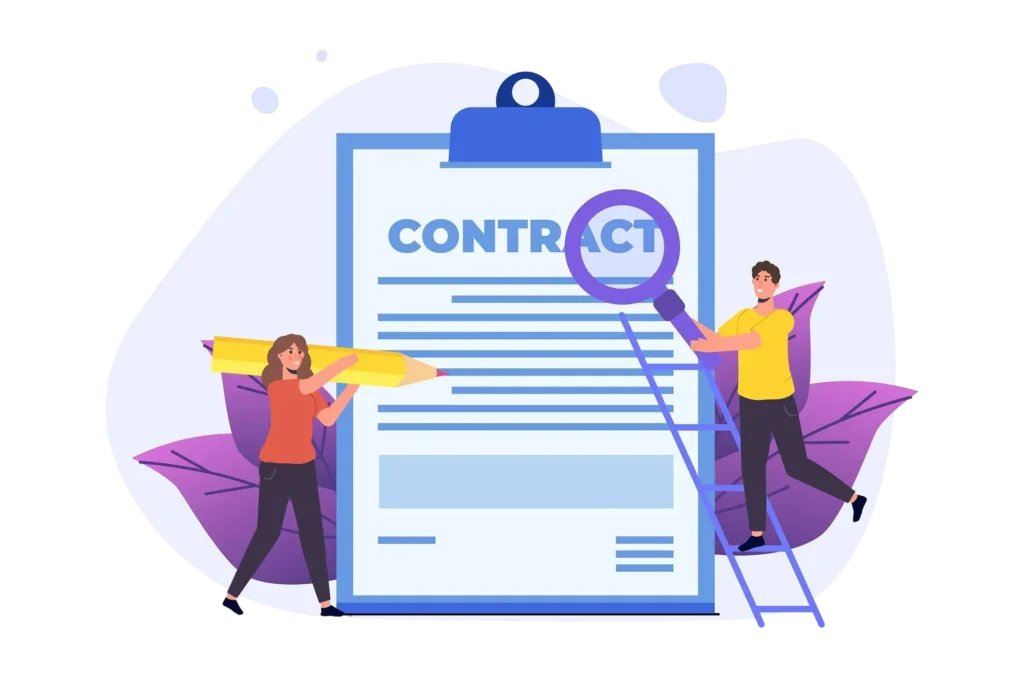
Contract Organization Software: A Guide for Modern Businesses

Any contract contributes to the development of business relations. Contracts are used to establish obligations, safeguard interests and facilitate long term relationships. Nevertheless, it is usually time-consuming and laborious to handle contracts manually.
This is solved by contract organization software, which integrates all contracts in a single system. It assists teams to store contracts, track deadlines, automate daily activities, and follow all the phases of a contract life.
- Find any contract when you need it with a central, searchable repository instead of searching through folders and inboxes.
- Know what needs attention with clear visibility into owners, renewals, notice periods, and key obligations.
- Keep the full contract history together by connecting signed agreements with amendments, renewals, and related documents.
- Spend less time managing contracts by using AI and automation to organize information and handle repetitive tasks.
Legal staffs can spend hours, or even days, searching files, examining clauses, tracing dates, or approvals. Bloomberg Law states that over 43% of corporate lawyers dedicate over half of their time to contract-related activities.
This blog will help you to know what the contract organization software is, the reason why it is important, its key features, and how it can enable businesses to handle contracts in a better way.
What Is Contract Organization Software?
Contract organization software is a secure digital system that helps businesses manage agreements from drafting to renewal. It covers drafting, review, approval, summarize contracts, signing, storage, tracking, and renewal.
Instead of storing contracts across emails, folders, and shared drives, a best software for organizing legal contracts keeps everything in one central place.
Legal teams, procurement, HR, finance, and business managers can easily access contracts, understand obligations, and track progress without manual follow-ups.
Why Contract Organization Matters
Contracts are important to an efficient running of a business and keeping them in order is a significant aspect. The faster teams can work, less problems may arise, and more effective decisions are made when the agreements are stored, sorted, and managed in a clear manner.
A well-structured contract organization software assist business to remain focused of their obligations, significant dates and material terms. With the clear tracking of deadlines, renewals and contractual obligations, chances of things being left out that might result in penalties. This enables businesses to remain ready and manage contracts more regulated.
Teams save a lot of time when software is used to carry out activities that are related to contracts like approvals, notifications, and storing documents. Employees do not have to go through emails or shared folders to get the information they require but can find it fast. Contract organization software results in easier daily workings and improved team coordination.
The structured contract organization software enable businesses to comply with the legal requirements and internal policies. Having contracts stored in an organized manner, teams can review agreements within a short period of time. Contract organization software ensure that contract terms are up to the necessary standards and reacts efficiently in case of audits or internal audits.
All contracts being in a single location enable businesses to have a better understanding of their obligations. Teams can read terms, compare agreements and learn about financial and operational obligations more readily. Contract organization software assists in planning, budgeting and making better informed discussions with partners and vendors.
Reduced Costs Over Time
Effective contract organization assists businesses to manage expenditure and unnecessary expenses. Monitoring renewals, payment terms, and obligations, companies will be able to avoid late fees, see the opportunities. Contract organization software enhances the value of the contract and minimize legal and administrative costs in the long term.
Traditional vs. Software-Based Contract Organization
Understanding the differences between traditional contract management and software-based solutions can help organizations choose the right approach for managing their agreements more effectively.
| Aspect | Traditional Contract Management | Software-Based Contract Management |
| Storage | Physical files and spreadsheets | Centralized digital repository |
| Accessibility | Limited access, often location-dependent | Remote access with user permissions |
| Searchability | Manual searching through physical files | Advanced search functions and filters |
| Collaboration | Manual coordination and communication | Real-time collaboration tools |
| Automation | Minimal automation of tasks | Automated workflows and notifications |
| Compliance Tracking | Manual tracking of compliance | Automated compliance monitoring and alerts |
| Reporting & Analytics | Limited or no reporting capabilities | Comprehensive reporting and analytics tools |
Core Features of Contract Organization Software
The modern contract lifecycle management solution includes a set of reliable features that enable teams to handle contracts more clearly, in a more controlled and faster manner. The main characteristics in simple terms are explained below.
According to research conducted by Thomson Reuters, 53% already experience tangible benefits since implementing AI, and companies are already reporting at least one obvious benefit of using The AI powered contract management provides clear summaries of important terms, dates, and obligations. The Contract organization software can indicate the absence of clauses, wording peculiarities, or the aspects that might require revision.
Contracts usually involve legal obligations, industry regulations, and in-house regulations. Contract compliance management keeps track of these requirements and flags contract terms that may not match regulations or company policies. Contracts are all stored with proper records and this assists teams to prepare themselves in case of audits, reviews or in case of legal checks.
Contracts tend to be revised several times before being approved. Draft comparison allows the user to compare two or more versions. All the inserted, deleted, or altered lines are well indicated. Contract organization software solution assist teams to know what has been changed, look through suggestions quicker, and monitor updates.
Contracts often contain sensitive business or financial details. Role-based security controls allows who can see, modify or approve contracts depending on their position. For example, legal teams can edit documents, managers can approve them and other users can only view them. This secures contract information and restricts unacceptable modifications.
Contract routing automatically forwards contracts to the appropriate individuals at the appropriate phase. Pre-defined work processes take contracts through validity and approval processes in the right sequence. The use of alerts and reminders lets the user know when action is required and the contract is not held up or forgotten.
The contract organization software solution is integrated with tools that are already in use by many companies, including SharePoint, Outlook, and Microsoft Teams. This enables teams to find contracts, update information and share information without having to switch between platforms. The entire contract activity remains centralized.
The contract redlining software allows users to suggest edits, add comments, and highlight changes directly in the contract. Every update is tracked and visible to all reviewers.
Short example:
If the original line says “Payment due in 30 days”, a reviewer can suggest “Payment due in 45 days”. The change is highlighted, and the other party can accept or reject it.
This keeps discussions clear and records every decision made during reviews.
Negotiations of contracts usually have several stages of dialogue. A good contract negotiation workflow captures every version, approval and comment. The teams understand who gave the approval and when, and it will help to keep the clarity and the negotiations going without forgetting the previous decisions.
Digital signatures allow contracts to be signed online without paper. The signatures are legally valid and securely recorded. Contract organization software system helps approvals move faster, especially when people are in different locations, and reduces manual paperwork. Because the signing process is quick and simple, electronic signatures can increase customer loyalty by up to 500%, as users experience faster turnaround and fewer delays.
Amendment records all changes when a contract requires amendments after it has been signed. It demonstrates modified contracts, who endorsed it and when. This preserves the original agreement and gives a clear history of changes to be used in the future.
All the stages of the contract process are well defined, starting with drafting, approval and signing. Teams can have a guided flow that enables them to achieve agreements quicker and with less delays. This structured implementation helps in executing contracts quicker.
Reporting tools gather contract information like approval time, clauses that are changed regularly and delay points. Such insights enable the teams to analyse contracts, gauge progress, and enhance the way contracts are managed over time, which contributes to a better planning and decision-making process.
Know what’s happening with every contract
CLM 365 gives teams a centralized view of agreements, important dates, assigned responsibilities, and actions that follow after signing.
Key Benefits of Using Contract Organization Software
Even though 70% of organizations have a formal contracting technology strategy, 99% still lack the data and tools needed to fully improve how contracts are handled. Contract organization software is used to bridge this gap by introducing structure, visibility, and control to the contract process.
Contract organization software provides a common workspace to the legal, finance, procurement, and leadership teams to share contracts. All people work with the same information, and all the stakeholders can see the updates. This eliminates silos, enhances the contract collaboration and better communications at all phases of the contract life cycle.
Businesses identify risks early instead of finding them when it is too late. The software identifies future expiries, risky clauses and possible compliance loopholes before they develop into major issues. This proactive strategy safeguards income assists in enhancing better vendor relations and enables the leadership to be aware of risks.
Contracts contain valuable information that often goes unused. With built-in reports and analytics, organizations can review approval timelines, commonly revised clauses, and delay points. These contract data help teams improve negotiations, refine contract terms, and support smarter long-term planning.
The contract organization software provides access controls, encryption, and detailed records of activities to store documents securely. The sensitive contracts information remains secured, and the teams are always prepared to be audited or checked by the regulatory authorities with all the necessary documentation at hand.
Each business has its style of operation. Contract organization software is flexible enough to meet these requirements by automating approvals, routing contracts by value or type, and notifying about renewals in a timely manner. Contract automation feature saves time, eliminates duplication, and assists the contracts to proceed without undue delays.
The contract organization system software records all activities since the drafting and review to the approval hence responsibilities can always be seen. Each stage is aware of the team involved, and this enhances alignment, minimizes delays and keeps everyone informed.
The more the business expands the more contracts. Manual procedures find it difficult to match the volume, whereas the contract organisation software is designed to process large volumes. It facilitates expansion by managing large contract libraries effectively. This allows concentrate on new opportunities instead of the administrative burden.
Best Practices to Organize Contracts Effectively
To maximize the benefits of contract organization software, consider the following best practices.
- Standardize your templates: Don’t let everyone draft from scratch. Keep approved templates and standard clauses in one place so the team starts with language that has already been vetted.
- Control every version: Make it obvious which draft is current. Track who changed it, when they changed it, and clearly mark the approved version.
- Use a naming convention: A contract name should tell you what it is without opening the file. Include the party, contract type, year, and status—for example, ABC_Vendor_Agreement_2026_Final.pdf.
- Limit access: Give people access based on their role. Contract owners may need edit rights, approvers need approval access, and everyone else may only need to view the document.
- Organize by useful categories: Don’t build complicated folder structures nobody follows. Group contracts by type, department, customer, region, or business unit—whatever makes retrieval faster for your team.
- Make the status clear: Every contract should have a visible status such as Draft, Under Review, Pending Approval, Active, Expired, or Terminated. Your team should know what needs attention at a glance.
- Review the repository regularly: Don’t let your contract repository become a storage dump. Review renewals, expirations, obligations, and outdated documents regularly, and archive what no longer needs active attention.
Why CLM 365 Is a Leading Contract Organization Software
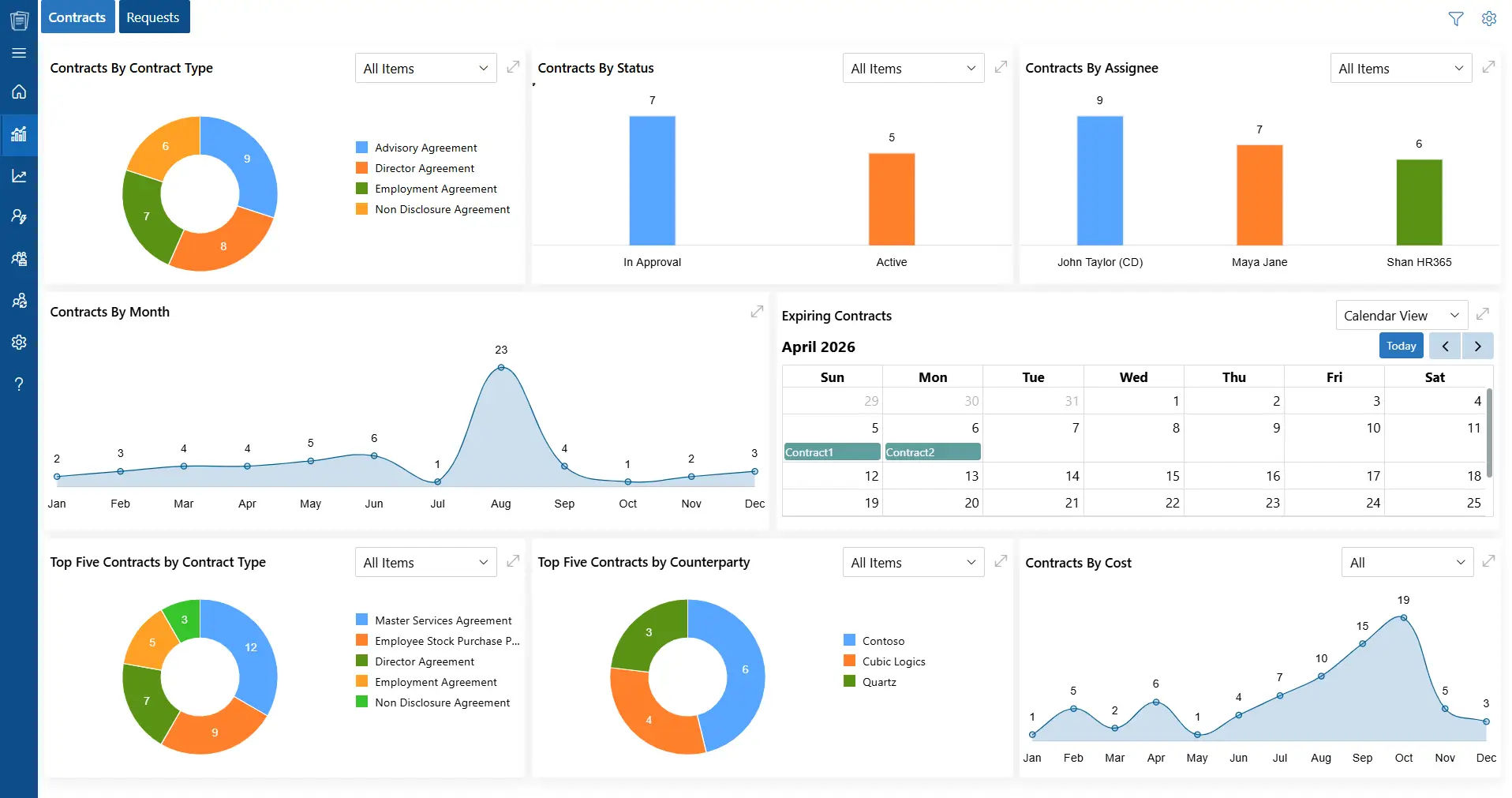
CLM 365 is designed to meet the increasing demands of the modern legal departments and corporations by providing a sense of organization and transparency to contract management. It assists organizations to handle agreements in an organized manner and aid in teamwork.
The platform is integrated with Microsoft applications like SharePoint, Microsoft Teams, Outlook, Power BI, Power Automate, and Copilot. This enables users to handle contracts in the systems that they are already familiar with and enhance coordination and save the hassle of having to change applications.
CLM 365 has in-built AI capabilities and workflow automation, which facilitates all phases of the contract lifecycle, including drafting and review, approval and execution.
CLM 365 is available on the Microsoft Azure Marketplace and offers a secure and scalable solution to businesses that desire to manage contracts in a more intelligent way and leverage them as a basis of achieving more robust operational and strategic results.
Hear from Our Delighted Clients
CLM 365 has made contract reviews faster and more efficient with AI-powered contract summaries. It helps teams quickly understand key terms, obligations, and potential risks, reducing manual review and enabling faster, more informed decision-making.
A properly designed installation will assist the teams in getting on their feet with CLM 365 and realizing their value in the shortest time possible. Adoption is simpler with a step-by-step process and ensures the teams stay on track.
- Examine the current process of creating, approving, and storing contracts, and identify the areas of delays or gaps
- Name the tools that are in use in drafting, reviews, approvals and storage
- Install CLM 365 and integrate it with your Microsoft 365
- Connect CLM 365 to Outlook, Teams, SharePoint, Copilot, and Word add-in
- Create workflows, access roles and alerts according to your internal process
- Use real contract examples and short and easy reference guides to train teams
- Track usage, analyse results and modify processes to achieve better results with time
Conclusion
Using contract organization software helps legal teams and businesses handle contracts in a more structured and organized way. With all contract data stored in one place, guided workflows, and built-in AI support, teams can manage agreements with better visibility and control throughout the contract lifecycle.
Start using CLM 365 today. Try the 14-day free trial and experience a clearer, more organized approach to managing contracts across your organization.
Join Our Creative Community
Frequently Asked Questions
How can CLM 365 improve legal workflows?
CLM 365 automates repetitive processes, establishes approval processes, and connects with Microsoft applications so that legal teams can work in harmony and accelerate the contract lifecycle between creation and execution.
Does CLM 365 fit the workflows of my organization?
Yes. Users can configure approval flows, notifications, and access levels to match your team structure and compliance requirements.
How to organize contract files?
- Store all the contracts in one, safe place (cloud or contract management software).
- Sort contracts according to the type (sales, procurement, HR, vendor, etc.).
- Always use the same naming conventions such as parties, dates and type of contract.
- Use versioning to monitor changes and updates.
- Metadata (status, renewal date, approver) on tag contracts so as to be easily searched and retrieved.
What are the 4 stages of a contract?
- Creation/Drafting – Preparation of terms and clauses of the contract.
- Review/Negotiation – Revising internally and with the counterparty, making any required changes.
- Approval and Signing – Obtaining the approvals of the stakeholders and signing the contract.
- Management & Renewal/Closure – Storing, monitoring obligations, tracking deadlines and renewing or closing the contract as required.
Can contract organization software handle large volumes of contracts?
Yes, it is designed to manage thousands of contracts efficiently without compromising performance or accessibility.
Table of Contents

Trusted by the Best

_JiluXJRGNl.svg)























