
Rippling Vs HR365 HRMS: Which Is Better for Your Teams | Comparison Guide

- HR365 HRMS is built natively for Microsoft 365, SharePoint, Teams, and Outlook.
- Rippling combines HR, payroll, IT, and global hiring in one platform.
- HR365 HRMS offers transparent pricing, while Rippling requires a custom quote.
- Choose HR365 HRMS for Microsoft 365 HR management or Rippling for global HR, payroll, and IT.
Choosing the right HR platform can change everything — how your HR team manages employee data, how leave and onboarding get handled, and how well your HR tools fit into the way your company already works. Here is everything you need to know about HR365 HRMS and Rippling to make a confident, informed decision.
What Is HR365 HRMS?
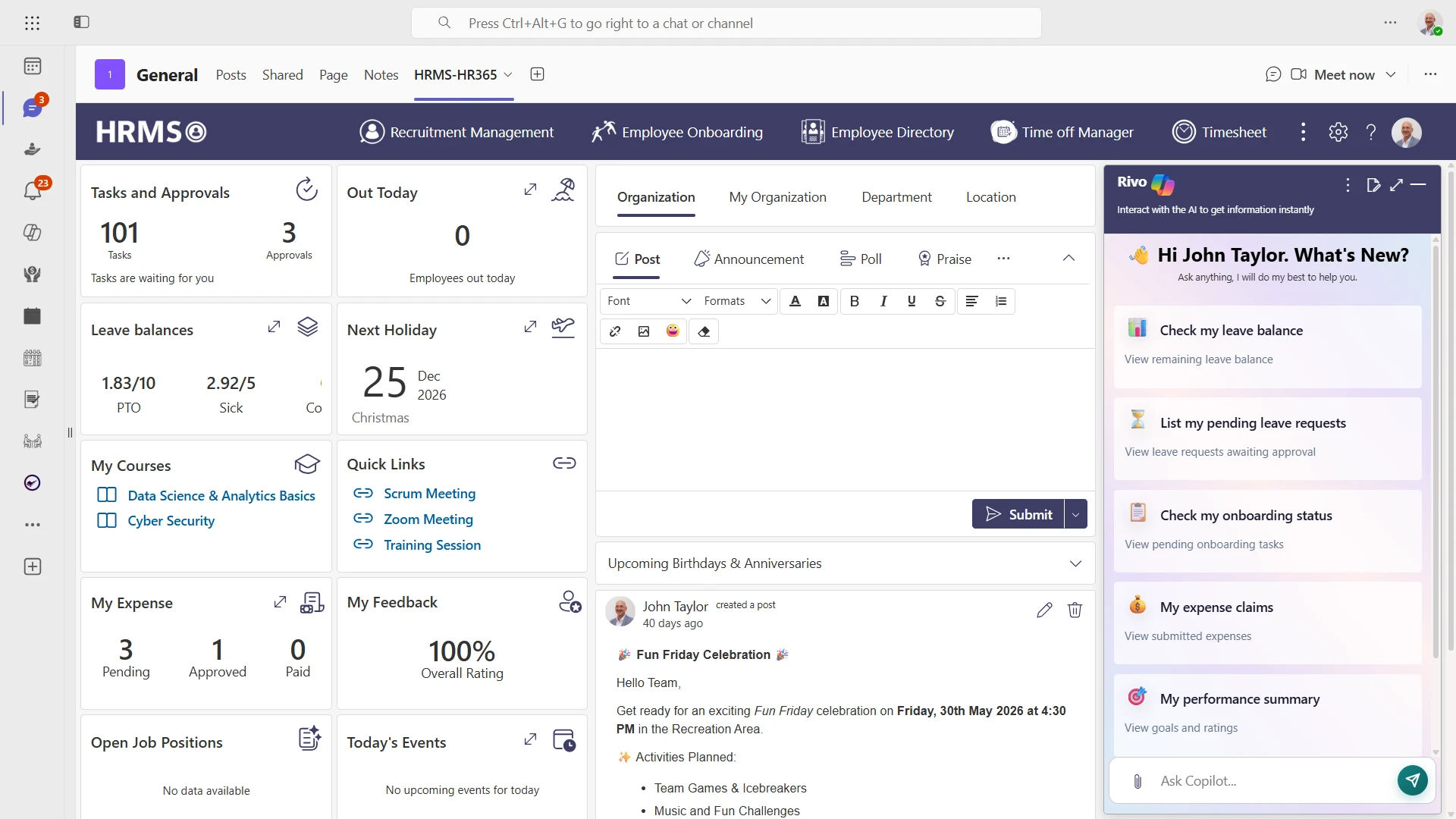
HR365 HRMS is a complete HR management system built natively into Microsoft 365. It is designed to bring employee management, onboarding, leave, recruitment, performance, timesheet, and learning into one connected platform — without asking your team to leave the tools they already use every day.
HR365 HRMS works seamlessly inside SharePoint, Microsoft Teams, Outlook, Copilot, Power BI, and Power Automate, and is trusted across 12,100+ deployments in 172 countries. HR365 HRMS is also built for GCC and GCC High tenants of US federal clouds, giving it a compliance edge for government and defense-adjacent organizations.
🎯 Best For | ⭐ Standout Feature |
Microsoft 365 organizations looking for an HR platform built inside SharePoint, Teams, and Outlook. | Unified HR, Native Microsoft 365 HR software with SharePoint, Teams, Outlook, Copilot, and Power Platform integration. |
What Is Rippling?
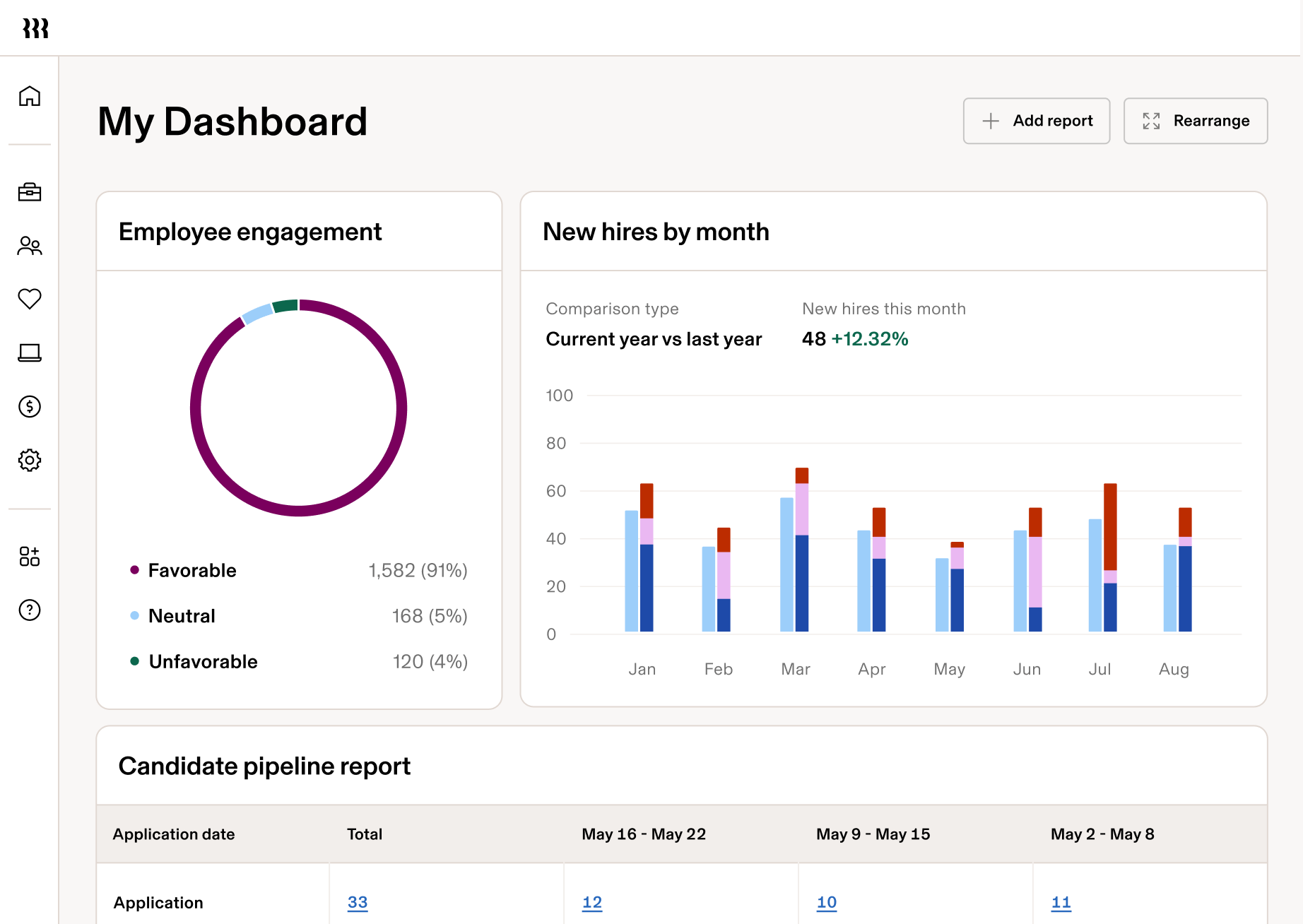
Rippling is a workforce management platform that brings HR, payroll, IT, and finance together in one system. Built on a single source of truth for employee data, it helps businesses manage the entire employee lifecycle while connecting with 600+ business applications and automating workflows across departments.
Rippling offers modular products across HR, Payroll, IT, Spend, and Identity, allowing organizations to choose the tools they need. It also provides Employer of Record (EOR) and Global Payroll services, helping businesses hire, onboard, and pay teams in multiple countries from a single platform.
🎯 Best For | ⭐ Standout Feature |
Businesses that need HR, payroll, IT, and spend management in one platform with support for global teams. | Unified HR, Payroll, IT, and Spend platform with 600+ integrations, Global Payroll, and Employer of Record (EOR) services. |
Quick Comparison: Rippling Vs HR365 HRMS
Feature | HR365 HRMS | Rippling |
Starting Price | ✅ Starts at $7.99/user/month (billed yearly) | 📞 Custom pricing (Contact Sales) |
Microsoft 365 Integration | ✅ Built natively for SharePoint, Microsoft Teams, Outlook, and Microsoft 365 | ✅ Integrates with Microsoft 365 and 600+ business applications |
AI Capabilities | ✅ Microsoft Copilot and Azure OpenAI-powered HR features | ✅ AI-powered automation and workflow capabilities |
Payroll | Focuses on core HR management; payroll is not a primary module | ✅ Includes payroll as part of its platform |
Deployment | ✅ Native Microsoft 365 and SharePoint solution | ✅ Cloud-based workforce management platform |
Best Fit | ✅ Organizations using Microsoft 365 that want HR within their existing environment | ✅ Organizations looking for HR, payroll, IT, and spend management in one platform |
G2 Rating | ⭐⭐⭐⭐⭐ 4.8/5 | |
Free Trail | ✅14- day Free Trail | 📞 Contact Sales |
 According to Gartner’s Digital Workplace Report 2024, 72% of Microsoft 365 organizations prefer natively integrated tools over third-party add-ons — a factor worth weighing heavily if your HR team already lives inside SharePoint and Teams.
Detailed Pricing Comparison
HR365 HRMS Pricing
Plan | Price | Users | Key Features |
Standard Plus | $7.99/user/month | Minimum user requirement applies | Core HR management, employee records, attendance tracking, leave management, performance management, Microsoft 365 integration, employee self-service. |
Premium | $11.99/user/month |
Minimum 25 users | Everything in Standard + onboarding, employee directory, recruitment, dashboards, automation, advanced reporting, Microsoft Teams and SharePoint integration. |
Enterprise | Custom Pricing (Contact Sales) | 50+ users | Everything in Standard + enterprise-scale deployment, advanced automation, dedicated support, customization options, Azure Marketplace licensing, special enterprise pricing. |
📝 Note: HR365 HRMS is modular — you can license the core HRMS plus only the specific 365 apps (Recruitment, Onboarding, Performance, Timesheet, LMS, etc.) your team actually needs, which keeps costs predictable as you scale.
Rippling Pricing
Plan | Price | Notes |
Core Platform | Historically reported from ~$35–$40/month base | Foundational workflow, permissions, and reporting layer |
Per-Employee Fee | Historically reported from ~$8/user/month | Added on top of the base platform fee |
HCM / Payroll / IT / Spend Suites | Custom quote | Priced per suite, added individually to the core platform |
📝 Note: Rippling no longer publishes pricing on its website as of 2026. All current pricing requires a custom quote from their sales team, so the figures above reflect previously reported starting rates and may not represent current costs.
Feature Comparison
HR365 HRMS
- Centralized employee directory with roles, org structure, and profiles
- AI-powered employee overview that combines data, roles, and activity
- Leave management with AI-guided leave requests based on balance and history
- Built-in task management and approvals
Rippling
- System-of-record employee data shared across HR, IT, and finance modules
- Workflow Studio for building custom automations across departments
- Granular, cross-department permissions management
- Headcount planning and workforce analytics
Onboarding & Recruitment
HR365 HRMS
- AI-guided onboarding tasks and document management for new joiners
- AI-powered recruitment management that screens candidates and tracks applications
- Preboarding-to-offboarding workflows in one connected journey
Rippling
- Customizable applicant tracking system (ATS) with job boards and candidate surveys
- Auto-populated offer letters and employee profiles from candidate data
- Onboarding automation that triggers IT provisioning alongside HR steps
Reporting & Analytics
HR365 HRMS
- AI-generated employee and performance summaries
- Power BI connectivity for custom dashboards
- Centralized dashboard view for workforce overview
Rippling
- Global analytics that pull data from dozens of connected systems
- Custom report building through Workflow Studio
- Real-time visibility across HR, IT, and finance in one dashboard
Integrations
HR365 HRMS
- Native integration with SharePoint, Microsoft Teams, Outlook, and Copilot
- Power BI and Power Automate connectivity
- Integrates with Azure Open AI for automation
Rippling
- 500+ third-party app integrations, including Slack, QuickBooks, and Google Workspace
- Microsoft 365 available as a supported integration, not the native foundation
- Deep IT integrations for device and identity management
Microsoft reports that over 90% of Fortune 500 companies use Microsoft 365 Copilot, making native Microsoft 365 integration an important factor when evaluating HR software.
Automation & Workflows
HR365 HRMS
- AI-assisted timesheet entry, expense claims, and performance summaries
- Automated onboarding task routing and guidance
- Power Automate-driven approval workflows
Rippling
- Workflow Studio for building custom cross-department automations
- Automated policy enforcement and permissions management
- Compliance checklist automation tied to onboarding and hiring
Security & Compliance
HR365 HRMS
- SOC 2 Type II certified
- Built for GCC & GCC High tenants of US federal clouds
- Data protected inside the Microsoft 365 security perimeter
Rippling
- Enterprise-grade security across its unified platform
- Global compliance support for onboarding and payroll across countries
Payroll & Benefits
HR365 HRMS
- Not a primary focus of the platform; payroll-adjacent features are limited
- Expense tracking and reimbursement handled through Expense Tracker 365
Rippling
- Full US payroll, tax-compliant across all 50 states
- Global payroll support across 185+ countries and 50 languages
- PEO, EOR, and global hiring compliance built in
Who Should Choose What?
Choose HR365 HRMS If You...
✓ Already run your business inside Microsoft 365 and want HR to live in SharePoint, Teams, and Outlook — not a separate app.
✓ Need GCC or GCC High compliance for US federal, government, or defense-adjacent work.
✓ Want a modular HR suite so you only pay for the specific apps (recruitment, onboarding, performance, timesheet) you actually need.
✓ Value transparent, published pricing starting at $49.99/month instead of a custom sales quote.
✓ Want AI features powered by Copilot and Azure OpenAI built directly into your existing Microsoft workflows.
Choose Rippling If You...
✓ Need global payroll or EOR services to hire and pay employees in other countries without setting up local entities.
✓ Want HR, IT, and finance unified in one platform, including device management and company spend.
✓ Are not tied to the Microsoft ecosystem and want a standalone platform that integrates broadly instead of natively.
✓ Have the budget and scale to justify custom enterprise pricing and a dedicated implementation process.
✓ Need built-in IT features like identity/access management and device procurement alongside HR.
📌 Bottom line: HR365 HRMS is the stronger fit for organizations that live inside Microsoft 365 and want HR to feel like a natural extension of SharePoint and Teams — with transparent pricing and US federal cloud compliance built in. Rippling is the stronger fit when a company needs one platform to also handle global payroll, EOR, and IT device management, and isn’t anchored to the Microsoft ecosystem.
Conclusion
Rippling is a powerful, broad platform for companies that want HR, payroll, IT, and finance unified from the ground up — especially those hiring globally or managing device fleets alongside people operations. Its scale and integration breadth are real strengths.
HR365 HRMS is built for a different priority: organizations that already run on Microsoft 365 and want their HR operations to feel native — inside SharePoint, Teams, Outlook, and Copilot — with clear, published pricing and compliance built for US federal cloud environments.
If your team lives in Microsoft 365 and wants HR to work the way your organization already works, HR365 HRMS is the natural fit. It turns the tools your HR team already trusts into a complete HR management system — without asking anyone to learn a new platform.
Frequently Asked Questions
Which tool offers better value for money?
It depends on your needs. HR365 HRMS offers transparent, published pricing starting at $7.99/month with modular add-ons, making costs predictable. Rippling requires a custom quote, so total value depends on which suites (HCM, Payroll, IT, Spend) you need.
What is the core pricing difference between the two?
HR365 HRMS publishes its starting price directly on its website. Rippling no longer displays pricing publicly and requires a sales conversation for an accurate quote based on your suite selections.
Does Rippling integrate natively with SharePoint?
No. Rippling integrates with Microsoft 365 as one of its 500+ supported third-party integrations, but it is not architected inside SharePoint the way HR365 HRMS is.
Does HR365 HRMS offer global payroll or EOR services?
No. HR365 HRMS focuses on core HR functions — employee management, onboarding, leave, performance, and learning — inside Microsoft 365. Rippling is the stronger choice if you need global payroll or Employer of Record services.
Is HR365 HRMS suitable for US federal or government-adjacent organizations?
Yes. HR365 HRMS is built for GCC and GCC High tenants of US federal clouds, which is not a confirmed capability for Rippling.
Can I use just one HR365 module instead of the full HRMS suite?
Yes. HR365 HRMS is modular, so you can license individual apps like Recruitment Management 365, Employee Onboarding 365, or Performance Management 365 separately based on what your organization needs.
Is Rippling a good fit for a small business only using Microsoft 365 for HR?
It can be, but smaller teams fully embedded in Microsoft 365 often find more day-to-day value in a native SharePoint/Teams HR tool rather than a broader standalone platform built around payroll, IT, and global hiring.


_JiluXJRGNl.svg)























