What Is an LMS? Features, Types & 11 Best Learning Management System in 2027

- An LMS helps you create, deliver, track, and report on training, and it saves time by automating enrollments, reminders, and certificates.
- LMS365 is best for companies on Microsoft 365, since training runs right inside Teams and SharePoint.
- TalentLMS is best for small and mid-size businesses that want a quick, easy setup.
- Docebo is best for large companies that also train customers and partners.
- Moodle is best for schools and budget-focused teams with IT support, since it’s free and open-source.
- Choose the LMS that fits your goals, users, tools, and budget, and test your top 2–3 picks with a free trial before you buy.
Training people is hard to manage with emails, shared folders and spreadsheets. Files get lost, nobody knows who finished what, and reports take days to build.
A learning management system fixes this. It puts all your courses, learners and results in one place. Companies use it to onboard staff and run compliance training. Schools and universities use it to run classes, share materials and grade work.
In this guide, you will learn what an LMS is, how it works, the features that matter, the main types, and the 11 best learning management systems in 2027. You will also get a simple checklist to help you pick the right one.
What Is a Learning Management System?
A learning management system (LMS) is software that helps you create, deliver, manage and track learning. Think of it as a home base for all your training or teaching.
Admins and trainers use it to upload courses, assign them to people and see results. Learners use it to take courses, finish quizzes and earn certificates, on a computer or phone.
An LMS can hold many kinds of content, such as:
- Videos and slide decks
- PDFs and documents
- Quizzes, tests and surveys
- SCORM and xAPI e-learning courses
- Live or virtual classroom sessions
- Discussion forums and assignments
In short, an LMS takes the busy work out of training so you can focus on helping people learn.
How Does an LMS Work?
Most learning management systems follow the same simple flow. Here is what it looks like:
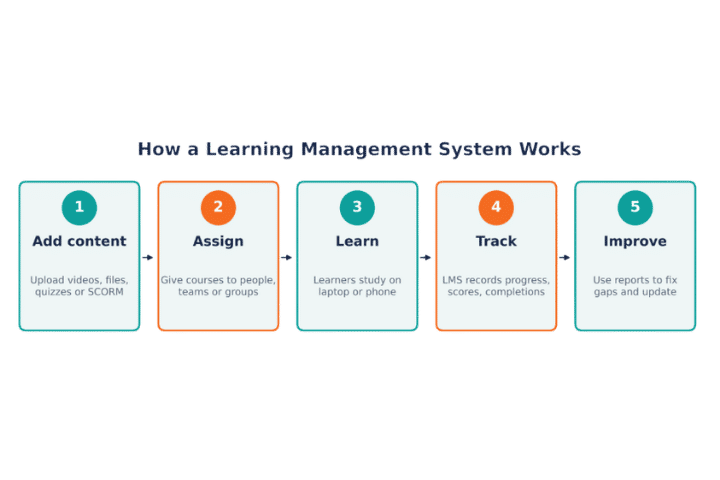
- Add content. You build a course in the LMS or upload one you already have.
- Assign it. You give the course to a person, team, department or class. Many LMS tools can do this on their own based on job role or start date.
- Learners take it. People log in and learn at their own pace or join a live session.
- The LMS tracks progress. It records who started, who finished, quiz scores and time spent.
- You review and improve. Reports show where people struggle, so you can fix the course or offer extra help.
Who Uses Learning Management Systems?
Learning management systems are not just for big companies. Many kinds of groups use them:
| User type | What they use an LMS for |
| Businesses (corporate L&D) | Onboarding, compliance, product and sales training, leadership and skills growth |
| Colleges and universities | Online and blended classes, assignments, grading, student support |
| K-12 schools | Homework, lesson materials, parent updates, remote learning |
| Government and public sector | Policy training, certifications, safety training |
| Healthcare | Clinical training, license renewals, safety and privacy compliance |
| Associations and training firms | Selling courses, member learning, continuing education credits |
| SaaS and product companies | Customer onboarding, partner training, product certifications |
Benefits of Using an LMS
Here is why so many teams switch to a learning management system:
1. All training in one place
No more hunting through folders and inboxes. Courses, files, records and certificates live in one system that everyone can reach.
2. Saves time and money
An LMS cuts travel, printing and venue costs. It also automates tasks like enrolment, reminders and certificates, so your team spends less time on admin.
3. Learn anytime, anywhere
Learners can study on a laptop, tablet or phone. This works well for remote teams, shift workers and students with busy lives.
4. Same training for everyone
Every learner gets the same up-to-date content, no matter which office, country or campus they are in.
5. Clear progress tracking
You can see who finished a course, who is behind and how people scored. This makes it easy to step in early.
6. Easier compliance
An LMS keeps records of completed training and expired certificates. When an audit comes, your reports are ready in a few clicks.
7. A more personal learning experience
Many platforms now suggest courses based on a person’s role, skills or past activity. Learners get what they need, not a one-size-fits-all program.
Not every LMS has the same tools. These are the LMS features that matter most for most teams:
Feature | Why it matters |
Course builder | Create courses with text, video, quizzes and files without coding |
Learning paths | Put courses in order so learners follow a clear journey |
Quizzes and tests | Check what people learned and set pass marks |
Certificates | Issue certificates automatically and track expiry dates |
Reports and dashboards | See progress, scores and completion rates at a glance |
Mobile learning | Let people learn on any device, even offline in some tools |
Live and virtual classes | Schedule sessions and connect with Zoom, Teams or Google Meet |
Gamification | Use points, badges and leaderboards to keep learners interested |
AI suggestions | Recommend courses, build quizzes and help create content faster |
Integrations | Connect to HR, CRM, Microsoft 365, Slack and single sign-on (SSO) |
SCORM / xAPI support | Upload standard e-learning content from any authoring tool |
Security and roles | Protect data with user roles, encryption and compliance standards |
See These Features in Action
Get a quick walkthrough of how a modern learning management system can save your team hours every week.
Types of Learning Management Systems
Learning management systems can be grouped in two ways: how they are hosted and who they are built for.
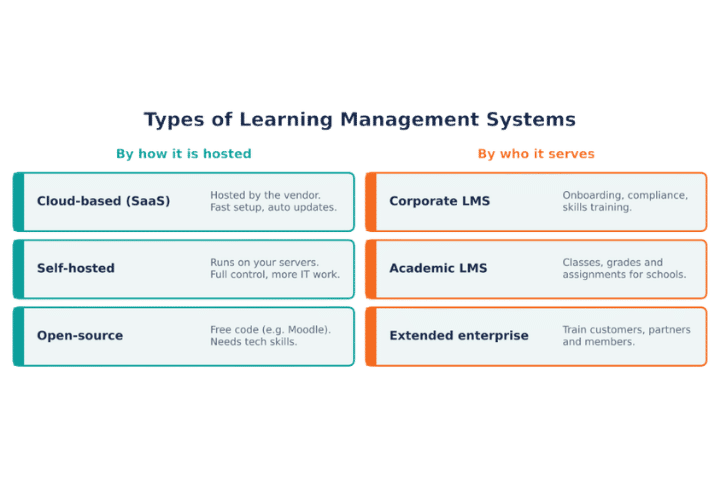
By how it is hosted
- Cloud-based (SaaS) LMS: The vendor hosts it for you. You log in through a browser. Setup is fast, updates are automatic and you pay a monthly or yearly fee. This is the most popular choice today.
- Self-hosted LMS: You install it on your own servers. You get full control over data, but your IT team handles updates, security and uptime.
- Open-source LMS: The code is free to use and change (Moodle is the best-known example). It is very flexible, but you need tech skills or a partner to set it up and keep it running.
By who it is built for
- Corporate LMS: Made for employee training, such as onboarding, compliance and skills growth.
- Academic LMS: Made for schools and universities, with gradebooks, assignments and class schedules.
- Extended enterprise LMS: Made to train people outside your company, such as customers, partners, resellers or members. Many include e-commerce to sell courses.
Some teams also want an LMS that works inside the tools they already use every day, like Microsoft Teams and SharePoint. This can make it much easier to get people to log in.
Common LMS Use Cases
Here are the most common ways organizations use a learning management system:
| Use case | How the LMS helps |
| Employee onboarding | New hires get a ready-made learning path from day one, so they get up to speed faster |
| Compliance training | Automatic reminders, due dates, audit-ready reports and certificate tracking |
| Skills and career growth | Role-based paths and skill tracking help people grow and stay longer |
| Sales and product training | Quick updates when products change, plus quizzes to check knowledge |
| Customer training | Help customers use your product well, which cuts support tickets |
| Partner training | Train and certify resellers and partners in one place |
| Academic courses | Run online and blended classes with assignments and grades |
| Selling courses | Charge for courses with built-in payments and coupons |
11 Best Learning Management Systems in 2027
There are hundreds of learning management systems on the market. We looked at what the top-ranking guides recommend, along with user reviews, to pick 11 strong options for different needs.
Here is a quick look before we go into each one:
LMS | Best for | Top feature | Pricing |
1. LMS 365 | Microsoft 365-based organizations | Employee training, course management, and learning tracking within Teams and SharePoint | Quote-based |
2. Docebo | Large companies and extended enterprise | AI-powered learning and content tools | Quote-based |
3. Canvas LMS | Colleges, universities and K-12 | Easy, clean interface for teachers and students | Free teacher account; quote for schools |
4. Moodle | Teams that want a free, flexible LMS | Open-source with thousands of plugins | Free (hosting and support extra) |
5. TalentLMS | Small and mid-size businesses | Fast setup and easy to use | Free plan; paid plans |
6. 360Learning | Teams that want peer-led learning | Collaborative course creation | Quote-based |
7. Cornerstone | Large enterprises with HR needs | Full talent and learning suite | Quote-based |
8. Absorb LMS | Employee and customer training | AI tools and strong reporting | Quote-based |
9. D2L Brightspace | Higher education and K-12 | Personal learning paths and analytics | Quote-based |
10. CYPHER Learning | Global and multilingual teams | AI course creation and multi-language support | Quote-based |
11. Blackboard Learn (Anthology) | Universities with large programs | Detailed assessment and grading tools | Quote-based |
#1. Canvas LMS
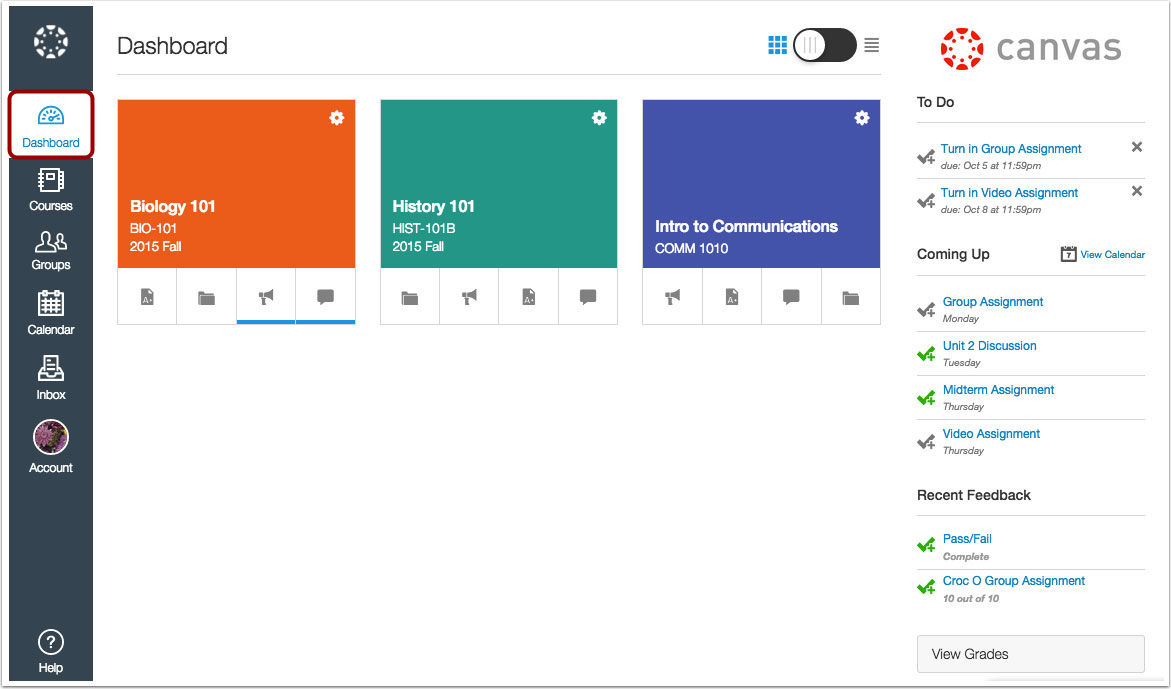
Best for: Colleges, universities and K-12 schools.
Canvas by Instructure is one of the most widely used academic LMS platforms. Teachers like it because it is clean and simple, and students can use it easily on the mobile app.
Top features:
- Simple course pages, modules and assignments
- SpeedGrader for fast grading and feedback
- Mobile apps for students and teachers
- Open APIs and many app integrations
What users like | What users don’t like |
✓ Very easy to learn ✓ Reliable and widely supported ✓ Strong community and resources | ✗ Less suited to corporate training ✗ Some features need add-ons or extra tools |
#2. LMS 365
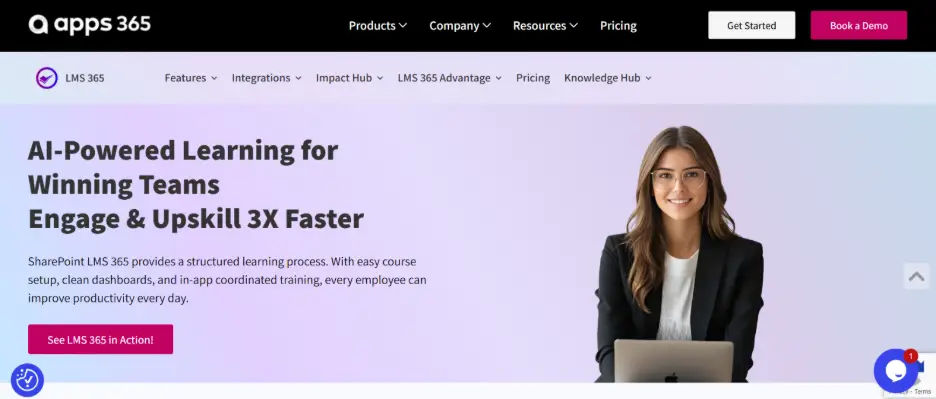
Best for: Small to large organizations using Microsoft 365 that want to manage employee training, onboarding, compliance, and professional development within SharePoint and Microsoft Teams.
LMS 365 is a learning management solution designed for businesses that want to simplify employee training without switching between multiple platforms. It integrates with the Microsoft 365 environment, allowing organizations to create courses, assign training, track learner progress, and manage certifications from a centralized platform.
The platform helps HR teams, training managers, and administrators automate routine learning activities while giving employees easy access to training resources. It is particularly useful for companies looking to improve workforce skills, streamline onboarding, and maintain compliance training records.
Top features:
- Microsoft 365 integration: Manage employee training within familiar SharePoint and Microsoft Teams environments.
- Course creation and management: Create, organize, assign, and deliver training programs for different departments and employee roles.
- Automated learning workflows: Simplify course enrollment, training reminders, and recurring learning activities.
- Training tracking and reporting: Monitor course completion, learner progress, and training performance through centralized reports.
- Compliance and certification management: Track mandatory training, certifications, and renewal requirements.
- Personalized learning paths: Organize structured training programs based on employee roles, skills, and development needs.
What users like | What users don’t like |
✓ Familiar Microsoft 365 environment makes training easier to access | ✗ Best suited to businesses already using Microsoft 365 |
✓ Centralized course management reduces manual administrative work | ✗ Advanced customization may require additional configuration |
✓ Useful for employee onboarding, compliance, and ongoing training | ✗ Organizations unfamiliar with SharePoint may need initial setup guidance |
✓ Progress tracking helps HR teams monitor training completion | ✗ Pricing may require contacting the sales team |
#3. Docebo
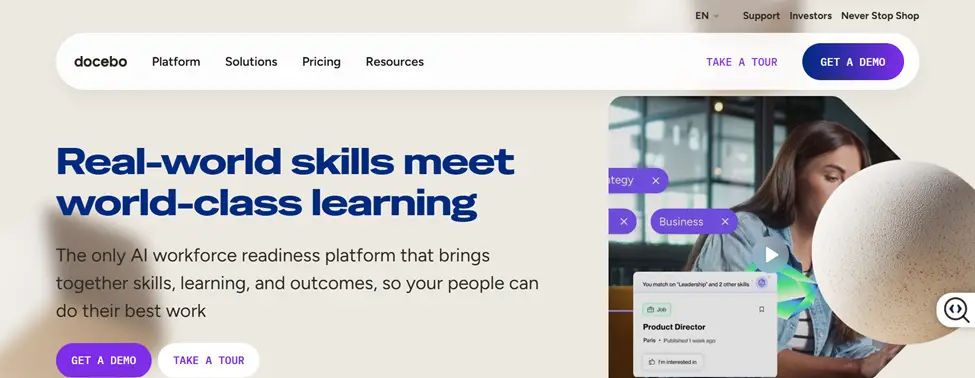
Best for: Mid-size to large companies that train employees, customers and partners.
Docebo is a cloud-based LMS known for its AI tools. It can suggest courses to learners, help admins build content faster and run separate learning portals for different audiences.
Top features:
- AI course suggestions and content creation
- Multiple branded portals for extended enterprise
- Large content marketplace
- Strong integrations with HR and CRM tools
What users like | What users don’t like |
✓ Easy for learners to use ✓ Scales well for large, global teams ✓ Good automation for admins | ✗ Can be costly for small teams ✗ Setup and advanced settings take time to learn |
#4. Moodle
Best for: Schools, nonprofits and teams with in-house tech skills.
Moodle is the world’s best-known open-source LMS. The software is free, and you can change almost anything with plugins and themes. Many schools and governments use it.
Top features:
- Free and open-source
- Thousands of plugins
- Works in many languages
- Hosted option available with MoodleCloud
What users like | What users don’t like |
✓ No license fees ✓ Very flexible ✓ Large global community | ✗ Default design can feel dated ✗ Needs tech skills to set up and maintain |
#5. TalentLMS
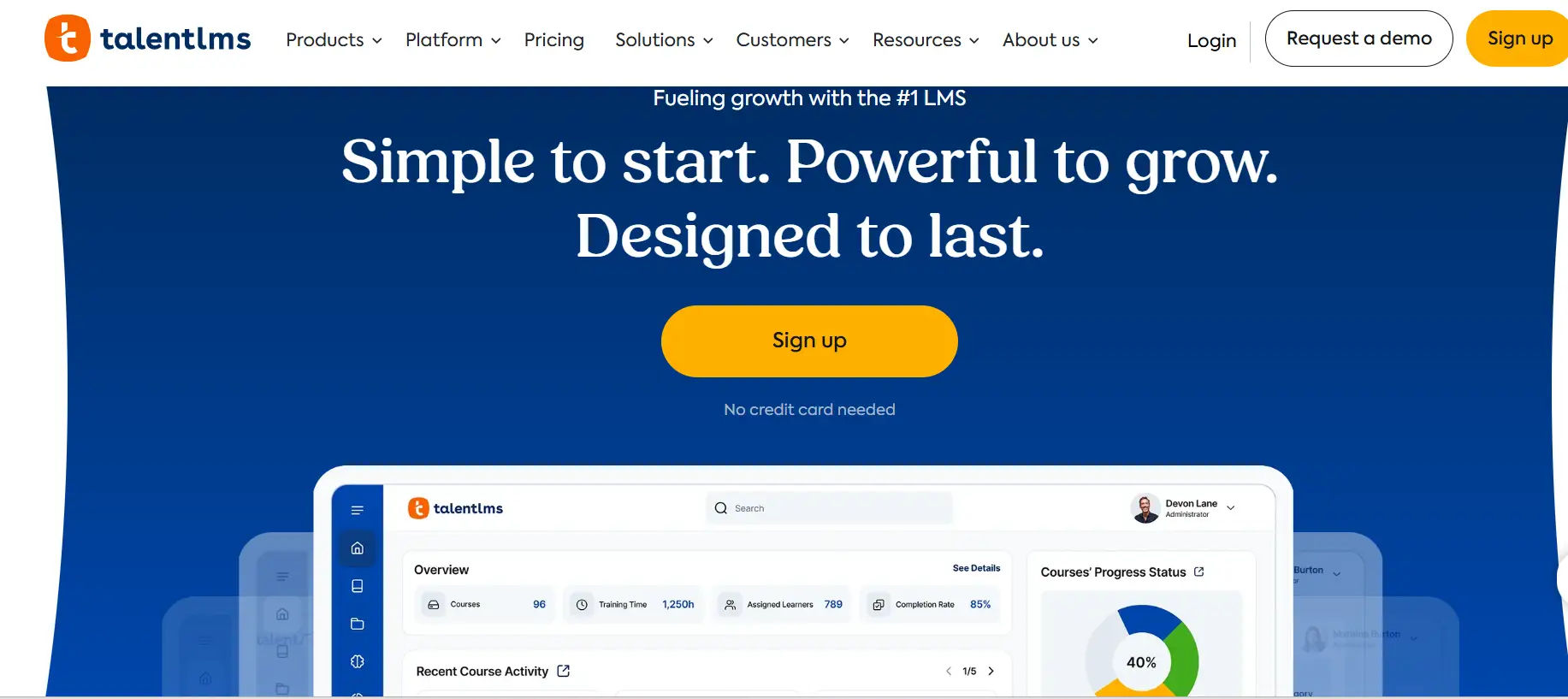
Best for: Small and mid-size businesses that want to start fast.
TalentLMS is a simple, cloud-based LMS. You can set it up in a day and start training right away. It is popular with growing companies that do not have a big L&D team.
Top features:
- Drag-and-drop course builder
- AI tools to help create courses
- Gamification with points and badges
- Ready-made course library (add-on)
What users like | What users don’t like |
✓ Very easy to set up and use ✓ Free plan to get started ✓ Good value for small teams | ✗ Reports are fairly basic ✗ Less custom control than enterprise tools |
#6. 360Learning
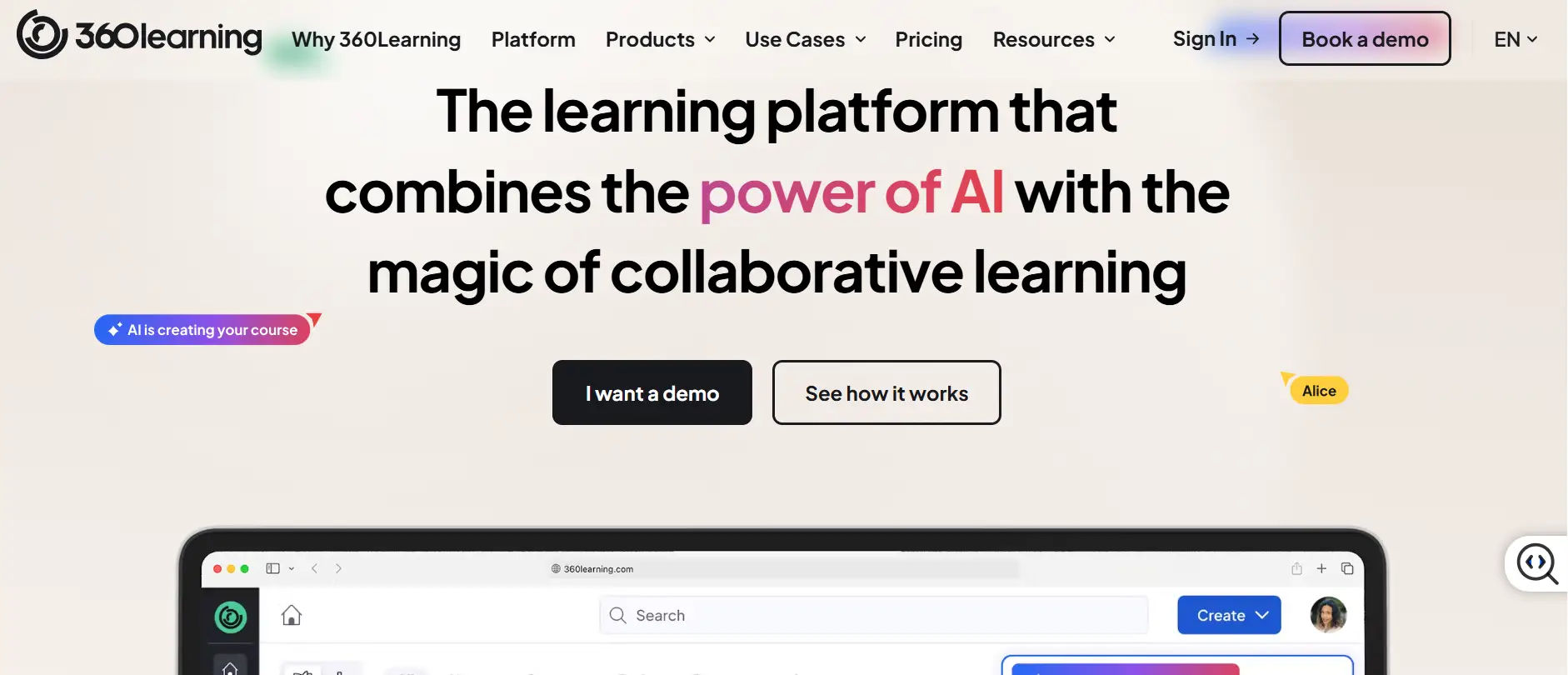
Best for: Companies that want experts across the business to create training.
360Learning is built around collaborative learning. Instead of one L&D team making every course, subject experts inside the company can build and share courses quickly.
Top features:
- Peer-led course creation
- AI help to turn documents into courses
- Learner comments and reactions
- Learning needs requests from employees
What users like | What users don’t like |
✓ Fast course creation ✓ Keeps content close to real work ✓ Good learner engagement | ✗ Not designed for schools ✗ Some advanced reports are limited |
#7. Cornerstone
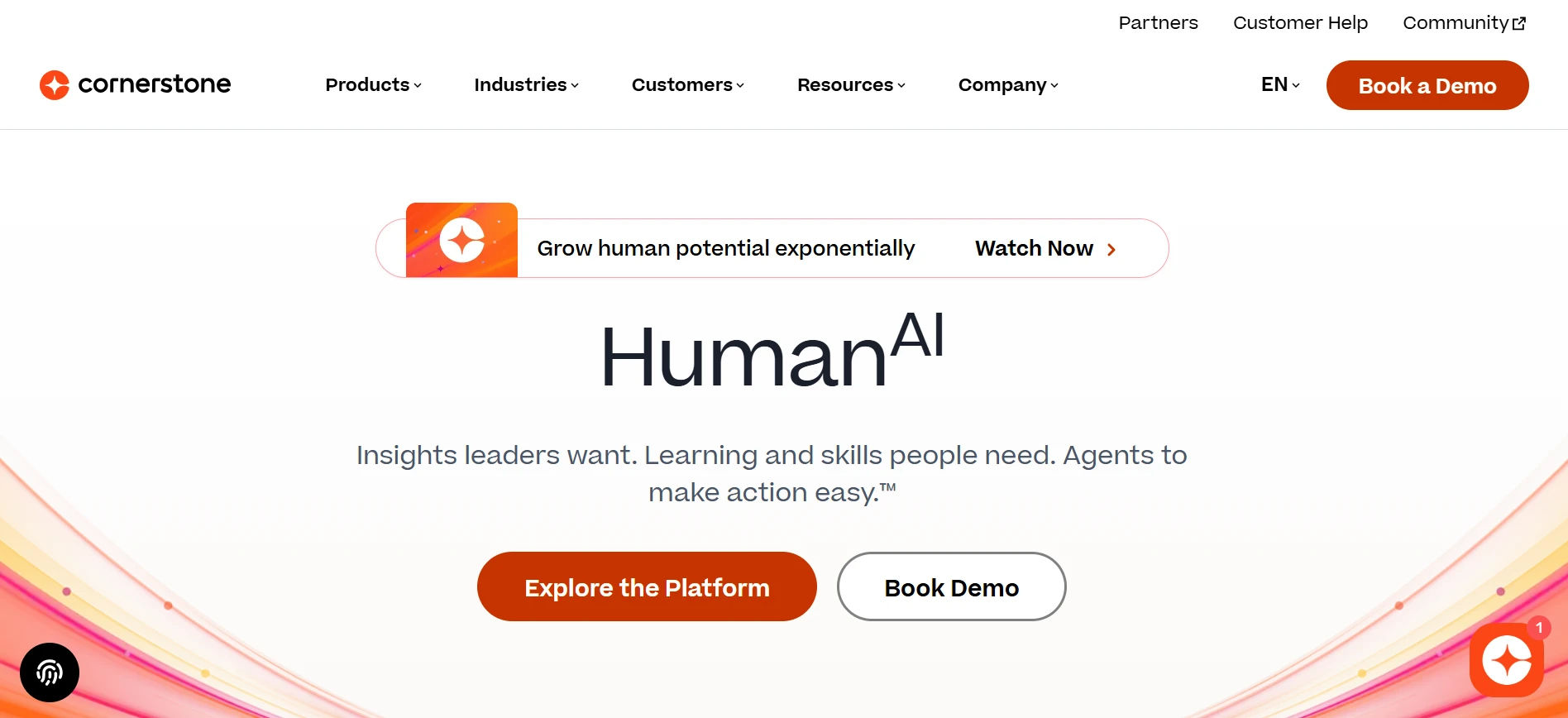
Best for: Large enterprises that want learning and talent tools together.
Cornerstone offers learning as part of a larger talent management suite. It covers training, skills, performance and career growth in one system.
Top features:
- Full talent and skills tools
- Large content library
- Strong compliance features
- Supports very large user bases
What users like | What users don’t like |
✓ All-in-one for HR and L&D ✓ Handles complex org structures ✓ Good compliance tracking | ✗ Can feel complex ✗ Long setup time and higher cost |
#8. Absorb LMS
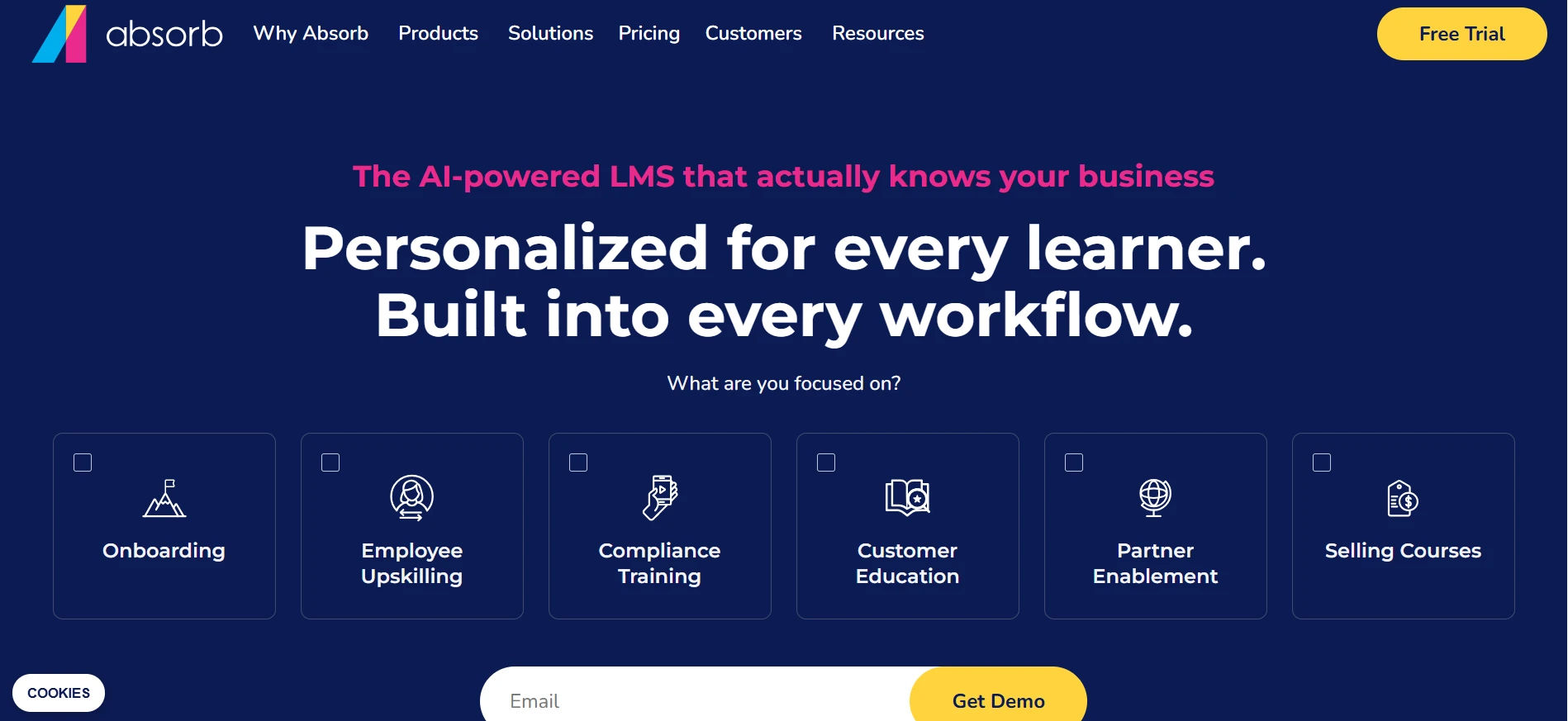
Best for: Companies training employees, customers and partners.
Absorb LMS is a cloud-based platform with a clean design and strong reports. It works for both internal training and selling or sharing courses with outside users.
Top features:
- AI tools for admins and learners
- Built-in e-commerce
- Detailed reports and dashboards
- Branded portals for different groups
What users like | What users don’t like |
✓ Clean, modern interface ✓ Good customer support ✓ Flexible for many use cases | ✗ Some features cost extra ✗ Can be pricey for very small teams |
#9. D2L Brightspace
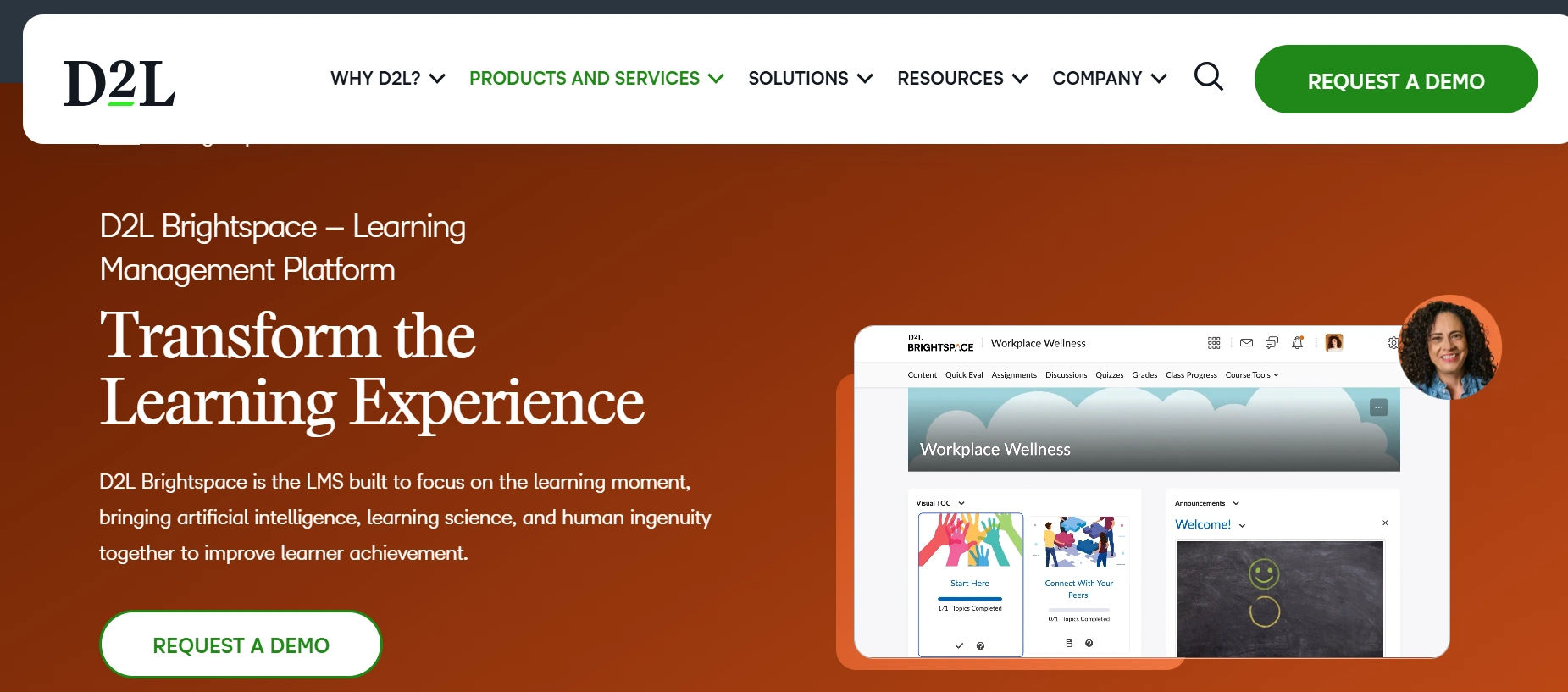
Best for: Universities, K-12 schools and some corporate teams.
Brightspace by D2L focuses on personal learning. Teachers can build paths that adapt to each learner, and the platform has strong tools for accessibility and analytics.
Top features:
- Personal and adaptive learning paths
- Strong analytics on learner progress
- Good accessibility support
- Video and portfolio tools
What users like | What users don’t like |
✓ Great for personal learning ✓ Strong reports ✓ Works for blended learning | ✗ Can take time to learn ✗ Interface has many options |
#10. CYPHER Learning
Best for: Global teams, schools and training companies.
CYPHER Learning uses AI to help build full courses quickly. It supports many languages and skills-based learning, which makes it a good fit for global teams.
What users like | What users don’t like |
✓ Fast course building ✓ Good for global audiences ✓ Modern design | ✗ Some advanced features have a learning curve ✗ Smaller community than older tools |
#11. Blackboard Learn (Anthology)
Best for: Universities and colleges with large programs.
Blackboard Learn, now part of Anthology, has been used by universities for many years. It is known for its deep tools for courses, tests and grading.
Top features:
- Advanced tests and assessments
- Detailed gradebook
- Course and content management
- Integrations with student systems
What users like | What users don’t like |
✓ Trusted by many universities ✓ Strong assessment tools ✓ Handles large course loads | ✗ Interface can feel heavy ✗ Can be hard for new users |
Not Sure Which LMS Fits You?
Talk to our team. We will help you match your goals, users and budget to the right learning management system.
LMS vs LXP vs LCMS vs TMS
These terms sound alike, but they do different jobs. Here is a simple way to tell them apart:
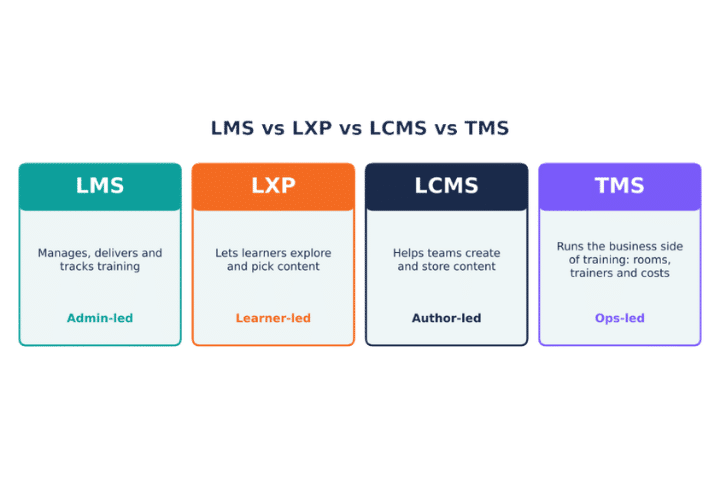
Tool | What it does | Who drives it | Best for |
LMS (learning management system) | Manages, delivers and tracks training | Admins and trainers | Required training, compliance, structured courses |
LXP (learning experience platform) | Lets learners explore and choose content, like Netflix for learning | Learners | Self-led learning and skill growth |
LCMS (learning content management system) | Helps teams create, store and reuse content | Content authors | Large content teams |
TMS (training management system) | Runs the business side: rooms, trainers, schedules and budgets | Training operations | Instructor-led and blended programs |
Many modern platforms now mix LMS and LXP features. If your team runs a lot of live or classroom training, you may also pair your LMS with a TMS.
How to Choose the Best Learning Management System
The best learning management system is the one that fits your needs. Use these eight steps to make a smart choice:
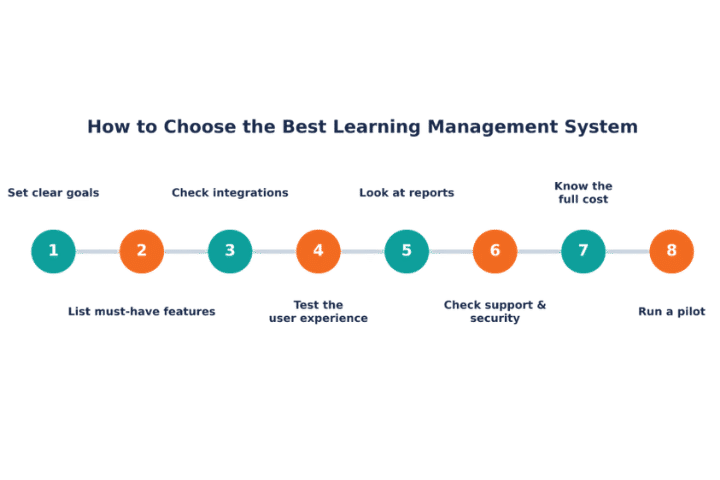
1. Set clear goals
Start with the “why.” Do you want faster onboarding, better compliance, higher course completion or a way to sell courses? Write down 3–5 goals you can measure.
2. List your must-have features
Split features into “must-have” and “nice-to-have.” This stops you from paying for tools you will never use.
3. Check integrations
Your LMS should work with the tools you already have, such as your HR system, Microsoft 365, Google Workspace, Zoom, Slack or CRM. Ask about single sign-on (SSO) too.
4. Test the user experience
If the LMS is hard to use, people will avoid it. Ask a few learners and admins to try it during a free trial and share honest feedback.
5. Look at the reports
Make sure you can easily see completion rates, scores and overdue training. Check if you can schedule reports and export data.
6. Check support and security
Ask how fast support replies, whether help is included in the price and what security standards the vendor follows (for example, GDPR, SOC 2 or ISO 27001).
7. Know the full cost
Look beyond the price per user. Ask about setup fees, add-ons, storage, extra admins, integrations and support plans. Our LMS pricing guide explains common pricing models.
8. Run a pilot
Before you roll out to everyone, test the LMS with one team or department for a few weeks. Fix problems early and use the results to win support from leaders.
Quick LMS Buying Checklist
☐ Easy for learners and admins to use
☐ Works on mobile
☐ Connects to our HR, SSO and daily tools
☐ Supports SCORM / xAPI content
☐ Clear, easy reports
☐ Strong security and data privacy
☐ Can grow with us
☐ Good support and onboarding help
☐ Clear pricing with no hidden costs
☐ Free trial or demo available
What to Avoid When Choosing an LMS
Choosing the wrong LMS can waste time and money. Watch out for these warning signs:
- Few integrations: Your data ends up stuck in separate systems.
- Poor mobile experience: Learners on the go will drop off.
- Weak security: No user roles, encryption or compliance proof.
- Basic reports only: You cannot prove training results.
- Hidden costs: Extra fees for users, storage, support or setup.
- Slow support: You are left on your own when problems come up.
- Confusing design: If it is hard to use, people will not log in.
Ready to Simplify Your Training?
See how our learning management system helps you create courses, track progress and prove results, all in one place.
LMS Implementation Tips
Buying an LMS is only half the job. These tips help you launch it the right way:
- Get leaders on board. Support from managers helps with budget and adoption.
- Make a simple rollout plan. Set dates, owners and a small pilot group.
- Clean up your content first. Remove old courses and update the ones you keep.
- Train your admins. Make sure they know how to build courses and run reports.
- Tell people why it matters. Share how the LMS makes their work easier.
- Start small, then grow. Launch with a few key courses and add more over time.
- Track results. Watch completion rates, scores and feedback, then improve.
LMS Trends to Watch in 2027
Learning management systems keep changing. Here are the trends shaping the market this year:
- AI everywhere: AI now helps build courses, write quizzes, translate content and suggest the next course for each learner.
- Skills-based learning: Companies track skills, not just course completions, to plan careers and close gaps.
- Learning in the flow of work: Training shows up inside tools like Microsoft Teams and Slack, so people do not have to switch apps.
- Microlearning: Short lessons of 3–5 minutes are easier to fit into a busy day.
- Mobile-first design: More people learn on their phones than ever before.
- Better data and analytics: Leaders want to link training to real business results.
- Stronger security: Data privacy rules keep growing, so vendors are adding more controls.
Conclusion
A learning management system makes training easier to run, easier to track and easier for people to complete. Whether you are training employees, teaching students or educating customers, the right LMS saves time and helps people learn better.
Start with clear goals, list the features you truly need and test your top picks before you buy. The best learning management system is the one your people will actually use.
Join Our Creative Community
Frequently Asked Questions
What is a learning management system in simple words?
A learning management system is software that helps you create, share and track courses or training in one place. It shows who took a course, who finished it and how they scored.
What are some examples of learning management systems?
Popular learning management systems include Docebo, Canvas, Moodle, TalentLMS, 360Learning, Cornerstone, Absorb LMS, D2L Brightspace, CYPHER Learning and Blackboard Learn.
What is the best learning management system?
There is no single best LMS for everyone. LMS 365 is best choice for Microsoft and SharePoint Integrations, Canvas and Brightspace are great for schools, TalentLMS suits small businesses, and Docebo or Cornerstone fit large companies. The best choice depends on your goals, users, tools and budget.
What is the difference between an LMS and an LXP?
An LMS is led by admins who assign and track training. An LXP is led by learners, who explore and choose content based on their interests.
How much does an LMS cost?
Costs vary a lot. Small teams may pay a few hundred dollars per month, while large companies may pay tens of thousands per year. Most vendors charge per user, per active user or with a flat fee.
How long does it take to set up an LMS?
A simple cloud LMS can be ready in a few days. A large enterprise rollout with integrations and custom content can take a few weeks to a few months.
Can an LMS work with Microsoft Teams or other tools?
Yes. Many learning management systems connect with Microsoft Teams, SharePoint, Zoom, Slack, HR systems and single sign-on tools. Always check the integrations list before you buy.