
How a Knowledge Management System Supports Employee Learning

A new hire asks the same question three times in their first week. A senior engineer retires, and the fix only she knew goes with her. A sales rep finishes a training course but cannot find the pricing guide when a customer calls. These are learning problems, but they are really knowledge problems.
- A knowledge management system (KMS) captures, organizes and shares company knowledge so employees can find answers when they need them.
- It supports learning in the flow of work, which helps people apply what they learn right away.
- Knowledge comes in three main types: tacit, explicit and implicit. A good KMS helps capture all three.
- Knowledge sharing builds skills through peer learning, mentoring and communities of practice.
- A KMS and a learning management system (LMS) do different jobs and work best together.
A knowledge management system supports employee learning by putting the right information in one searchable place, so employees can learn while they work instead of waiting for the next training session. It captures what experts know, keeps training content up to date, speeds up onboarding and helps people learn from each other. When it works alongside formal training, employees build skills faster and the business keeps its know-how even when people leave.
In this guide, you will learn what a knowledge management system is, the types of knowledge it handles, how it supports learning and development, how to connect it with your training programs, the common challenges to plan for and how it differs from a learning management system.
What Is a Knowledge Management System in Employee Learning?
A knowledge management system is a digital platform where an organization stores, organizes and shares what it knows. This includes documents, policies, how-to guides, FAQs, process notes, training materials, recorded videos and lessons learned from past projects.
In the context of employee learning, a KMS acts as the company’s living library. Instead of searching through email threads, shared drives or chat history, employees go to one place and find trusted answers. A good system has strong search, clear categories, content owners who keep information current and access controls so people only see what is relevant to them.
Think of it this way: training teaches employees what to do, while a knowledge management system helps them remember and apply it on the job. It turns one-time learning into n.
Types of Knowledge in an Organization
Not all knowledge looks the same. Understanding the three main types helps you decide what to capture and how.
Type of knowledge | What it means | Example | How a KMS captures it |
Explicit knowledge | Knowledge that is already written down and easy to share | Policies, manuals, product specs, SOPs | Searchable articles, document libraries, templates |
Tacit knowledge | Personal know-how built from experience; hard to write down | How a top salesperson handles a tough objection | Expert interviews, recorded walkthroughs, mentoring notes, Q&A forums |
Implicit knowledge | Know-how people apply without noticing; can be written down once spotted | A shortcut a support agent uses to resolve tickets faster | Process reviews, lessons-learned pages, best-practice guides |
Most companies manage explicit knowledge well but lose a lot of tacit and implicit knowledge. A knowledge management system gives teams a simple way to turn personal experience into shared learning material.
Key Features That Support Employee Learning
Not every document storage tool is a true knowledge management system. These features make the biggest difference for learning:
- Powerful search: Employees should find answers in seconds using everyday words, not exact file names.
- Clear structure: Categories, tags and topic pages help people browse related content and discover what they did not know to look for.
- Easy content creation: Simple templates let any employee write a guide or share a tip without technical skills.
- Version control and review dates: These keep content accurate so employees always learn the current process.
- Collaboration tools: Comments, ratings and Q&A threads turn static pages into conversations where knowledge grows.
- Access control: Role-based permissions show each employee the knowledge that matters to their job.
- Analytics: Reports on searches and page views reveal what employees are trying to learn and where content is missing.
Role of Knowledge Management in Learning and Development
Learning and development (L&D) teams design courses, run workshops and track progress. Knowledge management fills the gap between those formal moments. Here is how it supports L&D goals.
It Supports Learning in the Flow of Work
Most workplace learning happens on the job, not in a classroom. When an employee hits a problem, they need a quick answer, not a two-hour course. A knowledge base lets them search, read a short guide and get back to work. This kind of just-in-time learning helps people apply new skills immediately, which makes the learning stick.
It Fights the Forgetting Curve
People forget much of what they learn in training within days if they do not use it. A KMS gives employees a place to revisit key ideas, checklists and examples whenever they need a refresher. Training becomes the starting point, and the knowledge base keeps that learning alive.
It Speeds Up Employee Onboarding
New hires have a lot to learn: tools, processes, people and culture. With a well-organized knowledge base, they can find answers on their own instead of interrupting colleagues all day. Onboarding checklists, team guides and welcome pages help them become productive faster and feel more confident.
It Keeps Training Content Accurate
Products change, policies update and processes improve. When training material lives in a KMS with clear content owners and review dates, L&D teams can update one source and every linked course stays current. This prevents employees from learning outdated steps.
It Protects Knowledge When People Leave
When experienced employees retire or move on, their knowledge often leaves with them. A KMS captures that expertise through handover documents, recorded sessions and expert Q&As, so the next person can learn from it. This is one of the most valuable roles of knowledge retention in any organization.
It Creates a Culture of Continuous Learning
When knowledge is easy to find and easy to share, learning becomes part of everyday work rather than a yearly event. Employees start to ask, “Is there a guide for this?” before they ask a colleague, and they add what they learn back into the system. Over time, this habit builds a culture where curiosity is normal and growth is shared by the whole team.
How Knowledge Sharing Improves Employee Skills
A knowledge management system is only as strong as the culture of knowledge sharing behind it. When employees share what they know, everyone learns faster. Here are the main ways knowledge sharing builds skills.
Peer-to-Peer Learning
Employees often learn best from colleagues who do the same job. When a team member writes a quick guide on how they solved a problem, others can learn the same skill in minutes. Peer learning is practical, relevant and easy to trust because it comes from real experience.
Access to Subject Matter Experts
A KMS with expert profiles or a Q&A forum helps employees find the right person to ask. Instead of guessing who knows about a topic, they can search and connect with subject matter experts. Every answer shared in the forum becomes a learning resource for the next person with the same question.
Communities of Practice
Communities of practice are groups of people who share an interest or role, such as project managers or customer support agents. Inside a knowledge platform, these groups can share templates, discuss challenges and post lessons learned. Over time, they build a rich pool of knowledge that helps every member grow.
Faster Upskilling and Reskilling
As roles change, employees need new skills. Shared knowledge, such as recorded demos, case studies and step-by-step guides, gives them self-service learning paths. They can build new skills at their own pace without waiting for formal training to be scheduled.
Stronger Soft Skills
Knowledge sharing is not only about technical skills. When employees write guides, answer questions and explain processes to others, they also improve communication, problem solving and teamwork. Teaching others is one of the best ways to deepen your own understanding.
Better Decisions and Fewer Repeated Mistakes
When teams record what worked and what did not, others avoid the same mistakes. Lessons-learned pages after projects are one of the simplest and most powerful learning tools a company can have.
Ways to Integrate Knowledge Management with Employee Training
Knowledge management and training should not live in separate worlds. When you connect them, employees get structured learning plus on-demand support. Here are practical ways to integrate the two.
- Map skills to knowledge content. List the skills each role needs, then link each skill to the courses and knowledge articles that support it. Employees can see exactly where to learn and where to look later.
- Link training courses to knowledge base articles. At the end of each course, add links to related guides, checklists and FAQs. This gives learners a next step and a place to return to when they need a refresher.
- Build onboarding around the knowledge base. Create onboarding pages that guide new hires through key articles, tools and contacts in a set order. Pair this with short training modules for a complete experience.
- Turn experts into content creators. Ask subject matter experts to record short videos, write how-to guides or host live Q&A sessions. Save the recordings in the KMS so future employees can learn from them.
- Capture lessons learned after every project. Make a short review part of every project close. Store the findings where future teams can find them, and use them as real-world case studies in training.
- Use smart search and AI assistance. Modern platforms use AI-powered search to understand questions in plain language and suggest the right content. This makes self-service learning faster and easier for employees.
- Bring knowledge into the tools employees already use. If your teams work in Microsoft 365, SharePoint or Microsoft Teams, put the knowledge base there too. People are far more likely to use knowledge they can reach without switching apps.
- Measure and improve. Track what employees search for, which articles they read and where searches return no results. Use these insights to spot skill gaps and plan new training.
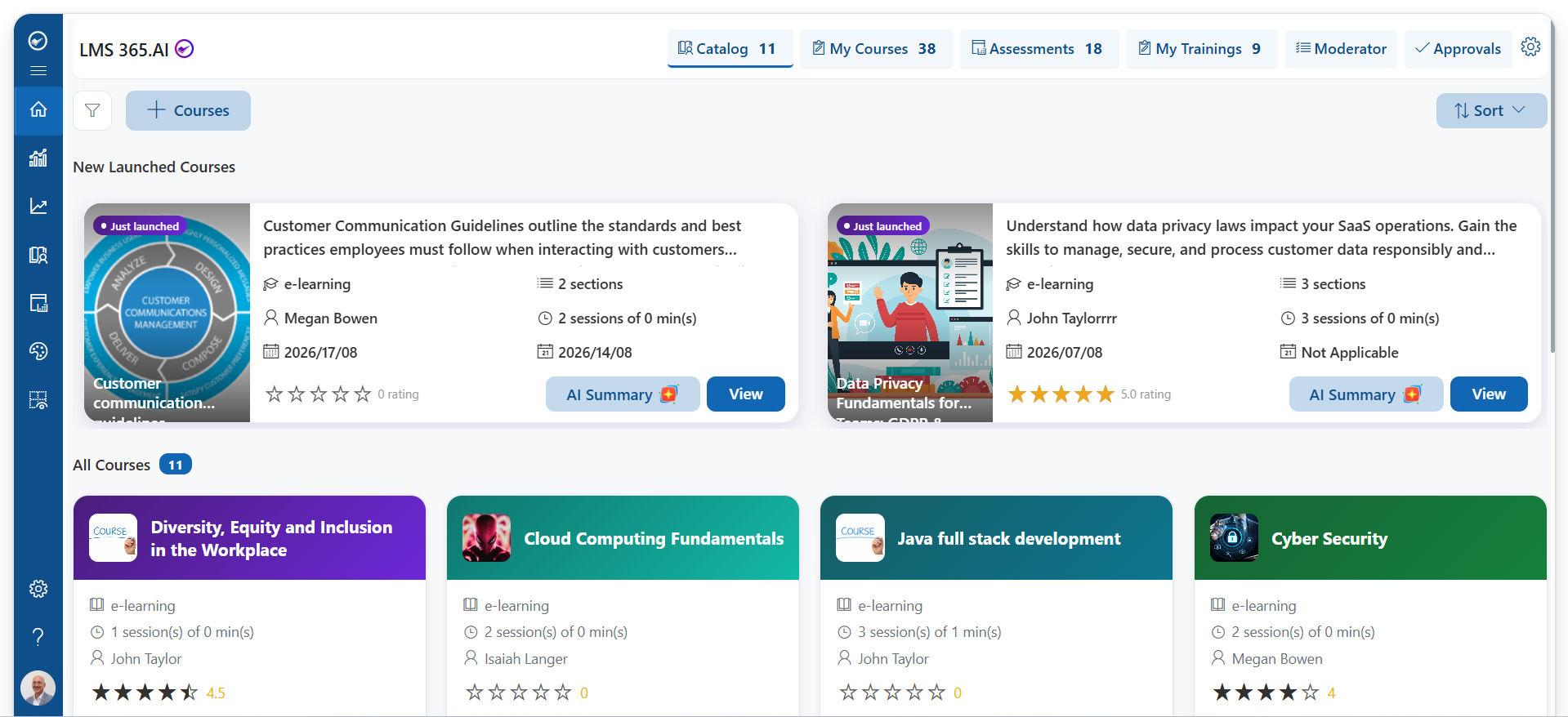
This is where a solution like LMS 365 fits naturally. Built on Microsoft 365 and SharePoint, it helps organizations create a central knowledge base, organize content by team or topic and make it easy to find inside the tools employees already use every day. That means training content and everyday knowledge sit side by side, and learning continues long after the course ends.
Common Challenges in Managing Employee Knowledge
Even with the right tools, managing knowledge is not always easy. Here are the most common challenges and simple ways to solve them.
Information Overload
When everything gets uploaded, nothing is easy to find. Employees give up if search results are full of old or duplicate files. Fix: Use clear categories, tags and templates. Archive old content and keep one trusted version of each document.
Outdated Content
Knowledge that is wrong is worse than no knowledge at all. It leads to mistakes and loss of trust in the system. Fix: Assign an owner to every article and set review dates. Add a “last updated” label so readers know what is current.
Low Employee Adoption
If people prefer to ask a colleague or search their email, the KMS will sit unused. Fix: Make the system easy to use, connect it to daily tools and have managers point their teams to it. Recognize employees who share useful knowledge.
Knowledge Silos
Teams often keep knowledge inside their own folders or chat groups. Other departments never see it, even when it could help them. Fix: Create shared spaces, cross-team communities and permission settings that open up useful knowledge while protecting sensitive data.
Capturing Tacit Knowledge
Experience-based know-how is hard to write down, and busy experts rarely have time. Fix: Use short formats like recorded walkthroughs, interviews and Q&A threads. Make capturing knowledge part of handovers and project reviews.
Measuring the Impact on Learning
Leaders want to know if knowledge management actually improves skills and performance. Fix: Track metrics such as time to productivity for new hires, search success rates, repeated support questions and content usage. Compare these before and after rollout.
Security and Access Control
Some knowledge is sensitive, such as HR or financial information. Fix: Use role-based permissions so employees see what they need and nothing more.
Learning Management System vs. Knowledge Management System: What Is the Difference?
People often confuse a learning management system (LMS) with a knowledge management system (KMS). Both support employee learning, but they do different jobs. An LMS delivers and tracks structured training. A KMS stores and shares everyday knowledge that people need while working.
Aspect | Learning Management System (LMS) | Knowledge Management System (KMS) |
Main purpose | Deliver, manage and track formal training | Capture, organize and share organizational knowledge |
Type of learning | Structured, planned learning | On-demand, learning in the flow of work |
Content | Courses, quizzes, certifications, learning paths | Articles, guides, FAQs, policies, lessons learned, expert answers |
Who creates content | Mostly L&D teams and instructors | Employees, experts and teams across the company |
How employees use it | Enroll, complete and pass courses | Search, read and apply answers when needed |
What it measures | Course completion, scores, compliance | Content usage, search success, knowledge gaps |
Best for | Onboarding programs, compliance training, certifications | Quick answers, process support, retaining expertise |
Do You Need Both?
For most organizations, yes. The LMS teaches the skill and the KMS supports it on the job. For example, a customer support agent may complete a product course in the LMS, then use the knowledge base daily to answer specific customer questions. When the two systems are linked, employees move smoothly between learning and doing.
If you are just getting started, a knowledge management system is often the quicker win. It solves daily problems right away and gives your future training programs a strong content foundation.
Conclusion
Employee learning does not stop when a training session ends. People learn every day by solving problems, asking questions and sharing what works. A knowledge management system supports this kind of continuous learning by giving employees one trusted place to find answers, learn from experts and build new skills at their own pace.
When you combine knowledge management with your training programs, onboarding becomes faster, training content stays accurate and valuable expertise stays inside the company. Start by capturing your most-asked questions, assigning content owners and bringing knowledge into the tools your teams already use.
Ready to give your employees a smarter way to learn at work? See how LMS 365 helps you build a knowledge base inside Microsoft 365 that your teams will actually use.
Join Our Creative Community
Frequently Asked Questions
Can a knowledge management system replace employee training?
No. A knowledge management system supports training but does not replace it. Formal training teaches new skills in a structured way, while a KMS helps employees remember and apply those skills on the job. They work best together.
How long does it take to set up a knowledge management system?
It depends on the size of your company and how much content you already have. Many teams start small by moving their most-used documents and FAQs first, then grow the knowledge base over time. Platforms built on tools you already use, like Microsoft 365, can shorten setup.
What if employees do not use the knowledge base?
Low adoption usually happens when the system is hard to use or separate from daily work. Keep content short and current, connect the KMS to tools like Microsoft Teams, and ask managers to direct questions to the knowledge base first.
How do we keep knowledge content up to date?
Give every article an owner and a review date. Use analytics to find pages that are rarely read or often searched without results, and update or remove them regularly.
How can we measure if knowledge management improves learning?
Look at time to productivity for new hires, repeated questions to support or HR, search success rates and employee feedback. Improvements in these areas show that employees are learning and finding answers faster.
Is a knowledge management system only for large companies?
No. Small and mid-sized businesses benefit too, especially when a few key people hold most of the know-how. Capturing that knowledge early makes it easier to grow and train new staff.


























