
How an LMS for Employee Onboarding Simplifies New Hire Training
_eH2jDg7dZ.png)
The first few weeks at a new job shape how an employee feels about the company. If onboarding is slow, confusing, or full of paperwork, new hires feel lost. Some of them even leave within the first few months.
- An LMS for employee onboarding puts all new hire training in one place: courses, policies, videos, and checklists.
- It automates enrollment, reminders, and progress tracking, which saves HR and managers a lot of time.
- Every new hire gets the same quality training, which leads to faster productivity and better retention.
- When choosing a platform, look at ease of use, integrations, mobile access, reporting, and pricing, and try a demo before you buy.
Many companies still run onboarding with emails, PDFs, spreadsheets, and long meetings. This may work for a small team. But as the company grows, it becomes hard to manage. Different managers teach different things. Important steps get missed. HR teams spend hours repeating the same sessions again and again.
This is where an LMS for employee onboarding helps. It puts all onboarding training in one place. New hires know exactly what to learn, managers can see progress, and HR saves a lot of time.
In this blog, we will explain what an LMS for employee onboarding is, how it simplifies new hire training, its key benefits, the features to look for, and how to choose the right solution for your business.
What Is an LMS for Employee Onboarding?
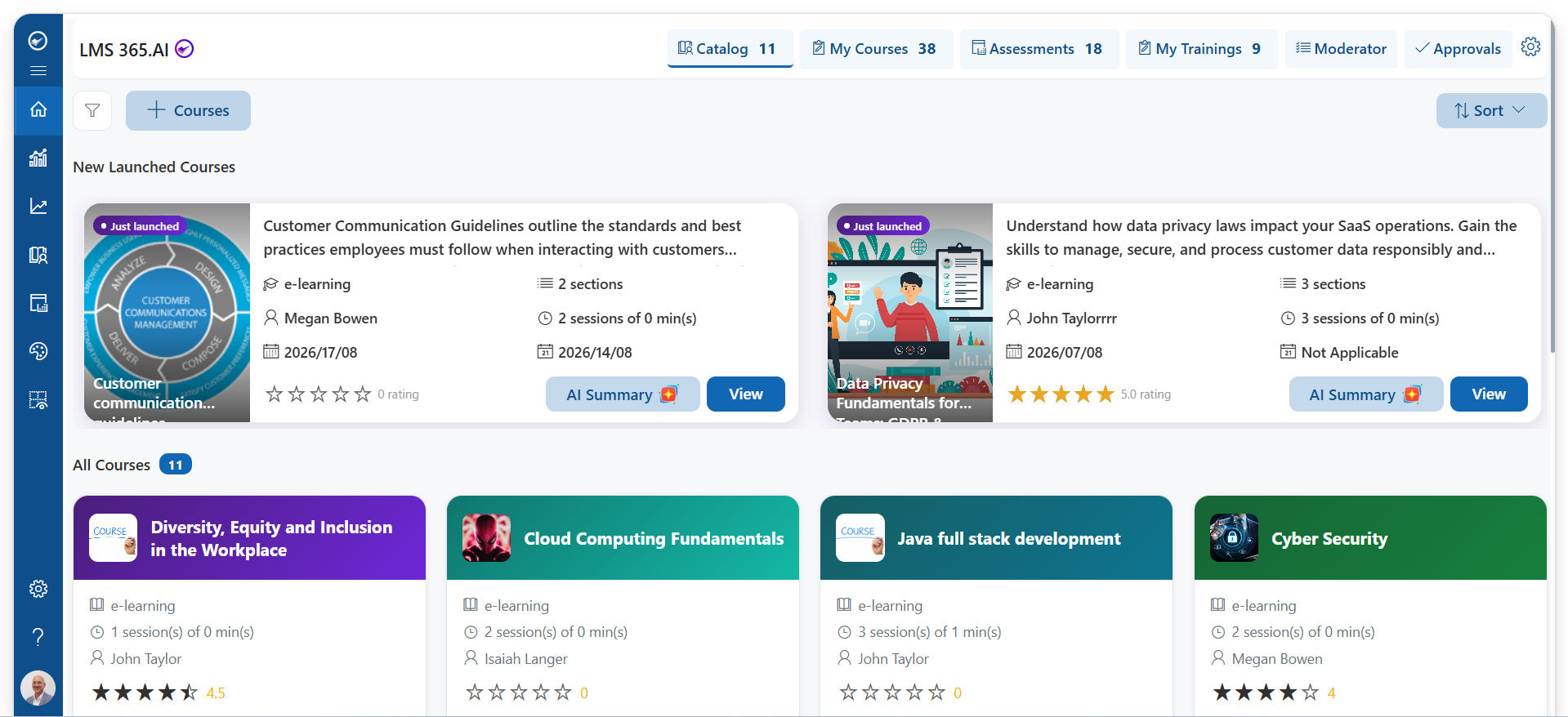
An LMS, or learning management system, is software that helps companies create, deliver, manage, and track training. An LMS for employee onboarding is an LMS used to train new employees from their first day (or even before it).
Instead of giving new hires a folder full of documents, you create a clear learning path for them. This path guides them step by step through everything they need to know. A typical onboarding path may include:
- A welcome video from the leadership team
- Company history, mission, values, and culture
- HR policies, code of conduct, and the employee handbook
- Compliance training such as data security, workplace safety, and anti-harassment
- Role-specific training for their team and job
- Product and tool training
- Quizzes, checklists, and short assessments
It is important to know that an onboarding LMS is different from HR onboarding software. HR software mainly handles paperwork like contracts, tax forms, and payroll setup. An LMS focuses on learning and skill building. Many companies use both and connect them, so that a new hire added to the HR system is automatically enrolled in onboarding training.
Employee onboarding with LMS works for every type of workforce: office teams, remote employee onboarding, hybrid teams, and frontline or deskless workers.
How an LMS Simplifies Employee Onboarding Training
A good employee onboarding process should be simple for everyone involved. Here is how an LMS makes that possible.
Everything Is in One Place
With an LMS, all onboarding content lives on one platform. Videos, documents, policies, quizzes, and checklists are easy to find. New hires don’t have to search through emails or ask colleagues where a file is saved.
Learning Paths Run Automatically
You can build a learning path once and use it for every new hire. When a new employee joins, the LMS can enroll them automatically based on their role, department, or location. It also sends reminders when a course is due. HR doesn’t need to assign courses one by one.
New Hires Can Start Before Day One
Many LMS platforms support pre-boarding. This means new hires can log in before their start date, meet the team through a video, and finish basic courses. By the time they arrive, they already feel connected and ready.
Learning Happens Anytime, Anywhere
Most modern platforms support mobile learning. New hires can learn on their phone, tablet, or laptop at their own pace. This is very useful for remote employees and frontline staff who don’t sit at a desk all day.
Every New Hire Gets the Same Quality Training
When onboarding depends only on managers, the experience changes from team to team. An LMS gives every new hire the same core content and the same message. This keeps training fair, clear, and consistent across all offices and countries.
Tracking Progress Is Easy
HR and managers can see who has completed which course, who is falling behind, and how new hires are scoring on quizzes. There is no need to chase people through emails or update spreadsheets by hand.
Less Work for HR and Managers
Because the LMS handles enrollment, reminders, content delivery, and reporting, HR teams and managers save many hours every month. They can spend that time on what matters most: personal support, mentoring, and building relationships with new hires.
7 Key Benefits of Using Employee Onboarding Training Software
Using employee onboarding training software brings clear value to both the company and the new hire. Here are seven key benefits.
Faster Time to Productivity
New hires learn the right things in the right order. They don’t waste time waiting for someone to explain basic tasks. As a result, they become productive much faster.
Better Employee Experience and Retention
A smooth and friendly onboarding experience makes new hires feel welcome and valued. People who have a good start are more likely to stay longer. This makes the LMS a strong tool for employee retention.
Lower Training Costs
Online onboarding reduces the need for classroom sessions, travel, printed material, and repeated trainer time. You create content once and reuse it many times. This helps improve your overall training ROI.
Consistent Training Across Teams and Locations
Whether you have 10 new hires or 1,000, in one city or in many countries, everyone gets the same core training. This protects your brand, culture, and quality standards.
Easy Compliance Management
Many industries need proof that employees have completed required training. An LMS records completions, scores, and certificates automatically. When an audit comes, you have all the reports ready in a few clicks.
Scales as Your Company Grows
Hiring 5 people a month is very different from hiring 50. An LMS can handle large hiring waves without extra stress on HR. You just add new users and the system does the rest.
Higher Engagement Through Interactive Learning
Long manuals are boring. An LMS lets you use videos, quizzes, short lessons, and gamification like points, badges, and leaderboards. These make learning more fun and help new hires remember what they learn.
Essential Features of an LMS Platform for Employee Onboarding
Not every LMS is built for onboarding. When you look at an LMS platform for employee onboarding, check for these essential features.
Custom Learning Paths
You should be able to create different onboarding paths for different roles, departments, and locations. A sales hire and a developer should not get the exact same training.
Automated Enrollment and Reminders
The system should enroll new hires automatically and send email or app reminders for pending courses. This keeps onboarding moving without manual follow-ups.
Easy Course Builder and Content Support
Look for a simple course builder that lets you upload videos, PDFs, slides, and SCORM files. Some platforms also offer ready-made course libraries and AI-powered course creation to help you build content faster.
Microlearning and Mobile Access
Short lessons of 3 to 5 minutes are easier to complete and remember. Microlearning combined with a mobile app helps new hires learn on the go.
Assessments and Certificates
Quizzes, surveys, and assignments help you check if new hires truly understood the content. Automatic certificates are useful for compliance and give new hires a sense of achievement.
Onboarding Checklists
Not all onboarding is a course. Tasks like “meet your buddy,” “set up your laptop,” or “shadow a team member” can be added to an onboarding checklist inside the LMS.
Reporting and Analytics
Good LMS reporting and analytics show completion rates, quiz scores, time spent, and drop-off points. These insights help you improve your onboarding program over time.
Integrations
Your LMS should connect with the tools you already use, such as your HRIS, single sign-on (SSO), and collaboration tools. For example, an LMS integrated with Microsoft Teams or SharePoint lets employees learn inside the tools they use every day.
Social Learning and Collaboration
Features like discussion forums, comments, and mentor or buddy programs support social learning. New hires can ask questions, share ideas, and build relationships with colleagues.
Multilingual Support and Branding
If you hire in different regions, the LMS should support multiple languages. Custom branding with your logo and colors also makes the onboarding experience feel like part of your company.
How to Choose the Right Employee Onboarding LMS Solution
There are many LMS options on the market. Use these simple steps to choose the right employee onboarding LMS solution for your business.
Define Your Onboarding Goals
Start by asking what you want to improve. Do you want faster ramp-up time, better compliance, lower costs, or a better new hire experience? Clear goals help you focus on the features that matter.
Understand Your Users
Think about who your new hires are. Are they remote, in the office, or on the field? Do they use computers or mostly phones? Do they speak different languages? Your LMS should fit the way your people work.
Check Ease of Use
Both admins and learners should find the platform simple. If it’s hard to use, new hires won’t enjoy it and HR won’t want to manage it. Look for a clean design and simple navigation.
Look at Integrations
Make sure the LMS connects with your HR system, SSO, and daily work tools. Strong integrations mean less manual work and a smoother experience.
Review Content Options
Check if you can easily create your own courses, upload existing content, and use ready-made libraries. Content flexibility saves you time and money.
Think About Scalability and Pricing
Choose a platform that can grow with your company. Understand the LMS pricing models, such as per active user, per registered user, or flat fee, so there are no surprises later.
Check Security and Support
Your LMS will store employee data, so it must follow strong security standards. Also check what kind of customer support, training, and setup help the vendor offers.
Ask for a Demo or Free Trial
Before you decide, try the platform. Build a small onboarding path, invite a few users, and see how it works in real life. You can also use an LMS evaluation checklist to compare different vendors side by side.
Conclusion
Onboarding helps new employees feel welcome, confident, and prepared for their roles. However, manual processes involving scattered emails and documents can make training difficult. An LMS for employee onboarding simplifies this process by centralizing training materials, automating tasks, and ensuring a consistent learning experience for every new hire.
The right LMS solution helps HR teams track progress, improve engagement, and reduce onboarding time. By identifying your training goals, evaluating essential features, and choosing a suitable platform, you can create an effective onboarding experience that supports employee productivity and long-term retention.
Join Our Creative Community
Frequently Asked Questions
What is an LMS for employee onboarding?
An LMS for employee onboarding is a learning platform that helps companies train new hires. It delivers onboarding courses, policies, and role-based training in one place and tracks each new hire’s progress.
How does an LMS help with employee onboarding training?
An LMS for employee onboarding training automates course enrollment, sends reminders, offers mobile access, and gives managers clear reports. This makes onboarding faster, more consistent, and easier to manage.
What is the difference between an LMS and HR onboarding software?
HR onboarding software handles paperwork like contracts, tax forms, and payroll setup. An LMS focuses on learning, skills, and knowledge. Many companies connect both systems for a complete onboarding experience.
Can an LMS be used for remote employee onboarding?
Yes. An LMS is ideal for remote and hybrid teams because new hires can access training online from any location and on any device.
How long should an onboarding program in an LMS be?
It depends on the role, but most companies plan onboarding for 30 to 90 days. Basic courses are often completed in the first week, while role-based training continues over the following weeks.
What features should I look for in employee onboarding training software?
Look for custom learning paths, automated enrollment, mobile learning, assessments, onboarding checklists, reporting, integrations with your HR and work tools, and strong security.


























