


I used to think my problem was motivation. It wasn’t. It was visibility. I’d promise myself two hours of deep work every morning, then look back on Friday and find I’d spent most of those mornings answering chats. What finally fixed it wasn’t a cute streak app with a cartoon plant. It was a time tracker. When you log where your hours actually go, your habits stop being wishes and become data.
- Time trackers make better work-habit trackers than checkbox apps. They record how long and how consistently, not just “done/not done.”
- Timesheet 365 is my top pick for teams on Microsoft 365. It runs inside Microsoft Teams and SharePoint, so logging becomes part of the workday instead of yet another app.
- Every app here has a free plan. Paid tiers mostly add reporting, approvals and admin controls.
- Pick based on where you work. Clockify and Toggl Track suit individuals, Jibble suits shift routines, and RescueTime suits automatic screen-time habits.
- Habits take longer than 21 days. Choose a tool you’ll still open in month three.
Why Use a Time Tracker as a Habit Tracker?
Most habit apps ask one question: did you do it? That’s fine for flossing. Work habits are different. “Do focused work every morning” only means something if you know whether it was 20 minutes or two hours, and whether a meeting ate it.
Interruptions are the reason this matters. Microsoft’s Work Trend Index 2025 research on the “infinite workday” found that employees are interrupted roughly every two minutes during core hours by meetings, emails or chats, which adds up to about 275 interruptions a day. With that much noise, a habit you never measure gets crowded out without you noticing.
Patience matters as well. A systematic review and meta-analysis on how long habits take to form found that median habit formation took around two months (59–66 days), with individual cases ranging from 4 to 335 days. The popular “21 days” figure doesn’t hold up. You need a tool that’s low-effort enough to keep using long after the novelty fades.
A time tracker gives you three things a checkbox can’t: duration, consistency over weeks, and reports that show when the habit slips.
How We Picked
I ranked tools against five criteria shaped by what real users complain about:
- A genuinely free plan. Core tracking with no trial countdown.
- Fast setup. I needed to make my first log within 10 minutes.
- Recurring routines. Reminders, timers, templates or automatic tracking.
- Reports you can read. A habit trend you can see at a glance.
- Privacy and sync. Clearly handled data, available across devices.
Quick Comparison
App | Free plan | Cheapest paid (approx.) | Platforms | Best for |
Free trial / entry plan (check site) | Per-user, see apps365.com | Teams, SharePoint, web, mobile via Teams | Microsoft 365 teams | |
Clockify | Unlimited users | ~$3.99/seat/mo (annual) | Web, desktop, mobile, extensions | Individuals and budget teams |
Toggl Track | Up to 5 users | ~$9/user/mo (annual) | Web, desktop, mobile, extensions | Focus-timer fans |
TimeCamp | Unlimited users, core features | ~$2.99/user/mo (annual) | Web, desktop, mobile, extensions | Automatic tracking |
Jibble | Unlimited users | ~$2.49–$2.99/user/mo (annual) | Web, iOS, Android, desktop, kiosk | Clock-in routines |
My Hours | Free tier | ~$8–9/user/mo | Web, iOS, Android | Simple daily logs |
RescueTime | Lite (free) | ~$12/mo or ~$78/yr | Windows, Mac, Linux, mobile | Screen-time habits |
#1. Timesheet 365: Best Habit Tracker App in 2027
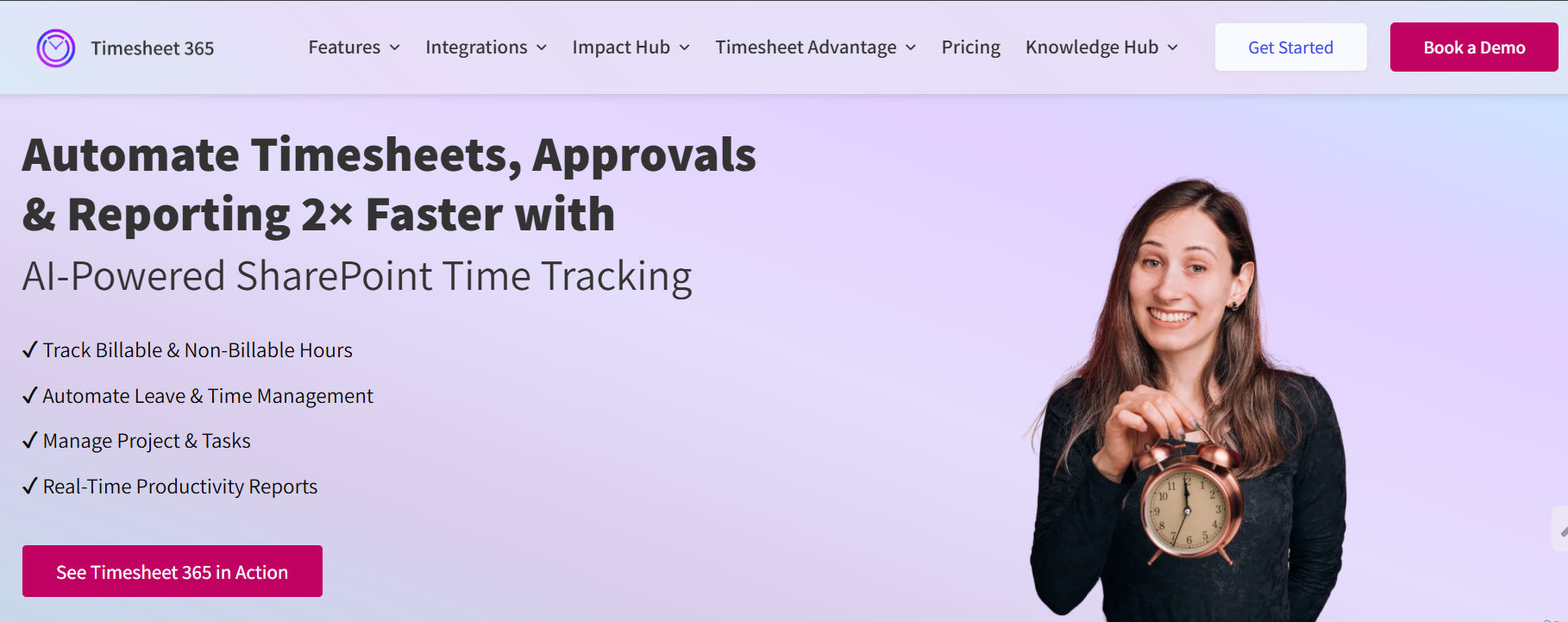
What it is: Timesheet 365 is time tracking and timesheet software built on Microsoft 365. It lives inside Microsoft Teams and SharePoint and stores data in your organization’s own Microsoft 365 environment.
How it works as a habit tracker: I set up categories for the habits I wanted to build, such as “Deep work”, “Weekly planning” and “Learning”, as projects and tasks. Then I logged time against them on my daily timesheet. Because the timesheet sits in Teams, the app I already had open all day, logging took seconds, and I kept doing it. After a few weeks the reports showed me plainly whether my “two focus hours a day” habit was real.
- Daily and weekly timesheets for recurring time logging
- Project and task categories to separate habits from client work
- Reminders that nudge people to fill timesheets
- Manager approval workflows that make team routines accountable
- Reports and dashboards to spot trends over weeks
- An AI agent that helps with time entry and insights
- Native Microsoft Teams app and SharePoint/Microsoft 365 integration
Pros: It works where M365 teams already work, there’s no separate login, data stays in your tenant, and approvals plus reminders build team-wide habits.
Cons: It’s designed for Microsoft 365 organizations, so solo users outside M365 should look elsewhere. It also has no gamified streaks.
Pricing: Free trial, with per-user plans listed on apps365.com and Microsoft AppSource.
Platforms: Microsoft Teams (desktop, web, mobile), SharePoint and the browser.
Best fit for: Teams and managers on Microsoft 365 who want consistent time logging, focus habits and visibility without adding another tool.
Want to see what your team’s routines actually look like?
A 20-minute walkthrough of Timesheet 365 inside Teams shows you daily timesheets, reminders and habit-trend reports on real-looking data.
#2. Clockify: Best Free Plan for Unlimited Users
What it is: Clockify is a popular time tracker with a free-forever plan that covers unlimited users and projects.
How it works as a habit tracker: I created a “Habits” project with tasks for each routine and used the timer to start each session. The built-in Pomodoro timer and the desktop auto tracker helped me check whether my focus blocks matched my plan, and the weekly report became my habit scorecard.
- Timer and manual entry, plus a timesheet view
- Pomodoro timer and idle detection in the desktop app
- Reminders for missing time
- Dashboards and summary/detailed reports
- Auto tracker that records the apps and sites you use (desktop)
Pros: The free plan is unusually generous, it’s available on almost every platform, and setup is quick.
Cons: Advanced reporting, approvals and some admin controls require paid tiers. It also has no native habit streaks.
Pricing: Free forever. Basic starts at about $3.99 per seat per month billed annually.
Platforms: Web, Windows, macOS, Linux, iOS, Android, and Chrome/Firefox/Edge extensions.
Best fit for: Individuals and small teams who want a free, flexible tracker and don’t mind building their own habit structure.
#3. Toggl Track: Best for Focus-Timer Habits
What it is: Toggl Track is a polished, one-click time tracker known for being easy to use.
How it works as a habit tracker: Toggl worked best when I treated each habit as a tagged time entry. I started a “Morning writing” timer every day and let the Pomodoro feature break the session into intervals. The timeline view, which records your computer activity in the desktop app, kept me honest about whether a “writing session” had quietly turned into email.
- One-click timers with tags and projects
- Pomodoro timer and idle detection (desktop)
- Timeline view of app and website activity
- Tracking reminders
- 100+ integrations via the browser extension
Pros: It’s a pleasure to use, the tagging is excellent for habit categories, and cross-platform sync is strong.
Cons: The free plan is capped at 5 users. Paid plans cost more than most alternatives, and deeper reporting sits behind them.
Pricing: Free plan for up to 5 users. Starter is about $9 per user per month billed annually.
Platforms: Web, Windows, macOS, Linux, iOS, Android and browser extensions.
Best fit for: Solo professionals and small teams who build habits around timed focus sessions.
#4. TimeCamp: Best for Automatic Habit Tracking
What it is: TimeCamp is a time-tracking and timesheet tool with strong automatic tracking and productivity categorization.
How it works as a habit tracker: Instead of starting timers, I let TimeCamp’s desktop app record my activity and assign apps to productive or unproductive categories. That turned “spend less time on social media at work” into a measurable habit. The productivity reports showed my trend each week, and I didn’t have to remember to press anything.
- Automatic time tracking based on apps and keywords
- Productivity categories and reports
- Timesheets with approvals (paid)
- Goals and attendance features on higher tiers
- Integrations with project management tools
Pros: It needs almost no daily effort, the free plan is generous, and it’s very good at exposing hidden time drains.
Cons: The interface feels busier than Toggl’s, and approvals and advanced reports need a paid plan.
Pricing: Free plan with core tracking. Starter is about $2.99 per user per month billed annually.
Platforms: Web, Windows, macOS, Linux, iOS, Android and browser extensions.
Best fit for: People who forget to start timers and want their habits measured automatically.
Curious what consistent time logging looks like when it’s built into Teams?
We’ll show you how Timesheet 365 turns daily routines into dashboards your managers will actually use, all inside Microsoft 365.
#5. Jibble: Best for Clock-In and Start-of-Day Routines
What it is: Jibble is a time and attendance tracker with a free plan for unlimited users, widely used by hybrid and shift-based teams.
How it works as a habit tracker: My test habit was “start work by 8:30 and stop by 6:00.” Jibble’s clock-in/clock-out flow made that easy to measure. I could clock in from my phone, the web or chat, and the attendance reports showed my start-time consistency over the month. It’s less suited to small micro-habits, but excellent for workday boundaries.
- Clock in/out with activities and projects
- Integrations with Microsoft Teams and Slack
- Timesheets and attendance reports
- Optional GPS and facial recognition (team use)
- Reminders and break tracking
Pros: It’s free for unlimited users, start/stop routines are strong, and it connects to the chat tools teams already use.
Cons: It’s built around attendance rather than detailed task habits, and GPS or facial recognition may feel heavy-handed for personal use.
Pricing: Free plan for unlimited users. Premium starts at roughly $2.49–$2.99 per user per month billed annually.
Platforms: Web, iOS, Android, Windows, macOS, kiosk mode and chat integrations.
Best fit for: Teams that want consistent start/stop times and healthy workday boundaries.
#6. My Hours: Best for Simple, Low-Friction Daily Logs
What it is: My Hours is a straightforward time tracker and timesheet tool aimed at professionals and small teams who value simplicity.
How it works as a habit tracker: Reddit’s biggest complaint about habit apps is onboarding friction, and My Hours avoids it. I set up three habit “projects” in a few minutes and logged time at the end of each day in the simple timesheet view. There were no upsell pop-ups, and the reports were clean enough to read in ten seconds.
- Timer and manual time logs
- Projects, tasks and tags
- Clear reports with exports
- Mobile apps for logging on the go
- Team and client features on paid plans
Pros: It’s very easy to start, uncluttered and dependable for daily logging.
Cons: It has fewer automation features than TimeCamp or RescueTime, and less personal-productivity insight.
Pricing: Free plan available. Pro is about $8–$9 per user per month.
Platforms: Web, iOS and Android.
Best fit for: Anyone who wants a no-fuss daily log of the time spent on each habit.
#7. RescueTime: Best for Screen-Time and Focus Habits
What it is: RescueTime is an automatic time tracker that runs in the background and shows how you spend time on your devices.
How it works as a habit tracker: RescueTime is the closest thing on this list to a pure digital-habit tracker. I set a goal of “less than one hour of communication apps before noon” and let it measure everything automatically. Focus sessions block distracting sites when you need them, and the daily summary felt like a habit report card.
- Fully automatic, background time tracking
- Goals and alerts for daily habits
- Focus sessions with distraction blocking
- Weekly reports and productivity scores
- Offline time logging
Pros: It takes zero effort once installed and gives very useful insight into digital habits.
Cons: The free Lite plan is limited, and it focuses on individuals rather than team timesheets.
Pricing: RescueTime Lite is free. Premium is about $12 per month or about $78 per year.
Platforms: Windows, macOS, Linux, Android and iOS (iOS features are limited).
Best fit for: Individuals who want to break distraction habits and protect their focus time.
Which Habit Tracker App Should You Pick?
- You’re on Microsoft 365 and want team-wide routines: Timesheet 365
- You want the most generous free plan: Clockify
- You love focus timers: Toggl Track
- You never remember to press start: TimeCamp or RescueTime
- You want consistent start/stop times: Jibble
- You want the simplest possible log: My Hours
One last data point convinced me that team habits are worth the effort. Gallup’s State of the Global Workplace 2025 report found that global employee engagement fell to 21% in 2024, with manager engagement dropping the most. Clear, visible routines won’t fix engagement on their own, but they give managers and teams something concrete to work with.
Join Our Creative Community
Frequently Asked Questions
What is the difference between a recurring transaction and a subscription?
A subscription is a business model where customers pay for ongoing access to a product or service. A recurring transaction is the actual payment mechanism that powers a subscription. In practice, the terms are often used interchangeably, but technically, a subscription is the agreement and a recurring transaction is the automated charge that fulfills that agreement each billing cycle.
Can a business charge a different amount each billing cycle?
Yes — this is known as a variable recurring transaction. Utility bills, usage-based SaaS pricing, and metered billing models all use variable recurring charges where the amount changes each cycle based on consumption or usage. The key requirement is that the customer must have authorized variable billing upfront and must be notified of each charge amount before it is processed (depending on local regulations).
What happens if a recurring transaction fails?
Most payment systems have automated retry logic that attempts the charge again after a set number of days. If all retry attempts fail, the merchant’s system typically notifies the customer via email and may suspend or downgrade their account. Businesses with robust workflows recover a significant portion of initially failed recurring payments through automated communication sequences.
How do I stop an unauthorized recurring transaction?
Start by contacting the merchant directly to cancel and request a refund if applicable. If the merchant is unresponsive or continues billing after cancellation, contact your bank or card issuer to initiate a chargeback. For debit cards, you can also request that your bank block future payments to that merchant by issuing a stop payment instruction.


























