
AI Recruitment Software: Automate Hiring from Job Posting to Day One
- Recruiters get less busywork.
- Hiring managers get better candidates, faster.
- HR leaders get real numbers to prove hiring works.

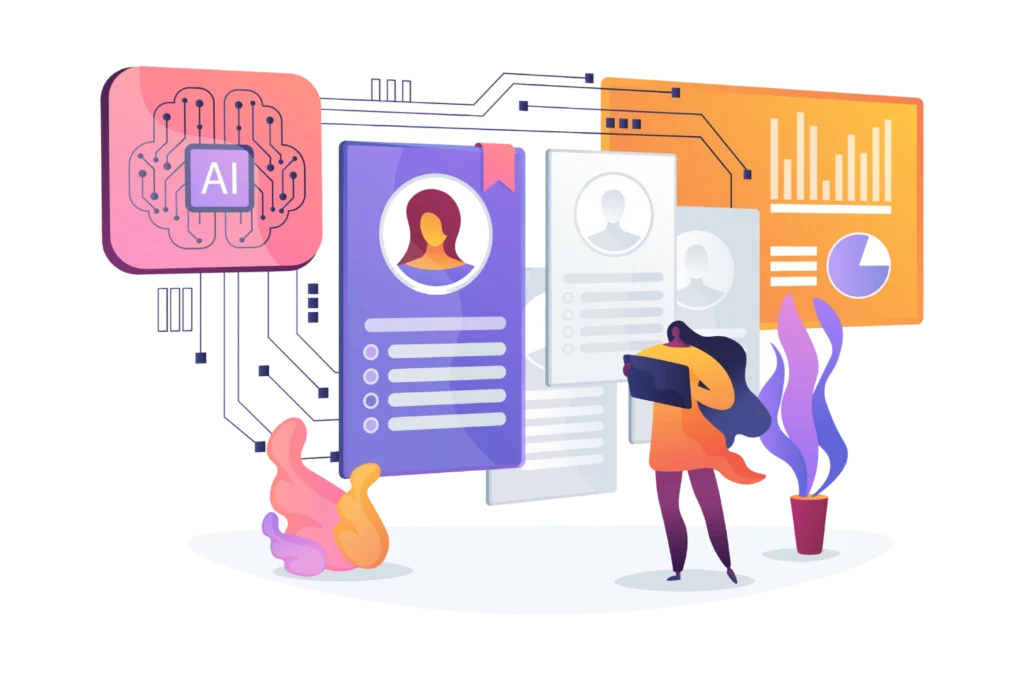
- What it is: A smart hiring assistant that uses AI to parse resumes, match candidates, and schedule interviews automatically.
- The Big Benefit: Drastically cuts time-to-hire, eliminates manual screening, and helps you secure top talent before competitors do.
- Why Recruitment Management 365: It’s built natively inside Microsoft 365, giving your team a seamless, secure, and familiar hiring experience without switching apps.
- The Bottom Line: AI doesn’t replace human recruiters. It handles the repetitive paperwork so your team can focus on what actually matters: interviewing people and building relationships.
What is AI Recruitment Software?
AI Recruitment Software is a smart tool that helps companies find, evaluate, and hire the right candidates faster. Think of it as a digital assistant for your hiring team. It handles the manual work, making the whole process organized and efficient.
Why Teams Love AI Recruitment Software
- Faster hiring: Tasks that take days are done in minutes. You fill roles quickly and beat competitors to top talent.
- Smarter decisions: The software analyzes data without bias. This reduces human error and helps you focus on the best fits.
- Better candidate experience: Job seekers get fast replies and clear updates. This makes your hiring process feel smooth and transparent.
Why Businesses Need AI Recruitment Software
Hiring people has become harder than ever. Companies receive hundreds of applications for a single job, but recruiters still have limited time to review every resume, schedule interviews, and keep candidates updated. These growing recruitment challenges make hiring slower, more expensive, and sometimes lead to losing great candidates before an offer is even made.
Many businesses still rely on traditional Applicant Tracking Systems (ATS). While an ATS helps store resumes and track where candidates are in the hiring process, it doesn’t do much beyond that. Recruiters still need to read resumes one by one, compare skills, shortlist applicants, send emails, and arrange interviews manually. As hiring needs grow, this process becomes difficult to manage.
This is where recruitment automation changes the way businesses hire.
Instead of simply storing candidate information, modern AI-powered recruitment software can understand and analyze it. AI can read resumes, identify important skills, compare candidates with job requirements, rank the best applicants, answer common questions through chatbots, and even help schedule interviews automatically. This saves recruiters hours of manual work while making the hiring process much faster.
Recruitment Management 365 takes recruitment automation a step further. Rather than acting like a digital filing cabinet, it works as an intelligent hiring assistant. It helps recruiters find the right candidates quickly, keeps applicants informed throughout the hiring journey, and reduces repetitive tasks that often slow down recruitment.
The biggest advantage is that recruiters get more time to focus on people instead of paperwork. Instead of spending hours sorting resumes or sending follow-up emails, they can concentrate on interviewing candidates, understanding their skills, and making better hiring decisions.
For candidates, the experience also improves. Faster responses, timely updates, and smoother communication create a more positive hiring journey. This helps businesses build a stronger employer brand and reduces the chances of losing qualified candidates to competitors.
As hiring continues to become more competitive, businesses need smarter ways to manage recruitment. By solving common recruitment challenges through recruitment automation, solutions like Recruitment Management 365 help companies hire faster, improve recruiter productivity, and create a better experience for everyone involved.
How AI Recruitment Software Works
The AI recruitment process follows the same basic hiring steps that recruiters have always used. The difference is that artificial intelligence helps complete many of these tasks automatically, making the entire recruitment workflow faster, more accurate, and easier to manage.
Here’s how AI supports every stage of the hiring process.
1. Job Requisition
Every hiring process starts with a job requisition
This is a request from a department to hire a new employee. It includes details such as the job title, department, required skills, budget, and the reason for hiring.
AI helps by checking previous hiring data, workforce needs, and company policies before the request is approved. This allows managers to make quicker decisions and ensures the hiring request follows company guidelines.
2. Job Description Generation
Writing a good job description takes time. It needs to clearly explain the role, responsibilities, qualifications, and skills required.
AI makes this task much easier by generating a professional job description in minutes. It suggests relevant skills, improves the language, removes unnecessary words, and helps create job descriptions that are clear and easy to understand.
Some AI tools can also recommend inclusive language that encourages a wider range of candidates to apply.
3. Job Posting
Once the job description is ready, the next step is to advertise the position.
Instead of posting the job on each website manually, AI automatically publishes it across multiple job boards, career pages, social media platforms, and recruitment portals at the same time.
This helps businesses reach more qualified candidates while saving recruiters a lot of time.
4. Resume Parsing
As applications start coming in, AI begins one of its most valuable tasks — resume parsing
Resume parsing means reading resumes automatically and extracting important information such as a candidate’s name, education, work experience, technical skills, certifications, and contact details.
Instead of recruiters opening every resume one by one, AI organizes all candidate information into a structured profile that is easy to search and compare.
This step makes the AI recruitment process much faster, especially when hundreds of applications are received.
5. Candidate Matching
The next stage in the recruitment workflow is screening candidates.
AI can ask pre-screening questions, review assessment results, verify required qualifications, and identify applicants who meet the minimum hiring criteria.
Some AI recruitment platforms also use chatbots to interact with candidates, answer frequently asked questions, and collect additional information before the interview stage.
This helps recruiters spend more time evaluating qualified candidates instead of filtering out unsuitable applications.
7. Interview Scheduling
Scheduling interviews often involves several emails and phone calls to find a suitable time for everyone.
AI simplifies this process by checking recruiter and candidate availability, suggesting meeting times, sending calendar invitations, and sharing reminders automatically.
If someone needs to reschedule, the system can quickly find another available time without lengthy back-and-forth communication.
This keeps the hiring process moving smoothly and reduces delays.
8. Offer Management
Once the hiring team selects the right candidate, AI supports the offer stage.
The system can generate offer letters using approved templates, calculate compensation based on company policies, collect digital approvals, and send offers electronically.
Recruiters can also track whether the candidate has opened, accepted, or requested changes to the offer.
This makes the final hiring stage faster and more organized.
9. Onboarding
Hiring doesn’t end when the candidate accepts the offer.
AI continues to support the recruitment workflow by helping with onboarding. It can send welcome emails, collect required documents, assign training materials, share company policies, and remind new employees about pending tasks.
By automating these activities, businesses create a smoother experience for new hires while reducing administrative work for HR teams.
10. Recruitment Analytics
The final stage of the AI recruitment process is analytics.
AI collects hiring data throughout the recruitment journey and turns it into useful reports and dashboards.
Recruiters can track important metrics such as time-to-hire, cost-per-hire, application sources, recruiter performance, interview success rates, and candidate drop-off points.
These insights help businesses understand what is working well and where improvements are needed. Instead of relying on guesswork, hiring teams can make better decisions based on real data.
Key Features of AI Recruitment Software
The best AI recruitment software does much more than manage applications. It automates repetitive tasks, improves hiring decisions, and helps recruiters work more efficiently. From creating job descriptions to onboarding new employees, AI supports every stage of the recruitment process. Here are the key features that make modern AI recruitment software an essential tool for businesses.
1. AI Job Description Generator
Creating a clear and attractive job description is the first step in finding the right candidate. An AI job description generator helps recruiters create professional job descriptions in just a few minutes. It suggests responsibilities, required skills, qualifications, and industry-specific keywords based on the job role. This saves time, keeps job descriptions consistent, and improves the chances of attracting qualified candidates. It also helps recruiters avoid missing important details while creating new job postings.
2. AI Resume Parsing Software
Recruiters often receive hundreds of resumes for a single vacancy. Reading every resume manually takes time and increases the chance of missing qualified candidates. Resume parsing automatically reads resumes and extracts important information such as contact details, work history, education, technical skills, certifications, and achievements. The software organizes this information into searchable candidate profiles, making it much easier to review applications and compare candidates quickly.
3. Candidate Matching Engine
Finding candidates whose skills match the job requirements can be challenging. AI-powered candidate matching compares resumes with job descriptions to identify the most suitable applicants. Instead of relying only on exact keyword matches, the software understands related skills, experience, and qualifications. This helps recruiters build stronger shortlists, reduces manual searching, and increases the chances of finding candidates who are a good fit for both the role and the organization.
4. Candidate Ranking
After matching candidates, AI can rank them based on how closely they meet the job requirements. It evaluates factors such as skills, experience, education, certifications, and other relevant qualifications. Recruiters receive an organized list of candidates instead of reviewing every application from scratch. Candidate ranking helps hiring teams prioritize interviews, save valuable time, and focus on applicants who are most likely to succeed in the role.
5. Semantic Search
Traditional keyword searches often overlook qualified candidates because resumes may use different words to describe similar skills. Semantic search solves this problem by understanding the meaning behind the words instead of searching for exact matches. For example, it can recognize that “Project Manager” and “Program Manager” may have related experience. This allows recruiters to discover more qualified candidates while improving the accuracy of talent searches.
6. Automated Interview Scheduling
Scheduling interviews usually involves multiple emails and calendar checks between recruiters, hiring managers, and candidates. AI simplifies this process by checking everyone’s availability, suggesting suitable meeting times, sending calendar invitations, and delivering reminders automatically. If an interview needs to be rescheduled, the software quickly finds another available time. This reduces scheduling delays and creates a smoother experience for everyone involved.
7. Recruitment Automation
Recruitment involves many repetitive administrative tasks that consume valuable time. Recruitment automation handles activities such as posting jobs, screening applications, sending emails, updating candidate records, assigning tasks, and tracking hiring progress automatically. By reducing manual work, recruiters can spend more time interviewing candidates, building relationships, and making informed hiring decisions. Automation also improves consistency and reduces the risk of human error throughout the hiring process.
8. Offer Management
The hiring process doesn’t end after selecting the right candidate. Offer management helps recruiters prepare, send, and track job offers efficiently. The software can generate offer letters using approved templates, manage salary approvals, collect electronic signatures, and monitor candidate responses. This speeds up the final stage of recruitment, reduces paperwork, and provides better visibility into the offer acceptance process.
9. Workflow Automation
Every organization follows a unique hiring process involving recruiters, hiring managers, HR teams, and department heads. Workflow automation ensures every recruitment task follows predefined approval steps. Applications move automatically from one stage to the next, notifications are sent to the right people, and pending tasks are easy to track. This reduces delays, improves collaboration, and keeps the hiring process organized from beginning to end.
10. Recruitment Dashboards
Recruitment dashboards provide a complete view of hiring activities through easy-to-read charts, reports, and visual summaries. Recruiters can monitor open positions, candidate pipelines, interview schedules, pending approvals, and hiring progress from a single screen. Managers can quickly understand recruitment performance without reviewing spreadsheets or multiple systems. Real-time dashboards support faster decision-making and help recruitment teams stay organized.
11. Recruitment Analytics
Recruitment analytics transforms hiring data into meaningful insights. The software tracks key recruitment metrics such as time-to-hire, cost-per-hire, source of hire, recruiter productivity, application conversion rates, and interview success rates. These reports help organizations identify hiring trends, measure recruitment performance, and improve future hiring strategies. Data-driven decisions allow businesses to optimize their recruitment process and continuously improve hiring outcomes.
12. Compliance Management
Recruitment involves collecting personal information and following employment regulations. Compliance features help organizations manage candidate consent, protect sensitive data, maintain hiring records, and follow company policies and legal requirements. Automated documentation reduces the risk of missing important information and supports fair, consistent hiring practices. This helps businesses stay compliant while building trust with candidates throughout the recruitment process.
13. Talent Pool Management
Not every qualified applicant is hired immediately, but they may be a good fit for future opportunities. Talent pool management allows recruiters to build a searchable database of previous applicants, silver-medalist candidates, and passive talent. Recruiters can quickly search the database using skills, experience, location, or qualifications whenever a new position opens. This reduces sourcing time and helps organizations fill vacancies faster.
14. Hiring Approvals
Recruitment often requires approval from multiple stakeholders before a position can be filled. Hiring approval features automate this process by sending approval requests to hiring managers, HR leaders, finance teams, or executives. The system tracks approvals, sends reminders for pending requests, and records every decision for future reference. Automated approvals reduce bottlenecks and keep recruitment aligned with the organization’s internal policies.
Benefits of Ai in Recruitment Software
Recruitment is more than filling open positions. It involves finding qualified candidates, working with hiring managers, communicating with applicants, and making informed hiring decisions. As companies grow, managing these tasks manually becomes more difficult. Recruitment Management 365 helps businesses overcome these challenges with AI-powered automation and intelligent workflows.
1. Faster Hiring
Challenge: Recruiters spend a lot of time reviewing resumes, scheduling interviews, and following up with candidates. These delays can cause businesses to lose top talent.
AI Capability: Recruitment Management 365 automates resume screening, candidate matching, interview scheduling, and candidate communication.
Business Outcome: Hiring moves much faster, open positions are filled sooner, and businesses are less likely to lose qualified candidates to competitors.
2. Better Hires
Challenge: Finding the right candidate among hundreds of applications is difficult, and manual screening can overlook strong talent.
AI Capability: AI analyzes resumes, compares skills with job requirements, and ranks candidates based on their suitability for the role.
Business Outcome: Recruiters spend more time with the best candidates, leading to higher-quality hires and better long-term employee performance.
3. Lower Recruitment Costs
Challenge: Long hiring cycles increase advertising costs, administrative work, and recruiter workload.
AI Capability: Recruitment Management 365 automates repetitive tasks and cuts manual steps out of the entire recruitment process.
Business Outcome: Businesses reduce recruitment expenses, improve recruiter productivity, and achieve more with the same hiring budget.
4. Reduced Manual Effort
Challenge: Recruiters often spend hours on routine tasks such as posting jobs, updating candidate records, sending emails, and tracking applications.
AI Capability: AI automates repetitive activities, manages workflows, and keeps candidate information updated automatically.
Business Outcome: Recruiters can focus on interviewing candidates, building relationships, and making better hiring decisions instead of handling paperwork.
5. Improved Collaboration
Challenge: Recruitment involves recruiters, hiring managers, HR teams, and department heads. Without a shared system, communication can become slow and confusing.
AI Capability: Recruitment Management 365 provides shared dashboards, automated notifications, approval workflows, and centralized candidate information.
Business Outcome: Teams stay aligned, approvals happen faster, and everyone involved has access to the latest recruitment updates.
6. Better Candidate Experience
Challenge: Slow responses and poor communication often discourage qualified candidates from continuing with the hiring process.
AI Capability: AI chatbots, automated emails, interview reminders, and application status updates keep candidates informed throughout their journey.
Business Outcome: Candidates enjoy a smoother recruitment experience, improving employer reputation and increasing offer acceptance rates.
7. Improved Compliance
Challenge: Managing candidate data while following employment laws and company policies requires careful record keeping.
AI Capability: Recruitment Management 365 securely stores documents, tracks approvals, records hiring activities, and supports standardized recruitment processes.
Business Outcome: Businesses reduce compliance risks, improve data security, and maintain consistent hiring practices across all departments.
8. Data-Driven Decisions
Challenge: Without accurate recruitment data, it is difficult to know what is working and where improvements are needed.
AI Capability: AI generates real-time dashboards and reports that track metrics such as time-to-hire, cost-per-hire, recruiter performance, and hiring sources.
Business Outcome: Businesses can identify hiring trends, improve recruitment strategies, and make smarter decisions based on reliable data instead of guesswork.
Every business wants to hire the right people quickly while keeping costs under control. Recruitment Management 365 helps achieve these goals by combining AI, automation, and real-time insights in one platform. The result is a faster, more organized recruitment process that benefits recruiters, hiring managers, and candidates alike.
Recruitment Management 365 vs Traditional Recruitment
Hiring has changed significantly over the past few years. Traditional recruitment relies heavily on manual work, spreadsheets, emails, and multiple tools to manage the hiring process. While this approach may work for small hiring needs, it often becomes slow and difficult as the number of job openings and applications grows.
Recruitment Management 365 combines AI, automation, and collaboration tools to simplify the entire recruitment process. Instead of spending hours on repetitive tasks, recruiters can focus on finding and engaging the best talent.
Feature Comparison
Feature | Traditional Recruitment | Recruitment Management 365 |
Resume Screening | Manual review of every resume | AI automatically parses and ranks resumes |
Candidate Matching | Based on recruiter experience | AI matches candidates to job requirements |
Job Posting | Posted individually on each platform | Publish to multiple job boards at once |
Interview Scheduling | Emails and phone calls | Automated scheduling and calendar integration |
Candidate Communication | Mostly manual | Automated emails, reminders, and chatbot support |
Workflow Management | Manual tracking using spreadsheets or emails | Automated recruitment workflows |
Reporting | Basic reports with manual updates | Real-time dashboards and analytics |
Collaboration | Separate emails and documents | Shared platform for recruiters and hiring managers |
Compliance | Manual documentation | Automated record keeping and approval tracking |
How Recruitment Management 365 Compares with Other AI Recruitment Software
Selecting the right AI recruitment software depends on several factors, including automation depth, AI intelligence, enterprise scalability, security, and how well the platform integrates with the tools your team already uses every day.
The table below compares Recruitment Management 365 with widely used recruitment platforms such as Zoho Recruit, Workable , Keka HR, BambooHR, Recruit CRM, JazzHR, Greenhouse, GoHire.io, iCIMS, Workday Recruiting, and Beyondintranet.
Capability Comparison
Capability | RM365 | Zoho | Workable | Keka | BambooHR | Recruit CRM | JazzHR | Greenhouse | GoHire | iCIMS | Workday | Beyondintranet |
AI Resume Parsing | ✓ | ✓ | ✓ | ✓ | Limited | ✓ | Limited | Limited | Limited | ✓ | Varies | Limited |
AI Candidate Matching | ✓ | ✓ (add-on) | ✓ | Limited | ✗ | Limited | ✗ | Limited | ✗ | Limited | Limited | Limited |
Semantic Candidate Search | ✓ | Limited | Limited | ✗ | ✗ | ✗ | ✗ | ✗ | ✗ | Limited | Limited | ✗ |
AI Job Description Generator | ✓ | ✓ | ✓ | Limited | ✗ | ✓ | ✗ | Limited | ✗ | Limited | Limited | ✗ |
Interview Scheduling | ✓ | ✓ | ✓ | ✓ | ✓ | ✓ | ✓ | ✓ | ✓ | ✓ | ✓ | ✓ |
Recruitment Chatbot | ✓ | ✓ | Limited | ✗ | ✗ | ✗ | ✗ | Limited | ✗ | Limited | Varies | ✗ |
Workflow Automation | ✓ | ✓ | ✓ | ✓ | Limited | ✓ | Limited | ✓ | Limited | ✓ | ✓ | ✓ |
Recruitment Analytics | ✓ | ✓ | ✓ | ✓ | Basic | ✓ | Basic | Advanced | Basic | Advanced | Advanced | Basic |
Talent Pool / CRM | ✓ | ✓ | Limited | Limited | ✗ | ✓ | ✗ | ✓ | ✗ | ✓ | ✓ | Limited |
Staffing Agency Tools | Limited | ✓ | ✗ | ✗ | ✗ | ✓ | ✗ | ✗ | ✗ | Limited | ✗ | ✗ |
Native Microsoft 365 Integration | Native | Connector | Connector | Connector | Connector | Connector | Connector | Connector | Connector | Connector | Connector | Native |
Enterprise Scalability | ✓ | Medium | Medium | Medium | Low-Med | Medium | Low | High | Low-Med | High | High | Medium |
Low-Code Workflow Config | ✓ | Limited | Limited | Limited | Limited | Limited | ✗ | Limited | Limited | Limited | Limited | ✓ |
Recruitment KPIs
Recruitment KPIs (Key Performance Indicators) are measurable data points that help organizations evaluate how effective their hiring process is. Instead of relying on assumptions, recruiters use these metrics to track speed, efficiency, cost, and quality of hiring. Strong KPIs highlight what is working well and where improvements are needed in the recruitment process.
Time-to-Hire
Time-to-hire measures the total time taken to fill a job role, starting from job posting to candidate acceptance. A high time-to-hire often indicates delays in screening, approvals, or interview scheduling. Reducing this metric helps organizations secure top talent faster and avoid losing candidates to competitors.
Cost-per-Hire
Cost-per-hire calculates the total expense involved in hiring a new employee. This includes advertising costs, recruiter effort, software tools, and agency fees. Monitoring this KPI helps companies control recruitment spending and improve overall hiring efficiency without compromising quality.
Quality of Hire
Quality of hire evaluates how well a new employee performs after joining the organization. It considers performance, productivity, and cultural fit. Even if hiring is fast and cost-effective, poor quality of hire can negatively impact long-term business success.
Source of Hire
Source of hire identifies where successful candidates are coming from, such as job boards, referrals, career websites, or social media platforms. This KPI helps organizations invest more in the channels that deliver the best talent and reduce spending on less effective sources.
Candidate Experience
Candidate experience measures how applicants feel about the hiring process. Factors like communication speed, transparency, and interview experience play a key role. A positive experience strengthens employer branding, while a poor experience can damage reputation and reduce future applications.
Together, these KPIs provide a complete view of recruitment performance. By tracking and optimizing them, organizations can improve their recruitment management process, making hiring faster, more cost-effective, and higher in quality.
Why to Choose Recruitment Management 365
Choosing a recruitment platform is not just about features — it is about how well the system fits into your daily work, how much it reduces manual effort, and how easily it scales with your organization. Recruitment Management 365 is designed as an AI-first recruitment solution that focuses on automation, security, and seamless integration with the Microsoft ecosystem.
AI-First Automation
At the core of Recruitment Management 365 is AI-driven automation. It helps reduce repetitive hiring tasks such as resume parsing, candidate matching, screening, job description creation, and interview coordination. Instead of manually reviewing every application, recruiters get intelligent recommendations and ranked candidates. This allows hiring teams to focus more on conversations and decisions rather than administrative work.
Microsoft Ecosystem Integration
A key differentiator is its deep integration with Microsoft tools. Recruitment Management 365 works within Microsoft 365 applications such as Outlook, Teams and SharePoint . This reduces the need to switch between multiple systems and helps recruiters manage communication, scheduling, and documentation in one connected environment. It also supports organizations already standardized on Microsoft technology.
Enterprise Security
Security and compliance are essential in recruitment because candidate data is sensitive. Recruitment Management 365 is built with enterprise-grade security standards, including GCC and GCC High readiness, SOC 2 Type II certification, and availability on the Microsoft Azure Marketplace and Microsoft AppSource. These frameworks help organizations maintain compliance, protect data, and meet strict governance requirements.
Configurable Workflows
Every organization follows a different hiring process. Recruitment Management 365 allows teams to design and adjust workflows based on their internal structure. From approval chains to interview stages, everything can be configured without heavy technical effort. This flexibility helps HR teams align the system with real-world hiring needs instead of changing their process to fit the software.
Analytics and Reporting
Data plays an important role in improving hiring decisions. The platform provides dashboards and analytics that track key recruitment metrics such as time-to-hire, source of hire, candidate conversion rates, and recruiter performance. These insights help organizations identify bottlenecks and improve their overall recruitment management process using real data instead of assumptions.
Scalability for Growing Teams
Recruitment Management 365 is designed to support both small teams and large enterprises. As hiring needs grow, the system can scale without requiring major changes in infrastructure. This makes it suitable for organizations that expect increasing recruitment volumes or expanding workforce requirements over time.
Implementation and Support
Successful adoption depends on how easily a system can be deployed and supported. Recruitment Management 365 includes structured implementation support to help organizations set up workflows, configure integrations, and onboard teams. This reduces setup time and helps companies start using the platform effectively from the beginning.
Market Presence and Feedback
The platform is also listed on marketplaces such as Microsoft AppSource, which helps organizations discover and evaluate it within trusted enterprise ecosystems. Feedback and ratings on platforms like G2 provide additional visibility into user experiences and real-world usage insights, helping buyers make informed decisions.
Ready to Modernize Your Recruitment Process?
Discover how Recruitment Management 365 helps enterprises automate hiring, improve candidate quality, reduce time-to-hire, and make data-driven recruitment decisions with AI Recruitment Software built for Microsoft 365.
Frequently Asked Questions
How does AI recruitment software improve hiring?
AI recruitment software improves hiring by analyzing resumes, matching candidates to job roles, and ranking applicants based on suitability. It reduces human bias, speeds up screening, and ensures recruiters focus only on the most relevant candidates, improving overall hiring quality and efficiency.
What recruitment problems does Recruitment Management 365 solve?
It solves common recruitment pain points such as slow hiring, manual resume screening, poor candidate tracking, and delayed communication. It also helps reduce missed hiring opportunities by automating repetitive tasks and improving workflow visibility.
Can Recruitment Management 365 replace recruiters?
No, it does not replace recruiters. Instead, it supports them by automating repetitive tasks like filtering resumes and scheduling interviews. Recruiters still make final hiring decisions based on experience, interviews, and cultural fit.
How does AI candidate matching work?
AI candidate matching compares job requirements with candidate skills, experience, and qualifications. It uses semantic analysis instead of just keywords to find better matches, helping recruiters quickly identify the most suitable applicants.
Does Recruitment Management 365 improve candidate experience?
Yes. It improves candidate experience by providing faster responses, automated updates, chatbot support, and timely interview scheduling. This reduces waiting time and keeps candidates informed throughout the hiring process.
Does Recruitment Management 365 improve candidate experience?
Yes. It improves candidate experience by providing faster responses, automated updates, chatbot support, and timely interview scheduling. This reduces waiting time and keeps candidates informed throughout the hiring process.
How secure is Recruitment Management 365?
The platform follows enterprise-grade security standards, including compliance-ready architecture and secure data handling. It is designed to protect sensitive candidate information and support organizational compliance requirements.
Can Recruitment Management 365 integrate with Microsoft 365?
Yes, it integrates natively with Microsoft 365 tools such as Outlook, Teams, and SharePoint. This allows recruiters to manage communication, scheduling, and collaboration without switching between different platforms.






















