


Picking contract management software is a big decision. The platform you choose will touch your legal, sales, procurement, and finance teams every single day. Choose well, and contracts move faster. Choose poorly, and you end up with an expensive tool nobody wants to open.
Two names that often land on the same shortlist are Agiloft and CLM 365. Both handle the full contract lifecycle drafting, review, approval, signing, storage, and renewal. But they take very different paths to get there.
One is a highly configurable enterprise platform that stands on its own. The other works inside Microsoft 365, so your team manages contracts in the same place they already write documents, send emails, and hold meetings.
This guide breaks down both platforms. We will cover features, ease of use, AI, security, pricing, and support. By the end, you will know exactly which tool fits your team.
- Agiloft is a no-code contract lifecycle management (CLM) platform built for large enterprises that need deep customization and complex workflows.
- CLM 365 is a Microsoft 365-native contract management solution that lives inside SharePoint, Teams, and Outlook the tools your team already uses every day.
- The enterprise platform offers powerful configuration options, but setup often needs consultants, training, and a longer rollout period.
- The Microsoft-native option keeps your contract data inside your own tenant, which makes security reviews and IT approval much faster.
- Pricing is a major difference, one uses quote-based enterprise pricing, while CLM 365 offers transparent plans with a free trial.
Agiloft vs CLM 365: Quick Comparison
Choosing the right contract lifecycle management (CLM) solution starts with understanding how Agiloft and CLM 365 compare in features, integrations, usability, and overall value.
Category | Agiloft | CLM 365 |
Best for | Large enterprises with complex, custom workflows | Businesses running on Microsoft 365 and needs AI powered workflows |
Platform type | Standalone no-code CLM platform | Native Microsoft 365 / SharePoint app |
Where data lives | Vendor-hosted cloud | Your own Microsoft 365 tenant |
Setup time | Weeks to months; often needs consultants | Minutes |
AI features | ✔ AI contract review and data extraction | ✔ AI-assisted drafting, review, and clause detection |
Microsoft Teams & Outlook | Via integrations | ✔ Built in |
E-signature | Via integrations (DocuSign, Adobe Sign) | ✔ Supported, plus third-party options |
Pricing | Quote-based, per user | Transparent plans |
Free trial | Connect with sales team | ✔ Available
|
What Is CLM 365?
CLM 365 by Apps 365 takes a different approach. Instead of asking your team to learn a brand-new system, it brings contract management into Microsoft 365, the environment most businesses already use daily.
The platform runs on SharePoint and connects with Teams, Outlook, and Word. Legal teams draft in Word with approved templates. Approvers get notified in Teams and Outlook. Signed contracts land in a secure SharePoint repository inside your own tenant. Nobody must switch tools, and IT does not have to manage another vendor holding sensitive data.
The platform covers the complete lifecycle, contract requests, template-based drafting, AI-assisted review, approval routing, e-signatures, a searchable repository, renewal alerts, and reporting. Because it works where your people already work, adoption tends to be fast.
Key Features of CLM 365
- Native Microsoft 365 experience. Manage contracts inside SharePoint, Teams, Outlook, and Word.
- Your data stays in your tenant. Contracts never leave your Microsoft environment, which keeps security teams happy.
- Template-based drafting. Create contracts from pre-approved templates with locked legal language.
- AI-assisted review. Detect key clauses, dates, and terms, and get plain-language summaries of long agreements.
- Approval workflows. Set up multi-step approvals with conditions, reminders, and full audit trails.
- E-signature support. Sign contracts digitally without leaving the platform.
- Smart repository and search. Find any contract by party, date, value, type, or clause in seconds.
- Renewal and expiry alerts. Automatic reminders so no contract renews or lapses without your knowledge.
- Dashboards and reports. Track contract status, cycle times, and upcoming obligations at a glance.
- Role-based access. Control who can view, edit, or approve each contract type using Microsoft security groups.
Pros
- Works inside tools your team already knows, so training needs are low
- Data stays in your own Microsoft 365 tenant a major win for compliance
- Fast setup measured in minutes, not months
- Transparent pricing with a free trial, so you can test before you commit
- Uses your existing Microsoft licenses and security setup, which lowers total cost
Cons
- Best suited for organizations using the Microsoft 365 ecosystem; businesses on other productivity platforms may want to evaluate integration requirements.
- Advanced workflow customization may require implementation support for organizations with specialized processes.
What Is Agiloft?
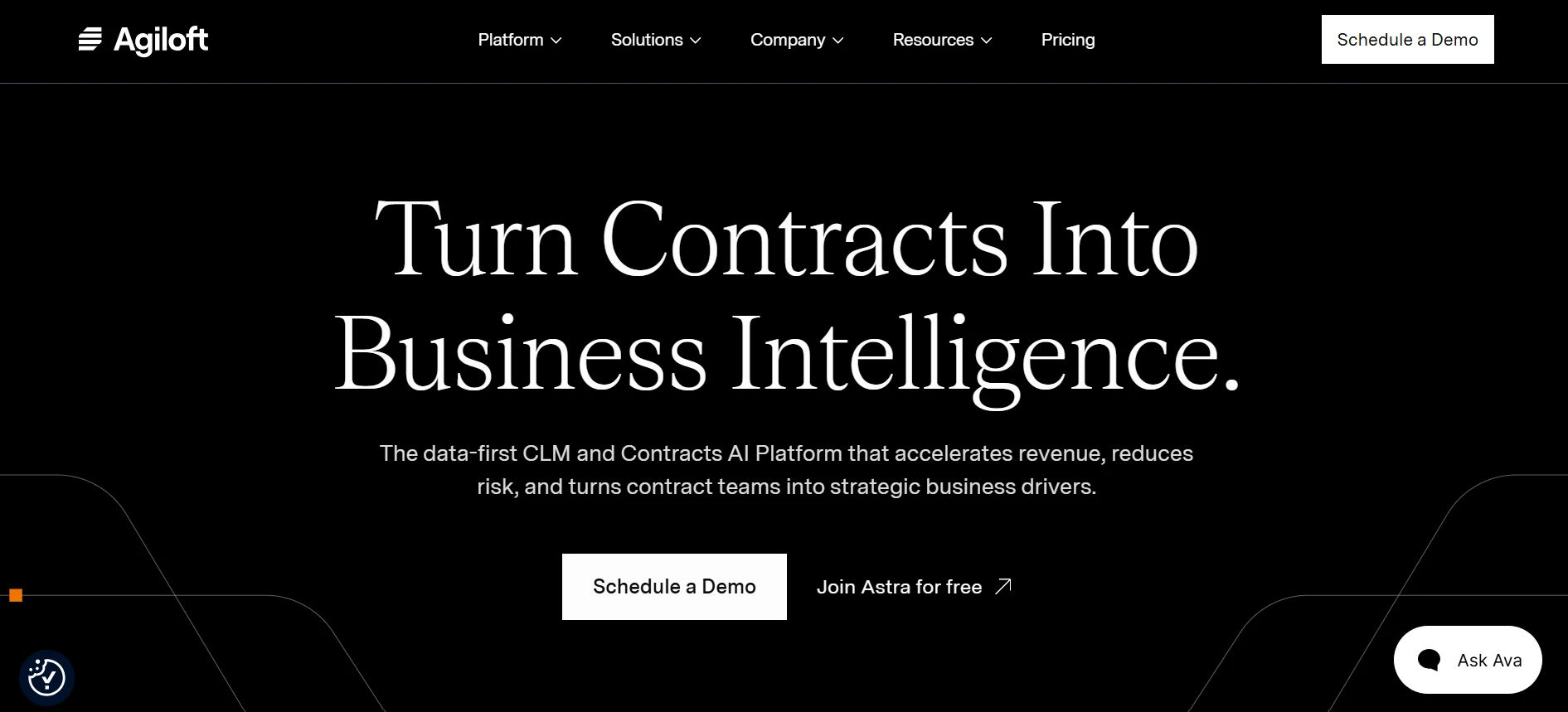
Agiloft is one of the longest-standing names in contract lifecycle management. The company has been around since the 1990s and has built a strong reputation with large enterprises. Gartner has recognized it as a leader in the CLM space for several years running.
The core idea behind the platform is “no-code” flexibility. Admins can build custom tables, fields, rules, and workflows without writing software code. That makes it a good fit for companies with unusual contract processes that off-the-shelf tools cannot handle.
The platform covers the entire contract lifecycle, request, drafting, redlining, approvals, signature, storage, obligation tracking, and renewals. Its AI engine can read contracts, pull out key terms, and flag risky clauses.
Key Features of Agiloft
- No-code configuration. Build custom workflows, fields, and business rules through a visual interface.
- AI contract review. The AI can extract dates, parties, values, and clauses from uploaded contracts.
- Clause library. Store approved legal language so every new contract starts from safe, standard terms.
- Approval workflows. Route contracts to the right people based on value, type, department, or risk level.
- Obligation tracking. Track deliverables and deadlines after a contract is signed, not just before.
- Integrations. Connect with Salesforce, DocuSign, Adobe Sign, and other enterprise systems.
- Flexible repository. Search and filter a central contract database with custom views and saved reports.
- Vendor and customer portals. Give outside parties a controlled way to submit and review documents.
Pros
- Extremely flexible; almost any process can be modeled in the system
- Strong reputation and long track record in the enterprise market
- Solid AI tools for data extraction and contract analysis
- Handles very large contract volumes and complex org structures
Cons
- Setup and configuration take real time and often outside help
- Pricing is not public, and total cost can grow with add-ons and services
- It is a separate system, so your team must leave Microsoft 365 to work in it
Head-to-Head: Agiloft vs CLM 365 by Category
Now let’s put the two platforms side by side in the areas that matter most to buyers.
CLM 365
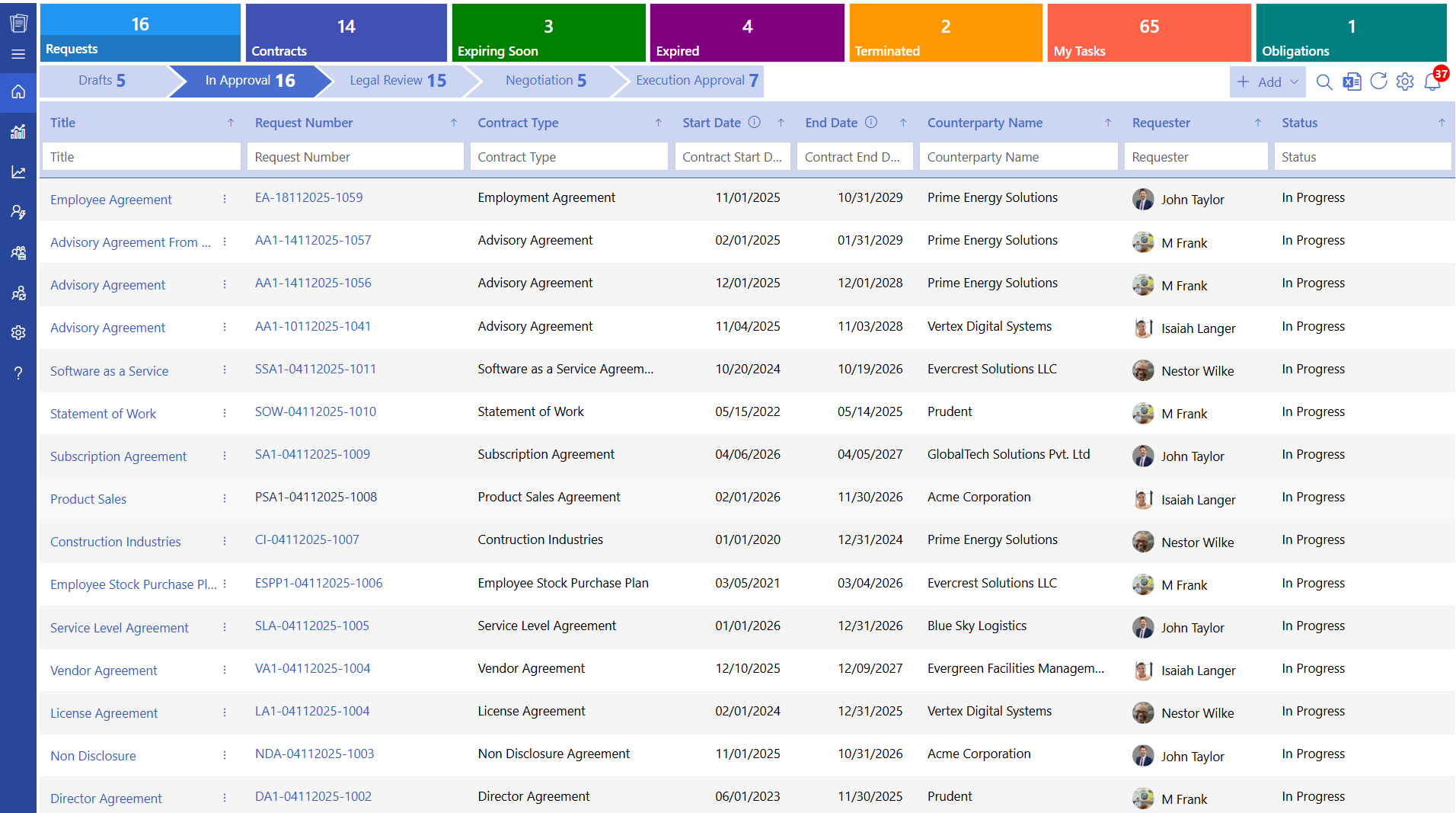
It installs directly into your existing Microsoft 365 environment, eliminating the need for a separate platform. The interface follows familiar Microsoft design patterns, making it easy for employees to navigate with minimal training. Because it works within the tools teams already use, such as SharePoint, Teams, and Outlook, user adoption is often faster.
We needed a contract management solution, and CLM 365 has been working well for us so far. The platform is easy to use, and the support team is fantastic, whenever we have questions, we receive fast answers and quick assistance.
Link – CLM 365 Reviews 2026: Details, Pricing, & Features | G2
Agiloft
It offers extensive customization and gives administrators significant control over workflows, business rules, and automation. However, that flexibility typically requires more planning and configuration during implementation. Deployments often include discovery workshops, workflow design, and user training, and many organizations choose to work with implementation partners to tailor the platform to their requirements.
Verdict: The Microsoft-native app wins on speed and simplicity. The enterprise platform wins if you need to model a truly unusual process and have the resources to build it.
2. Microsoft 365 Integration
This is where the two products differ the most.
CLM 365
It does not simply integrate with Microsoft 365; it is built natively within the Microsoft 365 ecosystem. Users can redline contracts in Word, collaborate through Microsoft Teams, receive approval notifications in Outlook, and securely store documents in SharePoint without leaving their familiar work environment. Since contracts remain within your Microsoft 365 tenant, there is no need to manage a separate platform, duplicate data, or sync contract records to an external cloud.
Agiloft
It integrates with Microsoft applications, including Microsoft Teams, Outlook, and other productivity tools, helping organizations connect their existing workflows. However, it remains a standalone platform with its own interface, data model, and administration. Users typically switch between Agiloft and Microsoft 365 while managing contracts, with information synchronized across systems. It integrates with Microsoft applications, including Microsoft Teams, Outlook, and other productivity tools, helping organizations connect their existing workflows. However, it remains a standalone platform with its own interface, data model, and administration. Users typically switch between Agiloft and Microsoft 365 while managing contracts, with information synchronized across systems.
Capability | Agiloft | CLM 365 |
Draft in Microsoft Word | Via integration | ✔ Native |
Approvals in Teams / Outlook | Via connector | ✔ Native |
Storage in SharePoint | ✖ Vendor cloud | ✔ Your tenant |
Uses Microsoft security groups | Partial | ✔ Full |
Single sign-on with Microsoft account | ✔ | ✔ |
Verdict: For Microsoft-first companies, the CLM 365 is the clear winner here.
3. AI Capabilities
AI capabilities can accelerate contract review, automate routine tasks, and surface key insights, but the way each platform delivers AI differs in terms of integration, security, and enterprise control.
CLM
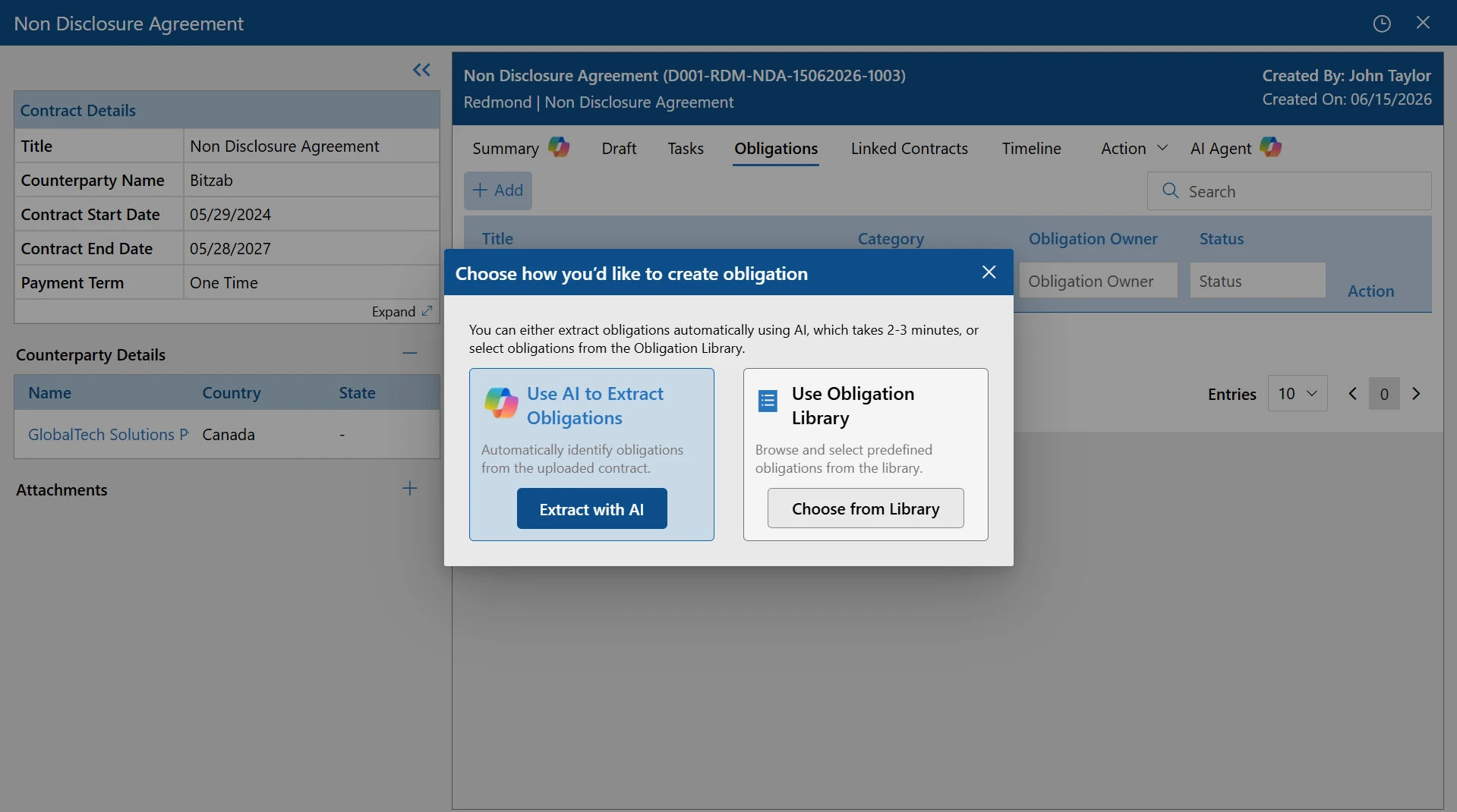
It offers AI-assisted clause review. It can summarize long agreements in plain language, detect key clauses and dates, and help users spot risky terms before signing. CLM 365 does not send contract data to public AI services such as ChatGPT by default. Organizations choose whether to enable AI, select their preferred AI provider, and ensure all AI interactions align with their security, compliance, and governance policies.
Agiloft
It has invested heavily in AI. Its engine can extract metadata from legacy contracts, flag non-standard clauses, and answer questions about contract content. For companies importing thousands of old contracts, this is genuinely useful.
Verdict: Both platforms bring real AI to the table. The enterprise platform has an edge in bulk legacy-contract extraction. The CLM 365 has an edge in privacy, since AI processing respects your tenant boundaries.
If your organization prioritizes security and accuracy, CLM 365 is designed to support both
4. Workflow Automation and Approvals
Workflow automation and approval capabilities determine how efficiently contracts move from creation to execution while maintaining compliance and visibility
CLM 365
It covers the contract approval workflows most businesses use: sequential and parallel approvals, condition-based routing (by contract value, type, or department), automatic reminders, and complete audit trails. Setup happens through simple configuration screens rather than a complex rule builder.
Agiloft
It is the power user’s choice. Its rule engine can handle nearly any routing logic you can imagine multi-level approvals, conditional branches, escalations, and parallel reviews. The trade-off is that someone must build and maintain all that logic.
Verdict: Agiloft for extreme complexity. The CLM 365 is for fast, practical automation that a non-technical admin can manage.
5. Contract Repository and Search
Agiloft
It provides a centralized contract repository with customizable fields, advanced search options, saved searches, and reporting capabilities. It is designed to handle large contract volumes and allows organizations to organize records based on their unique business requirements. Administrators can tailor metadata, filters, and views, making it easier to locate and manage contracts across departments.
CLM 365
It stores contracts directly in SharePoint, allowing organizations to take advantage of Microsoft’s enterprise-grade document management and search capabilities. In addition to SharePoint search, users can quickly locate agreements using contract-specific filters. Built-in version history, document retention, backup, and access controls automatically align with your existing Microsoft 365 governance policies.
Hear from Our Delighted Clients
CLM 365 helped us transition from a folder-based document repository to a structured contract management system. Contracts are now easier to organize, search, and manage, while standardized processes have significantly improved consistency across our organization.
Verdict: Even. Both offer strong repositories. One benefits from inheriting your existing SharePoint governance; the other from unlimited custom structuring
6. Security, Compliance, and Data Control
Security, compliance, and data control are critical considerations when choosing a contract lifecycle management solution, especially for organizations handling sensitive business and legal information.
CLM 365
It keeps every contract inside your own Microsoft 365 tenant. Your existing security policies, conditional access rules, data loss prevention settings, and compliance certifications apply automatically. For regulated industries healthcare, finance, government this often removes months of vendor risk assessment.
Agiloft
It is a mature vendor with enterprise security certifications and a solid track record. Still, your contracts live in the vendor’s cloud, which means a third party holds your most sensitive business documents. Security reviews for a new vendor take time.
Verdict: The tenant-based model takes this category for any organization where data residency and IT control matter.
7. Pricing
Pricing is an important factor when evaluating a CLM solution, but it’s equally important to understand what features, scalability, and long-term value are included.
CLM 365
CLM 365 offers transparent subscription plans along with a free trial, making it easier for organizations to evaluate the platform before committing. Because it runs natively within your existing Microsoft 365 environment, there are no additional hosting or infrastructure costs. This also reduces implementation complexity and minimizes deployment expenses, resulting in a lower total cost of ownership.
Agiloft:
Agiloft does not publicly disclose its pricing, with costs provided through custom quotes based on business requirements. Pricing typically includes per-user licensing, along with implementation, configuration, training, and support services. Organizations should also account for the time and resources needed to customize, , and manage the platform.
Cost factor | Agiloft | CLM 365 |
Published pricing | ✖ Quote only | ✔ Clear plans |
Free trial | Connect with sales team | ✔ Available |
Implementation services | Usually required | Rarely needed |
Extra hosting/infrastructure | Included in vendor cloud fees | Uses your Microsoft 365 |
Ongoing admin effort | Higher (custom rules to maintain) | Lower |
Verdict: The transparent model wins on cost clarity and total cost of ownership for most mid-market buyers. Large enterprises with dedicated CLM admins may still find the quote-based approach acceptable.
| Category | Agiloft | CLM 365 |
| Ease of use and setup | — | ✔ |
| Microsoft 365 integration | — | ✔ |
| AI capabilities | ✔ | ✔ |
| Workflow automation | ✔ (complexity) | ✔ (practicality) |
| Repository and search | ✔ | ✔ |
| Security and data control | — | ✔ |
| Pricing and total cost | — | ✔ |
| Support and onboarding | ✔ | ✔ |
Which One Should I Choose?
There is no single “best” contract management tool only the best tool for your situation. Here is a simple way to decide.
Choose Agiloft if:
- You are a large enterprise with highly unusual contract processes that standard tools cannot model
- You have (or will hire) a dedicated admin or partner to build and maintain custom workflows
- You need to import and analyze a massive archive of legacy contracts with AI extraction
- Budget for licensing plus implementation services is not a blocker
- You are comfortable storing contracts in a third-party vendor cloud
Choose CLM 365 if:
- Your company already runs on Microsoft 365, SharePoint, Teams, and Outlook
- You want contracts live and moving within days, not months
- Keeping contract data inside your own tenant matters for security or compliance
- You want clear pricing and the ability to test the product with a free trial first
- You prefer a tool your team will actually use without heavy training
- You want lower total cost by building on licenses you already own
For most small and mid-sized businesses — and for many enterprise teams standardized on Microsoft — the second list describes reality. That is why Microsoft-first organizations increasingly shortlist CLM 365 over standalone platforms.
Tips for a Smooth Implementation (Whichever Tool You Pick)
The platform is only half the story. How you launch it decides whether your team adopts it or ignores it. A few practical tips.
- Clean your contracts first: Before migration, remove duplicates and expired drafts. Importing a messy archive creates a messy repository.
- Start with one contract type: Launch with NDAs or vendor agreements, prove the process works, then expand. A small win builds momentum.
- Set your templates early: Pre-approved templates with locked legal language prevent most redline battles before they start.
- Map approvals to real life: Copy your actual approval chain into the system. Do not invent a “perfect” process nobody follows.
- Turn on renewal alerts from day one: Missed renewal dates are the most expensive contract mistake, and the easiest to prevent.
- Train by role, not by feature: Show requesters how to request, approvers how to approve, and admins how to report. Short, focused sessions beat long demos.
Conclusion
Agiloft and CLM 365 are both capable contract lifecycle management platforms, but they serve different buyers.
Agiloft earns its enterprise reputation with deep customization and strong AI extraction. If your processes are truly one of a kind and you have the budget and staff to support a standalone system, it deserves consideration.
For everyone else especially organizations built on Microsoft 365, CLM 365 delivers the full contract lifecycle with faster setup, familiar tools, stronger data control, and clearer pricing. Your contracts stay in your tenant, your team stays in the apps they know, and your legal process finally moves at the speed of your business.
Ready to see the difference for yourself? Start a free trial of CLM 365 or book a personalized demo with the Apps 365 team today.
Frequently Asked Questions
Is CLM 365 a good Agiloft alternative for Microsoft users?
Yes. If your organization is standardized on Microsoft 365, it removes the need for a separate system entirely. You get full lifecycle management drafting, approvals, e-signature, storage, and renewals inside the tools your team already uses, with faster setup and lower total cost.
Which platform is easier to set up?
CLM 365 is significantly faster to deploy. It installs into your existing Microsoft 365 tenant and most teams are live within days. Agiloft implementations usually involve discovery, configuration, and training phases.
Which is more secure for sensitive contracts?
CLM 365 is highly secure for sensitive contracts because all data stays within your existing Microsoft 365 tenant. Your organization’s existing security controls, compliance policies, access permissions, and retention rules continue to protect contracts, giving you greater data control without relying on a separate third-party environment.
Can CLM 365 help reduce contract turnaround time?
Yes, CLM 365 automates approvals, reminders, document generation, and contract tracking, helping legal and business teams complete contract processes faster.
Is CLM 365 a good choice for organizations with strict compliance requirements?
Yes. Since contracts remain inside your Microsoft 365 tenant, organizations can continue using existing security policies, retention rules, permissions, and compliance controls.


_JiluXJRGNl.svg)























