

Personio vs HR365 HRMS: Which HR Software Is Right for Your Organization?

- Personio suits growing organizations wanting a dedicated cloud HR platform, broad integrations, European compliance support, and optional talent or payroll products.
- HR365 HRMS fits Microsoft 365-centered organizations wanting HR processes connected with Teams, SharePoint, Outlook, Power Automate, and Microsoft identities.
- Personio uses personalized quotes, while HR365 publicly lists HRMS pricing starting from $2 per month.
- The better platform reduces duplicate data, extra logins, adoption friction, manual handoffs, and long-term administration.
Choosing HR software is rarely about finding the platform with the longest feature list. It is about finding the system that fits how your people already work.
Personio and HR365 HRMS both replace spreadsheets, email chains, disconnected records, and HR administration, but they take different routes. Personio is a cloud HR platform covering core HR, talent, payroll support, workflows, analytics, and integrations. HR365 HRMS is a Microsoft 365-native suite built around SharePoint, Teams, Outlook, and Power Automate.
Organizations compare Personio vs HR365 HRMS when they need one system for employee data, recruiting, onboarding, leave, performance, documents, and reporting. The right choice depends on your technology ecosystem, geographic needs, process complexity, and integration strategy.
Personio vs HR365 HRMS at a Glance
Area | Personio | HR365 HRMS |
Primary approach | Cloud HR platform | Microsoft 365-native HR suite |
Core HR | Employee records, documents, workflows, time, analytics | Employee directory, directory, leave, onboarding, recruitment, expenses, learning, performance |
AI | Personio Assistant, AI insights, review summaries, HR answers | AI-driven HR insights, resume evaluation, automation, Microsoft ecosystem support |
Microsoft 365 fit | Available through integrations and connected tools | Built around Microsoft 365, Teams, SharePoint, and Power Automate |
Recruiting | Native recruiting application | Recruitment Management 365 within HR suite |
Performance | Performance and Development app | Performance Management 365 |
Learning | Training and development capabilities | LMS 365 with courses, assessments, paths, and tracking |
Pricing model | Personalized offer | Public starting prices plus plan or module selection |
Best fit | Growing companies seeking a dedicated HR platform | Microsoft-first organizations seeking connected HR workflows |
Personio offers a dedicated HR platform with core HR, analytics, talent management, and 200+ integrations. HR365 HRMS takes a different approach by bringing hire-to-retire HR management into Microsoft 365, SharePoint, and Teams.
What Is Personio?

Personio is an all-in-one cloud HR platform that brings employee data, documents, time management, workflows, analytics, recruiting, talent processes, and payroll-related functions into one system. Organizations typically choose it when they want a dedicated HR platform rather than building HR work directly inside their existing collaboration environment.
Personio also offers applications for recruiting, performance and development, surveys, compensation, workforce planning, and whistleblowing. Its marketplace supports more than 200 integrations across 20-plus categories.
What Is HR365 HRMS?
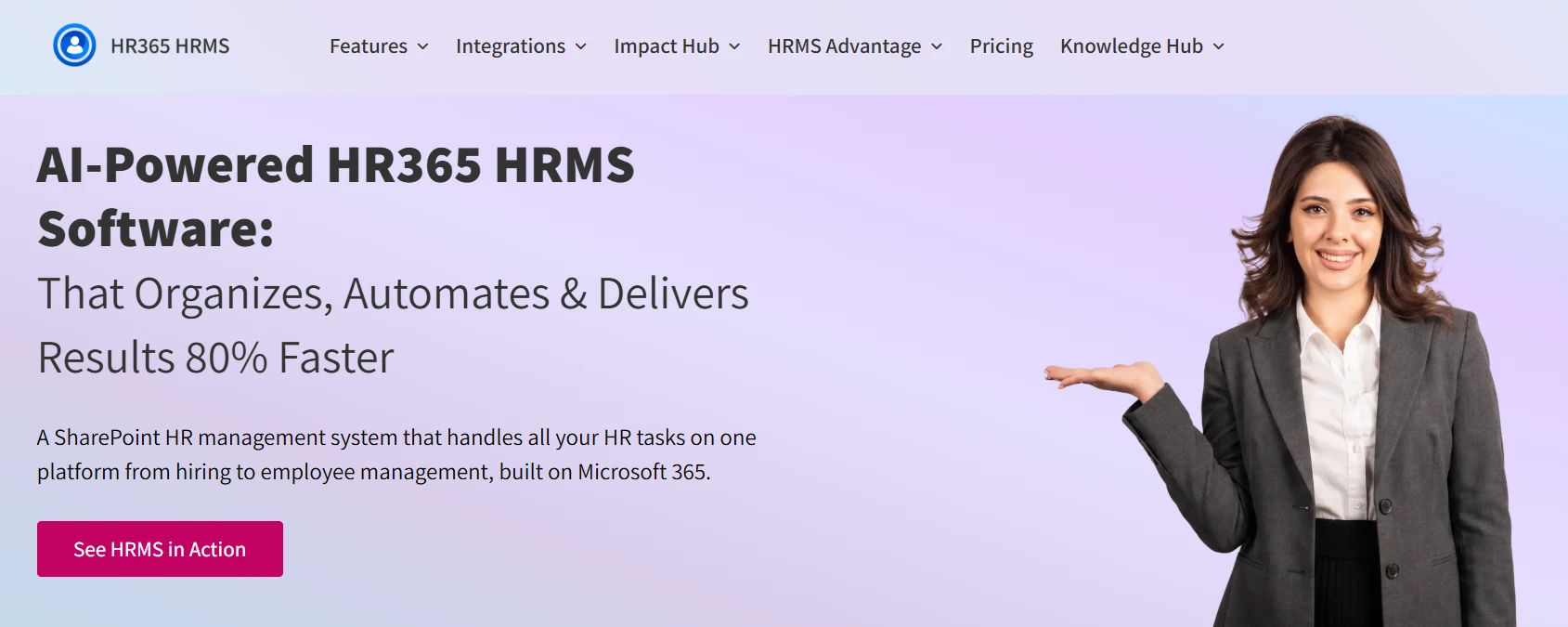
HR365 HRMS is a hire-to-retire HR management suite designed around the Microsoft 365 ecosystem. It combines employee management with connected applications for employee directory, time off, expenses, onboarding, recruitment, learning, and performance. The product is positioned for organizations that want HR work to sit close to Teams, SharePoint, Outlook, Power Automate, Power BI, and Microsoft identity services.
Its feature set includes permission-based access, employee data security, organizational charts, attendance reporting, Teams calendar connections, expense approvals, onboarding tasks, resume evaluation, candidate tracking, learning paths, quizzes, and assessments.
When HR teams already depend on Microsoft 365, this architecture can keep HR processes closer to the digital workplace employees know.
Personio vs HR365 HRMS: Feature Comparison
The difference becomes clearer when you compare the work behind each feature. “Onboarding” means little unless HR, managers, IT, finance, and new hires can complete their parts without chasing emails or copying data.
Core HR Functions
Personio
Personio provides a people database, employee self-service, documents, e-signatures, time tracking, absence management, workflows, analytics, onboarding, offboarding, permissions, and payroll preparation. Personio says customers report 34% less time spent updating HR data and a 34% improvement in HR team productivity. Buyers should validate these vendor-reported averages against their own baseline.
HR365 HRMS
HR365 HRMS covers employee records and organizational visibility while extending into time off, expenses, onboarding, recruitment, learning, and performance through its connected HR applications. Its feature pages also describe customizable approval workflows, permission-based access, reports, organizational charts, and Microsoft calendar support.
A common mistake is buying a complete-looking feature list, then finding managers still approve by email and HR still exports reports manually. Map each process from request through approval and reporting before scoring either platform.
AI Capabilities
Personio has made AI a visible part of its 2026 direction. Personio Assistant answers HR questions and provides insights from company data. Updates include connected knowledge sources, review summaries, and AI-supported reporting. Personio says customers are 18% more productive from its AI features and spend 21% less time on reporting.
HR365 HRMS also positions AI around HR automation and decision support. Its recruitment capabilities include automated resume evaluation that extracts candidate details, while the wider HR365 platform promotes AI-driven insights inside the Microsoft environment.
Do not buy “AI” as a label. Ask what data it can access, what actions it can take, how permissions apply, and whether HR can audit outcomes.
Microsoft 365 Integration
Personio connects with outside systems through its marketplace and APIs. That suits organizations using specialized tools across a mixed technology stack. Personio promotes more than 200 integrations.
HR365 HRMS takes a Microsoft-first approach. HR365 products are designed to work with Microsoft Teams, SharePoint, Power Automate, Power BI, Outlook, and related Microsoft services. For example, HR365 describes leave requests connecting with the Microsoft Teams calendar, while its broader product portfolio emphasizes Microsoft 365 integration.
If employees already work in Teams and SharePoint, moving routine HR actions elsewhere can add friction. If your organization uses a diverse SaaS stack, Personio’s marketplace model may be more attractive.
Pricing
Pricing should be compared on total operating cost, not subscription price alone.
Pricing factor | Personio | HR365 HRMS |
Public base price | Not publicly listed; personalized offer | |
Packaging | Core and Core Pro, with additional apps | HRMS plus individual HR applications |
Setup cost | Personio says a one-time setup fee may apply based on company size | Depends on selected plan, users, modules, and services |
Customization and Flexibility
Personio supports configurable workflows, themes, policies, reports, access rights, APIs, and application add-ons. Core Pro adds features such as API access for custom integrations, position management, unlimited legal entity management, workforce planning, and expanded permissions.
HR365 HRMS supports configurable workflows, forms, reporting, permissions, and Microsoft-based automation. Because it is aligned with the Microsoft ecosystem, organizations can also use tools such as Power Automate and Power BI around HR processes, depending on licensing and implementation design.
Do not ask only, “Can we customize it?” Ask who owns each change after launch. Too much tailoring becomes a maintenance project. Prefer configuration that solves a proven problem and has a clear owner.
Personio vs HR365 HRMS: Which Is Better for Your Business?
Choose Personio If:
- You want a dedicated HR platform rather than an HR system built around your collaboration suite.
- Your organization operates heavily in Europe and needs strong European compliance positioning.
- You value a broad integration marketplace for connecting HR with a varied SaaS environment.
- You want to expand into recruiting, performance, compensation, surveys, workforce planning, payroll, and other talent capabilities.
- Your HR team prefers a specialized platform with dedicated HR workflows, analytics, and employee lifecycle tools.
- You are prepared to evaluate personalized pricing and account for implementation, integrations, additional modules, support, and internal administration.
Choose HR365 HRMS If:
- Microsoft 365 is already the center of work across your organization.
- Employees and managers rely on Teams, SharePoint, Outlook, Power Automate, and Power BI every day.
- You want HR processes connected to your existing Microsoft identities, documents, approvals, communication, and reporting tools.
- You want to reduce context switching by keeping HR tasks close to the workplace tools employees already use.
- Your IT team prefers Microsoft-aligned governance, automation, permissions, and data management.
- You want a connected HR suite covering employee records, onboarding, recruitment, time off, expenses, learning, performance, and reporting.
- You want to compare publicly listed starting prices before requesting a detailed quote.
Before making a final decision, test both platforms against your real approval paths, reporting requirements, employee lifecycle processes, adoption needs, and three-year total cost.
Why Is HR365 HRMS Better Than Personio for Some Organizations?
HR365 HRMS is not automatically better for every company. However, it can offer a clearer advantage in Microsoft-centered organizations where employee adoption, existing security models, collaboration tools, and IT governance matter as much as HR functionality.
- Microsoft 365-native working experience: HR365 HRMS is designed around the tools many employees already open daily. Keeping HR activity close to Teams, SharePoint, Outlook, and Microsoft workflows can reduce context switching, training demands, and the resistance that appears when another standalone portal is introduced.
- Closer alignment with Microsoft governance: Organizations already managing identities, permissions, content, and collaboration through Microsoft services may prefer an HR platform that follows the same technology direction. This can simplify conversations between HR and IT about access, data handling, automation ownership, and future workplace architecture.
- Connected HR application ecosystem: HR365 HRMS brings employee directory, onboarding, recruitment, performance, learning, time off, and expenses into a related suite. Teams can introduce the capabilities they need while keeping the employee experience connected to a broader Microsoft-based workplace rather than assembling unrelated point tools.
- Flexible automation options: Microsoft Power Automate can support approval paths, notifications, and cross-system processes around HR365 HRMS. For organizations already skilled in the Power Platform, this creates room to adapt workflows without immediately adding another automation product, although governance and licensing should still be planned carefully.
- Transparent entry pricing: HR365 publicly lists an HRMS starting price and starting prices for several individual applications. That does not replace a formal quote, but it gives buyers an early reference point before discovery. Personio currently uses personalized offers, which means exact comparison requires vendor engagement.
Conclusion
The Personio vs HR365 HRMS decision comes down to operating model, not marketing language. Personio offers a capable cloud HR platform with strong core HR, AI, analytics, talent applications, European compliance positioning, and a broad integration marketplace. It can suit growing organizations that want HR to operate through a dedicated system across a varied SaaS environment.
HR365 HRMS takes a different path by bringing hire-to-retire capabilities into a Microsoft 365-centered experience. If your workforce already lives in Teams, SharePoint, Outlook, and Power BI, that architectural fit may reduce adoption friction and duplicate administration. Before choosing, test real workflows, review security and integration needs, model three-year cost, and involve HR, IT, managers, and employees in the evaluation.
Book a personalized demo of HR365 HRMS to make HR management easier within Microsoft 365.
Frequently Asked Questions
Is Personio better than HR365 HRMS?
Neither is universally better. Personio suits organizations wanting a dedicated HR platform, broad integrations, European compliance support, and expanding talent or payroll capabilities. HR365 HRMS can suit Microsoft-first organizations wanting closer alignment with Teams, SharePoint, Outlook, and Power Platform tools.
Does HR365 HRMS work inside Microsoft Teams?
HR365 HRMS positions its HR applications around Microsoft 365 and describes integrations with Microsoft Teams, SharePoint, Power Automate, Power BI, Outlook, and Microsoft calendar experiences. Exact functionality can vary by module and plan, so buyers should confirm the workflows they need during a product demonstration.
Does Personio integrate with Microsoft 365?
Personio connects with workplace tools through its marketplace, integrations, and APIs. It remains a dedicated cloud HR platform rather than a Microsoft 365-native suite. If Microsoft alignment matters, compare exact Teams, SharePoint, identity, document, and automation requirements.
Which platform has better AI features?
Personio currently has a clearly branded AI layer through Personio Assistant, AI-supported insights, reporting, connected knowledge, and performance-review summaries. HR365 HRMS uses AI in areas such as resume evaluation and HR insights while emphasizing Microsoft-centered automation. The better choice depends on which AI tasks your HR team will actually use.
How should we choose between Personio and HR365 HRMS?
Start with your technology ecosystem and top three HR pain points. Map the current process, calculate the cost of manual handoffs, test both products against real workflows, verify security and compliance requirements, compare three-year cost, and score adoption effort. The platform that removes the most friction with the least new complexity is usually the better choice.


_JiluXJRGNl.svg)























