


When companies have a consistent and predictable revenue, they become stronger. To facilitate this, they require the tools that can assist them to manage subscriptions, automate subscription billing, and have a clear view of revenue.
✨
Quick Read
Summary generated by AI, reviewed for accuracy.
If you’re considering Maxio alternatives, chances are you’re searching for a solution that offers more flexibility, cost savings, or advanced features to manage billing and revenue efficiently. In this blog, we will explore what to look for in an alternative, key factors to evaluate, and how to choose the right platform that aligns with your business goals.
Maxio is a famous subscription billing and revenue management platform. Nevertheless, Maxio alternatives can be more flexible, have features, or pricing that can suit various business requirements.
Selecting a good platform will enable the businesses to monitor subscription performance, develop flexible pricing schemes, and grow with the business. It enables businesses to flex their billing and revenue processes as their business changes.
What Is Maxio?
Maxio is a subscription billing and revenue management platform designed primarily for B2B SaaS companies and recurring revenue businesses. The platform enables organizations to handle complex billing operations, automate subscription invoicing and gain better visibility into financial performance.
Why Companies Looks for Maxio Alternatives
As SaaS and subscription-based businesses grow, their billing and revenue management needs can become more advanced. Since every company has different workflows, pricing models, and operational goals, many businesses compare multiple subscription billing platforms to find the solution that best fits their requirements.
Some common reasons companies explore alternatives to Maxio include:
- Need for more flexibility in usage-based billing and recurring pricing models
- Requirement for advanced automated invoicing and revenue management features
- Interest in better integration support with CRM, accounting, and payment platforms
- Need for scalable subscription management as the business grows
- Search for a platform that aligns better with their financial workflows and automation preferences
8 Best Maxio Alternatives
Several subscription billing platforms help SaaS businesses manage recurring billing, invoicing and revenue operations. Below are some of the best alternatives to Maxio for businesses looking for scalable billing and revenue management solutions
Alternatives | Integrations | Best for | Free Trial |
Revenue 365 | SharePoint, MS Teams, Outlook, Power BI and Power Automate | SMBs and growing SaaS businesses | ✅ |
Chargebee | QuickBooks, HubSpot, Google Analytics and Slack | Subscription-based SaaS companies | ✅ |
Zoho Billing
| Zapier, Zendesk and with Zoho Suites | SMBs and Enterprise | ✅ |
Recurly | Snowflake, Oracle NetSuite, Zapier and Mailchimp | Ecommerce and D2C subscription brands | ✅ |
Stripe Billing | Salesforce, WooCommerce, Shopify and Zapier | Tech companies and usage-based billing businesses | Connect with Sales Team |
Paddle | Hubspot, Intercom and Databox | Global SaaS and digital product companies | ✅ |
BillingPlatform | Salesforce and NetSuite | Large enterprises and complex billing operations | ✅ |
DealHub.io | Salesforce, Xero, and Avalar | B2B sales organizations and enterprise revenue teams | Connect with Sales Team |
1. Revenue 365
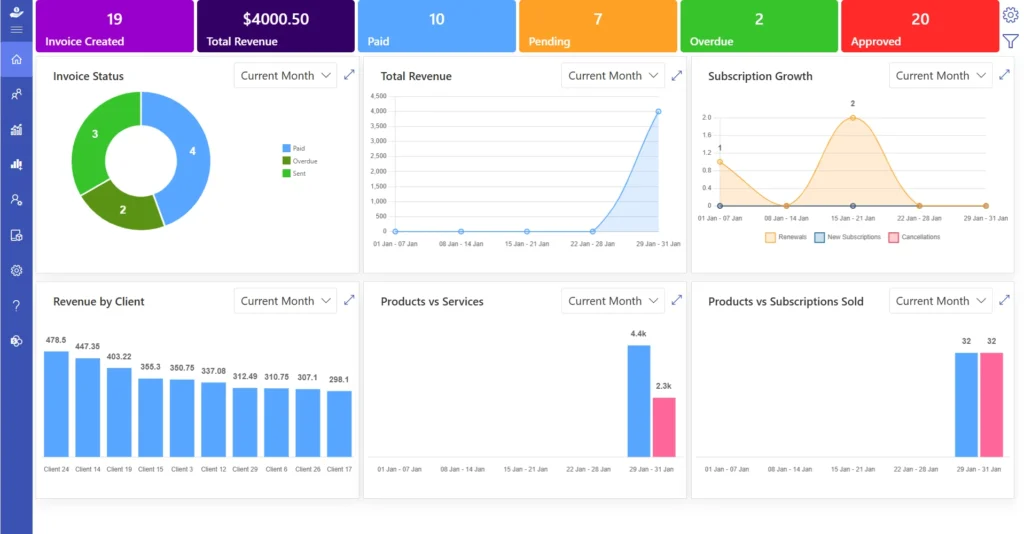
Revenue 365 is a subscription and revenue management system that is developed in Microsoft ecosystem and other enterprise systems. It assists companies with subscriptions, billing automatization, business billing system, and revenue performance monitoring. The platform is applicable for SMBs and assists them in running their financial business more effectively and facilitating long-term development.
Key Features
- Subscription management with multi-currency features
- Automated invoicing with templates
- Support of revenue recognition and compliance
- In-depth revenue analytics and reporting
- Multi-currency operations and tax management
- Generation of pro forma invoices
- Intrinsic compliance management
- Activity tracking of secure audit logs
- Bundling of products customized
- Upgrade and downgrade flexibility
- Quote preparation and control
Why Choose Revenue 365 as a Maxio Alternatives
Revenue 365 is the best option when it users looking Maxio alternatives where the business needs to have complete visibility and control. It facilitates automation and gives a clear financial understanding. The platform is scalable and can accommodate businesses during their expansion. It also handles the entire subscription lifecycle and is therefore appropriate in businesses that have varying pricing structures and types of customers.
Best Known For
Revenue 365 is most recognized to assist companies in the management of subscriptions, billing, and revenue as well as offer a clear understanding of the financial performance.
Looking to explore alternatives to Maxio? Try Revenue 365
2. Chargebee
Chargebee is a popular subscription billing software that targets SaaS firms and online organizations. It assists in controlling the recurrent payments, automating billing, and managing revenue recognition effectively.
Key Features
- Automated recurrent billing
- Custom invoice creation
- Revenue recognition support
- Dunning instruments to collect bad debts
- CRM and accounting integration
Best Known For
Chargebee is best known for subscription billing automation and SaaS revenue management.
3. Zoho Billing
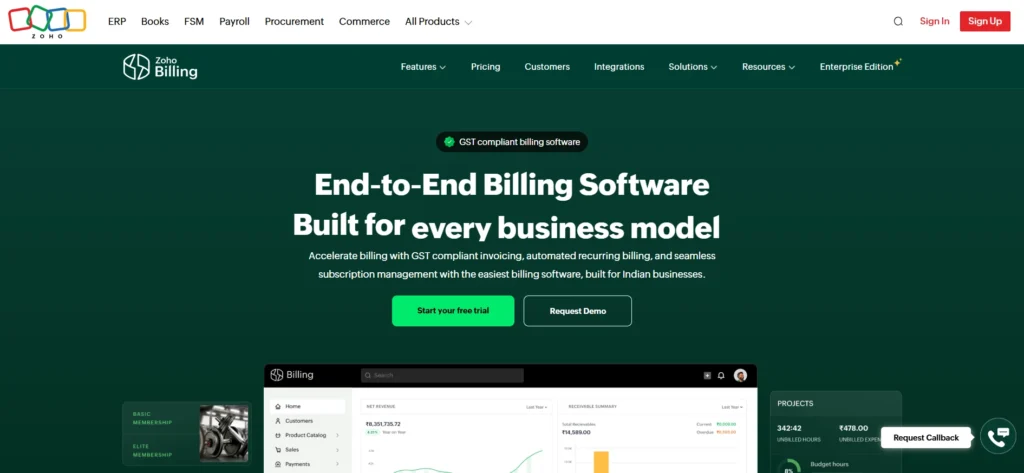
Zoho Billing is a subscription billing software which belongs to the Zoho business software environment. It is particularly handy when the companies are already using Zoho products, like Zoho CRM, Zoho Books, or Zoho Finance tools. Its easy-to-use interface makes it appropriate to businesses that do not require a complex billing system.
Key Features
- Helps manage subscription lifecycle management
- Multi-currency features
- Invoicing and payment reminders are automated
- Dashboards and analytics of revenues
- Zoho CRM and Zoho Books integration
Why Choose Zoho Billing as a Maxio Alternative
Zoho Billing can be considered as the best option of startups and small businesses that need a cheap and simple solution. It is particularly effective with the companies that are already using Zoho tools.
Best Known For
Zoho Billing is most recognized because it is cheap and simple to use by small businesses.
4. Recurly

Recurly is a subscription billing system that is meant to assist a business in taking care of recurring income and enhance payment collection. It enforces various billing schemes, such as fixed subscriptions, usage-based billing, and hybrid pricing. The platform has features to manage failed payments, which assist businesses to restore lost revenue. It fits in both emerging businesses and major corporations.
Key Features
- Automated billing of subscription
- Failed payment recovery tools
- Revenue analytics and reporting
- Payment gateway integrations
- Security and compliance support
Why Choose Recurly as a Maxio Alternative
Recurly can be used by companies that desire to minimize payment default and enhance the collection of revenue. It is particularly applicable to firms that have many subscribers.
Best Known For
Recurly is most renowned in terms of payment recovery solutions and subscription analytics.
5. Stripe Billing
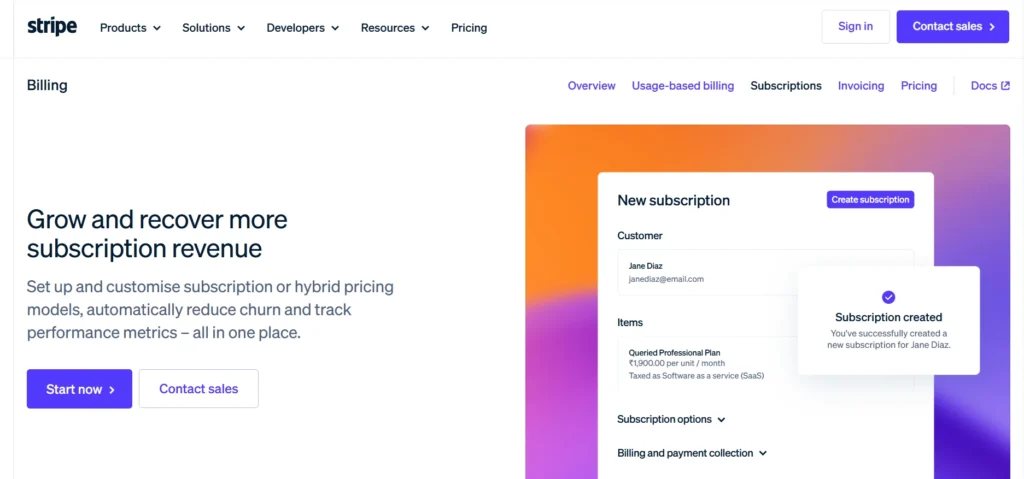
Stripe Billing is a part of Stripe payment platform and assists businesses to handle subscriptions, recurring billing, and invoicing. Companies that are already using Stripe to process payments also use it extensively because it enables them to operate payments and subscriptions under a single system. Stripe Billing can be used to support flexible pricing, such as monthly subscriptions, usage-based pricing, and custom invoices.
Key Features
- Recurring billing and subscription
- Custom invoice creation
- Revenue analytics and reporting
- Global payment support
- Automated revenue tracking
- Failed payment retry system
- Custom integrations API
Why Choose Stripe Billing as a Maxio Alternative
Stripe Billing is best suited to companies that are already on Stripe. It enables them to handle billing and payments under a single platform.
Best Known For
Stripe Billing is best known for its integration with Stripe’s payment system.
6. Paddle

Paddle is a revenue platform that is primarily designed to serve SaaS and digital product businesses. It integrates subscription management, billing, payment processing and tax handling into a single platform. This assists businesses to operate their complete revenue cycle without the need to utilize numerous tools. Paddle also manages the taxation requirements in various countries and thus it is easier to sell products in other countries.
Key Features
- Billing and subscription management
- Global tax handling
- International payment support
- Revenue analytics dashboards
- Tracking and reporting of revenue
- Customer management tools
- Integration with business systems
Why Choose Paddle as a Maxio Alternative
Paddle is a good alternatives in case of SaaS companies with international clients. It assists in billing, payments and taxes.
Best Known For
Paddle is most famous as the provider of SaaS companies in terms of international billing and taxation.
7. BillingPlatform
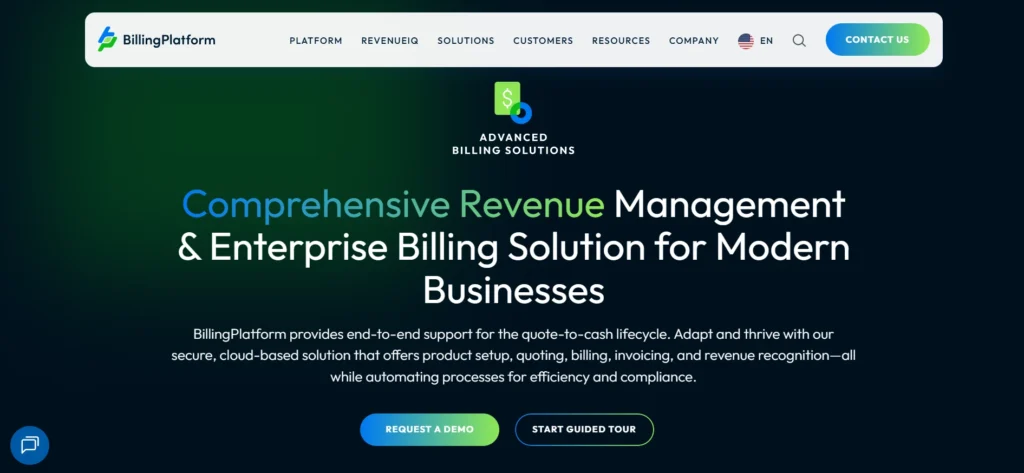
Billing Platform is a business billing and revenue management system that is aimed at businesses with complicated billing needs. It accommodates various billing models such as subscription billing, usage-based billing and one-time charges. The platform assists companies to operate global billing with the support of various currencies and tax regulations. It also has automated subscription billing feature that minimize manual work and enhance accuracy.
Key Features
- Automated usage and subscription billing
- Multi-currency and tax support
- Revenue recognition tools
- Individual invoicing and payment plans
- ERP and CRM integration
- Tailor-made processes and automation
- Advanced reporting
- Enterprise scalability
Why Choose BillingPlatform as a Maxio Alternative
It is best suited to large companies with requirements of flexible billing models and high scalability.
Best Known For
BillingPlatform is best known for handling complex enterprise billing needs.
8. DealHub.io
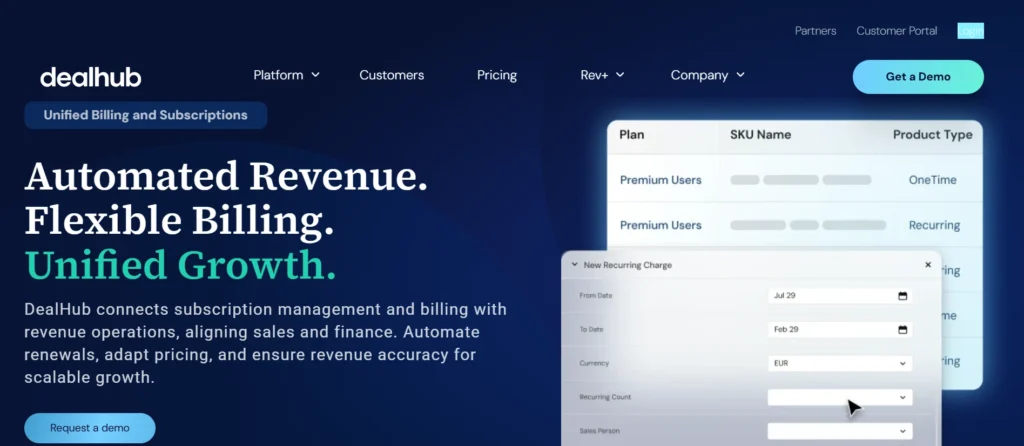
DealHub.io is a revenue management platform that assists companies in pricing, quotations, subscriptions, and billing within a single platform. It has CPQ tool (Configure, Price, Quote) capabilities that assist sales teams to produce correct pricing and create quotes fast. The platform also has subscription billing and revenue tracking, which assists businesses to handle recurring revenue effectively.
Key Features
- CPQ (Configure, Price, Quote) software
- Billing management subscription
- Flexible pricing models
- Billings and contract integration
- Tracking and compliance of revenue
- Approval workflows
- CRM integration
- Revenue and sales analytics
Why Choose DealHub.io as a Maxio Alternative
DealHub.io can be used by companies that desire to integrate sales, pricing, and billing into a single platform.
Best Known For
DealHub.io is best known for combining CPQ with subscription billing and revenue management.
How to Implement Maxio Alternatives?
The transition to a new Maxio alternatives should be planned appropriately. It is not merely a question of opening an account and getting down to business. Companies must re-evaluate their requirements, trial the platform, and equip their teams. Below is a clear step-by-step process to implement alternatives successfully.
1. Determine Your Business Needs
Begin by understanding what your business expect a subscription management tool to offer. The priorities of every business vary with its size, industry, and the model of revenue.
For example:
- Startups can seek cheap packages and simple invoicing options
- SaaS businesses might require subscription plans, trial plans, renewals, and billing
- E-commerce subscription-based businesses can specialize in recurrent purchases, subscriptions, and payment
- Businesses might need to comply, issue international bills, and elaborate reporting
Write down the list of the necessary features like subscription billing, invoicing, integrations, tax management, and analytics. This list will assist you in making the right choice of platform.
2. Compare and Choose the Right Platform
Once you have defined your needs, shortlist two or three Maxio alternatives that fit your needs. Consider every platform based on the following criteria. This comparison will assist you in choosing a platform that will meet your current requirements and will allow you to grow in the future.
- Basic capabilities: Subscription billing, invoicing, reporting, and automation.
- Pricing model: Monthly price, scalability, and feature accessibility.
- Industry compatibility: There are those platforms that are more compatible with SaaS and there are those which are compatible with e-commerce or enterprise billing.
3. Run a Trial or Pilot Program
Pilot or trial program Before relocating everything, test the platform. Most alternatives have free trials or onboarding.
During this phase
- Develop test subscriptions and billing cycles
- Create invoices and check the accuracy of billing
- Look at revenue reports and dashboards
- Automated email and payment notifications
4. Train Your Teams
Your finance, sales, and support departments should know how to operate the new system appropriately. Training enables teams to deal with billing issues and serve customers well.
Focus training on
- Finance departments: Billing, invoicing and revenue reporting
- Sales teams: Development of subscription plans, pricing and quotes
- Support teams: Billing queries and subscription modifications
Learning can be accelerated using vendor guides, help documents and video tutorials to assist your team. Onboarding assistance is also offered on many platforms.
5. Gradually move Data and Go Live
Once testing and training is done, start to transfer customer and billing information to the new system. Begin with a small customer base and then move everything.
This allows you to
- Monitor billing accuracy
- Check renewals of subscriptions
- Track payments and reports
- Fix issues early if needed
After all the things are working fine, you can switch completely to the new platform.
This allows you to
- Monitor billing accuracy
- Check renewals of subscriptions
- Track payments and reports
- Fix issues early if needed
After all the things are working fine, you can switch completely to the new platform.
Conclusion
Choosing the right alternative to Maxio depends on your business needs, billing complexity, and long-term growth goals. The right platform can help businesses simplify subscription management, automate invoicing, improve revenue visibility, and manage recurring billing more efficiently.
Explore a free demo to discover a smarter way to manage subscription billing and revenue operations
Join Our Creative Community
Frequently Asked Questions
Can finance teams manage revenue recognition from one dashboard?
Yes, subscription billing tools now include centralized revenue dashboards for tracking invoices, recurring revenue, and financial reporting.
Do Maxio alternatives support global payments and currencies?
Many platforms support international payments, multi-currency billing, and localized tax handling for global SaaS businesses.
Do finance teams need technical knowledge to manage billing platforms?
No, the platforms are designed with user-friendly dashboards that allow finance teams to manage billing without advanced technical skills.
Can I connect subscription billing software with accounting tools?
Most platforms integrate with accounting systems to simplify reconciliation and financial reporting.


_JiluXJRGNl.svg)























