
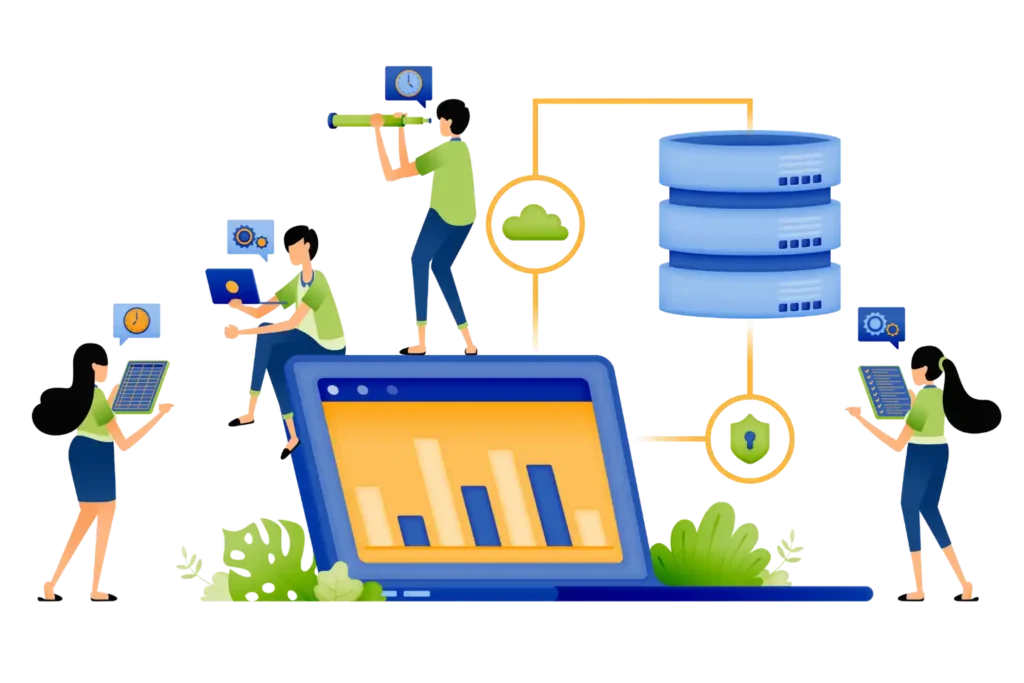

What is Information Technology Asset Management?
Technology powers almost every business activity today. Employees rely on:
- laptops
- mobile devices
- software applications
- servers
- cloud systems
- network infrastructure
- security systems
As businesses grow, managing these assets becomes increasingly complex. Information technology asset management is the process of tracking, monitoring, managing and optimizing IT assets throughout their entire lifecycle.
Managing IT assets is becoming more difficult for modern businesses. Companies now handle laptops, servers, cloud applications, software licenses, mobile devices, network equipment and remote workforce technology across multiple locations. Many organizations still use spreadsheets and disconnected systems to track assets. Over time, this creates poor visibility, higher costs, security risks and operational inefficiencies.
Information technology asset management helps businesses centralize, monitor, track and optimize IT assets throughout their lifecycle. Modern solutions like Asset 365 help organizations automate processes, improve visibility, reduce costs and make smarter business decisions using real-time data.
Why Information Technology Asset Management Matters in 2026
Technology environments continue to grow rapidly. Businesses now manage more devices and digital assets than ever before. At the same time, organizations face growing pressure from:
- remote work environments
- cybersecurity concerns
- rising technology costs
- software complexity
- compliance requirements
Without proper management, organizations lose visibility quickly.
Rising Technology Costs
Many businesses purchase technology faster than they manage it. This creates:
- duplicate purchases
- unused software licenses
- underutilized equipment
- unnecessary spending
Limited Asset Visibility
Many organizations struggle to answer simple questions:
- Where are our assets?
- Who is using them?
- Which licenses are active?
- Which devices require replacement?
- Which assets create security risks?
Without visibility, costs increase.
Security Risks Continue Growing
Unknown assets create vulnerabilities. Unmanaged devices often increase:
- compliance issues
- security exposure
- unauthorized access risks
Manual Processes Slow Teams
Spreadsheets and disconnected systems frequently create:
- duplicate work
- missing information
- reporting delays
- communication issues
The Problem is Not Technology
Many businesses believe operational challenges happen because technology changes too quickly. That is only part of the story. The larger issue is visibility. When organizations cannot clearly understand their technology environment, small inefficiencies become larger problems. Without visibility:
- teams work slower
- costs increase
- security risks grow
- decisions become harder
Modern organizations are solving this challenge through connected intelligence.
How Information Technology Asset Management Works
Modern systems combine multiple functions into one connected platform.
Centralized asset inventory
Every asset receives a digital profile including:
- device information
- ownership details
- purchase date
- warranty status
- maintenance records
- software information
Automated asset tracking
Software license management
Workflow automation
Routine tasks become easier:
- approvals
- notifications
- asset requests
- maintenance activities
Analytics and dashboards
Leaders gain visibility into:
- asset utilization
- operational trends
- spending patterns
Key Features of Modern Information Technology Asset Management
Asset lifecycle management: Track assets from purchase through retirement.
Real-time visibility: Monitor technology environments instantly.
License management: Reduce unnecessary software spending.
Workflow automation: Improve efficiency through automated processes.
Mobile accessibility: Employees can update information from anywhere.
Reporting dashboards: Gain real-time operational insights.
Microsoft integration: Businesses using Asset 365 can connect with:
- Power BI
Why Businesses Are Choosing Asset 365
Organizations increasingly need solutions that fit naturally into existing business environments. Asset 365 provides a connected platform that helps organizations centralize asset management while improving visibility and simplifying workflows. Key advantages include:
- Centralized asset tracking
- Workflow automation
- Real-time reporting
- Asset lifecycle management
- Improved operational visibility
- Better collaboration
Instead of managing information across multiple systems, teams gain one connected environment.
Information Technology Asset Management vs Traditional Asset Tracking Methods
Many businesses still use spreadsheets, emails and manual records to manage IT assets. At first, these methods may seem manageable, but as businesses grow, challenges quickly appear. Teams spend time searching for information, assets become harder to track, software licenses go unused and security risks increase. The problem is not only efficiency. The real challenge is visibility and control. Here is how traditional methods compare with modern IT asset management:
Traditional Asset Tracking | Modern Information Technology Asset Management |
Spreadsheet-based tracking | Centralized digital platform |
Manual updates | Automated tracking |
Reactive management | Predictive insights |
Limited visibility | Real-time monitoring |
Separate systems | Connected environment |
Delayed reporting | Live dashboards |
Manual workflows | Intelligent automation |
Modern organizations need systems that scale with growth.
The Hidden Costs of Poor IT Asset Management
Many businesses underestimate the financial impact of unmanaged assets. The visible cost may only be the beginning. Hidden costs often include:
- Duplicate technology purchases: Without visibility, organizations sometimes purchase equipment they already own.
- Unused software licenses: Businesses often continue paying for licenses that employees no longer use.
- Lost productivity: Employees spend time searching for devices, information or approvals.
- Security risks: Unknown or unmanaged devices can create vulnerabilities.
- Compliance penalties: Missing asset records can increase audit risks.
- Task 365 extends Microsoft 365 with the features organizations need to manage work at scale.
Example Scenario
Imagine an organization with:
- 2,000 employees
- 4 office locations
- remote workforce support
- 5,000 technology assets
Without centralized management:
- IT teams manage assets using spreadsheets.
- Employees send support requests through emails.
- Software license information exists in different systems.
- Managers struggle to track ownership.
Results:
- slower support processes
- duplicate purchases
- poor visibility
- increased costs
Now imagine implementing information technology asset management using Asset 365. The system automatically:
- tracks assets
- manages assignments
- records ownership
- monitors licenses
- sends alerts
- generates reports
Teams gain complete visibility.
How Asset 365 Helps Simplify Information Technology Asset Management
Modern organizations need more than asset tracking. They need connected operational intelligence. Asset 365 helps businesses create a centralized environment where employees, managers and IT teams work from a single source of truth.
Centralized asset visibility: Every asset becomes easier to locate and manage.
Automated workflows: Routine tasks become faster through:
- notifications
- approvals
- assignment tracking
- Reminders
Asset lifecycle management: Track assets throughout their lifecycle:
- Planning → Purchase → Deployment → Support → Upgrade → Retirement
SharePoint and Microsoft integration: Organizations already using Microsoft environments benefit from familiar systems and easier adoption.
- asset status
- utilization trends
- lifecycle data
- spending patterns
Benefits of Information Technology Asset Management
- Reduced operational costs: Organizations eliminate unnecessary purchases and improve asset utilization.
- Improved productivity: Employees spend less time searching for information.
- Better visibility: Real-time information improves decision-making.
- Stronger compliance: Organizations maintain accurate records for audits.
- Improved security: Unknown devices and unmanaged assets become easier to identify.
- Better lifecycle management: Businesses make smarter decisions regarding upgrades and replacements.
Why Decision Makers Prioritize IT Asset Management
Different teams often have different priorities. Effective asset management supports multiple business goals simultaneously.
IT leaders focus on:
Finance leaders focus on:
- cost reduction
- budget planning
- spending optimization
Business leaders focus on:
- productivity
- operational efficiency
- Scalability
Employees focus on:
- accessibility
- reliability
- faster support
Questions Buyers Should Ask Before Choosing a Solution
- Can the platform support future growth?
- Does it integrate with Microsoft environments?
- Can workflows be automated?
- Does it provide real-time reporting?
- Is mobile access available?
- Does it support cloud environments?
- Can it improve operational visibility?
Future Trends Shaping Information Technology Asset Management in 2026
Technology environments are becoming more intelligent and connected every year. Businesses are no longer focused on tracking devices and software. They are now looking for systems that can predict issues, automate processes, and provide deeper operational insights. Organizations that adapt early will be better prepared for future growth.
Finance leaders focus on:
Artificial intelligence is changing how businesses manage technology assets. Instead of relying on manual reviews and reports, AI can analyze large amounts of information and identify patterns quickly. AI can help organizations:
- predict asset failures
- identify security risks
- optimize technology usage
- automate routine tasks
- improve resource allocation
- support smarter decisions
Businesses are moving from reactive management toward proactive operations.
Automation Will Reduce Manual Work
Many IT teams spend valuable time performing repetitive activities. Examples include:
- updating asset records
- approval processes
- software license renewals
- maintenance scheduling
- reporting updates
Automation reduces these manual efforts and allows teams to focus on higher-value work.
Cloud-Based Asset Management Will Continue Growing
Cloud environments provide flexibility and scalability for growing organizations. Benefits include:
- remote access
- lower infrastructure costs
- easier upgrades
- faster deployment
- stronger collaboration
Businesses increasingly prefer cloud-based platforms because they simplify management and support modern work environments.
Security and Compliance Will Become Bigger Priorities
Technology assets are expanding rapidly. As environments grow, organizations need stronger visibility into:
- device activity
- user access
- software compliance
- technology risks
Organizations with better visibility can identify issues faster and reduce potential risks.
Data Intelligence Will Drive Better Decisions
Businesses collect large amounts of operational information. The challenge is transforming that information into meaningful business value. Future IT environments will increasingly depend on:
- analytics
- AI insights
- predictive intelligence
- connected systems
Organizations that understand their data can make faster and smarter decisions.
Why Asset 365 Supports Smarter IT Operations
Managing technology assets becomes difficult when information exists across multiple systems. Asset 365 helps organizations simplify asset management by creating a connected and centralized environment. Businesses can:
- Improve visibility: Gain a complete view of technology assets from one location.
- Improve productivity: Reduce time spent on manual tracking and reporting.
- Improve collaboration: Teams work from a shared environment with consistent information.
- Improve lifecycle management: Track assets from planning through retirement.
- Improve decision-making: Use real-time reporting and operational insights.
Conclusion
Technology environments are becoming larger, more connected, and increasingly complex. Organizations achieving the strongest results are not simply investing in more devices or adding more software tools. They are creating better visibility across their technology ecosystem and getting more value from the assets they already own.
Successful businesses understand that growth does not happen through technology alone. Growth happens when teams have the right information, at the right time, to make confident decisions. Information technology asset management helps transform disconnected systems into connected intelligence, allowing organizations to improve productivity, strengthen security, reduce costs and create a stronger foundation for long-term success.
Ready to Simplify Your IT Asset Management?
Discover how Asset 365 can help your organization create smarter operations, stronger visibility, and measurable business growth. Book a 14-day trail demo today!
Join Our Creative Community
Frequently Asked Questions
What is information technology asset management?
Information technology asset management is the process of tracking, monitoring, managing and optimizing technology assets throughout their lifecycle.
Why is information technology asset management important?
It helps organizations reduce costs, improve visibility, strengthen security, simplify compliance and increase productivity.
What assets are included in IT asset management?
IT assets may include:
- laptops
- mobile devices
- servers
- software licenses
- cloud applications
- networking equipment
- technology infrastructure
What are the benefits of information technology asset management software?
Major benefits include:
- lower costs
- stronger visibility
- improved security
- increased productivity
- better compliance
- easier lifecycle management
How does IT asset management software improve business performance?
The software helps organizations track assets, automate workflows, improve visibility, reduce risks and support better decision-making.
Can information technology asset management integrate with Microsoft systems
Yes. Modern solutions such as Asset 365 can integrate with Microsoft environments including SharePoint, Teams and Microsoft 365.
Table of Contents
- What is Information Technology Asset Management?


_JiluXJRGNl.svg)























