
HR Dashboard Software: A Complete Guide for Modern Businesses

- An HR dashboard brings important HR information into one centralized view.
- Real-time metrics help managers make faster and more informed decisions.
- Modern HR dashboards combine leave, attendance, recruitment, performance, learning, and more in a single platform.
- Choosing dashboard software with Microsoft 365 integration can improve collaboration and daily HR operations.
An HR dashboard brings key HR data, metrics, and activities into one visual view. It gives HR teams and managers a clear picture of areas such as attendance, leave, recruitment, performance, training, expenses, and team activities.
Modern HR dashboard software goes beyond displaying numbers. It organizes important HR information into focused views so business users can quickly see current activity, track trends, and identify areas that need attention.
Whether you’re running a growing business or a large enterprise, the right HR dashboard helps save time, improve visibility, and support better decision-making across the organization.
What Is an HR Dashboard?
An HR dashboard is a visual interface that displays important human resources data in one place. It can combine information from different HR activities and present it through charts, tables, cards, graphs, and status indicators.
Instead of reviewing separate spreadsheets or reports, HR teams can use a dashboard to view important information from a single screen.
An effective HR dashboard typically combines operational activities with performance insights, helping organizations monitor HR processes while supporting day-to-day decision-making.
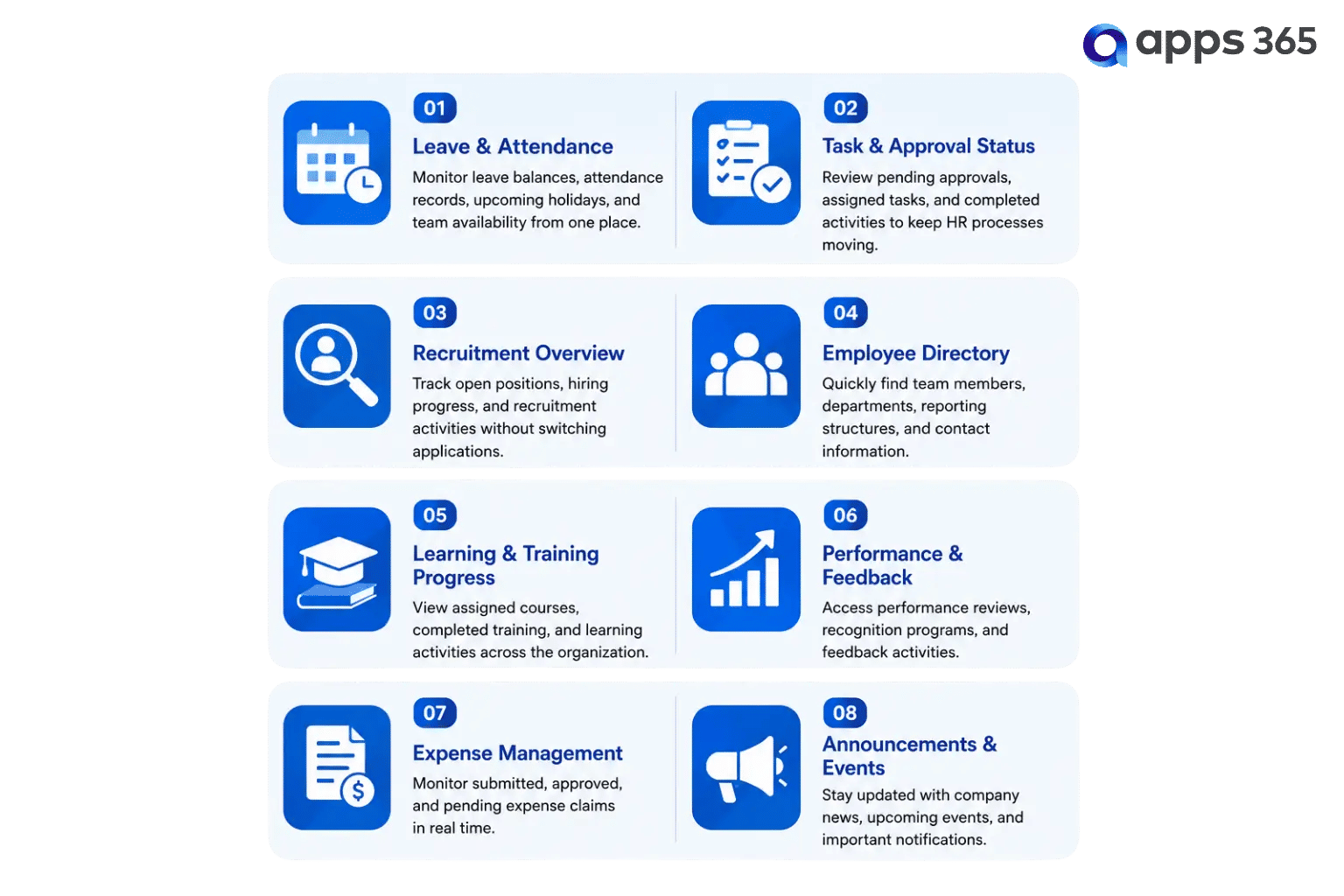
A modern HR dashboard is more than a reporting tool—it serves as the central workspace for HR teams and managers to monitor daily activities, access critical information, and make informed decisions. When designed effectively, it reduces the need to navigate multiple systems while providing a clear overview of the organization’s HR operations.
Why Do Businesses Need an HR Dashboard?
Instead of spending time searching for information, businesses can focus on making informed decisions and responding quickly to everyday HR needs.
Businesses commonly use HR dashboards to:
- Monitor current HR activity
- Track important HR metrics
- Review pending tasks and approvals
- Monitor recruitment activity
- Track attendance and leave
- Review performance activity
- Follow learning and training progress
- Monitor employee-related trends
- Give managers access to relevant HR information
A well-designed dashboard should focus on information that helps a specific user understand what is happening and what needs attention.
How Does HR Dashboard Software Benefit Your Organization?
- Centralized HR Information: Bring key HR data, metrics, and activities into one easy-to-view dashboard.
- Real-Time HR Visibility: Get a current view of attendance, leave, recruitment, performance, training, and other HR activities.
- Faster Decision-Making: Use clear HR metrics and visual data to make informed business decisions.
- Reduced Manual Reporting: Automate data collection and reporting instead of relying on multiple spreadsheets and manual updates.
- Better Manager Visibility: Give managers quick access to relevant team information, tasks, approvals, and HR activities.
- Improved HR Planning: Use HR trends and performance data to identify priorities and support better workforce planning.
Which Key Features Should Every HR Dashboard Include?
An effective HR dashboard does more than display data—it helps HR teams and managers monitor daily activities, access important information, and take action from a single interface.
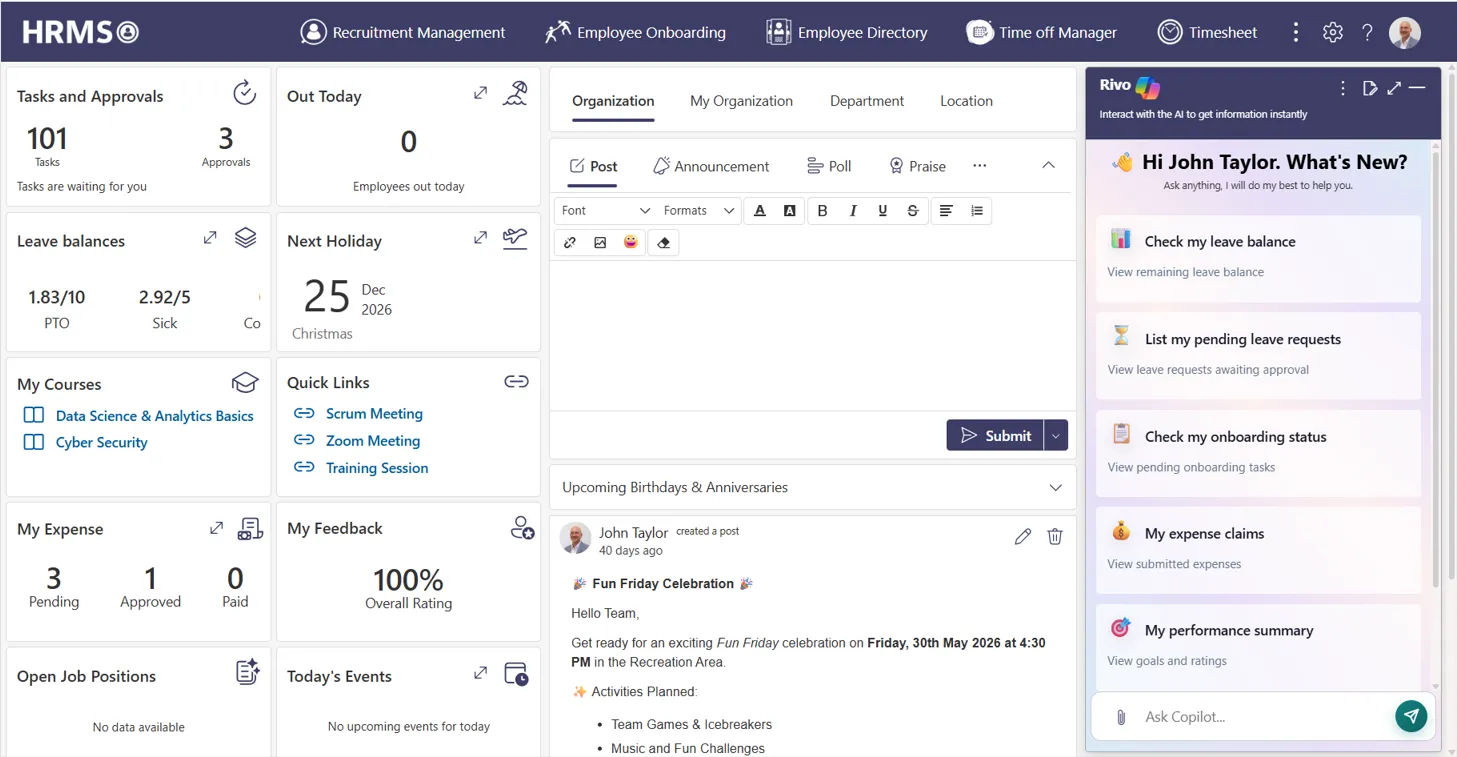
A dashboard overview gives users an instant snapshot of important HR activities. It highlights pending tasks, recent updates, upcoming events, and key workforce information, allowing managers to quickly understand what’s happening across the organization.
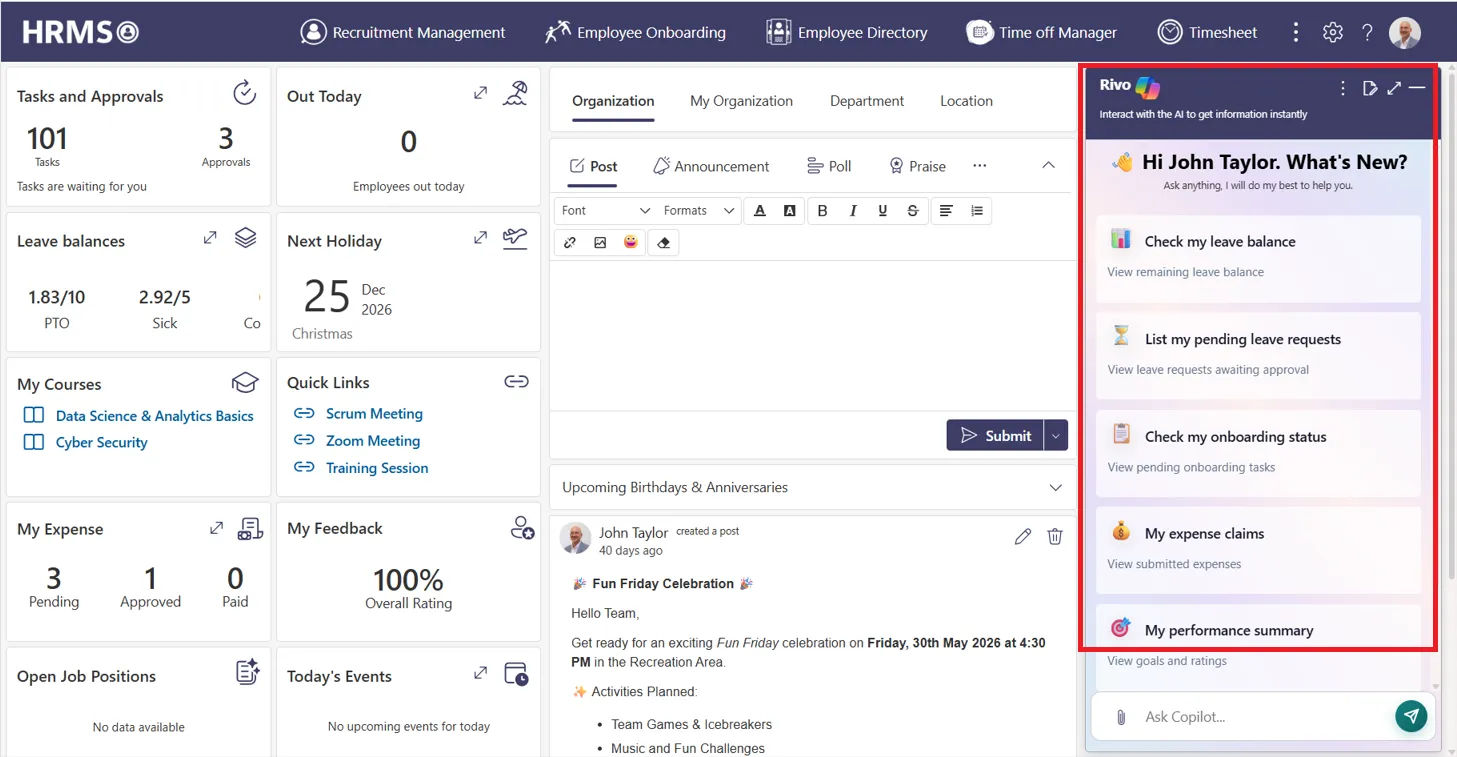
Modern HR dashboards increasingly include AI-powered capabilities that automate routine HR activities, surface important insights, and reduce repetitive administrative work. Automation helps HR teams respond faster while maintaining consistency across everyday processes.
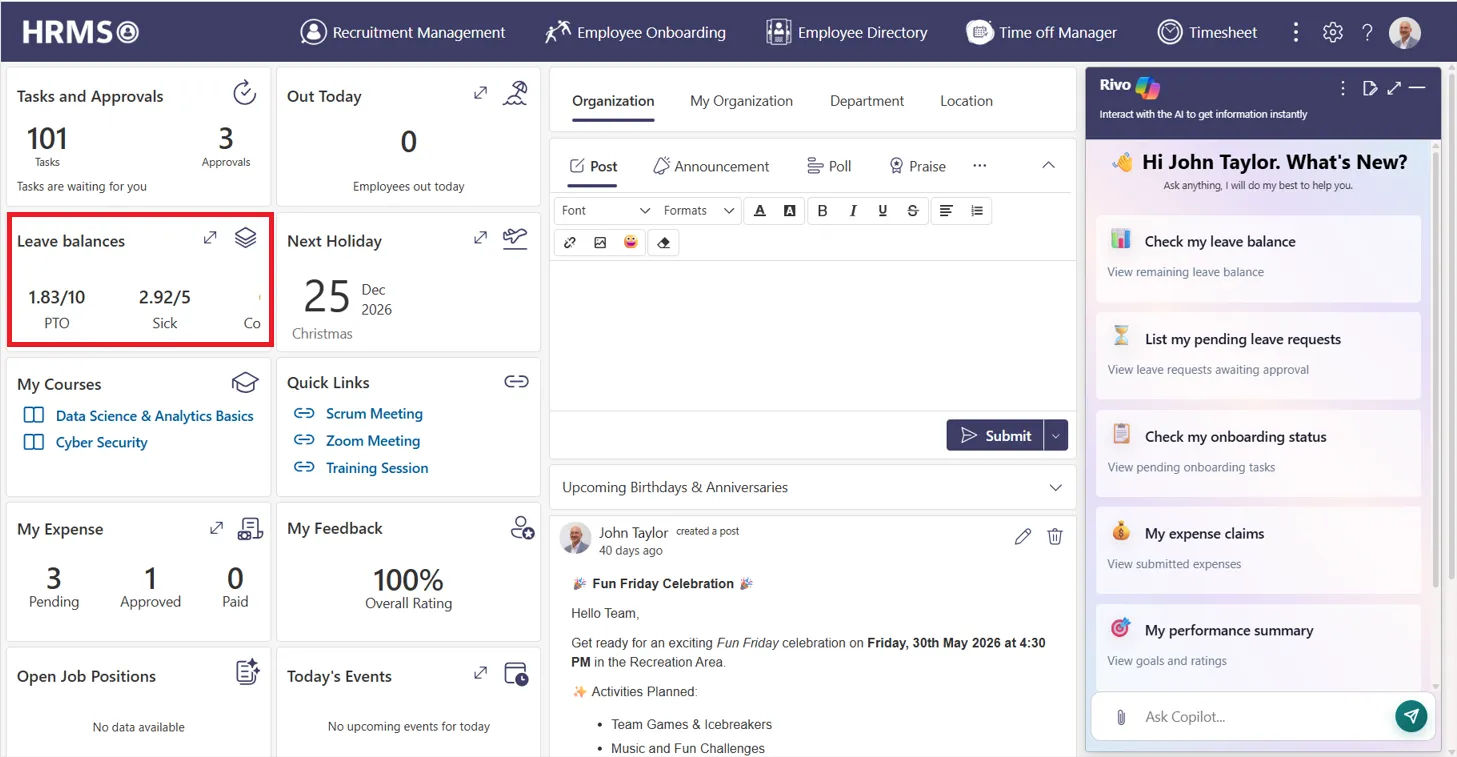
Leave management provides a clear view of leave balances, pending requests, upcoming holidays, and team availability. Having this information readily available helps HR teams manage time-off requests efficiently while reducing scheduling conflicts.
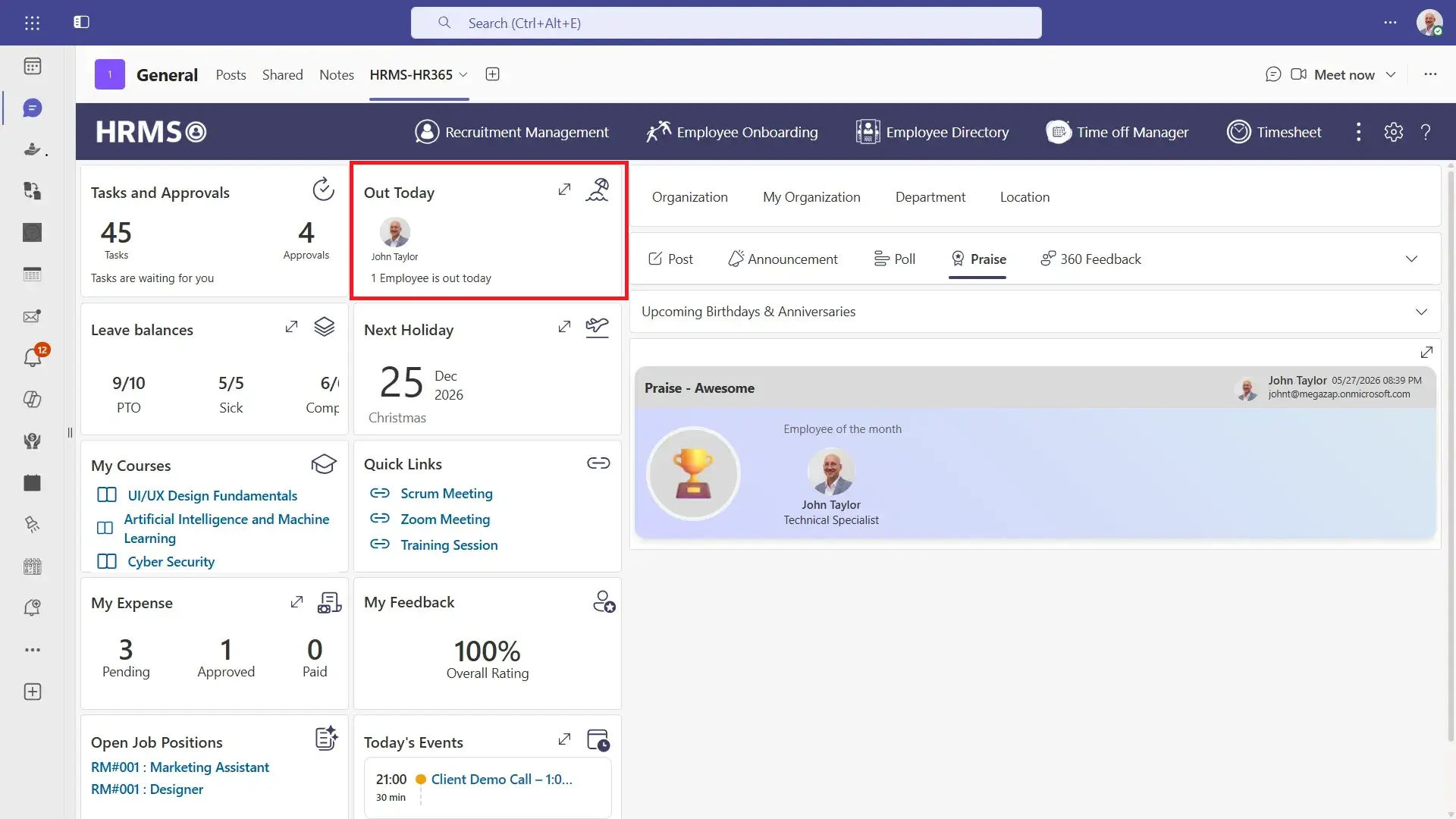
Attendance and timesheet tracking gives organizations a real-time view of daily attendance, out-today status, work hours, remote work, and overall team availability. This helps managers monitor attendance trends, record work hours accurately, and make informed staffing decisions throughout the day.
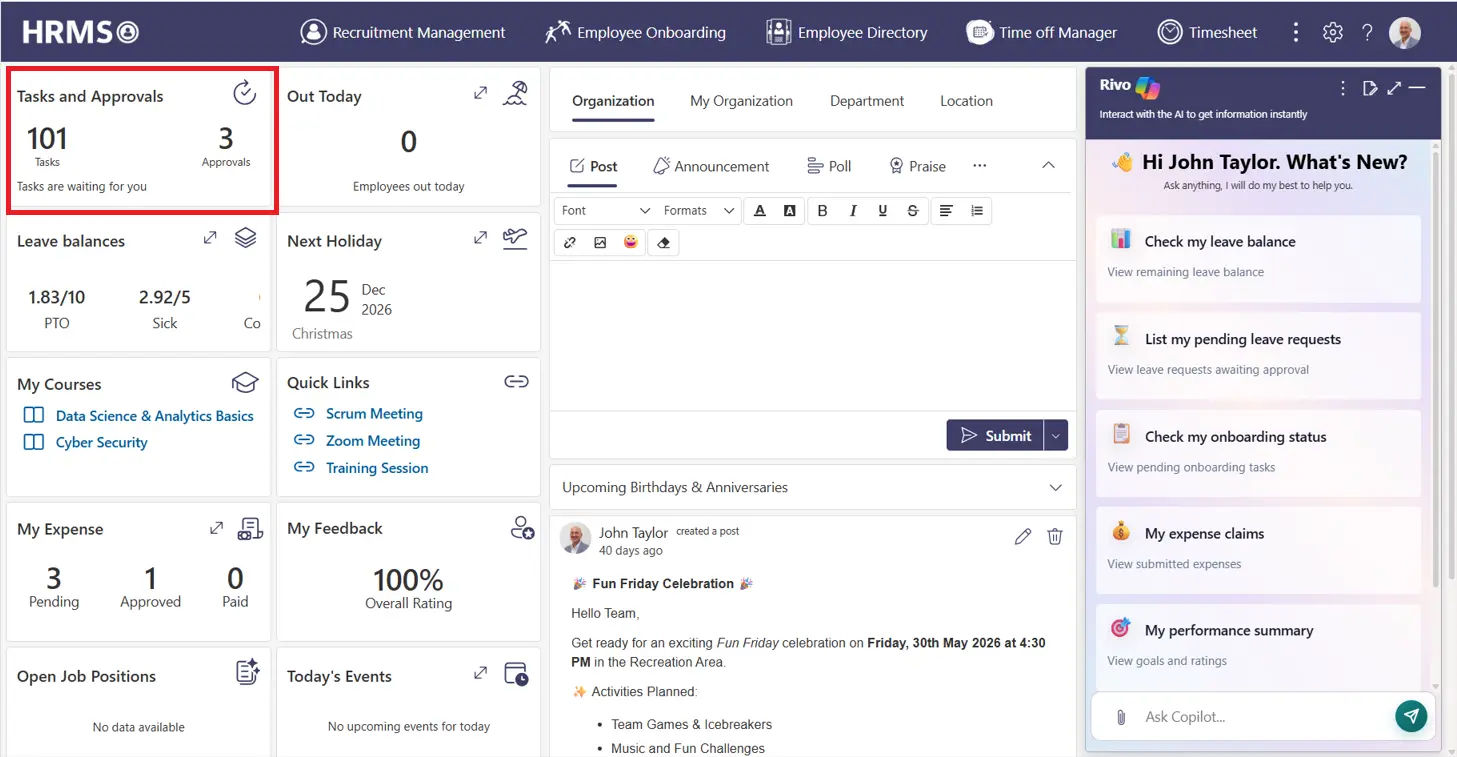
An HR dashboard should display pending approvals, assign tasks, and complete activities in one place. This helps managers prioritize actions, reduce approval delays, and keep HR processes moving smoothly.
.webp)
Recruitment features provide visibility into open positions, hiring progress, interview stages, and candidate pipelines. This enables HR teams to monitor recruitment activities without relying on separate hiring tools.
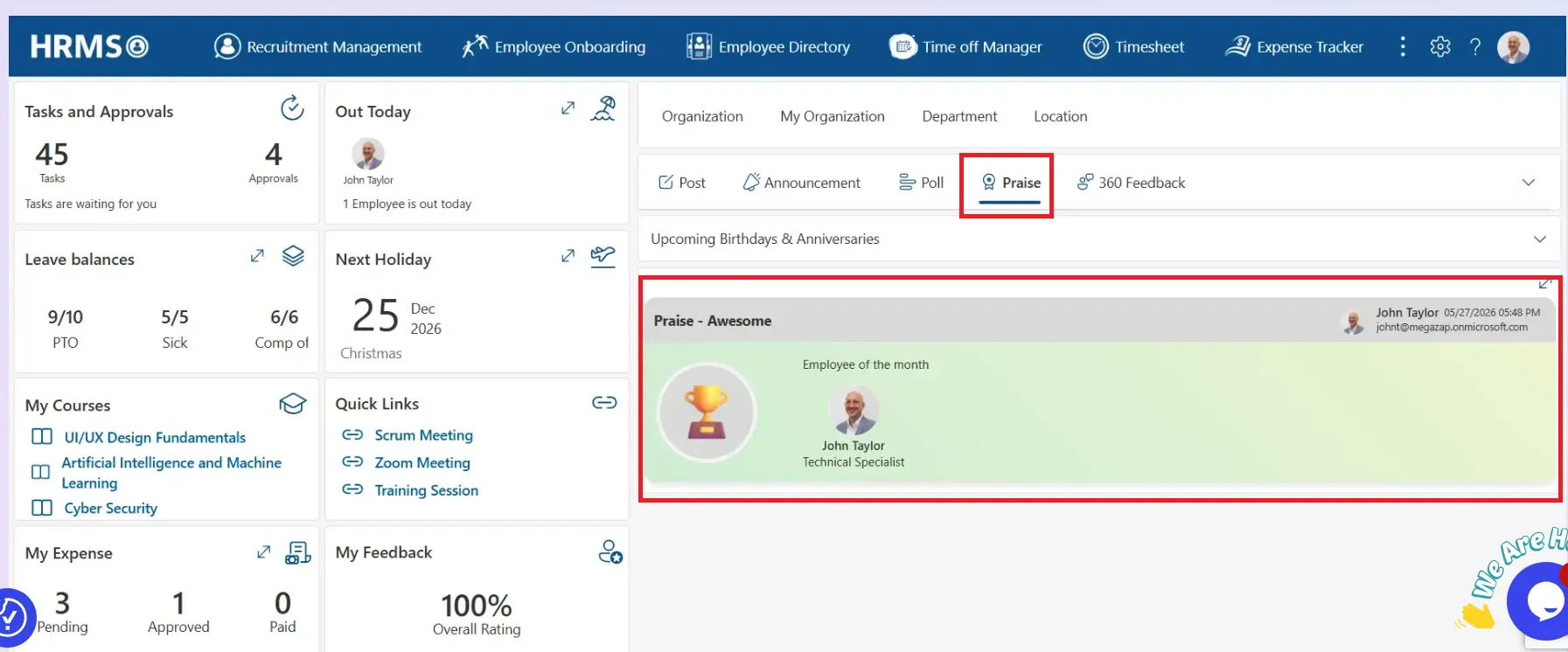
Performance management features help managers monitor review cycles, goal progress, 360-degree feedback, Praise, and Employee of the Month recognition from a centralized dashboard. Bringing performance information and recognition activities together supports continuous development, acknowledges outstanding contributions, and encourages regular performance discussions.
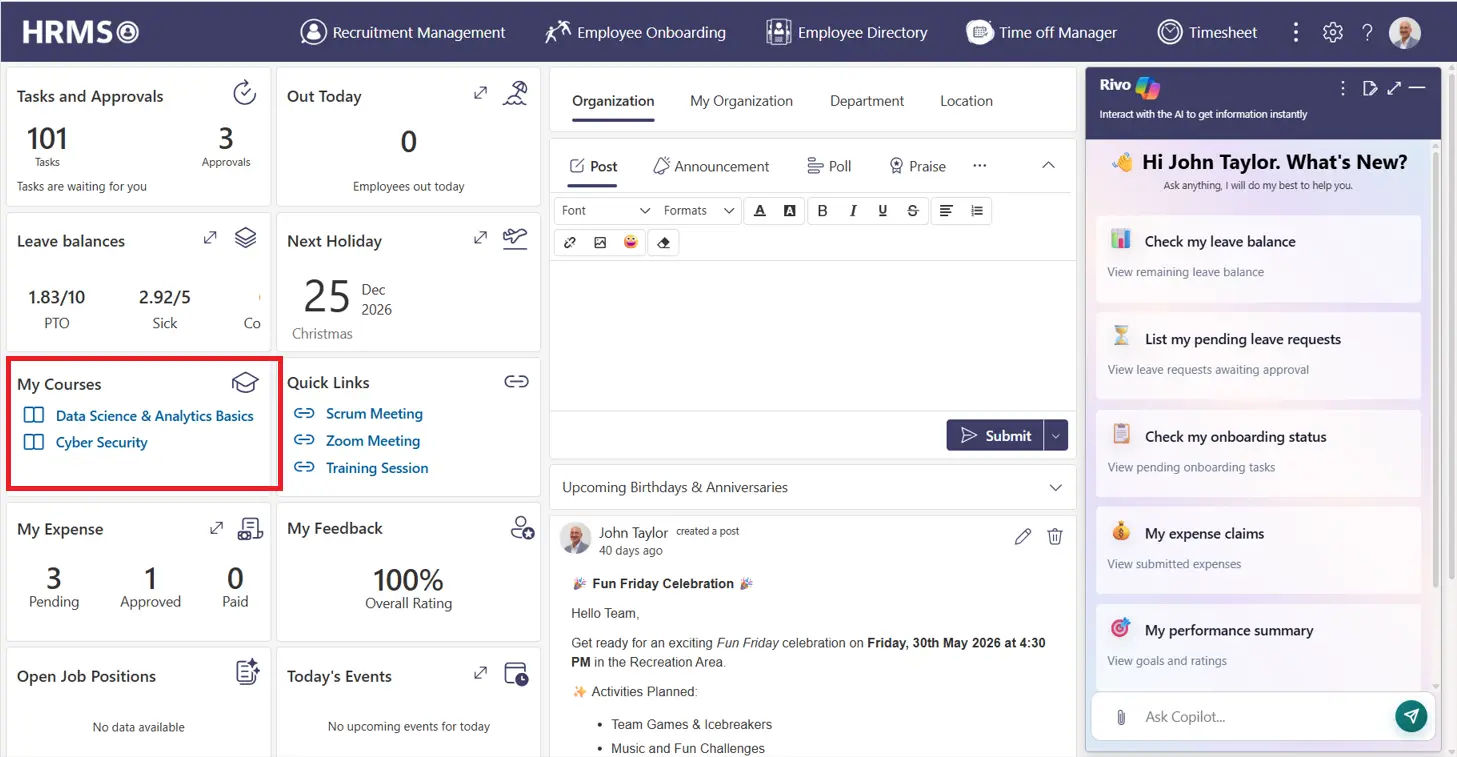
Learning and training dashboards track assigned courses, completed programs, certifications, and ongoing learning activities. This helps organizations monitor skill development while encouraging continuous learning.
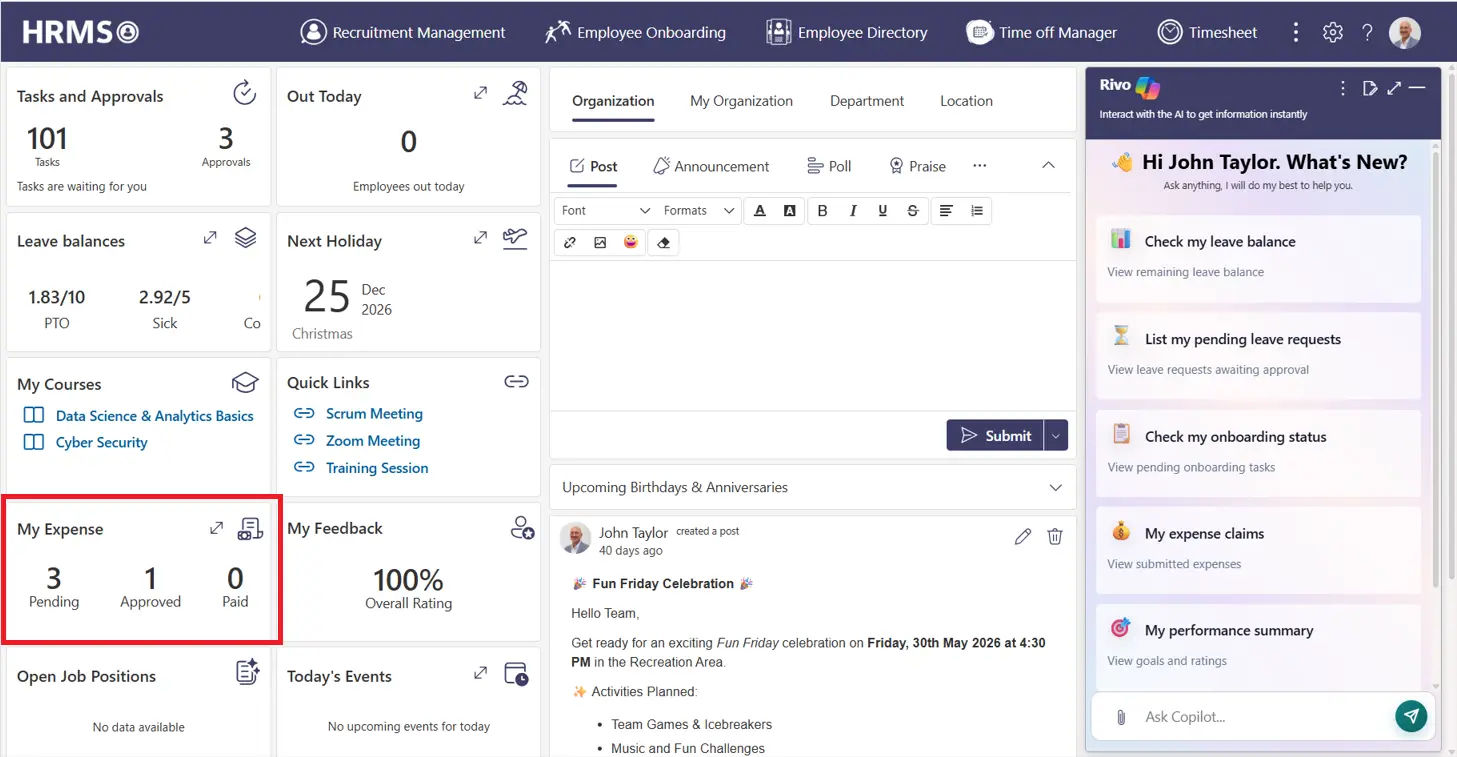
Expense management provides visibility into submitted, approved, pending, and reimbursed expense claims. HR and finance teams can review expense status without manually tracking individual requests.
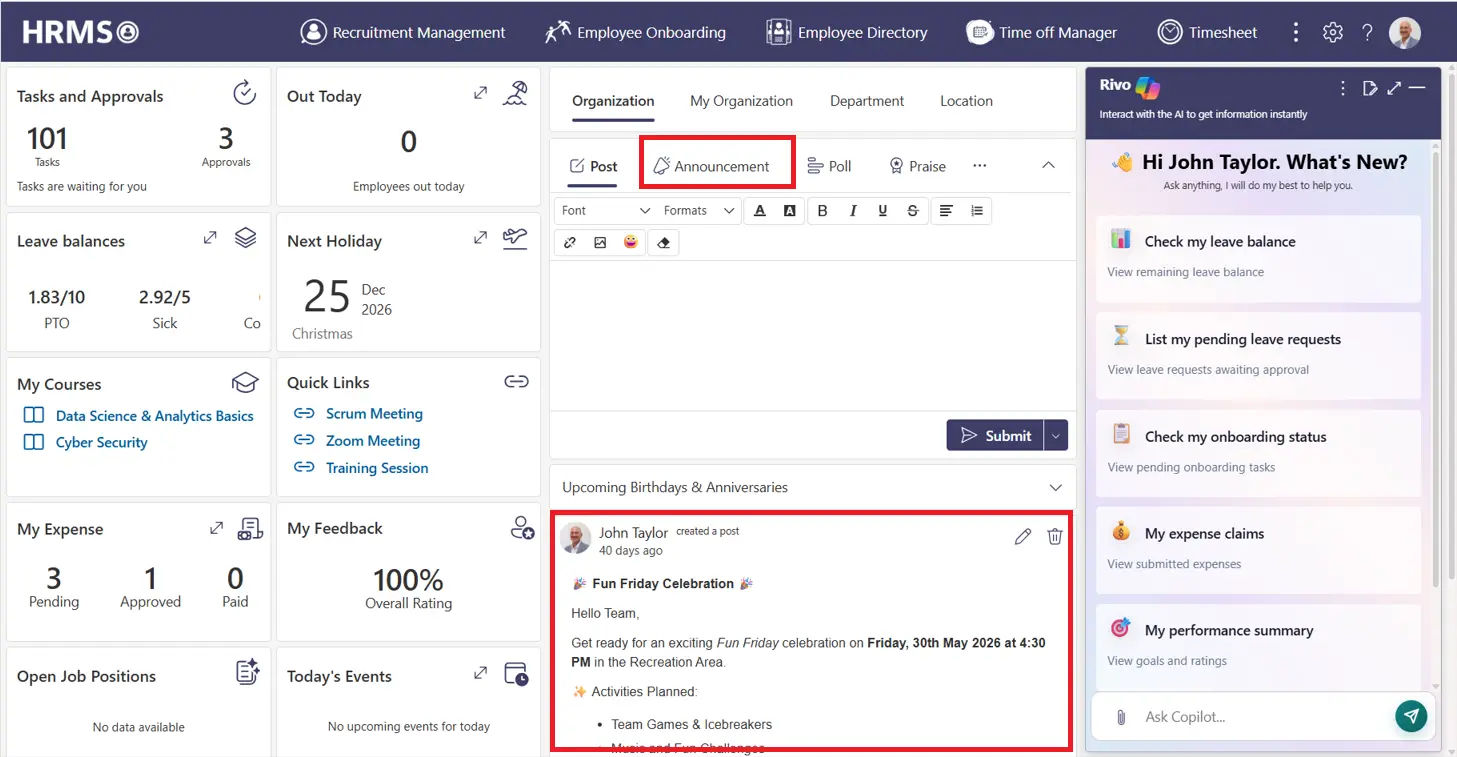
A centralized space for announcements, events, company news, and important updates helps keep everyone informed. Displaying this information directly on the dashboard improves communication and encourages greater participation across the organization.
Research from Sapient Insights Group shows that organizations using automated HR dashboards reduce manual reporting time by up to 67%, allowing HR teams to shift focus from administrative tasks to strategic workforce planning.
What Metrics Should Every HR Dashboard Track?
1. Workforce Metrics
- Headcount
- Headcount by department
- New hires
- Employee tenure
- Team distribution
2. Attendance and Leave Metrics
- Attendance rate
- Absence rate
- Work hours
- Leave usage
- People currently on leave
3. Recruitment Metrics
- Open positions
- Applications
- Candidates by stage
- Interviews
- Offers
- Hires
- Time to hire
4. Performance Metrics
- Review completion
- Goal progress
- Feedback activity
- Recognition activity
- Performance cycle status
5. Learning Metrics
- Training assigned
- Training completed
- Course progress
- Certifications
- Learning participation
6. Expense Metrics
- Submitted expenses
- Approved expenses
- Pending expenses
- Expense activity by department
The most useful metrics are those connected to specific business questions. A dashboard should not contain every available metric simply because the data exists.
What Are the Most Common HR Dashboard Mistakes to Avoid?
A dashboard can become difficult to use when it tries to show too much information.
- Showing Too Many Metrics
More data does not automatically create a better dashboard. Focus on metrics that answer specific business questions.
- Using the Same Dashboard for Everyone
Different users need different information. HR managers may need detailed HR activity, while executives may only need high-level indicators.
- Relying on Outdated Data
If dashboard information is not updated regularly, users may make decisions based on information that no longer reflects current activity.
- Ignoring User Experience
A dashboard filled with charts, tables, and numbers can become difficult to understand.
- Treating the Dashboard as a Static Report
A dashboard should provide an ongoing view of important information rather than simply reproducing a long report.
- Not Connecting the Dashboard With HR Activities
The most useful dashboards connect information with the HR processes behind it, such as approvals, tasks, attendance, recruitment, and performance.
Why Choose HR365 HRMS for Your HR Dashboard?
HR365 HRMS is built for organizations using Microsoft 365, bringing together essential HR functions in one interactive dashboard.
Here are some of the reasons organizations choose HR365 HRMS for their HR dashboard:
- Comprehensive HR Dashboard– Access leave requests, attendance, recruitment, learning, expenses, tasks, approvals, announcements, and employee information from a centralized dashboard.
- Built for Microsoft 365– HR365 HRMS works within the Microsoft ecosystem, helping organizations manage HR activities using familiar Microsoft 365 applications and services.
- Native SharePoint Integration– Built on SharePoint Online, HR365 HRMS stores HR data securely while taking advantage of your existing Microsoft 365 environment.
- Microsoft Teams Integration– HR teams and managers can access HR features directly within Microsoft Teams, reducing the need to switch between applications.
- AI-Powered Automation– Automate repetitive HR activities, accelerate approvals, and surface actionable insights that help HR teams focus on higher-value work.
- Complete Leave & Attendance Management– Track leave balances, manage leave requests, monitor attendance, and record work hours through integrated timesheets.
- Recruitment & Onboarding– Manage job openings, hiring activities, candidate tracking, and onboarding from a single HR platform.
- Performance Management– Conduct performance reviews, monitor goals, collect feedback, and recognize achievements using integrated performance tools.
- Learning & Training Management– Assign courses, monitor training progress, and track learning completion to support continuous development across the organization.
- Expense Management– Submit, review, approve, and monitor expense claims without relying on separate systems.
- Interactive Reports & Dashboards – Gain real-time visibility into workforce metrics, approvals, recruitment, attendance, leave, and other HR activities through configurable dashboards.
By bringing essential HR functions together in one platform, it helps businesses improve visibility, simplify daily operations, and make informed decisions through a centralized HR dashboard.
Conclusion
An HR dashboard is no longer just a reporting tool—it has become the central hub for managing everyday HR activities. By bringing together leave management, attendance, recruitment, performance, learning, expenses, approvals, and workforce insights in one place, organizations can work more efficiently and make better-informed decisions based on real-time information.
If you’re looking for HR dashboard software that fits naturally into your Microsoft 365 environment, HR365 HRMS offers a complete solution. With powerful dashboard capabilities, AI-powered automation, and seamless integration with SharePoint and Microsoft Teams, it helps organizations manage their HR operations from a single, easy-to-use platform.
Ready to Modernize Your HR Operations?
Discover how HR365 HRMS helps organizations simplify HR management with one powerful, easy-to-use platform.
Frequently Asked Questions
What is an HR dashboard?
An HR dashboard is a centralized interface that displays important HR data, activities, and metrics in one place. It helps HR teams and managers monitor leave, attendance, recruitment, performance, learning, expenses, and other HR processes without switching between multiple systems.
What are the main benefits of using HR dashboard software?
HR dashboard software provides better visibility into HR operations, supports faster decision-making, reduces manual administrative work, tracks key HR metrics in real time, and helps organizations manage multiple HR functions from a single platform.
Which features should a modern HR dashboard include?
A modern HR dashboard should include leave management, attendance and timesheets, employee directory, recruitment, performance management, learning and training, expense management, task and approval tracking, reports, analytics, and AI-powered automation.
What metrics should an HR dashboard track?
An HR dashboard should track metrics such as headcount, attendance, leave utilization, recruitment progress, performance reviews, training completion, expense status, pending approvals, and employee engagement to support informed business decisions.
How does an HR dashboard improve decision-making?
An HR dashboard provides real-time access to HR data, helping managers identify trends, monitor ongoing activities, review workforce metrics, and make informed decisions without waiting for manual reports.


_JiluXJRGNl.svg)























