


Employee training is essential for business success, helping employees build skills, improve productivity, and support growth. In 2026, choosing the right employee training software is key to staying competitive and achieving long-term success.
- Employee training software helps organizations deliver, manage, and track learning from one centralized platform, making training more consistent and scalable.
- The best platforms include features like role-based learning paths, mobile access, compliance tracking, real-time reporting, and seamless workplace integrations.
- Investing in employee training software can reduce onboarding costs, increase engagement, improve productivity, strengthen compliance, and support employee retention.
- Choosing the right employee training software means evaluating scalability, ease of use, reporting, integrations, and long-term business needs.
A study found that companies investing in employee development are 92% more likely to retain top talent. Training software supports this growth through consistent, measurable learning. Additionally, organizations investing in employee training programs report a 24% increase in productivity.
In this blog, we explore the best employee training software for 2026, their key benefits, and how they help businesses build skills, improve performance, and prepare teams for future growth.
What is Employee Training Software?
Employee training software helps organizations plan, deliver, and track learning programs in one platform. Employees can access courses, build skills at their own pace, and track progress, while managers monitor learning outcomes. It simplifies training by eliminating scattered resources and manual tracking.
Employee training software supports continuous growth by standardizing training, personalizing learning paths, and keeping content updated. It helps businesses track progress, improve performance, and build a culture of continuous learning.
Why Employee Training Software Matters in 2026
Employee training needs to be effective, scalable, and flexible as business and technology requirements evolve. Employee training software simplifies learning, helps employees build relevant skills, and prepares teams to handle new challenges.
Here’s why employee training software is vital in 2026:
- Scalability: Training software allows businesses to scale learning initiatives as they grow, providing easy access to training for new employees and ensuring ongoing development for current staff.
- Personalization: Modern software uses artificial intelligence to create personalized learning experiences, adjusting to each employee’s learning pace and preferences.
- Cost-Effectiveness: Traditional training methods such as in-person workshops or travel-intensive conferences can be expensive. Training software reduces these costs by offering remote and self-paced learning solutions.
- Tracking Progress: Real-time reporting and analytics allow managers to monitor employee progress, track performance, and adjust training paths based on data.
Key Features of an Employee Training LMS
An effective employee training LMS should fit naturally into daily work, support structured learning, and scale as organizations grow. The following features reflect what modern, Microsoft 365–aligned learning platforms offer to support employee development.
Cloud-Based Learning Environment
A cloud-based LMS ensures employees can access training anytime without complex setup. Learning content remains centralized, secure, and easy to update, supporting distributed and hybrid teams.Mobile-Ready Learning Access
Employees can complete training on desktops, tablets, or mobile devices. This flexibility allows learning to happen alongside daily tasks, improving completion rates and engagement.Engagement Through Gamification
Built-in gamification elements such as badges, progress indicators, and completion milestones encourage participation. These features help motivate learners and create a more interactive training experience.Real-Time Progress Tracking and Reporting
An LMS should provide real-time visibility into learner progress, course completion, and training effectiveness. Clear dashboards help HR and managers identify gaps and take action quickly.Certification and Compliance Tracking
Training platforms should support certification management, renewal reminders, and compliance tracking. This ensures mandatory training is completed on time and records remain audit-ready.Role-Based Learning Paths
Role-based learning paths allow organizations to assign relevant training based on job responsibilities. Employees receive focused learning that supports their role and career growth.Learning Within Daily Work Tools
A modern LMS integrates seamlessly with collaboration and productivity tools, allowing employees to access learning without leaving their work environment. This reduces friction and improves adoption.
- Structured Content Management
Training content should be organized within a secure and scalable framework. Structured content management ensures consistency while allowing learning programs to expand smoothly.
Top Employee Training Software for 2026
Now that we know what to look for, let’s explore the best employee training software solutions for 2026. These tools will help businesses improve employee development, increase productivity, and keep employees engaged.
1. LMS 365
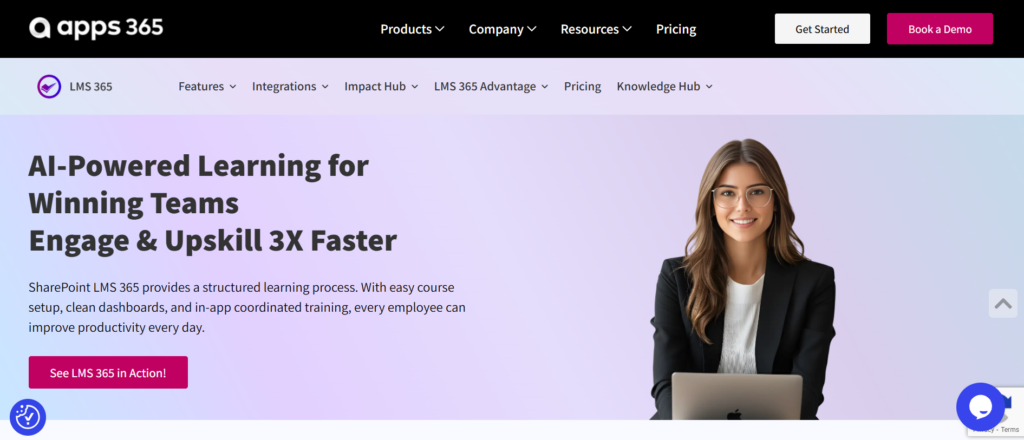
LMS 365 is a powerful employee training software designed for seamless integration with Microsoft 365 and SharePoint. Known for its user-friendly interface and scalability, LMS365 helps businesses deliver personalized training paths aligned with employee goals and organizational objectives.
Key Features:
- Integration with Microsoft 365 and SharePoint
- AI-driven personalized learning paths
- Mobile compatibility
- Scalable for businesses of all sizes
- Compliance tracking and reporting
- Seamless content management system
Why Choose LMS365:
LMS 365 offers a flexible, cloud-based learning solution with AI-powered personalized learning paths. Its integration with SharePoint and Microsoft 365 helps businesses streamline training, improve engagement, and support employee development.
💼 Ready to Transform Workplace Learning with LMS 365?
2. Pro Profs Training Software

Pro Profs is a simple, easy-to-use training software that offers powerful tools for building and delivering training programs. With customizable courses, assessments, and certifications, Pro Profs is a strong choice for businesses looking to streamline their employee training process.
Key Features:
- Customizable course creation
- Real-time tracking and reporting
- Interactive quizzes and assessments
- Easy integration with other business tools
Why Choose Pro Profs:
Pro Profs is an excellent option for businesses that need a quick-to-implement, customizable training platform. Its simplicity and range of features make it a great fit for businesses of any size.
3. Talent LMS
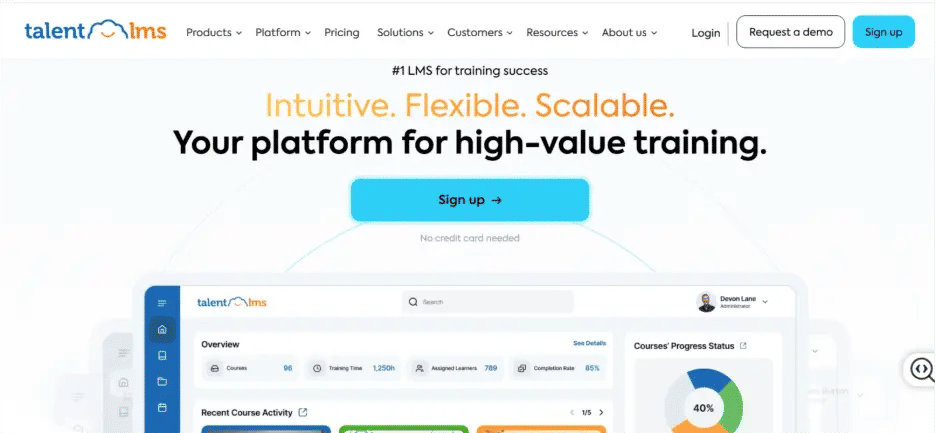
Talent LMS is an intuitive learning management system designed to deliver training at scale. It is best known for its clean interface and ease of use, making it an excellent choice for businesses that need a straightforward yet powerful learning tool.
Key Features:
- Cloud-based platform with mobile access
- Gamification elements to increase employee engagement
- Detailed reporting and analytics
- Compliance tracking
Why Choose Talent LMS:
Talent LMS is perfect for businesses that need a solution that’s easy to use and can grow with them. Its intuitive interface and ability to track progress and compliance make it a valuable tool for large organizations and growing companies.
4. Learn Upon
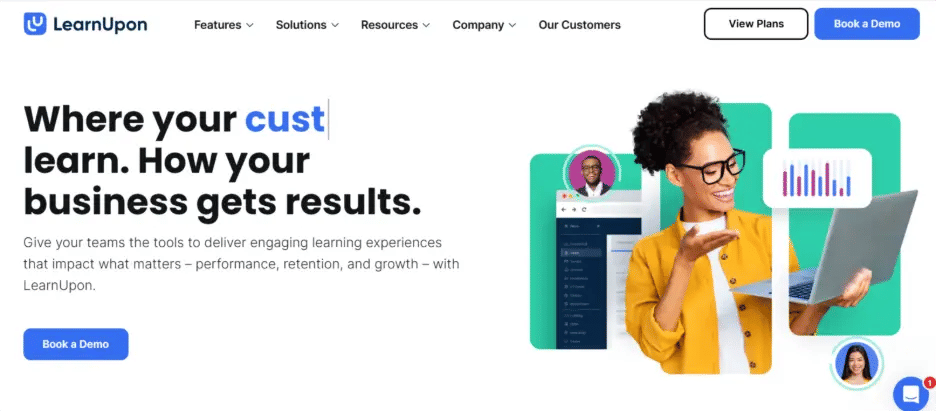
Learn Upon is a feature-rich LMS designed to make employee training efficient and engaging. It is particularly great for businesses that operate in multiple regions and require training content to be delivered in various languages.
Key Features:
- Multi-language support
- Custom branding options
- Detailed analytics and reporting
- User-friendly interface
Why Choose Learn Upon:
Learn Upon offers a comprehensive and customizable training solution. Its flexible, easy-to-use features make it a great choice for businesses of all sizes, especially those with global teams.
5. Cornerstone OnDemand

Cornerstone OnDemand is a comprehensive employee training software platform that combines learning, performance, and talent management in one solution. Known for its advanced features and customization options, Cornerstone OnDemand helps businesses of all sizes foster a culture of continuous learning and development.
Key Features:
- Customizable learning paths and courses
- Advanced analytics and reporting
- Mobile-friendly access
- Talent management and performance integration
- Social learning tools for collaboration
Why Choose Cornerstone OnDemand:
Cornerstone OnDemand is ideal for businesses looking for an all-in-one solution that integrates learning, performance management, and talent development. Its robust analytics and social learning features make it a powerful tool for businesses that prioritize employee growth and collaboration.
Benefits of Using the Best LMS for Employee Training
Employee training software simplifies learning, supports skill development, and improves employee engagement and performance. By automating training processes, businesses can save time, boost productivity, and support workforce growth. Here are the key benefits:
1. Increased Engagement
Employee training software uses quizzes, gamification, and real-time feedback to make learning engaging. These features keep employees motivated, improve participation, and help them achieve learning goals.
Quizzes and assessments: Test knowledge and reinforce learning.
Gamification: Badges and leaderboards boost motivation and engagement.
Real-time feedback: Helps employees track progress and identify areas for improvement.
2. Improved Performance
Employee training software improves knowledge retention through self-paced learning and personalized training. It helps employees develop relevant skills, improve performance, and access learning materials when needed.
Self-paced learning: Lets employees learn at their own speed without pressure.
Personalized learning paths: Focus on role-specific skills and development goals.
On-demand access: Allows employees to revisit materials and reinforce learning.
3. Cost Savings
Employee training software reduces training costs by replacing expensive workshops, travel, and printed materials with digital learning. It helps businesses deliver quality training while saving time and money.
Lower travel costs: Employees can complete training from anywhere.
Digital content: Eliminates printed materials and venue expenses.
Scalable training: Supports large teams without significantly increasing costs.
4. Compliance Assurance
Employee training software simplifies compliance by tracking certifications, training completions, and deadlines. It helps businesses meet regulatory requirements and monitor employee progress.
Automated tracking: Monitors certifications and training completions.
Compliance reports: Generates reports to support regulatory requirements.
Certification reminders: Alerts employees before training deadlines.
5. Retention of Top Talent
Employees are more likely to stay with a company that supports their career growth and development. By offering continuous learning opportunities, businesses can retain their best talent. Training software enables businesses to develop and upskill employees, making them feel valued and supported in their career journey. As employees see growth opportunities within the organization, they are more likely to stay and contribute to long-term success.
- Career development: Employees are more likely to stay when they see opportunities for growth and development.
- Skill enhancement: Continuous learning programs help employees expand their skills, making them more valuable to the organization.
- Employee satisfaction: Offering training shows employees that the company cares about their professional development and future.
6. Streamlined Onboarding
Employee training software supports career growth, skill development, and employee retention. Continuous learning opportunities help employees feel valued, improve job satisfaction, and encourage long-term commitment.
Career development: Provides growth opportunities that improve retention.
Skill enhancement: Helps employees build skills through continuous learning.
Employee satisfaction: Shows commitment to employee growth and development.
7. Data-Driven Insights
Employee training software provides analytics and reports to track learning progress, completion rates, and performance. These insights help managers improve training programs and make better decisions.
Detailed reports: Track progress and identify areas for improvement.
Actionable insights: Use data to improve training effectiveness.
Better decisions: Help managers plan training based on real-time insights.
8. Scalability and Flexibility
Employee training software supports business growth by scaling training across teams and locations. Employees can access courses on desktops, laptops, tablets, or smartphones, allowing flexible learning from anywhere.
- Scalable solutions: Supports growing teams and multiple locations without major additional costs.
- Flexible learning environments: Employees can access training from any device, at any time, making it easier for remote or on-the-go workers.
- Customizable training: Tailor the software to your company’s specific training needs, ensuring a personalized learning experience.
How to Choose Employee Training Software
- Assess Company Size and Needs: Choose a software that aligns with your company’s size, industry, and specific training requirements.
- Look for Flexibility and Ease of Use: Select a platform that is user-friendly and adaptable to the unique needs of your team.
- Mobile Access: Ensure the software offers mobile compatibility so employees can access training on-the-go.
- Real-Time Reporting and Analytics: Choose a platform that provides detailed tracking and progress reports to monitor employee performance.
- Scalability: Make sure the software can grow with your business, allowing for the addition of more employees and training modules as your organization expands.
- Integration with Existing Systems: Check if the software integrates easily with your current business systems like HR software or collaboration tools.
- Customization Options: Ensure the platform allows for customized learning paths and content tailored to your specific business needs.
- Customer Support: Opt for software that offers strong customer support to assist with any issues during setup or use.
How Microsoft-Built LMS 365 Helps You in Employee Training
Microsoft-built LMS 365 helps employee training feel like a natural part of everyday work by bringing learning directly into the Microsoft 365 environment. Employees can access courses, complete training, and follow learning paths using familiar tools, which improves participation and reduces resistance to training programs.
For organizations, LMS 365 simplifies training management by keeping content, assignments, and progress tracking in one place. HR and L&D teams gain real-time visibility into course completion and learning outcomes, while role-based training ensures employees receive relevant learning aligned with their responsibilities.
LMS 365 also supports a secure and consistent training framework. Training data stays within Microsoft 365, supporting governance and compliance while reducing reliance on additional platforms. This centralized approach helps organizations continuously improve training programs, close skill gaps, and keep employee development aligned with long-term business goals.
Conclusion
As businesses continue to grow and evolve, investing in the right employee training software is essential. The platforms mentioned above offer scalable, cost-effective, and engaging training solutions that can help companies stay competitive in 2026 and beyond. By providing your employees with the tools they need to succeed, you are investing in the future success of your business.
See how the best employee training software can revolutionize your workforce development.
Join Our Creative Community
Frequently Asked Questions
What is the best employee training software for small businesses?
There are several great options for small businesses, and LMS365 is one of the best due to its seamless integration with Microsoft 365 and its scalability. It offers powerful features, such as personalized learning paths and mobile access, making it ideal for growing businesses. However, the best choice will depend on your company’s specific needs.
How can employee training software improve performance?
Employee training software improves performance by offering personalized, interactive learning that is tailored to the employee’s role and skill gaps. This targeted training approach enhances knowledge retention and ensures that employees are better equipped to perform their jobs, leading to increased productivity and improved job performance.
Can I track employee progress with training software?
Yes, most employee training software platforms provide real-time tracking, allowing managers to monitor completion rates, progress, and areas for improvement. This feature ensures that training is on track and helps identify any gaps that need to be addressed.
Is employee training software suitable for remote teams?
Absolutely! Cloud-based and mobile-friendly training software is ideal for remote teams. It allows employees to access training materials from anywhere, at any time, ensuring that they receive consistent learning experiences, regardless of their location or schedule.
What should I look for when choosing employee training software?
When choosing employee training software, look for a solution that is scalable, offers mobile access, provides real-time reporting, and integrates with your existing business tools. It’s also important to consider whether the software offers personalized learning paths and the ability to track employee progress to ensure that training is effective and aligned with business goals.
What is an Employee Training LMS?
An Employee Training LMS is a learning platform that helps organizations deliver, manage, and track employee training in a structured way. It supports role-based learning, progress tracking, and consistent skill development across teams.
How do organizations choose the best LMS for employee training?
The best LMS for employee training is one that fits existing workflows, supports scalable learning, and provides clear reporting. Organizations look for flexibility, ease of use, and the ability to align training with job roles and business goals.
What is employee skill development software for enterprises?
Employee skill development software helps large organizations identify skill gaps, assign relevant training, track employee progress, and support continuous learning across teams and departments.


_JiluXJRGNl.svg)























