









































If your team already runs on Microsoft 365, chances are your support requests are scattered across email inboxes, Teams chats, and half-built SharePoint lists. A dedicated SharePoint helpdesk software brings all of that together, so tickets get logged, assigned, tracked, and closed inside the same Microsoft environment your team already uses every day.

- Native and AI-first: Helpdesk 365 leads this list with native SharePoint, Teams, and Outlook integration plus AI-powered ticket routing.
- Every tool connects to SharePoint: all 6 tools reviewed here connect directly, or through a dedicated connector, with SharePoint, so you are not stuck exporting data between systems.
- Look past the feature list: check how each tool handles SLA tracking, automation, data residency, and Modern UI support before you commit.
- No pricing here on purpose: use this guide to shortlist tools, then request a demo to get details tailored to your team size and setup.
In this guide, we compare the 6 best SharePoint helpdesk software tools for 2026, starting with Helpdesk 365, a ticketing system built natively inside SharePoint, Teams, and Outlook. Whether you run an internal IT helpdesk, an HR service center, or a customer support team, this list will help you shortlist a tool that fits your workflow without forcing you to leave the Microsoft ecosystem.
Why Your Team Needs a SharePoint-Integrated Helpdesk
Most support processes do not start out messy, they get that way slowly. A request comes in by email, another lands in a Teams chat, and a third gets logged in a SharePoint list that nobody remembers to check. Within a few months, nobody can say for certain how many tickets are open, who owns them, or how long they have been sitting there.
A SharePoint helpdesk fixes this by giving every request a single home inside the Microsoft 365 environment your team already trusts. Because the tool sits inside SharePoint, Teams, or Outlook, employees do not need a new login or a new app, which means faster adoption and fewer tickets about the ticketing system itself.
The right tool also brings structure: SLA timers that flag requests before they breach deadlines, automatic routing so tickets land with the correct agent, and reporting that turns raw ticket data into decisions your IT, HR, or service team can act on.
The 6 Best SharePoint Helpdesk Software Tools
We looked at how deeply each tool integrates with SharePoint, Teams, and Outlook, how much automation it offers out of the box, and how well it fits different team sizes and compliance needs. Here is the full list, starting with our top pick.
1. Helpdesk 365
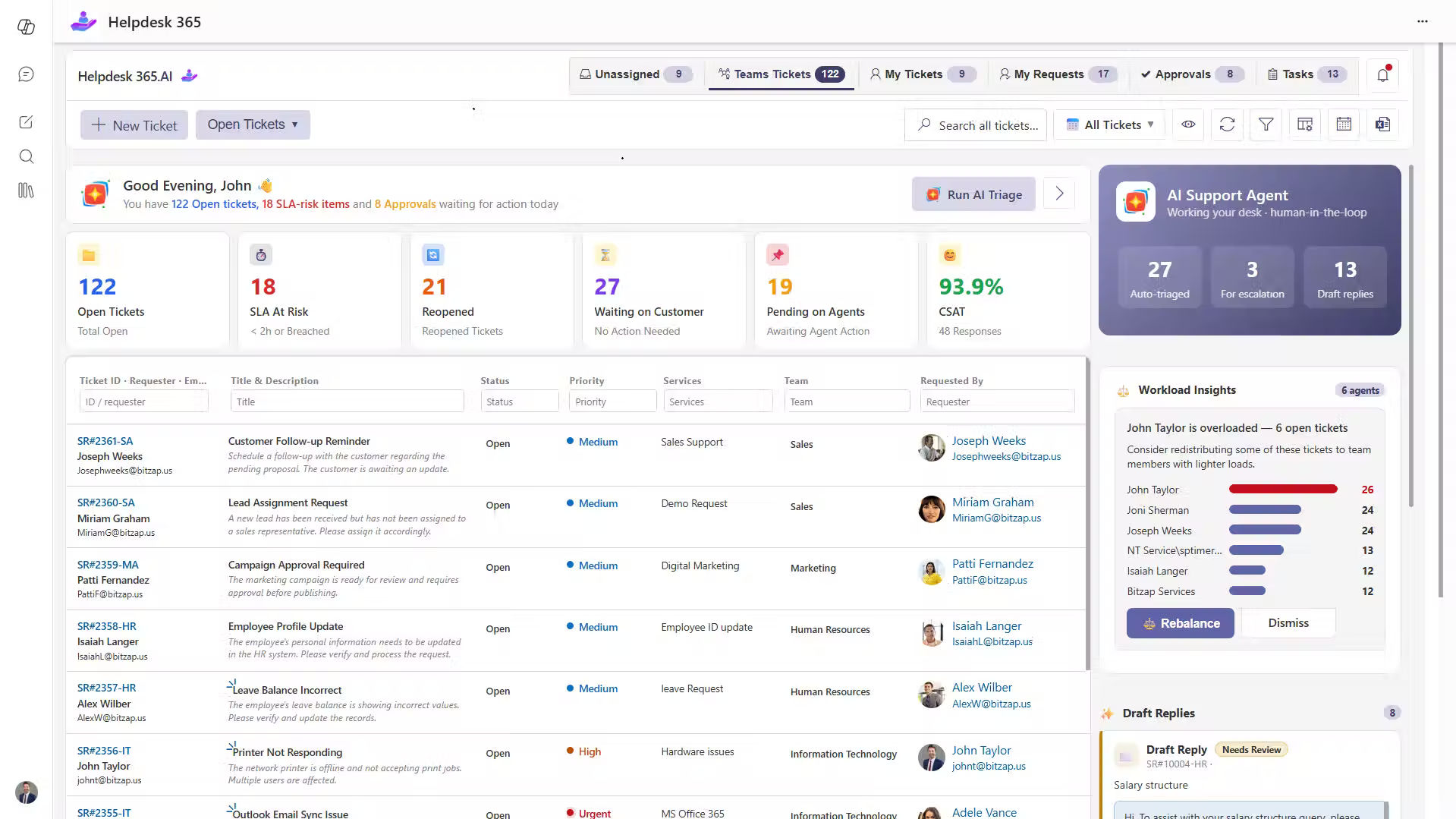
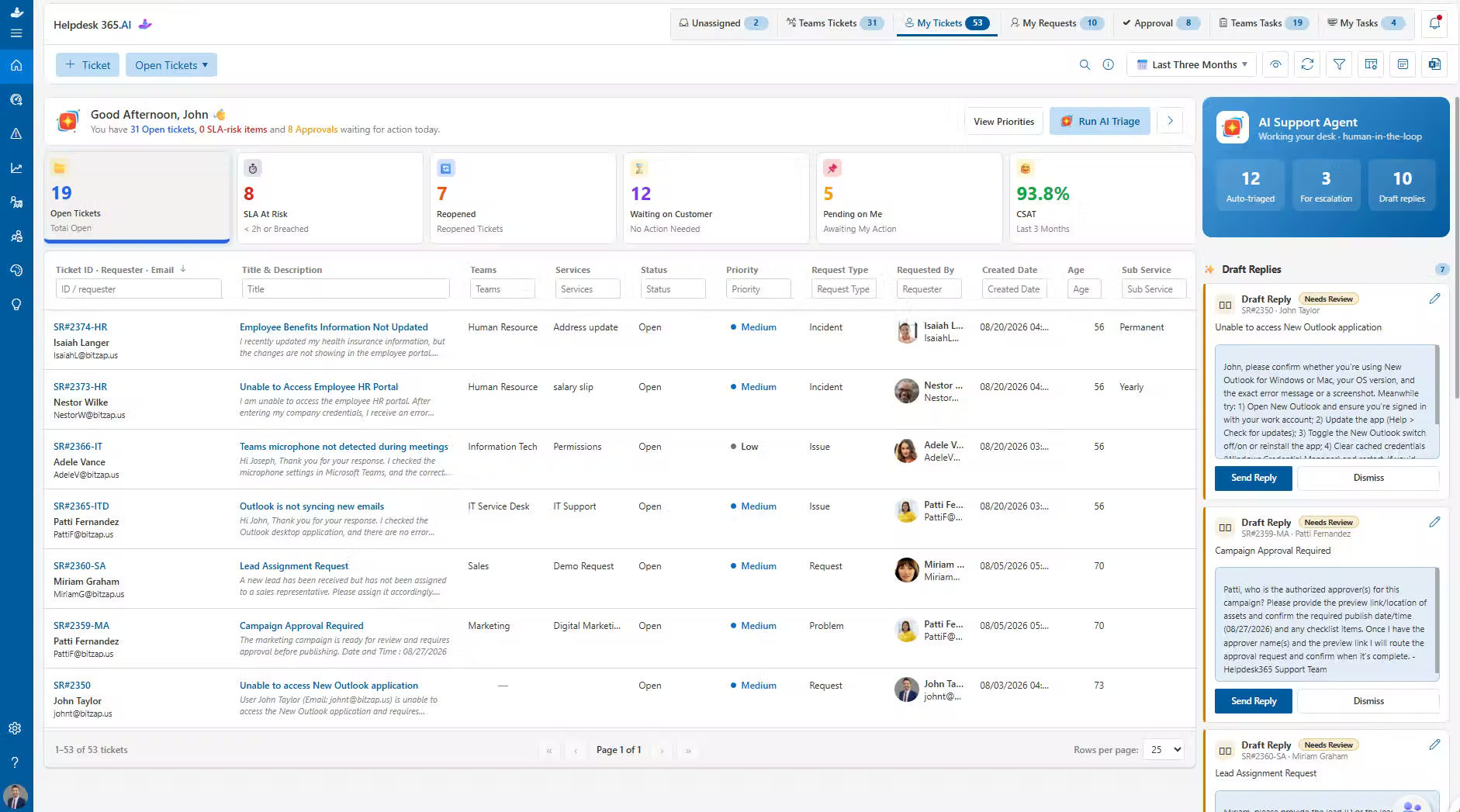
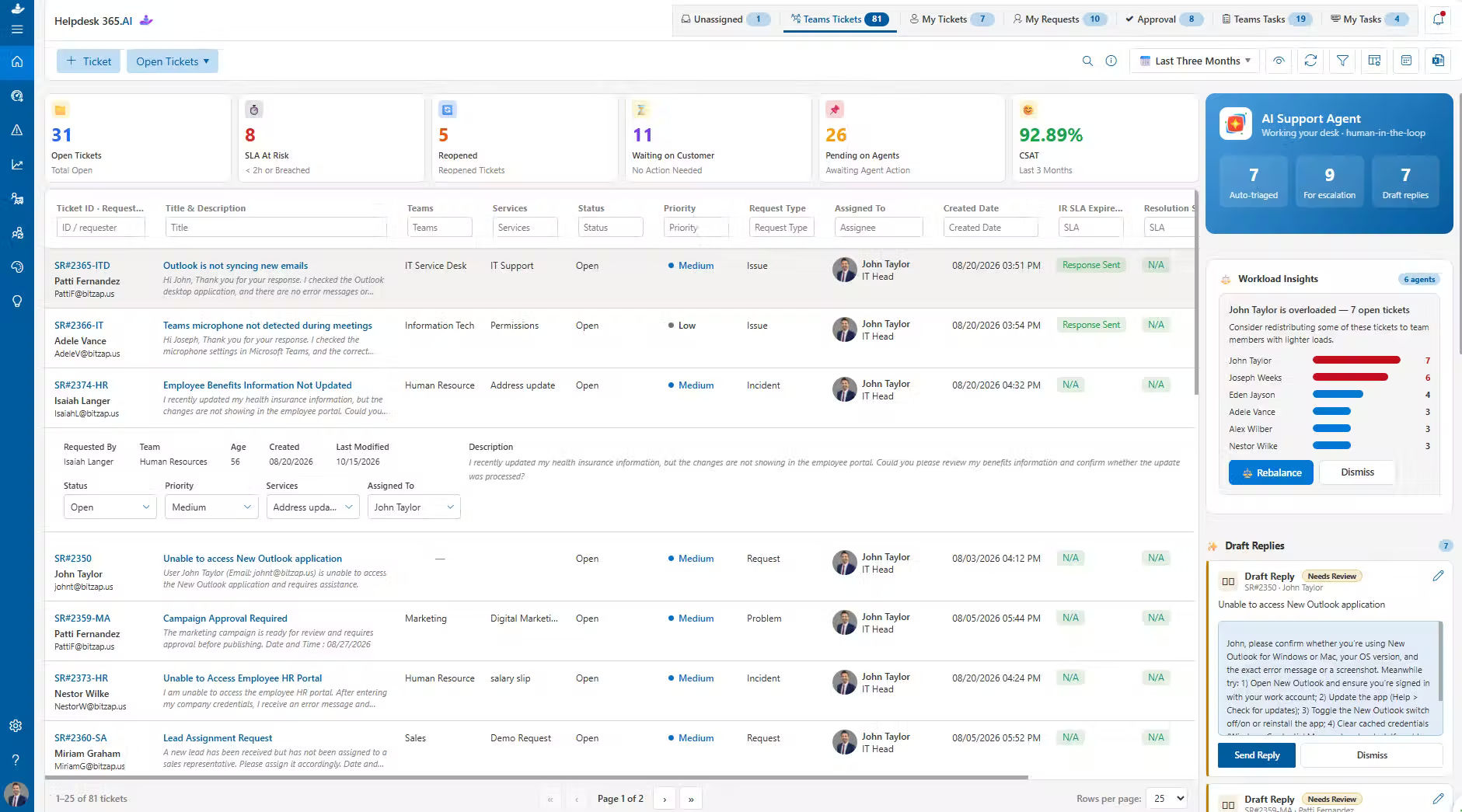
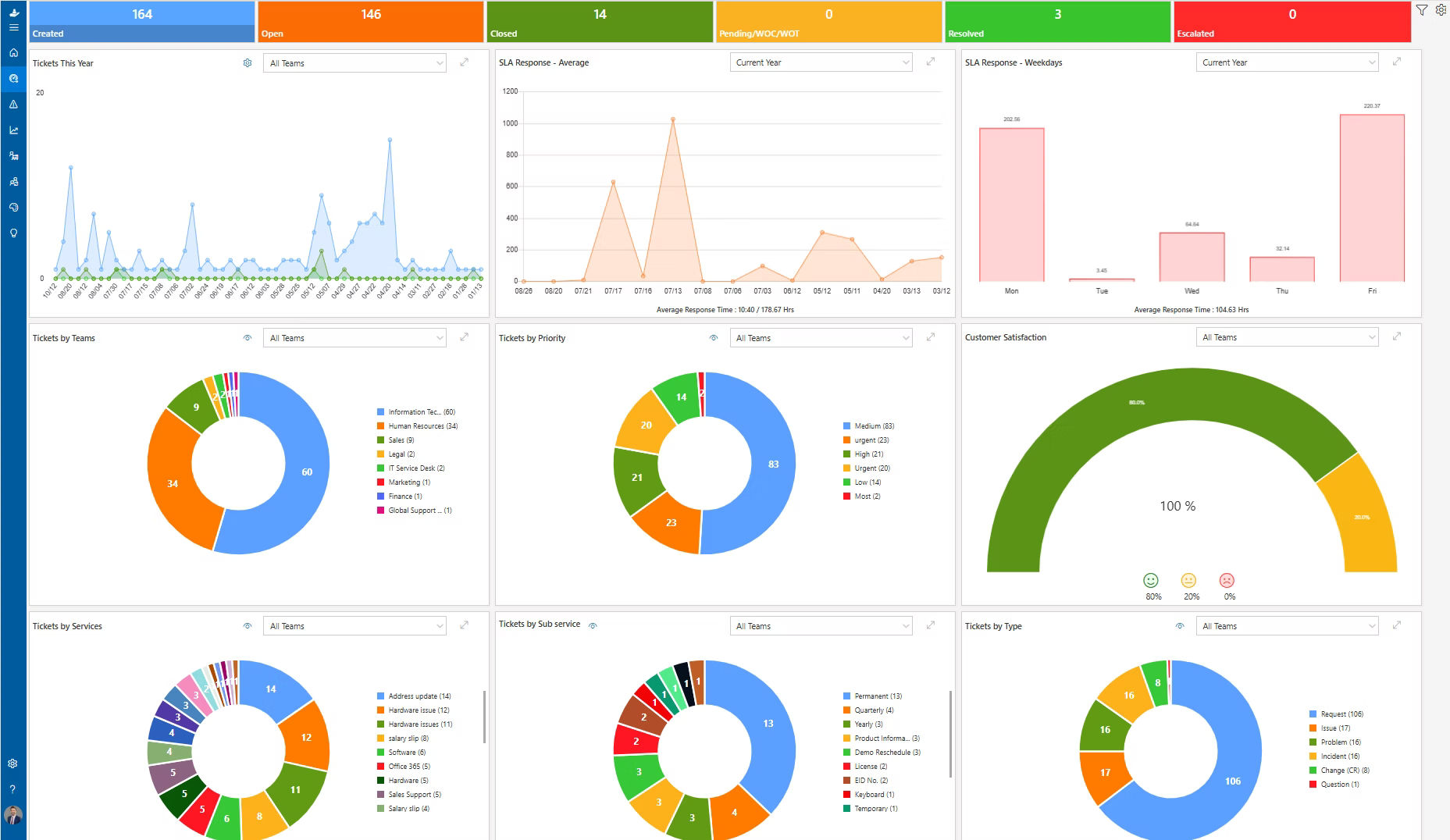
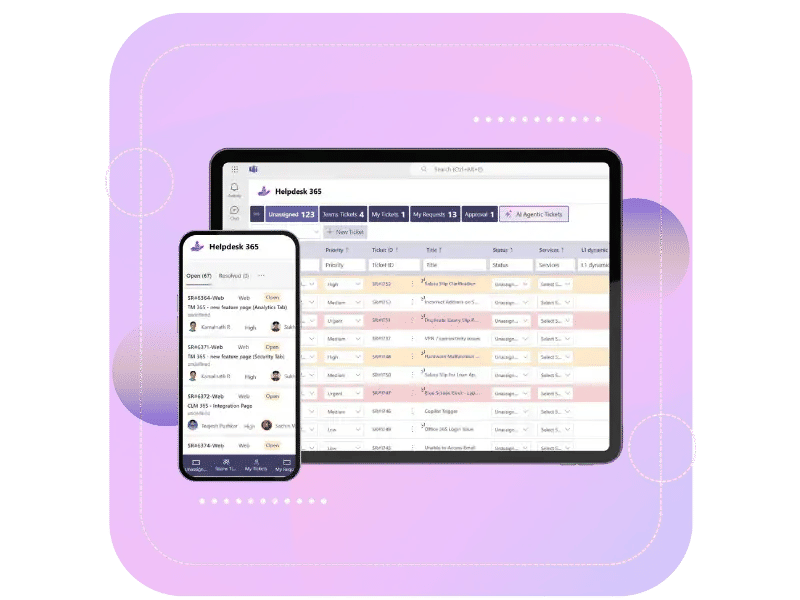
Helpdesk 365 tops this list because it is built directly on SharePoint and Microsoft 365, rather than bolted on as a separate app you have to log into. Employees can raise a ticket from a Teams chat, an email, or a SharePoint page, and agents work the queue from a single, familiar dashboard.
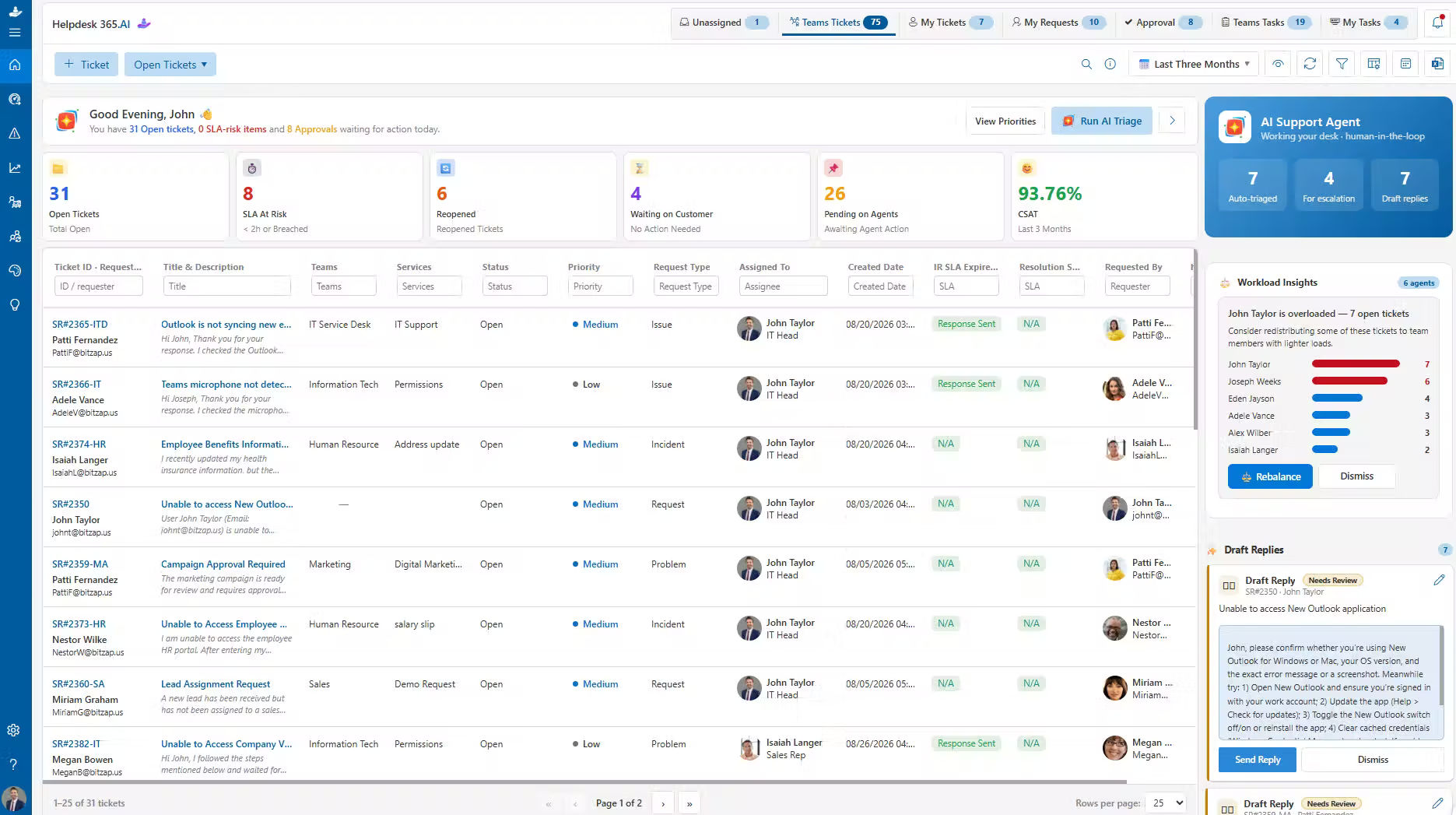
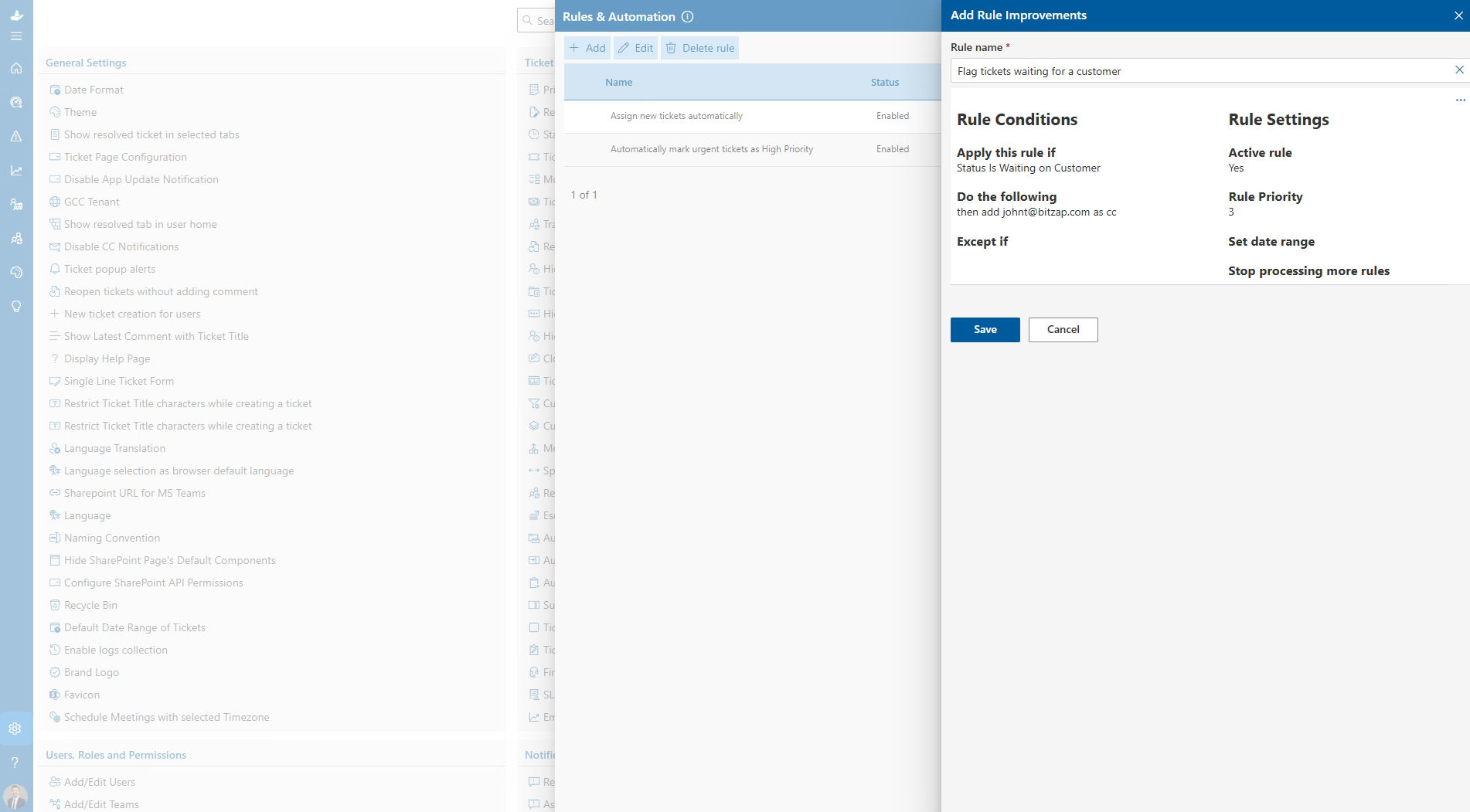
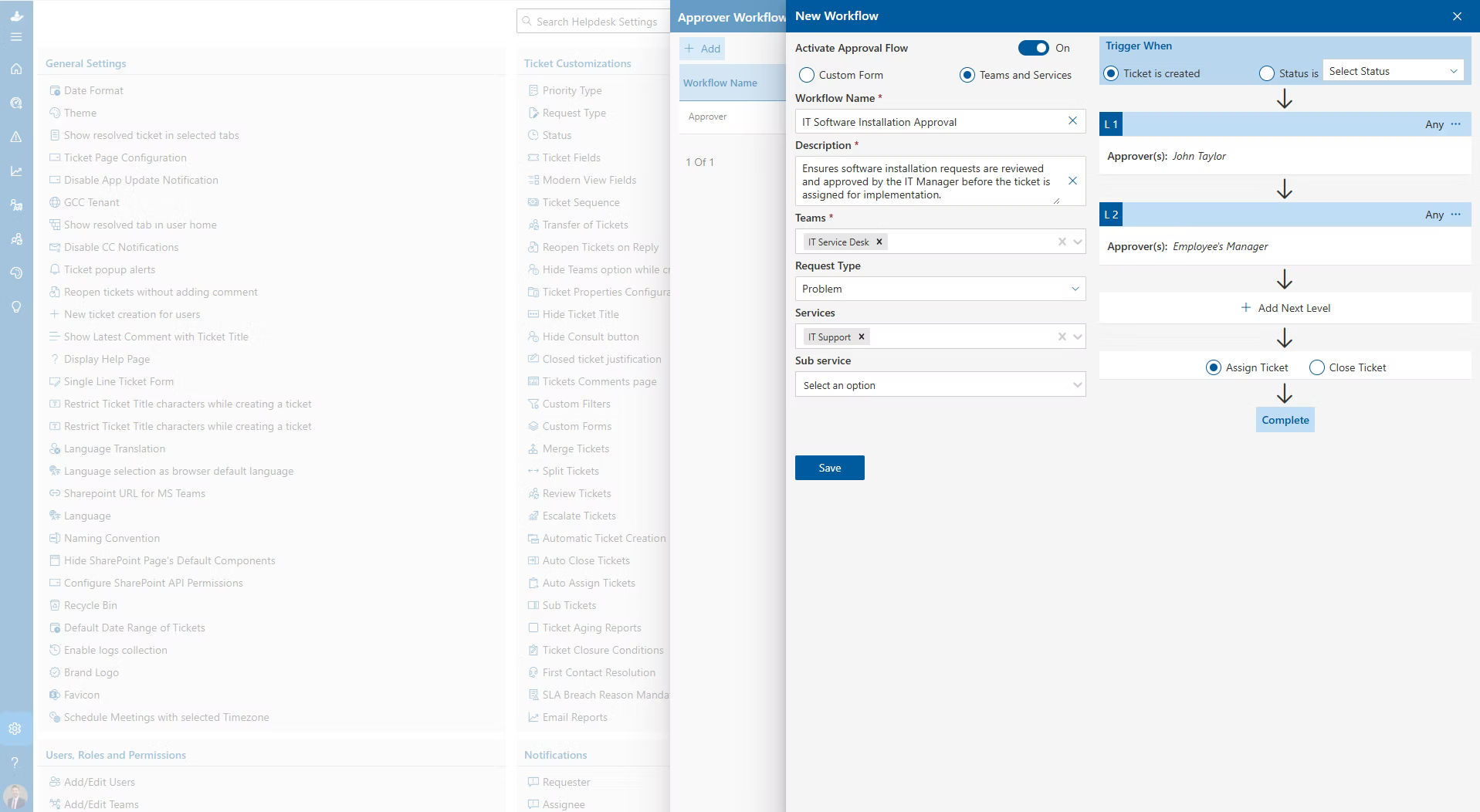
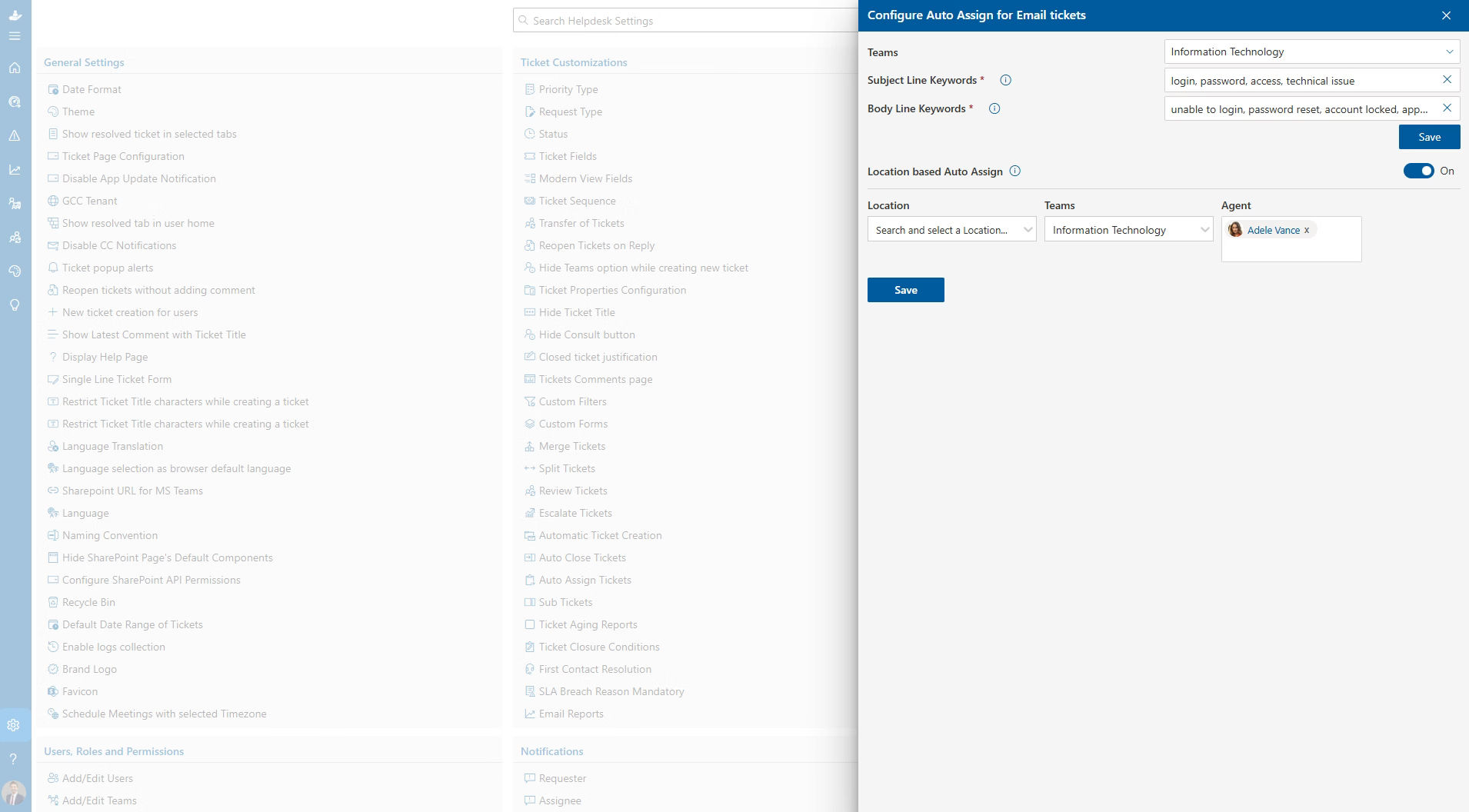
What sets it apart is the AI layer sitting on top of the ticketing engine. Incoming requests are read automatically, categorized by urgency and topic, and routed to the right agent or team, cutting down the manual sorting that eats up an agent’s morning. Routine requests, such as password resets or access approvals, can be resolved without a human ever touching the ticket.
Key features:
- Native ticket creation from Teams, Outlook, and SharePoint
- AI-based categorization, prioritization, and auto-routing
- SLA policies with automatic escalation
- Canned responses and automated CSAT surveys
- Azure DevOps and Azure Active Directory integration
- Built for GCC and GCC High tenants, useful for government or regulated industries
Best for: Organizations that want an AI-assisted, Microsoft-native helpdesk without adding a separate app outside their existing 365 tenant.
2. Plumsail HelpDesk
Plumsail HelpDesk is one of the most established SharePoint-native ticketing tools on the market, with setup designed to take under 15 minutes on SharePoint Online. Agents manage tickets using SharePoint’s own familiar menus, so there is very little retraining involved.
It supports email-to-ticket conversion through Outlook or a custom SMTP server, plus a public-facing widget that lets external customers submit and track requests without logging into SharePoint directly. A Copilot-powered AI assistant helps agents search past tickets and analyze helpdesk data.
Key features:
- Ticket management inside native SharePoint menus
- Email-to-ticket conversion via Outlook or SMTP
- Copilot-powered AI assistant for agents
- Configurable SLA rules and automation triggers
- Built-in reporting and productivity charts
Best for: Teams that want a ticketing system that looks and feels like SharePoint itself, with a minimal learning curve.
3. Crow Canyon Help Desk
Crow Canyon Help Desk leans into ITIL-based processes, making it a strong fit for IT teams that need structured incident, problem, and change management rather than a simple ticket queue. It accepts requests through email, web forms, and a mobile app, and connects directly to asset management so agents can see what hardware or software a requester is using before they respond.
Key features:
- ITIL-aligned incident, problem, and change workflows
- Multi-channel ticket submission: email, web, and mobile
- Built-in asset management integration
- Discussion boards and chat for team collaboration
- Deep customization for complex support environments
Best for: IT departments that need formal ITIL processes and asset visibility built into their SharePoint helpdesk.
4. SteadyPoint SharePoint Help Desk
SteadyPoint keeps all ticket data inside your own SharePoint Online environment, which matters if data residency or compliance frameworks such as GDPR or HIPAA are a concern for your organization. Requests can come in through SharePoint, Teams, or email, and no-code workflows handle routing and SLA-based reminders without needing a developer on staff.
Key features:
- Ticket data stored entirely within your own SharePoint Online tenant
- No-code routing workflows with SLA-based reminders
- Custom ticket forms with multiple field types
- Power BI dashboard support for reporting
- Branded email templates for a consistent customer experience
Best for: Compliance-conscious teams that want full control over where their ticket data lives.
5. HarePoint HelpDesk
HarePoint HelpDesk has served SharePoint on-premises environments for over a decade, and it remains a workable option for organizations still running SharePoint Server 2019 or earlier. It is worth knowing upfront that it does not support the SharePoint Modern UI, and documentation on newer AI or Copilot-style integrations is limited, so it functions best as a legacy tool rather than a long-term, future-proof choice.
Key features:
- Ticket tracking built for on-premises SharePoint (2010 to 2019)
- Classic SharePoint interface, not the Modern UI
- Core ticket assignment and status tracking
Best for: Organizations on older, on-premises SharePoint deployments that are not ready to migrate to SharePoint Online yet.
6. Odoo Helpdesk
Odoo is not a SharePoint-native tool. It is a broader, open-source business suite that covers CRM, inventory, accounting, and helpdesk in one place. It connects to SharePoint through API-based connectors or automation platforms rather than living inside SharePoint itself, so it suits teams that want their helpdesk tied to sales, inventory, or project data as much as to their SharePoint intranet.
Key features:
- Unified helpdesk, CRM, and project management modules
- API and connector support for SharePoint document access
- Customizable ticket pipelines and SLA policies
- Open-source flexibility for custom development
Best for: Businesses that want their helpdesk connected to a wider operations suite, with SharePoint as one integration among many rather than the home base.
Quick Comparison Table
Here is a side-by-side snapshot of how each tool connects to SharePoint and where it fits best.
Tool | Native to SharePoint? | Teams Integration | AI / Automation | Best For |
Helpdesk 365 | Yes (native) | Yes | AI ticket routing & prioritization | Microsoft-native AI helpdesk |
Plumsail HelpDesk | Yes (native) | Partial | Copilot AI assistant | Native SharePoint look & feel |
Crow Canyon Help Desk 365 | Yes (native) | Yes | Workflow automation | ITIL-based IT support |
SteadyPoint | Yes (native) | Yes | No-code workflows | Data residency & compliance |
HarePoint HelpDesk | Yes (on-prem/legacy) | Limited | Minimal | Older, on-premises SharePoint |
Odoo Helpdesk | Via connector | Via connector | Automation rules | All-in-one business suite |
Ready to See These Features Live?
How to Choose the Right SharePoint Helpdesk Software
With six solid options on the table, the right pick comes down to how your team actually works. Use these questions to narrow it down:
- Where does your data need to live? native tools keep everything inside your SharePoint tenant, while connector-based tools like Odoo sync data across separate systems.
- How much automation do you actually need? if you want tickets sorted and routed automatically, prioritize AI-driven tools like Helpdesk 365 or Plumsail over manual, list-based setups.
- Does it support Modern SharePoint? check whether a tool supports SharePoint’s Modern UI. Legacy tools such as HarePoint work, but they are not built for where SharePoint is headed.
- Which channels do your requesters actually use? confirm the tool captures requests from email, Teams, and a self-service portal, not just one channel.
- What are your compliance requirements? if you are in a regulated industry, look for tools with clear data residency, GDPR, HIPAA, or government-cloud support.
- Who will configure and maintain the tool? no-code workflow builders (SteadyPoint, Plumsail) let non-developers configure routing rules, while ITIL-heavy tools (Crow Canyon) may need more setup time.
Conclusion
Every tool on this list can connect your support process to SharePoint, but they are not built for the same team. Helpdesk 365 stands out for teams that want AI-driven automation without leaving the Microsoft ecosystem, Plumsail and SteadyPoint suit teams that want a native, no-code experience, Crow Canyon fits IT teams that need formal ITIL processes, HarePoint is a fallback for older on-premises environments, and Odoo works best when your helpdesk needs to plug into a wider business suite.
The best next step is to shortlist two or three tools from this list based on your must-haves, then book a demo to see how each one handles your actual ticket volume and workflows.
Join Our Creative Community
Frequently Asked Questions
What is SharePoint helpdesk software?
SharePoint helpdesk software is a ticketing system that is built into, or tightly connected with, Microsoft SharePoint. It lets employees or customers submit support requests through SharePoint, Teams, or email, and lets agents track, assign, and resolve those requests from inside the Microsoft 365 environment.
Can I build a helpdesk directly in SharePoint for free?
Yes, to a point. SharePoint lists combined with Power Automate can create a basic ticket log with simple routing and email alerts. It works for small teams, but it usually lacks SLA tracking, AI-based routing, and the reporting that dedicated tools like the ones on this list provide.
Does Helpdesk 365 work with Microsoft Teams and Outlook?
Yes. Helpdesk 365 is designed to work natively across Teams, Outlook, and SharePoint, so agents and requesters can raise and manage tickets from whichever Microsoft 365 app they are already using.
Is a native SharePoint tool better than a connector-based one like Odoo?
It depends on your priorities. Native tools generally offer a smoother, more familiar experience inside SharePoint itself. Connector-based tools like Odoo make more sense if your helpdesk needs to share data closely with CRM, sales, or inventory systems outside of SharePoint.
_eH2jDg7dZ.png)