
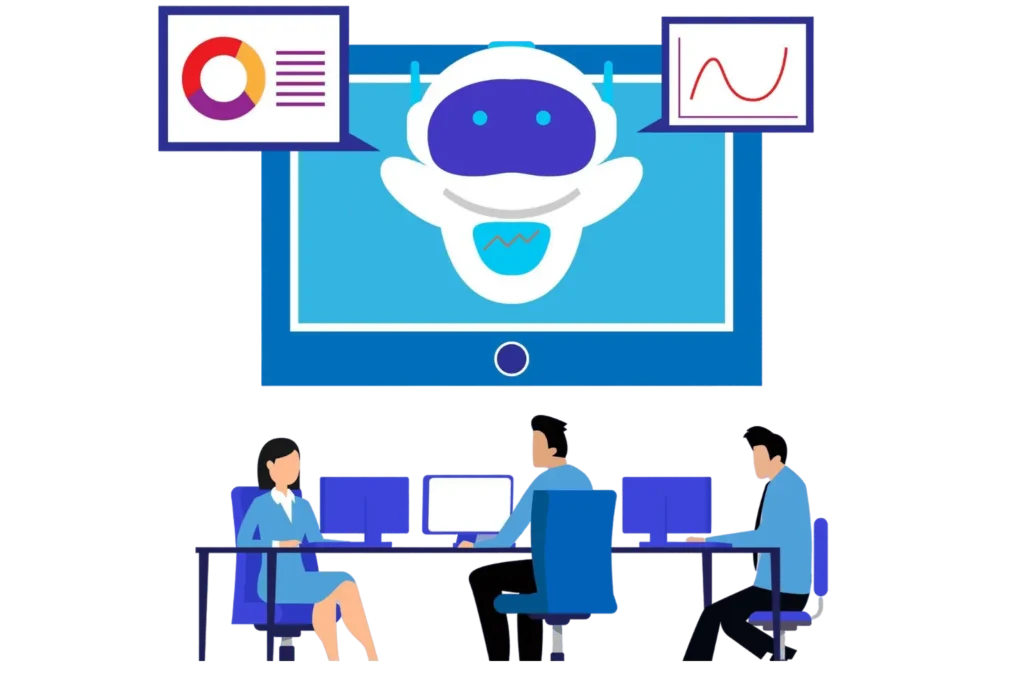
The Complete Guide to Using an AI Copilot for HR and Recruiting Teams

- An AI copilot for HR and recruiting teams works best as a decision-support partner, not an automatic hiring authority.
- The strongest use cases are resume review, job content, interview coordination, candidate communication, workflow reminders, and hiring insights.
- Human review, clear policies, secure data handling, bias checks, and measurable outcomes are essential for responsible adoption.
- Recruitment Management 365 brings AI-assisted recruiting into Microsoft 365, helping recruiters work with candidate data and team feedback in one connected environment.
Recruiters are expected to move faster, answer candidates sooner, and make better hiring decisions with less administrative effort.
An AI copilot for HR and recruiting teams can take repetitive work off the desk while keeping people responsible for judgment, fairness, and final decisions.
This guide explains what an HR AI copilot does, where it helps across hiring, what can go wrong, and how to introduce it responsibly. You will also see how Recruitment Management 365 applies AI inside Microsoft 365 to support screening, scheduling, collaboration, candidate tracking, and next-step decisions without turning recruitment into a black box.
What Is an AI Copilot for HR and Recruiting?
An AI copilot for HR and recruiting teams is an intelligent assistant that helps HR professionals complete hiring tasks, analyze recruiting information, draft content, surface priorities, and recommend next actions. It supports recruiters rather than replacing them, so people still own candidate decisions, exceptions, approvals, and sensitive conversations.
Unlike a basic automation rule, an AI copilot can work with context. It can help interpret a resume, summarize candidate information, draft an interview message, highlight delayed tasks, or suggest what a recruiter should review next. The goal is not to remove the recruiter. The goal is to reduce low-value effort around the recruiter.
AI Copilot for HR | Traditional HR Automation |
Understands context, analyzes information, and provides recommendations to help recruiters make informed decisions. | Follows predefined rules and completes tasks without analyzing context or providing recommendations. |
Reviews resumes, identifies relevant skills, summarizes candidate profiles, and helps recruiters prioritize applicants. | Filters candidates based on fixed rules, keywords, or predefined conditions. |
Generates personalized job descriptions, candidate emails, interview questions, and hiring updates. | Sends standard messages and templates based on workflow triggers. |
Identifies priorities, suggests next actions, and helps recruiters manage complex hiring activities. | Automates repetitive steps such as approvals, notifications, and status updates. |
Supports recruiters with insights while keeping final hiring decisions with HR teams. | Performs assigned tasks but provides limited support for judgment-based decisions. |
That distinction matters because hiring involves human consequences. Microsoft’s 2026 Work Trend Index found that 86% of surveyed AI users treat AI output as a starting point rather than a final answer, while 66% said AI lets them spend more time on high-value work.
That is the right model for HR: AI prepares; people decide.
How AI Copilots Transform Hiring & HR Operations
According to Safesthires, the biggest change is not faster typing. It is better control over fragmented recruiting work.
When resumes live in folders, interview notes sit in email, approvals wait in chat, and recruiters maintain separate trackers, good candidates can stall because nobody sees the complete picture.
An AI copilot for HR and recruiting teams can support the hiring cycle by:
- Summarizing resumes against role requirements.
- Drafting job descriptions and candidate messages.
- Highlighting applications that need review.
- Suggesting interview questions based on role needs.
- Organizing interview schedules, reminders, and follow-ups.
- Summarizing interviewer feedback for easier comparison.
- Flagging delayed approvals or inactive candidates.
- Showing pipeline risks, bottlenecks, and next actions.
- Helping recruiters search candidate information faster.
- Supporting repeatable hiring workflows across departments.
Key Benefits of Using an AI Copilot in HR Teams
Recruiters lose hours to status checks, notes, scheduling, message drafting, and repeated data review. An AI copilot for HR teams can handle much of that preparation so recruiters can spend more time talking with candidates and guiding hiring managers.
SHRM found that 87% of HR professionals using AI reported better efficiency, while 75% reported improved work quality. Those gains matter only when saved time is redirected toward work people value, such as better interviews, clearer expectations, and stronger candidate relationships.
High applicant volume creates a real risk: qualified people can be missed because recruiters are overloaded. AI can summarize resumes, surface relevant skills, and organize candidates for review.
The recruiter should still verify experience, context, career changes, accommodations, and evidence that may not fit a simple pattern. An AI copilot for recruiting teams should make review easier, not quietly turn a recommendation into an automatic rejection.
Different managers often evaluate candidates differently. One manager focuses on experience, another on education, and another on personality. That inconsistency creates confusion and weakens decision quality.
A copilot can support shared scorecards, repeatable questions, clear stage criteria, and structured summaries. Recruiters still interpret the evidence, but the process becomes easier to compare across roles, departments, and interview panels.
Candidates notice silence. A delayed update can feel like rejection, even when the hiring team is simply busy.
An AI copilot for HR teams can help draft interview confirmations, status updates, reminders, and follow-ups using approved language. Recruiters can review tone before sending, which preserves human accountability while reducing the chance that candidates wait days for a basic answer.
Recruiters rarely struggle because they have nothing to do. They struggle because everything looks urgent.
AI-assisted prioritization can highlight interviews happening soon, overdue feedback, unreviewed applicants, pending approvals, and candidates at risk of stalling. This helps recruiters direct attention where delay has the highest cost. The result is better day-to-day control, not merely more activity.
Hiring data has little value when it is scattered across spreadsheets, messages, folders, and separate systems. A recruiting copilot can help turn that information into useful summaries and questions.
For example, HR can ask where candidates drop out, which roles spend longest in review, or which stages create delays. The insight still needs context, but it gives teams a clearer place to investigate.
Common Challenges of Using AI Copilots in HR
AI can help recruiters, but poor setup can create new problems faster than it removes old ones. The following risks deserve direct attention before an AI copilot for HR and recruiting teams becomes part of everyday hiring.
- Bias can hide inside recommendations: AI may reflect patterns in historical data, job descriptions, or human decisions. If recruiters accept rankings without review, old bias can shape new hiring.
- Sensitive candidate data needs protection: Resumes contain names, contact details, work history, education, and sometimes sensitive personal information.
- Recruiters may trust confident answers too quickly: AI can produce polished summaries that still miss context or contain errors.
- Weak job criteria create weak AI guidance: If a role description mixes preferences with true requirements, the copilot may repeat that confusion at scale.
- Candidates may not understand AI involvement: Trust can fall when people believe software is secretly deciding their future.
- Compliance obligations do not disappear: The EEOC has warned that AI and algorithmic tools used in employment decisions can create discriminatory barriers and remain subject to anti-discrimination laws.
- Poor integration creates duplicate work: A clever copilot loses value when recruiters still copy resumes, notes, scores, and updates between disconnected systems.
- Success often goes unmeasured: SHRM reported that 56% of HR professionals do not formally measure the success of AI investments. Track time saved, response speed, completion rates, hiring quality indicators, errors, adoption, and recruiter satisfaction from the beginning and continue.
A practical best practice is to assign clear owners for prompts, permissions, quality checks, bias reviews, training, and outcome measurement.
How Recruitment Management 365 Uses AI to Support HR Teams
Recruitment Management 365 is built around Microsoft 365, with integrations to SharePoint, Teams, and Copilot. Its product pages describe AI resume screening, intelligent hiring management, automated insights, candidate tracking, interview scheduling, collaborative review, structured workflows, dashboards, and role-based access.
When hundreds of applications arrive, the first bottleneck is often simple capacity. Recruitment Management 365 uses AI resume screening to scan, organize, and shortlist resumes so recruiters can focus on the strongest potential matches first.
Recruiters often know every open role but still miss the one task that matters most today. Recruitment Management 365 organizes hiring work by priority and brings deadlines, details, and suggested next steps into a clearer view.
Recruitment Management 365 combines hiring activity, timelines, and next steps through automated insights. This can help teams spot stalled stages, unresolved tasks, and recruiting patterns earlier. The value comes from turning visibility into action while still letting HR interpret why the pattern exists.
AI works better when the process around it is clear. Recruitment Management 365 supports custom hiring stages, approvals, candidate tracking, interview scheduling, and role-based access. It provides the workflow structure, while AI helps recruiters read, summarize, prioritize, and act within that structure.
For an HR leader evaluating an AI copilot for HR and recruiting teams, that connection can matter as much as the AI itself. A useful copilot needs access to the right workflow, the right permissions, and the right context. Recruitment Management 365 brings those pieces together around recruiting rather than offering a generic chat assistant with no hiring process behind it.
Conclusion
An AI copilot for HR and recruiting teams can help HR move faster without making hiring less human. The strongest approach uses AI for preparation, summaries, coordination, prioritization, and insight, while recruiters stay accountable for fairness, judgment, candidate experience, and final decisions.
Recruitment Management 365 gives Microsoft-focused hiring teams a practical path to that model by combining recruitment workflows, AI assistance, candidate tracking, collaboration, and Microsoft 365 connections. Start with one measurable hiring problem, set clear review rules, and expand only when the results prove the process is better.
Ready to stop manual hiring process?
Book a personalized demo of Recruitment Management 365 to see how AI-assisted recruiting can support your team inside Microsoft 365.
Frequently Asked Questions
Can an AI copilot make hiring decisions for recruiters?
It can recommend, summarize, rank, or highlight information, but final hiring decisions should remain with qualified people. Use AI as decision support, require human review, document important criteria, and give recruiters authority to challenge or override the system when context changes the answer.
Will an AI copilot replace recruiters?
The better use case is role change, not recruiter replacement. AI can handle preparation and repetitive coordination while recruiters spend more time on interviews, relationships, negotiation, hiring manager advice, and judgment. Microsoft’s 2026 research also found that 50% of AI users ranked quality control as an increasingly important human skill.
How is an AI copilot different from an applicant tracking system?
An applicant tracking system records candidates, stages, notes, and hiring activity. An AI copilot helps interpret that information, draft content, surface priorities, and recommend actions. Recruitment Management 365 combines applicant tracking and hiring workflows with AI features, giving teams both process control and intelligent assistance.
What is the best Namely alternative for small and mid-sized businesses?
The best choice depends on business needs. HR365 HRMS, BambooHR, Zoho People, Gusto, and HiBob are commonly evaluated by small and mid-sized organizations looking for a balance of HR functionality, usability, and scalability.
What should HR measure after introducing an AI copilot?
Track recruiter time saved, candidate response time, interview scheduling speed, overdue feedback, stage conversion, error rates, adoption, user satisfaction, and quality-of-hire indicators. Measure before and after the rollout so the team can prove whether the AI copilot for HR and recruiting teams is improving outcomes.
Why consider Recruitment Management 365 for AI-assisted recruiting?
Recruitment Management 365 connects recruiting workflows with Microsoft 365, SharePoint, Teams, and Copilot while supporting AI resume screening, interview scheduling, candidate tracking, collaborative review, hiring dashboards, structured stages, and automated insights. That makes it relevant for HR teams seeking a recruiting-specific copilot rather than a stand-alone AI tool.


_JiluXJRGNl.svg)























