
Best Task Management Software for Small Business: Complete Guide

Running a small business means balancing customer requests, employee assignments, and tight deadlines. The best task management software for small business brings that work into one place, so everyone knows what to do next. This guide compares practical tools, explains essential features, and shows how to choose and implement a system without adding unnecessary complexity. If your team already uses Microsoft 365, you will also learn when Task 365 may fit your workflow.
- Simplify Task Management: Assign tasks, track deadlines, share updates, and monitor team progress in one place.
- Trello: Best for simple visual task boards and easy task tracking.
- Asana: Ideal for managing projects and improving team coordination.
- ClickUp: Offers flexible workflows and customizable task management features.
- Microsoft Planner: Suitable for businesses already using Microsoft 365.
- Task 365: Helps teams manage tasks, track progress, and collaborate within SharePoint and Microsoft Teams.
Choose the Right Software: Focus on ease of use, team adoption, integrations, security, and total cost rather than the number of features.
What Is Task Management Software for Small Business?
- Task management software is a shared digital workspace where employees create tasks, assign owners, set deadlines, attach information, and report progress. Unlike a personal to-do list, a team task tracker gives managers and coworkers visibility into work that depends on several people.
- Imagine a customer order that requires sales approval, inventory checks, packaging, and delivery. Each step needs a responsible person and a deadline. A task management app connects those steps, making delays easier to spot before they affect the customer.
- Task management and project management overlap, but they are not identical. Task management focuses on individual assignments and daily execution. Project management may add budgets, dependencies, resource planning, and long-term milestones. Small businesses should start with the level of structure they actually need.
Why Small Businesses Need Task Management Software?
Fewer missed deadlines
When due dates live in scattered emails, work can disappear from view. A shared task list displays upcoming and overdue assignments. Reminders can prompt action, but managers should also review blocked work instead of relying only on notifications.
Clearer employee accountability
Each assignment should have one primary owner, even when several employees contribute. That person coordinates updates and requests help when needed. Clear ownership reduces duplicated work and avoids the question: Who was supposed to handle this?
Less time chasing updates
A manager should not need a meeting to learn whether every task is finished. Employees can update task status, add comments, and attach supporting documents. A shared dashboard turns many individual follow-ups into one useful review.
Better customer service and growth
Missed internal steps often become missed customer promises. Organized handoffs help teams respond consistently. As the company adds clients and employees, reusable workflows prevent the process from depending on one
Essential Features to Look For
Easy task creation and assignment
Employees should be able to write a clear task name, add instructions, choose an owner, and set a due date in seconds. Complicated setup discourages adoption. Test the process with someone who has never used the platform.
Useful views and dashboards
Lists work well for detailed assignments. Kanban boards show work moving between stages. Calendars highlight deadlines. Dashboards help managers find overdue, blocked, and completed tasks. The right views depend on how your team makes decisions.
Collaboration and document sharing
Comments, attachments, and task history keep decisions close to the work. Look for permissions that prevent sensitive files from reaching the wrong people. A shared workspace should reduce scattered conversations, not create another inbox.
Reminders and workflow automation
Helpful automations include recurring task creation, deadline alerts, and approval notifications. Start with one repetitive process. Too many alerts can overwhelm employees and make important messages easier to ignore.
Microsoft 365 and other integrations
Check whether your software works with the applications employees already open every day. Businesses using SharePoint, Teams, and Outlook may benefit from connected task workflows. Confirm what is included, what needs configuration, and whether separate licenses apply.
Reporting, security, and support
Look for task history, status reports, access controls, export options, and responsive onboarding support. Ask vendors how data is stored, who can view it, and what happens when an employee leaves. Security matters even when the team is small
Best Task Management Software for Small Business
Choosing the best task management software for small business helps teams stay organized, meet deadlines, and manage daily work with less effort. The right tool makes it easy to assign tasks, track progress, improve teamwork, and reduce manual follow-ups. Whether your business needs simple task boards, flexible project tracking, or Microsoft 365 integration, these five task management tools offer different features to support small business productivity.
#1. Trello: Best for Simple Visual Task Boards
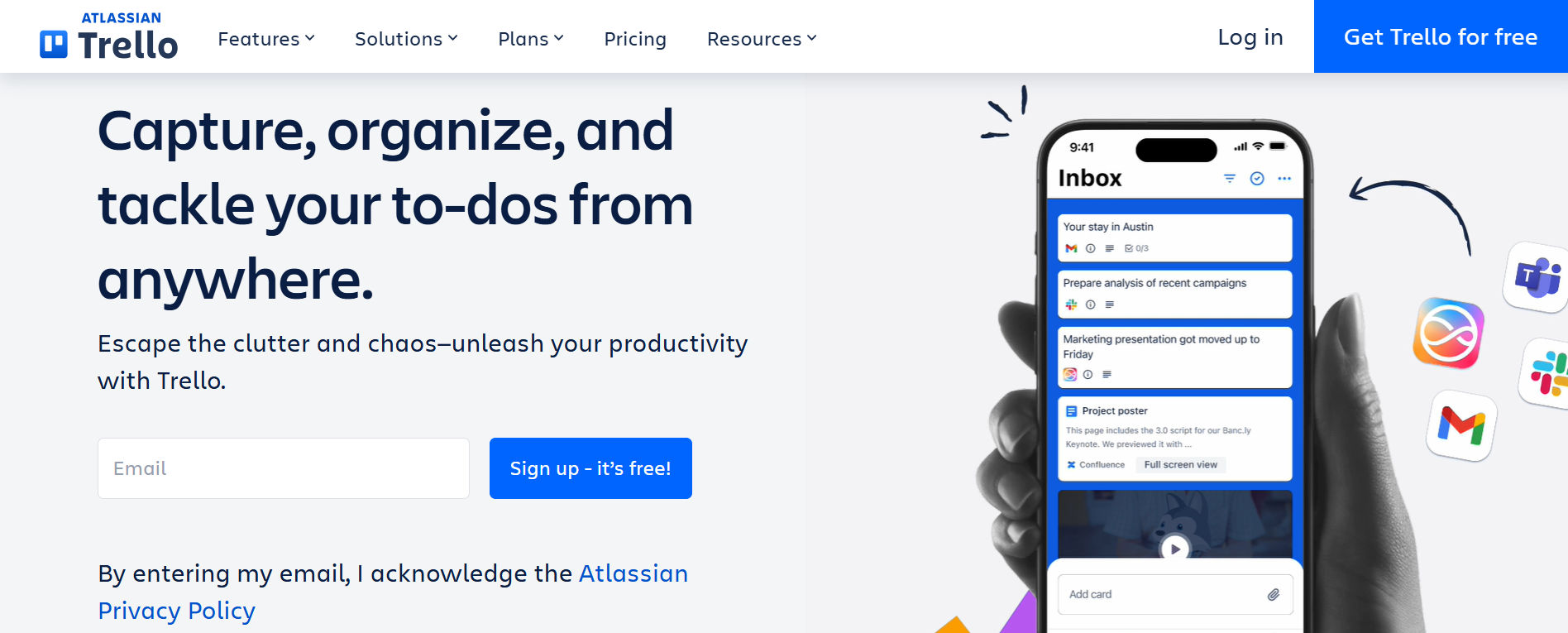
Trello organizes work through boards, lists, and cards. A small team can move assignments from To Do to Doing to Done without learning a complex project structure. Checklists and due dates support straightforward workflows.
Best for: Small creative teams, basic approval processes, and businesses moving away from sticky notes.
Consider before choosing: Advanced reporting, dependencies, and some automation capabilities may require additional plans or tools. Compare current plan limits before buying.
#2. Asana: Best for Cross-Team Project Coordination
Asana connects tasks, projects, assignees, and deadlines. It works well when marketing, operations, and management must coordinate deliverables across several stages. Different views help employees understand both their assignments and the larger project.
Best for: Growing teams managing multiple projects and cross-department handoffs.
Consider before choosing: Advanced capabilities and larger team needs can increase cost. Avoid introducing features that employees will not use.
#3. Task 365: Best for SharePoint and Microsoft Teams Workflows

Task 365 is designed for organizations seeking task tracking connected with Microsoft 365. Its focus includes centralized assignments, collaboration, project visibility, and workflow coordination in a familiar business environment.
Best for: Small businesses that already use SharePoint and Teams and want to evaluate a connected task management solution.
Consider before choosing: Confirm available views, automation scenarios, permissions, implementation needs, and licensing during a demonstration. Teams that do not use Microsoft 365 may prefer another option.
#4. ClickUp: Best for Flexible Workflows
ClickUp provides customizable task structures and multiple ways to view work. Teams can adapt fields and workflows to different departments instead of following one fixed process.
Best for: Businesses that want customization and are willing to invest time in setup.
Consider before choosing: A broad feature set can feel overwhelming. Begin with a simple workspace and add complexity only when necessary.
#5. Microsoft Planner: Best for Basic Microsoft 365 Planning
Microsoft Planner helps teams organize assigned work using familiar Microsoft collaboration tools. It can be a sensible starting point when the business already has eligible Microsoft subscriptions.
Best for: Teams with straightforward shared plans and existing Microsoft 365 workflows.
Consider before choosing: Features vary by subscription. Compare Planner with Task 365 based on reporting, SharePoint workflow requirements, and your actual use cases rather than assuming they offer identical capabilities.
Quick comparison
Software | Best fit | Main consideration |
Task 365 | SharePoint and Teams users | Verify deployment and licensing |
Trello | Visual task boards | Advanced needs may require upgrades |
Asana | Cross-team coordination | Review paid feature requirements |
ClickUp | Customizable workflows | Allow time for setup |
Microsoft Planner | Basic Microsoft planning | Check subscription capabilities |
How to Choose the Right Tool?
- Start by listing three workflow problems. Examples include overdue client deliverables, unclear task ownership, and repeated requests for progress updates. Then compare tools against those problems, not against the longest marketing checklist.
- Ask employees to complete the same sample project in two shortlisted products. Record how long it takes to create assignments, find overdue work, and update status. Include someone from management and someone who handles daily tasks.
- Evaluate total cost rather than subscription price alone. Count paid users, onboarding time, optional integrations, support, storage needs, and future upgrades. Check annual billing terms and whether free plans impose limits that affect your workflow.
- Finally, ask about access controls, data export, vendor support, and cancellation. The best task tracking software is the one your team can adopt, maintain, and trust as workloads grow.
Practical Small Business Workflow Example
- Consider a hypothetical eight-person marketing agency launching a client campaign. Previously, the account manager emailed the brief, the writer tracked drafts in a spreadsheet, and the designer received changes through chat. Nobody had a view of approvals.
- The agency creates one campaign board with five assignments: brief approval, content draft, graphic design, client review, and launch. Each task has an owner, due date, status, and relevant document. The project manager checks the board each morning and follows up only on blocked work.
- For example, if design cannot start until the content draft is approved, the writer marks the draft complete and notifies the designer through the agreed workflow. The manager can then identify whether the client review is at risk. This is a hypothetical example, not a measured customer result.
How to Implement Task Management Software?
Step 1: Map the current process
Write down how work enters the business, who approves it, and where delays occur. Interview employees instead of assuming management sees every problem. Choose two measurable issues for the pilot.
Step 2: Select one pilot project
Pick a recurring process with clear steps and a small team. Customer onboarding, weekly content production, and purchase requests are useful examples. Avoid migrating every department on day one.
Step 3: Standardize task information
Require a task title, owner, due date, priority, status, and short description. Use consistent statuses such as Not Started, In Progress, Blocked, and Completed. Add fields only when they help someone act.
Step 4: Set communication rules
Agree on when employees should update progress and how they should report blockers. Keep decisions in task comments when possible. Clarify which urgent issues still require a call or direct message.
Step 5: Automate carefully
Start with a useful reminder or recurring assignment. Test notifications with the pilot team and remove alerts that add noise. Automation should support clear processes, not hide unclear responsibilities.
Step 6: Train and review
Show employees how to create, update, and complete a task. After 30 days, compare overdue assignments, adoption, and manager follow-up time with the earlier process. Expand only after fixing the biggest friction points.
How Task 365 Supports Microsoft 365 Teams?
- Small businesses already using Microsoft 365 may prefer to manage tasks near their existing documents and conversations. Task 365 is positioned for SharePoint task management and collaboration, making it relevant to teams evaluating that approach.
- Its product focus includes centralized task tracking, team collaboration, dashboards, and workflow management. For example, an operations team could evaluate how staff coordinate assignments alongside SharePoint-based information rather than maintain a disconnected spreadsheet.
- Do not assume every automation, integration, or reporting capability is included in every configuration. Ask for a demonstration of your exact workflow, confirm licensing, and review permissions with your administrator.
If your business needs a SharePoint task management tool, explore Task 365.
How to Measure Results
- Choose a small set of indicators before launching the pilot. On-time completion rate measures the share of finished tasks completed by their deadlines. Overdue task count identifies unfinished work past its due date.
- Also track employee adoption, average task completion time, and the hours managers spend requesting updates. Compare similar periods and account for workload changes. More completed tasks do not automatically mean better customer outcomes, so review quality and delivery too.
Common Mistakes to Avoid
Choosing the right task management software for small business is only the first step. Poor setup and unclear processes can still lead to missed deadlines, confusion, and wasted time. Here are some common mistakes to avoid:
- Choosing Software Based Only on Price: A cheaper tool may lack important features. Focus on ease of use, integrations, and long-term value.
- Adding Too Many Features: Complex workflows can overwhelm employees. Start with essential features and expand as your team grows.
- Unclear Task Ownership: Tasks without assigned owners often get delayed. Assign responsibilities and set clear deadlines.
- Ignoring Employee Training: Even the best software will fail if employees do not know how to use it. Provide simple training and support.
- Too Many Notifications: Constant alerts can distract employees. Set reminders for important deadlines and updates.
The Future of Small Business Task Management
Task management software is becoming more intelligent, connected, and easier to use. As small businesses grow, they need tools that reduce manual work, improve teamwork, and provide better visibility into daily tasks. Here are some key trends shaping the future:
- AI-Powered Task Management: AI tools can help summarize task updates, suggest priorities, and reduce manual reporting.
- Smarter Workflow Automation: Automated reminders, recurring tasks, and approval notifications help teams save time.
- Better Team Collaboration: Connected workspaces help employees share updates, documents, and feedback without switching between multiple apps.
- Real-Time Task Visibility: Dashboards make it easier for managers to monitor progress, identify delays, and make informed decisions.
- Microsoft 365 Integration: Businesses increasingly benefit from task management tools that connect with familiar platforms like SharePoint and Microsoft Teams.
Conclusion
Task management software for small business should make everyday work easier to assign, follow, and finish. Start with your team’s biggest coordination problems, compare products using real assignments, and measure results after a short pilot. Trello, Asana, ClickUp and Microsoft Planner meet different needs. For organizations using SharePoint and Teams, Task 365 deserves consideration as a connected option.
Ready to organize your team’s work?
Explore Task 365 to see how connected task tracking can support your small business. Book a free 1:1 demo!
Frequently Asked Questions
What is the best task management software for a small business?
The best solution depends on your needs. Trello supports simple visual planning, Asana and ClickUp offer broader project management options, and Task 365 is worth considering for businesses using Microsoft 365.
Is task management software useful for a five-person team?
Yes. Even small teams benefit from clear assignments, shared deadlines, and organized project updates. Start with basic task tracking before adding advanced features.
Can small businesses use Microsoft 365 for task management?
Yes. Microsoft Planner supports task management, while SharePoint and Teams provide collaboration capabilities. Solutions such as Task 365 offer additional task management workflows within the Microsoft environment.
How much does small business task management software cost?
Pricing depends on the provider, subscription plan, number of users, and required features. Compare total ownership costs rather than subscription prices alone.
Can task management software reduce missed deadlines?
It can help by making due dates visible, assigning clear owners, and sending reminders. Results depend on employees keeping task information accurate and up to date.
What is the difference between task management and project management software?
Task management focuses on individual assignments, owners, priorities, and deadlines. Project management adds broader planning features such as milestones, budgets, dependencies, and resource allocation.
How long does it take to implement task management software?
A simple pilot may take a few days, while larger deployments can require several weeks. Implementation time depends on integrations, data migration, training, and workflow complexity.