

Reimbursement Claim Explained: Process & Best Practices

Submitting a reimbursement claim should be simple, but missing receipts, unclear policy limits, and approval delays can turn a small expense into a financial issue.
- A reimbursement claim should clearly connect each expense to a valid business purpose, supporting receipt, policy rule, and approval path.
- Missing receipts, duplicate entries, unclear descriptions, late submissions, and policy exceptions are common reasons claims slow down or get rejected.
- Digital receipt capture, clear expense categories, automated checks, and visible approval status can reduce manual work for employees and finance teams.
- A strong reimbursement policy should explain what is allowed, what proof is required, who approves each claim, when employees should submit, and how exceptions are handled.
That is why a clear employee expense reimbursement matters: it protects company money, helps employees get paid faster, and gives finance teams cleaner records
BCD Travel found that 63% of surveyed business travelers saw the time spent creating expense reports as a major pain point, 54% cited collecting paper receipts, and 76% valued having travel receipts attached to reports automatically.
This blog explains the process, common delays, finance review steps, policy needs, and practical best practices.
What Is Reimbursement Claim?
A reimbursement claim is a formal request from an employee, contractor, or other authorized person asking an organization to repay money spent for an approved business purpose.
For example, an employee may pay personally for a client lunch, taxi ride, hotel stay, conference fee, or office supply. The employee then submits supporting details, and the employer reviews and pays the approved amount.
A claim usually answers four basic questions:
- Who spent the money?
- What was purchased?
- Why was it needed for business?
An expense reimbursement is different from a supplier invoice, which asks the company to pay a vendor directly. It also differs from a corporate card transaction, where the organization pays the card provider. With reimbursement, the employee uses personal funds first, so delays can affect personal cash flow.
What Expenses Qualify for Reimbursement Claims?
A complete expense claim gives reviewers enough information to make a decision without chasing the employee for missing details. Most claims should include,
- Travel expenses: Costs such as flights, train tickets, taxis, and other transportation required for business travel.
- Accommodation expenses: Hotel stays and other lodging costs incurred during approved business trips.
- Meal expenses: Business-related meals and food costs that fall within the company’s reimbursement policy.
- Mileage expenses: Reimbursement for using a personal vehicle for approved business travel or work-related trips.
- Office supplies: Eligible purchases such as stationery, printing materials, and other supplies needed for work.
- Communication expenses: Business-related phone calls, internet usage, or other approved communication costs.
- Client and business expenses: Costs for client meetings, business events, or other approved activities conducted for work purposes.
- Professional expenses: Eligible costs such as training, conferences, certifications, or professional memberships required for the employee’s role.
How the Reimbursement Claim Process Works ?
A reimbursement claim process provides a structured way for employees to recover money spent on approved business expenses. From submitting receipts to receiving payment, each step helps ensure expenses are properly documented, reviewed, approved, and reimbursed.
- Step 1: The Employee Incurs an Approved Business Expense
The process begins when an employee pays for an eligible business expense using personal funds. Company policy should define which expenses are reimbursable, whether pre-approval is required, and any applicable spending limits. - Step 2: The Receipt Is Captured
The employee captures the receipt immediately after the purchase using a photo, digital receipt, emailed invoice, or scanned copy. This helps prevent receipts from being lost or misplaced. - Step 3: Claim Details Are Entered
The employee enters key information such as the expense date, merchant, amount, category, business purpose, tax details, and project or client code. Receipt-scanning tools can help extract and prefill this information. - Step 4: Policy Requirements Are Checked
The claim is reviewed for missing receipts, spending limits, duplicate expenses, required information, prohibited categories, and late submissions before moving to approval. - Step 5: The Manager Reviews the Claim
The manager or budget owner checks whether the expense is reasonable, necessary, and related to business activities. Finance may also verify the supporting documents and policy compliance. - Step 6: Finance Reviews and Processes the Expense
Finance validates the claim, applies the correct expense codes, checks supporting documents, and reviews any unusual expenses before processing the approved reimbursement.
- Step 7: The Employee Receives the Reimbursement
Once approved, the employee receives payment through payroll, bank transfer, accounts payable, or another approved method. The final record should include the claim amount, approved amount, payment status, and approval history.
Why Reimbursement Claims Get Delayed or Rejected
Most reimbursement claims are delayed or rejected because of small errors or missing information that require additional review. Common reasons include.
- Missing supporting documents: A claim may be delayed when the required receipt, invoice, or proof of purchase is not attached.
- Poor receipt quality: Blurry, incomplete, or unreadable receipt images can make it difficult to verify the expense.
- Incorrect expense details: Wrong categories, amounts, project codes, or cost-center codes can lead to additional reviews.
- Missing business purpose: Claims may be rejected when they do not clearly explain why the expense was incurred for business purposes.
- Duplicate or mixed expenses: Submitting the same expense twice or combining personal and business costs can cause processing issues.
- Policy violations: Expenses above approved limits, prohibited expenses, or claims submitted after the deadline may be rejected.
- Missing approvals or tax details: A claim can remain pending when pre-approval, manager approval, or required tax information is missing.
- Incorrect or unexplained exceptions: Foreign-currency errors or policy exceptions without proper explanations can result in delays or rejection.
Receipt authenticity is also becoming a larger concern. In a 2026 Emburse survey of 2,000 workers in the U.S. and UK, 40% of U.S.-based respondents said they had used AI to generate a fake business-expense receip
How Finance Teams Review and Approve Reimbursement Claims ?
A good finance review balances control with speed by approving normal claims quickly and focusing attention on exceptions. A practical review can follow these checks.
Confirm the Business Purpose
The expense should have a clear and valid connection to the employee’s work or business activities.
A brief but specific description should explain why the expense was necessary and how it supported the business.
The expense dashboard should be clear enough for managers and finance teams to understand months later, even without additional context.
Verify the Receipt
Check the merchant, date, amount, tax, currency, and item details where available.
The IRS notes that businesses should keep supporting documents such as receipts, paid bills, invoices, and other records because they support entries in business books and tax returns.
Make sure the receipt details match the information entered in the reimbursement claim to avoid delays.
Check Company Policy
Compare the claim with category limits, receipt requirements, travel rules, meal caps, and submission deadlines.
Confirm that the expense meets all applicable reimbursement policy requirements before submitting the claim to avoid delays, rejections, or additional reviews.
Look for Duplicates
A duplicate may appear because an employee uploaded the same receipt twice, submitted the same cost in two reports, or claimed a personal-card expense that was already paid on a corporate card.
Finance should compare receipt information and transaction data before reimbursement.
Review Exceptions Separately
An out-of-policy claim should not automatically disappear into email.
The system should show why the item is outside policy, who approved the exception, and what decision was made.
That creates a clearer audit trail.
Ready to simplify your reimbursement process?
Expense 365 brings expense tracking, receipt capture, policy checks, approval workflows, and reimbursements into one place, built natively for Microsoft 365.
How Faster Reimbursement Improves Employee Experience?
Employees see reimbursement as money they spent on behalf of the company. When payment takes too long, they may have to carry business costs on a personal card or bank account.
- Reduces personal financial pressure: Employees spend less time waiting to recover money they paid for approved business expenses.
- Improves cash flow: Faster reimbursements help employees avoid carrying business costs on personal cards or bank accounts for extended periods.
- Reduces status-checking: Clear and timely processing means employees spend less time checking whether their claims have been approved or paid.
- Cuts unnecessary follow-ups: Managers and finance teams receive fewer messages asking about pending claims or payment status.
- Encourages timely submissions: A simple and fast reimbursement process makes employees more likely to submit expenses promptly.
- Supports better business travel: Quick reimbursements make employees feel better supported when they incur expenses while traveling for work.
- Maintains strong financial controls: Faster processing does not mean weaker controls; complete, low-risk claims can move quickly while exceptions receive additional review.
- Removes avoidable delays: Capturing receipts early, validating required fields, routing claims correctly, and providing claim-status visibility can make the entire process more efficient.
Best Practices for Submitting an Accurate Reimbursement Claim
Accurate reimbursement claims help employees get paid faster and reduce unnecessary delays. Following a few simple expense management best practices can ensure expenses are properly documented, policy-compliant, and easy for finance teams to review.
- Capture the receipt immediately after the purchase to avoid losing important documentation or details.
- Make sure the receipt image is complete, clear, and readable, with the merchant, date, amount, and line items visible.
- Clearly explain the business purpose so managers and finance teams can understand why the expense was necessary.
- Enter the amount, currency, and date exactly as shown on the receipt or payment record.
- Keep business and personal spending separate, and claim only the eligible business portion when expenses are mixed.
- Submit claims within the company’s deadline to avoid delays and support accurate financial reporting.
- Review the receipt, amount, business purpose, category, cost center, approvals, and duplicate claims before submitting.
- If a receipt is lost, follow the company’s approved lost-receipt process instead of creating or altering replacement evidence.
How Expense 365 Simplifies Reimbursement Claim Management?
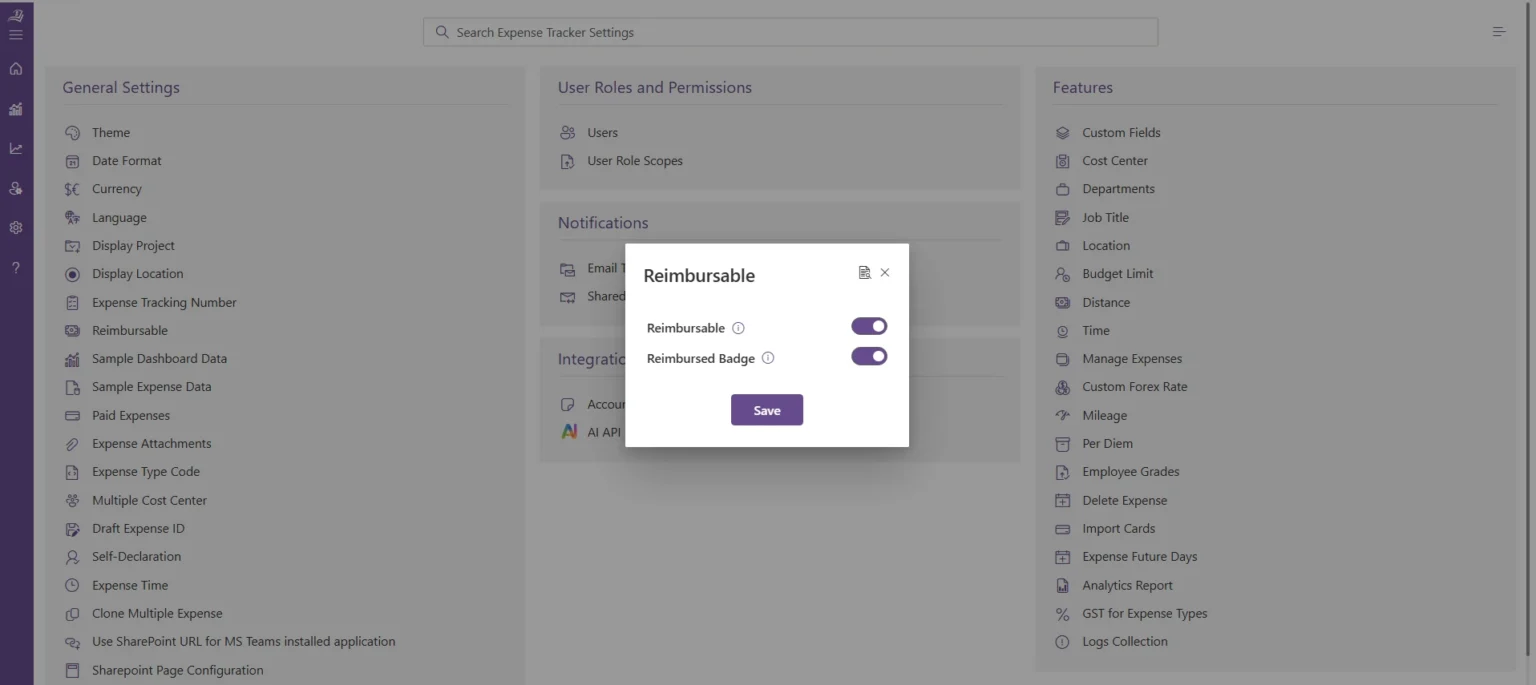
When reimbursement work is split across email, spreadsheets, paper receipts, and approval messages, each handoff can create delay.
Expense 365 brings receipt capture, expense submission, approval, and reimbursement tracking into a Microsoft 365-based process.
Employees can upload receipts from desktop, mobile, or email. The system can scan receipts and capture fields such as date, vendor, amount, and tax, then use that data to prepare the expense record.
Expense 365 can also connect receipt details with card transactions or existing expense records through Smart Match, helping reviewers compare the document with the underlying spend before approval.
This is most useful for organizations that already work in Microsoft 365 and want reimbursement records closer to the tools employees and finance teams use every day.
The result is a more controlled path from receipt to approved claim, with less typing and more consistent review records.
Conclusion
A better reimbursement process makes it easier for employees to submit accurate claims and for finance teams to review, approve, and process them efficiently. Clear policies, timely receipt capture, proper approvals, and digital records can reduce delays and repeat reviews.
For organizations using Microsoft 365, Expense 365 helps simplify receipt management, automate approval workflows, track reimbursement status, and maintain organized expense records.
Ready to simplify your reimbursement process? Explore Expense 365 today.
Frequently Asked Questions
Can I submit a reimbursement claim immediately after making a purchase?
Yes, and submitting expenses soon after purchase is generally better than waiting until the end of the month. It keeps receipts, business context, and claim details fresh.
What happens if my usual approver is on vacation?
A workflow can use delegated or backup approval rules so eligible claims do not remain stuck simply because one manager is unavailable.
Can the system identify duplicate reimbursement claims?
Automated checks can flag potential duplicates, unusual amounts, missing documentation, policy exceptions, or other conditions that require closer review.
What is the advantage of automating reimbursement approvals?
Automation reduces manual routing and follow-ups while ensuring claims are sent to the appropriate approvers based on predefined rules.
Can I submit a reimbursement claim if I only have a digital receipt?
Yes, if your company accepts digital receipts. An emailed invoice, PDF receipt, or digital payment confirmation may be sufficient when it contains the required transaction details.


_JiluXJRGNl.svg)























