

7 Top IT Asset Management Software for 2027: Features and Comparison

Managing IT assets becomes difficult when laptops move between employees, software licenses renew without review, and equipment records sit in different spreadsheets.
- Asset 365 is worth evaluating for organizations that manage assets within Microsoft 365, SharePoint, and Microsoft Teams.
- ServiceNow supports complex enterprise ITAM processes, while Freshservice connects asset tracking with IT service management.
- Snipe-IT offers an open-source option for teams that need basic asset accountability.
- Automated discovery, software license tracking, lifecycle records, and reporting are important capabilities to compare.
- The best ITAM software depends on your existing tools, asset volume, IT processes, and budget.
Imagine an IT manager preparing for an audit. The company has 500 laptops, but some records have no assigned owner. Several devices are still linked to former employees, and the team cannot quickly identify which warranties are about to expire. The problem is not simply having too many assets. It is having no reliable way to track them throughout their lifecycle.
Top IT asset management software helps businesses organize hardware, software licenses, asset assignments, maintenance records, and disposal activities in one place. But not every solution works the same way. Some focus on enterprise IT operations, while others offer straightforward tracking for smaller teams.
What Is IT Asset Management Software?
IT asset management software (ITAM) is a system that helps organizations record, track, and manage their technology assets from purchase through retirement. These assets can include laptops, desktops, servers, mobile devices, software licenses, and cloud subscriptions.
For example, when an employee receives a laptop, an ITAM system can record its serial number, assigned user, location, purchase date, warranty, and current status.
When the employee leaves, IT can use that record to manage the device’s return and reassignment.
ITAM typically covers four activities: asset inventory, ownership tracking, lifecycle management, and financial or license oversight.
How We Compared These IT Asset Management Tools
This comparison focuses on seven established products serving different business needs. The evaluation considers their published capabilities and practical suitability for common ITAM requirements.
The main criteria are:
- Asset coverage: Hardware, software, licenses, and physical equipment.
- Lifecycle tracking: The best asset lifecycle platform should support purchasing, asset assignments, maintenance, returns, and disposal.
- Integration: Compatibility with existing IT systems and business applications.
- Ease of management: Day-to-day administration and reporting needs.
- Cost considerations: Licensing, implementation, support, and ongoing administration.
7 Top IT Asset Management Software Solutions for 2027
1. Asset 365
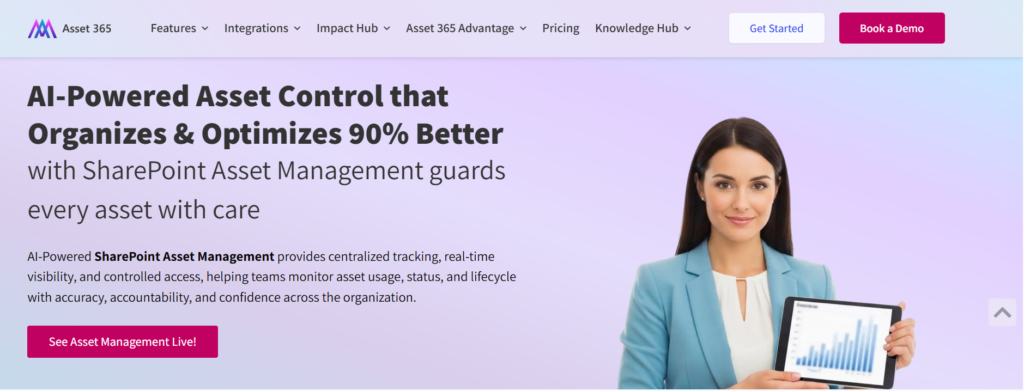
Asset 365 is designed for organizations that want to manage IT equipment and other business assets within their Microsoft 365 environment. For teams already working in SharePoint and Microsoft Teams, managing asset records in a familiar workspace can reduce the need to maintain separate tracking spreadsheets.
Consider a business with employees working across three offices. IT needs to know which employee has each laptop, which devices are available for reassignment, and which warranties are nearing expiration. Asset 365 provides asset records, assignment tracking, lifecycle management, and reporting capabilities to support these tasks.
Key features
- Hardware and software asset records
- Asset assignment and return tracking
- Barcode and QR code tracking
- Warranty and contract expiration tracking
- Maintenance and service history
- Software license management
- Depreciation tracking and reporting
- Microsoft 365, SharePoint and Teams-based workflows
Practical use case: An IT administrator can use asset assignment records to identify the devices allocated to an employee before offboarding. Once equipment is returned, the asset record can be updated to show that it is available for another employee.
Best for: IT teams, asset managers, and organizations using Microsoft 365.
Considerations: Confirm any required automated device discovery, endpoint management, CMDB, or third-party integrations during a product demonstration rather than assuming they are included.
2. ServiceNow IT Asset Management
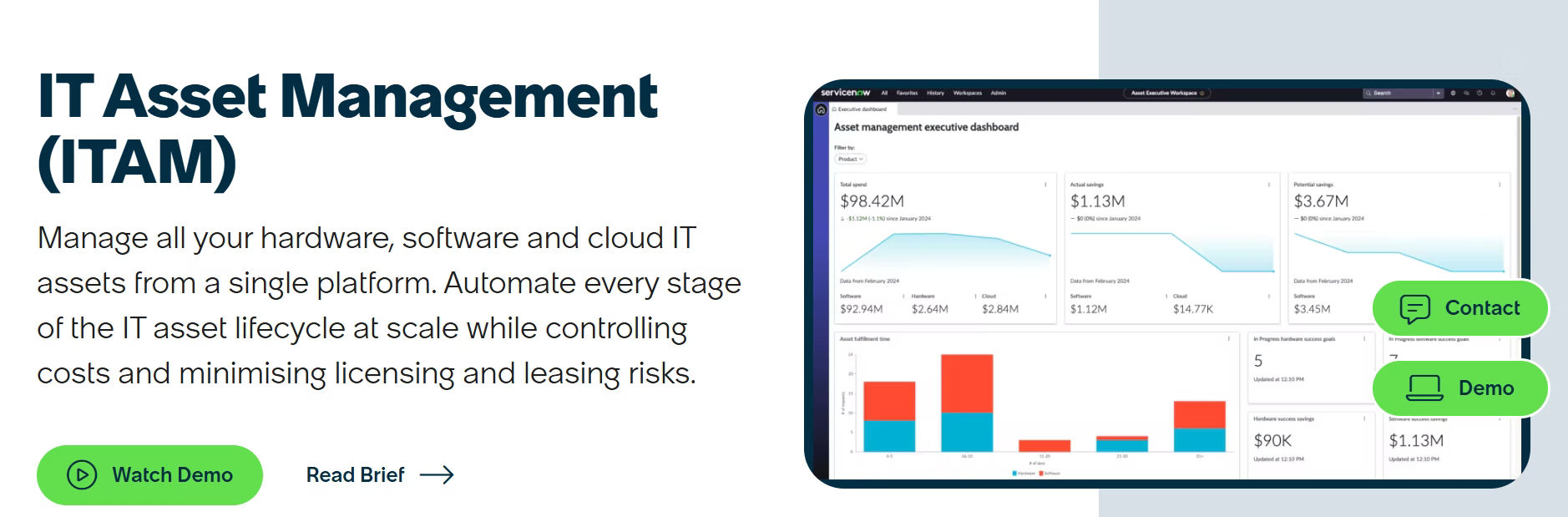
ServiceNow IT Asset Management supports organizations managing large technology environments and complex IT processes. It connects hardware, software, and cloud asset management with broader ServiceNow workflows. For example, an enterprise can link equipment procurement, asset records, and service management activities rather than managing these processes independently.
3. ManageEngine AssetExplorer
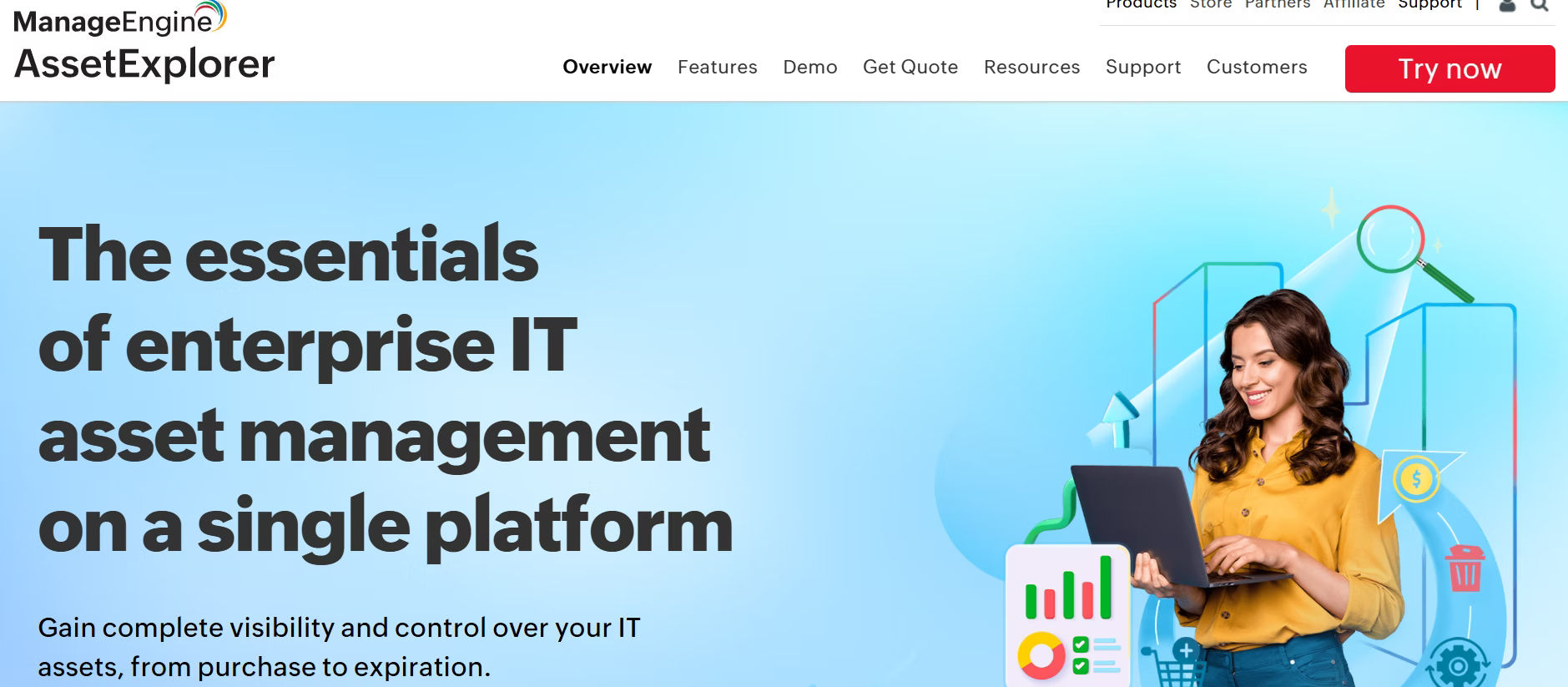
ManageEngine AssetExplorer focuses on discovering, recording, and managing hardware and software assets. It is useful for IT departments that need to identify equipment across office networks and maintain records of software installations. For example, a company replacing outdated desktops can use its asset inventory to identify devices by configuration, purchase information, and lifecycle status.
4. Freshservice IT Asset Management
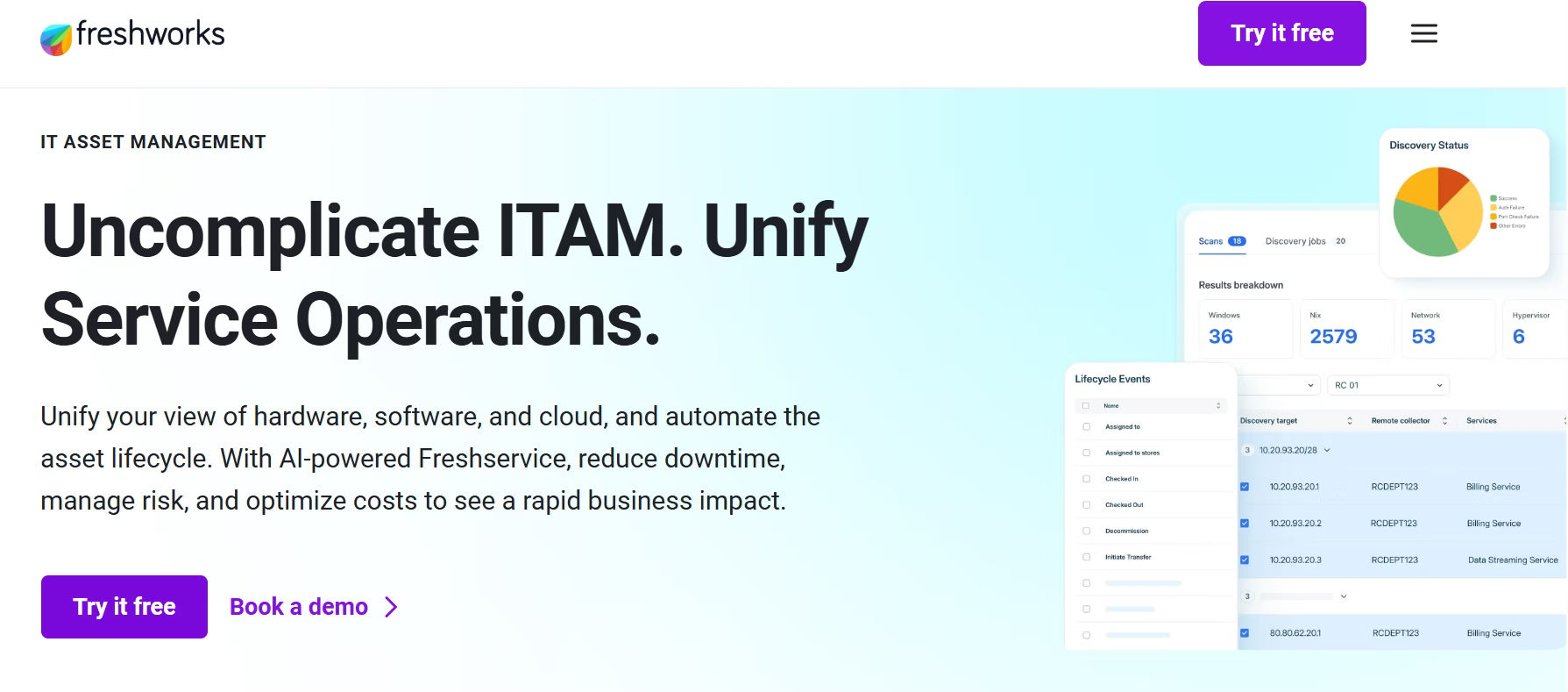
Freshservice combines IT asset management with service desk operations. This approach is useful when support teams need asset details while responding to employee issues. For example, when an employee reports a laptop problem, the support team can review the associated device record and available asset history.
5. SolarWinds Asset Management
SolarWinds Service Desk provides IT service management capabilities with asset tracking and discovery features. It is particularly relevant for teams that want to connect equipment information with incidents, service requests, and changes. For example, a support technician can use a device record to review asset details while investigating a recurring hardware problem.
6. IBM Maximo Asset Management
IBM Maximo Application Suite focuses on enterprise asset management, particularly equipment, facilities, infrastructure, and industrial operations. Unlike dedicated ITAM tools, Maximo is designed for broader physical asset maintenance and operational management. A manufacturing business, for example, may use Maximo to manage equipment inspections, work orders, and maintenance activities across production facilities.
7. Snipe-IT
Snipe-IT is an open-source asset management platform commonly used to track laptops, desktops, accessories, and software licenses. It is particularly useful for organizations that want straightforward equipment accountability without adopting a large enterprise platform. For example, a small IT department can record laptops, assign them to employees, and track equipment returns when staff leave.
Quick Comparison:
Software | Best for | Primary strength | Main consideration |
Asset 365 | Microsoft 365 teams | Asset tracking within Microsoft 365 | Validate advanced integrations |
ServiceNow | Large enterprises | Enterprise ITAM workflows | Implementation complexity |
ManageEngine AssetExplorer | IT inventory teams | Network discovery | Deployment and integration fit |
Freshservice | IT support teams | ITAM with service desk | Plan-dependent features |
SolarWinds Service Desk | Help desk operations | Asset and ticket relationships | Product and plan scope |
IBM Maximo | Industrial businesses | Maintenance and physical assets | Not dedicated ITAM |
Snipe-IT | Budget-conscious teams | Open-source tracking | Self-hosting responsibilities |
What Features Should You Look for in IT Asset Management Software?
Choosing ITAM software is easier when you start with the problems your team needs to solve.
1. Asset Inventory and Discovery
Your IT team should be able to identify equipment, maintain asset records, and find missing information.
Look for software that supports unique asset IDs, serial numbers, assigned users, locations, and asset status.
If automatic discovery matters, ask which operating systems, networks, and cloud environments the tool can actually scan.
2. Asset Lifecycle Management
The best asset lifecycle platform should help businesses track IT assets from purchase and assignment to maintenance, return, and retirement.
For example, when an employee changes departments, IT teams should be able to update device ownership, track asset status, and maintain accurate records.
Look for software that supports lifecycle tracking, maintenance history, warranty monitoring, and asset disposal.
Learn more about asset management lifecycle best practices.
3. Software License Management
Software license management helps organizations track purchased licenses, assigned users, expiration dates, and renewals.
Before purchasing a solution, check whether it supports your vendors’ licensing rules. Simple license counts may not be enough for complex enterprise agreements.
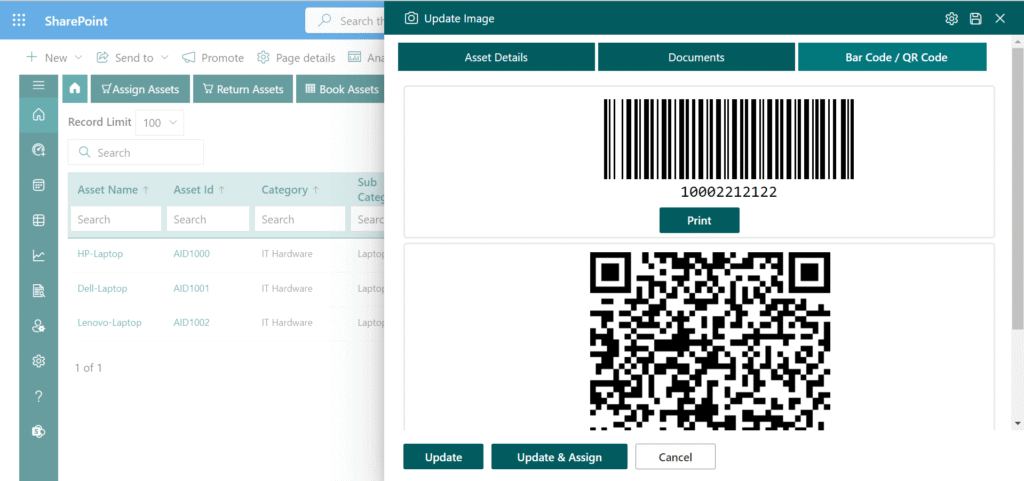
4. Barcode and QR Code Tracking
Barcode and QR code labels help teams identify physical equipment during inventory checks.
For example, a technician can scan a laptop label to locate its asset record rather than manually searching through hundreds of entries.
5. Reporting and Audit History
Look for reports covering unassigned equipment, missing assets, warranty expirations, and lifecycle status.
A useful system should also record important changes, including who updated an asset and when.
Practical Example: How to Organize Your IT Asset Inventory
Before implementing ITAM software, identify the information your team needs to maintain. The following is an illustrative asset inventory for a fictional company:
Asset ID | Asset type | Assigned to | Status | Warranty expiration |
IT-001 | Dell Laptop | John Miller | Assigned | Mar 2027 |
IT-002 | HP Desktop | Sarah Wilson | Assigned | Jun 2027 |
IT-003 | Lenovo Laptop | Unassigned | Available | Dec 2026 |
IT-004 | Dell Monitor | Mark Davis | Under repair | Aug 2027 |
Illustrative example, not actual customer data. This basic inventory helps IT answer several practical questions.
- Which equipment is available for a new employee?
- Which assets need repair?
- Which warranties are approaching expiration?
- Are any devices missing an assigned owner?
As the organization grows, additional fields such as purchase cost, serial number, location, and disposal status become useful.
How to Choose the Right IT Asset Management Software?
Choosing the best asset lifecycle platform requires more than comparing software features. Look for a solution that supports asset tracking, employee assignments, maintenance records, and retirement planning. The right platform should also fit your existing IT environment, support business growth, and reduce manual work.
Step 1: Identify Your Biggest Asset Management Problems
Start with three measurable challenges.
For example, your IT team may struggle with missing laptops, manual employee offboarding, and software licenses that renew without review.
Turn each problem into a software requirement.
Step 2: Review Your Existing Technology
Consider whether your organization primarily uses Microsoft 365, an enterprise service desk, or a mix of different IT systems.
Choosing a solution that works with your existing environment can reduce duplicate data entry and unnecessary administration.
Step 3: Compare Total Ownership Costs
The subscription price is only one part of the cost.
Include implementation, data migration, training, integrations, support, and ongoing administration.
Step 4: Test Real IT Workflows
Rather than relying only on a vendor presentation, ask to test common activities:
- Assign a laptop to a new employee.
- Record a device return during offboarding.
- Find assets with warranties expiring within 60 days.
- Identify unassigned equipment.
- Export an inventory report for an audit.
Step 5: Run a Small Pilot
Start with one department or location before moving every asset into the new system.
A small pilot can reveal missing fields, confusing processes, and integration problems before a wider rollout.
IT Asset Management Implementation Checklist
Use this checklist when preparing to adopt a new platform. Implementation progress:
- Identify all asset categories and locations
- Collect existing inventory and purchase records
- Remove duplicate and outdated asset entries
- Define required asset fields and naming rules
- Assign ownership of inventory updates
- Test asset assignment and return workflows
- Verify software license and warranty information
- Configure access permissions and reports
- Train IT administrators and asset owners
- Schedule regular inventory reconciliation
- Reset Copy checklist
Why Consider Asset 365 for Microsoft 365 IT Asset Management?
For organizations using Microsoft 365, one important buying question is whether asset management can fit into the tools employees already use. Asset 365 addresses common asset tracking requirements through Microsoft 365-based asset records, assignments, lifecycle tracking, warranty management, and reporting. Consider three common challenges:
Challenge 1: IT cannot identify who owns a device.
- Asset 365 supports asset assignment records that help teams track which employee or department is responsible for equipment.
Challenge 2: Equipment is not properly recorded when employees leave.
- IT teams can use assignment and return records to manage equipment recovery and update asset availability. The return process should be coordinated with HR and IT security procedures.
Challenge 3: Warranty dates and maintenance records are scattered.
- Warranty tracking and maintenance records give asset managers a place to review important dates and service information.
These capabilities make Asset 365 a relevant option for teams moving away from manual asset tracking. However, buyers should confirm discovery requirements, integration availability, permissions, and subscription details before implementation.
Ready to Move Beyond Manual IT Asset Tracking?
See how Asset 365 can help your team manage equipment assignments, asset records, warranties, and lifecycle activities within Microsoft 365.
Common Mistakes to Avoid When Choosing ITAM Software
Even capable software can produce poor results when the underlying asset management process is weak.
- Buying based only on features: A long feature list does not guarantee the product supports your daily work. Test actual scenarios before committing.
- Importing inaccurate records: Duplicate asset IDs, missing serial numbers, and outdated assignments can reduce the value of a new system from day one.
- Ignoring employee offboarding: If IT and HR do not coordinate device returns, equipment may remain assigned to employees who have already left.
- Skipping regular audits: Automated discovery does not necessarily identify equipment stored offline or in remote locations. Physical checks may still be required.
- Overlooking security responsibilities: ITAM software tracks assets, but it does not automatically replace endpoint protection, access management, or secure device disposal processes.
Conclusion
The top IT asset management software for your business depends on the assets you manage, the systems you already use, and the processes you need to improve.
ServiceNow is a strong option for complex enterprise ITAM requirements. Freshservice and SolarWinds Service Desk suit teams connecting asset management with IT support. Snipe-IT offers a practical open-source starting point, while IBM Maximo serves organizations with extensive physical equipment and maintenance needs. For businesses using Microsoft 365, Asset 365 is worth considering for managing equipment assignments, lifecycle records, warranties, and asset information in a familiar environment.
Start by identifying your biggest inventory challenges, comparing relevant capabilities, and testing your most important workflows.
Explore Asset 365 and request a free 1:1 demo to see whether it meets your organization’s IT asset management needs.
Join Our Creative Community
Frequently Asked Questions
What is the best IT asset management software?
The best software depends on your business requirements. Asset 365 is an option for Microsoft 365 users, ServiceNow supports enterprise ITAM processes, Freshservice combines ITAM and ITSM, and Snipe-IT offers open-source asset tracking.
What is the best IT asset management software for small businesses?
Small businesses can consider Snipe-IT, Asset 365, and ManageEngine AssetExplorer. Compare setup requirements, asset limits, integrations, support, and overall costs before choosing.
Is there free IT asset management software?
Yes. Snipe-IT provides a free, open-source self-hosted option. However, organizations must account for hosting, maintenance, backups, and administration costs.
What is the difference between ITAM and ITSM?
ITAM focuses on managing technology assets throughout their lifecycle. ITSM focuses on delivering and supporting IT services, including incidents, requests, changes, and problems. Some software platforms support both.
Can IT asset management software track software licenses?
Yes. Many ITAM solutions record license assignments, purchase information, and renewal dates. Advanced license compliance features vary by product and subscription.
Does Microsoft 365 include IT asset management software?
Microsoft 365 provides tools that can support device administration and custom tracking processes, but a complete ITAM workflow may require additional configuration or a dedicated solution. Asset 365 is an option for organizations seeking asset management capabilities within the Microsoft 365 environment.


_JiluXJRGNl.svg)























