
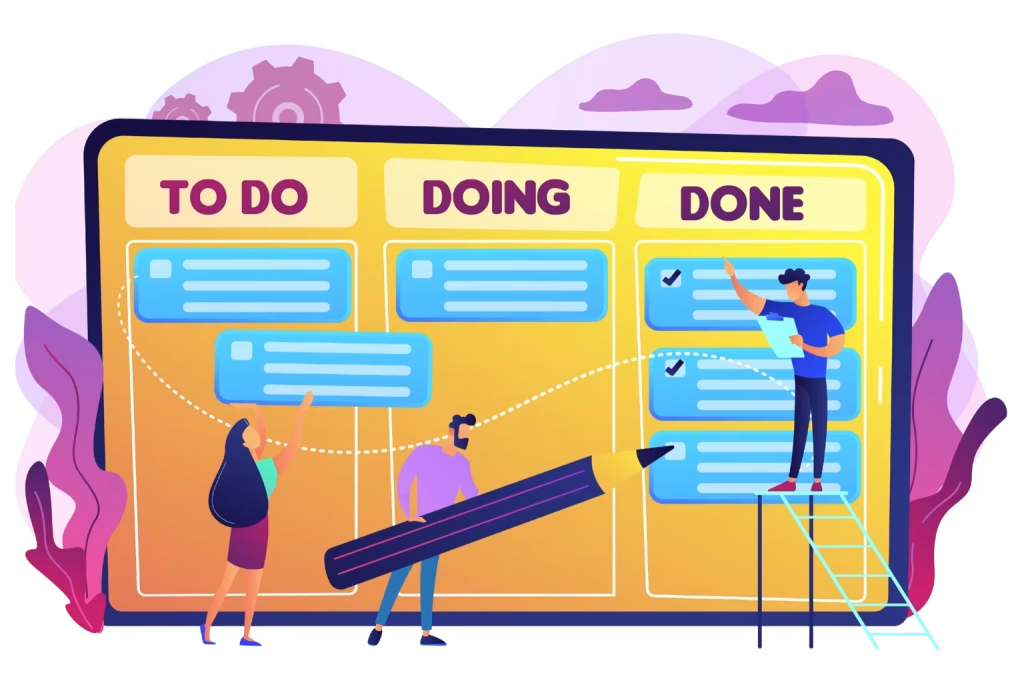

Work Should Flow, Not Feel Chaoti
Every successful project starts with a clear plan, but without the right system, even the best teams can lose momentum. Tasks disappear into long email threads. Spreadsheets quickly become outdated. Priorities change without anyone noticing.
Managing work should not feel harder than completing it. Yet many teams still struggle with missed deadlines, unclear priorities, and scattered task updates. That is where kanban task management software makes a real difference.
A modern Kanban system gives every team member a clear view of work, helps managers balance workloads and keeps projects moving without unnecessary meetings. Whether you lead a marketing team, IT department, HR, finance, operations or PMO, a Kanban board helps everyone understand what needs attention right now.
Team members work hard, yet managers still struggle to answer simple questions, what is in progress? What is delayed? Who needs help?
The result is missed deadlines, duplicated work, communication gaps and hours spent chasing status updates instead of driving projects forward. Now imagine a workspace where every task is visible, every responsibility is clear and every project moves through a simple, organized workflow.
- To Do → In Progress → Review → Completed
At a glance, everyone knows:
- What work is currently in progress
- Who owns each task
- Which items are blocked
- What needs immediate attention
- Which deadlines are approaching
- What has already been completed
This level of transparency transforms the way teams work. Instead of reacting to problems after they happen, they can identify bottlenecks early, collaborate more effectively and keep projects moving with confidence. That is why businesses of all sizes from growing startups to large enterprises are adopting kanban task management software.
Industry Insights:
- Microsoft continues to position integrated work management within Microsoft 365 as a way to streamline collaboration, reduce context switching and enhance employee productivity.
What is Kanban Task Management Software?
Kanban task management software is a visual project management system that organizes work using boards, columns, and task cards. Every task moves across different workflow stages as work progresses.
For example: To Do → Assigned → In Progress → Review → Done
Each card contains important information like:
- Task title
- Description
- Priority
- Due date
- Assigned owner
- Attachments
- Comments
- Checklist
- Progress updates
Rather than searching across emails or spreadsheets, every project detail stays in one organized workspace. This simple approach makes Kanban one of the easiest project management methods to adopt across organizations of any size.
What is a Kanban Board?
A Kanban board is the heart of Kanban project management. It provides a visual representation of every task currently being completed. Imagine a whiteboard divided into columns.
To Do | In Progress | Review | Completed |
Task A | Task C | Task F | Task H |
Task B | Task D |
| Task I |
| Task E |
|
|
As work progresses, task cards simply move from one column to another. This visual workflow helps everyone understand project health in seconds. Instead of reading long status reports, managers instantly identify:
- Bottlenecks
- Delayed work
- Resource shortages
- High-priority tasks
- Team workload
The result is faster decisions with fewer meetings.
Why Traditional Task Management No Longer Works
Many organizations still rely on outdated methods:
- Excel spreadsheets
- Email threads
- Sticky notes
- Shared documents
- Manual reports
These systems create several problems.
- Poor Visibility: Nobody knows the actual project status.
- Too Many Status Meetings: Managers spend hours collecting updates that should already be visible.
- Missed Deadlines: Without clear ownership, important work slips through the cracks.
- Duplicate Work: Different employees unknowingly complete the same task.
- Slow Decision Making: Leadership cannot prioritize because project information is scattered.
A Kanban system solves all these challenges through one centralized visual workspace.
Why More Businesses Choose Kanban Task Management Software
- Modern teams need flexibility.
- Projects change quickly.
- Priorities shift weekly.
- Remote work has become normal.
- Departments collaborate across multiple locations.
Kanban adapts naturally to these changes. Instead of rigid project plans, work continuously flows through each stage. This makes Kanban especially valuable for:
- IT teams
- Marketing departments
- HR teams
- Finance teams
- Operations
- Product development
- PMOs
- Customer support
- Sales operations
No matter the department, everyone benefits from greater visibility and accountability.
Top Benefits of Kanban Task Management Software
1.Complete Visibility
- Every project becomes transparent.
- Managers no longer ask, “What is everyone working on?”
The board answers that question instantly.
2. Better Team Collaboration
- Everyone works with the same information.
- Comments, attachments, updates and discussions stay connected to each task.
This reduces confusion and improves communication across departments.
3. Faster Project Delivery
- Teams spend less time organizing work and more time completing it.
- Tasks move continuously without waiting for lengthy reporting cycles.
4.Improved Accountability
Every task has:
- One owner
- One deadline
- One current status
Nothing falls between departments.
5.Higher Productivity
- Instead of juggling dozens of priorities simultaneously, Kanban encourages teams to focus on completing current work before starting new tasks.
- This creates smoother workflows and better outcomes.
6.Easier Workload Management
- Managers quickly identify employees who are overloaded while others have available capacity.
- Balanced workloads reduce burnout and improve overall performance.
7. Better Project Forecasting
- Historical task completion data helps leaders estimate future delivery dates more accurately.
- Planning becomes data-driven instead of relying on assumptions.
Why Team Leaders Love Kanban Boards
For team leaders, visibility is everything. Instead of spending mornings collecting updates, they simply open the board. Within seconds they know:
- What is on schedule
- Which projects are delayed
- Who needs support
- Which approvals are pending
- What work finished today
This allows leaders to coach instead of micromanaging. Teams become more independent while remaining fully aligned.
Why Project Managers Choose Kanban Board Software
- Project managers face constant pressure.
- Stakeholders expect predictable delivery.
- Leadership wants accurate reporting.
- Teams need clear priorities.
A modern kanban board software solution provides all three. Project managers gain:
- Real-time dashboards
- Visual timelines
- Task dependencies
- Priority management
- Resource planning
- Automated notifications
- Progress tracking
- Milestone monitoring
Instead of chasing updates, project managers focus on removing blockers and delivering successful outcomes.
Department Heads Gain Better Business Visibility
Department heads are responsible for results, not just tasks. They need answers like:
- Are projects on track?
- Which departments need support?
- Where are delays occurring?
- Are resources fully utilized?
- Which initiatives deliver the most value?
Kanban dashboards provide this information in real time. Leadership gains confidence because decisions are backed by live project data instead of outdated weekly reports.
What Makes Great Kanban Board Software?
- Not every Kanban solution delivers the same value.
- The best platforms combine visual simplicity with powerful project management capabilities.
Essential Features of the Best Kanban Software
Choosing the right kanban task management software is about more than creating task cards. The best solution helps your team plan, collaborate, automate and deliver work faster without adding complexity. If you are comparing different tools, look for features that improve visibility, reduce manual work and support long-term business growth.
1.Visual Kanban Boards That Everyone Understands: The biggest strength of a Kanban system is simplicity. A visual board gives every team member an instant understanding of project status. Instead of reading reports, users simply open the board and see:
- Tasks waiting to start
- Active work
- Items under review
- Completed work
- Delayed activities
This improves communication across departments because everyone works from the same information. A visual workflow also reduces onboarding time for new employees, making adoption faster across the organization.
2.Flexible Workflow Customization: Every business has unique processes.
A marketing team may use:
- Ideas → Content Writing → Review → SEO → Published
An IT team may use:
- Backlog → Development → Testing → UAT → Production
An HR team may use:
- Request → Approval → Interview → Offer → Onboarding
The best kanban board software lets organizations customize workflows without changing how their teams already work. This flexibility supports every department while maintaining consistency across the business.
3.Smart Task Assignment: Every task should clearly answer three questions:
- Who owns it?
- When is it due?
- What is the priority?
Modern kanban task management software makes task ownership obvious. Managers can assign work instantly, while employees receive automatic notifications about new assignments and deadline updates. Clear ownership reduces confusion and improves accountability.
4.Priority Management: Not every task has the same business value. Without priorities, teams often work on the easiest tasks instead of the most important ones. Leading Kanban platforms allow users to categorize work using labels such as:
- Critical
- High Priority
- Medium
- Low Priority
Color-coded priorities help teams focus on what matters most.
5.Timeline View for Better Planning: A Kanban board shows today’s work. A timeline view shows tomorrow’s plan. For project managers, this combination is incredibly powerful. Timeline visualization helps answer questions like:
- Which projects overlap?
- Are deadlines realistic?
- Where are resource conflicts?
- Which milestones are approaching?
By combining Kanban boards with timeline planning, organizations gain both operational visibility and strategic planning. This is especially valuable for departments managing multiple projects at the same time.
6.Microsoft 365 Integration: Many organizations already rely on Microsoft 365 every day. Managing projects inside the same ecosystem reduces switching between different applications. A Microsoft 365-integrated Kanban solution allows teams to:
- Access projects securely
- Use SharePoint as a centralized workspace
- Collaborate alongside Microsoft Teams
- Store files in familiar environments
- Maintain organizational governance
This creates a seamless experience while reducing software complexity.
7.Real-Time Collaboration:
- Modern projects rarely involve one person.
- Marketing depends on design.
- Sales depends on marketing.
- HR works with finance.
- IT supports every department.
Real-time collaboration keeps everyone aligned. Team members can:
- Add comments
- Upload files
- Mention coworkers
- Track conversations
- Resolve issues without email chains
Everything stays connected to the task itself.
8.Automation That Saves Time: Manual updates consume valuable time. Automation eliminates repetitive work by automatically:
- Assigning tasks
- Sending reminders
- Updating statuses
- Triggering approvals
- Moving completed work
- Notifying stakeholders
Instead of spending hours on administration, teams focus on delivering results.
9.Dashboards and Reports
- Leadership needs more than task lists.
- Executives need insights.
Strong reporting helps answer questions such as:
- How many projects are active?
- Which teams have the highest workload?
- What percentage of tasks finish on time?
- Where are the recurring bottlenecks?
- Which projects require immediate attention?
Real-time dashboards transform project data into business intelligence.
10.Mobile Accessibility
- Work no longer happens only at a desk.
- Managers travel.
- Employees work remotely.
- Approvals happen everywhere.
A responsive Kanban solution allows users to:
- Update tasks
- Review progress
- Approve requests
- Upload files
- Respond to comments from any device.
This flexibility keeps projects moving regardless of location.
Kanban Board for Project Management
A kanban board for project management provides far more than a visual task list. It becomes the operational center of every project. Project managers gain complete control over:
- Project scope
- Task sequencing
- Team collaboration
- Resource allocation
- Progress tracking
- Deadline management
- Risk identification
Instead of waiting for weekly reports, managers see project health in real time. This enables faster decisions and reduces project delays.
How Different Departments Use Kanban
Team Leaders: Team leaders use Kanban boards to organize daily work. Benefits include:
- Better workload balancing
- Clear ownership
- Faster issue resolution
- Improved communication
- Higher accountability
Instead of asking for updates, leaders simply review the board.
Project Managers: Project managers rely on Kanban for end-to-end project execution. Common use cases include:
- Sprint planning
- Product launches
- Client implementations
- Software development
- Internal transformation projects
Visual workflows reduce project risk while improving delivery speed.
Department Heads: Department heads focus on strategic outcomes.Kanban dashboards help them monitor:
- Department productivity
- Resource utilization
- Budget alignment
- Operational efficiency
This visibility supports better business decisions.
Why Microsoft 365 Organizations Need Built-In Kanban
Many companies already use:
- Microsoft Teams
- SharePoint
- Outlook
- OneDrive
- Power Automate
Adding another disconnected project management platform often creates:
- Duplicate work
- User confusion
- Extra licensing costs
- Data silos
- Security concerns
A Kanban solution built for Microsoft 365 keeps everything within the existing digital workplace. Employees continue using familiar tools while gaining modern project management capabilities.
Why Task 365 is Built for Modern Project Teams
Organizations using Microsoft 365 often want project management that feels like a natural extension of their existing workspace. Task 365 addresses this need by combining visual task management with SharePoint and Microsoft 365 capabilities. Key advantages include:
- Visual Kanban Board: Organize work using customizable boards that make project status easy to understand.
- Timeline View: View projects across a timeline to monitor milestones, dependencies, and upcoming deadlines. This gives managers both short-term execution and long-term planning visibility.
- Task Assignment: Assign owners, due dates, priorities and progress updates from one centralized location.
- Team Collaboration: Keep discussions, documents, and updates connected directly to each task.
- Centralized Project Workspace: Store project information securely within your Microsoft 365 environment, improving governance and accessibility.
- Progress Tracking: Monitor project completion through real-time dashboards that highlight risks before they become problems.
- Scalable Across Departments: Whether your organization has 20 employees or 20,000, Task 365 supports multiple departments while maintaining standardized workflows.
Why Buyers Compare Kanban Software Before Making a Decision
Investing in a new project management solution affects how every team works. Before selecting a platform, decision-makers typically evaluate:
- Ease of use
- Microsoft 365 compatibility
- Workflow flexibility
- Reporting capabilities
- Automation features
- Security and permissions
- Scalability
- Total cost of ownership
- Vendor support
- Implementation time
The best kanban task management software balances powerful functionality with a user experience that encourages fast adoption.
How to Choose the Best Kanban Software for Your Business
Selecting the right kanban task management software is an investment in your team’s productivity. The right platform should make work easier, improve collaboration and grow with your organization. Before making a decision, ask these questions:
- Does It Fit Your Existing Technology?
If your organization already uses Microsoft 365, choosing software that integrates with SharePoint, Microsoft Teams, Outlook, OneDrive helps reduce training time and improves user adoption.
- Is It Easy to Use?
A powerful tool should not require weeks of training. Team members should be able to create tasks, update progress and collaborate with confidence from day one.
- Can It Scale?
Your software should support today’s projects and tomorrow’s growth. As your organization expands, the platform should handle additional users, departments and projects without sacrificing performance.
- Does It Provide Real-Time Visibility?
Managers and executives need live dashboards instead of static reports. Real-time visibility enables faster decisions and better resource planning.
- Does It Support Collaboration?
Look for features such as comments, file sharing, task mentions, notifications and centralized documentation. Better collaboration leads to fewer misunderstandings and faster project delivery.
Signs Your Organization Needs Kanban Task Management Software
Many businesses wait too long before modernizing project management. If any of these challenges sound familiar, it may be time to adopt a Kanban solution:
- Teams rely heavily on spreadsheets for task tracking.
- Employees frequently ask for project updates.
- Deadlines are regularly missed.
- Projects lack clear ownership.
- Managers spend too much time in status meetings.
- Work is spread across multiple disconnected tools.
- Leadership lacks visibility into project progress.
- Departments struggle to collaborate effectively.
A modern kanban board software solution addresses these issues by providing a single source of truth for project work.
Business Benefits Beyond Project Management
Implementing a Kanban solution does more than organize tasks. It can improve how the entire organization operates. Key business outcomes include:
- Greater project transparency
- Faster decision-making
- Improved employee accountability
- Better cross-functional collaboration
- More predictable project delivery
- Reduced administrative effort
- Higher team productivity
- Improved customer satisfaction through on-time delivery
When teams spend less time managing work, they spend more time creating value.
Why Task 365 is a Smart Choice
Task 365 combines the simplicity of a visual Kanban board with the familiar Microsoft 365 environment that many organizations already trust. With Task 365, your teams can:
- Create customizable Kanban boards
- Assign and prioritize tasks
- Track progress in real time
- Visualize projects with Timeline View
- Collaborate within SharePoint
- Manage documents securely
- Improve reporting with live dashboards
- Support multiple departments from one platform
Instead of introducing another disconnected application, Task 365 extends your existing Microsoft 365 investment with enterprise-ready task and project management. Whether you lead a small team or a large organization, Task 365 helps transform scattered work into organized, measurable progress.
What to Look for in Kanban Board Software
Use this checklist before choosing your next solution.
- Easy-to-use visual Kanban board
- Custom workflows
- Task assignment and ownership
- Due dates and priorities
- Timeline or Gantt-style planning
- Microsoft 365 integration
- SharePoint compatibility
- File attachments and comments
- Notifications and reminders
- Workflow automation
- Dashboards and reporting
- Enterprise security
- Mobile accessibility
- Scalable architecture
- Responsive customer support
If your chosen platform meets these requirements, it is well-positioned to support long-term business success.
Conclusion
Great teams do not succeed because they work harder. They succeed because they work smarter. When everyone can see priorities, understand responsibilities, and collaborate in one shared workspace, projects move faster with fewer delays. That is the value of modern kanban task management software.
- It replaces uncertainty with clarity.
- It replaces manual tracking with real-time visibility.
- It replaces disconnected communication with structured collaboration.
Whether you are leading a growing department or managing enterprise-wide initiatives, adopting the right kanban board for project management can improve productivity, accountability, and business performance.
Ready to Get More Done with Apps365?
With Task 365, you can build visual Kanban boards, track every task, collaborate securely in SharePoint and plan projects with Timeline View all from one centralized platform. Book Your Free Demo Today!
Frequently Asked Questions
What is Kanban task management software?
Kanban task management software is a visual work management solution that organizes tasks into workflow stages such as To Do, In Progress, Review and Done. It helps teams manage work efficiently, improve collaboration and track project progress in real time.
What is a Kanban board?
A Kanban board is a visual workspace where tasks are displayed as cards and moved through different workflow stages. It helps teams understand project status, identify bottlenecks and prioritize work more effectively.
What is the difference between a Kanban board and a project management tool?
A Kanban board focuses on visual workflow management, while a project management platform may also include planning, reporting, budgeting, resource management and collaboration features. Many modern solutions combine both capabilities.
Which teams benefit from Kanban task management software?
Kanban is valuable for:
- Project Management Offices (PMOs)
- Marketing teams
- IT departments
- Human Resources
- Operations
- Finance
- Sales
- Customer Support
- Product Development
Any team managing recurring tasks or projects can benefit from Kanban.
Is Kanban suitable for large enterprises?
Yes. Enterprise Kanban platforms support multiple departments, role-based permissions, reporting, automation, integration with business systems such as Microsoft 365 and SharePoint.
How does Kanban improve productivity?
Kanban improves productivity by making work visible, reducing unnecessary meetings, limiting work in progress, improving collaboration and helping teams focus on completing high-priority tasks.
Can Kanban be used with Microsoft 365?
Yes. Solutions like Apps365 integrate with Microsoft 365 and SharePoint, allowing organizations to manage projects within their existing digital workplace.
What features should I look for in the best Kanban software?
Look for:
- Visual Kanban boards
- Custom workflows
- Timeline View
- Automation
- Dashboards
- Task assignments
- Collaboration tools
- Microsoft 365 integration
- Mobile access
- Reporting and analytics


_JiluXJRGNl.svg)























