
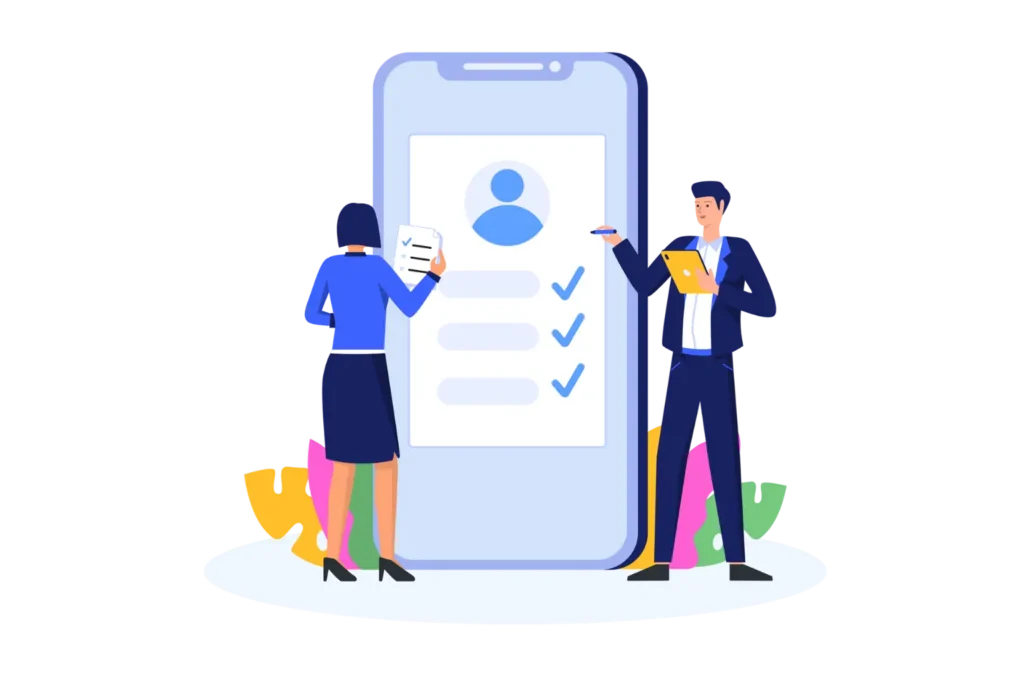

A new hire’s first day sets the tone for their entire journey with your company. An employee onboarding application makes that first day smooth, structured, and stress-free for both the employee and your HR team.
- An onboarding app automates tasks, training, and communication so new hires feel welcome from day one.
- It cuts HR workload by removing manual paperwork and follow-ups.
- AI features like smart training and chatbots make onboarding faster and more personal.
- Employee Onboarding 365 connects everything inside Microsoft Teams for easy adoption.
What Is an Employee Onboarding Application?
An employee onboarding application is a web-based tool. It manages the onboarding process for new employees. It brings documents, training, tasks, and communication into one place.
Manual onboarding often starts on day one. A good onboarding app starts earlier. It stays active for the first few months of employment. This keeps things clear and consistent for every new hire.
A strong onboarding program can improve new hire retention by up to 82%, according to research compiled by Eddy. Structured, technology-driven onboarding helps new hires settle in faster and stay longer.
See how Employee Onboarding 365 fixes common HR bottlenecks in one platform
Key Components of an Onboarding Checklist
A strong onboarding checklist keeps new hires on track. It also keeps HR organized. Whether you are onboarding an employee remotely or in person, a checklist gives every step a clear owner and a clear deadline. Here are the parts every checklist needs.
Pre-Day-One Tasks
Before the first day starts, HR should send welcome emails, collect signed paperwork, and set up system access. This keeps day one free of delays and last-minute setup work. It also gives new hires a sense of confidence before they even walk in the door.
First-Day Essentials
The first day should cover introductions, a workplace tour, and a clear orientation. This helps new hires feel welcome and know what to expect right away. A smooth first day reduces early anxiety and helps employees settle into their surroundings faster.
Training Modules
Role-specific learning paths guide new hires through the skills and tools they need. Short, focused modules work better than one long training session. Breaking training into smaller pieces helps new hires retain information and apply it sooner.
Task Milestones
Early wins build confidence. A 30-60-90 day plan gives new hires small, clear goals to hit as they settle into the role. Each milestone creates a natural checkpoint for feedback and progress tracking.
Feedback Checkpoints
Regular check-ins and short pulse surveys catch problems early. They also show new hires that their input matters. Consistent feedback loops help HR spot issues before they turn into bigger retention risks.
Why Businesses Need an Employee Onboarding Application
Spreadsheets and emails slow things down. They also confuse new hires. A centralized onboarding app removes this friction. It gives every employee the same standard, automated process no matter their role or location.
Increased Employee Retention and Satisfaction
New hires stay longer when they feel supported early. A clear, guided onboarding process makes employees feel valued from day one. That early sense of belonging often carries through into long-term loyalty and job satisfaction
Faster Time-to-Productivity
Clear workflows and role-based training help employees learn faster. Everything lives on one platform. This means less waiting and fewer manual instructions, so new hires can start contributing within their first few weeks.
Less HR Administrative Work
Employee onboarding automation handles paperwork and approvals. This frees up HR teams. They can focus on strategy instead of repetitive tasks, which improves both morale and long-term department output.
Improved Documentation and Compliance Tracking
The app tracks documents, policies, and sign-offs in real time. This lowers compliance risk and creates a clear audit trail. HR teams can quickly confirm that every required form has been completed correctly
Uniform Onboarding Across Teams and Locations
Every employee gets the same experience. This holds true for remote, hybrid, and in-office staff. Larger companies often rely on enterprise onboarding software to keep this consistency across departments and locations, which in turn strengthens company culture.
See how much time your HR team could save. Try an automated onboarding checklist built for your workflow.
Step-by-Step Guide to Using an Employee Onboarding Application
Onboarding works best when it follows a clear sequence. Each stage builds on the last, so new hires never feel lost or overwhelmed.
Here is how a typical onboarding journey unfolds, step by step.
Step 1: Preboarding
Preboarding builds excitement early and reduces first-day stress. A good onboarding app helps HR send personalized welcome emails, share company policies, and complete digital paperwork like tax forms and contracts well in advance. It also sets up system access and assigns a mentor or onboarding buddy, so new hires feel prepared before they even arrive.
Step 2: The First-Day Orientation, Simplified
The first day should feel simple, not confusing. A strong onboarding app puts every resource in one place, covering company mission and values, team introductions, and reporting structure. It also brings HR and IT access together on a single platform and can include a virtual or in-person workplace tour to help new hires get oriented quickly
Step 3: Role-Based Training and Learning Paths
Good training is relevant and organized, supporting both guided and self-paced learning. Onboarding apps provide role-specific checklists, video tutorials, and documentation so employees learn at their own speed. Quizzes confirm understanding along the way, while HR and managers track training progress live through a shared dashboard.
Step 4: Task Assignment and Early Productivity
New hires should ease into real work, and onboarding apps help by assigning tasks step by step. Breaking work into small, manageable pieces builds confidence, while collaboration tools let new hires ask questions and work alongside teammates. Tracking task completion and building a 30-60-90 day plan keeps progress visible for everyone involved
Step 5: Check-Ins, Support, and Feedback
Feedback keeps onboarding on track, and a formal process makes communication easy and consistent. Regular one-on-one meetings between new hires and managers create space to discuss progress and challenges. Short pulse surveys and peer feedback add extra perspective, while recognizing early wins keeps new hires motivated through their first few months.
How AI Powers Employee Onboarding Software
AI is turning onboarding apps into a true automated onboarding system, making the process faster, smarter, and more personal. Here’s how.
Automated Tasks
AI assigns onboarding tasks, sends timely reminders, and prioritizes what matters most. Nothing gets missed, and the process stays organized for every new hire. This reduces the manual follow-up that usually falls on HR teams.
Smart Training
AI recommends learning content based on a new hire’s role and skill gaps. This keeps training focused on what actually helps them succeed. Employees spend less time on irrelevant material and more time building the skills their role requires.
HR Chatbots
Employees get instant answers to HR questions, day or night. This reduces delays and takes pressure off HR teams. It also gives new hires a reliable first point of contact when a manager or HR rep isn’t immediately available.
Predictive Insights
AI compares engagement patterns to flag early signs of disengagement. This lets HR step in before a new hire disengages or leaves. Catching these signals early makes it far easier to course-correct and improve the employee’s experience.
Remote & Hybrid Support
AI keeps remote and hybrid employees connected through personalized, interactive onboarding. This helps them feel included from day one, wherever they work. Consistent digital touchpoints replace the casual office interactions remote employees would otherwise miss.
Curious how AI can simplify your onboarding?
Discover smart onboarding tools that save HR hours every week.
How Employee Onboarding 365 Works with Microsoft Teams
Employee Onboarding 365 is an employee onboarding system that connects fully with Microsoft 365 and Microsoft Teams. This means onboarding happens inside tools employees already use every day.
Automate Onboarding in Microsoft Teams
Workflows, approvals, and reminders run automatically inside Teams. This cuts manual follow-ups and keeps every onboarding step on schedule. HR no longer needs to chase signatures or manually track task completion.
Centralize Tasks, Policies, and Training
Tasks, policies, and training modules all live in one shared space. This gives new hires clarity and keeps everything consistent. Employees never have to guess where to find the resource they need next.
Track Progress in Real Time
HR and managers see task and training status the moment it updates. This makes it easy to step in with support when it’s needed. Real-time visibility means no new hire falls through the cracks unnoticed.
Improve HR-Manager-New Hire Collaboration
Better communication between HR, managers, and new hires builds stronger working relationships. This leads to higher engagement and better retention. Everyone stays aligned on expectations, progress, and next steps throughout onboarding.
Choosing the Right Employee Onboarding Application
Picking the best HR onboarding software starts with knowing what features actually matter. The right onboarding software should be automated, secure, and easy to use. You can also check G2’s onboarding software rankings to compare real user reviews before deciding. Look for these features
Workflow Automation
Automation reduces manual HR work and prevents missed steps. Repetitive tasks like reminders and approvals run on their own. This frees HR teams to focus on higher-value work instead of routine follow-ups.
Microsoft 365 Integration
Look for software that connects with Teams, Outlook, and SharePoint. This lets employees onboard inside tools they already know. Familiar tools mean less time spent learning a new system before onboarding even begins
Flexible Onboarding Checklists
Checklists should adapt by role, department, or location. This gives every new hire a relevant, focused path. A one-size-fits-all checklist rarely works well across different teams and job functions
Training and Performance Tracking
Tracking shows exactly where new hires need support. It also helps HR give feedback at the right time. Clear visibility into progress makes it easier to spot and fix gaps early
Mobile-Friendly Access
Employees should be able to onboard, train, and reach HR from any device. This adds flexibility for remote and on-the-go staff. Mobile access also helps frontline and field employees stay engaged without needing a desk
Copilot AI Assistance
AI support can recommend training and assign tasks automatically. This keeps new hires engaged without extra manual work. It also gives HR teams a smart assistant that catches details a busy schedule might miss.
Conclusion
Employee onboarding software turns a chaotic first week into a guided, confident start. It automates the busywork, keeps HR and managers aligned, and gives every new hire, remote, hybrid, or in-office, the same clear path to success. The result is faster productivity, stronger retention, and a culture that feels organized from day one.
As onboarding needs grow more complex, AI-driven platforms like Employee Onboarding 365 make it easier to scale without adding more manual work. By connecting onboarding directly into Microsoft Teams, HR teams get one less tool to manage and one more reason for new hires to feel at home right away. Businesses that invest in structured onboarding today are the ones that retain talent and build stronger teams tomorrow.
Ready to simplify your onboarding process?
Book a free walkthrough of Employee Onboarding 365 today.
Frequently Asked Questions
Most onboarding programs run for 90 days, covering preboarding, first-day orientation, training, and ongoing check-ins.
Yes. Cloud-based onboarding apps support remote and hybrid teams with virtual sessions, digital documents, and online communication tools.
Yes. It runs directly inside Microsoft Teams, so HR and new hires can manage tasks, training, and approvals without switching platforms.
AI-powered onboarding automates task assignments, recommends personalized training, and uses chatbots to answer employee questi
No. Onboarding apps scale for businesses of any size, helping small and mid-sized companies standardize onboarding just as effectively as large enterprises.


_JiluXJRGNl.svg)























