SaaS billing software

5 Best SaaS Billing Software 2026 - Comprehensive Buyer Guide

Behind every successful SaaS business lies a billing system that works silently. 

As SaaS models scale, so do the complexities of recurring billing. With a variety of pricing models, recurring payments, usage-based charges, and evolving tax regulations, managing billing in a SaaS environment can quickly become complex. 

Key Takeaways
  • SaaS billing software automates recurring revenue operations such as subscriptions, invoicing, payment collection, renewals, and revenue tracking.  
  • Flexibility is essential for growing SaaS businesses, with support for subscription, usage-based, tiered, and hybrid pricing models. 
  • Advanced billing platforms improve revenue retention through automated renewals, failed payment recovery and proration management.  
  • Choosing the right solution depends on your growth stage and requirements, including scalability, integrations, and customer lifecycle management. 

According to study by Gartner, the global SaaS market is projected to reach $295 billion by 2025, driven by a 19.4% annual growth rate. This rapid expansion puts immense pressure on businesses to streamline billing workflows, automate recurring payments, and stay compliant with evolving tax regulations across borders. 

SaaS billing software is no longer just a backend utility it is a critical engine for growth. From managing subscription lifecycles and pricing models to handling proration a good tool is important for business.  

What Is SaaS Billing Software?

SaaS billing software is a purpose-built solution that streamlines and automates recurring revenue for subscription-based business model services. Unlike conventional single-payment models, SaaS businesses rely on dynamic subscription pricing that demands adaptable billing systems ones that can efficiently manage renewals, plan changes, usage-based charges, and multiple pricing tiers with accuracy and ease. 

Challenges Faced in SaaS Billing

SaaS billing management involves a wide range of tasks that go beyond routine invoicing. Below are some of the common challenges associated with SaaS billing processes

1) Handling Multiple Subscription Plans

The volume of SaaS subscriptions managed by modern organizations has grown rapidly, adding pressure to stay on top of billing cycles and renewals. 

According to a study by Zylo, companies now manage an average of 247 SaaS renewals annually which translates to nearly one renewal every working day. 

As SaaS companies scale and expand into international markets, these processes become even more intricate. To maintain operational efficiency and customer satisfaction, a strong and flexible billing infrastructure becomes a vital component of long-term success.

2) Failed Payments and Revenue Loss

One of the critical challenges in SaaS billing is managing unsuccessful transactions. These failures can result from a variety of factors, such as expired payment methods or insufficient account balances. 

Beyond financial impact, repeated payment failures can also reduce the overall customer experience.  

When users encounter recurring issues without timely support or clear instructions, there is a higher risk of service cancellation and customer churn. 

3) Tax Compliance and Global Transactions

Tax compliance presents a significant challenge for SaaS companies, especially those operating across multiple countries or regions.  

Each jurisdiction enforces its own set of tax rules, and non-compliance can lead to legal complications and financial penalties.  

Manually calculating taxes for every transaction becomes increasingly impractical as the business expands into new markets. 

4) Churn and Customer Retention

Retaining customers is key to long-term growth and profitability for any SaaS business built on a subscription model. 

However, billing-related concerns such as unexpected fees, inflexible SaaS renewal processes, or a lack of transparency can lead to dissatisfaction and increased churn. 

Modern customers want flexibility in managing their subscriptions whether it’s updating plans, pausing service, or cancelling when needed.

5) Integration with Existing Systems

SaaS billing systems are responsible for processing and storing highly sensitive financial and user information.  

Compliance with frameworks like SOC 2 is essential to demonstrate robust controls around data protection, system availability, and privacy. 

A secure SaaS billing software should include built-in encryption, access controls, audit trails, and regular security updates to ensure ongoing compliance and protection of customer data. 

Best 5 SAAS Billing Software

Efficient SaaS billing management is critical for success. As subscription models grow more complex, choosing the right billing software helps automate processes, reduce errors, and improve customer satisfaction. Below are five top-rated SaaS billing solutions designed to support modern business needs. 

Products 

Integration 

Trial Period 

Revenue 365 

SharePoint, MS Teams, Outlook and Power BI 

14 days 

Recurly 

Avalara, vertex, Oracle NetSuite, and QuickBooks 

14 days 

Zenskar 

BigQuery, HubSpot, Intuit QuickBooks & MongoDB  

Get Assist with Sales Team 

Chargebee 

Slack, NetSuite, Zapier & Chartmogul 

14 days  

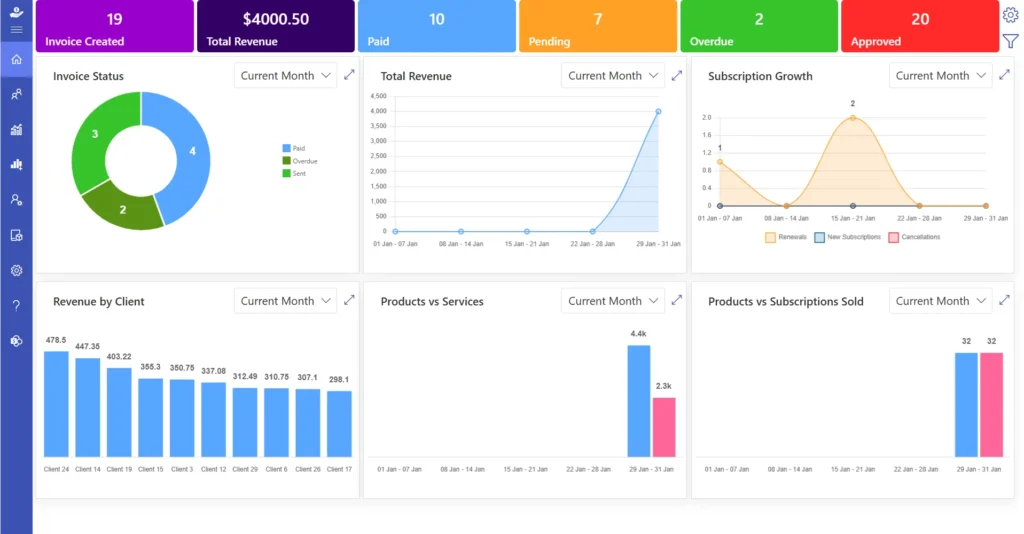
1. Revenue 365

Revenue 365 is a comprehensive SaaS billing software solution that helps businesses manage subscriptions, invoices, recurring payments, and custom pricing plans from a single platform. Built on the Microsoft 365 ecosystem, Revenue 365 is an ideal choice for organizations that already use Microsoft 365 in their daily operations, enabling seamless integration with existing workflows. 

Whether you offer monthly subscriptions, annual contracts, or customized service bundles. Its user-friendly interface and flexible configuration options make it suitable for businesses of all sizes looking to scale their subscription operations efficiently. 

Key Features 

  • Flexible Tax Management: Supports different tax rules across countries and regions to help businesses stay compliant. 
  • Automatic Billing Processes: Generates invoices and sends payment reminders without manual effort. 
  • Secure Data Handling: Protects customer and financial information with strong security controls. 
  • Easy-to-Use Interface: Simple navigation helps teams manage billing tasks quickly and efficiently. 

How to Customize Customer Billing Information in Revenue 365 

  1. Sign in to your Office 365 account and open the SharePoint site where Revenue 365 is installed. 
  2. Add the customer’s products, subscription plans, services, and payment terms. 
  3. Create a billing profile by entering details such as currency, tax settings, invoice preferences, and other customer-specific requirements. 

Need a SaaS billing software that works within Microsoft 365? 

Revenue 365 is built for Microsoft 365 users, making billing and subscription management simpler, faster, and easier to manage. 

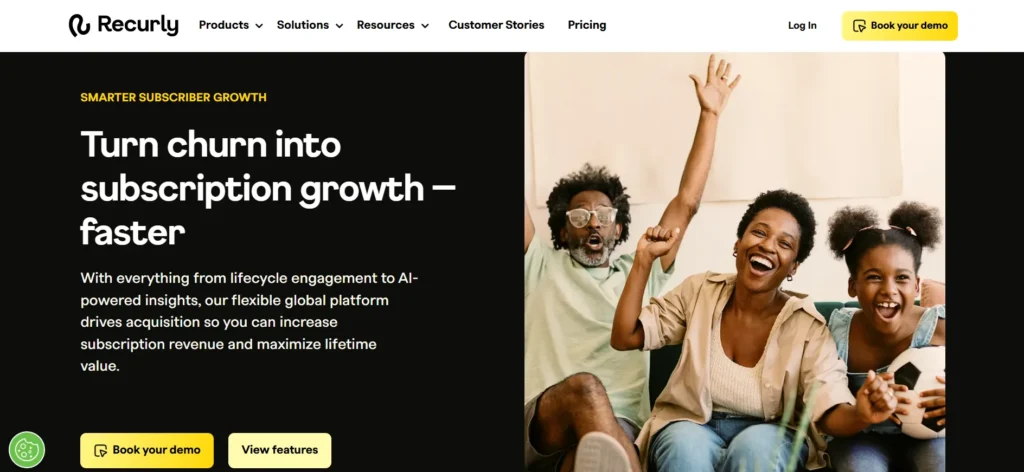
2) Recurly 

Recurly is a popular SaaS billing software platform built to support subscription-based businesses with automated billing and revenue management tools. It enables companies to handle recurring payments, manage customer subscriptions, and optimize revenue collection through a centralized system. The platform is particularly useful for businesses with global customers, as it supports multiple currencies, payment methods, and pricing models.  

Key Features 

  • Subscription Billing Automation: Handles recurring invoices and payment collection automatically. 
  • Payment Recovery Tools: Helps recover failed payments through automated retry processes. 
  • Detailed Business Insights: Provides reports on revenue, customer behavior, and subscription performance. 
  • Payment Gateway Integrations: Works with multiple payment providers to offer greater flexibility. 

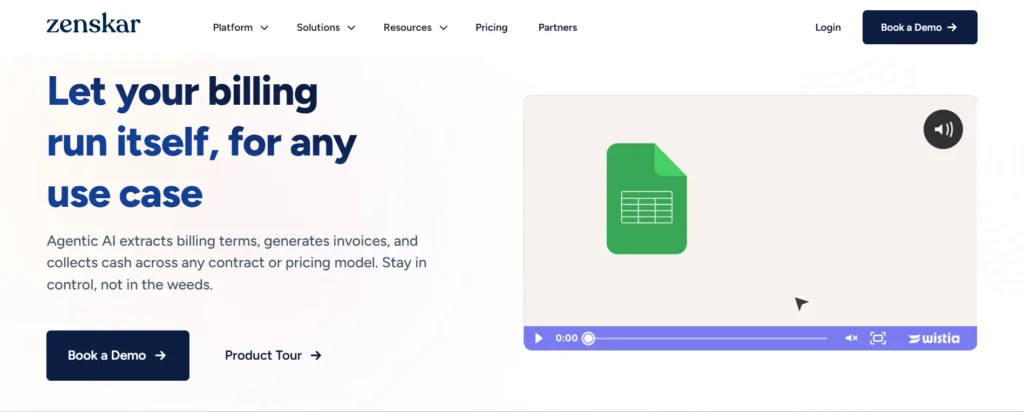
3) Zenskar

Zenskar is an advanced SaaS billing software platform designed for businesses that use usage-based, consumption-based, or hybrid pricing models. As SaaS companies increasingly adopt flexible pricing structures, Zenskar provides the tools needed to accurately track customer usage and generate precise invoices. The platform automates complex billing calculations, reduces operational overhead, and supports customized pricing strategies. Its flexibility makes it an excellent choice for companies that need greater control over how they charge customers while ensuring billing accuracy at scale.  

Key Features 

  • Usage-Based Billing: Automatically bills customers according to their actual usage. 
  • Workflow Automation: Reduces manual billing tasks and improves accuracy. 
  • Custom Pricing Support: Allows businesses to create personalized pricing plans, discounts, and billing rules. 

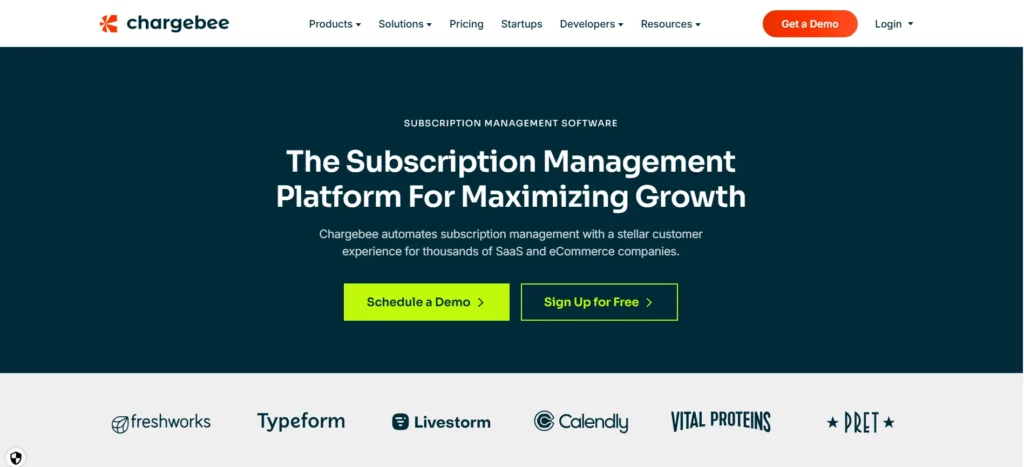
4) Chargebee 

Chargebee is a leading SaaS billing software solution that helps subscription businesses automate billing, manage customer subscriptions, and streamline revenue operations. The platform is designed to support companies at every stage of growth, from startups to large enterprises. With tools for recurring billing, revenue recognition, tax management, and subscription analytics, Chargebee helps businesses reduce manual work and improve financial efficiency. Its scalable infrastructure allows organizations to adapt quickly to new pricing models, geographic expansion, and changing customer requirements.  

Key Features 

  • Automated Recurring Billing: Handles invoicing and payment collection on a recurring schedule. 
  • Smart Dunning Management: Reduces churn by recovering failed payments through automated reminders and retries. 
  • Revenue Recognition: Helps businesses maintain accurate financial reporting and compliance. 
  • Analytics and Reporting: Tracks important metrics such as revenue growth, customer retention, and churn. 

5) Dealhub.io 

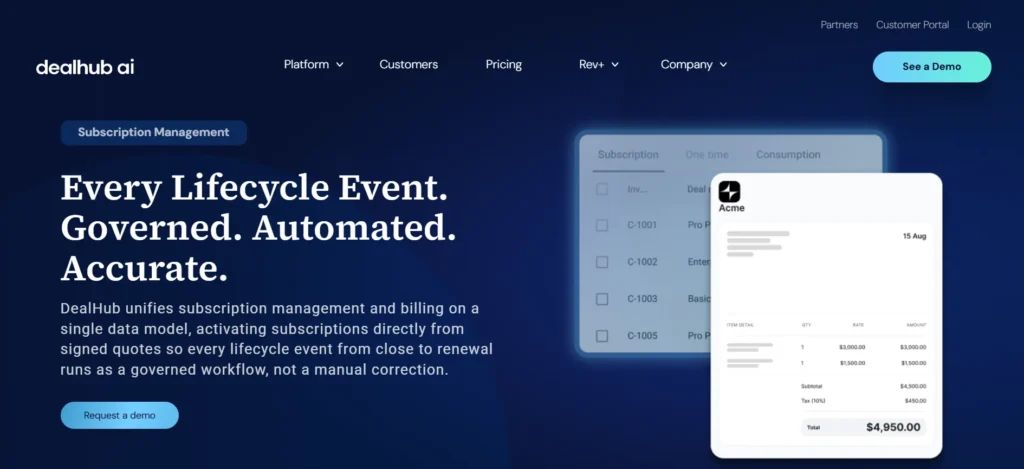
DealHub.io is a modern revenue platform that combines CPQ capabilities with SaaS billing software functionality to simplify the sales-to-revenue process. It helps businesses automate quoting process, quoting, contract management, and billing-related workflows, creating a smoother experience for both sales teams and customers. By centralizing revenue operations and reducing manual tasks, DealHub.io enables organizations to accelerate deal closures and improve billing accuracy.  

Key Features 

  • Automated Pricing and Approvals: Speeds up quote generation and approval workflows. 
  • Guided Product Configuration: Ensures quotes are accurate by using predefined business rules. 
  • Improved Sales Productivity: Reduces manual work and helps teams close deals more efficiently. 
  • Buyer Engagement Insights: Provides visibility into customer interactions to support better sales decisions. 

What are the Feature to Look in SAAS Billing Software

When choosing a SaaS billing software, it is essential to look for features that not only support your current billing needs but also scale with your business as it grows. 

1) Assess Your Billing Needs 

 Before choosing a SaaS billing software, it is important to understand the unique challenges your business faces whether it is managing recurring subscriptions, handling payments efficiently, or staying compliant with tax laws. 
Identify if your main priorities include automating invoices, recovering failed transactions, offering flexible pricing models, or handling global payments. 
By clearly outlining your needs, you can select a billing system that fits your business objectives and avoids adding complexity to your operations. 

2. Compare Software Features

 SaaS billing software vary widely in terms of functionality and focus. When evaluating your options, consider key factors such as automation features, the ability to meet enterprise-level security standards. 

While some tools excel in managing recurring payments, others are designed for in-depth SaaS analytics, tax compliance, or handling pro-forma invoicing.  

It is also important to assess the quality of customer support offered, as timely assistance can be essential when dealing with billing-related challenges. 

3. Choose Scalable Solutions

 Choose a SaaS billing software that not only fits your present requirements but is also built to grow with your business.  

It should be capable of handling various pricing strategies, support multiple currencies, and comply with diverse tax regulations across regions. 

A future-ready billing solution gives you the flexibility to evolve with market shifts and customer expectations seamlessly. 

4. Test Integrations with Existing Systems

It is important to choose a billing solution that works well with your existing tools like Microsoft Teams, SharePoint, and Outlook.  

Seamless integration helps maintain consistent data across departments and supports accurate reporting and customer communication. 

Before you commit, run integration tests to ensure the software blends smoothly with your current systems.  

This helps prevent data gaps and ensures your operations remain connected and efficient. 

5. Train Your Team

Having a robust SaaS payment platform is just one part of the equation your team’s ability to use it effectively is equally important.  

Make sure your finance, operations, and support teams receive in-depth training to become familiar with the software’s features and functions. 

Investing in proper training not only boosts daily performance but also ensures long-term value from your billing solution. 

Benefits Of Using SAAS Billing Software

Manually managing billing, especially for subscription-based businesses, can be tedious and error-prone. A robust SaaS payment platform takes over these tasks through automation, boosting efficiency and reducing mistakes. Here are ten major benefits of using SaaS billing software

1. Faster Payment Processing

Payment delays can create cash flow gaps and hinder the steady progress of your business operations. 

A robust SaaS payment software ensures that invoices are auto generated and dispatched according to your billing schedule. 

By enabling timely payments and supporting various payment methods, it eliminates challenges and keeps your cash flow healthy. 

2. Flawless Invoicing at Scale

 Billing errors whether overcharges, missed discounts, or tax miscalculations can erode customer trust.  

With automated billing logic, you apply the right rates, taxes, and discounts every time. 

From single transactions to complex recurring subscriptions, you deliver accurate invoices that require no manual correction. 

3. Built to Scale with You

Business growth often brings billing chaos: more clients, varied plans, and complex payment terms.  

This system scales effortlessly, handling thousands of transactions with consistent reliability and performance. 

Whether you are serving a hundred users or ten thousand, the platform adapts without increasing operational workload. 

4. Supports Multiple Pricing Models

Modern SaaS businesses rarely stick to a single pricing model. Some rely on flat fees, others charge based on usage, and many offer custom enterprise quotes. 

In fact, research by OpenView Partners reveals that while only 15% of SaaS companies use a purely usage-based or pay-as-you-go model, a significant 46% now follow a hybrid pricing approach combining usage-based billing with traditional models like tiered or fixed plans. 

This shift underscores the need for a billing system that can keep up.  

5. Better Customer Experience

A smooth and transparent billing process plays a key role in building long-term customer relationships.  

This SaaS payment platform provides clear, easy-to-understand invoices, along with convenient access to payment history. 

With intuitive self-service options, customers can manage their billing details effortlessly leading to a more satisfying experience and stronger retention. 

6. Easy Subscription Management

Managing subscriptions by hand can quickly become stressful especially with frequent renewals, plan changes, or cancellations. 

This system takes care of the entire subscription process automatically. It makes sure customers are billed correctly at each renewal and updates any plan changes right away. 

By making it easy for customers to upgrade, downgrade, or cancel without hassle, it helps improve satisfaction and encourages long-term loyalty. 

7. Reduces Administrative Work

Finance teams often lose valuable time on repetitive tasks like creating invoices, tracking payments, and matching records. 
With automated billing management, these processes are handled seamlessly.  

The system takes care of invoice generation, applies discounts, monitors payments, and updates financial records instantly. 

This allows finance teams to shift their focus from routine work to more strategic activities that drive business growth. 

8. Improves Revenue Forecasting

Understanding revenue patterns is key to making confident business decisions. This system offers in-depth analytics on revenue forecasting, customer retention, and lifetime value. 

With access to real-time financial data, businesses can forecast revenue more accurately, fine-tune pricing strategies, and align marketing efforts. 

These insights empower teams to plan effectively and support long-term, sustainable growth. 

9. Stronger Security & Compliance

Protecting customer billing information is a top priority. This platform uses strong encryption and secure protocols to keep sensitive data safe at every step. 

It adheres to leading compliance standards such as Microsoft certification, SOC 2, and GDPR making sure your business meets all regulatory requirements. 

With built-in security and compliance, you protect transactions and build lasting trust with your customers. 

10. Seamless Integration with Business Tools

A modern SaaS billing system works best when it’s part of a larger ecosystem.  

By integrating with tools like SharePoint, Outlook, and Microsoft Teams, it ensures billing data, customer information, and payment records are always in sync. 

This interconnected setup reduces manual input, limits the chance of errors, and streamlines operations across teams helping your business run more smoothly and efficiently. 

Best Practices to Implement While Managing SaaS Billing

The following best practices can help optimize SaaS billing operations and enhance overall revenue performance.

1) Automate Invoicing and Reminders 

Automated invoicing and timely payment notifications are essential for maintaining billing accuracy and operational efficiency.  

By setting up automated email alerts, businesses can keep customers informed about upcoming renewals or failed transactions and reduce missed payments. 

In fact, industry research shows that close to 90% of IT professionals consider automation a critical factor in managing SaaS operations, with over 60% of organizations reporting a substantial decrease in manual workload as a result.  

Also Read: 7 Advantages of using Automated Subscription Billing 

2) Regularly Monitor Billing Analytics

Monitoring SaaS subscription metrics offers SaaS companies a clearer understanding of financial performance, customer payment trends, and churn probability.  

Consistent analysis helps identify recurring issues such as payment failures and reveals opportunities to adjust pricing for better profitability.  

Utilizing real-time insights empowers businesses to forecast revenue more accurately and build a foundation for sustained growth. 

3) Offer Multiple Payment Options

Providing customers with various payment methods, such as credit cards, bank transfers, and digital wallets, improves the overall billing experience.  

A flexible SaaS billing software reduces transaction failures and caters to a broader customer base, ensuring a smoother subscription renewal process. 

4) Promote Clarity in Pricing and Billing

Transparent SaaS billing management are essential for fostering customer trust and minimizing challenges.  

Offering clear pricing structures, upfront cost disclosures, and itemized invoices allows customers to fully understand their charges.  

When billing is easy to follow and free from hidden fees and it reduces the likelihood of disputes. 

5) Personalize Billing Communication

Billing interactions offer more than just a transactional moment they present an opportunity to build stronger connections with customers.  

By tailoring invoices, payment alerts, and subscription updates with personalized content, businesses can deliver a more thoughtful and engaging experience.  

Customers are far more likely to respond positively to communications that feel relevant and considerate, rather than generic messages

How Can I Customize Client Billing Information in Revenue 365?

Follow these steps to personalize billing information for each client in your SaaS payment platform 

Log in to Office 365: Access your Office 365 account and open the SharePoint site where the Revenue 365 application is installed. 

Add Client Products and Services: Input the specific products, service packages, subscription plans, and payment terms associated with the client. 

Create and Configure Billing Details: Set up the client’s billing profile by entering custom invoice fields, preferred currency, tax information, and any region-specific requirements. 

Conclusion

Selecting the right revenue management solution is crucial for SaaS companies aiming to streamline billing, minimize revenue loss, and boost customer loyalty.  

A robust SaaS billing platform like Revenue 365 offers automated invoicing, built-in tax compliance, and multi-currency support making complex financial tasks easier and more efficient. 

Looking to simplify your billing process and enhance your customer experience? Schedule a demo today and discover how Revenue 365 can elevate your entire revenue workflow. 

Join Our Creative Community

Frequently Asked Questions

Yes. Most platforms including Revenue 365, Chargebee, and Recurly automate recurring invoices and payment reminders.

Yes, most major SaaS billing platforms support multi-currency billing and tax compliance for international customers.

Revenue 365, Chargebee, and Recurly are popular choices for SMBs because they offer automated billing, subscription management, invoicing, and scalable pricing options without requiring complex enterprise-level setup.

Yes. Revenue 365 offers flexible billing schedules, allowing you to bill customers on a monthly, quarterly, yearly, or even custom cycle depending on their preferences. 

Yes, the system supports upselling by allowing you to offer additional services, premium features, or product add-ons directly within the subscriber’s billing plan. 

Schedule a free personalized 1:1 demo

By proceeding, you accept Cubic Logics’s terms and conditions and privacy policy

"Outstanding product that combines ease of use, robust security, and cut Expenses."
Try It Free, No Obligation
By proceeding, you accept Cubic Logics’s terms and conditions and privacy policy
"Exceptional tool that delivers seamless integration, powerful features, and unmatched reliability."

Don't leave yet,
get up to 35% special offer until 30th of June, 2026

Enter your business email ID and we will send a personalized coupon code straight to your inbox.

Please provide your contact details, we will connect with you soon!

Please provide your contact details, we will connect with you soon!

Request for the custom price​

By proceeding, you accept Cubic Logics Terms and Conditions and Privacy Policy

Schedule a free personalized 1:1 demo

By proceeding, you accept Cubic Logics’s terms and conditions and privacy policy

"Outstanding product that combines ease of use, robust security, and cut Expenses."
License Request Form

By proceeding, you accept Cubic Logics Terms and Conditions and Privacy Policy