

_eH2jDg7dZ.png)
If your support team already lives in Microsoft Teams for chat, calls, and files, switching to a separate helpdesk tab or browser tab every time a ticket comes in slows everyone down. A Microsoft Teams ticketing system fixes that gap. It lets agents create, assign, track, and close tickets from the same app they already use all day, which means fewer missed requests, faster first responses, and less app-switching fatigue.
- A true Teams-native ticketing tool lets agents create, assign, and resolve tickets from chat, channels, or a dedicated tab — without opening a separate app.
- Helpdesk 365, Teamswork, and Tikit stay inside Microsoft Teams end-to-end, while Zoho Desk, Zendesk, and SysAid treat Teams as a secondary channel.
- G2 ratings across these eight tools range from 4.3 to 4.7, so the gap in user satisfaction is narrow — workflow fit matters more than the score alone.
- DeskDay and Cireson/Tikit serve specific niches (MSPs and Microsoft System Center shops), while Zoho Desk, Zendesk, and SysAid suit broader, larger support teams.
- Most tools on this list offer a free trial, so shortlist two or three and test them inside your own Teams tenant before you commit.
This guide compares eight of the best Microsoft Teams ticketing systems available in 2026. For each one, you’ll find what it does well, where it falls short, and its current G2 rating, so you can shortlist the right fit for your team’s size and workflow. Whether you’re an internal IT department fielding a few dozen requests a week or a managed service provider juggling tickets across multiple client accounts, one of these eight tools is likely to fit the way your team already works.
Want to see a Teams-native helpdesk in action?
Why Businesses Are Moving Ticketing Into Microsoft Teams
Most support teams already run on Microsoft 365. Email, SharePoint, Outlook, and Teams are where the actual work happens, so it makes sense for ticket management to sit in the same place. A handful of reasons keep coming up when IT and support leaders explain the switch:
- Fewer tools to log into: agents stop toggling between Teams, email, and a standalone helpdesk portal.
- Faster internal collaboration: a ticket can be discussed, escalated, and approved right inside a Teams channel or chat.
- Lower training overhead: new agents are usually already comfortable with Teams, so onboarding is quicker.
- Better visibility for managers: SLA breaches and ticket backlogs show up where the team already spends its day, instead of in a dashboard nobody checks.
The tools below take different approaches to this idea. Some are fully native to Teams, meaning tickets never leave the app. Others treat Teams as one channel among several, with the core ticketing experience living on a separate web portal. Both approaches work, the right choice depends on how deeply your team wants Teams involved in day-to-day ticket handling.
It’s also worth noting that “Teams integration” can mean very different things from one vendor to the next. For some tools, it simply means agents receive a notification in Teams when a new ticket arrives. For others, it means the entire ticket lifecycle, creation, assignment, replies, approvals, and closure — happens inside a Teams tab or chat without ever opening a browser. As you go through the list below, pay attention to which category each tool falls into, since that distinction affects daily agent experience far more than any single feature on a spec sheet.
Must-Have Features in a Microsoft Teams Ticketing System
Before comparing individual tools, it helps to know what separates a genuinely useful Teams ticketing system from a basic notification bot bolted onto a channel. Look for these core capabilities as you evaluate any option on this list:
- Omnichannel ticket intake: email, web forms, Teams chat, and a self-service portal should all funnel into one queue, so nothing gets missed.
- SLA management with escalation: tickets that are about to breach a deadline should automatically notify the right agent or manager, not sit quietly in a queue.
- Automation and routing rules: repetitive work — like assigning a ticket by category or department — should happen without manual clicks.
- Self-service and knowledge base: a searchable knowledge base cuts ticket volume by letting employees or customers solve simple issues on their own.
- Reporting and analytics: dashboards that show ticket trends, resolution times, and agent workload help managers spot bottlenecks early.
- Security and compliance: role-based access, data encryption, and audit trails matter for any tool handling internal support requests. a
Every tool covered in this guide handles these basics differently, and the depth of each feature varies quite a bit between a lightweight Teams-native app and a full-scale ITSM platform. Keep this checklist handy as you read through the individual breakdowns below.
How We Evaluated These Tools
Each tool below is assessed on four factors: how natively it works inside Microsoft Teams, the depth of its ticketing and automation features, real user feedback from G2, and how well it fits a specific team size or use case. Pricing has been left out intentionally, since plans and packaging change often, check each vendor’s site for current numbers.
The 8 Best Microsoft Teams Ticketing Systems in 2026
There are several methods businesses can use to depreciate their IT assets. The method selected depends on the nature of the asset and how quickly it loses value.
1. Helpdesk 365

Helpdesk 365 is an AI-powered helpdesk built specifically for organizations running on Microsoft 365. It integrates natively with Microsoft Teams, Outlook, SharePoint, Power BI, Power Automate, and Microsoft Copilot, so agents can manage tickets without ever leaving their existing workflow.
It supports multiple department mailboxes, AI-generated ticket summaries, intelligent routing, SLA tracking with real-time notifications, a self-service portal with a searchable knowledge base, and no-code workflow configuration. The platform is available in 10 languages and includes enterprise-grade security with role-based access and Microsoft 365-standard compliance.
Pros:
- Deep, native integration across Teams, SharePoint, Outlook, and Power Automate
- AI-powered ticket summaries and intelligent routing reduce manual triage
- Highly customizable no-code workflows and custom fields
- Consistently praised for responsive, hands-on customer support
Cons:
- Some users report occasional slowdowns during peak usage
- Initial setup and admin configuration has a learning curve for first-time admins
G2 Rating: 4.7/ 5 (216 reviews)
Ready to bring ticketing into your Teams workspace?
2. Teamswork (Ticketing as a Service)
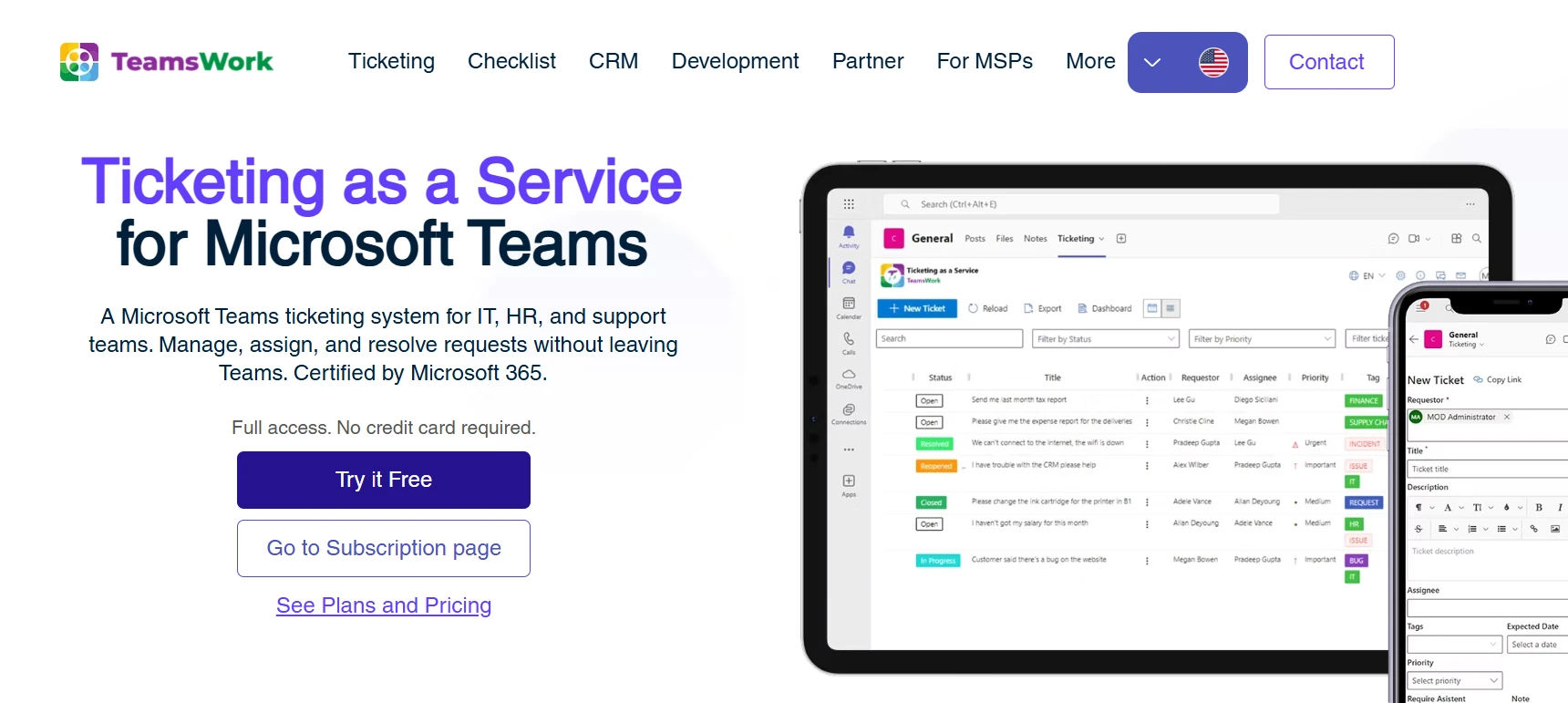
Teamswork’s Ticketing as a Service takes the most literal approach to “Teams-native” on this list. Tickets are created, assigned, tracked, and resolved entirely inside Teams channels and chats, with no external portal required. It supports over 15 languages, is Microsoft 365 Certified, and lets you spin up separate ticketing instances per Team or Channel — useful for MSPs managing multiple clients or internal teams separating IT, HR, and Facilities queues.
Pros:
- Tickets stay entirely inside Teams — no separate portal to open
- Separate ticketing instances per Team or Channel keep departments or clients isolated
- Microsoft 365 Certified, which can matter for procurement and compliance checks
Cons:
- No dedicated agent portal for deeper, cross-ticket reporting work
- Thinner public review footprint compared to more established competitors
3. DeskDay
DeskDay is an AI-driven professional services automation (PSA) platform built for MSPs and IT teams that need more than ticketing alone. It combines a chat-based service desk with project management, billing, contracts, reporting, and workflow automation in one system. Its AI assistant, Helena, helps agents respond faster and reduce manual work, and end users can reach support through Teams, web, mobile, or desktop.
Pros:
- Combines PSA functions (billing, contracts, projects) with ticketing in one platform
- Modern, intuitive interface that’s easy for new agents to pick up
- AI assistant helps speed up responses and reduce repetitive work
Cons:
- Built primarily for MSPs serving external clients, not internal-only IT teams
- Smaller review base, so feedback patterns are still emerging
G2 Rating: 4.7 / 5 (3 reviews)
4. Tikit (by Cireson)
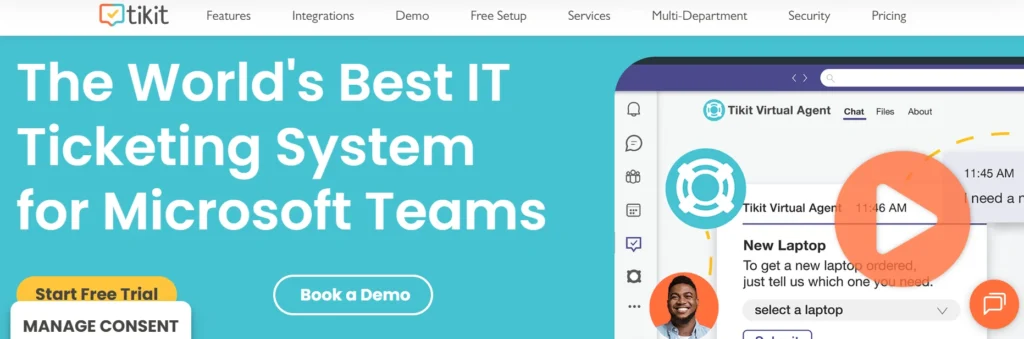
Tikit is Cireson‘s next-generation, AI-powered Microsoft Service Desk, built from the ground up for Teams and the wider Microsoft 365 ecosystem rather than SCSM. It lets agents resolve tickets directly from a Teams chat, includes an AI-powered virtual agent for self-service, integrates natively with Entra ID and Intune, and automates workflows through Power Automate and Logic Apps, with reporting through Power BI and Excel.
Pros:
- Purpose-built for Teams, including right-click-to-ticket from a Teams chat
- Native Entra ID and Intune integration for identity and device management
- Responsive vendor team, according to reviewers
Cons:
- Younger product, so some advanced features are still on the roadmap
- Smaller review base than long-established competitors
G2 Rating: 4.7 / 5 (7 reviews)
5. Crow Canyon

Crow Canyon is a SharePoint-based help desk and service request platform designed for organizations using Microsoft 365. It offers configurable ticket forms, workflow automation, SLA management, reporting, and email integration. While it provides flexibility for custom business processes, deployment and customization often require SharePoint expertise or IT involvement compared to more out-of-the-box help desk solutions.
Pros:
- Built on SharePoint and integrates with Microsoft 365
- Highly customizable forms, workflows, and approval processes
- Supports SLA tracking, reporting, and email-based ticket creation
Cons:
- Setup and customization can require SharePoint expertise
- User interface feels less modern than dedicated SaaS help desk platforms
- Advanced configurations may require additional consulting or development
G2 Rating: 4.7 / 5 (20+ reviews)
6. DeskDirector (for IT Service Management)

DeskDirector is an IT service management platform that provides a client portal, ticketing interface, and self-service experience for managed service providers (MSPs) and internal IT teams. It integrates with professional services automation (PSA) platforms such as ConnectWise Manage and Autotask, enabling users to manage tickets, approvals, knowledge base articles, and service requests from a centralized portal. While it offers Microsoft Teams integration, its primary focus is supporting PSA-driven service desks rather than delivering a Microsoft 365-native help desk.
Pros:
- Designed for MSPs and IT service teams
- Self-service portal with knowledge base and service catalog
- Integrates with ConnectWise Manage, Autotask, and Microsoft Teams
Cons:
- Best suited for organizations already using PSA platforms
- Requires integration with third-party systems for full functionality
- Less suitable for organizations seeking a SharePoint or Microsoft 365-native help desk
G2 Rating: 4.4 / 5 (60+ reviews)
7. SysAid
SysAid is a mature IT service management platform built for internal IT departments that need full ITSM depth — incident management, problem management, change management, and asset management — not ticketing alone. It supports both cloud and on-premises deployment and emphasizes automation and self-service to cut down on repetitive ticket volume. Microsoft Teams is supported as a channel, but agents typically do deeper ticket work outside of Teams.
Pros:
- Full ITSM feature set beyond basic ticketing, including change and asset management
- Strong automation depth, according to G2 reviewers
- Flexible deployment: cloud or on-premises
Cons:
- Interface feels more traditional compared to newer, cloud-native tools
- Teams functions as a secondary channel, not the main agent workspace
G2 Rating: 4.5 / 5 (740 reviews)
Quick Comparison: Teams-Native vs. Teams-Connected
Some of these tools were built inside Microsoft Teams from day one. Others were built as standalone help desks that later added a Teams connection. Here’s how they group:
Teams-Native (tickets stay in Teams) | Best For | G2 Rating |
Helpdesk 365 | M365-based orgs wanting deep Teams, Outlook & SharePoint ticketing | 4.7 / 5 |
Teamswork | Teams-only ticket handling with no external portal | Limited data |
Tikit (Cireson) | Teams-native ITSM with Entra ID & Intune ties | 4.7 / 5 |
DeskDay | MSPs needing PSA + ticketing in one tool | 4.7 / 5 |
Cireson | Existing Microsoft System Center Service Manager shops | 3.9 / 5 (Capterra) |
Zoho Desk | Small-to-mid teams already using Zoho apps | 4.4 / 5 |
Zendesk | Large, multi-channel customer support teams | 4.3 / 5 |
SysAid | Internal IT teams needing full ITSM depth | 4.5 / 5 |
How to Choose the Right Tool for Your Team
With eight solid options, the decision usually comes down to a few practical questions rather than a single “best” answer:
- Do your agents need to stay inside Teams all day, or is a separate portal acceptable? If Teams is non-negotiable, prioritize Helpdesk 365, Teamswork, or Tikit.
- Are you an MSP serving external clients, or an internal IT/support team? MSPs should look closely at DeskDay; internal teams are usually better served by Helpdesk 365, SysAid, or Zoho Desk.
- Do you need full ITSM depth (change, problem, and asset management), or straightforward ticketing? SysAid and Cireson lean ITSM-heavy; Helpdesk 365 and Zoho Desk keep things simpler.
- Are you already committed to the Microsoft 365 or Zoho ecosystem? Ecosystem fit often narrows the shortlist faster than a feature comparison does.
Whichever tools make your shortlist, test them inside your actual Teams environment with a small pilot group before rolling out company-wide. A feature list can look identical on paper while feeling completely different once your agents are using it every day.
Not sure which plan fits your team?
Conclusion
There is no single best Microsoft Teams ticketing system. The right choice depends on your team size, required ITSM depth, and how closely ticketing should work within Teams. Helpdesk 365, Teamswork, and Tikit offer more native Teams-based workflows, while Zoho Desk, Zendesk, and SysAid provide broader service management features.
Shortlist two or three options and test them with real users. A short pilot will show which tool fits your team’s daily workflow better than a feature comparison alone.
Join Our Creative Community
Frequently Asked Questions
What is a Microsoft Teams ticketing system?
It’s a helpdesk or service desk tool that lets support agents create, assign, track, and resolve tickets directly within Microsoft Teams, instead of switching to a separate browser tab or application.
Is a Teams-native tool always better than one with a Teams add-on?
Not necessarily. A Teams-native tool keeps everything in one app, which suits teams that live in Teams all day. A Teams-connected tool with a full standalone portal can offer deeper reporting and ITSM features, which suits larger or more complex support operations.
Can these tools replace a full ITSM platform?
Some can. SysAid and Cireson are built for full IT service management, covering incident, problem, change, and asset management. Others, like Helpdesk 365 and Teamswork, focus primarily on ticketing and are lighter-weight by design.
Do I need to migrate historical ticket data when switching tools?
Most vendors offer import tools or onboarding support for migrating from spreadsheets, shared inboxes, or another helpdesk platform. It’s worth asking about this directly during a demo, since the process varies by vendor.
How do I know which tool is right for my company size?
Smaller teams and internal IT departments often do well with simpler, Teams-native tools like Helpdesk 365 or Teamswork. Larger, multi-channel support operations may need the broader feature depth of Zendesk, Zoho Desk, or SysAid.
Do these tools work for departments outside of IT, like HR or Facilities?
Yes. Most of the platforms on this list, including Helpdesk 365, Teamswork, and Zoho Desk, support multiple department mailboxes or ticket queues, so HR, Facilities, and Finance teams can run their own support workflows inside the same tool without their tickets mixing with IT’s queue.


_JiluXJRGNl.svg)























