
12 Best Incident Management Software to Fix IT Issues Faster

IT incidents can interrupt business operations, delay employee work, and create costly downtime. The best incident management software helps IT teams identify, prioritize, assign, and resolve issues before they become bigger problems. From AI-assisted ticket routing to automated escalations and real-time incident tracking, these tools make IT support more organized and responsive.
- Incident management software helps IT teams resolve issues faster and reduce downtime.
- Top tools offer AI routing, automation, SLA tracking, and reporting.
- Helpdesk 365, ServiceNow, Jira, and Freshservice support different IT needs.
- Choosing the right tool depends on business needs, integrations, and budget.
- Effective incident management improves IT productivity and reduces recurring issues.
In this guide, we compare 12 incident management solutions, their key features, ideal use cases, and limitations to help you make the right choice.
What Is Incident Management Software?
Incident management software is a tool that helps IT teams record, prioritize, assign, track, and resolve unexpected service interruptions. It provides a central system for managing incidents, coordinating support activities, monitoring resolution times, and restoring normal operations with minimal business disruption.
For example, imagine employees suddenly cannot access their company’s email system.
Without a proper incident management process, employees may contact different technicians, report the same issue repeatedly, and receive inconsistent updates.
With incident management software, IT teams can record the disruption, assess its impact, assign responsible technicians, and communicate progress until service is restored.
12 Best Incident Management Software at a Glance
Not every incident management tool solves the same problem. Some platforms focus on employee IT support, while others specialize in critical system outages and engineering incident response.
The following comparison helps you identify which solution matches your organization’s needs.
Incident Management Software | Best For | Key Strength |
Helpdesk 365 | Microsoft 365 organizations | AI-assisted ticketing and Teams integration |
ServiceNow ITSM | Large enterprises | Enterprise incident management workflows |
Jira Service Management | IT and DevOps teams | Incident coordination and development integration |
Freshservice | Growing IT departments | AI-assisted ITSM and automation |
ManageEngine ServiceDesk Plus | IT service desks | ITIL-aligned incident management |
PagerDuty | Critical IT operations | Real-time alerting and on-call response |
SolarWinds Service Desk | Internal IT support | Automated ticket tracking and reporting |
Zendesk | Customer support teams | Multichannel ticket management |
incident.io | Engineering teams | Collaborative incident response |
Rootly | DevOps and SRE teams | Automated incident workflows |
FireHydrant | Software engineering teams | Service-aware incident coordination |
xMatters | Enterprise IT operations | Incident notifications and escalations |
12 Best Incident Management Software in 2026
Selecting the right incident management software depends on the types of incidents your organization handles, how your employees report issues, and how quickly your support team must respond.
Below are 12 solutions worth evaluating, covering everyday IT ticket management, enterprise ITSM, and major incident response.
1. Helpdesk 365 – Best for Microsoft 365 Incident Management
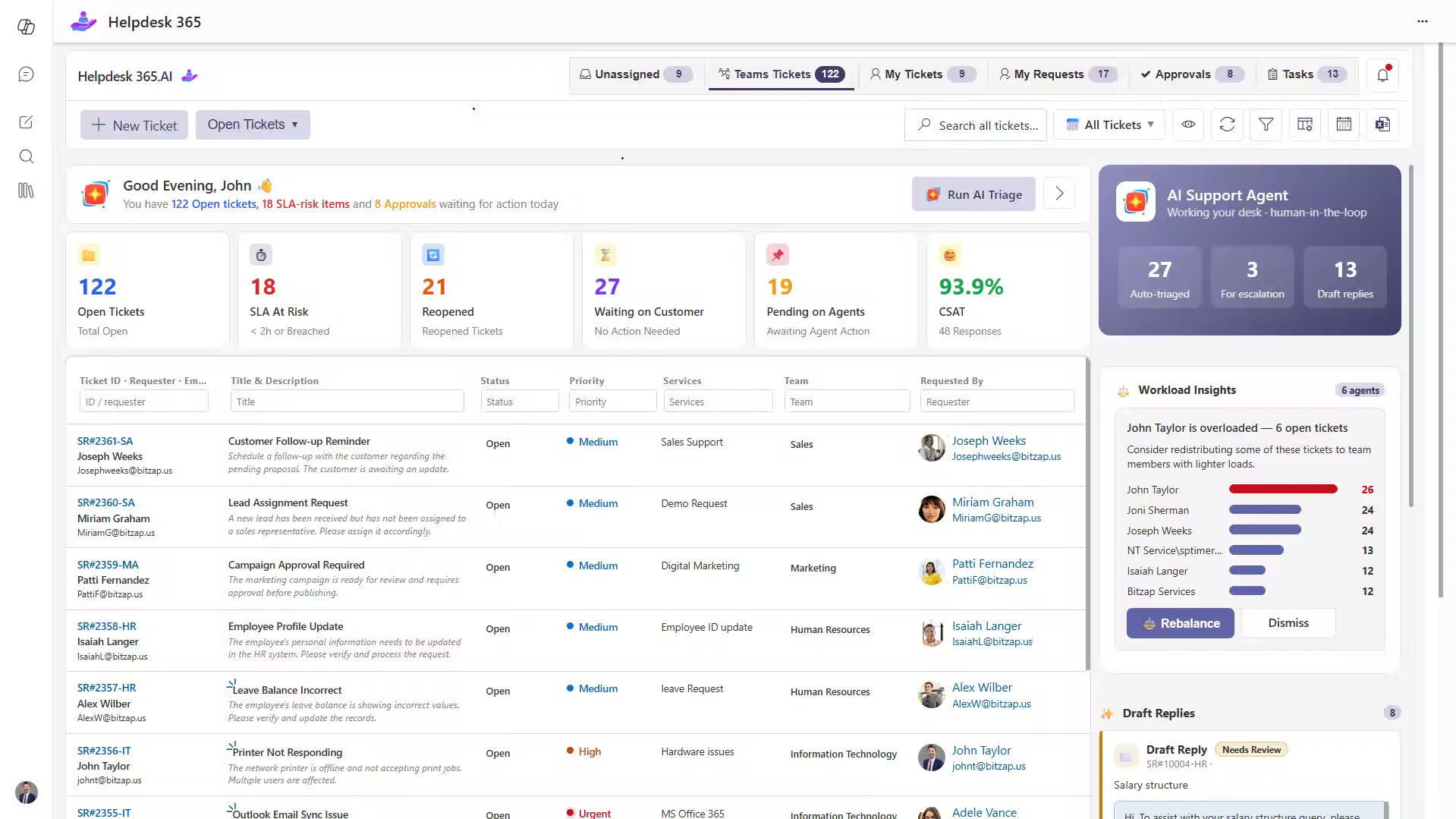
Helpdesk 365 is an AI-powered ticketing system built for organizations using Microsoft Teams, SharePoint, Outlook, and Microsoft 365. It helps IT departments manage employee incidents through a centralized support platform while keeping ticket information within their Microsoft 365 environment.
Consider an organization where employees report issues through Teams messages, emails, and direct calls. Without a structured process, IT technicians may miss requests or spend unnecessary time identifying who should handle each problem.
Helpdesk 365 brings these requests into a ticket management process, helping teams assign ownership, monitor priorities, and track progress until resolution.
Key Features
- Microsoft 365 Integration: Employees can submit and track support tickets through familiar Microsoft applications.
- AI-Assisted Ticket Routing: Helps classify requests and direct tickets to appropriate support teams.
- Automated Workflows: Reduces repetitive tasks through notifications, assignment rules, and escalation processes.
- SLA Management: Tracks response and resolution targets to help teams identify overdue incidents.
- Knowledge Base: Provides access to troubleshooting resources for common IT issues.
- Reporting and Analytics: Displays ticket volume, resolution trends, technician workload, and service performance.
Why Choose Helpdesk 365?
As a Microsoft Solutions Partner, Helpdesk 365 provides a familiar environment for managing internal IT incidents within Microsoft 365. It also supports HR, Finance, and other departments with structured request management.
Best For: Small and midsize businesses, Microsoft 365-based enterprises, and internal IT support teams.
Limitations: Organizations requiring specialized production monitoring, on-call engineering schedules, or advanced infrastructure incident orchestration may need additional tools.
2. ServiceNow ITSM – Best for Enterprise Incident Management

ServiceNow ITSM is an enterprise IT service management platform designed to help organizations handle complex incidents across departments, locations, and business services.
Its incident management capabilities help IT teams maintain consistent processes, coordinate investigations, and connect incidents with broader service management activities.
Key Features
- Automated incident classification, assignment, and prioritization.
- Major incident management and coordinated response workflows.
- Configuration Management Database (CMDB) integration.
- AI-assisted service management capabilities.
- SLA tracking and escalation management.
- Incident dashboards and performance analytics.
Why Choose ServiceNow ITSM?
ServiceNow is particularly useful when multiple IT teams must collaborate to restore important business services. Its configurable workflows support organizations with complex approval, governance, and reporting requirements.
Best For: Large enterprises, multinational organizations, and mature ITSM departments.
Limitations: Implementation complexity, administrative requirements, and licensing costs may be challenging for smaller businesses.
3. Jira Service Management – Best for IT and DevOps Teams
Jira Service Management connects IT service management with software development and operations. It helps technical teams manage incidents, coordinate responses, and investigate problems involving applications or infrastructure.
For example, when a new software release causes an application failure, IT support and developers can collaborate to investigate the incident and restore service.
Key Features
- Incident tracking and automated workflows.
- Alerting and on-call management capabilities.
- Major incident response coordination.
- Integration with Jira development workflows.
- Post-incident reviews and documentation.
- Knowledge management and service reporting.
Why Choose Jira Service Management?
Its connection with the Atlassian ecosystem makes it useful for organizations where developers regularly participate in incident resolution.
Best For: Software companies, DevOps teams, and IT departments using Atlassian tools.
Limitations: Advanced incident response capabilities and automation may depend on subscription tiers.
4. Freshservice – Best for Growing IT Support Teams
Freshservice is a cloud-based ITSM platform that helps organizations manage incidents, service requests, assets, and IT operations.
Its automation capabilities reduce manual ticket handling and help support teams maintain consistent incident workflows.
Key Features
- AI-assisted incident categorization and routing.
- Automated ticket assignment and escalation.
- SLA management and performance tracking.
- Self-service portal and knowledge base.
- IT asset management integration.
- Incident reporting and analytics.
Why Choose Freshservice?
Freshservice provides a practical option for businesses moving from basic ticketing toward more structured IT service management.
Best For: Growing businesses and midsize IT departments.
Limitations: Some advanced automation and ITSM capabilities are available through higher subscription plans.
5. ManageEngine ServiceDesk Plus – Best for ITIL-Aligned Incident Management
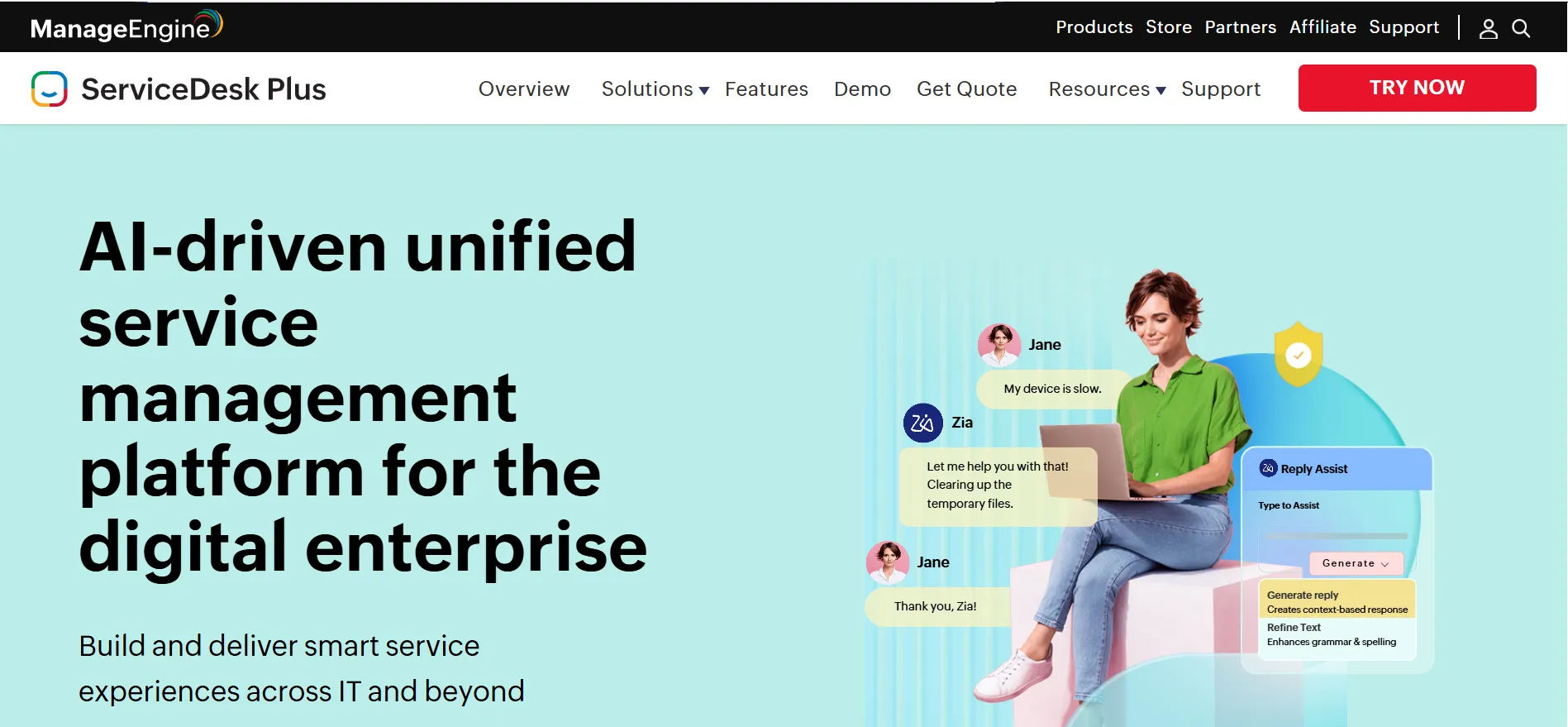
ManageEngine ServiceDesk Plus helps IT departments organize incidents, service requests, changes, and asset-related activities through configurable workflows.
It supports structured incident handling while connecting related IT service management processes.
Key Features
- Incident logging, categorization, and prioritization.
- Automated assignment and escalation rules.
- SLA tracking and technician notifications.
- Knowledge base and self-service portal.
- Asset and configuration management capabilities.
- Customizable dashboards and reports.
Why Choose ManageEngine ServiceDesk Plus?
Organizations looking to establish consistent ITIL-aligned service desk processes can use its incident management features alongside other ITSM capabilities.
Best For: Internal IT service desks and organizations seeking configurable ITSM workflows.
Limitations: Extensive customization may increase setup and administrative effort.
6. PagerDuty – Best for Critical IT Incident Response
PagerDuty specializes in managing urgent operational incidents that require immediate attention from technical responders.
It is particularly useful for businesses operating applications and infrastructure that must remain available around the clock.
Key Features
- Real-time incident alerts and notifications.
- On-call scheduling and escalation policies.
- Automated incident response workflows.
- Integration with infrastructure monitoring tools.
- Responder coordination and collaboration.
- Incident analytics and reporting.
Why Choose PagerDuty?
When production systems fail outside normal working hours, PagerDuty helps alert responsible technicians and coordinate the response.
Best For: DevOps, site reliability engineering, and 24/7 operations teams.
Limitations: It is primarily designed for operational incidents rather than everyday employee helpdesk requests.
7. SolarWinds Service Desk – Best for Automated IT Support
)
SolarWinds Service Desk is an ITSM platform that helps organizations manage employee incidents, service requests, and related support activities.
It provides centralized ticket tracking and automation features that help technicians maintain visibility into their workloads.
Key Features
- Centralized incident ticket management.
- Automated routing and prioritization.
- SLA monitoring and notifications.
- Employee self-service portal.
- Knowledge management capabilities.
- Reporting and performance dashboards.
Why Choose SolarWinds Service Desk?
The platform helps internal support departments organize requests and apply consistent resolution processes.
Best For: Small and midsize IT departments seeking structured service desk management.
Limitations: Organizations should evaluate integration requirements when connecting external monitoring and operational systems.
8. Zendesk – Best for Customer-Facing Incident Support

Zendesk is a customer service platform that helps organizations manage support inquiries across multiple communication channels.
Although it is not a dedicated infrastructure incident response platform, it can help customer-facing teams handle reports about service disruptions.
Key Features
- Multichannel support ticket management.
- Automated ticket assignment and workflows.
- Customer communication tracking.
- AI-assisted support capabilities.
- Knowledge base and self-service options.
- Reporting and support analytics.
Why Choose Zendesk?
Zendesk helps support teams communicate consistently with customers when technical problems affect service delivery.
Best For: Customer service departments and organizations managing external support requests.
Limitations: Infrastructure monitoring, technical incident investigation, and on-call response generally require complementary tools.
9. Incident.io – Best for Collaborative Incident Response
Incident.io helps engineering teams coordinate technical incidents, document response activities, and learn from service disruptions.
Its workflows are designed around communication and collaboration during production incidents.
Key Features
- Incident declaration and coordination.
- Automated incident workflows.
- Responder collaboration.
- Incident timelines and documentation.
- Stakeholder communication.
- Post-incident reviews.
Why Choose incident.io?
During a serious application outage, technical teams need clear responsibilities and reliable communication. incident.io provides a structured approach to coordinating those activities.
Best For: Engineering teams, DevOps departments, and software organizations.
Limitations: Routine employee IT ticketing is not its primary focus.
10. Rootly – Best for Automated Incident Workflows
Rootly is an incident management platform designed for engineering and site reliability teams.
It helps organizations establish repeatable processes for incident declaration, response coordination, communication, and review.
Key Features
- Automated incident response workflows.
- Severity classification and escalation.
- Responder coordination.
- Incident communication management.
- Timeline tracking.
- Postmortem documentation.
Why Choose Rootly?
Rootly helps technical teams follow consistent procedures during critical incidents rather than relying on informal communication.
Best For: SRE teams, DevOps departments, and engineering organizations.
Limitations: Businesses seeking traditional IT helpdesk features may require another service management platform.
11. BigPanda – Best for AI-Driven Incident Management
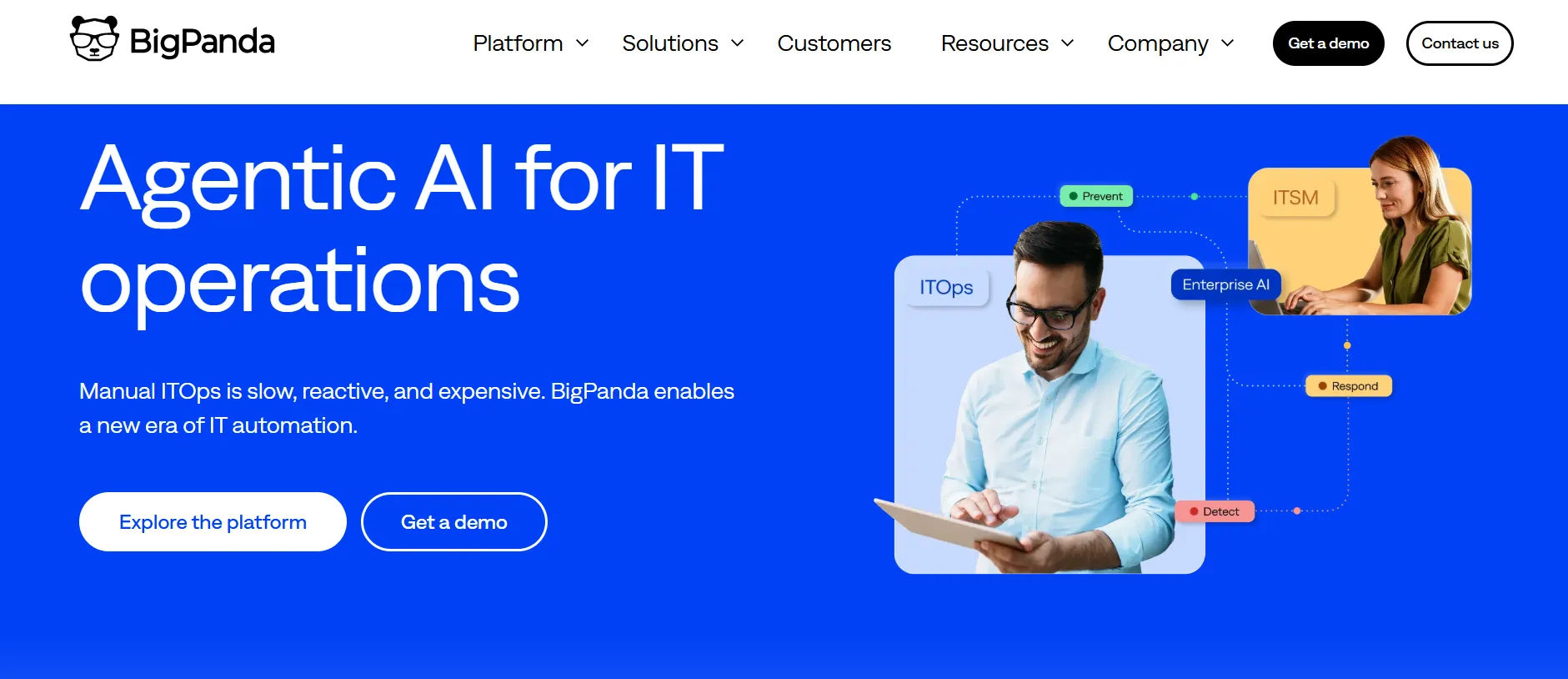
BigPanda is an AI-driven incident management platform designed to help IT teams detect, prioritize, and resolve technical issues. It uses AI and machine learning to connect related alerts, identify potential causes, and reduce unnecessary notifications.
The platform helps organizations manage complex IT environments by bringing incident information from multiple monitoring tools into one centralized view.
Key Features
AI-driven incident detection and analysis.
Automated alert correlation and noise reduction.
Root cause analysis and investigation.
Incident prioritization and automated triage.
Integration with IT monitoring and service desk tools.
Incident reporting and operational analytics.
Why Choose BigPanda?
BigPanda helps IT teams identify critical incidents by connecting related alerts and providing useful context. Its AI-driven capabilities support faster investigations, reduce alert fatigue, and improve incident response.
Best For: Large enterprises, IT operations teams, and organizations managing complex IT infrastructure.
Limitations: BigPanda primarily focuses on IT operations and incident detection, so organizations requiring traditional employee helpdesk ticketing may need additional ITSM software.
12. xMatters – Best for Automated Incident Escalations
xMatters provides incident response automation and communication capabilities for organizations managing important IT services.
It helps teams deliver critical notifications, coordinate responders, and escalate incidents when immediate action is required.
Key Features
- Automated incident notifications.
- On-call scheduling.
- Escalation management.
- Incident response workflows.
- Collaboration integrations.
- Response analytics.
Why Choose xMatters?
When incidents occur outside business hours, xMatters helps organizations contact available responders and maintain visibility into escalation activities.
Best For: Enterprise IT operations and teams requiring automated incident notifications.
Limitations: Organizations may need a separate service desk platform for routine employee ticket management.
How Does Incident Management Software Work?
The incident management process typically follows six steps:
- Incident Identification: An employee reports a problem, or monitoring software detects a disruption.
- Incident Logging: The system records the issue, affected services, and relevant details.
- Classification and Prioritization: The incident receives a category and priority based on impact and urgency.
- Incident Assignment: The appropriate technician or support team investigates the issue.
- Resolution and Recovery: The team applies a solution and confirms that normal service has returned.
- Incident Closure: The resolution is documented, and the ticket is closed after verification.
These steps create a consistent process for handling IT incidents instead of relying on scattered communication.
Why Is Incident Management Software Important?
An IT incident may begin as a small technical problem but quickly affect several departments.
A network outage can interrupt customer calls. An unavailable business application can delay approvals. A failed authentication service can prevent employees from accessing essential systems.
The real challenge is often not identifying the problem but coordinating the response.
According to the Uptime Institute’s 2026 Annual Outage Analysis, 57% of respondents to its 2025 survey reported that their most recent major outage cost more than $100,000. This finding concerns major infrastructure outages, highlighting the financial importance of reliable incident response.
Common Incident Management Challenges
- Delayed Response: Critical incidents remain unattended because no clear owner is assigned.
- Missed Support Requests: Issues reported through emails or messages are overlooked.
- Incorrect Prioritization: Minor problems receive attention before incidents affecting important business services.
- Poor Communication: Employees receive limited information about resolution progress.
- Repeated Incidents: IT teams repeatedly fix similar problems without investigating their underlying causes.
- Limited Reporting: Managers struggle to identify response delays and recurring service failures.
An incident management system helps address these problems through structured workflows, automated assignments, and better visibility.
Key Features of Incident Management Tools
The right incident management tool should support the entire incident lifecycle, from initial reporting to resolution and review.
Centralized Incident Tracking
Collects incident reports in one system so technicians can monitor ownership, priority, status, and resolution progress.
Automated Incident Assignment
Routes incidents to appropriate technicians based on issue category, department, availability, or predefined rules.
AI-Assisted Incident Management
Uses AI capabilities to help classify incidents, summarize requests, recommend relevant knowledge articles, and support faster ticket handling.
SLA Management
Tracks response and resolution deadlines and alerts support teams when incidents approach agreed service targets.
Incident Prioritization
Helps IT teams evaluate urgency and business impact so critical disruptions receive appropriate attention.
Automated Notifications and Escalations
Sends status updates and escalates unresolved incidents according to predefined workflows.
Knowledge Base Integration
Provides access to troubleshooting guides, known solutions, and documentation that technicians can reuse.
Incident Reporting and Analytics
Measures incident volumes, response times, resolution performance, recurring issues, and technician workloads.
Benefits of Using an Incident Management System
An effective incident management system improves how IT departments respond to technical problems while reducing unnecessary work.
Faster Incident Resolution
Automated routing and accessible incident histories help technicians begin investigations sooner.
Reduced IT Downtime
Clear priorities and escalation processes support faster recovery from service interruptions.
Improved Employee Productivity
Employees spend less time following up on unresolved issues and can return to their responsibilities sooner.
Better IT Team Collaboration
Centralized incident records help technicians share updates, document actions, and coordinate investigations.
Improved SLA Compliance
Automated reminders and performance tracking help support teams monitor service commitments.
Greater Visibility into IT Performance
Reports reveal recurring incidents, workload imbalances, and opportunities to improve support operations.
How to Choose the Right Incident Management Software
Choosing the best incident management software requires more than comparing feature lists.
IT managers should evaluate how effectively a platform handles real incidents within their existing technology environment.
Step 1: Understand Your Incident Management Needs
Identify the incidents your team handles most frequently, including application errors, network failures, access issues, and hardware problems.
Step 2: Check Integration Capabilities
Choose software that works with your existing communication, monitoring, identity, and IT service management tools.
Step 3: Evaluate Automation and AI Features
Look for capabilities that reduce manual assignments, repetitive communication, and unnecessary ticket handling.
Step 4: Review SLA and Escalation Management
Confirm that the platform can prioritize critical incidents, monitor deadlines, and notify responsible technicians.
Step 5: Assess Security and Data Management
Review access controls, data storage, audit records, and compliance requirements before selecting a solution.
Step 6: Test the Software with Real Scenarios
Use a product trial or demonstration to evaluate ticket creation, assignment, investigation, escalation, and reporting.
Step 7: Compare Pricing and Long-Term Value
Consider subscription costs, implementation, employee training, integrations, and future expansion requirements.
Best Practices for Effective Incident Management
Even the best incident management software needs well-defined processes to deliver consistent results.
Establish Clear Incident Priorities
Define severity levels based on business impact and urgency. A companywide network outage should receive higher priority than an isolated printer issue.
Automate Repetitive Tasks
Use automated routing, notifications, reminders, and escalations to reduce administrative work.
Maintain Clear Incident Ownership
Assign responsibility for every incident so technicians know who is coordinating investigation and recovery.
Communicate Regularly
Keep affected employees informed about incident status, recovery progress, and expected next updates.
Build a Knowledge Base
Document common incidents, troubleshooting steps, and successful solutions so technicians can reuse proven information.
Conduct Post-Incident Reviews
Review major incidents to identify technical causes, communication gaps, and opportunities to prevent recurrence.
Monitor Important Incident Metrics
Track mean time to acknowledge (MTTA), mean time to resolve (MTTR), SLA compliance, incident recurrence, and service impact.
Conclusion
Choosing the right incident management software can make a significant difference in how quickly IT teams respond to technical issues and restore business services.
While enterprise organizations may require advanced incident coordination and infrastructure monitoring, smaller IT departments often benefit from centralized ticketing, automated routing, SLA management, and clear communication.
For organizations already using Microsoft 365, Helpdesk 365 provides an option for managing internal IT incidents through familiar Microsoft applications.
The right solution should match your team’s requirements, reduce unnecessary manual work, and provide clear visibility into incident performance.
Want to improve how your IT team handles incidents?
Join Our Creative Community
Frequently Asked Questions
What Is the Best Incident Management Software for IT Teams?
The best solution depends on organizational requirements. Helpdesk 365 suits Microsoft 365-based internal IT support, ServiceNow supports enterprise ITSM, Jira Service Management connects IT and development teams, and PagerDuty specializes in critical operational incidents.
What Is the Difference Between Incident Management and Ticket Management?
Incident management focuses on restoring disrupted IT services. Ticket management provides a broader process for tracking support requests, questions, service requests, and incidents. Every incident may generate a ticket, but not every ticket represents an incident.
How Does AI Improve Incident Management?
AI can assist with incident classification, ticket routing, request summaries, and knowledge recommendations. These capabilities can reduce repetitive work and help technicians focus on investigation and resolution.
What Are the Most Important Incident Management Metrics?
Important metrics include incident response time, resolution time, SLA compliance, reopened incidents, incident recurrence, and business impact. Together, these measures help managers evaluate service quality and identify improvement opportunities.


























