
Best Asset Management Software for Small Business: 8 Options to Compare

Small businesses need asset management software to track equipment, manage employee assignments, monitor maintenance, and prevent lost assets. The right solution gives teams one reliable place to manage assets from purchase to retirement. But not every asset management system works the same way. Some focus on IT equipment, while others support accounting, software licenses, or shared assets.
Asset management software for small business helps companies organize physical and digital assets in one system. It can track asset ownership, location, condition, purchase details, maintenance, and disposal. For small businesses, the most important features include centralized records, employee asset assignments, barcode tracking, maintenance alerts, audit history, reporting, and integrations.
Businesses already using Microsoft 365 can also consider Asset 365 for managing assets within their existing Microsoft environment.
This guide explains the features to look for, compares 8 asset management software for small business and shows how to choose a system that supports your daily work without adding unnecessary costs.
- Asset management software helps reduce missing equipment, duplicate purchases, and manual tracking
- Small businesses should prioritize asset visibility, employee assignments, maintenance, and reporting
- The best solution depends on asset types, business workflows, integrations, and total cost
- Microsoft 365-based businesses should evaluate SharePoint-compatible asset management solutions
- A real-world product demo helps buyers confirm whether the software meets their needs
What Is Asset Management Software for Small Business?
- Asset management software for small business is a digital system that helps companies track, organize, maintain, and manage physical and digital assets throughout their lifecycle.
- Instead of using separate spreadsheets, emails, and paper records, businesses can store important asset information in one place.
- For example, an IT manager can use an asset management system to check which employee has a laptop, when it was purchased, whether its warranty is active, and when it needs replacement.bSmall business asset tracking software can manage different types of assets.
Asset Type | Examples | What to Track |
IT hardware | Laptops, monitors, desktops | Owner, location, condition |
Office equipment | Printers, desks, projectors | Availability, maintenance |
Software assets | Licenses, subscriptions | Users, renewals, costs |
Fixed assets | Machinery, vehicles | Purchase value, depreciation |
Shared assets | Cameras, meeting equipment | Bookings, returns, availability |
How does asset management software work?
Most asset management systems follow a simple process. Illustrative asset lifecycle workflow:
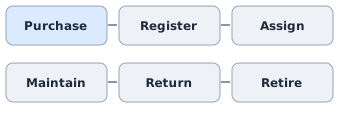
Every asset receives a unique record. Teams update that record when the asset moves, changes ownership, needs maintenance, or reaches the end of its useful life. This process creates an asset history that helps IT, finance, HR, and operations work with more reliable information.
Why Small Businesses Need Asset Management Software?
A small business may start with 20 laptops and a few office devices. As the company grows, equipment moves between employees, departments, and locations. Without a clear tracking process, teams may lose visibility into what they own.
Reduce lost and misplaced equipment
- Missing equipment is a common asset tracking problem.
- An employee may move to another department without updating their laptop assignment. Another employee may leave the company without returning a monitor.
- Employee asset tracking helps businesses maintain records of ownership, transfers, and returns.
- Example: A company with 75 employees assigns laptops during onboarding. When an employee leaves, IT checks the asset record to confirm which equipment must be returned.
- This helps make employee offboarding more organized.
Avoid unnecessary equipment purchases
- Businesses sometimes buy new devices because they cannot identify available equipment.
- An asset inventory management system makes it easier to check whether unused assets can meet current needs.
- For example, a manager can search for available monitors before approving a new purchase.
- This can reduce duplicate spending and improve asset utilization.
Improve maintenance planning
- Equipment failures can interrupt daily work.
- Asset maintenance tracking helps businesses monitor inspections, service dates, repairs, and warranty information.
- When maintenance records are organized, teams can plan repairs before small issues become expensive problems.
Make audits easier
- Manual asset audits often involve checking spreadsheets, contacting employees, and searching for missing equipment.
- A centralized system can make it easier to compare physical assets with recorded information.
- Barcode asset tracking can further simplify inventory checks when supported by the software.
When Should a Small Business Replace Spreadsheets?
Spreadsheets can work when a business has a small number of assets and one person manages the records. However, they become harder to maintain when assets move frequently or several departments need access.
Warning Sign | Business Impact | Software Requirement |
Missing equipment | Replacement costs | Assignment history |
Duplicate asset records | Unreliable inventory | Centralized asset register |
Slow employee offboarding | Unreturned devices | Return tracking |
Missed maintenance | Equipment downtime | Maintenance scheduling |
Expired warranties | Unexpected repair costs | Warranty alerts |
Difficult audits | Manual work | Audit logs and reporting |
Unused equipment | Unnecessary purchases | Availability tracking |
A practical example
Consider a growing business with 100 employees and 180 company-owned assets.
The IT team uses one spreadsheet to record laptops. HR uses another file for employee assignments. Finance maintains purchase costs in a separate system.
When an employee leaves, each department must check its own records.
If the records do not match, the company may struggle to confirm whether equipment was returned.
An asset management system can provide a shared record of asset ownership, location, and status, subject to appropriate user permissions.
The best time to replace spreadsheets is when maintaining accurate asset records takes more effort than the tracking process itself.
8 Essential Features to Look For
Choosing asset management software for small business starts with understanding which features solve your daily problems. Not every company needs advanced enterprise tools. Most small businesses should begin with these eight capabilities.
1. Centralized asset inventory
A centralized asset register gives businesses one place to store asset information. Important fields include:
- Unique asset ID and serial number
- Asset category, brand, and model
- Employee or department assignment
- Location and current status
- Purchase date, vendor, and cost
- Warranty and maintenance details
- Asset condition and supporting documents
This makes it easier to find equipment and reduce duplicate records. For businesses using SharePoint, a SharePoint asset management solution can be worth evaluating.
2. Employee asset assignment and return tracking
- Every assigned asset should have a clear owner.
- An effective system should record who received equipment, when it was assigned, and whether it was returned.
- This is especially important during employee onboarding, department transfers, and offboarding.
For example, HR can notify IT about a departing employee, while IT reviews the employee’s assigned devices and records the return.
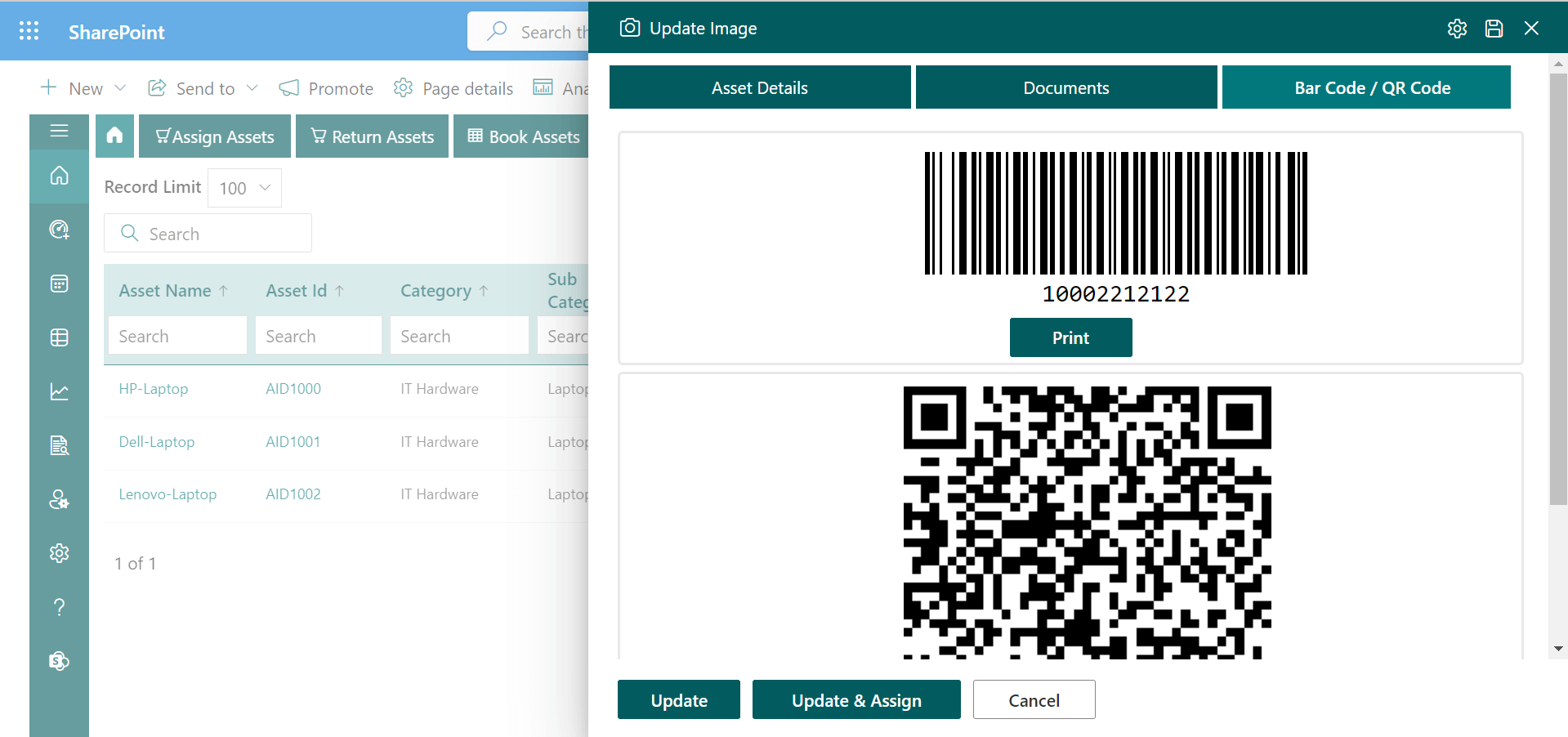
3. Barcode and QR code tracking
Barcode asset tracking helps teams identify physical equipment using unique labels. Instead of searching manually through records, employees can scan an asset label to retrieve the correct information. Common uses include:
- Asset registration and labeling
- Equipment assignments and transfers
- Physical inventory audits
- Maintenance updates
- Employee equipment returns
4. Complete asset lifecycle management
- Asset lifecycle management covers every stage of equipment ownership.
- The process begins when a company purchases an asset and ends when the asset is sold, recycled, or retired.
- A good system should preserve the history of important changes, including transfers, repairs, and disposal.
- This helps businesses plan replacements and understand how assets are used over time.
5. Maintenance and warranty tracking
Maintenance tracking is important for businesses that depend on equipment to complete daily work. Look for features that support:
- Maintenance schedules and service dates
- Repair history and equipment condition
- Warranty expiration tracking
- Preventive maintenance reminders
- Maintenance-related costs
These records can help businesses decide whether repairing or replacing an asset makes more financial sense.
6. Software license management
- Small businesses often use several software applications.
- Without a clear system, teams may lose track of license ownership, renewal dates, and subscription costs.
- Software asset management should help businesses review assigned licenses, available licenses, renewal dates, and software spending.
- Buyers should also check whether the software supports automated license discovery or requires manual entry.
7. Fixed asset management and depreciation
- Fixed asset management software helps finance teams track long-term business assets.
- Useful information includes acquisition cost, useful life, depreciation method, asset history, and disposal details.
- For example, finance may need to track the depreciation of office equipment while IT tracks who currently uses that equipment.
- These needs may require different capabilities. Confirm that the chosen system supports the accounting methods your business requires.
8. Reporting, audit history, and integrations
Reports help managers understand asset availability, ownership, condition, and utilization. Useful reports include:
- Assets assigned by department
- Available and unused equipment
- Assets under maintenance
- Upcoming warranty expirations
- Overdue equipment returns
- Assets due for replacement
Businesses should also evaluate integrations with their existing tools. For Microsoft-based organizations, this may include SharePoint, Microsoft Teams, Outlook, Power Automate, Power BI, and Microsoft Intune, depending on the product and available integrations.
Asset Management Software Options to Compare
Different asset management software solutions offer unique features to meet different business needs. Here are 8 asset management software options for small businesses to compare based on their features, benefits, and business requirements:
#1. Asset Panda: For mobile asset tracking
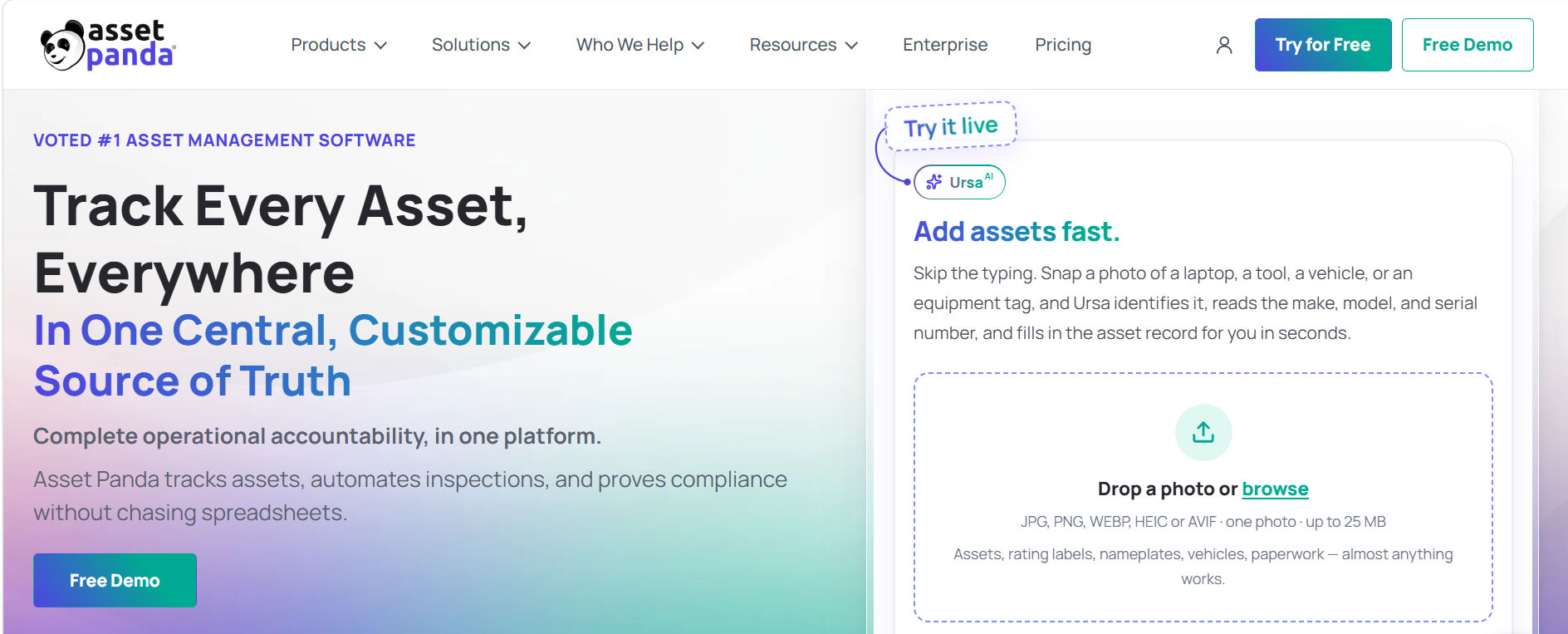
Best suited for: Businesses that need mobile equipment tracking and field-based inventory workflows. Asset Panda is worth comparing for barcode scanning, QR code tracking, and configurable asset records.
Why consider it: Teams can evaluate mobile-first workflows for physical asset checks across different locations.
What to verify: Mobile access, customization, subscription terms, and reporting needs.
#2. ManageEngine Asset Explorer: For IT asset management
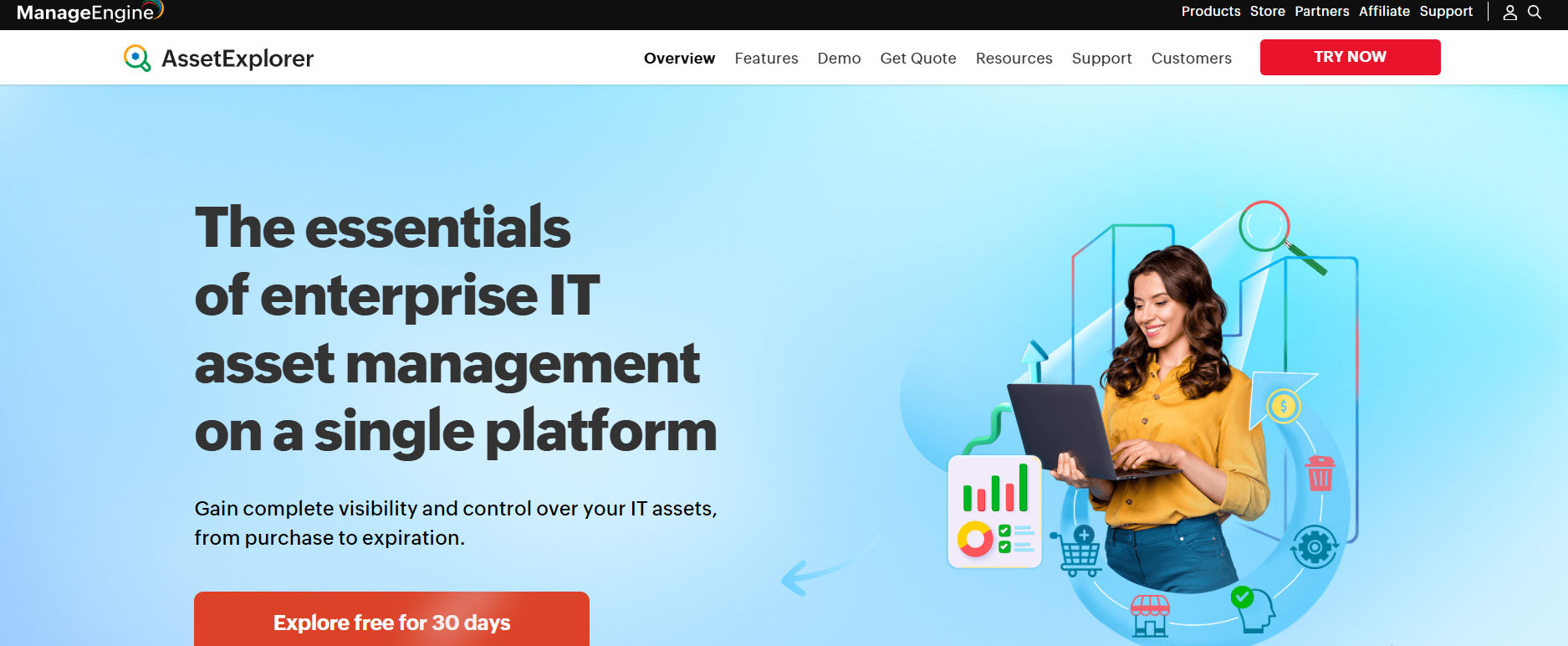
Best suited for: Small businesses with more detailed IT hardware and software management needs. ManageEngine AssetExplorer focuses on IT inventory, asset discovery, software licensing, and lifecycle tracking.
Why consider it: IT teams can evaluate capabilities related to technology asset discovery and inventory control.
What to verify: Discovery coverage, supported environments, setup effort, and licensing.
#3. Asset 365: For Microsoft 365-based businesses
Best suited for: Small businesses that want to manage assets using their existing Microsoft 365 environment. Asset 365 focuses on asset tracking and lifecycle management for Microsoft-based organizations. It support for asset assignments, maintenance, software assets, depreciation, bookings, acknowledgments, audit logs, roles, reporting, and barcode workflows.
Why consider it: Businesses using SharePoint and Microsoft 365 may prefer a solution that fits their existing tools rather than adopting a separate system.
What to verify: Licensing, deployment requirements, integration scope, and workflow setup.
#4. Reftab: For equipment assignments and audits
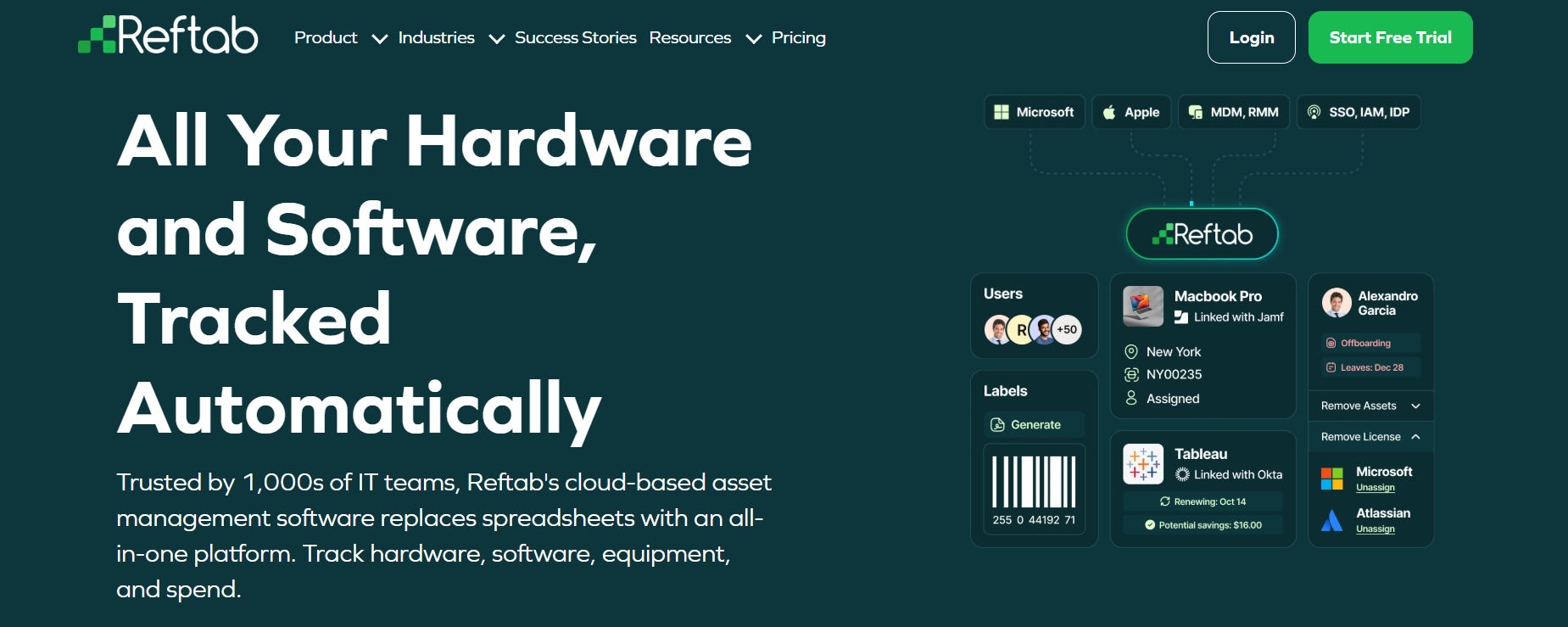
Best suited for: Businesses that want organized equipment records and employee assignment workflows. Reftab supports use cases involving hardware, software, audits, maintenance, and returns.
Why consider it: Teams can evaluate practical workflows for checking equipment in and out.
What to verify: Asset limits, user permissions, integrations, and pricing tiers.
#5. Sage Fixed Assets: For accounting and depreciation
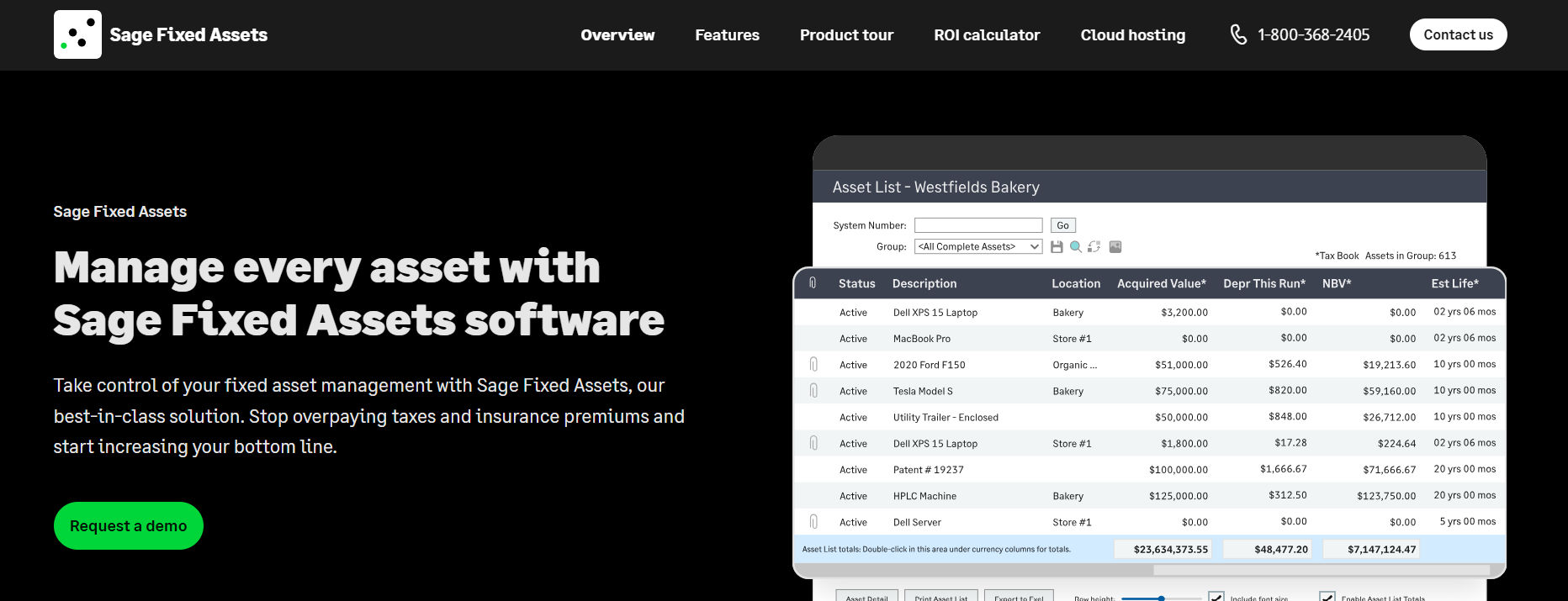
Best suited for: Finance teams that prioritize fixed asset accounting and depreciation. Sage Fixed Assets is more relevant when financial asset records are the main requirement.
Why consider it: Businesses with accounting-focused asset requirements can evaluate depreciation and fixed asset reporting.
What to verify: Supported depreciation methods, accounting workflows, and implementation requirements.
#6. AssetWorks: For asset-intensive operations
Best suited for: Organizations managing fleets, facilities, infrastructure, or complex operational assets. AssetWorks serves asset-intensive environments, including public-sector operations.
Why consider it: Organizations with specialized operational assets may need more than basic IT equipment tracking.
What to verify: Industry fit, deployment complexity, implementation costs, and scale.
#7. ServiceNow IT Asset Management: For connected IT workflows
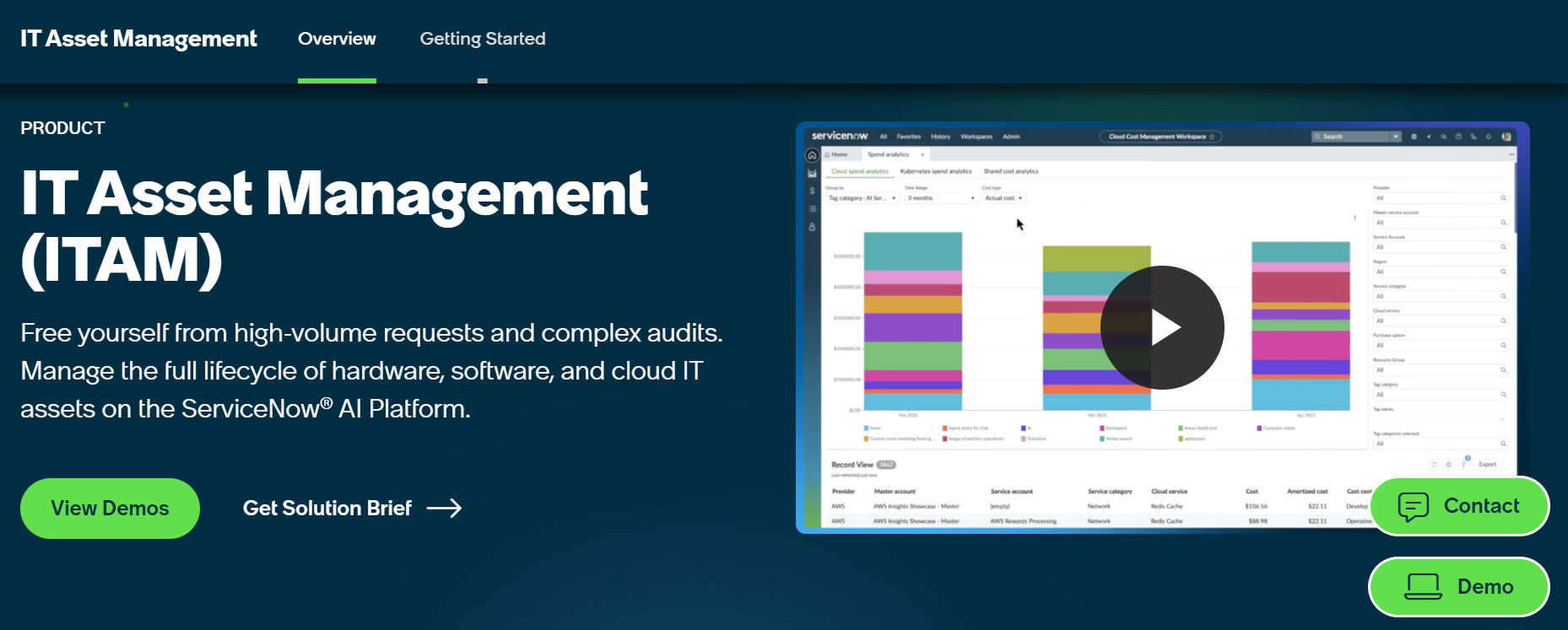
Best suited for: Organizations that need asset management connected to broader IT service processes. ServiceNow IT Asset Management connects hardware and software asset processes with wider IT workflows.
Why consider it: Growing IT organizations may value connections between asset, procurement, and service management processes.
What to verify: Licensing, implementation effort, platform requirements, and total cost.
#8. Zluri: For SaaS management
Best suited for: Businesses that want greater control over SaaS applications, subscriptions, and renewals. Zluri focuses on SaaS visibility, application usage, licenses, and software spending.
Why consider it: Software-heavy businesses can evaluate ways to identify unused subscriptions and manage renewals.
What to verify: Supported integrations, usage data, automation capabilities, and subscription terms.
Quick comparison:
Software | Primary Focus | Buyer Profile |
Asset 365 | Microsoft 365 asset management | Microsoft-based small businesses |
Asset Panda | Mobile asset tracking | Field and inventory teams |
ManageEngine AssetExplorer | IT asset management | IT departments |
Reftab | Equipment tracking | IT and operations teams |
Sage Fixed Assets | Depreciation and accounting | Finance teams |
AssetWorks | Operational asset management | Asset-intensive organizations |
ServiceNow ITAM | Enterprise IT workflows | Growing IT organizations |
Zluri | SaaS management | Software-heavy businesses |
How to Choose the Right Asset Management Software?
The best asset management software for small business is not always the product with the most features. It is the solution that supports your workflows, budget, and future growth. Follow these steps before making a purchase:
1. Identify your asset management needs
- Start by listing the assets your business owns.
- Separate them into categories such as IT equipment, software, office furniture, tools, and fixed assets.
- Next, identify the information you need to track for each category.
- For example, IT may need employee assignments and warranty details, while finance may need purchase costs and depreciation records.
2. Prioritize your biggest challenges
- Ask your team which asset problems create the most work.
- Common challenges include missing equipment, slow audits, manual onboarding, expired warranties, and unnecessary purchases.
- Choose three major problems and use them to guide your software evaluation.
3. Compare total ownership costs
Software subscription costs are only one part of the total expense. Consider setup, migration, integrations, training, support, and additional modules.
Cost Factor | Question to Ask |
Subscription | Is pricing based on users, assets, or plans? |
Implementation | Are setup services included? |
Migration | Can existing spreadsheets be imported? |
Integration | Are connections included or charged separately? |
Support | What support comes with the plan? |
Expansion | How does pricing change as assets grow? |
For example, a lower subscription price may not provide the best value if the business must pay extra for essential integrations.
4. Test real business workflows
- Do not make a purchase based only on a feature presentation.
- Ask the vendor to demonstrate a complete workflow.
- A useful test includes registering a laptop, assigning it to an employee, transferring it, scheduling maintenance, recording its return, and reviewing its history.
- Check how many steps are required and whether the process is easy for employees to understand.
5. Evaluate security and access controls
- Asset records may contain employee details, purchase costs, and equipment information.
- Review the software’s security and access options.
- Questions should cover role-based permissions, authentication, audit history, data storage, backup processes, and vendor security documentation.
- For Microsoft 365-based organizations, confirm how the software uses existing Microsoft identities and permissions.
6. Use a weighted software evaluation scorecard
A simple scorecard makes it easier to compare shortlisted products fairly. The following example uses suggested weights. Adjust them based on your business needs.
Interactive Vendor Evaluation: Example weights
Rate one shortlisted vendor from 1 (poor) to 5 (excellent) after reviewing its demo and documentation.
- Core asset tracking (25%) – 3/5
- Employee assignments (20%) – 3/5
- Integrations (20%) – 3/5
- Ease of use (15%) – 3/5
- Total cost (10%) – 3/5
- Security and support (10%) – 3/5
Weighted evaluation score = 60 / 100
Why Consider Asset 365 for Microsoft 365-Based Businesses?
- Small businesses already using Microsoft 365 may want an asset management solution that fits their existing work environment.
- Asset 365 is designed for Microsoft-based asset management use cases, helping organizations manage asset records, assignments, maintenance, and lifecycle activities.
- Rather than introducing another disconnected process, buyers can evaluate how Asset 365 supports asset management alongside familiar Microsoft tools.
Centralized asset records
Asset 365 helps businesses organize asset information in a central system.
IT teams can maintain equipment details, assignment records, locations, and asset history.
This can reduce the need to maintain several separate spreadsheets.
Employee assignments and acknowledgments
Employee asset management is important when new employees join, change roles, or leave a company.
Asset 365 includes asset assignment and acknowledgment capabilities.
Teams can use these workflows to support clearer accountability for company equipment.
For example, IT can record a laptop assignment and maintain the related acknowledgment as part of the asset history.
Maintenance and lifecycle tracking
Asset 365 supports maintenance and asset lifecycle management use cases.
Teams can maintain records of equipment repairs, asset status, and lifecycle events.
This information helps managers review equipment condition and plan future asset needs.
Barcode tracking and asset audits
Asset 365 includes barcode workflows and audit logs.
These capabilities are useful when businesses need to identify physical assets and review historical changes.
During a physical audit, teams can compare equipment against registered asset information.
Microsoft 365 integration
Businesses that already use SharePoint, Teams, Outlook, and other Microsoft services should assess how Asset 365 fits their environment. It connects with Microsoft technologies, including Power Automate, Power BI, and Microsoft Intune
The availability and configuration of each integration should be confirmed during a product demonstration.
Why this matters: An asset management solution that works with existing business systems may reduce duplicate data entry and make workflows easier to adopt.
Asset 365 use cases by department
Department | Example Use Case | Expected Benefit |
IT | Track laptops and employee devices | Better equipment visibility |
HR | Coordinate employee asset returns | More organized offboarding |
Finance | Review asset costs and depreciation | Improved asset records |
Operations | Track shared equipment and maintenance | Better resource planning |
Management | Review asset reports | More informed decisions |
Bring your current asset spreadsheet and three common tracking challenges to a product demo. Ask the team to demonstrate how Asset 365 handles them in your Microsoft 365 environment.
Asset Management Software Implementation Checklist
Choosing software is only the beginning. A clear implementation plan helps teams move from spreadsheets to a reliable asset management process.
Step 1: Audit existing assets
- Collect asset information from spreadsheets, invoices, employee records, and other sources.
- Remove duplicate records and identify missing details.
Step 2: Create a standard asset structure
- Define consistent asset categories, identification rules, locations, statuses, and ownership fields.
- For example, every laptop should follow the same naming and registration process.
Step 3: Import and validate asset data
- Import existing asset records into the selected system.
- Check a sample of records to confirm that serial numbers, employees, locations, and purchase details are correct.
Step 4: Set up workflows and permissions
- Define who can register, assign, transfer, edit, and retire assets.
- Set up approval processes and alerts where the software supports them.
Step 5: Train employees
- Show employees how to find assets, request equipment, confirm assignments, and report changes.
- Keep training focused on the tasks each role performs.
Step 6: Review asset management performance
After implementation, measure whether the software improves daily work. Useful metrics include:
Metric | How to Measure It |
Asset record accuracy | Verified records ÷ audited records × 100 |
Asset return rate | Returned assets ÷ assets due for return × 100 |
Audit completion time | Hours needed to complete an audit |
Maintenance compliance | Completed scheduled tasks ÷ scheduled tasks × 100 |
Asset utilization | Assets in use ÷ assets available for use × 100 |
Track a baseline before implementation and compare results after the new process is established.
Common Mistakes to Avoid When Buying Asset Management Software
Even good software can create problems when businesses choose the wrong solution.
Choosing software based only on price
A low-cost platform may lack the features your team needs.
Compare total ownership costs and the value of the workflows the software supports.
Buying more features than necessary
Small businesses do not always need complex enterprise asset management tools.
Start with essential requirements and choose software that can grow w
Ignoring employee adoption
A powerful system provides little value when employees find it difficult to use.
Test everyday tasks with actual users before purchasing.
Overlooking existing integrations
Disconnected systems can increase manual work.
Check how the software connects with your current business tools, identity systems, and reporting processes.
Skipping data cleanup
Importing duplicate or outdated asset records can make the new system unreliable from the beginning.
Clean and verify records before migration.
Conclusion
The best asset management software for small business should help you understand what your company owns, who uses each asset, where equipment is located, and what action is needed next. Start by identifying your biggest asset management challenges. Then compare products based on essential features, ease of use, security, integrations, and total cost.
For businesses already using Microsoft 365, Asset 365 is one option worth evaluating for centralized asset tracking, employee assignments, maintenance, and asset lifecycle management. The next step is to shortlist two or three products and test the same business workflow in each system.
Ready to improve your asset tracking process?
Explore Asset 365 and book a free 1:1 demo to see whether it fits your company’s requirements.
Frequently Asked Questions
What is asset management software?
Asset management software is a centralized platform that helps businesses track, manage, maintain and monitor physical assets throughout their lifecycle. It stores asset information, maintenance history, warranty details, ownership records and reporting data in one place.
What is the best asset management software for a small business?
The best asset management software for small business depends on your assets, workflows, budget, and existing tools. Asset 365 is worth evaluating for Microsoft 365-based businesses, while other platforms focus on IT discovery, mobile tracking, accounting, or SaaS management.
Is Excel enough for small business asset management?
Excel can work for small inventories with limited changes. However, businesses may need dedicated software when multiple employees manage records, equipment moves frequently, or maintenance and audits become difficult to track.
How much does asset management software cost?
Pricing varies by vendor, subscription plan, number of users, asset limits, integrations, and support requirements. Buyers should request current quotes and compare total costs rather than subscription prices alone.
Can asset management software track employee laptops?
Yes. Equipment tracking software can record laptop details, employee assignments, locations, transfers, maintenance, and returns. The exact capabilities depend on the product.
Does Microsoft 365 support asset management?
Microsoft 365 provides tools such as SharePoint and Power Automate that organizations can use to build asset tracking processes. Dedicated solutions such as Asset 365 can provide additional asset management workflows.
What is the difference between asset tracking and asset management?
Asset tracking focuses on asset identification, ownership, location, and status. Asset management covers a broader process that may include purchasing, assignments, maintenance, depreciation, audits, and retirement.
Can asset management software help reduce costs?
Asset management software can help businesses identify unused equipment, avoid duplicate purchases, monitor maintenance, and plan replacements. Actual savings depend on existing problems and how effectively the system is used.
What should I ask during an asset management software demo?
Ask the vendor to demonstrate asset registration, employee assignment, barcode scanning, transfers, maintenance, returns, reporting, and integrations. Also confirm pricing, security, migration, and support requirements.


_JiluXJRGNl.svg)























