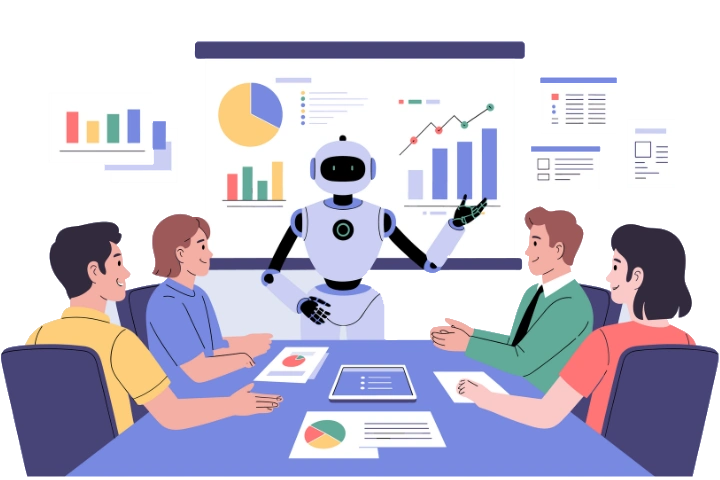

Meetings often end with good ideas, important decisions, and tasks that need attention. Afterward, someone must share notes, assign work, and track deadlines.
AI meeting productivity tools help teams record discussions, create meeting summaries, capture decisions, and identify action items. Some also analyze topics, sentiment, and participation to help teams understand what happens across meetings.
- AI meeting productivity tools turn discussions into summaries, decisions, and follow-up tasks
- Apps365 AI Meeting Intelligence Agent combines action-item tracking with topics, sentiment, and attendee insights
- Otter.ai and Fathom focus on notes, while Fireflies.ai and Read AI provide conversation insights
- Circleback and MeetGeek help connect meeting outcomes with everyday work
- Choose based on accuracy, integrations, privacy, pricing, and task ownership
The best options for 2027 include Apps365 AI Meeting Intelligence Agent, Otter.ai, Fireflies.ai, Fathom, tl;dv, Read AI, Circleback, Fellow, Avoma, MeetGeek, and Microsoft 365 Copilot. Each serves a different meeting need.
This guide compares their strengths, limitations, and use cases.
11 Best AI Meeting Productivity Tools at a Glance
Not every team needs advanced analytics. Some need meeting transcription software, while others prioritize follow-up tasks.
Tool | Best For | Standout Capability |
Apps365 AI Meeting Intelligence Agent | Meeting intelligence | Decisions, tasks, sentiment, and attendee insights |
Otter.ai | Searchable transcripts | Live transcription and AI search |
Fireflies.ai | Conversation analysis | Topics and meeting analytics |
Fathom | Individuals and small teams | AI summaries and follow-up notes |
tl;dv | Remote and customer teams | Insights across meetings |
Read AI | Connected work insights | Recaps and meeting search |
Circleback | Action-item follow-ups | Task extraction and workflows |
Fellow | Security-focused teams | AI notes and data controls |
Avoma | Sales and customer success | Coaching and CRM updates |
MeetGeek | Automated workflows | Custom summaries and integrations |
| Granola AI | Professionals and teams seeking bot-free meeting notes | Bot-free transcription, AI meeting summaries, and searchable notes |
What Are AI Meeting Productivity Tools?
AI meeting productivity tools are applications that use artificial intelligence to capture conversations, organize meeting information, and support follow-up work. They reduce manual note-taking.
For example, a product team agrees to update a design, test a new feature, and collect customer feedback. An AI meeting assistant can identify those decisions and suggest tasks for the people involved. Some support meeting decision tracking and automated action item tracking.
What can AI meeting tools do?
- Transcription: Turn spoken conversations into searchable text
- Summaries: Create AI-powered meeting notes with the main discussion points
- Decision tracking: Capture agreements and unresolved questions
- Action items: Identify tasks, owners, and deadlines when stated
- Meeting analytics: Review topics, participation, and conversation patterns
- Integrations: Connect meeting results with project management or CRM tools
The goal is not simply to save note-taking time. It is to help teams act on what was agreed.
11 Best AI Meeting Productivity Tools Compared
Compare these tools against your existing workflows.
#1. Apps365 AI Meeting Intelligence Agent
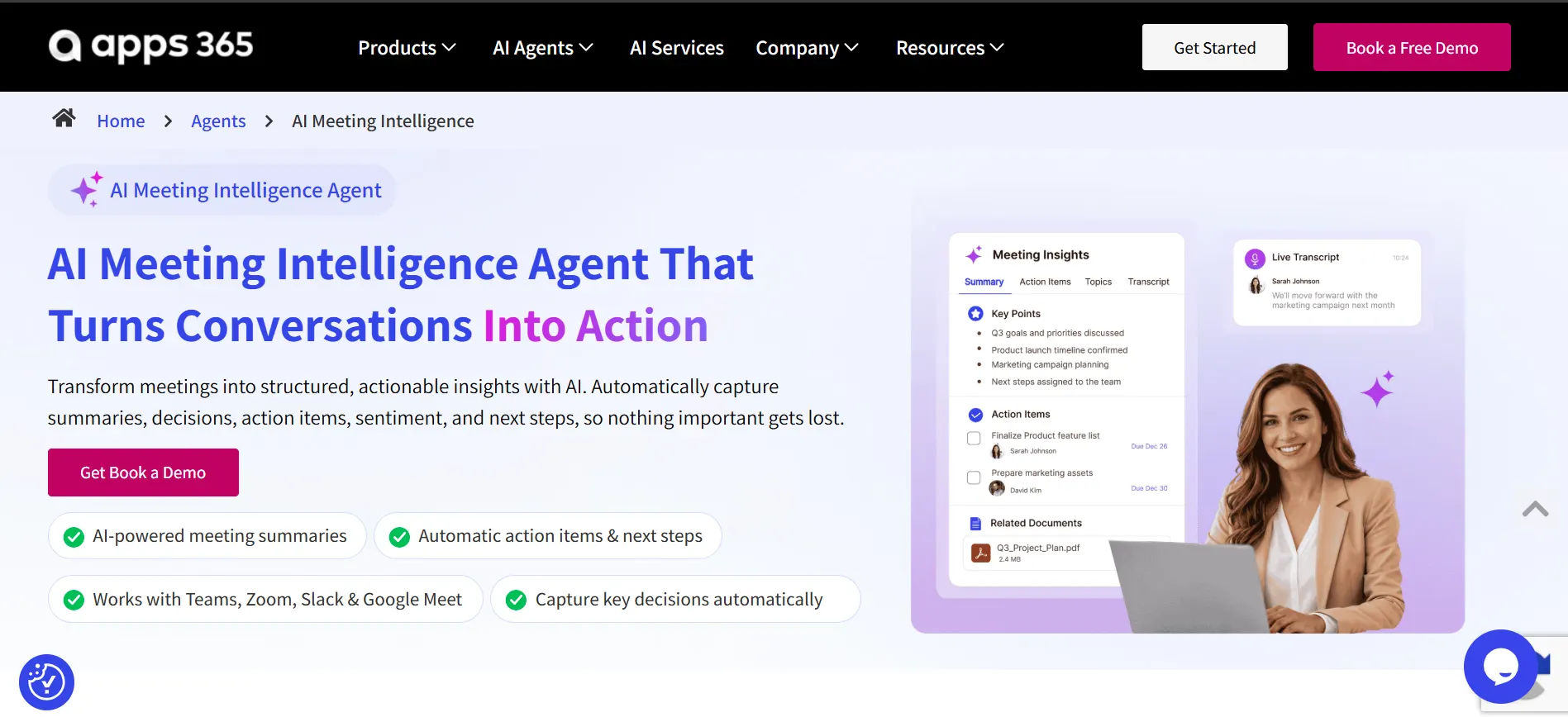
Best for: Businesses that need meeting summaries, decisions, action items, and attendee insights
Apps365 AI Meeting Intelligence Agent helps organizations turn conversations into information they can use after a meeting. It captures discussions, decisions, and tasks.
Imagine a project team discussing a delayed launch. Members identify problems, agree on new deadlines, and assign responsibilities. The agent can help capture key decisions, action items, next steps, and related meeting insights rather than leaving someone to reconstruct the conversation manually.
It also offers topic identification, sentiment analysis, and attendee insights. These add context beyond basic recaps.
Key features
- AI meeting summaries and decision tracking
- Action-item identification, including owners and next steps
- Sentiment analysis and discussion topic identification
- Attendee participation and engagement insights
- Support for configured meeting platform integrations
What to consider: Confirm supported platforms, deployment requirements, and pricing during a demo. Review AI-generated information before assigning responsibilities.
Why choose Apps365?
It suits teams seeking AI meeting intelligence alongside practical meeting follow-up workflows.
Want to Turn Meeting Conversations Into Action?
#2. Otter.ai: Best for searchable meeting transcripts
Best for: Teams that need live transcription and easy access to previous discussions
Otter.ai records conversations, creates transcripts, and produces meeting summaries. It works with popular meeting platforms, including Zoom, Google Meet, and Microsoft Teams.
Its AI Chat feature lets people ask questions about recorded meetings. Someone who missed a call can quickly find decisions and tasks.
Key features
- Live transcription and speaker identification
- AI summaries and action items
- Searchable meeting history and AI Chat
- Sharing and collaboration features
What to consider: Free transcription minutes and usage are limited. More advanced administration and recording features depend on the plan.
Why choose Otter.ai?
It is useful when searchable meeting records matter more than detailed conversation analytics.
#3. Fireflies.ai: Best for meeting analysis and collaboration
Best for: Teams that want notes, topic tracking, and conversation insights
Fireflies.ai records meetings, creates transcripts, and analyzes discussions. Its AskFred assistant can answer questions about meeting content, while conversation intelligence features help users review recurring topics and speaking patterns.
A customer success team, for example, can look across calls to understand which customer problems appear repeatedly. This makes it useful for teams needing meeting analytics software.
Key features
- Automated transcription and AI summaries
- Action-item identification and meeting search
- Topic tracking and speaker talk-time insights
- CRM and workplace app integrations
What to consider: Advanced analytics, storage, and team features may require higher-tier plans.
Why choose Fireflies.ai?
It helps teams understand conversation trends as well as individual meeting outcomes.
#4. Fathom: Best for individuals and small teams
Best for: Professionals who want simple AI meeting notes
Fathom creates meeting summaries, transcripts, and action items so users can focus on the conversation. A consultant can prepare client follow-ups without replaying recordings.
Fathom also supports sharing meeting highlights and connecting information with tools such as HubSpot, Salesforce, Slack, and Asana.
Key features
- AI-powered meeting notes and transcripts
- Meeting summaries and action-item detection
- Searchable history and highlight sharing
- CRM and task management connections
What to consider: Some team features, integrations, and automation options require paid plans.
Why choose Fathom?
It is a simple starting point for people who want useful notes without a complex setup.
#5. tl;dv: Best for reviewing conversations across meetings
Best for: Remote teams and customer-facing teams comparing multiple discussions
tl;dv records, transcribes, and summarizes meetings. Its search and reporting features help teams identify themes across separate calls.
For example, a product manager reviewing customer interviews can find repeated feature requests without opening each recording. CRM connections help share findings.
Key features
- AI meeting summaries and transcripts
- Search across multiple conversations
- Reports on recurring discussion topics
- Custom notes and CRM workflows
What to consider: Advanced reports, automation, and integrations may require paid access.
Why choose tl;dv?
It is well suited to teams that need cross-meeting search and recurring topic analysis.
#6. Read AI: Best for meeting insights and productivity analysis
Best for: Teams that want meeting recaps connected with workplace information
Read AI generates meeting recaps, highlights, and action items. It can also help users find relevant details across supported connected sources, including meetings and other workplace content.
A team leader can quickly find earlier decisions and unresolved issues.
Key features
- Meeting summaries and action-item detection
- Search across connected work information
- Conversation and participation insights
- Workplace application integrations
What to consider: The free plan has usage limits. Check the permissions required to connect calendars, email, and other work data.
Why choose Read AI?
It helps when important meeting knowledge is scattered across different conversations and apps.
#7. Circleback: Best for action-item tracking and follow-ups
Best for: Teams turning meeting commitments into organized tasks
Circleback captures meeting notes, extracts action items, and supports workflow automation. It can identify tasks assigned during a campaign meeting.
Its integrations with tools such as Notion, Linear, HubSpot, Salesforce, and Monday.com can help teams move meeting outcomes into their existing systems.
Key features
- AI transcripts and summaries
- Action-item extraction and organization
- Workflow automation and task integrations
- Searchable meeting information
What to consider: Automation, integrations, and meeting history may be restricted on free plans.
Why choose Circleback?
It is worth evaluating for meeting follow-up automation and meeting task management.
8. Fellow: Best for security-conscious organizations
Best for: Organizations handling sensitive meeting discussions
Fellow combines AI transcription, meeting summaries, action items, and collaboration tools with an emphasis on data controls.
HR and finance teams may need controlled access to sensitive notes. Fellow offers security and administrative features to consider during that review.
Key features
- AI meeting notes, transcripts, and action items
- Agendas and meeting templates
- Meeting search and collaboration
- Privacy and administration controls
What to consider: Security capabilities and recording limits vary by plan. Review retention, consent, and access settings.
Why choose Fellow?
It is an option for teams balancing meeting productivity with organizational security requirements.
9. Avoma: Best for sales and customer success teams
Best for: Revenue teams that need call insights and CRM updates
Avoma brings together AI meeting assistance and conversation intelligence. It helps sales teams capture customer discussions, prepare follow-up content, and connect notes with CRM workflows.
Managers can review recurring sales objections and coaching opportunities.
Key features
- Meeting transcription and custom summaries
- Follow-up email drafts and CRM updates
- Conversation analytics and topic tracking
- Sales coaching and revenue intelligence capabilities
What to consider: Meeting assistance, coaching, and revenue features may be sold through different modules.
Why choose Avoma?
It suits teams where meeting outcomes affect customer relationships and sales progress.
10. MeetGeek: Best for automated meeting workflows
Best for: Teams needing consistent summaries and task handoffs
MeetGeek records meetings, generates notes, and supports follow-up workflows. Teams can use different summary formats for project reviews, customer calls, and planning discussions.
Project reviews need decisions and tasks; customer calls need feedback and next steps.
Key features
- AI transcripts and custom summaries
- Speaker identification and action items
- Meeting analytics and searchable records
- CRM and project management integrations
What to consider: Recording hours, advanced workflows, and team analytics may be limited by plan.
Why choose MeetGeek?
It helps teams standardize meeting recap software and automate information sharing.
11. Granola AI: Best for bot-free meeting notes
Best for: Professionals and teams that want AI meeting notes without adding recording bots to calls
Granola AI is an AI meeting assistant that captures conversations and generates meeting notes without joining calls as a recording bot. It works with Microsoft Teams, Zoom, and Google Meet.
Users can capture important discussions, review decisions, and prepare follow-up notes. Granola also allows users to search past meetings and create customized summaries.
Key features
- Bot-free meeting transcription
- AI-generated meeting notes and summaries
- Custom meeting note templates
- AI chat for searching previous meetings
What to consider: The free plan has limited meeting history. Advanced integrations, unlimited history, and team features require paid plans.
Why choose Granola AI?
It suits professionals who want simple AI meeting notes without adding recording bots to their meetings.
How to Choose the Right AI Meeting Productivity Tool
Use the same sample meeting to compare AI meeting productivity tools. Check whether the software captures the right decisions and makes follow-up work easier.
Start with your biggest meeting problem
If you mainly need searchable transcripts, start with a note-taking tool. If tasks are forgotten after meetings, prioritize decision tracking, ownership, and reminders.
Check meeting platform compatibility
Confirm support for Teams, Zoom, or Google Meet. Check external meetings and recording permissions.
Evaluate action-item management
Ask whether the tool can identify task owners, record due dates, send tasks to another system, and support corrections. AI suggestions still need human review.
Review privacy and security
Check consent, sharing permissions, retention settings, and access controls. Sensitive meetings may require stricter policies than routine team calls.
Compare the total cost
Look beyond starting prices. Storage, analytics, integrations, and admin features affect costs.
How to Improve Meeting Productivity With AI
Even strong AI meeting productivity tools need clear meeting follow-up workflows. Consider a product team preparing for a software release.
Step 1: Define the meeting goal
Identify the decision needed, such as approving a release date or assigning final testing work.
Step 2: Capture the discussion
Use an approved AI assistant to record or transcribe the meeting, allowing participants to focus on the discussion.
Step 3: Review decisions and action items
Check the AI-generated notes for accuracy before sharing them with the team.
Meeting Outcome | Owner | Deadline |
Complete application testing | QA lead | Friday |
Update release documentation | Product manager | Thursday |
Prepare customer announcement | Marketing lead | Monday |
Step 4: Move tasks into your existing workflow
Where supported, send approved action items to a project management app or other shared system.
Step 5: Review progress before the next meeting
Check completed work and unresolved commitments. This makes the next meeting more useful.
Why AI Meeting Intelligence Matters Beyond Note-Taking
Traditional notes tell teams what was said. AI meeting intelligence can help explain patterns across discussions, including repeated topics, unresolved decisions, and meeting effectiveness metrics.
For example, a manager may notice that launch decisions are delayed because approvals keep returning to the same department. Reviewing recurring issues can reveal where the team needs a clearer process.
Useful meeting intelligence may include:
- Decisions: What was approved or left open
- Action items: Who owns each follow-up task
- Topics: Which issues return across meetings
- Attendee insights: Participation and speaking patterns
- Sentiment: Estimated conversation tone, where supported
Sentiment and participation scores are not proof of anyone’s feelings or performance. Use them as signals, not judgments.
Looking for Deeper Meeting Insights?
Explore Apps365 AI Meeting Intelligence Agent for summaries, decisions, action items, topics, sentiment, and attendee insights.
Common Mistakes to Avoid When Using AI Meeting Tools
Trusting AI-generated notes without review: Transcripts and summaries may contain errors due to interruptions, background noise, or unfamiliar terms
Not assigning task owners: Action items without clear responsibilities can lead to missed deadlines and unfinished work
Ignoring meeting privacy: Recording meetings without proper consent can create privacy and compliance risks
Skipping a clear meeting agenda: AI tools cannot replace a well-planned agenda with defined goals and discussion points
Conclusion
The best AI meeting productivity tools for 2027 should help teams turn conversations into progress. Apps365 AI Meeting Intelligence Agent is worth considering for decisions, action items, and conversation insights. Otter.ai and Fathom offer simpler note-taking options, while Circleback and MeetGeek emphasize workflow connections.
Ready to Turn Meeting Conversations Into Action With AI Meeting Intelligence?
Join Our Creative Community
Frequently Asked Questions
1. What is the best AI tool for meeting productivity?
It depends on your priorities. Apps365 focuses on meeting intelligence and follow-up insights, Otter.ai on searchable transcripts, Fathom on simple notes, and Fireflies.ai on conversation analysis. Compare them using real meetings.
2. Can AI automatically track meeting action items?
Many tools can identify tasks from discussions. Apps365 AI Meeting Intelligence Agent also focuses on decisions and action items. Automatic assignments, reminders, and task syncing depend on the product and its configuration.
3. Can AI meeting tools work with Microsoft Teams?
Yes. Several third-party assistants work with Teams, and Microsoft 365 Copilot provides support inside eligible Teams environments. Verify access and recording permissions before use.
4. How do AI meeting tools improve meeting effectiveness?
They reduce manual notes, make decisions easier to find, and clarify follow-up work. Measure results through action-item completion, unresolved decisions, note-taking time, and repeat meetings.
Table of Contents

Trusted by the Best