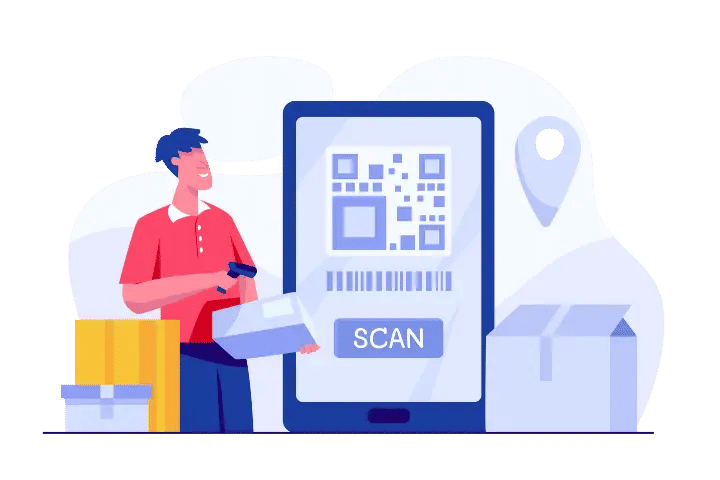
Inventory Tagging System: A Complete Guide to Smarter Asset Tracking

How many company assets are missing right now, and would your team know where to find them?
- A laptop assigned to the wrong employee.
- Equipment missing during an audit.
- Inventory records that haven’t been updated in months.
These everyday problems cost businesses time, create confusion, and lead to unnecessary purchases.
- Better inventory visibility: An inventory tagging system helps businesses identify, locate, and monitor physical assets.
- Faster asset tracking: Barcode and QR code technologies make inventory identification and updates easier.
- Improved accuracy: A centralized inventory tracking system reduces manual errors and supports reliable asset records.
- Smarter software selection: Businesses should compare scanning capabilities, automation, reporting, integrations, and scalability.
- Microsoft 365 integration: Asset 365 supports SharePoint inventory management with centralized tracking, asset assignments, and inventory history.
An inventory tagging system helps businesses solve these challenges by connecting physical assets with accurate digital records. With barcode scanning, inventory tagging software, and centralized asset tracking, teams can quickly identify equipment, monitor assignments, and improve inventory control.
What Is an Inventory Tagging System?
An inventory tagging system is a method of assigning unique identification tags to physical assets, equipment, and inventory items. Each tag connects an item to a digital record containing important information.
These records may include:
- Asset name and identification number
- Current location and assigned employee
- Purchase date and warranty information
- Equipment condition and maintenance history
- Asset movement and usage details
Businesses use inventory tags to identify items, monitor their movement, and maintain accurate records throughout the asset lifecycle.
For example, an IT department may attach a barcode label to every company laptop. When an employee receives or returns a device, the team scans its tag and updates the assignment record. This process improves accountability and helps prevent missing equipment.
Common Inventory Tracking Challenges and How to Solve Them
Business challenge | Solution |
|---|---|
Employees cannot locate equipment | Assign unique identification tags and track locations |
Inventory records become outdated | Update records during checkouts and transfers |
Teams purchase duplicate equipment | Check existing asset availability before purchasing |
Audits take too much time | Use barcode-based inventory verification |
Managers cannot identify asset owners | Maintain assignment and return history |
Departments maintain separate spreadsheets | Centralize inventory records and workflows |
How Does an Inventory Tagging System Work?
An inventory tagging system connects physical identification labels with digital inventory records.
Step 1: Register Inventory
Add each asset’s name, serial number, category, purchase information, and location.
Step 2: Generate a Unique Tag
Assign a barcode, QR code, RFID tag, or asset identification number.
Step 3: Scan and Identify
Employees scan the label using a compatible device to retrieve the asset record.
Step 4: Update Inventory
Record assignments, transfers, returns, maintenance, and inventory changes.
Step 5: Monitor and Audit
Review inventory reports, verify records, and identify missing or misplaced equipment.
A reliable inventory tracking system helps teams maintain visibility across departments, offices, warehouses, and remote locations.
Types of Inventory Tagging Systems
Different tagging technologies support different business needs. The right choice depends on inventory size, scanning requirements, and available resources.
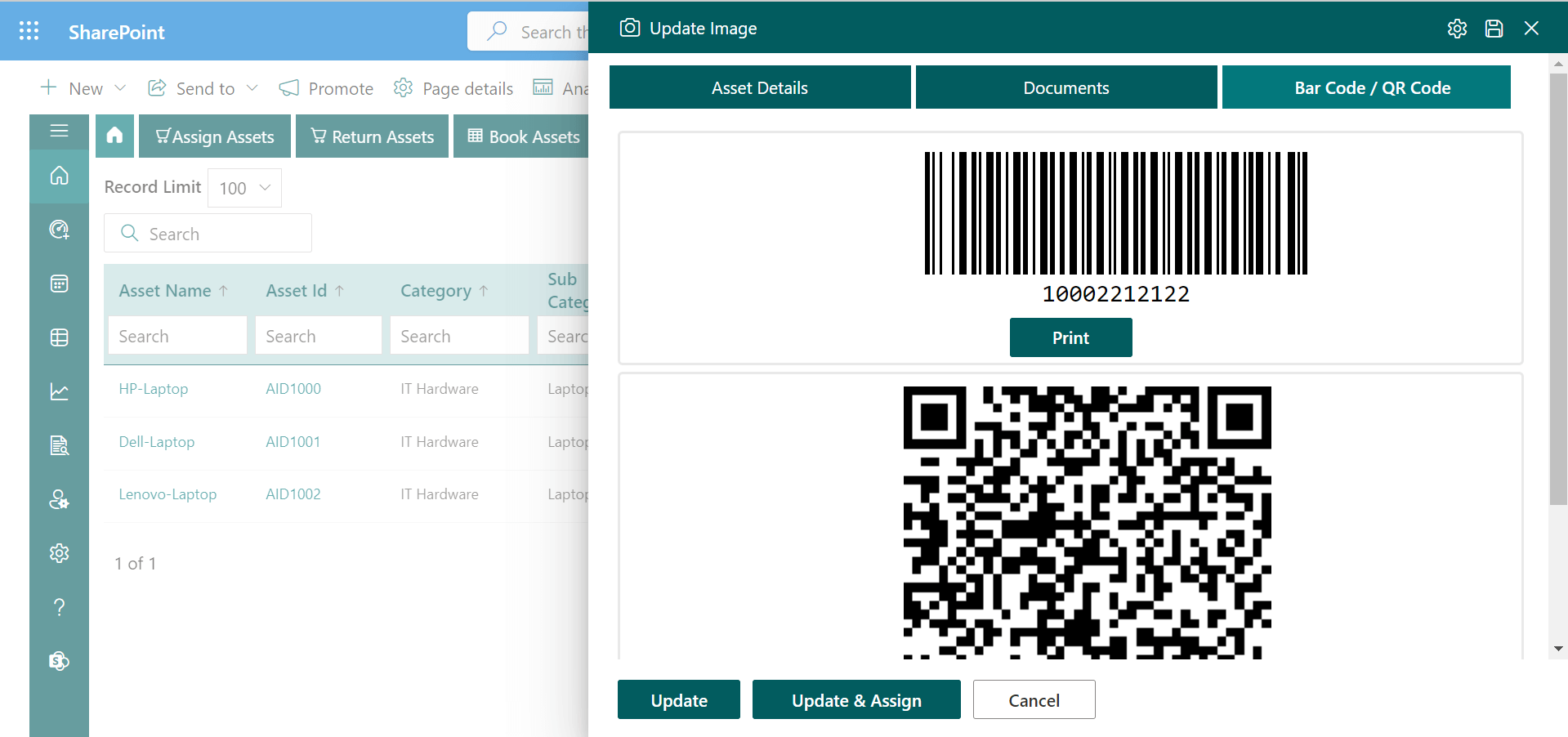
1. Barcode Inventory System
A barcode inventory system uses printed barcode labels to identify items. Employees scan these labels to retrieve asset details and update inventory records.
Best for: IT equipment, office assets, retail stock, and warehouse supplies.
Benefits: Affordable labels, simple scanning, and easy implementation.
2. QR Code Inventory Management
QR code inventory management uses two-dimensional codes to connect physical items with digital information.
Employees can scan compatible QR codes using mobile devices to access asset records, check item details, or support inventory audits.
Best for: Equipment tracking, facility management, and mobile inventory operations.
Benefits: Convenient identification, flexible labeling, and mobile accessibility.
3. RFID Inventory Tracking
RFID technology uses radio signals to identify tagged objects through compatible readers. Unlike printed barcodes, some RFID tags can be read without direct visual access.
Best for: Large warehouses, specialized logistics operations, and high-volume inventory environments.
Benefits: Faster bulk identification and reduced manual scanning requirements.
4. Serialized Inventory Labels
Serialized labels display unique identification numbers, sometimes alongside barcodes. They help businesses maintain consistent records for equipment that requires long-term identification.
Best for: Machinery, furniture, fixed assets, and maintenance equipment.
Benefits: Simple identification, organized records, and easier physical verification.
Benefits of Inventory Tagging Software
1. Improved Inventory Accuracy
Manual spreadsheets can contain duplicate entries, outdated locations, and missing information. Inventory tagging software connects physical assets with structured digital records, making verification easier.
2. Faster Inventory Audits
Employees can scan labeled items instead of manually comparing long inventory lists. This simplifies asset verification and helps teams identify discrepancies.
3. Better Asset Accountability
An asset tagging system helps businesses monitor asset assignments, employee responsibility, and equipment transfers.
Managers can review who received an item and when it was returned.
4. Reduced Equipment Loss
Accurate records make it easier to identify misplaced or unreturned equipment. Teams can investigate missing assets before purchasing replacements.
5. Improved Asset Lifecycle Management
Inventory records can connect equipment with maintenance schedules, warranty information, purchase dates, and replacement planning.
This helps organizations make better asset management decisions.
6. Lower Administrative Workload
Automated updates, centralized records, and scanning workflows can reduce repetitive data entry and manual follow-ups.
Employees spend less time managing spreadsheets and more time completing important work.
How to Set Up an Inventory Tagging System
A successful tagging process requires clear planning, accurate records, and consistent employee participation.
Step 1: Identify inventory requirements
List the assets your organization needs to track, including laptops, tools, furniture, machinery, and supplies.
Step 2: Choose suitable inventory tags
Compare barcode labels, QR codes, RFID tags, and serialized labels based on your environment and budget.
Step 3: Create centralized asset records
Maintain each item’s identification number, location, owner, condition, and purchase information in one inventory database.
Step 4: Apply identification tags
Attach labels to accessible locations. Make sure tags remain readable during daily equipment handling.
Step 5: Configure tracking workflows
Define processes for asset assignments, equipment returns, maintenance updates, transfers, and disposal.
Step 6: Train employees
Explain how to scan tags, update records, report missing equipment, and follow inventory procedures.
Step 7: Schedule inventory audits
Regularly compare physical assets with digital records to identify errors and maintain inventory accuracy.
Essential Features of Inventory Tagging Software
When selecting inventory tagging software, businesses should prioritize features that improve daily operations and support future growth.
Feature | Business Benefit |
Barcode and QR code support | Faster asset identification |
Centralized inventory dashboard | Better visibility across locations |
Asset assignment tracking | Clear employee accountability |
Inventory movement history | Easier audits and verification |
Automated inventory alerts | Timely stock and maintenance updates |
Asset lifecycle management | Better maintenance and replacement planning |
Role-based permissions | Controlled access to inventory information |
Reporting and analytics | Improved operational decisions |
Microsoft 365 integration | Connected workplace workflows |
The best inventory tagging system should match your existing processes rather than create additional administrative work.
Top 5 Inventory Tagging Software Solutions
Businesses should compare inventory software based on features, integrations, usability, and industry requirements.
#1. Sortly – Best for Simple Inventory Tracking
Sortly provides visual inventory management with barcode and QR code scanning capabilities. It helps teams organize inventory information, monitor quantities, and track equipment across locations.
Key Features:
- Barcode and QR code scanning
- Inventory records and categories
- Mobile inventory access
- Low-stock notifications
- Inventory reporting
Best for: Small businesses seeking straightforward inventory organization.
Consideration: Advanced enterprise requirements may require additional evaluation.
#2. Asset Panda – Best for Customizable Asset Tracking
Asset Panda helps organizations manage asset records, equipment assignments, maintenance details, and configurable workflows. Its mobile capabilities support employees who manage equipment across multiple locations.
Key Features:
- Barcode and QR code tracking
- Customizable asset records
- Equipment assignment management
- Maintenance history
- Asset audit workflows
Best for: Organizations requiring flexible asset management processes.
Consideration: Configuration requirements should be evaluated before deployment.
#3. Asset 365 – Best for SharePoint Inventory Management
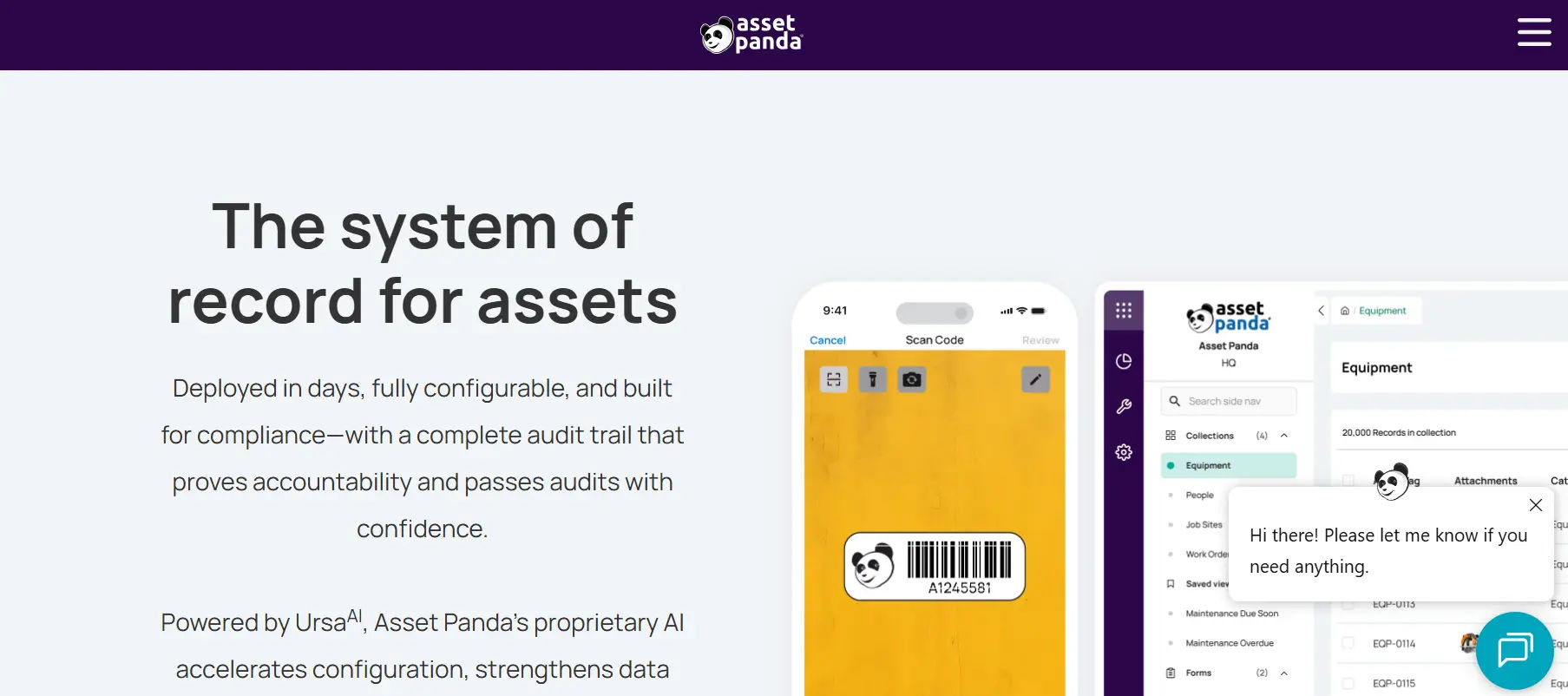
Asset 365 is an AI-powered SharePoint asset management solution designed for organizations using Microsoft 365. It brings asset tracking, inventory management, equipment assignments, maintenance and lifecycle information into one connected workspace.
Key Features:
- Centralized inventory and asset records
- Barcode-based asset identification
- Equipment assignments and transfers
- Inventory quantity and status updates
- Maintenance and warranty tracking
- Audit logs and activity history
- Microsoft Teams and SharePoint integration
- Role-based access management
Best for: IT managers, operations teams, and businesses using Microsoft 365.
Consideration: Confirm supported scanning methods and subscription features before implementation.

#4. GoCodes – Best for Equipment Tracking
GoCodes focuses on equipment identification using QR code labels connected to digital asset records.
Key Features:
- QR code equipment labels
- Equipment checkout tracking
- Asset location records
- Mobile scanning
- Maintenance tracking
Best for: Construction teams, maintenance departments, and equipment-intensive businesses.
Consideration: Evaluate whether its tracking workflows match broader inventory management requirements.
#5. Snipe-IT – Best for IT Asset Management
Snipe-IT is an open-source asset management platform designed for tracking IT equipment and related records.
Key Features:
- Asset identification labels
- Equipment check-in and checkout
- Asset assignments
- Custom asset fields
- Reporting capabilities
Best for: Technical IT teams requiring configurable asset tracking.
Consideration: Self-hosted deployments require suitable technical resources.
Why Choose Asset 365 for Inventory Tagging?
Businesses already using Microsoft 365 may not want another disconnected system for managing equipment and inventory. Asset 365 helps teams bring asset records, assignments, inventory updates, and movement history into a SharePoint-based workspace.
Key business benefits:
Reduce dependence on separate inventory spreadsheets.
Improve visibility into equipment ownership and locations.
Track asset assignments, returns, and transfers.
Simplify barcode-based inventory workflows.
Keep inventory information connected to Microsoft 365.
See How Asset 365 Simplifies Inventory Tracking.
Inventory Tagging Best Practices
Follow these practices to improve long-term inventory accuracy:
- Assign one permanent identification number to each tracked asset.
- Use durable labels that match equipment conditions.
- Maintain consistent inventory naming rules.
- Update records whenever equipment changes location or ownership.
- Provide employees with clear scanning instructions.
- Schedule regular inventory audits.
- Review missing assets and incorrect records promptly.
- Protect inventory information with appropriate access permissions.
Remember that technology alone does not guarantee accuracy. Reliable processes and consistent employee participation remain essential.
Conclusion
An effective inventory tagging system helps businesses improve asset visibility, maintain accurate records, and reduce manual tracking work. For organizations using Microsoft 365, Asset 365 provides a connected approach to managing inventory, asset assignments, maintenance, and lifecycle information.
Take control of your business inventory with Asset 365.
Start Your 14-Day Free Trial and discover a smarter way to manage assets within Microsoft 365.
Frequently Asked Questions
What is an inventory tagging system?
An inventory tagging system assigns unique identification labels to physical items and connects them with digital records. It helps businesses track equipment locations, ownership, condition, and inventory movement.
What is the difference between inventory tagging and asset tagging?
Inventory tagging may cover equipment, stock, and supplies. Asset tagging typically focuses on identifying and tracking individual physical assets throughout their useful life.
How does a barcode inventory system work?
A barcode inventory system uses printed labels and compatible scanning devices to identify items. When employees scan an item, the software retrieves its digital record and supports inventory updates.
What are the benefits of QR code inventory management?
QR code inventory management supports convenient scanning, faster item identification, mobile access to asset records, and easier equipment verification.
Can SharePoint be used for inventory management?
Yes. SharePoint can store structured inventory records, while solutions such as Asset 365 add dedicated asset management workflows, inventory visibility, and equipment tracking capabilities.
What is the best inventory tagging software for businesses?
The best solution depends on business requirements. Sortly supports straightforward inventory tracking, Asset Panda offers configurable workflows, and Asset 365 suits organizations seeking Microsoft 365-based asset management.