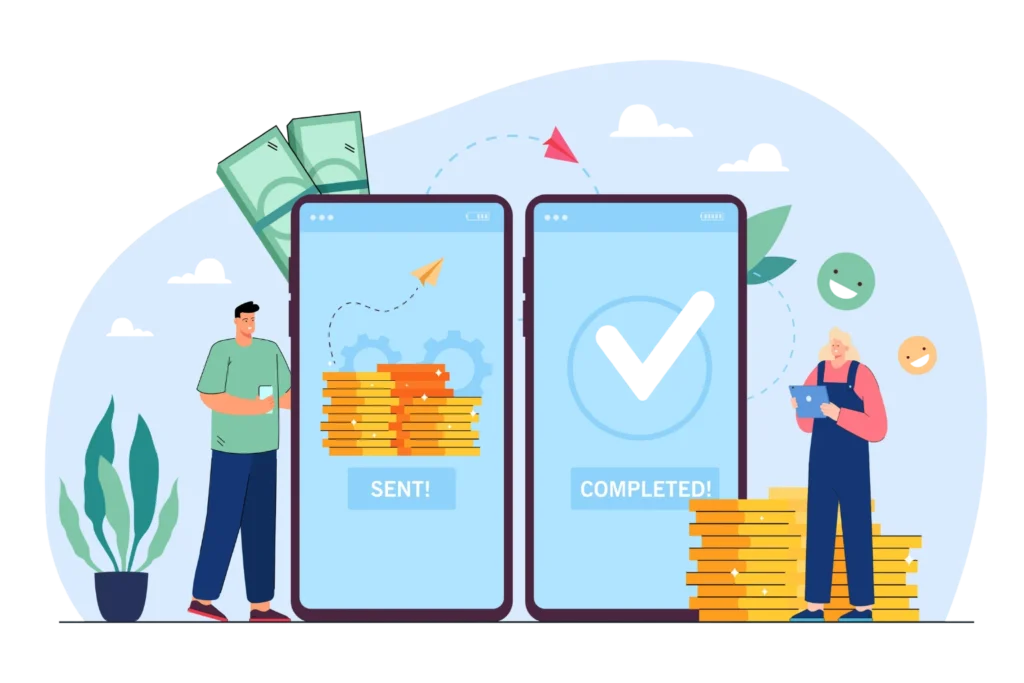

A recurring transaction is a payment that is taken from a customer automatically on a fixed schedule, after the customer agrees once. It could be weekly, monthly, or yearly, and the amount can stay the same or change each cycle.
For a business, this means steady income without chasing invoices. For a customer, it means one less bill to remember. This guide explains the meaning, types, process, rules, and best practices in plain words.
- A recurring transaction is an automatic payment that runs on a set schedule after the customer approves it one time.
- Fixed and variable amounts, card and bank debits, and usage-based charges are the most common types of recurring transactions.
- Most failures come from expired cards, low funds, and weak retry plans, and all of them can be reduced with the right setup.
- Clear consent, easy cancellation, and good records protect your business from disputes and keep customer trust high.
What Is a Recurring Transaction?
A recurring transaction is a payment that repeats on its own. The customer gives their card or bank details once and agrees to the terms. After that, the business charges them on each billing date without asking again
You may also hear the terms auto-pay, standing order, or recurring payment. They all point to the same idea. One approval, many charges. The customer stays in control because they can cancel the agreement at any time.
One-Time Payment vs Recurring Transaction
With a one-time payment, the customer pays and the story ends there. With a recurring transaction, the payment repeats until someone cancels. The first needs a fresh approval every time. The second needs only one approval at the start.
Fixed and Variable Amounts
Some recurring payments never change, like a streaming plan of the same price every month. Others change with use, like an electricity or cloud storage bill. Both are recurring because the schedule is set, even when the amount moves.
Who Uses Them Most
Software companies, gyms, schools, insurance firms, and utility providers use them the most. Any business that gives ongoing value over time is a natural fit. Customers also like them because services never stop due to a missed payment.
Who Uses Them Most
Software companies, gyms, schools, insurance firms, and utility providers use them the most. Any business that gives ongoing value over time is a natural fit. Customers also like them because services never stop due to a missed payment.
See how Revenue 365 tracks it automatically as work is delivered.
Types of Recurring Transactions Businesses Use Today
Not every recurring payment works the same way. The type you pick depends on what you sell, how you price it, and how your customers like to pay. Knowing the options helps you choose a model that fits.
Fixed Subscription Payments
The customer pays the same amount every cycle, such as $49 a month. This is the simplest type and the easiest to forecast. Most software and media companies start here because customers know exactly what to expect.
Usage-Based Payments
Here the charge depends on what the customer used, such as calls made, storage consumed, or seats active. The schedule is fixed, but the amount changes. This feels fair to customers, though it needs accurate usage tracking to avoid billing errors.
Installment Payments
A large purchase is split into smaller equal payments over a set period. Think of a $1,200 annual course paid in twelve parts. The agreement ends automatically once the last payment is collected, which makes it different from an open-ended plan
Bank Debit Payments
The money is pulled straight from the customer’s bank account using methods like ACH or SEPA. Fees are usually lower than cards, and expired cards are not a problem. The trade-off is that setup needs a signed mandate and settlement can take longer.
Where Recurring Transactions Show Up in Daily Life
You probably use several recurring transactions every week without thinking about it. Seeing real examples makes the idea easier to apply to your own business or your own budget.
Software and Streaming Plans
Tools like Microsoft 365, Spotify, and Netflix bill customers monthly or yearly. Business software is often billed per seat, so the amount rises as a team grows. Cancelling stops future charges but does not return money already paid.
Utilities and Bills
Electricity, water, internet, and phone companies often use bank auto-debit. The amount changes each month based on use, but the date stays the same. Customers like it because late fees and service cuts become rare.
Memberships and Donations
Gyms, clubs, and coworking spaces collect monthly dues this way. Charities also depend on monthly giving because it gives them steady funds to plan around. Many people forget these small charges, so they are easy to miss during a review.
Loans and Insurance
Loan repayments and insurance premiums are classic recurring transactions. The amount is known in advance and the date rarely moves. Missing one can cause penalties, which is why automatic payment is so popular here.
Running fixed, usage-based, and installment plans together gets messy fast.
Revenue 365 keeps every billing type in one place so nothing slips through.
Mistakes That Cause Recurring Transactions to Fail
Most failed payments are not caused by angry customers. They come from small gaps in process that nobody caught in time. Fixing these gaps is often the fastest way to protect your monthly revenue.
Expired or Replaced Cards
Cards expire and banks reissue them after fraud alerts. If your system does not get the new details, the next charge fails. Without an account updater service, customers leave without ever deciding to cancel.
Weak Retry Rules
Some systems try once and give up. Others retry too often and annoy the bank. A smart plan spaces attempts across several days and avoids weekends or paydays that carry high decline rates.
Duplicate Charges
A system glitch or a repeated record can bill the same customer twice in one cycle. Customers notice this fast, and many go straight to their bank for a refund. Regular checks on billing logs help you catch it early.
Poor Communication
When a payment fails and the customer hears nothing, they assume everything is fine. A clear email with a simple update link can recover many of these accounts. Silence is the costliest mistake on this list.
Best Practices to Run Recurring Transactions Smoothly
Good habits turn recurring billing from a daily headache into a quiet background system. These practices help whether you bill ten customers or ten thousand.
Keep Billing Simple at the Start
Launch with a few clear plans before adding complex pricing. Simple offers are easier for customers to understand and easier for your team to support. You can always add tiers once the base is stable.
Give Customers a Self-Service Portal
Let customers view upcoming charges, update cards, change plans, and download invoices on their own. This cuts support tickets and builds trust. People feel safer paying when they can see and control what is happening
Track the Right Numbers
Watch monthly recurring revenue, churn rate, payment failure rate, and recovery rate every month. These four numbers tell you if your billing is healthy. A sudden change in any of them is an early warning worth checking
Reconcile Often
Match your billing records with bank deposits on a regular schedule. Gaps show up quickly this way, whether it is a missed charge or a duplicate. Weekly checks are far easier than fixing a quarter of errors at once.
Reconcile Often
Match your billing records with bank deposits on a regular schedule. Gaps show up quickly this way, whether it is a missed charge or a duplicate. Weekly checks are far easier than fixing a quarter of errors at once.
Spreadsheets break down once your customer list grows.
Revenue 365 gives you live billing data and clean reports in one dashboard.
Tools That Make Recurring Transactions Easier to Manage
Manual billing works for a handful of customers, but it stops scaling quickly. The right software handles scheduling, collection, and reporting so your team does not have to.
- Billing and Subscription Software
These platforms create invoices, charge payment methods, and manage plan changes on their own. They remove the copy-paste work that leads to errors. Look for one that supports proration, usage billing, and multiple currencies from day one.
Payment Gateways
Gateways like Stripe, Braintree, and Razorpay process the actual charge and store tokens safely. Pick one that suits your country and payment mix. Make sure it connects well with your billing system so data flows without manual work.
Accounting Connections
Every payment should flow into your books without retyping. When billing and accounting stay in sync, month-end closing becomes faster and cleaner. It also makes revenue reports more reliable for leaders and auditors.
Reporting and Alerts
Good tools flag odd patterns like a spike in failures or repeat charges. Alerts let your team act the same day instead of finding out weeks later. This is where automation pays for itself.
Conclusion
A recurring transaction is more than a payment method. It is a simple promise between a customer and a business: approve once, receive value again and again. When it runs well, revenue becomes steady, customers stay longer, and your team spends less time on manual follow-ups.
The key is to get the basics right. Collect clear consent, protect payment data, plan for failures, and make cancellation easy. With a reliable billing system doing the heavy lifting, recurring transactions turn into one of the most dependable parts of your business.
Ready to take recurring billing off your team’s plate?
Revenue 365 helps you automate charges, recover failed payments, and keep revenue flowing without extra effort.
Frequently Asked Questions
A monthly Netflix or Microsoft 365 charge is a common example. The customer approves it once, and the same payment is taken on the same date each cycle until they cancel.
Not exactly. A subscription is the service agreement, while a recurring transaction is the payment that supports it. Loan repayments and utility auto-pay are recurring transactions without being subscriptions.
Yes. Fixed plans keep the same price, while usage-based plans change each cycle. The customer should know in advance how the amount is worked out and agree to it at sign-up.
The system usually retries after a few days. The customer should also get an email asking them to update their payment details. If every attempt fails, the service may pause or end.
They can cancel inside their account on the service’s website or app. If charges continue after cancelling, they can contact the business first and then ask their bank to block the payment or raise a dispute.
Yes. Billing and revenue tools like Revenue 365 can track delivery, calculate accruals, and reduce manual journal work.