





















Automate Time Tracking, Approvals & Reporting 2× Faster with AI-Powered Time Tracking trake the effort out of Time Management with SharePoint Time Tracking.
SharePoint time tracking teams that help everyone log hours quickly, stay on top of projects, and avoid missed work.
Trusted by 11700+ businesses from 167 countries


Timesheet 365 blends Smarter AI Time Tracking with real clarity Built for your Team
Track work in seconds, keep projects moving, and give managers real clarity inside all the tools your team already uses. With SharePoint and Microsoft 365 working together, everyone stays organized, informed, and confident in control from start to finish.
Timesheet 365 is now available on Microsoft Teams with
AI &
Copilot
Track Smarter – Turning Every Hour into Better Decisions
Timesheet 365 delivers accurate tracking, instant reports, and total transparency for your team.
Task-Based Tracking
Make every second matter. With task-based monitoring, your team can use time to record hours directly to a task, client, and project, organizing work and developing insights. No more guesses, no more messy spreadsheets. Clean, actionable time data in your time tracking app.
Clock-In / Clock-Out
Designed for on-site staff, field teams, hybrid workers or anyone needing exact tracking hours. As an industry-leading employee time tracking app, Timesheet 365 will capture every one of your shifts with accuracy, and no interruptions to the day.
Scheduled Timesheet
Set the rhythm once, and let Timesheet 365 do the rest. With smart reminders, automated time tracking, and simple timesheet submissions, it keeps teams aligned with their schedules, improves accuracy, and ensures accountability—without constant follow-ups.
Automated Time Capture
With intelligent automation, the system captures hours in the background, reducing manual entry and missing logs. For busy teams, this turns Timesheet 365 into a true powerhouse work time tracker effortless, accurate, and always on.
Built to Work with Microsoft 365 & Your Everyday Tools
Timesheet 365 fits into the tools your team already uses, working perfectly with Microsoft 365, including Teams, Outlook, and SharePoint. Track time without switching apps and keep your workflow smooth, connected, and fast.
Connection that Works
AI Timesheet connects with the tools your team already knows, like Microsoft Teams and SharePoint. All your time entries, tasks, and updates stay in one place, making it easy to track work without the usual back-and-forth. No mess, no confusion, just a clean, connected way to get things done.
Your Team’s Productivity Toolkit
Accurate tracking, easy planning, and smoother workdays all in one place.
Time Tracking
Track work hours easily with Timesheet 365. It accurately logs tasks and shifts, making it a reliable employee time tracking app your team will actually use.
Resource Allocation
Plan your team’s workload with smart resource allocation tools. Visual schedules, real-time updates, and built-in resource tracking make project planning and scheduling effortless.
Project Management
Manage projects smoothly with a simple, powerful project management app, built-in AI time tracking, and real-time task monitoring for better team alignment and productivity.

Deadlines for Approval
Keep work moving with a clear, fast multi-level timesheet approval process. Automated reminders and a reliable approval system ensure every timesheet stays on schedule.
Custom Fields
Customize timesheets to match your team’s workflow with flexible fields for clients, projects, job codes, locations, and more, capturing every detail accurately and efficiently.

Team Collaboration
Keep your team in sync with a true multi-user timesheet app designed for smooth collaboration, seamless team time tracking, and clear, confident workflow management.
Billing & Invoice
Turn tracked hours into clean, accurate invoices with powerful time tracking and smart billing tools, all-in-one timesheet and invoicing features, making billing fast, simple, and always reliable.
Time Tracking
Get instant insights with clear time tracking reports and smart timesheet analytics. Powerful reporting tools help teams spot trends, address issues early, and make confident decisions.
Delegation
Make work smoother by sharing responsibilities smartly with effective time management delegation, helping teams move tasks faster and focus on what matters most.
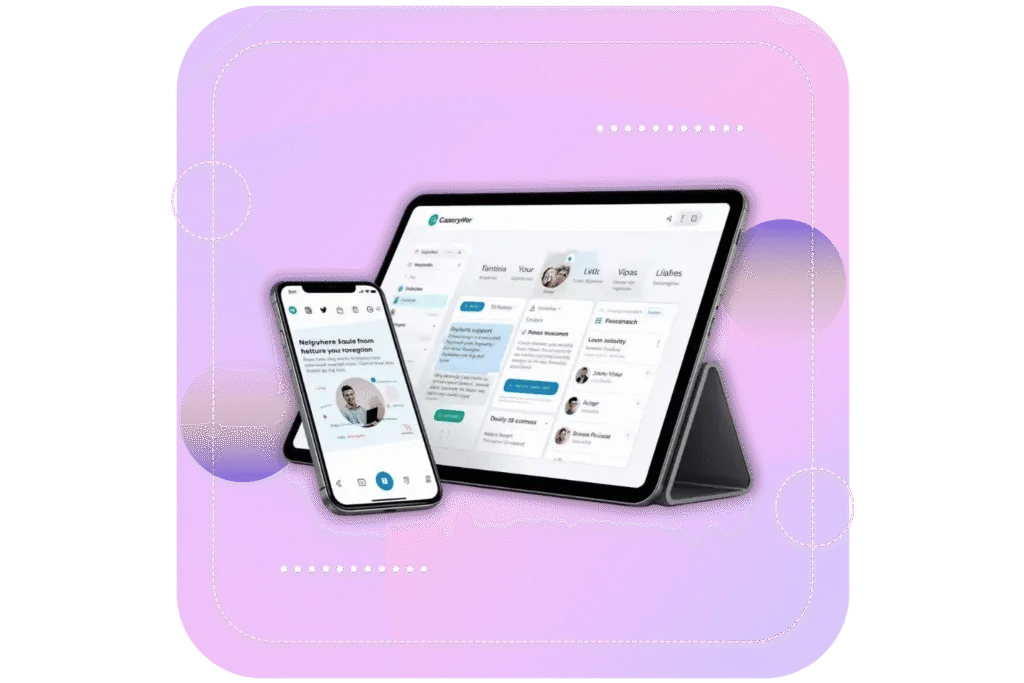
Timesheet 365 - Smart AI Time Tracking Anywhere
Track work hours, log tasks, and update projects from any device, desktop, laptop, or mobile. Real-time updates, automated reminders, and seamless task management keep your team productive, accountable, and on schedule, no matter where they are.
Why Utilize Timesheet 365?
Track time anywhere, anytime. Log hours, update tasks, and stay on top of your work from your phone or laptop. Everything stays right at your fingertips. Keep your day moving, no matter where you are.

Built for Microsoft 365
Works right inside the tools you already use Teams, SharePoint, Outlook. No setup, no hassle. It just works.

Everything in One Place
All your work stays together. See what’s happening, who’s on it, and what needs attention all briefly.
Smart Help
Automatically route tasks to the right person and offer quick guidance to keep things moving fast.
Safe and Ready to Grow
Your data stays protected inside Microsoft 365. As your team grows, Timesheet 365 grows right along with you.
Resolve Tickets 2X Faster with Timesheet 365
Live on Azure
Buy directly from Azure Marketplace or via your enterprise agreement.
Special Pricing for NPOs
Non-profits and government-funded educational institutes can avail exclusive rates.
Enterprise Pricing for 50+ Users
Organizations with more than 50 users can avail special pricing.
Apps 365 Advantage
Apps 365 delivers smart, cloud-powered solutions that simplify operations and fuel growth. With seamless integrations and top-tier security, it helps businesses stay agile, efficient, and ahead of the curve.
Cyber Security
Cyber Security in GCC & GCC High within the Microsoft environment places high importance on stringent measures to protect sensitive government data, ensuring security with robust defenses and Microsoft applications.
GCC & GCC High
Our apps are built for GCC & GCC high tenants of US Federal clouds.
SOC2 Type II Certified
Our apps ensure security, compliance, and data protection
MS Azure Marketplace
Our apps are tested by Microsoft and available on MS Azure Marketplace
Microsoft Appstore
Our innovative applications are available on the Microsoft Appstore.
Customer Support
Your Support Team merges technical prowess with sincere care, fostering trust through expertise and empathy. They build lasting relationships, transcending mere service to create meaningful connections.
AI Enabled Apps
Our innovative apps are built with the options of Azure AI, Copilot, and custom AI solutions.
Swift Deployment
Choose any deployment method—Teams, Outlook, or SharePoint—that suits your preferences.
Modern UI/UX
Every app is crafted using the latest Fluent UI, ensuring seamless functionality across all devices.
Free Updates
Our valued subscribers enjoy unlimited support, enhancements, features, and updates.
SharePoint Consultant, Raymond West
California
Finance Manager, Exeevo
New York
IT Director, Frontier Waste Solutions
Texas, US
Sharepoint Developer, Recor Medical
Washington, US
Business Manager, Cerilon
Canada
Director of IT, JConnelly
New York
System Admin
Oregon, US
IT Manager, Pallas LLP
England, UK
IT Officer, HanmiGlobal Saudi
Saudi Arabia
ICT Manager, SMT Shipping
Europe
Barton Associates
Cofounder
Vice President of Operations
Head Of Information & Technology
Director of Infrastructure
Customer Testimonials
Hear from satisfied organizations that have transformed their IT and internal support with Timesheet 365.
One Place for All Your Time Tracking
Track hours, manage work, and stay aligned all inside Microsoft 365.
Book a Personalized Timesheet 365 Demo!
Frequently Asked Questions
AI Timesheet 365 is a Microsoft 365–based time tracking tool that helps teams log hours, manage tasks, and track projects directly inside Teams and SharePoint.
Timesheet 365 integrates smoothly with office 365 time track work hours, log tasks, and manage projects directly within Teams and SharePoint. It provides real-time reporting, automated reminders, and easy timesheet submissions to keep your team productive and on schedule.
A SharePoint timesheet lets teams log work hours, track tasks, and monitor project progress directly within SharePoint. It streamlines time tracking, simplifies approvals, and ensures accurate reporting for better workforce management.
SharePoint time tracking allows employees to record hours and tasks directly in SharePoint. With automated reminders, real-time updates, and easy reporting, it helps managers keep teams accountable and projects on schedule.
Yes. It installs directly into your Microsoft 365 environment and can be deployed quickly with minimal setup.
Yes. Timesheet 365 includes a mobile-friendly interface, allowing your team to log hours or review tasks on the go.
Yes. It offers time tracking reports, billable hours of reporting, and integrations with Power BI for deeper insights.
Yes. You can track hours by task, project, client, or department, giving teams full visibility and accurate reporting.
Yes. All data stays within your Microsoft 365 environment, following Microsoft’s strict data privacy and security standards.
Yes. Timesheet 365 supports billable hours and can help generate accurate invoices based on tracked time.
Schedule a free personalized 1:1 demo
By proceeding, you accept Cubic Logics’s terms and conditions and privacy policy


By proceeding, you accept Cubic Logics Terms and Conditions and Privacy Policy
Try It Free, No Obligation


Please provide your contact details, we will connect with you soon!
Request for the custom price
By proceeding, you accept Cubic Logics Terms and Conditions and Privacy Policy
Schedule a free personalized 1:1 demo
By proceeding, you accept Cubic Logics’s terms and conditions and privacy policy


Request of the Free License
By proceeding, you accept Cubic Logics Terms and Conditions and Privacy Policy