

_eH2jDg7dZ.png)
What Is Ticket Triage?
If you have ever been to a hospital emergency room, you already know what triage means. Doctors and nurses quickly assess each patient and decide who needs help first. Ticket triage works exactly the same way, but for support requests.
- Ticket triage is the process of sorting, prioritizing, and routing support tickets to the right agent or team — so urgent issues are never left waiting.
- A clear triage process reduces resolution time, prevents ticket backlogs, and improves customer satisfaction across all support channels.
- Common mistakes like missing priority matrices and poor categorization hierarchies can slow down your entire support operation.
- AI-powered automation is making ticket triage faster and smarter — helping teams handle high volumes without burning out agents.
Ticket triage is the process of reviewing incoming support tickets, sorting them by type, and deciding how urgent each one is. The goal is simple: make sure the right ticket reaches the right person at the right time.
When a customer sends in a complaint, a bug report, or a service request, it lands in your support queue. Without triage, your team might waste time on low-priority issues while a major outage goes unnoticed. With a proper triage system, every ticket gets the attention it deserves fast.
Quick Definition
Ticket triage = Sorting + Prioritizing + Routing support tickets to ensure fast, accurate resolution.
Why Ticket Triage Matters
Poor ticket management is one of the top reasons customers stop trusting a brand. When tickets pile up, things get missed. When things get missed, customers get frustrated. When customers get frustrated, they leave.
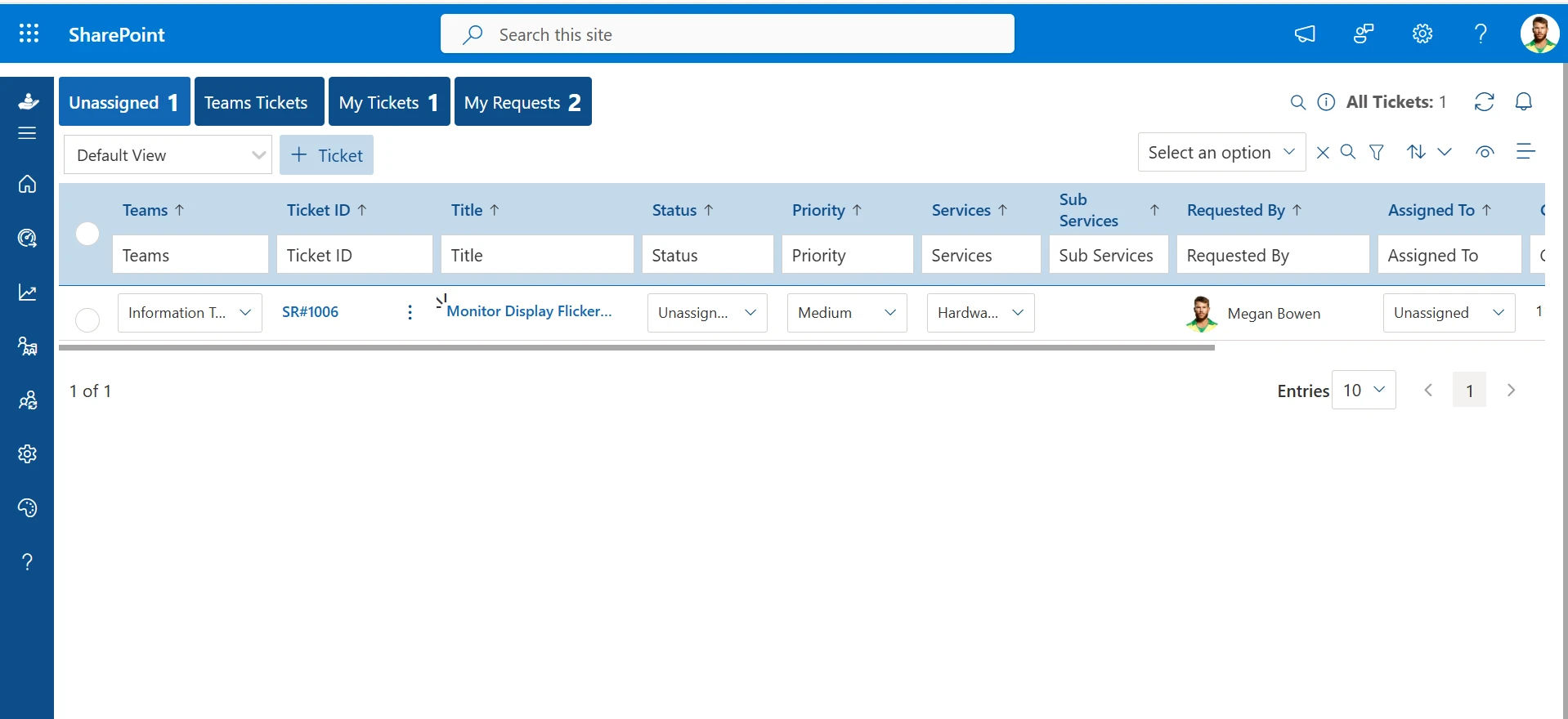
Good ticket triage helps your team stay organized, respond faster, and resolve issues without confusion. Here is why it matters:
- Faster response times — urgent issues get handled right away
- Less agent burnout — work is distributed fairly across the team
- Fewer tickets falling through the cracks
- Better customer experience and higher satisfaction scores
- Cleaner data for reporting and improvement
Without triage, even the best support team will struggle. They will spend time picking the wrong tickets or re-routing tickets that should have gone somewhere else from the start. All of that is wasted time and wasted energy.
Want to see how smarter ticket routing works?
How the Ticket Triage Process Works
There is no single “correct” way to do ticket triage. But most effective teams follow a similar set of steps. Here is how the process typically works:
Step 1: Ticket Collection
There is no single “correct” way to do ticket triage. But most effective teams follow a similar set of steps. Here is how the process typically works:
Step 2: Initial Review and Classification
Once a ticket arrives, it needs to be reviewed quickly. This means answering a few basic questions:
- What type of issue is this? (Technical bug, billing question, feature request, etc.)
- Which department or team should handle it?
- Does it need more information from the customer?
Proper classification at this stage is critical. If a ticket is placed in the wrong category, it goes to the wrong team — and that causes delays.
Step 3: Prioritization
Not all tickets are equal. Some issues affect one person; others affect thousands. Prioritization is the step where you assign a urgency level to each ticket based on two main factors:
- Impact — How many people or systems are affected?
- Urgency — How quickly does this need to be resolved?
Step 4: Assignment and Routing
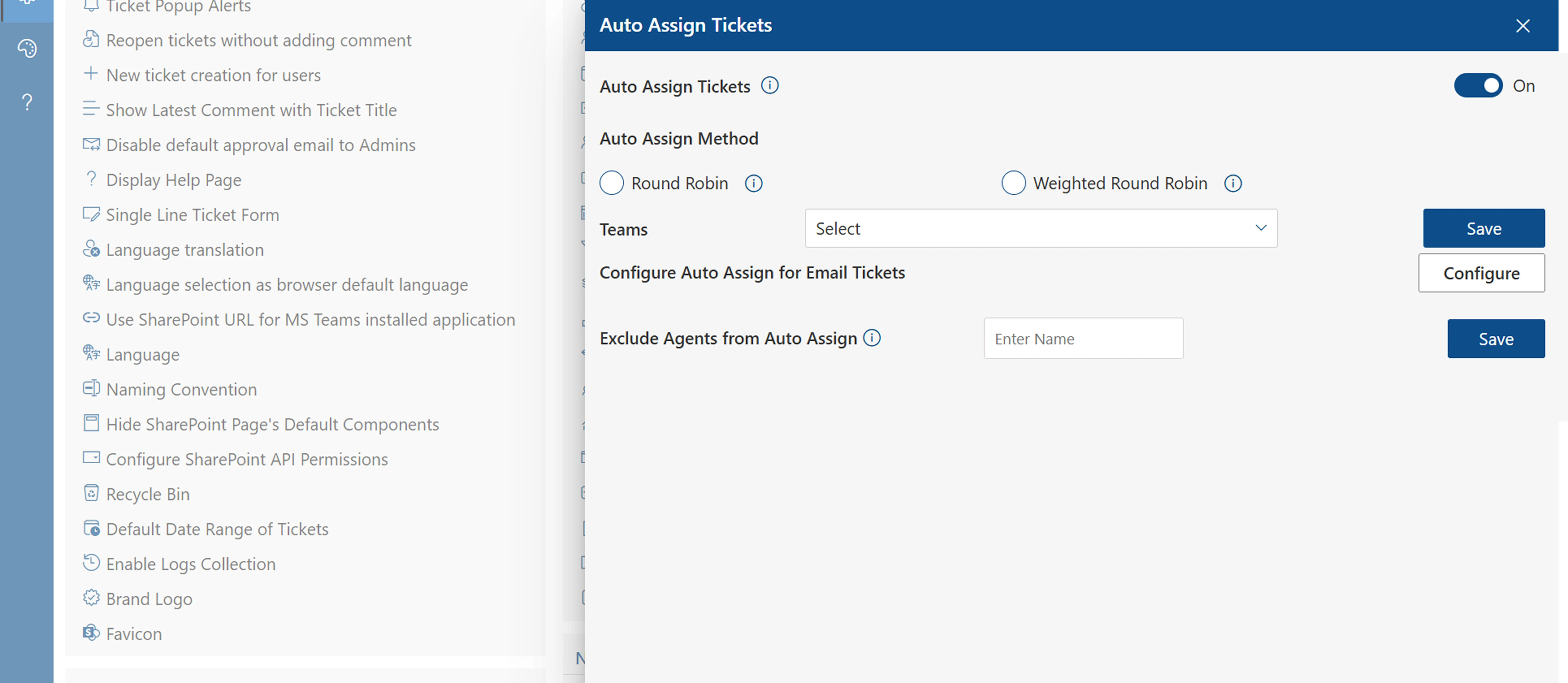
After prioritization, each ticket is assigned to the right agent or team. This can happen manually or automatically based on predefined rules. Smart routing ensures that the agent handling the ticket has the skills and knowledge to solve it.
Step 5: Acknowledgment and SLA Tracking
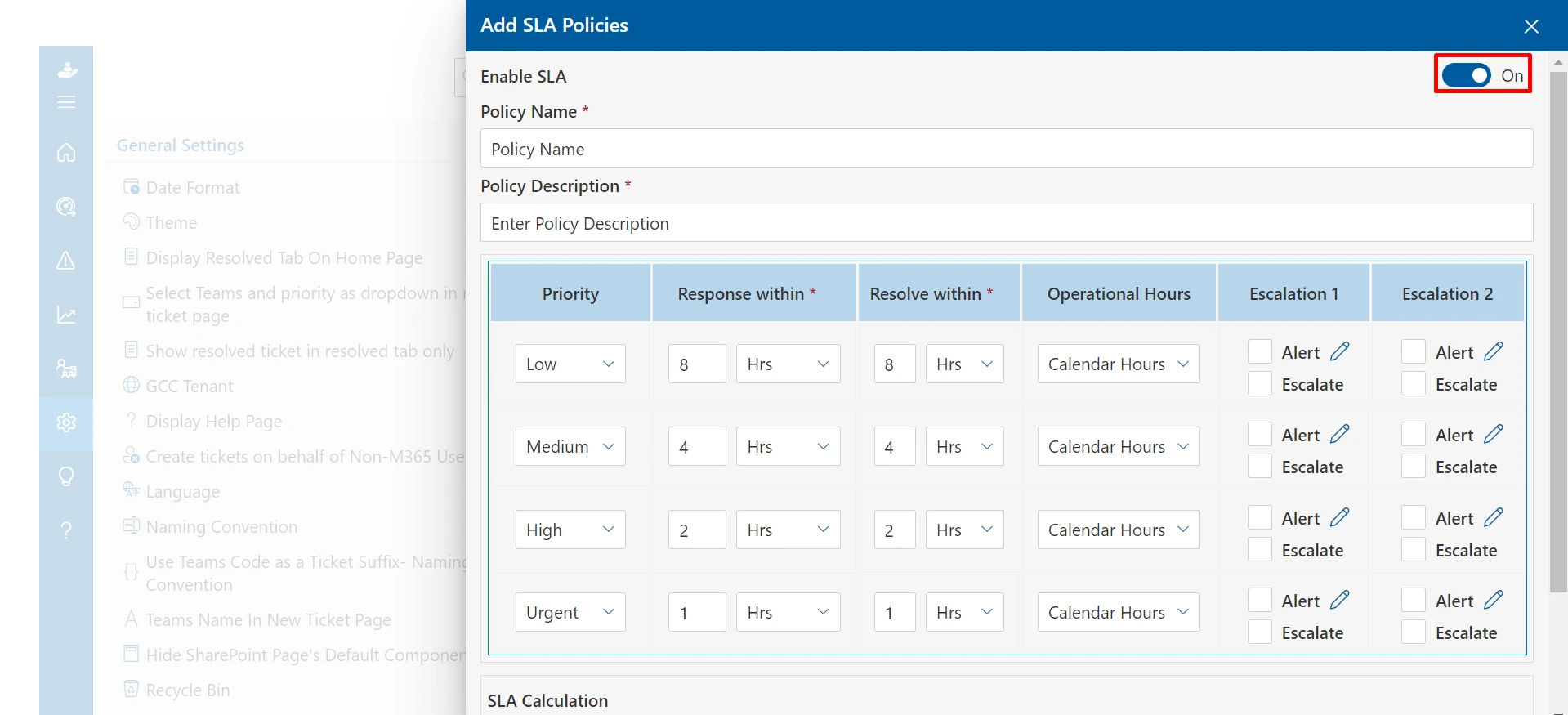
Once assigned, the ticket should be acknowledged — both internally and to the customer. Service Level Agreements (SLAs) define how quickly different priority tickets need a first response and a full resolution. Tracking these ensures accountability.
Step 6: Resolution and Closure
The agent works on the ticket, resolves the issue, and closes the ticket after confirming the fix with the customer. Some teams also send a quick follow-up or satisfaction survey to understand how the experience went.
Ready to streamline your support workflow?
Types of Ticket Triage
Ticket triage is not one-size-fits-all. Depending on your team size, ticket volume, and support model, you might use one or a combination of these approaches:
Manual Triage
A dedicated agent or triage specialist reviews every incoming ticket and makes decisions by hand. This works well for small teams where volume is manageable and human judgment is important. The downside is that it does not scale easily.
Rule-Based Automation
You set up predefined rules in your helpdesk system. For example: “If the subject line contains the word ‘urgent’, assign to the senior support team.” These rules handle repetitive sorting tasks automatically, freeing up agents for complex issues.
AI-Powered Triage
Artificial intelligence can read and understand ticket content, detect intent, classify the issue, assign priority, and route it — all in seconds. AI-powered triage learns from historical ticket data and gets smarter over time. It is the most scalable solution for growing support teams.
Tier-Based Triage
Many companies use a tier system: Tier 1 handles basic questions and common issues, Tier 2 handles more complex problems, and Tier 3 involves senior specialists or engineering teams. Triage ensures tickets escalate to the right tier quickly when needed.
Common Ticket Triage Mistakes to Avoid
Even experienced teams make mistakes in their triage process. Here are the most common ones — and how to avoid them:
No Clear Categorization Hierarchy
If your ticket categories are vague or badly organized, tickets end up with the wrong teams. A good categorization hierarchy maps each ticket type to a specific technician group. Without this, you lose the power of automation — you cannot auto-assign what you cannot categorize correctly.
Letting Customers Set Priority
If you let users self-report priority, expect everything to come in as “urgent.” A well-designed priority matrix uses two objective fields — impact and urgency — to assign priority automatically. This removes guesswork and keeps things fair.
Missing Information at Submission
If your ticket form does not ask for the right details upfront, agents waste time chasing information. Make key fields mandatory. Use templates for common issue types so customers fill in exactly what is needed. The more complete the ticket, the faster the resolution.
No Automation for Email Tickets
Many teams receive tickets via email but forget to apply triage rules to them. Email tickets need to be categorized and prioritized automatically — just like tickets from any other channel. Skipping this creates an unbalanced queue and slower response times for email users.
No Escalation Path
Some tickets need to go up the chain. If your triage process has no clear escalation rules, difficult tickets get stuck with the wrong agent or ignored. Define escalation triggers and timeframes clearly so nothing stays unresolved for too long.
Best Practices for Effective Ticket Triage
Whether you are setting up triage for the first time or improving an existing process, these best practices will help you build a system that actually works:
- Define clear ticket categories and subcategories — make them specific enough to be useful but simple enough for quick selection.
- Build a priority matrix — use impact and urgency to assign priority automatically and remove subjectivity.
- Set SLAs for each priority level — make sure every team member knows the expected response and resolution times.
- Use automation rules to handle repetitive routing — save your agents for decisions that require real thinking.
- Regularly audit your categories and rules — your business changes, and your triage system should evolve with it.
- Train your agents on triage standards — consistency across the team leads to faster resolutions and better data.
- Track key metrics like First Response Time, Resolution Time, and Ticket Backlog — use the data to spot and fix weak points.
How AI Is Changing Ticket Triage
Artificial intelligence is transforming how support teams handle tickets. What used to take minutes of manual review now happens in seconds, automatically, accurately, and at scale.
Here is what AI-powered ticket triage can do:
- Read and understand ticket content using Natural Language Processing (NLP)
- Detect customer intent and sentiment automatically
- Classify and categorize tickets without human input
- Assign priority based on historical data and predefined rules
- Route tickets to the best available agent based on skills and availability
- Identify duplicate tickets and merge them automatically
- Suggest responses or solutions from your knowledge base
Conclusion
Ticket triage is the foundation of an efficient support operation. By collecting, categorizing, prioritizing, and assigning tickets correctly, teams can resolve issues faster and improve both customer and agent experiences.
As support volumes grow, automation and AI can streamline triage even further. Start by optimizing your current process, eliminating common bottlenecks, and using tools that reduce manual work so your team can focus on delivering great support.
See Smarter Ticket Triage in Action ?
See how automation, AI-powered workflows, ticket prioritization, and routing can help your team reduce manual effort and resolve support requests faster.
Frequently Asked Questions
What is the difference between ticket triage and ticket prioritization?
Ticket triage is the full process of reviewing, classifying, prioritizing, and routing support tickets. Prioritization is just one step within that process. Think of triage as the overall system and prioritization as one of the decisions made inside it. You cannot prioritize effectively without first classifying the ticket correctly — so both steps work together.
How long should ticket triage take?
Ideally, triage should happen within minutes of a ticket being submitted — not hours. For manual triage, a trained agent should be able to review and classify a ticket in under two minutes. For automated or AI-powered triage, this happens instantly. The faster a ticket is triaged, the sooner resolution can begin. Setting an internal SLA for triage time (for example, within 5 minutes of submission) helps keep the queue moving.
Can small support teams benefit from ticket triage?
Absolutely. Even a two-person support team benefits from having a clear triage process. When you have a small team, every minute counts. Without triage, agents end up picking tickets randomly or based on what they notice first — which means urgent issues can slip through. A simple triage system with clear categories and priority levels helps small teams punch above their weight and deliver consistent support.
What tools are commonly used for ticket triage?
Most support and IT teams use a helpdesk or service desk platform to manage ticket triage. These platforms allow you to set up ticket categories, priority matrices, automation rules, and SLA tracking in one place. Many modern tools also include built-in AI features that can auto-classify and route tickets without manual effort. The best tool for your team depends on your ticket volume, team size, and the channels your customers use to reach you.
How do I know if my ticket triage process needs improvement?
There are a few clear warning signs that your triage process is broken or outdated. If your team regularly misses SLAs, if tickets are being re-assigned multiple times before resolution, if urgent issues are frequently discovered late, or if agents complain about unfair workload distribution — these are all signs that your triage needs a rethink. Running a monthly ticket audit and reviewing misrouted or overdue tickets is one of the easiest ways to spot where things are going wrong.


_JiluXJRGNl.svg)























