


Looking for the best Microsoft 365 LMS in 2026?
If you are comparing LMS 365 vs Learn365, you are likely trying to choose the right learning platform for employee training, compliance tracking, and long-term growth.
Both LMS 365 and Learn365 are built inside Microsoft 365. Both integrate with Microsoft Teams and SharePoint. Both allow organizations to create and manage online training.
In 2026, LMS 365 offers advanced features like automated certification renewals, detailed reporting, and enterprise-level scalability, making it ideal for organizations with complex training and compliance needs. Learn365, on the other hand, is better for smaller teams seeking simple training delivery and basic reporting within Microsoft 365.
For organizations looking to scale and manage compliance efficiently, LMS 365 is the smarter choice. Learn365 works well for simpler training needs but lacks the depth and flexibility needed for long-term growth.
However, they are not equal in depth, automation, reporting, and scalability.
In this detailed comparison guide, you will learn:
- The key differences between LMS 365 and Learn365
- Which platform offers stronger compliance management
- How reporting and analytics compare
- Which LMS scales better for growing organizations
- What makes one a smarter investment in 2026
By the end of this guide, you will have a clear understanding of which solution fits your business goals and why many organizations consider LMS 365 the stronger long-term choice.
What Is LMS 365?
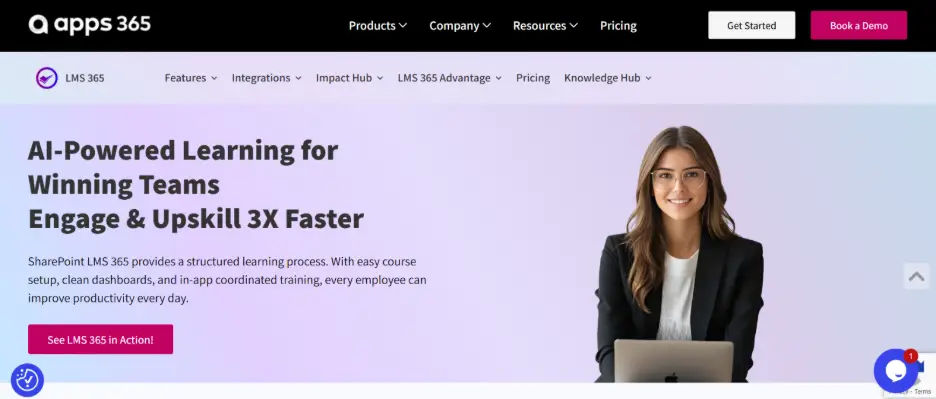
LMS 365 is a learning management system built directly inside Microsoft 365. It helps organizations create, deliver, manage, and track employee training without leaving the Microsoft environment.
Unlike standalone LMS platforms that require separate logins and systems, LMS 365 works seamlessly within tools your teams already use such as Microsoft Teams, SharePoint, and Outlook. This makes learning more accessible and easier to manage.
LMS 365 is designed for organizations that need structured training, compliance tracking, certification management, and detailed reporting.
Key Features of LMS 365
LMS 365 provides a wide range of features that support both simple and complex training programs:
- Native Microsoft Teams integration
- SharePoint-based learning portals
- SCORM and xAPI support
- Instructor-led training (ILT) management
- Automated learning paths
- Certification tracking and renewals
- Compliance monitoring
- Advanced reporting dashboards
- Power BI integration
- Role-based training assignments
These features allow organizations to manage onboarding, compliance training, professional development, and performance improvement in one centralized system.
How LMS 365 Works
LMS 365 uses Microsoft 365 infrastructure and Azure Active Directory for secure access. Employees log in using their existing company credentials. Managers can assign courses, track progress, and generate reports from within the same environment.
This reduces the need for additional platforms and improves adoption since employees learn inside familiar tools.
LMS 365 is ideal for organizations that:
- Need compliance and certification tracking
- Require structured training programs
- Operate across multiple departments
- Want automated learning management
- Need detailed reporting and analytics
- Plan to scale training as the organization grows
It is especially useful for companies that rely heavily on Microsoft 365 and want a fully integrated learning solution.
Why Organizations Choose LMS 365 in 2026
In 2026, organizations expect more from their LMS. They need automation, reporting, compliance control, and scalability.
LMS 365 stands out because it combines deep Microsoft integration with enterprise-level training management tools. It supports long-term learning strategies rather than just course delivery.
What Is Learn365?
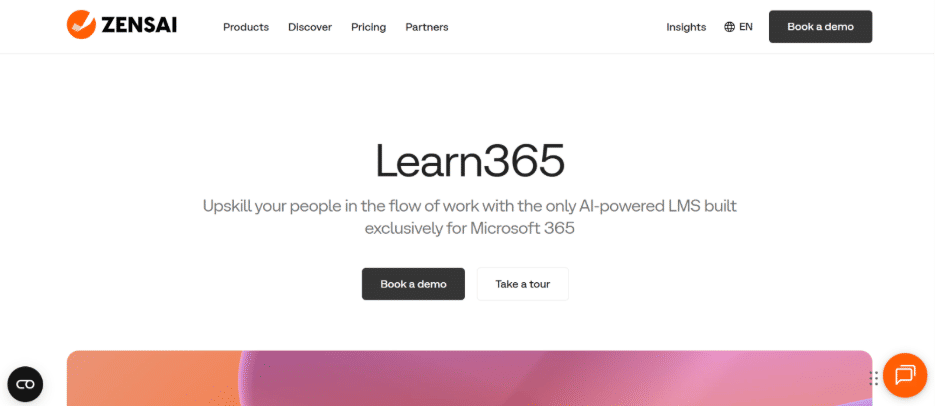
Learn365 is a learning management system designed to work within Microsoft 365. It allows organizations to create, deliver, and manage online training directly inside tools like Microsoft Teams and SharePoint.
Learn365 focuses on making training accessible within the Microsoft environment. Employees can access courses without switching platforms, which helps increase adoption and simplify learning delivery.
The platform is built to support internal training programs, employee onboarding, and general skill development.
Key Features of Learn365
Learn365 provides essential tools needed to manage corporate training programs, including:
- Integration with Microsoft Teams
- SharePoint-based course portals
- SCORM support
- Course and learning path creation
- Basic certification management
- Standard reporting dashboards
- User progress tracking
- Azure Active Directory login
These features allow organizations to manage digital learning content and monitor course completion within the Microsoft ecosystem.
How Learn365 Works
Learn365 operates inside Microsoft 365 using existing company credentials for secure access. Administrators can upload course content, assign training to users, and monitor completion through built-in reporting tools.
Because it runs within familiar Microsoft tools, employees can access training without learning a new system. This makes it easy to implement for organizations that want a straightforward learning setup.
Who Should Use Learn365?
Learn365 may be suitable for organizations that:
- Need simple internal training delivery
- Focus mainly on digital course distribution
- Have basic certification tracking needs
- Operate with smaller learning teams
- Prefer a clean and uncomplicated LMS structure
It works well for companies looking for an accessible Microsoft-based learning solution without complex administrative layers.
Learn365 in 2026
As workplace learning continues to evolve, many organizations look for systems that integrate smoothly with existing tools. Learn365 supports this need by offering Microsoft-based training delivery and standard reporting capabilities.
For companies with straightforward training requirements, it provides a structured and accessible learning environment.
LMS 365 vs Learn365: Key Differences Explained
Choosing between LMS 365 and Learn365 requires looking beyond surface-level similarities. While both platforms operate inside Microsoft 365, their depth, automation capabilities, and enterprise readiness differ significantly.
Below is a detailed breakdown of the most important comparison areas in 2026.
Microsoft 365 and SharePoint Integration
Both LMS 365 and Learn365 integrate with key Microsoft tools, including:
- Microsoft Teams
- SharePoint
- Azure Active Directory
- Outlook notifications
Because both platforms operate inside the Microsoft ecosystem, users can access training without switching systems. This improves adoption and simplifies user management.
However, the level of control and flexibility differs.
LMS 365 is deeply built on SharePoint architecture. It allows organizations to create structured learning portals within SharePoint sites, apply governance rules, manage permissions, and align training with their intranet structure. It also offers advanced administrative controls and supports complex, multi-department training environments.
Learn365 provides strong Microsoft 365 integration and allows course access within SharePoint and Teams. However, its SharePoint usage focuses more on content access rather than full SharePoint-based learning infrastructure and governance control.
If your organization relies heavily on Microsoft 365 and SharePoint for operations, LMS 365 provides more advanced integration depth and structural flexibility.
Course Management & Learning Paths
Effective training requires more than uploading content. It requires structure.
LMS 365 Offers:
- Structured learning paths
- Instructor-led training (ILT) management
- Blended learning models
- Automated course enrollment
- Version control for courses
- Role-based training assignment
Learn365 Offers:
- Course uploads (SCORM, videos, documents)
- Basic learning paths
- Manual course assignment
LMS 365 supports more advanced training frameworks, making it suitable for structured onboarding and ongoing development programs.
Compliance & Certification Tracking
Compliance management is one of the biggest differences between the two platforms.
LMS 365:
- Automated certification renewals
- Expiry alerts and reminders
- Compliance dashboards
- Mandatory training enforcement
- Audit-ready reporting
Learn365:
- Certification tracking
- Manual renewal management
- Standard compliance reports
For organizations that must track mandatory training and maintain audit documentation, LMS 365 provides stronger automation and visibility.
Reporting & Analytics
Modern learning strategies depend on data insights.
LMS 365 Reporting:
- Advanced reporting dashboards
- Power BI integration
- Department-level analytics
- Performance trend tracking
- Compliance overview reports
Learn365 Reporting:
- Standard course completion reports
- Basic user progress tracking
If leadership teams require detailed training analytics and strategic reporting, LMS 365 offers more robust tools.
Automation & Smart Learning Features
In 2026, automation reduces administrative workload and improves efficiency.
LMS 365:
- Auto-enrollment based on job roles
- Recurring training setup
- Automated reminders
- Certification auto-renewals
- Learning path progression rules
Learn365:
- Basic automated notifications
- Mostly manual configuration
Organizations with complex training requirements benefit significantly from LMS 365’s automation capabilities.
Scalability & Enterprise Readiness
As companies grow, training systems must scale.
LMS 365:
- Designed for enterprise expansion
- Supports large user bases
- Multi-department management
- Advanced governance controls
Learn365:
- Suitable for small to mid-sized teams
- Less complex administrative layers
If long-term scalability is a priority, LMS 365 offers stronger enterprise infrastructure.
Customization & Flexibility
Every organization has unique training needs.
- LMS 365 provides greater flexibility in course structure, compliance management, and reporting configuration.
- Learn365 focuses on straightforward learning delivery with moderate customization options.
Flexibility becomes critical when training requirements evolve over time.
Overall Value Comparison
At a basic level, both platforms deliver training inside Microsoft 365.
But when comparing:
- Compliance automation
- Reporting depth
- Learning structure
- Scalability
- Administrative control
- Long-term growth potential
LMS 365 delivers a more comprehensive enterprise solution.
Learn365 works well for simpler training environments, but organizations with structured programs and compliance needs may require the advanced capabilities found in LMS 365.
LMS 365 vs Learn365 Comparison Chart (2026)
To help you quickly evaluate both platforms, here is a detailed side-by-side comparison of LMS 365 and Learn365 across the most important categories.
| Feature | LMS 365 | Learn365 |
| Microsoft 365 Integration | Deep, enterprise-ready integration | Strong Microsoft integration |
| Microsoft Teams App | Full-featured Teams learning app | Teams integration supported |
| SharePoint Learning Portal | Advanced structured portals | Standard portals |
| SCORM Support | SCORM 1.2 & 2004 | SCORM supported |
| xAPI Support | Yes | Limited |
| Instructor-Led Training (ILT) | Fully supported | Limited options |
| Learning Paths | Advanced structured paths | Basic learning paths |
| Auto Enrollment | Role-based automation | Mostly manual |
| Compliance Tracking | Advanced dashboards | Standard tracking |
| Certification Renewal | Automated renewals | Manual renewal setup |
| Reporting & Analytics | Advanced + Power BI integration | Standard reports |
| Department-Level Reporting | Yes | Limited |
| Automation Features | High automation | Moderate automation |
| Scalability | Enterprise-grade | Best for small to mid-size teams |
| Customization | High flexibility | Moderate flexibility |
| Security | Microsoft Azure-based | Microsoft Azure-based |
| Best Fit | Compliance-driven, growing organizations | Simple internal training needs |
Which Platform Is Better for Your Organization?
Choosing between LMS 365 and Learn365 depends on your training goals, compliance needs, and long-term growth plans. Both platforms work inside Microsoft 365, but they serve different levels of complexity and scale.
Let’s break it down clearly.
Choose LMS 365 If Your Organization Needs:
- Advanced compliance tracking and audit readiness
- Automated certification renewals
- Role-based training assignments
- Structured onboarding programs
- Instructor-led and blended learning
- Detailed reporting and analytics
- Power BI integration
- Multi-department training management
- Long-term scalability
LMS 365 is designed for organizations that treat learning as a strategic function. It supports structured training frameworks, automation, and enterprise-level visibility.
If your organization requires control, governance, and performance insights, LMS 365 provides stronger long-term value.
Choose Learn365 If Your Organization Needs:
- Simple internal course delivery
- Basic learning path creation
- Standard reporting
- Smaller-scale user management
- Quick implementation with minimal complexity
Learn365 works well for organizations that need a straightforward learning system inside Microsoft 365 without advanced compliance or automation requirements.
For Growing Organizations
If your company expects training needs to increase over time, scalability becomes critical.
LMS 365 offers stronger infrastructure for growth, automation, and reporting. It allows organizations to expand learning programs without rebuilding their system later.
Learn365 may meet current needs, but organizations with expanding compliance requirements or complex training structures may eventually require more advanced functionality.
G2 Reviews – What Users Say:
- LMS 365 consistently ranks higher for its enterprise-level features and advanced compliance management. According to G2, users appreciate the customization options and how the platform integrates deeply with Microsoft Teams and SharePoint for a seamless experience. Many enterprises recommend it for scalable, complex learning programs.
- Learn365 is appreciated for its simplicity and ease of use. G2 reviews highlight that it’s perfect for smaller teams but lacks the depth that larger organizations require. Users report that the system is easy to set up but can feel limited when more advanced functionality is needed.
Conclusion
In 2026, companies need more than just an online course platform. They need a learning system that supports growth, compliance, reporting, and automation.
Both LMS 365 and Learn365 operate inside Microsoft 365 and provide reliable learning experiences. But when it comes to advanced features, scalability, and compliance control, LMS 365 stands out as the smarter choice for long-term success.
Ready to see how LMS 365 can transform your learning strategy? Book a demo now and experience the platform in action!
Join Our Creative Community
Frequently Asked Questions
What is the main difference between LMS 365 and Learn365?
The main difference between LMS 365 and Learn365 is the level of automation and reporting. LMS 365 offers advanced compliance management, automated certification renewals, and detailed analytics. Learn365 focuses more on simple course delivery within Microsoft 365 and provides standard reporting tools.
Which LMS is better for enterprise training?
LMS 365 is generally better for enterprise training because it supports scalability, structured learning programs, and compliance automation. Learn365 works well for smaller teams with simpler training needs.
Do both platforms support Microsoft Teams?
Yes, both LMS 365 and Learn365 integrate with Microsoft Teams. Employees can access courses and complete training directly inside the Microsoft environment, improving convenience and adoption.
Can LMS 365 handle certification renewals automatically?
Yes, LMS 365 supports automated certification tracking and renewal reminders. This helps organizations manage compliance more efficiently. Learn365 offers certification tracking but may require more manual management.
Is Learn365 suitable for growing companies?
Learn365 is suitable for organizations with straightforward training programs. However, companies expecting growth or complex compliance needs may benefit more from LMS 365’s advanced features.
Which platform offers better reporting?
LMS 365 provides more advanced reporting, including detailed dashboards and Power BI integration. Learn365 offers standard reporting for tracking course completion and learner progress.
Which LMS is more scalable in 2026?
LMS 365 is built for long-term scalability and enterprise growth. Learn365 can support smaller or mid-sized teams but may have limitations for larger, more complex organizations.


_JiluXJRGNl.svg)























