
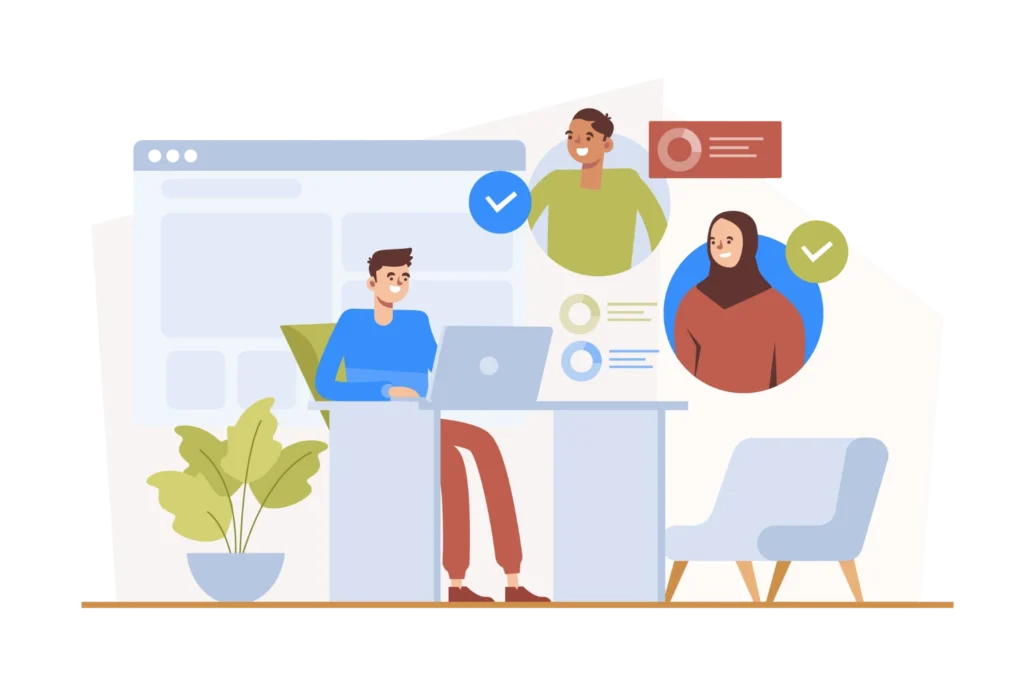

Managing hybrid employee onboarding means giving new hires a consistent, structured start whether they’re logging in from home or walking into the office. It works best as one framework with two delivery tracks remote and in-person not two separate processes. The elements stay the same; only how they’re delivered and tracked changes, and centralizing them in one system keeps nothing dependent on a manager remembering to include a remote hire.
- Hybrid onboarding needs one unified framework with parallel remote and in-office workflows, not two separate processes.
- Pre-boarding tasks like paperwork, IT provisioning, and account setup should be completed before day one.
- Structured check-ins and buddy systems matter more in hybrid settings since informal onboarding doesn’t happen naturally.
- Centralized onboarding software keeps every new hire’s progress visible in one place.
What Hybrid Employee Onboarding Actually Means
Before building a process, it helps to look at how hybrid onboarding actually behaves and why it needs different handling than onboarding built around a single work arrangement.
The Shape of a Hybrid Onboarding Process
A new hire’s path through onboarding branches early, depending on whether they’re at a desk in headquarters or logging in from home, even though the underlying goal stays the same for both. Some steps look identical either way; others have to be built twice, once for each setup. What ties the branches together is a focus on outcomes access, training, relationships, clarity rather than on any single location.
Borrowing From Both Remote and In-Office Playbooks
The overlap runs both ways. Documentation discipline and async communication carry over from remote onboarding, while desk setups and hallway-style introductions carry over from the in-office side, and a hybrid process has to hold both together rather than defaulting to one.
The Core Principle Behind a Good Hybrid Process
Parity is the principle that tends to hold a hybrid process together: a remote hire and an in-office hire reaching the same level of readiness on the same schedule. Delivery doesn’t have to match exactly — a video call in place of a desk visit is fine but the substance and attention behind it should. Once parity becomes the design standard, most of the harder scheduling and tooling decisions follow from it naturally.
The Cost of Getting It Wrong
A hybrid hire who starts slow or disengaged is just as costly to replace as any other hire, but the warning signs are easier to miss when that person isn’t physically visible day to day. This matters more each year as hybrid work adoption keeps climbing, and companies with a deliberate hybrid process tend to see faster ramp-up and steadier first-year retention than those running an ad hoc mix of remote and in-office habits
Splitting Ownership Between HR, IT, and Managers
No single team can run hybrid onboarding alone HR sets the framework and timeline, IT handles provisioning and access, and the manager carries the day-to-day relationship and context. Splitting these roles clearly, rather than leaving them implicit, is what keeps a remote hire’s needs from quietly falling to whichever team happens to notice first. When that split is documented, new managers can pick it up without having to reinvent it themselves.
Myths That Still Trip Up Hybrid Onboarding
One persistent myth is that a strong remote onboarding process automatically works for in-office hires too, when in practice each track needs its own attention to the details the other doesn’t share. Another is that hybrid onboarding is a first-week concern, when most of the retention risk actually shows up later, between day 30 and day 90.
Key Challenges in Managing Hybrid Onboarding
Even hybrid programs built around solid HR onboarding best practices run into predictable friction points worth designing around early.
Inconsistent Experiences Across Locations
When remote and in-office tracks run at different levels of detail, new hires notice the gap quickly. A remote hire getting a generic email while an in-office peer gets a tour and lunch can undermine trust early. Mapping every touchpoint side by side for both tracks closes this gap
See How Employee Onboarding 365 Standardizes Onboarding
Many HR teams use Employee Onboarding 365 to run one checklist that automatically adapts tasks for remote and in-office employees.
IT Provisioning Delays for Remote Hires
Getting a laptop and software access to a remote hire takes longer than handing an in-office hire a pre-configured desk. A new hire who can’t log in on day one can’t complete training or meet their team, which sets a discouraging tone
Weak Social Integration and Team Bonding
In-office hires build relationships through shared lunches and physical proximity, none of which happens automatically for remote hires. Without intervention, remote hires can go weeks without a conversation that isn’t purely task-focused. Buddy programs and informal video coffees help close that gap deliberately.
Manager Bandwidth and Inconsistent Check-Ins
Hybrid onboarding puts more direct responsibility on managers, who now have to schedule check-ins that used to happen spontaneously. Managers can unconsciously check in more with whoever is physically nearby.
Compliance and Documentation Gaps
Manually tracked documentation becomes harder to manage across a distributed workforce, and gaps in signed policies create real exposure. Mailing forms back and forth introduces delays that don’t exist for in-office hires. Digital, centrally tracked documentation with reminders closes this gap
Measuring Success Across Two Different Experiences
It’s hard to know if a hybrid program is working when the two experiences aren’t tracked the same way. Without consistent metrics, HR relies on anecdotal feedback that surfaces only after something’s gone wrong.
Building a Hybrid Onboarding Framework
A hybrid onboarding framework built on a proper HR onboarding system — gives HR a repeatable structure instead of improvising a new plan for every hire.
Start With a Shared Onboarding Timeline
Every framework should begin with one master timeline covering pre-boarding through day 90, built for the whole company. This timeline becomes the backbone both tracks branch from. Dating milestones relative to the start date keeps the framework scalable.
Define Role-Based and Location-Based Checklists
On top of the shared timeline, build checklists that branch by role and location, since a remote sales hire and an in-office engineer need different things. Location branches usually cover logistics; role branches cover job-specific training.
Assign Clear Ownership for Every Task
Every task needs an explicit owner HR, IT, the manager, or the new hire since unowned tasks are the ones most likely to be missed. Ambiguous ownership tends to hurt remote hires disproportionately. HR onboarding software with automated workflow removes the reliance on memory by assigning and tracking ownership automatically.
Build in Structured Feedback Loops
A framework isn’t complete without checkpoints where the new hire can share how things are going. Short surveys at day 7, 30, and 90 give HR a consistent signal across every hire.
Standardize Communication Templates
Pre-written, customizable templates for key moments keep tone and detail consistent regardless of how thorough any individual manager naturally is. This saves real time for organizations hiring regularly. Clear placeholders keep messages feeling personal despite being templated.
Document the Framework Somewhere Accessible
A framework only works if people can find it, which means it needs to live centrally not in someone’s inbox. Teams on Microsoft 365 often build this directly into SharePoint.
Explore Framework Templates in Employee Onboarding 365
Employee Onboarding 365 lets HR build this framework natively inside SharePoint, with role-based checklists and automatic task assignment.
Pre-Boarding: Setting Up Hybrid Employees for Success
Recurring transactions come with real risks — both for businesses and consumers. Understanding them helps you build better safeguards.
Send Documentation Early
As soon as an offer is accepted, digital employee onboarding starts with sending a documentation package covering contracts, tax forms, and any location-specific paperwork. This gives remote hires enough lead time to gather what they need without a last-minute scramble. Digital signatures remove the mailing delays that used to slow remote and international hires.
Kick Off IT Provisioning Immediately
An automated onboarding system should trigger IT provisioning the week an offer is accepted, not the week before the start date. For remote hires, that means shipping a pre-configured laptop with a tracked delivery date; for in-office hires, a ready desk and badge.
Assign a Buddy or Onboarding Sponsor
Pairing every new hire with a peer buddy during pre-boarding gives them a friendly contact before day one. The buddy’s role is less about performance and more about answering small questions a hire hesitates to ask their manager. Introducing the buddy early helps remote hires especially, who won’t meet colleagues organically.
Share a Detailed First-Day Agenda
Sending a clear, minute-by-minute agenda a few days before start date reduces anxiety, especially for remote hires. It should include meeting times, call links, and who they’ll meet.
Set Up Access to Core Systems in Advance
Email, HR portal, and role-specific software access should be provisioned before day one. A delayed access request can leave a remote hire sitting idle on their first day. Testing access ahead of time catches problems while there’s still time to fix them.
Communicate Culture and Expectations Early
Pre-boarding is the right moment to start introducing culture and expectations, not saving it all for day one. A short welcome video or culture guide gives remote hires context in-office hires pick up passively.
Structuring Day One and Week One for Hybrid Hires
The first day and week set the tone for everything after, so a hybrid setting needs them intentionally structured not left to unfold naturally.
Design a Consistent Day-One Welcome
Whether remote or in-office, day one should include a warm, structured welcome and a clear sense of what’s ahead. For remote hires, that might mean a scheduled video call not an in-person greeting, but the warmth should match. Avoiding an overloaded first day matters just as much as the welcome itself.
Schedule Regular Check-Ins From Day One
Build recurring check-ins into the calendar starting day one, tapering from daily to a few times a week by week two. These give new hires a predictable, low-pressure moment to ask questions.
Facilitate Real Team Introductions
New hires benefit from short, individual introductions not a single group email or a wave around the office. Brief 15-minute calls with each core teammate give a real conversation, not just a name. Spacing these across the week keeps the schedule manageable.
Assign Meaningful Early Tasks
Giving a new hire real work within the first week builds confidence faster than a week of pure orientation. The task should be achievable without deep tribal knowledge but still connected to actual priorities.
Track Progress Against a Week-One Checklist
Week one should be governed by a visible checklist covering training, access, and introductions. This makes it easy to spot if a remote hire is falling behind on something an in-office hire completed naturally. Incomplete items past their expected date should trigger a reminder automatically.
Reinforce Culture Through Small, Repeated Moments
Culture transfers through small, repeated moments a virtual coffee, a mention in a team channel, an informal invite. In week one, look for two or three low-pressure social opportunities.
See a Sample Week-One Checklist
A week-one checklist inside Employee Onboarding 365 keeps everyone aligned without chasing spreadsheets.
Tools and Technology for Hybrid Onboarding Management
The right employee onboarding application removes much of the manual coordination that makes hybrid onboarding hard to manage
Centralized Onboarding Management Platforms
A centralized employee onboarding system gives HR, IT, and managers one shared view of every new hire’s progress. This visibility catches a stalled task before it becomes a day-one problem, especially for remote hires. Platforms that live natively in SharePoint and are listed on the Microsoft Marketplace avoid adding another disconnected tool to the stack.
Document Management and E-Signature Tools
Digital document management with e-signature a feature to look for in the best employee onboarding and offboarding software eliminates mailing delays and lost-paperwork risk, particularly for remote hires. It also gives HR a clear audit trail for compliance reporting.
Video Conferencing and Async Communication Tools
Reliable video conferencing paired with async tools recorded training, shared docs, threaded channels reduces the burden of holding every interaction live. Async tools let new hires revisit material at their own pace. Over-relying on live meetings alone tends to create calendar fatigue by week one.
Learning Management Systems for Role-Specific Training
AI onboarding software built into an LMS lets HR assign role-specific training automatically and send reminders for anything overdue. This removes the need for a manager to manually walk a remote hire through every module.
Automated Task Assignment and Reminders
Employee onboarding automation prevents tasks from slipping through the cracks by assigning owners and escalating anything overdue without manual monitoring. This matters most for tasks tied to remote hires, since there’s no physical cue reminding anyone something’s outstanding. Automation data also reveals which tasks consistently run late.
Analytics and Reporting Dashboards
A dashboard tracking completion rates, time-to-productivity, and satisfaction by location turns onboarding into a measurable process. Without this, HR can only guess whether the program works evenly across groups.
Employee Onboarding 365 brings checklists, document management, and reporting into the Microsoft 365 environment teams already use.
Measuring and Improving Your Hybrid Onboarding Process
A hybrid onboarding program needs regular measurement to spot gaps and improve based on real data, not a one-time setup the metrics HR teams commonly track range from satisfaction scores to 90-day turnover rate.
Track Time-to-Productivity by Location
Measuring how long it takes a new hire to reach full productivity, compared separately by location, reveals whether one group is underserved. A consistent gap in either direction is worth investigating. Tracking this over time shows whether process changes are working
Monitor 30-60-90 Day Retention and Engagement
Early attrition is one of the clearest onboarding signals, so track retention at 30, 60, and 90 days, broken out by location. Pairing it with short engagement surveys adds context to the numbers.
Collect Structured New-Hire Feedback
Structured feedback at day 7, 30, and 90 surfaces issues that metrics alone won’t catch. Questions should be specific to a stage not a single generic score. Closing the loop by sharing what changed signals that feedback shapes the process.
Compare Manager-Reported Readiness
Asking managers directly whether a hire feels ready and integrated adds a qualitative layer that complements harder metrics. Managers often notice disengagement before it shows up in retention data.
Audit the Checklist Completion Rate
Reviewing how consistently checklists are completed shows whether the framework is followed or quietly skipped under pressure. A gap between remote and in-office completion rates points directly to where the process breaks down. Digital systems that log timestamps make this far easier than self-reporting.
Conclusion
Managing hybrid employee onboarding well comes down to treating remote and in-office hires as equally important, with one framework clear ownership, standardized checklists, and centralized tools that works for both. The companies that get this right build systems that make consistency the default, not something managers have to remember. Getting the fundamentals right from pre-boarding through day 90 pays off in faster productivity and stronger retention.
See Onboarding Analytics in Action
Dashboards inside Employee Onboarding 365 surface completion rates and feedback trends automatically.
Frequently Asked Questions
What is hybrid employee onboarding?
It’s the process of integrating new hires into a company with remote, in-office, and mixed-schedule employees using one framework designed to work for all of them.
How is hybrid onboarding different from remote onboarding?
Remote onboarding serves only home-based employees, while hybrid onboarding has to serve remote and in-office hires consistently within the same process.
What are the first steps in managing hybrid onboarding?
Start with pre-boarding: send documentation early, kick off IT provisioning at offer acceptance, and assign a buddy before day one
How long should a hybrid onboarding process last?
Most structured programs run through the first 90 days, with checkpoints at day 7, 30, 60, and 90.
What tools help manage hybrid onboarding most effectively?
Centralized platforms, e-signature tools, video and async communication, an LMS, and automated reminders together remove most of the coordination burden.


_JiluXJRGNl.svg)























