

_eH2jDg7dZ.png)
Choosing the right customer support tool can make or break your team’s efficiency. With so many options available, it can feel overwhelming to find the one that truly fits your workflow.
Two names that often come up in this search are Helpdesk 365 and Tidio. Both are popular, but they serve very different needs.
- Helpdesk 365 is built for Microsoft 365 teams, it works inside Teams, Outlook, and SharePoint, making it ideal for internal IT support.
- Tidio is a live chat and AI chatbot platform best suited for customer-facing teams, especially in e-commerce and retail.
- Both tools automate support tasks, but in very different ways, Helpdesk 365 focuses on tickets and workflows, while Tidio focuses on real-time chat and AI bots.
- Your best pick depends on your team, if you use Microsoft 365, go with Helpdesk 365. If you want live website chat and chatbots, Tidio is the better fit.
Helpdesk 365 is designed for teams that live inside the Microsoft 365 ecosystem. It turns Microsoft Teams, SharePoint, and Outlook into a powerful support hub. Tidio, on the other hand, is a live chat and AI chatbot platform built to help customer-facing teams, especially in e-commerce, talk to website visitors in real time.
In this blog, we will break down the key differences between the two tools in plain English. By the end, you will know exactly which one suits your business.
Explore Helpdesk 365 Free Trial
Start managing support tickets inside Microsoft Teams today — no credit card needed.
What Is Helpdesk 365?

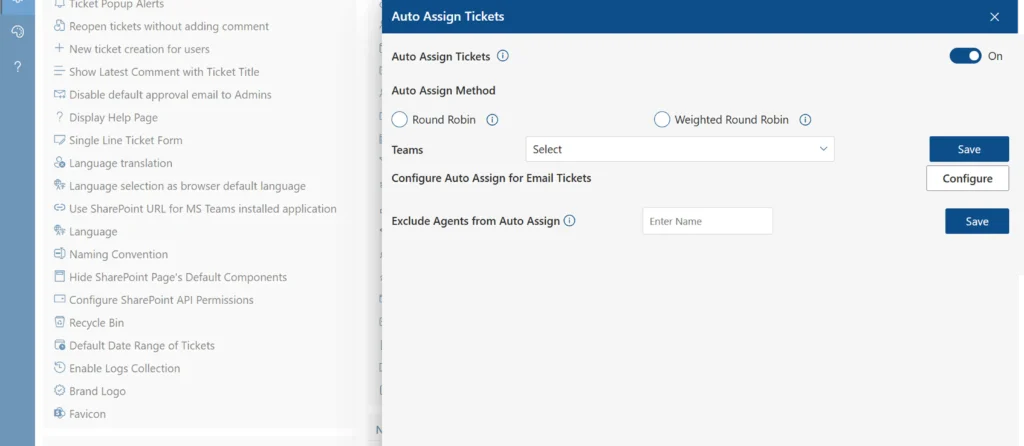
Think of it as your IT helpdesk — but instead of using a separate tool, everything runs inside apps your team already uses every day: Microsoft Teams, SharePoint, and Outlook.
Over time, the value of IT assets decreases due to factors such as wear and tear, technological advancements, and obsolescence. Depreciating these assets ensures businesses are not overvaluing their inventory and accurately reporting their asset values in financial statements.
It is especially popular among IT departments, HR teams, and internal support teams who need a simple, secure way to track and resolve employee requests.
Key Features of Helpdesk 365
- Ticket creation and tracking directly inside Microsoft Teams
- SharePoint-based ticketing system for easy data management
- AI-powered knowledge base that suggests answers before a ticket is submitted
- Automated ticket routing and assignment workflows
- Azure DevOps integration for development and IT teams
- SLA (Service Level Agreement) tracking and deadline alerts
- Power Automate integration for advanced automation
- Customizable ticket forms and categories
- Performance dashboards and reporting inside Teams
- Role-based access control and Microsoft 365 security compliance
Why Teams Love Helpdesk 365
- Works inside tools they already use — no new app to learn
- High security with Microsoft 365 certification
- Simple setup — most teams are live within hours
- Great for internal IT, HR, and operations support
What Is Tidio?
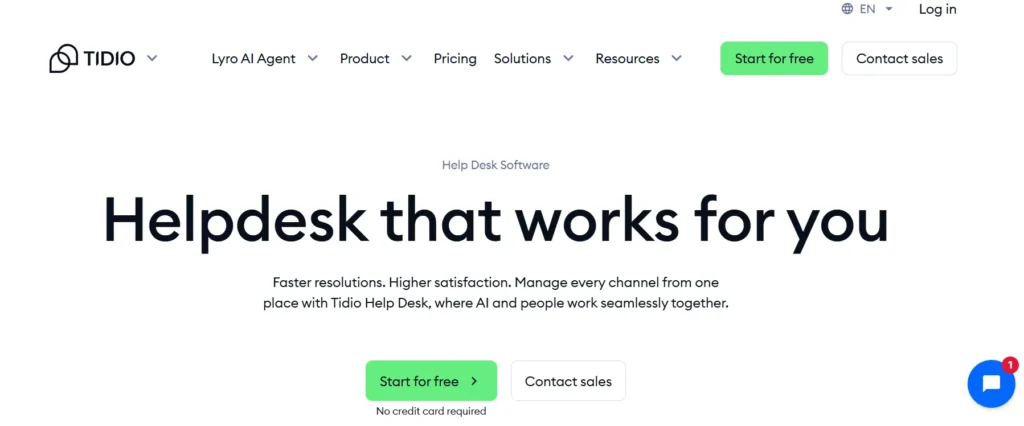
Tidio is a customer communication platform that brings live chat, AI chatbots, and helpdesk tools together in one place. It is designed to help businesses communicate with website visitors and customers in real time.
If your business runs an online store or a customer-facing website, Tidio is built to help you respond faster, capture leads, and resolve issues without making customers wait.
Tidio’s biggest selling point is its AI chatbot called Lyro. Lyro can handle up to 70% of routine customer questions automatically, without a human agent needing to step in.
Key Features of Tidio
- Live chat widget that can be added to any website in minutes
- Lyro AI chatbot that answers customer questions automatically
- Multichannel inbox — manage chat, email, and social messages in one place
- Visitor tracking to see what pages people are browsing in real time
- E-commerce integrations with Shopify, WooCommerce, and BigCommerce
- Cart abandonment triggers to bring back customers before they leave
- Automated chatbot flows to qualify leads and gather contact info
- Mobile app for support on the go
- Integration with tools like HubSpot, Mailchimp, and Zapier
- Canned responses and shared inbox for team collaboration
Why Businesses Love Tidio
- Very easy to set up — live on your website in under 10 minutes
- Lyro AI handles repetitive questions so your team can focus on complex ones
- Works great for e-commerce stores and product-based businesses
- Real-time visitor tracking helps convert visitors into buyers
Helpdesk 365 vs Tidio: Feature-by-Feature Comparison
Now let us look at how both tools compare when it comes to the features that matter most for a support team.
Ticketing System
Helpdesk 365 is built around ticketing. Every support request becomes a ticket that can be assigned, tracked, prioritized, and resolved with full visibility. Agents get notifications inside Teams, and managers can see the status of every open request at a glance.
Tidio does include a basic helpdesk and ticketing feature, but it is not the main focus. Its strength lies in live chat conversations, not structured ticket management. For teams that need a proper ticketing workflow, Helpdesk 365 is the stronger choice.
Ticketing
- Helpdesk 365: Full-featured ticketing with SLA tracking, automation, and team collaboration
- Tidio: Basic ticketing — better suited as a companion to its live chat features
Live Chat & Real-Time Support
This is where Tidio shines. Its live chat widget is easy to install on any website. Visitors can start a conversation instantly, and agents get notified right away. Tidio also lets you see what pages a visitor is browsing, so your team can reach out at the right moment.
Helpdesk 365 does not have a built-in live chat feature. It focuses on structured ticket-based support through email, Teams, and SharePoint. If real-time website chat is important to your business, Tidio is the clear winner here.
Live Chat
- Tidio: Best-in-class live chat with visitor tracking and proactive messaging
- Helpdesk 365: No live chat — designed for internal ticket-based workflows
AI & Automation
Both tools use AI — but in very different ways.
Helpdesk 365 uses AI to power its knowledge base. When someone is about to submit a ticket, the system suggests relevant answers based on what they are typing. This reduces the number of tickets created and helps employees find answers faster on their own.
Tidio’s AI tool is called Lyro. It is a conversational AI that can talk to customers just like a human agent. Lyro can answer product questions, help with orders, provide shipping information, and handle other common queries, all without human involvement. According to Tidio, Lyro can resolve up to 70% of repetitive questions automatically.
AI & Automation
- Helpdesk 365: AI knowledge base reduces unnecessary tickets for internal teams
- Tidio: Lyro AI chatbot handles customer conversations 24/7 without human agents
Microsoft 365 & Third-Party Integrations
Helpdesk 365 is built specifically for Microsoft 365. It integrates natively with Microsoft Teams, SharePoint, Outlook, Azure DevOps, and Power Automate. If your company already runs on Microsoft 365, this is a massive advantage — there is no need to adopt yet another platform.
Tidio takes a different approach. It integrates with a wide range of third-party platforms, including Shopify, WooCommerce, BigCommerce, HubSpot, Mailchimp, Zapier, and Google Analytics. This makes it a great choice for e-commerce businesses and marketing-driven teams.
Tidio’s Microsoft 365 integration is limited compared to Helpdesk 365. If deep Microsoft integration is a priority, Helpdesk 365 wins by a wide margin.
Reporting and Analytics
Helpdesk 365 provides detailed reporting dashboards that can be embedded directly inside Microsoft Teams. Managers can track ticket volumes, resolution times, agent performance, SLA compliance, and team workload, all without leaving Teams.
Tidio also offers useful reporting, including data on chat volumes, response times, bot performance, and customer satisfaction ratings. Its analytics are solid for a live chat tool, though they are not as deep as a dedicated helpdesk platform.
Reporting
- Helpdesk 365: In-depth ticket analytics and SLA reporting inside Teams
- Tidio: Chat performance and bot analytics — good for customer engagement insights
Ease of Use & Setup
Both tools are known for being easy to use, but in different contexts.
Helpdesk 365 is simple to set up if your team already uses Microsoft 365. The learning curve is low because it lives inside familiar tools. Most teams are up and running within a few hours.
Tidio is extremely beginner-friendly. Adding the live chat widget to a website takes just a few minutes. The chatbot builder uses a drag-and-drop interface, and no coding is needed. Even non-technical users can get started quickly.
Compare Both Tools Side by Side
See the full feature comparison table below and make a confident decision.
Helpdesk 365 vs Tidio: Side-by-Side Comparison Table
Here is a quick overview of how both platforms compare across the most important features:
| Feature | Helpdesk 365 | Tidio |
| Best For | Internal IT & MS 365 Teams | E-commerce & Live Chat |
| Core Strength | Ticket Management | AI Chatbot & Live Chat |
| Microsoft 365 Integration | ✅ Native | ❌ Limited |
| Live Chat | ❌ Not Built-in | ✅ Core Feature |
| AI Automation | ✅ AI Knowledge Base | ✅ Lyro AI Chatbot |
| SharePoint Support | ✅ Yes | ❌ No |
| E-commerce Integrations | Limited | Shopify, WooCommerce |
| Multichannel Support | Email, Teams, SharePoint | Chat, Email, Social |
| Reporting & Analytics | ✅ Advanced | ✅ Basic to Advanced |
| Ease of Setup | Easy (MS 365 Ecosystem) | Very Easy |
Who Should Use Helpdesk 365?
Helpdesk 365 is the right tool if your team already works within the Microsoft 365 ecosystem and needs a structured way to manage support requests. Here are the types of teams that benefit most from it:
- IT departments that handle employee tech support requests
- HR teams that manage employee onboarding, queries, and requests
- Operations teams that need a shared, trackable support inbox
- Companies that require strict data security and Microsoft 365 compliance
- Organizations where employees collaborate inside Microsoft Teams daily
- Businesses that want to reduce email chaos by centralizing support in one place
If your team does not use Microsoft 365, Helpdesk 365 may not be the right fit. It is designed specifically for this ecosystem and works best when your business is already invested in Microsoft tools.
Helpdesk 365 Is Ideal For
- Internal IT and HR helpdesk use cases
- Teams that already use Microsoft Teams and SharePoint daily
- Organizations that need SLA tracking and escalation management
- Companies with strict data privacy and compliance requirements
Get Helpdesk 365 for Your Microsoft Team
Manage support tickets natively inside Teams, Outlook, and SharePoint.
Who Should Use Tidio?
Tidio is the right choice if your business needs to communicate with customers in real time through your website. It is particularly powerful for customer-facing teams. Here is who will get the most out of Tidio:
- E-commerce businesses that want to reduce cart abandonment and assist shoppers
- Customer support teams that handle a high volume of repetitive inquiries
- Small and medium businesses looking for an affordable, easy-to-use chat tool
- Startups and SaaS companies that need a simple way to engage website visitors
- Marketing teams that want to capture leads through chat conversations
- Retail businesses that need multichannel support across chat, email, and social
If your support is primarily internal, meaning your customers are your own employees, Tidio is probably not the right fit. It shines as a customer-facing communication tool, not an internal helpdesk.
Tidio Is Ideal For
- Online stores and e-commerce brands
- Customer service teams handling a high volume of chat requests
- Businesses that want to automate responses with AI chatbots
- Teams looking for quick setup with minimal technical knowledge
Pros and Cons
| Feature | Helpdesk 365 | Tidio |
| Pros | Deep integration with Microsoft 365, Teams, and SharePoint | Quick setup and deployment on websites |
| Secure and compliant with Microsoft data protection standards | Lyro AI automates repetitive customer queries 24/7 | |
| Familiar interface for Microsoft 365 users | Strong e-commerce integrations (Shopify, WooCommerce, etc.) | |
| AI-powered knowledge base reduces ticket volume | Supports chat, email, and social channels in one inbox | |
| SLA management helps maintain response times | Visitor tracking enables proactive customer engagement | |
| Cost-effective for small and medium-sized businesses | Detailed analytics for chat performance and AI effectiveness | |
| Cons | Best suited for organizations already using Microsoft 365 | Ticketing capabilities are limited compared to dedicated helpdesk solutions |
| No built-in live chat for website visitors | Not designed for internal IT or HR service management | |
| Less suitable for e-commerce and customer-facing support | Limited integration with Microsoft 365 ecosystem | |
| Fewer third-party integrations than Tidio | Advanced AI features may require higher-tier plans |
Conclusion
At the end of the day, Helpdesk 365 and Tidio are both powerful tools, they just solve different problems.
Helpdesk 365 wins if you need a structured, secure, Microsoft-native ticketing system for your internal teams. It is the smarter choice for IT departments, HR teams, and any business deeply invested in the Microsoft 365 world.
Join Our Creative Community
Frequently Asked Questions
Is Helpdesk 365 only for Microsoft users?
Yes, Helpdesk 365 is designed specifically for the Microsoft 365 ecosystem. It integrates with Microsoft Teams, SharePoint, Outlook, and Azure DevOps. If your business does not use Microsoft 365, this tool will not be a good fit for you.
Can Tidio replace a full helpdesk system?
Tidio has basic helpdesk and ticketing features, but it is not a replacement for a full helpdesk system. It is best used as a live chat and AI chatbot platform for customer-facing teams. If you need advanced ticketing, SLA tracking, and internal workflows, you will want a dedicated helpdesk tool like Helpdesk 365.
Does Tidio work with Shopify?
Yes, Tidio has a native integration with Shopify. It also integrates with WooCommerce, BigCommerce, and other popular e-commerce platforms. This makes it one of the best live chat tools for online stores.
Can I use both Helpdesk 365 and Tidio together?
Absolutely. Many businesses use both tools — Helpdesk 365 for internal IT and HR support, and Tidio for customer-facing live chat. They serve different purposes and can work alongside each other without conflict.
Which tool is better for small businesses?
It depends on what you need. If your small business runs on Microsoft 365 and you need an internal helpdesk, Helpdesk 365 is a great affordable option. If you have a website and want to chat with visitors and customers in real time, Tidio is the better fit.
Does Helpdesk 365 have an AI feature?
Yes. Helpdesk 365 includes an AI-powered knowledge base that suggests answers to users before they even submit a ticket. This helps reduce unnecessary ticket creation and makes the support process faster and more self-serve.
How fast can I set up Tidio on my website?
Very fast. Tidio can be live on your website in under 10 minutes. You just add a small code snippet to your site — or use a plugin if you are on WordPress or Shopify. No coding skills are required.


_JiluXJRGNl.svg)























