

_eH2jDg7dZ.png)
If your support team is still managing customer or employee requests through a shared email inbox, you already know the problem. Emails get missed. Work gets duplicated. Nobody knows who is handling what. That is exactly the gap that helpdesk software fills.
Helpdesk software gives your team a single place to receive, track, prioritize, and resolve support tickets. Whether you are handling customer complaints, IT support requests, or HR queries from employees, a helpdesk tool keeps everything organized and accountable.
Most helpdesk platforms today do much more than just manage tickets. They come with automation rules, AI-powered replies, reporting dashboards, knowledge bases, and integrations with tools like Slack, CRMs, and communication apps.
- Freshdesk is easier to set up and great for customer-facing support teams that want a clean, ready-to-use interface.
- Zoho Desk is more affordable at scale and works best for businesses already using other Zoho products.
- Both tools have AI assistants — Freddy AI (Freshdesk) and Zia (Zoho Desk) — but advanced AI features cost extra on both platforms.
- Freshdesk’s pricing gets expensive as your team grows. Zoho Desk stays budget-friendly even at higher tiers.
- If your business runs on Microsoft 365, both tools feel like an extra app you have to manage. Helpdesk 365 is built directly inside Teams, Outlook, and SharePoint — making it a smarter alternative for internal support.
- Choose Freshdesk for quick deployment. Choose Zoho Desk for value and customization. Choose Helpdesk 365 if you live inside Microsoft 365.
Why Businesses Compare Freshdesk and Zoho Desk
Freshdesk and Zoho Desk are two of the most commonly evaluated helpdesk tools, especially by small and mid-sized businesses. Both have been around for years, both have free plans, and both offer a wide range of features.
But they are built with slightly different users in mind. Freshdesk focuses on making customer support fast and easy, even for teams with no technical background. Zoho Desk, on the other hand, is built to fit inside the broader Zoho ecosystem and offers deeper customization for teams that need it.
The challenge is figuring out which one actually fits your business, not just on paper, but in day-to-day use.
Common Challenges Support Teams Face Today
- Too many tickets, not enough automation to manage them
- Agents switching between too many tools like email, chat, CRM, helpdesk
- Rising software costs as teams scale
- Poor integration with the tools the rest of the company already uses
- Long setup times and complex onboarding for new agents
- Lack of clear reporting to measure team performance
Freshdesk Overview
What Is Freshdesk?
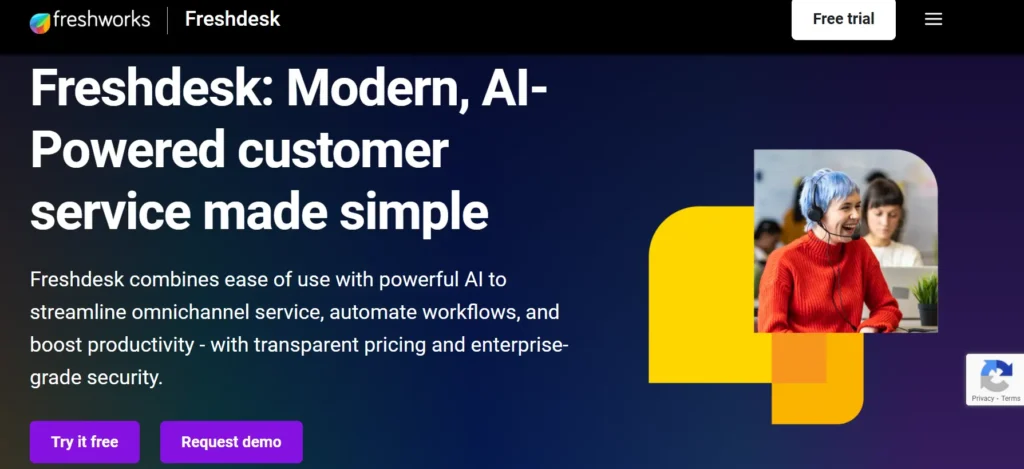
Freshdesk is a cloud-based customer support platform made by Freshworks. It was launched in 2010 and has grown into one of the most widely used helpdesk tools globally. The platform is built around a ticketing system that pulls in requests from email, chat, phone, social media, and web portals, all into one dashboard.
Freshdesk is known for being easy to get started with. Most teams can set it up in a matter of hours, not days. This makes it a popular choice for startups, growing businesses, and teams that do not have a dedicated IT team to manage the software.
Key Features of Freshdesk
- Omnichannel ticketing — email, chat, phone, WhatsApp, social media
- Freddy AI — AI assistant for auto-replies, ticket summarization, and agent suggestions
- Automation workflows — route tickets, set priorities, and trigger actions automatically
- SLA management — set response and resolution time targets with alerts
- Team inbox with collision detection — prevents two agents from replying to the same ticket
- Knowledge base and self-service portal
- Marketplace with 1,000+ integrations
- Reporting and analytics dashboards
Who Should Choose Freshdesk?
Freshdesk works well for:
- Small to mid-sized businesses with a customer support team
- Teams that need to go live quickly without heavy configuration
- Businesses that handle support across multiple channels like email, chat, and social
- Non-technical support managers who want a clean, user-friendly interface
Analytics help in identifying bottlenecks—areas where tickets tend to get stuck. For example, if many tickets remain in the “In Progress” stage for too long, it might show that the team needs better resources or clearer processes. Fixing these issues can speed up the overall workflow.
Pros and Cons of Freshdesk
Pros | Cons |
Very easy to set up and use | Pricing rises significantly as you scale |
Strong omnichannel support | Advanced AI features locked behind higher tiers |
Clean and intuitive UI | Customization options are limited compared to Zoho |
Large integration marketplace | Some automation features require paid plans |
Good free plan for small teams | Customer support can be slow on basic plans |
Zoho Desk Overview
What Is Zoho Desk?
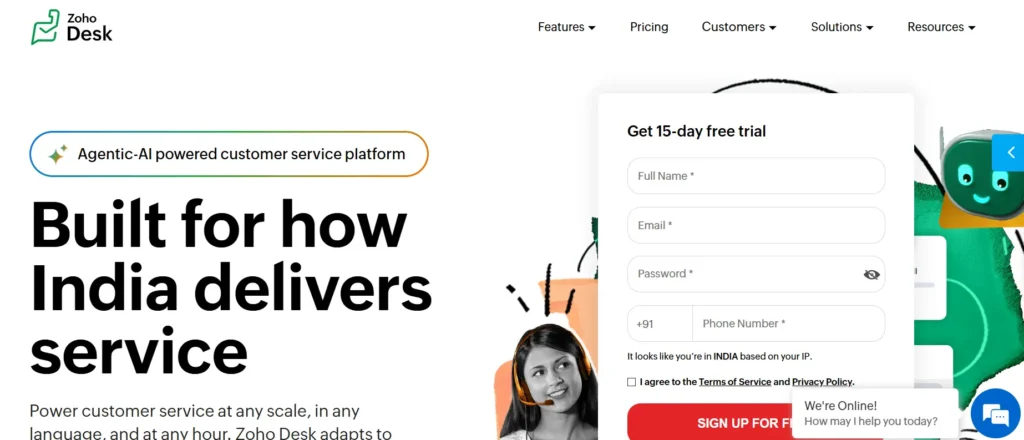
Zoho Desk is a helpdesk and customer service platform from Zoho Corporation. It is part of the larger Zoho suite, which includes a CRM, email service, project management tools, accounting software, and more. This deep ecosystem integration is one of Zoho Desk’s biggest selling points.
Zoho Desk has a slightly steeper learning curve than Freshdesk, but it offers more flexibility for teams that need to customize their support workflows heavily. It is also considerably more affordable at scale, which makes it popular among budget-conscious businesses.
Key Features of Zoho Desk
- Zia AI — AI assistant for ticket tagging, sentiment analysis, and reply suggestions
- Deep integration with Zoho CRM, Zoho Analytics, and other Zoho apps
- Blueprint — a drag-and-drop workflow tool for process automation
- Context-aware helpdesk — shows agent full customer history from Zoho CRM
- Knowledge base and community forums
- Multi-department support — manage different teams from one platform
- Custom ticket layouts and fields
- Sandbox environment for testing workflows before going live
Who Should Choose Zoho Desk?
- Companies already using Zoho CRM or other Zoho apps
- Teams that need deep workflow customization
- Businesses looking for an affordable helpdesk as they scale
- IT or operations teams managing internal support alongside customer support
Pros and Cons of Zoho Desk
Pros | Cons |
Very affordable pricing at all tiers | Steeper learning curve for new users |
Deep Zoho ecosystem integration | UI can feel cluttered compared to Freshdesk |
Highly customizable workflows | Zia AI is less polished than Freddy AI |
Strong multi-department management | Some features require manual configuration |
Sandbox for safe testing | Best value only if you use other Zoho apps |
Read More: Best Zoho Desk Competitors & Alternatives You Should Try
Freshdesk vs Zoho Desk — Feature-by-Feature Comparison
1. Ticket Management
Both platforms handle ticketing well at their core. Tickets can be created via email, web form, phone, and chat. Both support ticket tagging, priority levels, and shared inboxes.
Freshdesk edges ahead on ease of use here. The ticket view is clean and easy to navigate. Zoho Desk offers more customization, you can create custom ticket layouts per department, which is useful for larger teams. But that flexibility also means more setup time.
For SLA management, both platforms let you set response and resolution time targets and send automated alerts. Zoho Desk’s SLA management is slightly more configurable, especially for multi-department setups.
2. Automation and AI
This is where things get interesting.
Freshdesk’s Freddy AI is more polished and easier to use out of the box. It can suggest replies based on your knowledge base, summarize long ticket threads, and help agents respond faster. However, most of the advanced Freddy AI features are only available on the higher-priced plans.
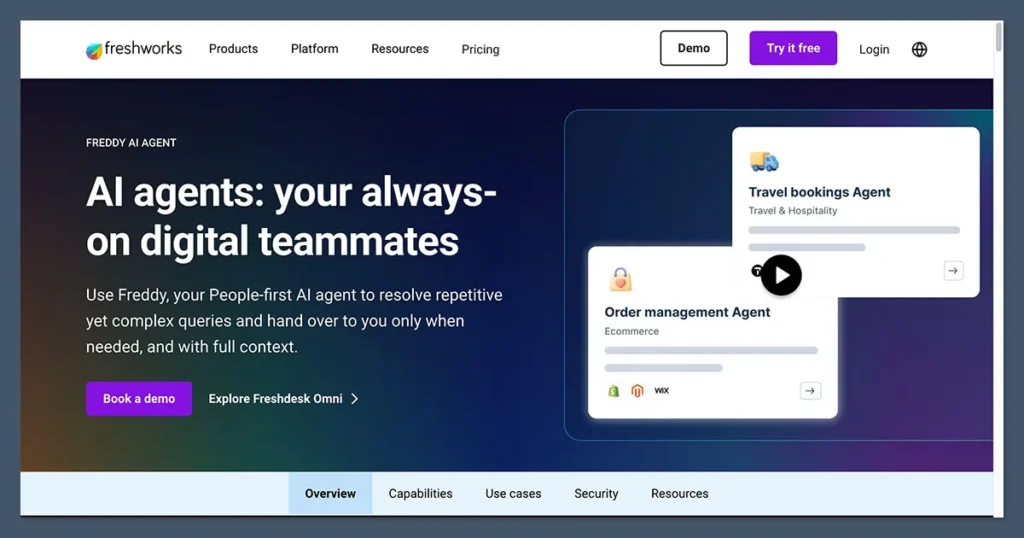
Image Source: Freshdesk
Zoho Desk’s Zia AI does similar things, ticket tagging, reply suggestions, anomaly detection, but the interface feels less intuitive. That said, Zia is available at lower price points, which gives Zoho Desk an advantage in terms of value.
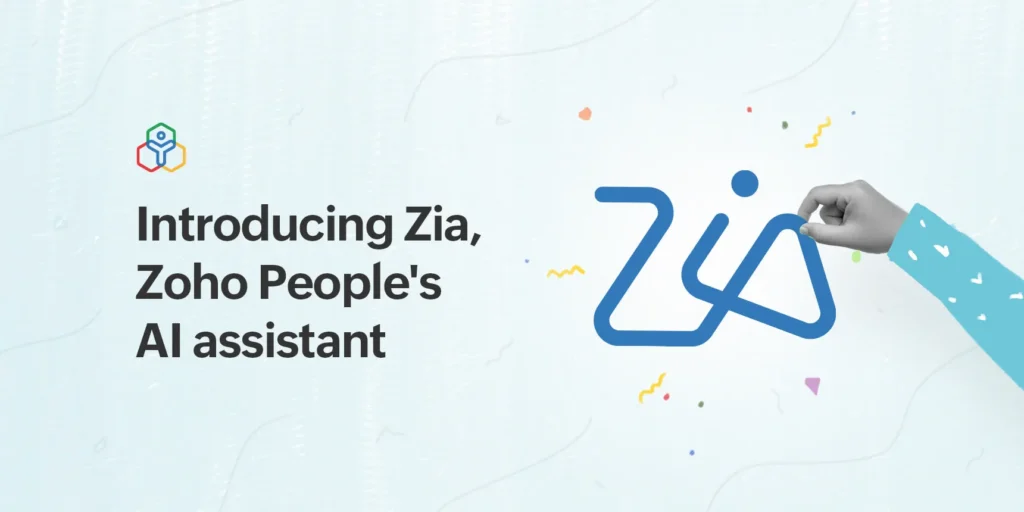
Image Source: Zoho Desk
For automation workflows, Zoho Desk’s Blueprint tool is more powerful. It lets you design step-by-step ticket processes with conditions, approvals, and escalations. Freshdesk’s automation is simpler to set up but harder to scale as your workflows get more complex.
3.Omnichannel Support
Channel | Freshdesk | Zoho Desk |
Yes | Yes | |
Live Chat | Yes (Freshchat integration) | Yes (native) |
Phone | Yes (Freshcaller integration) | Yes (Zoho Voice integration) |
Social Media | Facebook, Twitter/X | Facebook, Twitter/X, Instagram |
Yes (paid add-on) | Yes (paid add-on) | |
Web Portal | Yes | Yes |
Both platforms cover the major channels. Freshdesk ties its phone and chat features into separate Freshworks products, which means you may need additional subscriptions. Zoho Desk’s phone and chat are more natively connected.
4.Ease of Use
This is arguably Freshdesk’s biggest advantage. The interface is clean, modern, and easy to understand. Most new agents can start handling tickets within minutes of getting access. Onboarding training time is low.
Zoho Desk requires more time to get comfortable with. The dashboard is information-dense and can overwhelm new users. However, once agents get used to it, many find it more powerful than Freshdesk for complex work.
5.Customization
Zoho Desk wins here. You can customize ticket fields, layouts, views, workflows, and even the customer portal. The Blueprint tool gives operations teams real control over how tickets move through the system.
Freshdesk offers customization too, but it is more limited on lower-tier plans. Heavy customization often requires upgrading to Enterprise.
6. Reporting and Analytics
Both tools come with built-in dashboards showing ticket volumes, resolution times, agent performance, and SLA compliance.
Freshdesk’s reports are easier to read and share. Zoho Desk’s reporting is more powerful but requires more effort to set up. Zoho also integrates natively with Zoho Analytics for advanced reporting, which is a significant advantage if you already use it.
7. Knowledge Base and Self-Service
Both platforms offer a knowledge base builder and a self-service portal where customers can search for answers before raising a ticket. Freshdesk’s portal looks better out of the box. Zoho Desk’s is more customizable.
Zoho Desk also supports community forums, which is useful for products that benefit from peer-to-peer support.
8. Integrations
Freshdesk has a larger marketplace with over 1,000 integrations, including Slack, Microsoft Teams, Salesforce, HubSpot, Jira, and many more. For most businesses, Freshdesk’s integration library will cover all the tools they use.
Zoho Desk has fewer third-party integrations in its marketplace, but what it lacks in quantity it makes up for in depth, especially if you already use Zoho’s own suite of apps. The connection between Zoho Desk and Zoho CRM is seamless in a way that no third-party integration can match.
9. Mobile App
Both Freshdesk and Zoho Desk have mobile apps for iOS and Android. Freshdesk’s mobile app is cleaner and receives better user reviews. Zoho Desk’s mobile app works well but feels more cluttered.
10. Security and Compliance
| Security Feature | Freshdesk | Zoho Desk |
| GDPR Compliance | Yes | Yes |
| HIPAA Compliance | Yes (Enterprise plan) | Yes (Enterprise plan) |
| Role-Based Access Control | Yes | Yes |
| Two-Factor Authentication | Yes | Yes |
| Custom SSL | Yes | Yes |
| Audit Logs | Yes (higher tiers) | Yes (higher tiers) |
Freshdesk vs Zoho Desk Pricing Comparison
Hidden Costs to Watch Out For
- Freshdesk: Freddy AI features cost extra. Phone and chat require Freshcaller and Freshchat, which are separate subscriptions.
- Zoho Desk: Advanced analytics require Zoho Analytics (separate cost). Some telephony features use Zoho Voice credits.
- Both platforms: WhatsApp integration, additional bot sessions, and extended data retention often cost extra.
Best Value Summary
If you are a small team on a tight budget, Zoho Desk gives you far more for your money. If you are a fast-growing startup that needs to move fast and can absorb higher software costs, Freshdesk is worth it for the time savings.
Freshdesk vs Zoho Desk — At a Glance
| Feature | Freshdesk | Zoho Desk |
| Ease of Use | Excellent — very beginner-friendly | Moderate — learning curve involved |
| Setup Speed | Fast — hours not days | Slower — needs more configuration |
| Automation | Good — easy to set up | Excellent — Blueprint is very powerful |
| AI Capabilities | Freddy AI — polished but costly | Zia AI — capable but less refined |
| Omnichannel Support | Strong — all major channels | Strong — slightly more native |
| Integrations | 1,000+ apps in marketplace | Fewer 3rd-party, deep Zoho ecosystem |
| Reporting | Clean and easy to read | More powerful but complex |
| Customization | Limited on lower plans | High — custom layouts and workflows |
| Pricing | Higher — scales up quickly | Lower — very affordable at scale |
| Best For | SMBs, fast-growing teams, non-technical users | Zoho users, budget-conscious teams, complex workflows |
What Real Users Say
What Users Like About Freshdesk
- Quick to set up, many users report going live in under a day
- Clean interface that new support agents find easy to learn
- Reliable automation that works well for standard support workflows
- Freddy AI saves time on repetitive ticket responses
- Good mobile app for agents working on the go
Common Freshdesk Complaints
- Pricing increases fast as you add agents or need advanced features
- AI features that look impressive in demos are locked behind the most expensive plans
- Some users find that customisation options are limited without going to Enterprise
- Customer support for lower-tier plans can be slow or hard to reach
- Reports and dashboards can feel basic unless you are on a higher-tier plan
Common Zoho Desk Complaints
- The interface can feel overwhelming for new users
- Getting the most out of Zoho Desk requires time and configuration
- Zia AI is useful but less impressive compared to Freshdesk’s Freddy AI in daily use
- Some integrations with non-Zoho tools require workarounds
- Mobile app experience could be more polished
Freshdesk vs Zoho Desk — Which One Should You Choose?
Choose Freshdesk If…
- You need to get your helpdesk up and running quickly
- Your support team is not very technical and needs a simple interface
- You handle customer support across many channels, email, chat, phone, social
- You do not already use Zoho or another specific software ecosystem
- You can afford the higher pricing and see the ROI in agent productivity
Choose Zoho Desk If…
- You already use Zoho CRM or other Zoho products and want everything connected
- You are managing a growing team and want to keep software costs predictable
- You need deep workflow customization and process automation
- You want more control over your reporting and analytics
- You are okay investing time upfront to configure the tool the way you need
Why Businesses Are Looking Beyond Freshdesk and Zoho Desk
Both Freshdesk and Zoho Desk are strong tools. But in 2026, many businesses, especially those running on Microsoft 365, are running into limitations that neither platform fully solves.
The Problem with SaaS Helpdesk Tools for Internal Teams
Customer-facing helpdesks like Freshdesk and Zoho Desk are designed for external customer support. When companies try to use them for internal support, IT requests, HR queries, facilities management, finance support, they often feel like a poor fit.
Employees do not want to log in to a separate tool to raise a ticket. They want to ask for help the same way they do everything else at work: through email, through Teams, through the apps they already use.
Rising SaaS Costs
As teams grow, SaaS helpdesk pricing can become a significant line item. Freshdesk in particular is known for becoming expensive as you add agents and unlock advanced features. Even Zoho Desk, while cheaper, adds up when you factor in add-ons and integrations.
Integration Complexity
Both tools require integrations to connect with Microsoft 365, Teams, Outlook, SharePoint, and Azure AD. These integrations work, but they require maintenance, and they never feel as seamless as a tool that was built natively for that environment.
Microsoft 365 Is Where Most Employees Already Work
For companies using Microsoft 365, the entire workforce is already in Teams every day. Email comes through Outlook. Documents live in SharePoint. User identity is managed through Azure Active Directory. Any helpdesk that requires employees to step outside this environment to raise a support ticket will see lower adoption rates.Why Helpdesk 365 Is a Smart Alternative for Microsoft 365 Businesses
What Is Helpdesk 365?
Helpdesk 365 is a helpdesk solution built natively inside Microsoft 365. It is not a third-party tool that connects to Teams or Outlook, it lives inside them. Employees raise tickets through Microsoft Teams or Outlook. IT, HR, facilities, and finance teams manage and resolve those tickets from the same environment.

Native Microsoft 365 Integration
- Microsoft Teams — employees raise tickets directly inside Teams channels or bots
- Outlook — support requests come in through Outlook, no login to a separate tool
- SharePoint — knowledge base and ticket data stored in SharePoint
- Azure Active Directory — user identity and access management built in
Built for Internal Support Teams
Unlike Freshdesk and Zoho Desk, which are primarily designed for customer-facing support, Helpdesk 365 is purpose-built for internal support scenarios:
- IT helpdesk — handle software issues, hardware requests, and access management
- HR helpdesk — manage employee onboarding, policy questions, and leave requests
- Facilities support — handle office maintenance and resource booking
- Finance support — manage invoice queries, expense approvals, and financial requests
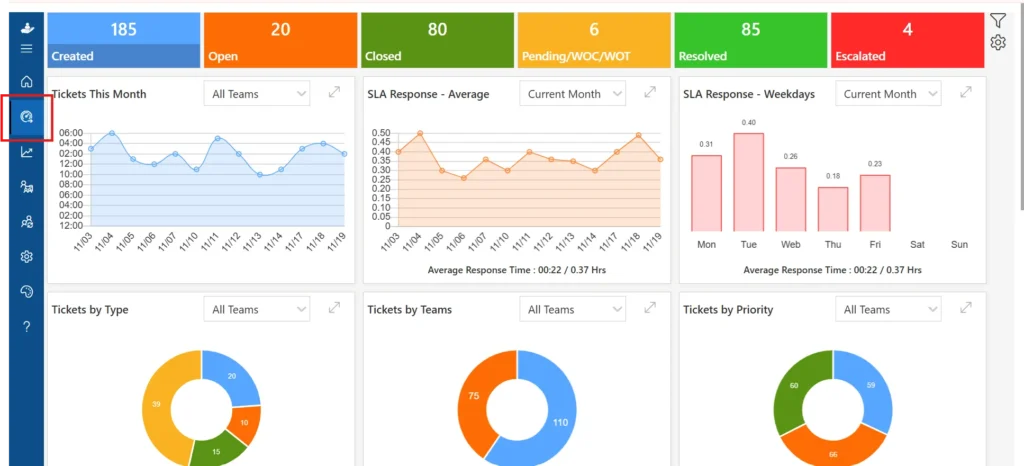
Key Features of Helpdesk 365
- Ticket management with SLA tracking and escalation rules
- Approval workflows built inside Microsoft 365
- Automation for ticket routing, assignment, and notifications
- Knowledge base accessible from Teams and SharePoint
- Reporting dashboards built in Power BI (native to Microsoft 365)
- Role-based access using Azure Active Directory groups
Affordable and Predictable Pricing
Unlike Freshdesk and Zoho Desk, which charge per agent per month and often add fees for advanced features, Helpdesk 365 uses a predictable pricing model based on your Microsoft 365 subscription. There are no surprise add-ons for AI features, no separate telephony plans, and no escalating costs as your team grows.
Faster Adoption
Because Helpdesk 365 lives inside Microsoft Teams and Outlook, employees do not need to learn a new tool. Support requests feel like a natural extension of how they already communicate. This leads to higher adoption rates and less time spent training.
Freshdesk vs Zoho Desk vs Helpdesk 365
| Feature | Freshdesk | Zoho Desk | Helpdesk 365 |
| Microsoft 365 Native | No (integration only) | No (integration only) | Yes — built inside M365 |
| Microsoft Teams Ticketing | Via integration | Via integration | Native, no login needed |
| Outlook Support | Via integration | Via integration | Native |
| SharePoint Integration | No | No | Yes — native |
| Azure AD / Entra ID | Via integration | Via integration | Yes — native |
| Internal Helpdesk Focus | Partial | Partial | Yes — designed for it |
| Customer Support | Yes — primary use case | Yes — primary use case | Employee/internal focus |
| AI Automation | Freddy AI (paid tiers) | Zia AI (paid tiers) | Microsoft Copilot integration |
| Pricing Model | Per agent/month | Per agent/month | Predictable, M365-based |
| Setup Time | Hours to days | Days to weeks | Hours — familiar interface |
| Best For | Customer support teams, SMBs | Zoho ecosystem users | Microsoft 365 organizations |
Conclusion
Join Our Creative Community
Frequently Asked Questions
Which is better: Freshdesk or Zoho Desk?
It depends on your situation. Freshdesk is better for ease of use and quick deployment. Zoho Desk is better for customization and cost at scale. If you use other Zoho products, Zoho Desk is the clear winner.
Is Zoho Desk cheaper than Freshdesk?
Yes, significantly. Zoho Desk’s paid plans start at roughly half the price of comparable Freshdesk plans. At the mid and high tiers, the difference is even larger. For a team of 20+ agents, Zoho Desk can save thousands of dollars per year.
Does Freshdesk integrate with Microsoft Teams?
Yes, Freshdesk has a Microsoft Teams integration. However, it works as a third-party connector rather than a native experience. Employees still need to use the Freshdesk interface to manage tickets.
Which helpdesk software is best for small businesses?
For small businesses focused on customer support, Freshdesk’s free plan or Growth plan is a good starting point. For businesses on a tighter budget, Zoho Desk’s entry plan offers more features at a lower price.
Is Zoho Desk good for IT helpdesk?
Zoho Desk can be used for IT helpdesk, but it is not purpose-built for it. It works better as a customer support tool. For internal IT support inside a Microsoft 365 environment, Helpdesk 365 is a more natural fit.
What are the limitations of Freshdesk?
Freshdesk’s main limitations are its pricing (it gets expensive as you scale), limited customization on lower plans, and the fact that advanced AI features require the highest-tier plans. Phone and chat support also require separate Freshworks subscriptions.
Which helpdesk software is best for Microsoft 365 users?
Helpdesk 365. It is the only helpdesk tool built natively inside Microsoft 365, meaning it works directly in Teams, Outlook, and SharePoint without any external login or integration maintenance.
Is Helpdesk 365 a good alternative to Freshdesk and Zoho Desk?
Yes — for the right use case. If your organization is on Microsoft 365 and your helpdesk needs are primarily internal (IT, HR, facilities, finance), Helpdesk 365 offers a simpler, more affordable, and more familiar experience than either Freshdesk or Zoho Desk.
Can Helpdesk 365 manage internal employee support tickets?
Yes, that is exactly what it is designed for. Employees can raise tickets from Teams or Outlook, support teams can manage and resolve them inside Microsoft 365, and the entire workflow — approvals, escalations, SLA tracking — runs without anyone leaving the Microsoft environment.
Table of Contents
- FAQs


_JiluXJRGNl.svg)























