

Freshdesk vs Zendesk vs Helpdesk 365: Which Helpdesk Tool Is Right for Your Team?
_eH2jDg7dZ.png)
Finding the right helpdesk software isn’t always easy. With so many options available, it can be difficult to know which one truly meets your needs. Among the most trusted and widely used solutions are Freshdesk, Zendesk, and Helpdesk 365.
- Freshdesk is great for small to mid-size teams who want an easy, affordable tool with quick setup.
- Zendesk is the go-to for large teams that need deep customization, powerful automation, and enterprise-grade features.
- Helpdesk 365 is the best pick for teams already using Microsoft 365, Teams, or SharePoint.
- All three tools offer ticketing, SLA tracking, and automation, your choice depends on team size and existing tools.
Each of these tools does the same core job, helping your team manage customer or internal support requests. But the way they do it, and who they are best suited for, is very different.
In this guide, we compare all three tools side by side. By the end, you will know exactly which one fits your team, your workflow, and your support goals, without wasting time on trials and demos.
Let’s get started.
What Is a Helpdesk Tool and Why Does It Matter?
A helpdesk tool is software that helps a team manage support requests. These requests can come from customers, employees, or both. When someone sends an email, fills a form, or chats with your team, the helpdesk tool converts that message into a ticket.
Each ticket can then be assigned to an agent, tracked through different stages, and resolved in an organized way. Without a helpdesk tool, teams end up managing support through personal email inboxes, which quickly becomes a mess.
Here is what a good helpdesk tool helps you do:
- Track all support requests in one place
- Assign tickets to the right person automatically
- Set deadlines using SLA (Service Level Agreement) rules
- Send automated replies and follow-ups
- Generate reports to measure team performance
- Offer self-service options so customers can find answers on their own
As your business grows, a helpdesk tool becomes essential, not optional. It keeps your support team organized, responsive, and accountable.
What Is Freshdesk?
.avif)
Freshdesk is a cloud-based customer support platform made by Freshworks. It was built to make customer service simple, fast, and affordable for businesses of all sizes. Whether you run a small startup or a growing mid-size company, Freshdesk offers the tools you need to handle customer queries smoothly.
Freshdesk brings all your support channels, email, chat, phone, social media, into one dashboard. This means your team does not have to switch between apps to answer customers. Everything is in one place.
Key Features of Freshdesk
- Shared inbox that converts emails into tickets automatically
- Multi-channel support: email, chat, phone, social media, and WhatsApp
- Freddy AI — built-in AI that suggests replies, summarizes tickets, and automates simple tasks
- Workflow automation using Automations Builder
- Self-service portal with a knowledge base and chatbot
- SLA management and escalation rules
- Reports and dashboards to track team performance
- Over 1,000 app integrations through the Freshworks Marketplace
Who Is Freshdesk Best For?
Freshdesk is a great fit for:
- Startups and small businesses that need a simple, affordable solution
- Mid-size companies managing customer support across multiple channels
- Teams that want quick setup without needing a large IT team
- E-commerce businesses, SaaS companies, and service-based businesses
What Is Zendesk?
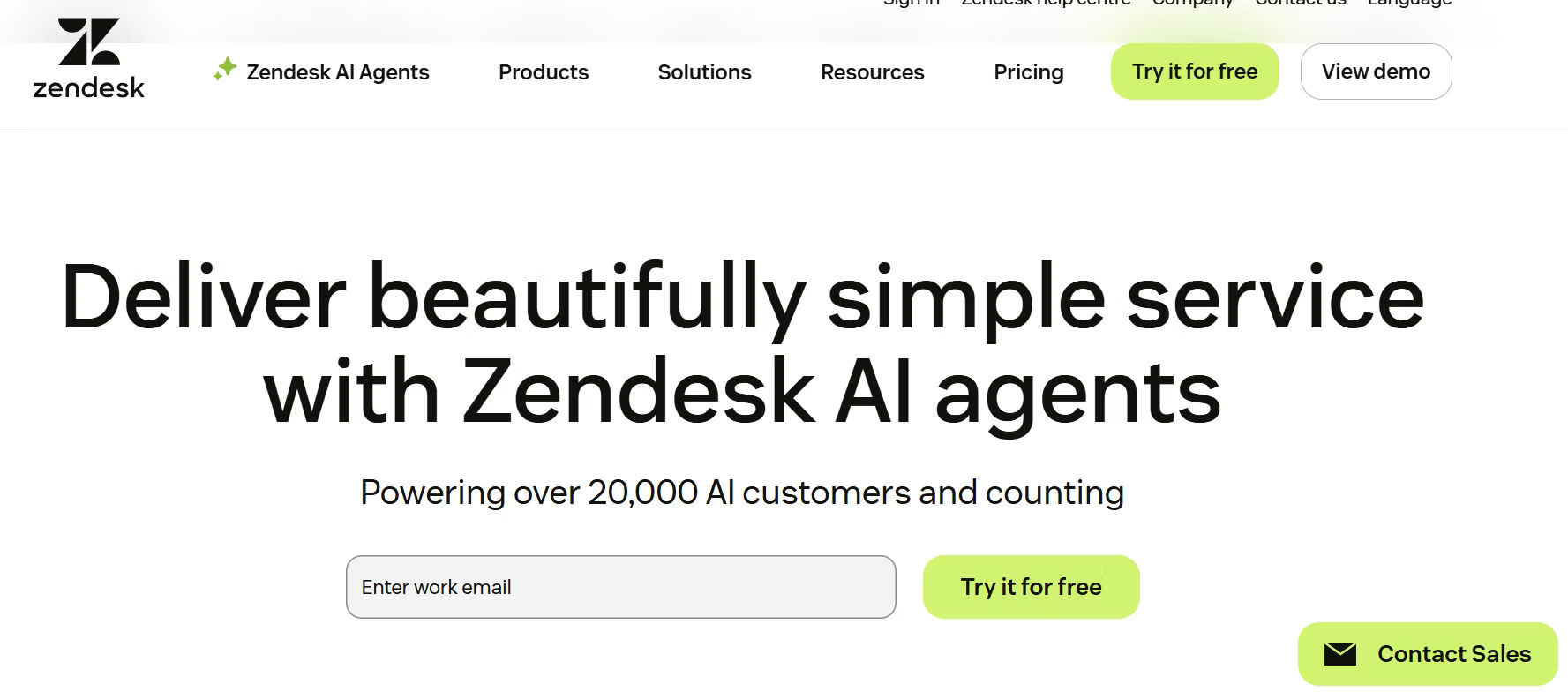
Zendesk is one of the oldest and most recognized names in the helpdesk industry. It was founded in 2007 and today serves over 160,000 businesses across the world. Zendesk is known for being powerful, flexible, and highly customizable, making it a top choice for large teams and enterprise businesses.
Zendesk works like a platform you build on top of. You can start with the basics and add more features, like AI, community forums, or advanced analytics, as your needs grow. Its large app marketplace and deep API access make it one of the most versatile tools in the market.
Key Features of Zendesk
- Omnichannel support: email, chat, voice, social media, and more
- AI-powered ticket routing, summarization, and intent detection
- Highly customizable workflows, views, and ticket fields
- Zendesk Guide: knowledge base with multilingual support
- Zendesk Explore: advanced analytics and reporting add-on
- Community forums for customer self-service
- 1,500+ app integrations via Zendesk Marketplace
- Enterprise-grade security: ISO, FedRAMP, SOC 2 Type II compliance
Who Is Zendesk Best For?
Zendesk is a great fit for:
- Large and enterprise-level businesses with complex support needs
- Teams that need deep workflow customization
- Companies that want advanced analytics and reporting
- Businesses with dedicated IT or operations teams to manage the platform
Already using Zendesk but finding it too complex?
Compare it with Freshdesk and Helpdesk 365 below to find a better match.
What Is Helpdesk 365?
.avif)
Helpdesk 365 is a helpdesk and ticketing tool built specifically for organizations using Microsoft 365. If your team already works on Microsoft Teams, SharePoint, or Outlook every day, Helpdesk 365 plugs right into those tools, without requiring your team to learn a completely new platform.
It is developed by Cubic Logics and is available as a Microsoft-certified app on the Microsoft AppSource Marketplace. Helpdesk 365 has been recognized on G2 for its easy-to-use UI and has received good ratings from IT directors and support professionals across different industries.
Key Features of Helpdesk 365
- Deep Microsoft 365 integration: works inside Teams, Outlook, and SharePoint
- AI-powered ticket routing, categorization, and prioritization
- Self-service portal and knowledge base for end users
- SLA tracking and automated escalation rules
- Audit trail for complete visibility into every ticket action
- Azure DevOps integration for development and IT teams
- Mail tracker to monitor email communication within tickets
- GCC and GCC High compliance for government and high-security environments
- Customizable workflows to match your internal processes
Who Is Helpdesk 365 Best For?
Helpdesk 365 is a great fit for:
- Organizations that are deeply embedded in the Microsoft 365 ecosystem
- IT departments managing internal support tickets
- Government, healthcare, and regulated industries needing compliance
- SMEs (small to mid-size enterprises) that want affordability without losing features
Feature-by-Feature Comparison
Here is a side-by-side comparison of the three tools across the features that matter most:
Feature | Freshdesk | Zendesk | Helpdesk 365 |
Ticketing System | ✅ Yes | ✅ Yes | ✅ Yes |
Multi-Channel Support | ✅ Email, Chat, Phone, Social | ✅ Email, Chat, Phone, Social | ✅ Email, Teams, SharePoint |
AI / Automation | ✅ Freddy AI (built-in) | ✅ Advanced AI (add-on in some plans) | ✅ AI-powered routing |
Knowledge Base / Self-Service | ✅ Yes | ✅ Yes (multilingual) | ✅ Yes |
SLA Management | ✅ Yes | ✅ Yes | ✅ Yes |
Microsoft 365 Integration | ⚠️ Via third-party apps | ⚠️ Via third-party apps | ✅ Native (built-in) |
Advanced Analytics | ✅ Built-in reports | ✅ Explore add-on (advanced) | ✅ Power BI integration |
Custom Workflows | ✅ Yes | ✅ Yes (very deep) | ✅ Yes |
Audit Trail | ⚠️ Limited | ✅ Yes | ✅ Yes (full audit log) |
Community Forums | ❌ No | ✅ Yes | ❌ No |
Compliance (GCC, SOC 2) | ✅ SOC 2, HIPAA, GDPR | ✅ ISO, FedRAMP, SOC 2 Type II | ✅ GCC, GCC High (Microsoft-certified) |
Ease of Setup | ⭐⭐⭐⭐⭐ Very Easy | ⭐⭐⭐ Moderate | ⭐⭐⭐⭐ Easy (for M365 users) |
App Integrations | 1,000+ | 1,500+ | Microsoft ecosystem + Azure DevOps |
Best For | SMBs, Startups | Enterprise, Large Teams | Microsoft 365 organizations |
Ease of Use: Which Tool Is the Easiest to Learn?
When your team adopts a new tool, the time it takes to learn it matters. A steep learning curve can slow your team down and lead to low adoption rates.
Freshdesk
Freshdesk is known for its clean, intuitive interface. Most teams can get up and running within a day. The dashboard is straightforward, ticketing is easy to understand, and there are plenty of video tutorials and onboarding guides. Even non-technical team members can handle Freshdesk without much hand-holding.
Zendesk
Zendesk is more powerful, which also means it is more complex. The platform has many modules, Support, Guide, Explore, Talk, and configuring them together requires more effort. For smaller teams or those without a dedicated admin, Zendesk can feel overwhelming at first. However, once set up properly, it becomes a very capable and organized tool.
Helpdesk 365
For teams already using Microsoft 365, Helpdesk 365 is extremely easy to adopt. Since it works directly inside Microsoft Teams and SharePoint, tools your team already knows, the learning curve is almost flat. Employees can raise tickets inside Teams without even opening a separate app. IT teams also appreciate the familiar Microsoft interface.
Winner on Ease of Use: Freshdesk for new users. Helpdesk 365 for Microsoft 365 teams.
If your team already lives in Microsoft Teams every day, Helpdesk 365 could be the smoothest transition you have ever made.
Automation and AI Capabilities
Automation is what separates a good helpdesk tool from a great one. The less manual work your team has to do, the more time they can spend actually solving problems.
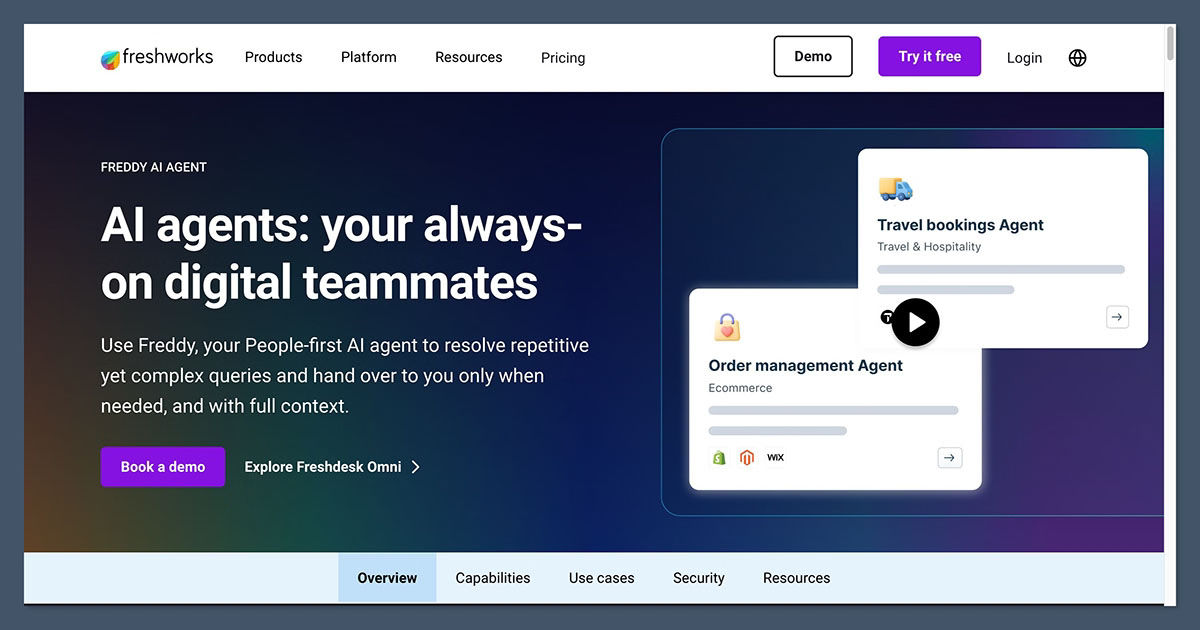
Freshdesk includes Freddy AI as its built-in intelligence layer. Freddy can auto-suggest replies to agents based on ticket content, summarize long ticket threads, detect customer intent, and handle common questions automatically through the AI chatbot. The Automations Builder lets you create custom rules — for example, automatically routing tickets from a specific email to a specific team.
Zendesk — Advanced AI Engine
Zendesk has invested heavily in AI features. Its AI engine can detect ticket intent, analyze customer sentiment, and route tickets to the right agent. Zendesk also offers AI-assisted macros (pre-written responses) that agents can trigger with one click. Advanced analytics powered by the Explore add-on help managers spot patterns and address bottlenecks before they become problems.
Helpdesk 365 — AI-Powered Routing
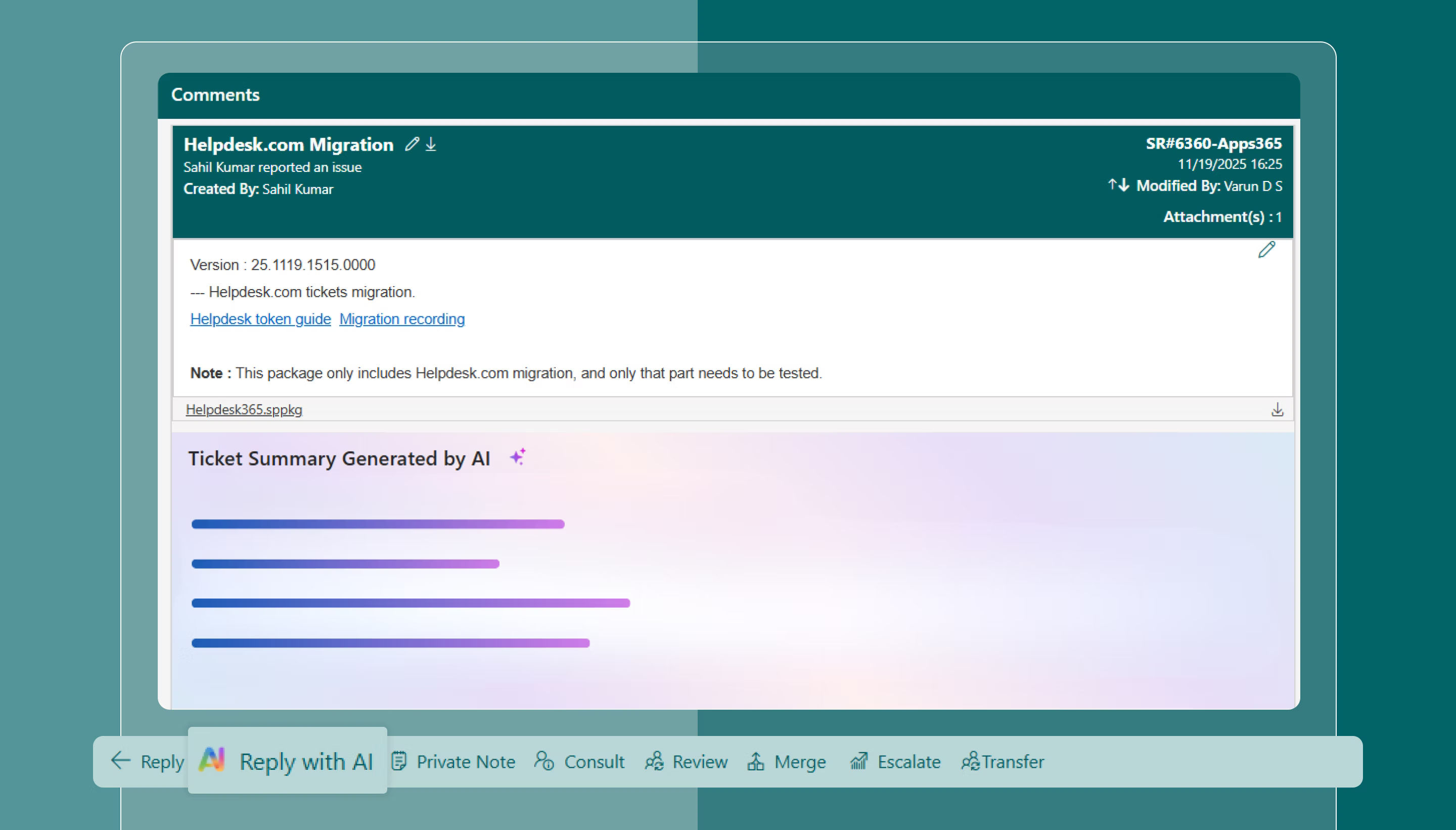
Helpdesk 365 uses AI to automatically categorize, prioritize, and route incoming tickets — reducing the manual work of IT teams significantly. Its automation engine also supports SLA-based escalations, ensuring that critical tickets never fall through the cracks. The self-service portal further reduces ticket volume by letting users find answers on their own before raising a ticket.
Winner on Automation: Zendesk for enterprise-grade AI. Freshdesk for built-in AI without extra cost.
Integrations: What Tools Do They Connect With?
A helpdesk tool should work well with the other tools your business already uses, your CRM, project management tool, communication platform, and more.
Freshdesk
Freshdesk connects with over 1,000 apps through the Freshworks Marketplace. Popular integrations include Salesforce, Slack, Jira, HubSpot, Shopify, and many more. It also integrates with Microsoft 365 and Google Workspace through third-party connectors.
Zendesk
Zendesk has one of the largest app marketplaces in the helpdesk industry, with over 1,500 integrations available. This includes CRM tools, payment platforms, e-commerce apps, and collaboration software. Zendesk also has a robust API for custom integrations, making it suitable for businesses with unique technical needs.
Helpdesk 365
Helpdesk 365 is deeply integrated with the Microsoft ecosystem. It connects natively with Microsoft Teams, SharePoint, Outlook, Azure Active Directory, and Azure DevOps. For businesses that rely on Microsoft 365, this native integration is far superior to the third-party connectors offered by Freshdesk or Zendesk. Power BI integration also gives managers rich reporting capabilities.
Winner on Integrations: Zendesk for breadth. Helpdesk 365 for Microsoft-focused organizations.
Security and Data Privacy
Customer support data is sensitive. Tickets can contain personal information, account details, and confidential business data. All three tools take security seriously, but in different ways.
Freshdesk
Freshdesk uses AES 256-bit encryption for data at rest and TLS 1.2 encryption for data in transit. It is compliant with major standards including ISO 27001, HIPAA, SOC 2 Type II, and GDPR. Freshdesk also offers role-based access control and two-factor authentication.
Zendesk
Zendesk also uses AES 256-bit encryption and stores data securely on AWS. It is compliant with ISO, SOC 2 Type II, and FedRAMP LI-SaaS, making it one of the most secure options for government or regulated industries. Zendesk also offers data masking and advanced access logging through an optional privacy add-on.
Helpdesk 365
Helpdesk 365 is a Microsoft 365 Certified App, which means it operates entirely within Microsoft’s trusted cloud infrastructure. It meets GCC and GCC High compliance requirements, which are required by many US federal government agencies. For organizations that cannot afford to have their data leave the Microsoft environment, Helpdesk 365 offers an unmatched level of data security and control.
Winner on Security: Helpdesk 365 for Microsoft environments. Zendesk for diverse enterprise compliance needs.
Best Fit by Team Size and Use Case
One of the most important questions to ask is: how big is your team, and what kind of support do you manage?
Team Size / Use Case | Best Tool | Why |
Startup (1–10 agents) | Freshdesk | Easy setup, affordable entry point, great features out of the box |
Small Business (10–50 agents) | Freshdesk | Multi-channel support, simple automation, quick onboarding |
Mid-Size Team (50–200 agents) | Freshdesk or Helpdesk 365 | Depends on whether Microsoft 365 is used |
Microsoft 365 Organization | Helpdesk 365 | Native Teams/SharePoint integration saves time and money |
Enterprise (200+ agents) | Zendesk | Deep customization, powerful analytics, enterprise SLAs |
IT Department / Internal Support | Helpdesk 365 | Built for IT workflows, SLA tracking, and internal ticketing |
E-commerce / Customer Facing | Freshdesk or Zendesk | Multi-channel, AI, and large integration ecosystems |
Government / Regulated Industry | Helpdesk 365 or Zendesk | GCC compliance or FedRAMP certification |
Pros and Cons at a Glance
Freshdesk
Pros | Cons |
Very easy to set up and use | Advanced AI features may need higher-tier plans |
Built-in Freddy AI at no extra cost | Reporting can be limited on lower plans |
Generous free plan for small teams | Some users find customization limited at scale |
Multi-channel support out of the box | Phone support features need add-ons |
Large integration marketplace | Can feel cluttered as you add more features |
Zendesk
Pros | Cons |
Extremely powerful and customizable | Steeper learning curve for new users |
1,500+ app integrations | Can get expensive as team scales |
Best-in-class analytics with Explore | Advanced features often behind higher-tier plans |
Supports large enterprise workflows | Can feel like overkill for small teams |
Strong community forum feature | Initial setup requires more time and expertise |
Helpdesk 365
Pros | Cons |
Native Microsoft 365 and Teams integration | Best value mainly for Microsoft 365 users |
GCC and GCC High compliance ready | Smaller integration marketplace than competitors |
Great for IT internal helpdesk use cases | Less suited for multi-channel customer support |
Easy adoption for Microsoft users | Community forum feature not available |
Full audit trail and strong data security | Fewer third-party reviews compared to Freshdesk/Zendesk |
Ready to make your decision? Start a free trial with the tool that fits your team best. Your support team will thank you for it.
Which Tool Should You Pick?
Here is a simple breakdown to help you choose:
Pick Freshdesk if:
- You are a startup or small to mid-size business
- You want a tool that is easy to set up and start using on day one
- You need multi-channel support — email, chat, phone, social — in one place
- You want built-in AI features without paying extra
- Budget is a concern and you want maximum value
Pick Zendesk if:
- You run a large team or an enterprise organization
- You need deep workflow customization and advanced automation
- Advanced analytics and reporting are critical to your operations
- You have a dedicated admin team to configure and manage the platform
- You need access to a massive app marketplace and custom API integrations
Pick Helpdesk 365 if:
- Your organization already uses Microsoft 365, Teams, or SharePoint
- You manage an internal IT helpdesk for employees
- Data security and compliance (GCC, Microsoft-certified) are non-negotiable
- You want a tool that your team can adopt instantly, without switching apps
- You are in government, healthcare, or another regulated industry
Conclusion
There is no single winner among Freshdesk, Zendesk, and Helpdesk 365, each is designed for different business needs. Freshdesk is a great choice for teams seeking simplicity and affordability, while Zendesk is better suited for organizations that require advanced customization, analytics, and scalability.
Helpdesk 365 stands out for businesses that rely on Microsoft Teams, SharePoint, and Outlook, offering a seamless experience within the Microsoft ecosystem. Ultimately, the best helpdesk solution depends on your team’s requirements, budget, and existing technology stack.
Join Our Creative Community
Frequently Asked Questions
Is Freshdesk better than Zendesk?
It depends on your needs. Freshdesk is better for small to mid-size teams that want simplicity and built-in value. Zendesk is better for large teams that need advanced customization and enterprise-grade features.
Is Helpdesk 365 only for Microsoft users?
Helpdesk 365 is designed specifically for organizations using Microsoft 365. While it can technically be used by others, its biggest strengths, native Teams integration, SharePoint connectivity, and GCC compliance, are only valuable to teams in the Microsoft ecosystem.
Which helpdesk tool has the best AI features?
Zendesk has the most advanced AI capabilities overall. However, Freshdesk’s Freddy AI offers excellent value since it is built into the platform without requiring costly add-ons. Helpdesk 365 also uses AI for routing and categorization but is more focused on internal IT workflows.
Can I switch from one helpdesk tool to another later?
Yes, most helpdesk tools allow you to export your ticket data and import it into a new platform. However, switching does take time and planning, especially if you have complex workflows or a large volume of historical tickets. It is better to evaluate carefully before committing.
Which tool is best for a small IT department?
Helpdesk 365 is an excellent choice for internal IT helpdesks, especially if your company uses Microsoft 365. It is easy for employees to raise tickets directly within Teams, and the SLA tracking and audit trail features help IT managers stay on top of every request.
Does Freshdesk have a free plan?
Yes, Freshdesk offers a free plan that includes basic ticketing features and support for unlimited agents. It is a great option for very small teams just getting started. As your needs grow, you can upgrade to paid plans with more features.


_JiluXJRGNl.svg)























