
How to Choose the Best AI-Powered Helpdesk Software for Your Company
_eH2jDg7dZ.png)
Support teams are drowning. The same questions flood in every day, “Where’s my order?” “How do I reset my password?” “What’s your return policy?”, while more complex, high-value problems sit waiting for human attention. The math no longer works: hire more agents and costs spiral; don’t hire and satisfaction tanks.
- AI automates ticket creation, categorization, prioritization, and routing, reducing manual workload for support teams.
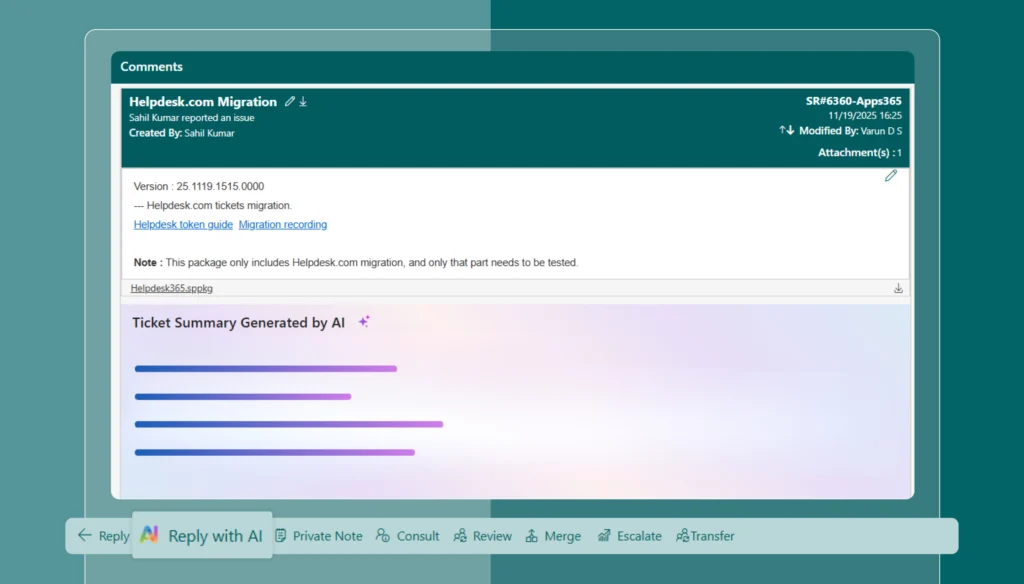
- Intelligent features such as AI Copilot and ticket summaries help agents resolve issues faster and more accurately.
- AI-powered self-service and chatbots provide 24/7 support, improving user experience and reducing response times.
- Seamless integration with Microsoft Teams and SharePoint enables efficient ticket management within the Microsoft 365 ecosystem.
AI-powered helpdesk software is the way out. But with dozens of platforms on the market, each claiming to be “intelligent” and “transformative,” choosing the right one is genuinely hard. This guide gives you a clean, structured breakdown, what AI helpdesk software actually is, what benefits to expect, the core features that matter, the top five tools worth your attention.
What Is AI-Powered Helpdesk Software ?
A traditional helpdesk stores tickets, organizes queues, and tracks conversations. An AI-powered helpdesk does all of that, and then goes further. It understands what customers are asking, decides who should handle the issue, suggests or drafts a response, and in many cases resolves the problem entirely without a human touching the ticket.
Here’s the difference in practice:
Without AI: A customer writes, “My order hasn’t arrived and I need it today.” That message enters a general ticket queue, waits for an agent to read it, identify it as an order-urgency issue, check the tracking status, and reply. If the agent is busy, it waits longer.
With AI: The system instantly detects the intent (order delay), recognizes urgency from the language, pulls the customer’s order data from your backend, routes the ticket to the right team, and may even send an automatic resolution with a real-time update before a human gets involved at all.
That shift, from reactive ticket-handling to proactive, intelligent resolution, is what separates modern AI helpdesks from their predecessors. It’s not about adding a chatbot. It’s about rethinking who (or what) does the work.
The Real Benefits by using AI ticketing system
Before comparing tools, it’s worth grounding yourself in what genuine AI support looks like in practice. Here’s what well-implemented systems consistently deliver:
Faster Response Times
AI handles the sorting and triage work that slows agents down, classifying tickets, routing conversations, pulling customer history. Agents open conversations already knowing who the customer is, what they’ve done before, and what’s likely needed. Replies happen faster because setup work is already done.
Reduced Repetitive Work and Agent Burnout
A significant share of support volume is repeat questions, status checks, and simple requests. AI handles these autonomously, so agents focus on problems that actually require judgment and empathy. When agents aren’t answering the same question for the hundredth time, they’re less burned out, and better equipped for the complex cases that truly need them.
Smarter Prioritization Based on Context
Traditional systems prioritize based on static rules: ticket age, SLA tier, assigned queue. AI goes further by factoring in customer sentiment, urgency signals in language, account value, and interaction history. A long-time employees showing signs of frustration escalates faster than a calm first-time inquiry, automatically, without a manager manually intervening.
Consistency at Scale
As teams grow, quality drifts. New agents respond differently, processes erode, and employees experience inconsistency. AI standardizes this, guiding agents with suggested replies, relevant articles, and recommended next actions, creating a shared quality baseline without removing the human touch.
Better Use of Customer Context
AI pulls in conversation history, past tickets, account details, and purchase records so agents see the full picture before they type a single word. Employees stop repeating themselves. Agents stop asking questions they should already know the answers to. Both sides of the conversation improve.
Core Capabilities to Evaluate AI Helpdesk Software
Not all AI helpdesk platforms are built equally. Some genuinely reduce workload. Others bolt a chatbot onto an old ticketing system and rebrand it “AI.” Here’s what separates the real from the performative.
Generative AI Agents, Resolution vs. Deflection
This is the most critical distinction in the market right now. There are two fundamentally different types of AI at work:
Deflection-focused AI
Intercepts customers before they reach your team. It surfaces help articles, answers FAQs, and routes tickets. It reduces volume, but customers with complex issues still escalate to humans. This is the most common form of AI in helpdesks today.
Resolution-focused AI (Agentic AI)
Actually executes actions. It processes refunds, updates shipping addresses, resets passwords, applies discount codes, manages subscriptions, end to end, without human approval. This eliminates entire ticket categories from your queue, not just slows them down.
The distinction matters enormously. Deflection AI saves time per ticket. Resolution AI eliminates whole classes of tickets. When evaluating vendors, always ask: which specific actions can your AI execute autonomously, and which require human sign-off?
AI Copilots for Agents
Even when humans handle tickets, AI should assist. Copilots reduce cognitive load by instantly summarizing long conversation threads, drafting responses for agents to review and personalize, surfacing relevant knowledge base articles, and suggesting next actions based on similar resolved cases. For onboarding, this is especially valuable, new agents guided by AI copilots handle complex tickets far faster than those navigating legacy tools alone.
Intelligent Routing and Triage
Manual triage is a hidden cost most companies underestimate. Tickets sitting in general queues, getting misrouted, then handed off again, this adds up. AI-powered routing assigns tickets to the right person instantly, based on content, sentiment, customer history, agent skills, and real-time workload. Look for platforms that can explain their routing logic, allow manual overrides, and balance load across agents automatically.
Knowledge Base Management
Most knowledge bases fall behind because they depend on manual maintenance. AI-powered knowledge management changes this by identifying gaps from ticket patterns (questions with no good self-service answer), drafting new articles from how agents actually resolve issues, flagging outdated content, and tracking which articles successfully deflect tickets versus which don’t help customers at all. The result is a knowledge base that stays current without requiring a dedicated content team.
Real-Time Sentiment Analysis
Sentiment detection catches problems before they escalate. When a customer’s tone shifts from neutral to frustrated mid-conversation, or their language signals churn risk, the system automatically escalates, alerts a manager, or adjusts response priority. The key question: does sentiment analysis lead to action, or does it just add a tag? Tagging conversations as “negative” without triggering downstream behavior is just noise.
Multilingual Support
For teams serving global customers, AI translation enables a single agent to support customers across languages during the same shift. The agent writes in their native language; the customer reads in theirs. This feature is table stakes for any globally distributed operation, and increasingly expected even for regional businesses serving diverse communities.
Top 5 AI-Powered Helpdesk Software
Feature / Tool | Helpdesk 365 | Zendesk | Freshdesk | Intercom | Kustomer |
Best For | Microsoft 365 teams | Omnichannel enterprise | Budget-friendly growth | SaaS / product-led | High-volume CX |
AI Agent (Autonomous Resolution) | ✅ Agentic AI (OpenAI/Copilot) | ✅ (Advanced AI add-on) | ✅ Freddy AI | ✅ Fin AI Agent | ✅ AI Agent Team |
AI Copilot for Agents | ✅ | ✅ (add-on) | ✅ | ✅ Fin Copilot | ✅ |
Intelligent Routing | ✅ | ✅ | ✅ | ✅ | ✅ |
Knowledge Base AI | ✅ Proactive KB suggestions | ✅ | ✅ | ✅ | ✅ AI KB Assistant |
Sentiment Analysis | ✅ | ✅ | ✅ | ✅ | ✅ |
Multilingual Support | ✅ (30+ languages via portal) | ✅ | ✅ | ✅ | ✅ |
Ecosystem Integration | Microsoft 365 native | 1,200+ integrations | Freshworks suite | SaaS / CRM tools | CRM + commerce APIs |
Security / Compliance | GCC, Zero Trust, M365 certified | SOC 2, GDPR | SOC 2, GDPR | SOC 2, GDPR | SOC 2, GDPR |
Pricing Starting Point | 14-day free trial; custom pricing | $55/agent/month | Free (up to 10 agents) | $29/seat/month | Custom |
Free Trial | ✅ 14 days | ✅ 14 days | ✅ 14 days | ✅ 14 days | Demo only |
Setup Speed | Fast (M365 native) | Moderate | Fast | Moderate | Moderate |
1. Helpdesk 365

Best for: Microsoft 365 users and organizations that need a secure, ecosystem-native helpdesk
Helpdesk 365 is a ticketing system purpose-built for the Microsoft 365 ecosystem, running natively inside SharePoint and Microsoft Teams. For organizations already invested in the Microsoft stack, this is a standout advantage: no new interfaces to learn, no separate logins, no data leaving your existing Microsoft environment.
Its AI capabilities have matured considerably. Agentic AI (powered by OpenAI or Microsoft Copilot) automatically generates ticket responses based on configuration, agents simply review and hit send. The AI Knowledgebase feature proactively suggests answers to customers before they even submit a ticket, based on their description. Ticket routing, categorization, and prioritization are automated, reducing manual sorting work significantly.
Security is a genuine differentiator here. Helpdesk 365 meets GCC and GCC High compliance standards and operates under a Zero Trust Security Model, all data stays within the Microsoft 365 environment, protected by Microsoft’s own infrastructure. This makes it particularly well-suited for government agencies, healthcare organizations, and enterprises with strict data residency requirements.
Key AI Features:
- Agentic AI with OpenAI/Copilot integration for automated response generation
- AI Knowledgebase with proactive answer suggestions before ticket submission
- AI-powered ticket routing, categorization, and prioritization
- Chatbot Bubble 365 for deflecting common queries
- Rules-based automation for SLA management and ticket workflows
- Ticket splitting, merging, and delegation for complex issue handling
G2 Review: 4.7/5
2. Zendesk
Best for: Mid-to-large teams needing omnichannel support with a broad integration ecosystem
Zendesk is the benchmark against which most helpdesks are measured. Its AI layer includes an Answer Bot that deflects routine questions before they reach agents, an AI Copilot add-on that drafts replies and summarizes conversations, and intelligent routing that unifies email, chat, voice, social, and messaging into a single agent workspace.
Where Zendesk truly stands out is ecosystem depth. With 1,200+ integrations across Slack, Salesforce, Shopify, Jira, and hundreds more, it connects to virtually any tool your team already uses. Zendesk Explore provides powerful analytics for data-driven support leaders. The trade-off: it gets expensive fast, especially once AI features, voice support, and quality assurance modules are added as separate line items.
Key AI Features:
- Answer Bot for FAQ deflection
- AI Copilot for response drafting and conversation summaries
- Intelligent omnichannel routing
- Sentiment detection and escalation signals
- Zendesk Explore for AI-driven analytics
G2 Review: 4.3/5
3. Freshdesk
Best for: Growing teams that want solid AI at a budget-friendly price point
Freshdesk is the accessible, scalable alternative to enterprise-tier tools. Its Freddy AI assistant handles ticket categorization, routing, and response suggestions — and can engage customers autonomously through a conversational bot before escalating to human agents. The Freddy Insights module tracks resolution times, CSAT scores, and SLA compliance with minimal setup.
For small and mid-size teams, Freshdesk punches well above its price tier. The free plan supports up to 10 agents. The platform’s omnichannel inbox unifies email, chat, phone, and social in one view. Its gamification module (Arcade) is a genuinely creative way to keep support agent morale high in high-volume environments.
Key AI Features:
- Freddy AI for ticket classification, routing, and response suggestions
- Conversational AI bot for front-line deflection
- Freddy Insights for predictive performance analytics
- Smart automation workflows for SLA management
- Collaborative tools including Team Huddle and internal threading
G2 Review: 4.4/5
4. Intercom (with Fin AI)
Best for: SaaS companies and product-led businesses relying on in-app messaging and real-time engagement
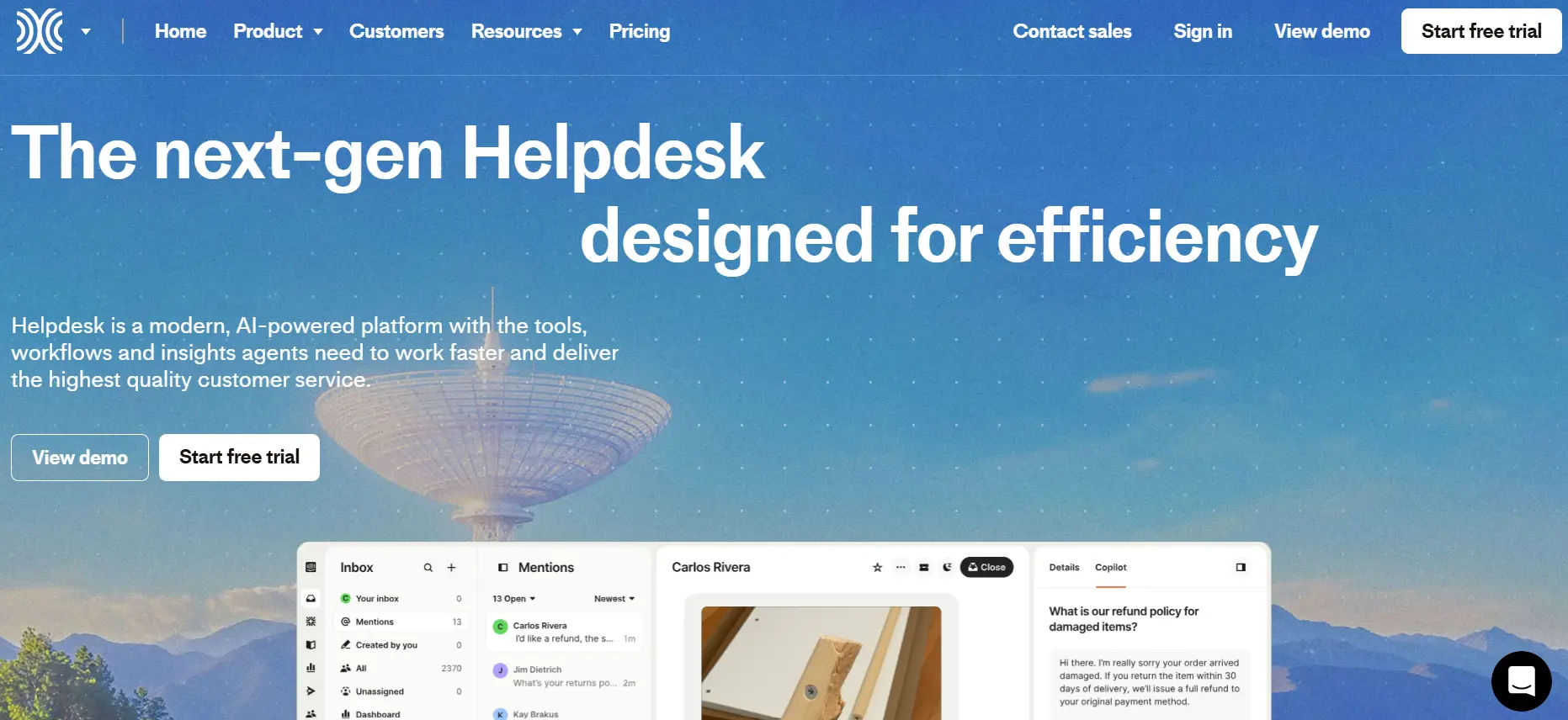
Intercom approaches support differently from traditional ticketing tools — it’s built around real-time messaging, proactive outreach, and ongoing customer conversations rather than discrete tickets. Fin, its AI agent, is trained on your help content and past conversations. It resolves routine issues end to end, escalates to humans when needed, and passes full context so agents never start from scratch.
The Fin AI Copilot assists agents in real time by summarizing threads, drafting replies, and recommending next steps. Behavior-based triggers send proactive messages to customers at exactly the right moment, before they even raise a ticket. For SaaS teams where retention is directly tied to support quality, this is a compelling advantage.
Key AI Features:
- Fin AI Agent for autonomous front-line resolution
- Fin AI Copilot for real-time agent assistance
- Behavior-based proactive messaging to prevent tickets
- Conversational bots for qualification and self-service
- Unified inbox with full customer profile and history
G2 Review: 4.5/5
5. Kustomer
Best for: High-volume customer support teams that need a unified customer data model and agentic AI
Kustomer’s core differentiator is its event-based customer data model. Rather than treating each interaction as a standalone ticket, the platform builds a single, continuously evolving timeline per customer, every message, order update, subscription change, and past interaction visible in one place. This gives both AI and agents dramatically more context to work with from the moment a conversation opens.
The AI capabilities are structured around four assistants: an AI Agent Team (for autonomous resolution), a Knowledge Base Assistant (for content management), a Workflow Assistant (for natural-language automation building), and a Search Assistant (for conversational analytics). Customers using Kustomer report significant agent hour savings, with AI handling everything from order status checks to subscription modifications to returns processing.
Key AI Features:
- AI Agents for end-to-end autonomous ticket resolution
- AI Copilot for draft responses, conversation summaries, and next-step suggestions
- AI Knowledge Base Assistant for content gap identification and article drafting
- AI Workflow Assistant for natural-language automation creation
- AI Search Assistant for plain-language analytics queries
- Real-time customer timeline pulling orders, history, and account data
G2 Review: 4.5/5
Final Thoughts: How to Make the Right Call
Buying an AI helpdesk isn’t a feature-checklist decision. The platform that works is the one that fits how your team actually operates — not the one with the longest list of AI capabilities on a product page.
A few principles worth remembering as you evaluate:
Data access is everything. AI is only as smart as what it can see. If the platform can’t connect to your backend systems (orders, accounts, subscriptions), it will guess — and guessing in customer support erodes trust. Prioritize platforms with native integrations or robust APIs into the data your agents need most.
Pilot before you commit. A demo is not a pilot. Run a 2–4 week test on a real support queue. Define specific metrics upfront — deflection rate, first response time, CSAT, agent experience. Let the data, not the sales deck, make the case.
Total cost of ownership matters more than headline price. License fees are just the starting point. Add implementation, training, admin resources, integration setup, and any consumption-based AI costs. A platform that looks cheap per seat can become expensive at scale if AI features, analytics, and voice support are all separate add-ons.
Start small, prove ROI, then scale. The companies getting the most from AI helpdesks didn’t go all-in on day one. They started with one queue, defined clear success criteria, and expanded after seeing real results.
Frequently Asked Questions
What is AI-powered helpdesk software?
AI-powered helpdesk software uses automation and machine learning to handle tickets, respond to queries, and improve support efficiency.
How does AI improve helpdesk ticket management?
AI helps by auto-assigning tickets, suggesting responses, prioritizing issues, and reducing manual work for support teams.
What features should I look for in AI helpdesk software?
Look for ticket automation, AI chatbots, smart routing, analytics, integrations, and knowledge base support.
Is AI helpdesk software suitable for small businesses?
Yes, it helps small teams handle more queries with fewer resources and improves response time without increasing staff.
Can AI helpdesk software integrate with Microsoft Teams and SharePoint?
Many modern solutions integrate with Microsoft tools, enabling teams to manage tickets directly within their existing workspace.
How does AI help reduce response time in support teams?
AI provides instant replies, suggests solutions, and routes tickets quickly to the right person, reducing delays.
Is AI-powered helpdesk software secure?
Most platforms follow enterprise-grade security standards and ensure data protection through secure cloud environments.
What are the benefits of using AI in customer support?
It improves efficiency, reduces workload, ensures faster responses, and enhances overall customer experience.
How do I choose the best AI helpdesk software for my business?
Evaluate based on features, ease of use, integration options, scalability, and how well it fits your support needs.
Does AI replace human support agents?
No, AI supports agents by handling repetitive tasks, allowing them to focus on complex and high-value issues.


_JiluXJRGNl.svg)























