
What Is an AI Helpdesk Platform? Features, Benefits, and How It Works

An AI helpdesk platform is a support system that uses artificial intelligence to capture, understand, route, answer, and track employee IT requests.
- AI helpdesk platforms combine ticketing, automation, knowledge, analytics, and AI assistance in one workflow.
- AI can improve routing, summaries, self-service, prioritization, and recurring-issue detection.
- Strong results depend on clear SLAs, accurate knowledge, secure permissions, and escalation processes.
- Track response time, resolution time, SLA performance, workload, and employee satisfaction.
- Microsoft 365 teams can consider Helpdesk 365 for AI-powered ticketing, Teams collaboration, automation, and SLA management.
It matters because IT teams can respond faster, reduce repetitive work, protect service levels, and give employees support even when technicians are unavailable.
For an IT manager, the value is not a chatbot that sounds smart. It is a support process that recognizes an issue, finds context, takes safe actions, and knows when a human must step in.
What Is an AI Helpdesk Platform?
It is software that manages support requests and uses artificial intelligence to understand ticket content, recommend or take appropriate actions, and streamline the process from ticket submission to resolution. Unlike a basic ticketing tool, it can interpret natural language, classify issues, suggest answers, summarize history, identify urgency, and support automated workflows.
Many products use “AI” to describe one isolated feature. A useful AI helpdesk platform should connect intelligence to the full support process.
A typical workflow looks like this:
- An employee reports an issue through email, a portal, chat, Microsoft Teams, or another supported channel.
- The platform creates a ticket and extracts useful details from the request.
- AI can identify category, urgency, sentiment, related knowledge, or a likely resolver.
- Automation applies routing rules, SLA timers, approvals, notifications, and follow-up actions.
- The employee may receive a self-service answer or the assigned technician receives an AI-assisted summary.
- A technician resolves exceptions, validates risky changes, and closes the ticket with a documented outcome.
The goal is not to remove technicians. It is to remove avoidable delay between “I need help” and “the right action is happening.”
Why an AI Helpdesk Platform Matters
IT support is often damaged by small delays that repeat hundreds of times: an email sits unread, a ticket reaches the wrong queue, a technician asks for details already provided, or a common fix is rewritten from scratch.
Those minutes become hours across the service desk.
Microsoft’s 2025 Work Trend Index found that employees in its dataset were interrupted by meetings, email, or chats as often as 275 times per day, while 42% of surveyed employees said 24/7 availability was the top reason they turned to AI instead of a colleague. That does not prove every helpdesk should automate everything, but it shows why immediate, always-available assistance matters.
For IT operations leaders, an AI helpdesk platform matters in four areas:
- Speed: routine requests can be classified, answered, or routed without waiting for manual triage.
- Consistency: approved guidance and workflows reduce different answers for the same problem.
- Capacity: technicians spend less time on resets, status questions, duplicate tickets, and repetitive summaries.
- Visibility: structured data shows where incidents repeat, which services miss targets, and where the support model needs attention.
The strongest case for AI is not “do more with fewer people.” It is “use skilled people where judgment, security awareness, troubleshooting, and empathy matter most.”
Problems IT Teams Face Without an AI Helpdesk Platform
Without an AI helpdesk platform, IT teams often spend more time handling repetitive requests, manually routing tickets, and answering the same questions. This can slow response times, increase workload, and make it harder to provide consistent support as the organization grows.
Requests arrive everywhere
A common failure pattern starts with good intentions. Employees message a technician in Teams, email a shared inbox, mention an outage in a meeting, or walk to someone’s desk.
The technician helps quickly, but no ticket is created. Workload planning becomes guesswork, and repeated problems stay hidden.
Manual triage slows every queue
When one person must read every request, set priority, choose a category, and find an owner, the queue depends on that person being available.
Knowledge lives in technicians’ heads
One technician may know the VPN fix. Another may know the access approval path. If that knowledge is not searchable, resolution speed depends on who is working.
AI cannot solve poor knowledge management. It can only retrieve, summarize, or apply what the organization makes available.
SLA failures appear too late
Without timers, alerts, and escalation rules, teams often discover a missed service target after an employee complains. By then, the support relationship has already been damaged.
Repetitive work creates burnout
Service work carries a large administrative load. Salesforce reported in 2025 that service representatives using AI spent 20% less time on routine cases than nonusers, freeing an estimated four hours per week for more complex work. The study covers service organizations broadly, not only internal IT desks, but the pattern is relevant: automation has the most value when it removes repetitive handling rather than human judgment.
Key Features of an AI Helpdesk Platform
A strong AI helpdesk platform should combine reliable ticketing with AI that improves specific support decisions.
1. Omnichannel ticket capture
Employees should request help from familiar channels without creating separate records. Email, portal forms, chat, Teams, and other approved entry points should feed one queue.
2. AI-based classification and routing
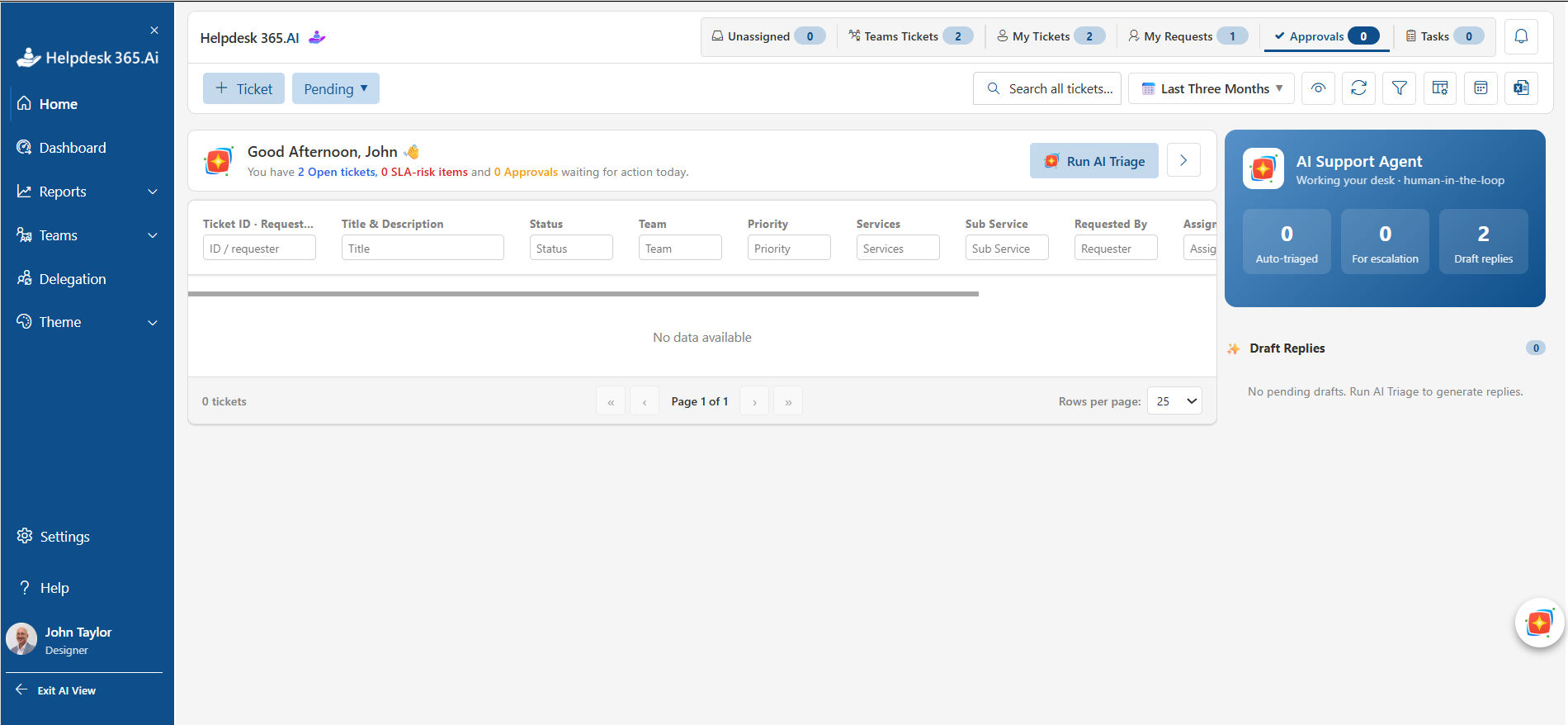
The platform should read ticket language and determine category, department, urgency, or likely owner.
Good routing reduces “ticket ping-pong,” where a request moves through several teams before reaching the person who can resolve it.
3. Smart prioritization
Priority should reflect business impact and urgency, not the most alarming subject line.
AI can detect context, sentiment, affected users, or service type, but organizations still need explicit priority rules. A payroll outage deserves a different response from a single-user display issue.
4. Knowledge base and self-service
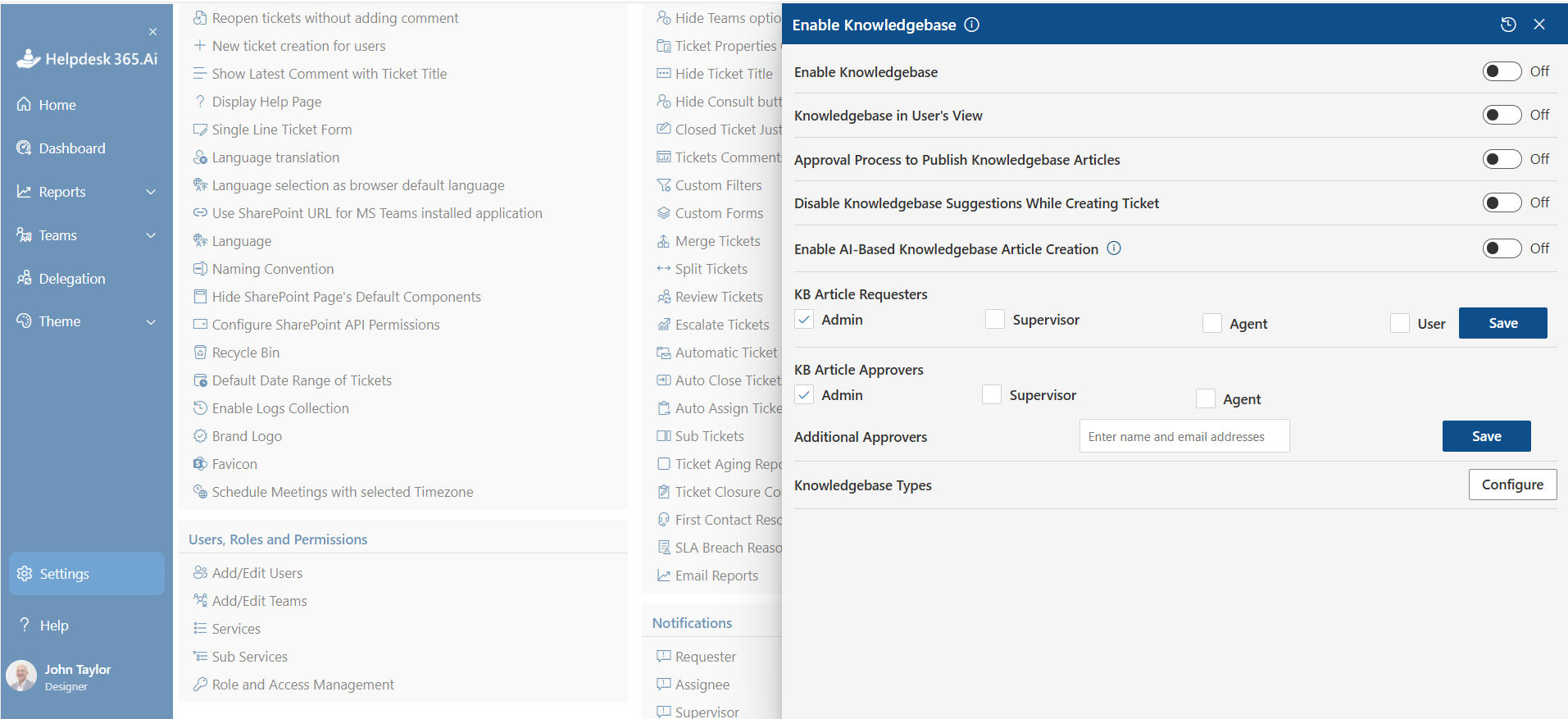
An AI helpdesk platform becomes far more useful when it can connect employees with approved knowledge.
A self-service answer should be short, specific, current, and tied to the user’s situation. If confidence is low, the system should escalate instead of inventing an answer.
5. AI summaries and response assistance
AI-generated summaries can present the issue, steps already tried, recent updates, and next likely action.
Suggested responses can help technicians answer faster, but humans should review messages involving security, policy, access, legal concerns, or unusual technical changes.
6. Workflow automation
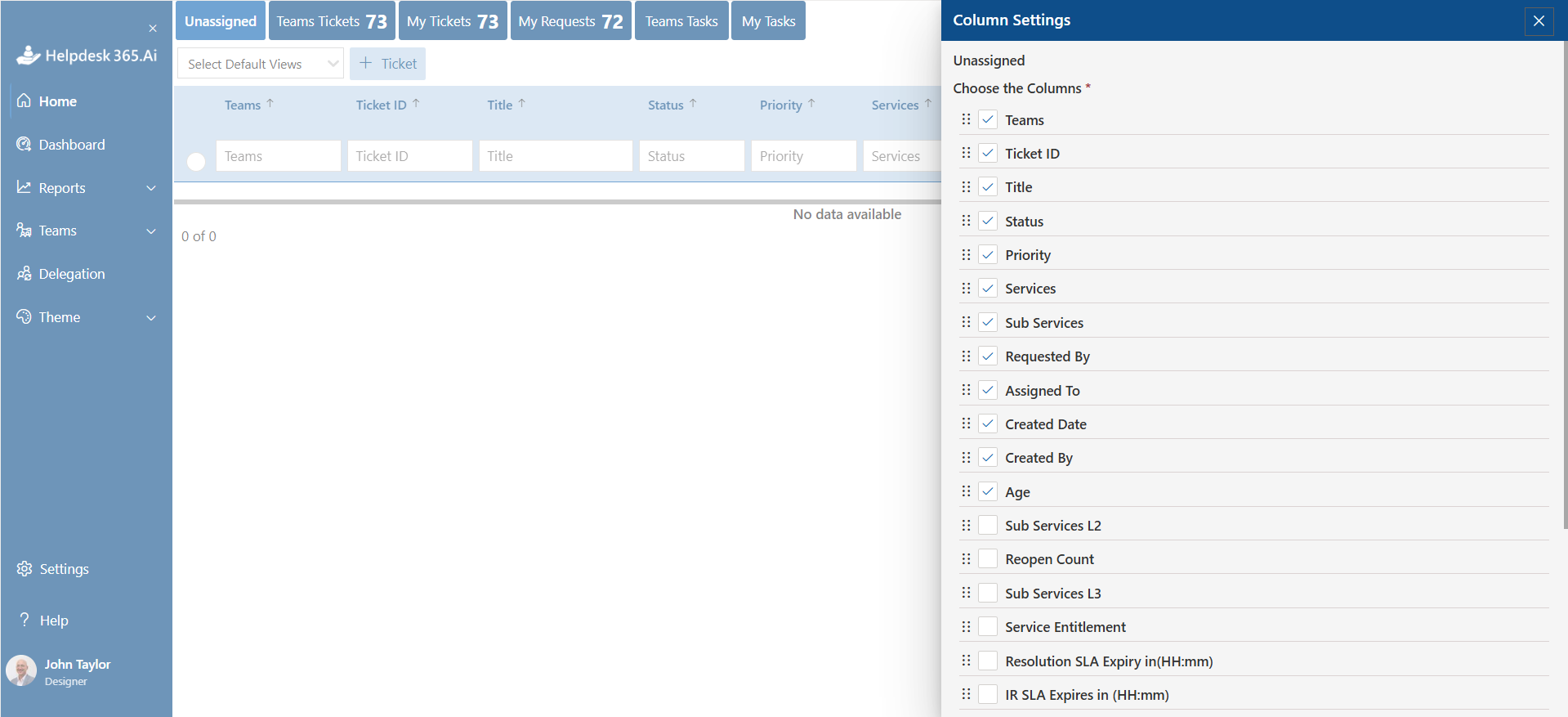
Automation should handle predictable actions such as:
- assigning tickets by category or team;
- sending acknowledgment messages;
- starting SLA clocks;
- requesting manager approval;
- notifying employees about status changes;
- escalating overdue tickets;
- flagging duplicate or related incidents;
- closing resolved requests after confirmation.
7. SLA management
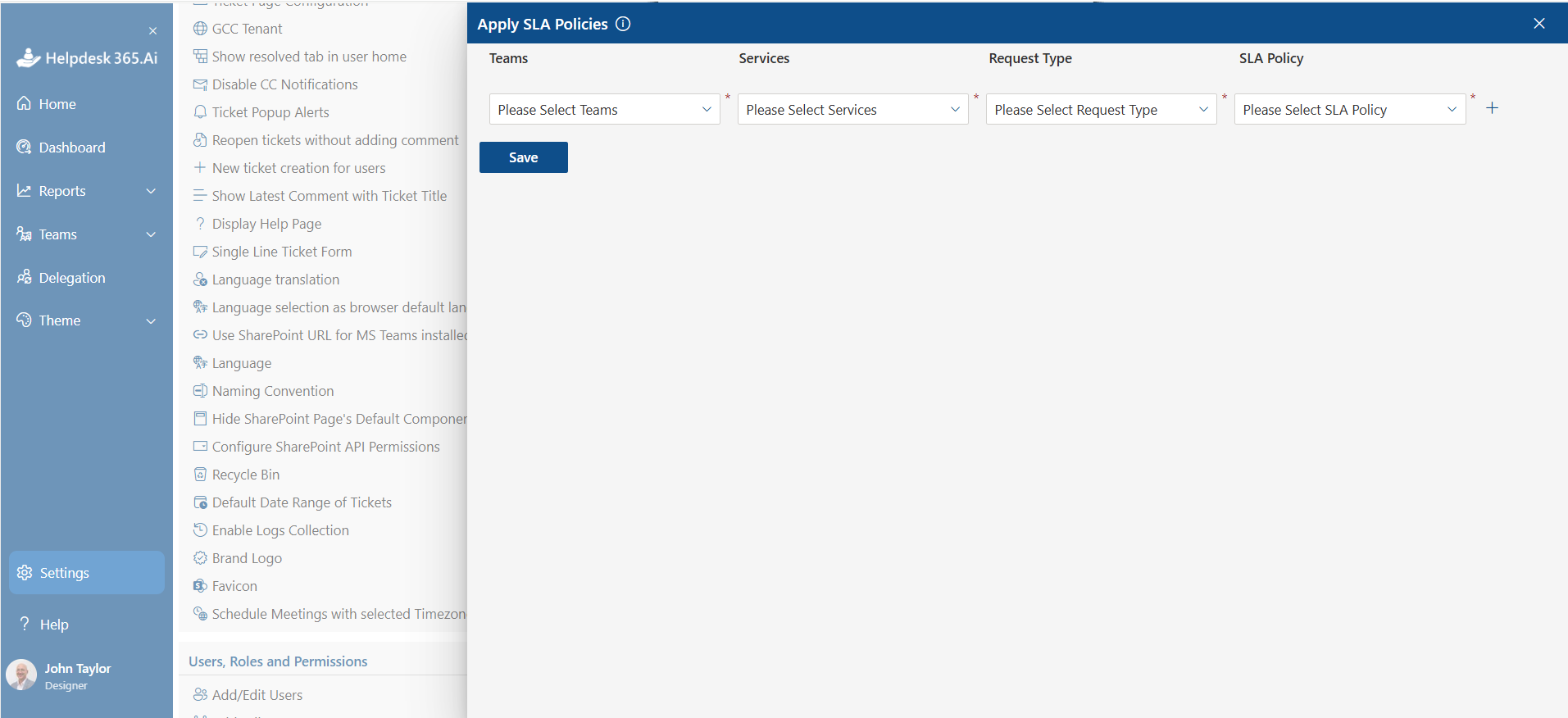
Service level agreements define expected response and resolution targets.
A useful platform should track SLA status in real time, warn technicians before a breach, and escalate when thresholds are reached. HelpDesk 365, for example, includes SLA tracking, reminders, and automated escalation options within Microsoft Teams and SharePoint workflows.
8. Analytics and recurring-issue detection
Managers need patterns, not just ticket counts.
Look for dashboards covering backlog, response time, resolution time, breached SLAs, top categories, repeat incidents, technician workload, escalation rate, and satisfaction.
9. Security, permissions, and audit history
IBM’s 2026 Cost of a Data Breach Report put the global average breach cost at $4.99 million and reported that extensive use of AI and automation in security was associated with $1.93 million in savings compared with organizations using none. That is a reminder that AI adoption and governance must advance together.
The helpdesk should support role-based access, auditability, secure integrations, controlled AI access, and clear retention policies.
Benefits and Business Impact of AI Helpdesk Platform
The business case for an AI helpdesk platform should be visible in operating metrics, not just product features.
Faster first response
Automatic acknowledgment, classification, and routing reduce the time before useful work starts.
Shorter resolution time
Technicians receive context, relevant knowledge, summaries, and recommended actions instead of rebuilding the story from scattered messages.
Higher self-service success
Technicians receive context, relevant knowledge, summaries, and recommended actions instead of rebuilding the story from scattered messages.
Better technician capacity
AI can reduce repetitive reading, writing, categorizing, and status work, creating more time for root-cause analysis, troubleshooting, security review, and improvement projects.
More predictable service quality
Standard workflows make support less dependent on individual habits. Every employee gets the same intake process, escalation rules, and service targets.
Better management decisions
When requests are consistently captured and categorized, IT leaders can see where demand is growing, which systems cause repeated incidents, and where knowledge or staffing needs to change.
A traditional helpdesk records and routes tickets mainly through fixed rules and manual decisions. An AI helpdesk platform adds language understanding, intelligent classification, suggested answers, summaries, prediction, and adaptive assistance. Traditional tools can still be effective, but AI is most useful when ticket volume, channel complexity, repetitive requests, or response expectations make manual handling expensive and inconsistent.
Step-by-Step AI Helpdesk Platform Implementation
Start by mapping your current support flow, cleaning ticket categories and knowledge, then configure channels, roles, SLAs, routing, and security. Introduce AI first for low-risk tasks such as classification, summaries, and knowledge suggestions. Pilot with one team, measure baseline and post-launch metrics, review errors weekly, then expand automation only after accuracy, permissions, and escalation behavior are proven.
Step 1: Document the current support journey
Track how requests arrive, who triages them, where approvals happen, what employees ask most often, and where tickets stall.
Step 2: Fix the taxonomy
Simplify categories, subcategories, priorities, request types, and ownership rules.
If technicians cannot agree whether an issue belongs under “Access,” “Application,” or “Account,” AI will inherit that confusion.
Step 3: Clean the knowledge base
Remove duplicates, archive outdated instructions, assign owners, and add review dates.
For each high-volume issue, create one authoritative answer with prerequisites, steps, and an escalation condition.
Step 4: Define security boundaries
Decide what AI may read, suggest, summarize, or execute.
Password resets, privileged access, identity verification, device wipes, and security incidents need stronger controls than “How do I connect to the office printer?”
Step 5: Configure channels and integrations
Connect the approved intake points employees already use.
For Microsoft 365 organizations, HelpDesk 365 can capture and manage support activity through Teams, Outlook, and SharePoint, while keeping tickets in a centralized workflow.
Step 6: Add routing, SLAs, and automation
Start with deterministic rules you can explain. Then add AI where it improves classification or prioritization.
Every automated path should have a clear fallback owner.
Step 7: Pilot with a controlled group
Choose one department or request category with measurable volume and limited risk.
Compare response time, resolution time, routing accuracy, self-service success, reopened tickets, and technician effort with the baseline.
Step 8: Expand based on evidence
Do not automate a process simply because the platform can.
Expand when the pilot shows accuracy, secure handling, clear outcomes, and lower effort without higher reopen or escalation rates.
Where HelpDesk 365 Fits in an AI Helpdesk Strategy
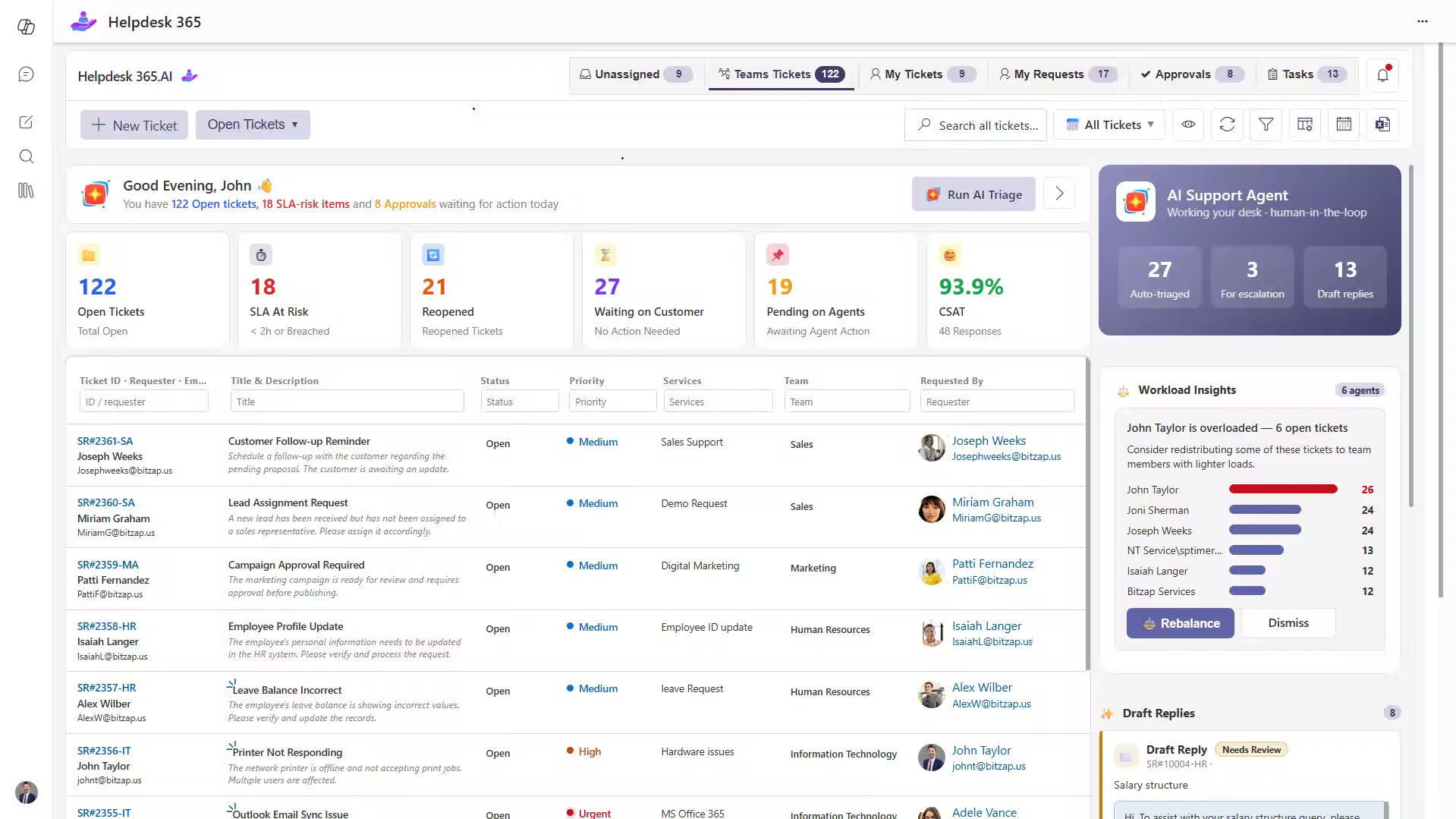
For organizations already using Microsoft 365, Helpdesk 365 provides an AI-powered helpdesk experience within the tools employees and support teams already know.
Instead of introducing a completely separate support environment, Helpdesk 365 brings ticket management, automation, AI assistance, SLA tracking, and team collaboration into Microsoft Teams and SharePoint.
Organizations can use HelpDesk 365 to:
- Capture and manage support tickets in a centralized workflow.
- Use AI assistance for ticket summaries, classification, and support responses.
- Automate ticket routing, notifications, escalations, and repetitive processes.
- Track SLAs and help teams respond before service targets are missed.
- Manage support activities through Microsoft Teams and SharePoint.
- Give technicians better visibility into ticket status, ownership, and workload.
- Keep employees working within their familiar Microsoft 365 environment.
This makes Helpdesk 365 particularly relevant for businesses that want to add AI and automation to their support process while continuing to work within their existing Microsoft 365 ecosystem.
The goal is not simply to add AI features. It is to create a more structured support workflow where AI helps reduce repetitive work, technicians retain control over important decisions, and employees receive faster, more consistent support.
Best Practices for Better AI Helpdesk Results
Follow proven best practices to improve AI helpdesk accuracy, response quality, and support efficiency.
Focus on reliable knowledge, human oversight, clear workflows, and regular performance reviews for better results
Keep humans in control of high-risk actions
AI can prepare an access change, but privileged access should follow identity checks and approval policy.
IBM has warned that help desk workflows are attractive targets for impersonation-based password reset attacks because urgency and human trust can be exploited.
Measure resolution quality, not ticket deflection alone
A chatbot that prevents ticket creation is not successful if employees return ten minutes later with the same problem.
Track repeat contacts, reopened tickets, failed self-service attempts, and employee feedback.
Write knowledge for retrieval
Use direct titles such as “Reset Microsoft 365 MFA after replacing a phone,” not “Authentication Help.”
Keep each article focused on one job, include exact steps, and state when users should contact IT.
Review AI errors every week
Sample misrouted tickets, poor suggestions, unsupported answers, and incorrect priority decisions.
Treat errors as process data. Fix the category model, knowledge, workflow, or permissions behind the mistake.
Design for transparency
Employees should know whether they are interacting with automation, when a ticket has been created, who owns it, and what happens next.
How to Choose the Right AI Helpdesk Platform
Begin with your support model, not an AI feature checklist.
Check workflow fit
Can the system support your categories, teams, approval paths, priorities, SLAs, escalations, and service hours without heavy customization?
Check AI usefulness
Ask vendors to demonstrate AI using your real ticket patterns.
Test ambiguous requests, incomplete descriptions, frustrated messages, duplicate incidents, and requests that should be escalated to a human.
Check integration depth
A Microsoft 365 organization should examine how it works with Teams, SharePoint, Outlook, Power Automate, identity controls, and reporting.
HelpDesk 365 is designed around Microsoft 365 and supports ticket management within Teams and SharePoint, with integrations for Microsoft tools and workflow automation.
Check governance
Ask where data is stored, what AI can access, how permissions are enforced, what audit logs exist, and how administrators restrict actions.
Check reporting
Managers should be able to answer:
- What is driving ticket volume?
- Which requests are growing?
- Where are SLA breaches happening?
- Which issues repeat after closure?
- How much work is resolved through self-service?
- Where does AI help, and where does it fail?
Check total operating effort
A cheaper license can become expensive if administration, customization, reporting, training, or integration maintenance stays manual.
Evaluate the whole support operating model, not the subscription line.
Use a real proof of concept
Give shortlisted platforms the same test set.
Score routing accuracy, response usefulness, configuration effort, integration quality, reporting, technician usability, security controls, and employee experience.
Conclusion:-
An AI helpdesk platform can make IT support faster, more consistent, and easier to scale, but only when strong processes sit underneath the intelligence.
Start with clean ticket data, useful knowledge, clear ownership, secure permissions, practical SLAs, and measurable outcomes. Then use AI to remove repetitive handling, surface context, support employees around the clock, and help technicians focus on work that needs human judgment.
For organizations that already work inside Microsoft 365, HelpDesk 365 brings ticket management, AI assistance, automation, knowledge, SLA controls, and Teams collaboration into the same environment.
Test the platform against your real ticket types, routing rules, SLA requirements, security controls, and Microsoft 365 workflows before making a buying decision.
Join Our Creative Community
Frequently Asked Questions
Can an AI helpdesk platform replace an IT support team?
No. It can reduce repetitive work, provide self-service, and assist with triage, but technicians are still needed for complex troubleshooting, security decisions, exceptions, change risk, vendor coordination, and situations requiring judgment.
What types of tickets should AI handle first?
Start with frequent, low-risk, well-documented requests. Good candidates include software access guidance, common Microsoft 365 questions, status checks, basic troubleshooting, ticket classification, and knowledge suggestions. Avoid autonomous handling of privileged access or security-sensitive actions until controls are proven.
How does an AI helpdesk platform learn?
Methods vary. Some combine language models with your knowledge base and ticket context. Others add historical patterns, rules, feedback, or agent workflows. Ask what data affects outputs and how administrators can correct behavior.
How is an AI helpdesk platform different from a chatbot?
A chatbot is usually an interaction channel. An AI helpdesk platform manages the broader service process: ticket creation, ownership, priority, knowledge, workflow, SLAs, collaboration, reporting, and governance. A chatbot may be one feature inside that platform.
What metrics show whether AI helpdesk software is working?
Track first-response time, resolution time, routing accuracy, first-contact resolution, SLA attainment, self-service success, reopen rate, backlog age, technician touches, employee satisfaction, and AI correction rate. Compare them with the pre-implementation baseline.


_JiluXJRGNl.svg)























