
How AI Automation Ticketing System help manage It Support Requests
_eH2jDg7dZ.png)
If you work in IT support, you already know how messy things can get. Tickets pile up, urgent issues get missed, and your team ends up spending more time sorting requests than actually fixing them. That is where AI automation ticketing systems come in. They help your team work faster, stay organized, and make sure nothing falls through the cracks.
In this blog, we will break down exactly how these systems work, what problems they solve, and why more IT teams are switching to AI-powered support tools.
What Is an AI Automation Ticketing System?
A traditional IT ticketing system is basically a digital to-do list. Someone reports a problem, a ticket gets created, and someone on the team picks it up and resolves it. Simple in theory, but in practice, it gets chaotic fast.
An AI automation ticketing system does the same thing but adds a layer of intelligence on top. Instead of relying on your team to manually sort, assign, and track every single ticket, the AI handles most of that automatically.
Here is what it can do on its own:
- Read and understand what the ticket is about
- Sort it into the right category
- Decide how urgent it is
- Send it to the right person or team
- Suggest a fix or answer common questions automatically
Think of it like having an extra team member who works 24/7, never gets tired, and never misses a ticket.
Challenges in Managing IT Support Requests Manually
Before we talk about the solution, let us look at the actual problems IT teams face every day when managing tickets by hand.
Too Many Tickets, Not Enough Time
When your team gets hundreds of tickets a day, it is almost impossible to give each one proper attention. Things get missed, and users get frustrated waiting for a response.
Wrong Priority Calls
When a human is manually deciding what is urgent and what is not, mistakes happen. A critical system failure might sit in the queue while a lower-priority request gets handled first.
Tickets Landing with the Wrong Person
Sending a network issue to a software engineer wastes everyone’s time. Manual routing often leads to tickets bouncing between teams before reaching the right person.
No Consistency
Different team members handle similar issues in different ways. There is no standard process, which makes it hard to track performance or improve over time.
Repetitive Work
A large number of IT tickets are the same issues asked over and over, things like password resets, software access requests, or VPN problems. Your team ends up answering the same questions hundreds of times a week.
How AI Automation Improves Ticket Categorization and Prioritization
This is where AI really earns its place. Two of the biggest time-wasters in manual IT support are figuring out what a ticket is about and deciding how urgent it is. AI handles both instantly.
Smart Categorization
When a user submits a ticket, the AI reads the message and automatically puts it in the right category. Whether it is a hardware issue, a software bug, a network problem, or an account request, the system figures it out without any human input.
This saves your team from spending the first few minutes of every ticket just trying to understand what the user actually needs.
Automatic Priority Levels
Not every ticket is equally important. A server going down for 500 people is very different from someone asking how to change their desktop wallpaper. AI systems can look at factors like:
- How many users are affected
- Whether it is a critical system or a non-essential tool
- How long the issue has been going on
- Previous ticket history from the same user or team
Based on this information, the AI assigns a priority level automatically. Your team always knows what to work on first.
Automating Ticket Routing and Assignment with AI
Getting a ticket to the right person quickly is one of the most important parts of IT support. Every extra minute spent routing a ticket is a minute the user is stuck waiting.
Skills-Based Routing
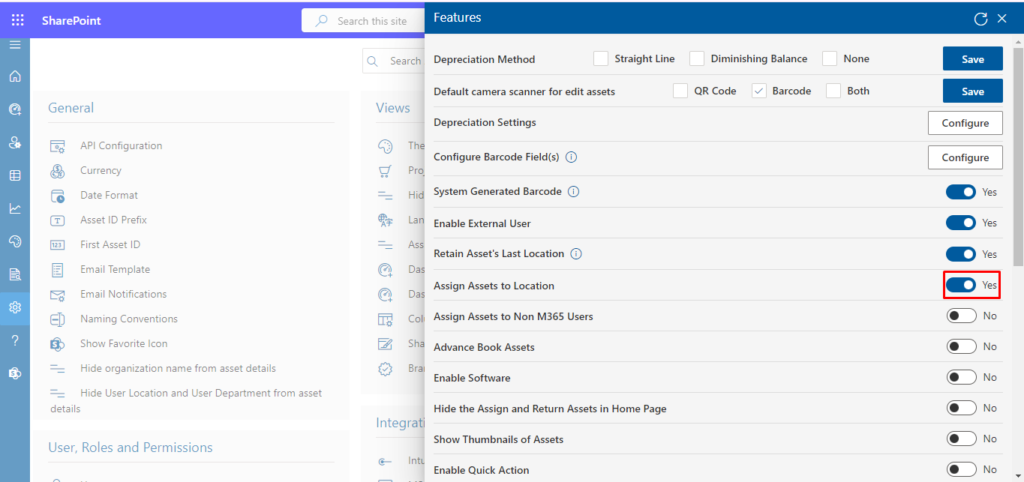
AI ticketing systems keep a record of each team member’s skills and areas of expertise. When a new ticket comes in, the system automatically sends it to the person best suited to handle it. No more guessing, no more wrong assignments.
Workload Balancing
The AI can also look at who is currently busy and who has capacity. Instead of one person getting buried under tickets while another is free, the system spreads the work fairly across your team.
Escalation Rules
If a ticket has been sitting unresolved for too long, or if it suddenly becomes more serious, the system can automatically escalate it to a senior engineer or manager. No ticket gets forgotten.
Key Features of AI Automation Ticketing Systems for IT Teams
Not all AI ticketing tools are the same. Here are the features that actually matter for IT support teams:
- Auto-Categorization: Instantly sorts incoming tickets without human input.
- Priority Detection: Identifies urgent issues and flags them right away.
- Smart Routing: Sends tickets to the right team member automatically.
- AI Chatbots: Handle common questions and fixes without involving your team at all.
- Knowledge Base Integration: Pulls up relevant guides and solutions to help agents resolve tickets faster.
- Real-Time Dashboards: Shows your team exactly what is happening at any given moment, open tickets, response times, and resolution rates.
- Reporting and Analytics: Tracks performance over time so you can spot patterns and improve your support process.
- Multi-Channel Support: Accepts tickets from email, chat, phone, and self-service portals all in one place.
- SLA Tracking: Makes sure your team is meeting response and resolution time agreements.
- Integration with Other Tools: Connects with tools your team already uses, like Microsoft Teams, Microsoft 365.
Benefits of Using AI Automation for IT Support Management
Here is a straightforward look at what you actually gain when your team uses an AI ticketing system:
Faster Response Times
When tickets are sorted and routed automatically, your team gets to the right problem immediately. Users do not have to wait long for a first response.
Fewer Repetitive Tasks
AI can handle password resets, access requests, and other common issues automatically. Your team gets to focus on work that actually needs their expertise.
Lower Costs
Automating routine tasks means you can handle a higher volume of tickets without needing to hire more people.
Better User Experience
When users get faster, more accurate help, they are happier. A good support experience builds trust in your IT team.
Consistent Process
Every ticket is handled the same way. There are no gaps caused by different team members doing things differently.
Smarter Decisions Over Time
The AI learns from every ticket. Over time, it gets better at categorizing, prioritizing, and routing, which means your support keeps improving without extra effort.
24/7 Coverage
AI does not clock out. Even outside business hours, users can get help from automated responses or chatbots.
Conclusion
Managing IT support requests manually becomes difficult as an organization grows. The more employees there are, the more support tickets are created, making it harder for IT teams to keep track of issues and respond on time.
An AI automation ticketing system like Helpdesk 365 helps reduce this workload by automatically sorting tickets, setting priorities, and routing requests to the appropriate support team. It can also handle common queries through automated responses. This allows IT teams to spend less time on administrative tasks and focus more on resolving technical issues efficiently.
Join Our Creative Community
Frequently Asked Questions
What is an AI automation ticketing system?
It is a software tool that uses artificial intelligence to automatically receive, sort, prioritize, and assign IT support tickets. It reduces the manual work your team needs to do while making sure every ticket gets handled faster.
How does AI help manage IT support requests?
AI reads incoming tickets, understands what they are about, figures out how urgent they are, and sends them to the right team member or resolves them automatically. It also handles repeat questions so your team does not have to answer the same things over and over.
Can AI automation reduce ticket resolution time?
Yes, significantly. Because tickets are instantly sorted and routed, your team starts working on them right away instead of spending time on admin tasks first. Common issues are handled automatically, which means they are resolved almost instantly.
What features should an AI ticketing system include?
Look for auto-categorization, priority detection, smart routing, chatbot support, knowledge base integration, SLA tracking, real-time dashboards, and reporting tools. The more of these features a system has, the less manual work your team needs to do.
Is AI automation suitable for internal IT helpdesk teams?
Absolutely. In fact, internal IT helpdesk teams are one of the biggest beneficiaries of AI ticketing systems. They typically deal with high volumes of repetitive tickets, making AI automation a perfect fit for reducing workload and improving response times.


_JiluXJRGNl.svg)























