

How to Enhance Customer Experience: 10 Proven Ways

To enhance customer experience, remove friction, respond faster, personalize support, give customers useful self-service, and fix recurring problems before they become complaints.
A strong customer experience matters because every interaction shapes trust, loyalty, retention, and whether a customer chooses to stay, buy again, or recommend your business.
- Customer experience covers the full relationship, while customer service is one part of that larger journey.
- Faster support matters, but speed without accurate resolution can create more effort and frustration.
- The best way to enhance customer experience is to reduce friction across channels, handoffs, self-service, and follow-up.
- Feedback matters only when teams connect it to operational data and make visible changes.
- Helpdesk 365 can support Microsoft 365-focused teams by organizing tickets, automating routing, using knowledge, and improving support visibility.
Customer expectations are rising faster than many teams can adapt. PwC’s 2025 Customer Experience Survey found that 52% of consumers stopped buying from a brand because of a bad product or service experience, while 29% stopped because of poor customer experience online or in person. That makes CX more than a service metric. It is a business risk and a growth opportunity.
For IT and support leaders, the challenge is practical: customers want quick answers, accurate updates, less repetition, and clear ownership. Improving CX means designing support around those expectations.
What Is Customer Experience?
Customer experience, or CX, is the total perception a customer forms from every interaction with a company before, during, and after a purchase or service request. It includes marketing, onboarding, product use, billing, support, communication, and follow-up. A positive experience feels easy, consistent, respectful, and relevant. A poor one creates confusion, repetition, delays, or uncertainty.
Customer experience starts before something breaks. It includes discovery, buying, onboarding, product use, billing, support, renewal, and follow-up. Service moments matter most when customers are already under pressure.
Customer Experience vs. Customer Service
| Factor | Customer Service | Customer Experience |
|---|---|---|
| Meaning | Support a customer receives when they have a question, problem, or request. | The overall impression created by every interaction a customer has with a business. |
| Scope | Focuses mainly on support-related interactions. | Covers the website, product, onboarding, pricing, billing, communication, support, and other touchpoints. |
| Main Focus | Resolving a specific customer issue or answering a question. | Making the entire customer journey smooth, consistent, and easy. |
| Customer Journey | Usually represents one support touchpoint. | Covers the complete journey before, during, and after a purchase. |
| Example | A support agent politely answers a customer question and solves the issue. | The customer gets a fast response, does not repeat information, receives consistent answers, and reaches a resolution easily. |
| Common Challenges | Slow responses, poor communication, or limited agent knowledge. | Long waits, repeated explanations, unclear ownership, poor handoffs, and inconsistent communication. |
| How to Improve | Improve agent training, response quality, knowledge access, and support tools. | Improve workflows, knowledge management, automation, ownership, communication, and visibility across the customer journey. |
| Key Difference | Customer service is one part of the customer relationship. | Customer experience represents the complete impression created across all customer interactions. |
Why Customer Experience Matters
A good customer experience changes customer behavior. People remember whether a business made a difficult moment easier or harder. When the experience is dependable, customers have fewer reasons to search for alternatives.
PwC found that 70% of executives believe customer expectations are changing faster than their organizations can adapt. Salesforce also reported that 86% of service agents say customer expectations are getting higher, while 53% of customers want companies to anticipate their needs before they arise.
CX problems often surface first in the support queue. Customers who cannot find answers, receive updates, or preserve context across handoffs simply see a company that is difficult to deal with.
Strong CX can support:
- Higher retention and repeat business
- Better customer satisfaction and advocacy
- Lower service effort and fewer repeated contacts
- Stronger trust during failures or delays
- More useful feedback for product and service decisions
- Better visibility into recurring customer pain points
Bain research found that a 5% increase in customer retention can increase profits by 25% to 95%, depending on the industry. Consistent experiences give customers more reasons to stay.
10 Proven Ways to Enhance Customer Experience
Ten proven ways to enhance customer experience are to map the customer journey, improve response times, support customers across channels, build self-service, personalize support, collect feedback, empower teams, communicate proactively, automate repetitive work, and measure CX with the right metrics.
1. Map the Customer Journey Before Fixing Individual Touchpoints
Many teams improve the wrong thing because they look at tickets individually. A billing complaint may appear to be a support issue when the real cause is an unclear invoice or confusing renewal process.
Map the journey from first contact through onboarding, support, renewal, and offboarding. Note customer goals, channels, owners, waiting points, and failure risks.
Look for moments where customers:
- Repeat the same information
- Switch channels because the first one failed
- Wait without updates
- Depend on internal handoffs
- Search for information that should be easy to find
- Contact support for preventable problems
This helps you improve the root cause, not just the complaint.
2. Improve Response Time Without Sacrificing Resolution Quality
Customers want quick acknowledgment, but useful progress matters more. A fast reply means little if the issue remains unresolved for days.
Industry research shows that faster responses can improve satisfaction, while Gartner reports that first-contact resolution is linked to higher satisfaction and lower customer effort.
Track first response time, resolution time, first contact resolution, reopen rate, and SLA achievement.
Balance speed with accurate resolution and clear communication.
3. Create a Connected Support Experience Across Channels
Customers expect their support history to follow them across email, chat, Teams, and other channels.
Gartner reported that 74% of customer service journeys involve multiple channels. When customers must restart after switching channels, frustration increases.
Keep ticket history, ownership, responses, and status visible across support teams. The goal is not to offer every channel, but to make the channels you use work together.
4. Build Self-Service That Solves Real Problems
A knowledge base can reduce waiting, but only when it answers questions customers actually ask.
Start with recurring tickets and turn proven resolutions into searchable guides with clear steps and a path to human support.
Gartner reported that only 14% of customer service experiences were fully resolved through self-service. This shows that publishing content alone is not enough.
Review failed searches, article usefulness, and repeat tickets to identify gaps.
5. Personalize Support With Context, Not Guesswork
Personalization should save customers time, not make interactions feel intrusive.
Give agents access to relevant account details, past issues, recent interactions, and open cases so customers do not have to repeat themselves.
Salesforce reported that 73% of customers said companies treated them like individuals in 2024, while 71% were becoming more protective of personal information.
Use customer data carefully and only where it improves support.
6. Collect Feedback at the Moment It Can Be Used
Feedback works best when it is collected close to the interaction.
Use CSAT after resolved tickets, CES after key tasks, and NPS at meaningful relationship points. Connect feedback with ticket category, channel, timing, and resolution outcome.
Group recurring comments by root cause, assign an owner, make improvements, and measure whether satisfaction or repeat-contact rates change.
Feedback without action quickly loses value.
7. Give Support Teams the Authority and Knowledge to Resolve Issues
Too many approvals create unnecessary delays.
Define what agents can resolve independently and what requires escalation. Support them with training, updated knowledge, templates, and access to relevant information.
For IT teams, this may include approved troubleshooting steps, access rules, priority definitions, and escalation paths.
The goal is to reduce unnecessary handoffs while keeping controls for high-risk cases.
8. Communicate Proactively Before Customers Have to Ask
Customers should not need to chase support teams for updates.
When a service is down, a request is delayed, or a ticket may miss its target, explain what happened, what is being done, and when the next update will arrive.
Salesforce found that 61% of service teams believed they were proactive, but only 33% of customers agreed.
Proactive updates reduce uncertainty, repeated contacts, and frustration.
9. Automate Repetitive Work, but Keep Human Escalation Easy
Automation can improve customer experience by reducing manual routing, duplicate work, and avoidable delays. It becomes a problem when customers get trapped in automated loops.
Automation can classify requests, route tickets, send updates, suggest knowledge, and flag SLA risks.
PwC found that 58% of consumers were only somewhat comfortable or not comfortable using AI tools to engage with brands. Salesforce also found that 72% consider it important to know when they are communicating with AI.
Helpdesk 365 can support this approach by automating ticket routing, notifications, recurring actions, and knowledge-based responses within Microsoft 365. Teams can reduce repetitive work while keeping technicians involved when human judgment is needed.
Use automation to remove work, not accountability.
10. Measure Customer Experience With a Balanced Scorecard
No single score explains CX. NPS shows advocacy, CSAT measures satisfaction, and CES shows how easy an interaction felt.
Track metrics such as:
- CSAT by category and channel
- Customer effort score
- NPS
- First response and resolution time
- First contact resolution
- Reopen and repeat-contact rates
- Knowledge article success
- Escalation frequency
- Customer churn or renewal trends
Review these metrics together to identify where customer experience is improving and where friction still exists.
How Modern Technology Can Improve Customer Experience
For organizations using Microsoft 365, Helpdesk 365 is a ticketing system designed to organize customer and employee support within familiar Microsoft tools. It helps teams manage requests, track issues, and maintain clear ownership from submission to resolution. Microsoft Marketplace lists support for SharePoint and Teams ticketing, customizable workflows, dashboards, Microsoft integrations, AI-powered automation, knowledge-based responses, and reporting options.
Centralize Requests Instead of Managing Shared Inboxes
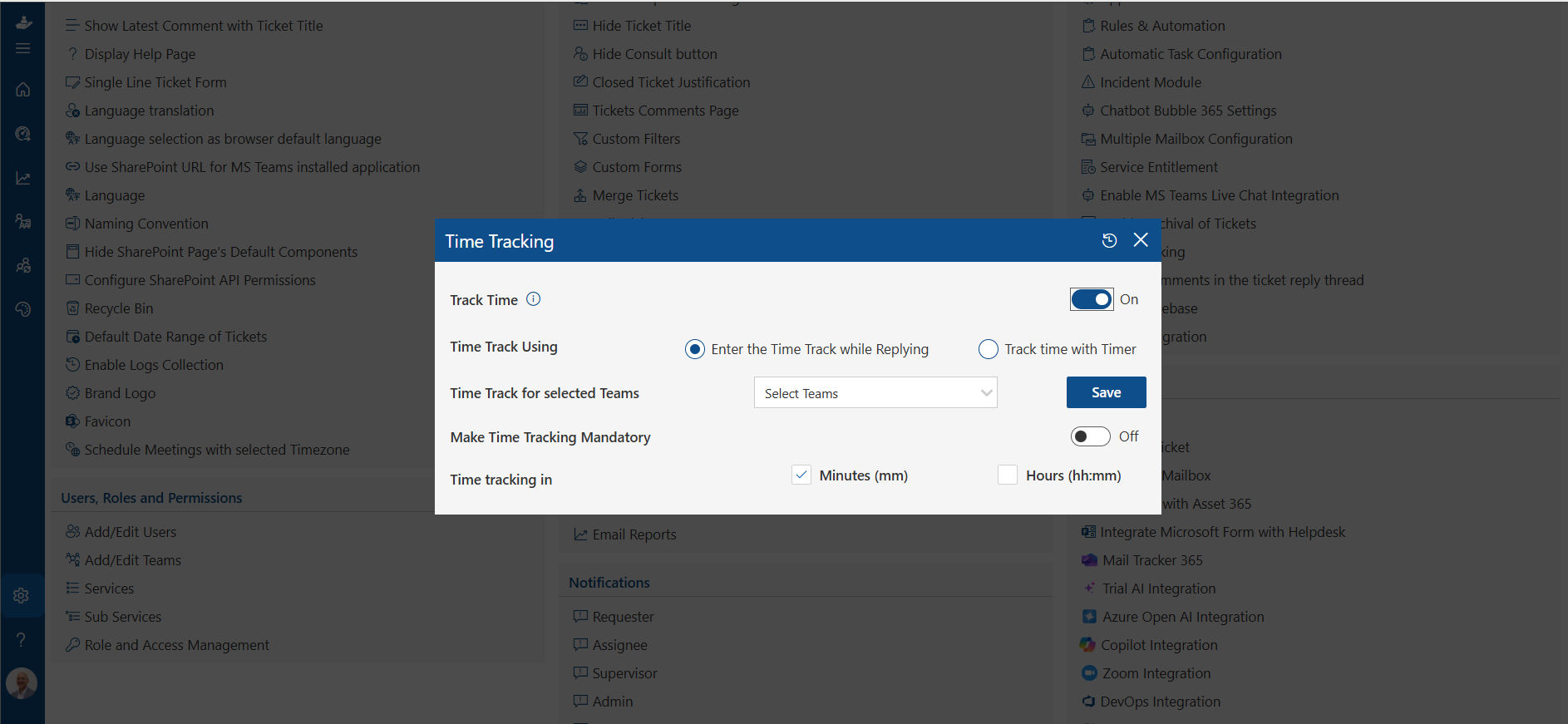
Email-only support can hide ownership. Helpdesk 365 turns requests into trackable tickets with status and responsibility, giving teams a clearer operating view.
Use Automation for Routing and Repetitive Actions
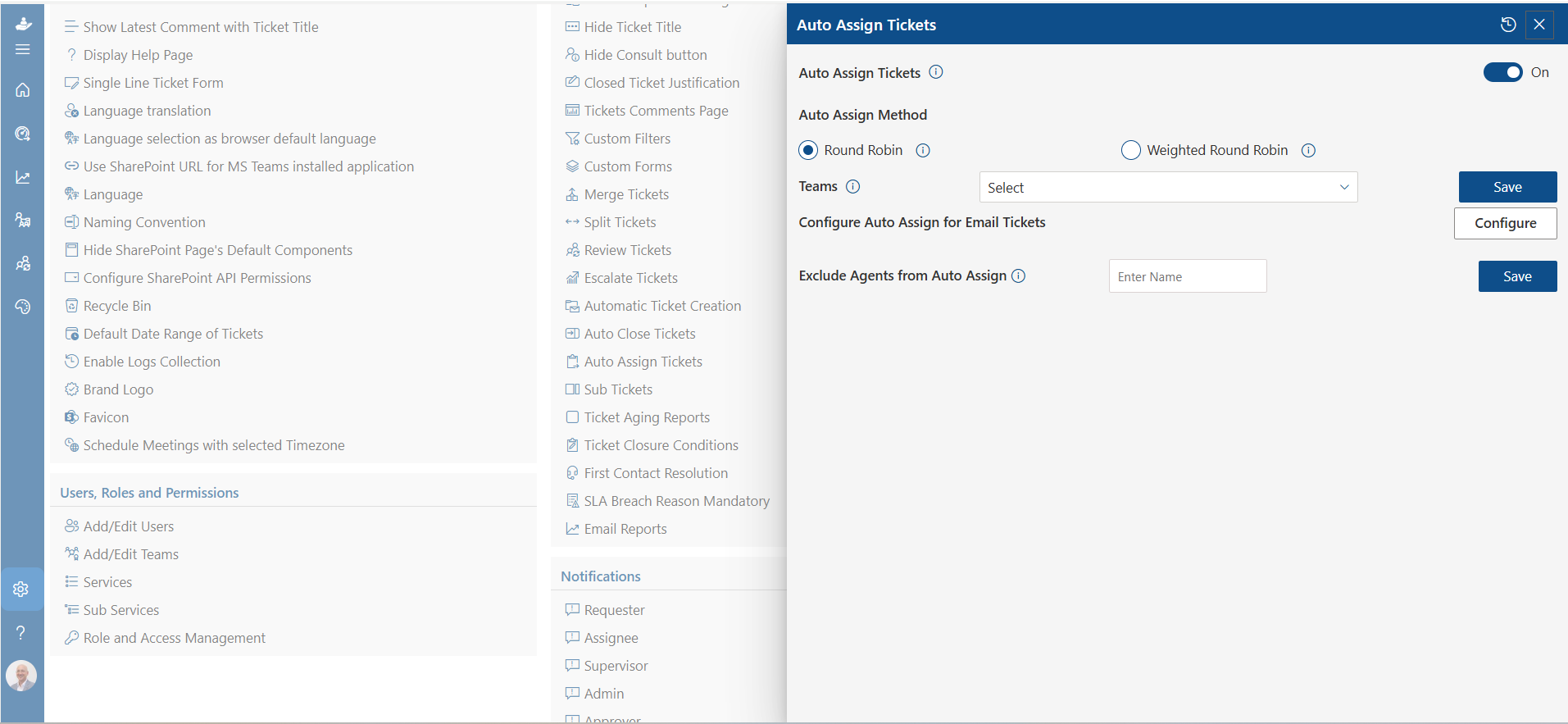
Configure categories, priorities, assignment rules, notifications, and approved workflows around the support model you already use. Automation is most valuable when the underlying process is stable and the rules are clear.
Bring Support Closer to Microsoft Teams and SharePoint
For employees already working in Microsoft 365, a familiar place to submit and track requests can reduce channel confusion and create a consistent route into support.
Use Knowledge to Answer Repeated Questions Earlier
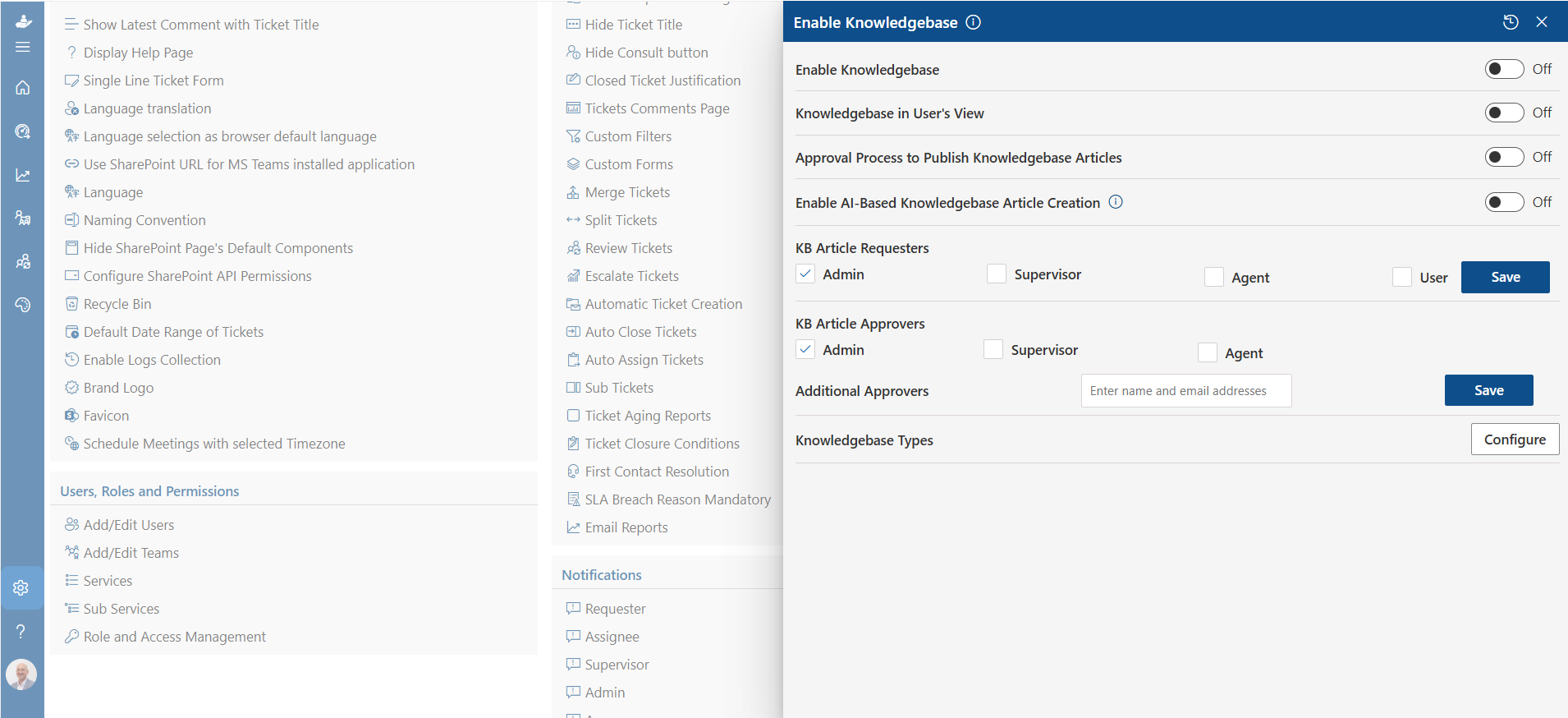
Helpdesk 365 supports AI-assisted knowledge responses based on ticket descriptions, according to its Microsoft Marketplace listing. Use that capability with reviewed knowledge articles so common questions can be answered earlier while complex cases still reach an agent.
Turn Ticket Data Into Improvement Priorities
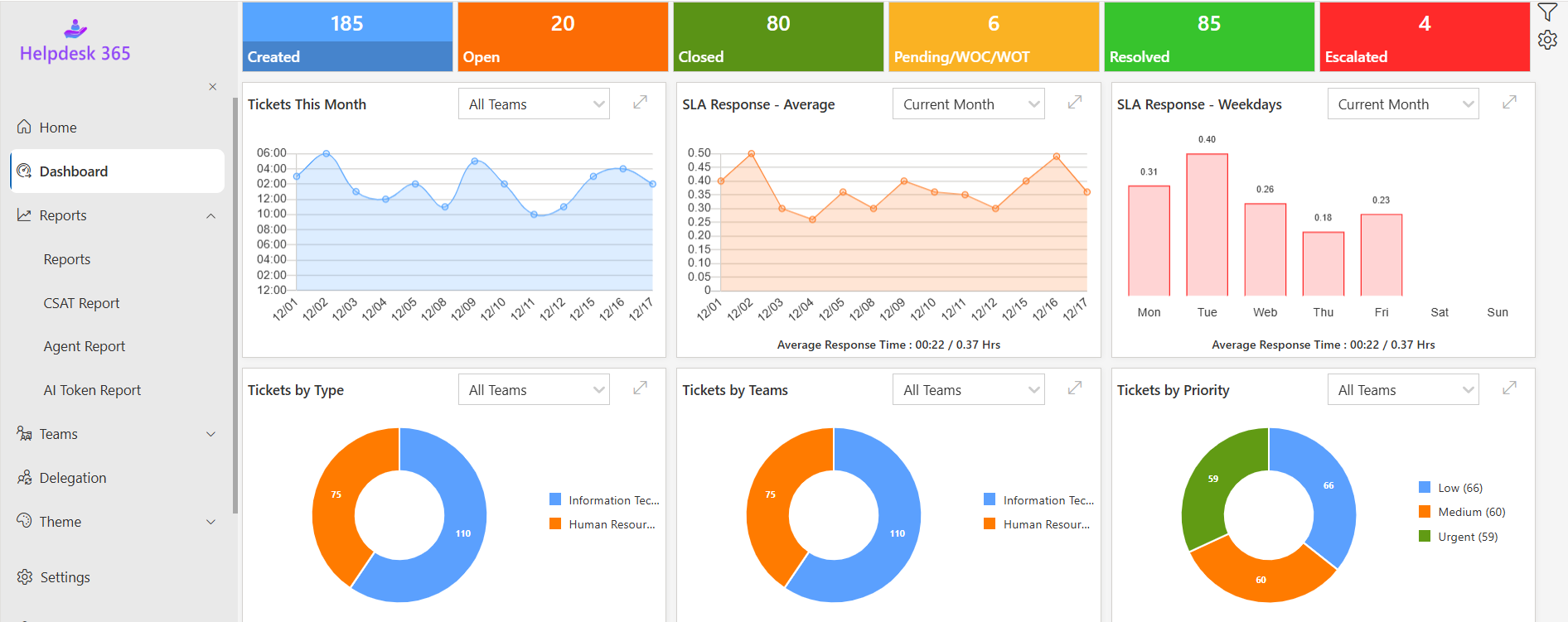
Dashboards can reveal volume changes, delays, common categories, and service trends. Pair that view with feedback to identify both slow processes and frustrating ones.
💼If your Microsoft 365 team is still tracking support through shared mailboxes, spreadsheets, or disconnected tools, test Helpdesk 365 against your top five real ticket workflows.
Benefits of Improving Customer Experience
Systematic CX improvement creates benefits across service, operations, and the wider business.
Higher Customer Retention
Customers are more likely to stay when support is dependable and problems are easy to resolve. Retention also reduces avoidable replacement pressure.
Lower Customer Effort
Fewer handoffs, clearer knowledge, better routing, and visible ownership reduce the amount of work customers must do. Gartner describes high-effort service experiences as costly to serve and damaging to loyalty.
Better Support Productivity
Better context and routing reduce searching, transfers, and repeated questions. Strong knowledge also shortens diagnosis for recurring issues.
Stronger Trust
Trust grows when customers receive accurate information, honest updates, and consistent treatment. This matters even more as AI enters service workflows. Salesforce reported that 61% of customers believe AI advances make trust more important.
Better Business Decisions
Support data is an early-warning system. Repeated tickets can expose product confusion, broken processes, billing problems, documentation gaps, or technical defects. CX improves faster when those patterns reach teams that can remove the cause.
How Better Support Helps Enhance Customer Experience
Support is where customer expectations meet operational reality. A marketing promise may attract a customer, but the support experience proves whether the company can deliver when something goes wrong.
A strong helpdesk captures requests, assigns ownership, tracks service targets, preserves context, records communication, supports escalation, and creates data for improvement.
This helps customer experience in four practical ways.
First, visibility reduces uncertainty. Customers and agents can understand the status of a request instead of relying on scattered email threads.
Second, routing reduces delay. Clear categories, priorities, and automation send work to the right person sooner.
Third, knowledge improves consistency. Agents can reuse verified answers instead of reinventing solutions or giving conflicting instructions.
Fourth, reporting exposes recurring friction. Leaders can see which requests grow fastest, where SLAs fail, what gets reopened, and which workflows create avoidable effort.
The helpdesk does not create good CX by itself. It gives teams the operational discipline to deliver it repeatedly.
Best Practices for Sustaining a Better Customer Experience
Use a simple operating rhythm:
- Review the top drivers of customer contact each month.
- Identify one high-effort journey or repeated failure.
- Fix the root cause, not just the support response.
- Update workflows and knowledge immediately.
- Measure the effect on CSAT, effort, repeat contacts, and resolution time.
- Share the lesson with product, operations, sales, and leadership.
This creates a closed loop between customer signals and business change.
Prioritize complaints by customer impact, frequency, risk, and effort. A rare annoyance may matter less than a small friction point affecting thousands of customers every week
Conclusion:
To enhance customer experience, focus on removing unnecessary effort. Customers remember when help is simple, they do not repeat themselves, updates arrive before they ask, and support has enough context to solve the problem.
Strong CX programs connect feedback with operational evidence. They track response, resolution, repeat contacts, knowledge, and root causes. Technology supports the work, but disciplined processes and clear ownership make the difference.
For Microsoft 365-focused teams, Helpdesk 365 can provide a practical foundation for structured ticketing, automation, knowledge, reporting, and support inside SharePoint and Teams. The best test is not a feature checklist. Use your real workflows, common ticket types, SLA targets, escalation rules, and reporting needs.
Ready to reduce support friction and build a more consistent customer experience? See how your real service workflows can work in Microsoft 365.
Join Our Creative Community
Frequently Asked Questions
What is the fastest way to improve customer experience?
Start with the biggest source of avoidable customer effort. Look for repeat contacts, long waits, unnecessary approvals, channel switching, and unclear ownership. Fix that recurring friction first.
How can an IT team improve customer experience?
IT teams can improve customer experience through easy access, clear service targets, correct routing, useful knowledge, proactive updates, fewer repeat incidents, and enough context for technicians to solve issues.
Does faster response always mean better customer experience?
No. Fast acknowledgement helps, but vague answers or repeated handoffs create more work. Measure response speed together with first contact resolution, reopen rate, customer effort, and satisfaction.
How does AI enhance customer experience?
AI can classify tickets, suggest answers, summarize context, surface knowledge, detect patterns, and support proactive service. Keep humans available for judgment, sensitive situations, and complex cases, with transparency and data protection.
Can a helpdesk improve customer experience for internal employees too?
Yes. Employees are internal customers of IT, HR, finance, and other service teams. A helpdesk provides a clear place to request help, track status, receive updates, and find knowledge while improving ownership.


_JiluXJRGNl.svg)























