





















Now, Manage Every Business
Expense Easier with AI

Scan, approve, reimburse, track, report, and manage everything on one easy platform. Expense 365 built with AI and automation to cut costs and save time.
Timesheet 365
SharePoint Time Tracking
sharepoint time tracking app​
microsoft 365 time tracking​
microsoft 365 time tracking app​

Trusted by 11700+ businesses from 167 countries

Smartest Way to Control Every Dollar Your Business Spends with Expense 365

Track expenses instantly, approve without delays, and generate accurate reports in seconds. Expense 365 works as your complete Microsoft Expense Trackersimplifying submissions, speeding up reviews, and keeping every transaction organized. 

Expense 365 is now available on Microsoft Teams with

AI

AI &

Copilot

AI That Scans Receipts Within Seconds

All the expenses are recorded with the utmost precision, and you have clear and ready-to-use data that makes managing your money feel easy and helping you stay on top of your finances without any extra effort. 

Camera Scanner

Scan receipts directly with your mobile and capture all the important details instantly and clearly with smooth accuracy. 

Timesheet 365
SharePoint Time Tracking
sharepoint time tracking app​
microsoft 365 time tracking​
microsoft 365 time tracking app​

AI Auto Extraction

AI automatically extracts all important information when scanning and provides you with organized expense data, ready to use, in a few seconds. 

Clone Option

 Make changes once and the updated details instantly reflect in the cloned receipt, keeping everything consistent and aligned. 

Expense 365 Combines Smart Automation and Team Collaboration in One Place

Get faster approvals, better expense management and reimbursements easily in real-time. Corporate cards, receipts, and claims are easily managed by employees, and can be integrated with SharePoint, MS Teams, Outlook, Power BI, QuickBooks, and Xero.

Timesheet 365
SharePoint Time Tracking
sharepoint time tracking app​
microsoft 365 time tracking​
microsoft 365 time tracking app​

Connection that Works

Connect your Expense Tracker to the tools that you are already using like SharePoint, MS Teams, Outlook to bring expenses, approvals, and financial information together in a single smart workspace, and keep everything organized and in sync.

Track Smarter, Spend Better

Store expense reports, approvals and financial information in a single smart workspace. 

power automate

AI-Based Receipt Scanning

Scan receipts in a second with AI and save time, eliminate errors, and manage all costs with ease.

helpdesk

Expense Reimbursement

Get quicker reimbursements of work expenditure, less waiting time, better cash flow, and team satisfaction.

sla

Automated Approvals

Automate repetitive expense processes, minimize manual handling, save time, and focus on more valuable financial processes effectively.

Expense Management

Manage and monitor all expenses in one place, which makes it easier to manage, reporting, and make clear financial decisions.

Helpdesk

Per Diem 

Accurately manage daily allowances to employees travelling, proper utilization, tracking and fair allocation of expenses at all times.

Helpdeks

Tax Compliance

Accurate recording of expenses, compliance with taxation, minimized audits and hassle free financial reporting.

Helpdesk

Approval Workflow

Quickly approve or reject expenses, ensure transparency, remove delays, and ensure that team spending is in line with company policies.

Helpdesk

Expense Reports

Create easy-to-understand reports, monitor spending trends, and it provides actionable insights to make smarter budgeting decisions.

Helpdesk

Travel Management

Track and manage travel costs, budget efficiently, save money, and enhance trip cost accountability on a regular basis.

Helpdesk

Budget Limit

Establish clear expenditure limits, track expenditure, avoid excessive spending and financial discipline in projects and departments.

Helpdesk

Multiple Currencies

Manage various currencies with ease, monitor international costs, and simplify global financial management of teams.

Helpdesk

Corporate Card Management

Monitor company card transactions, control spending, prevent misuse, and ensure transparency across all corporate expenses efficiently.
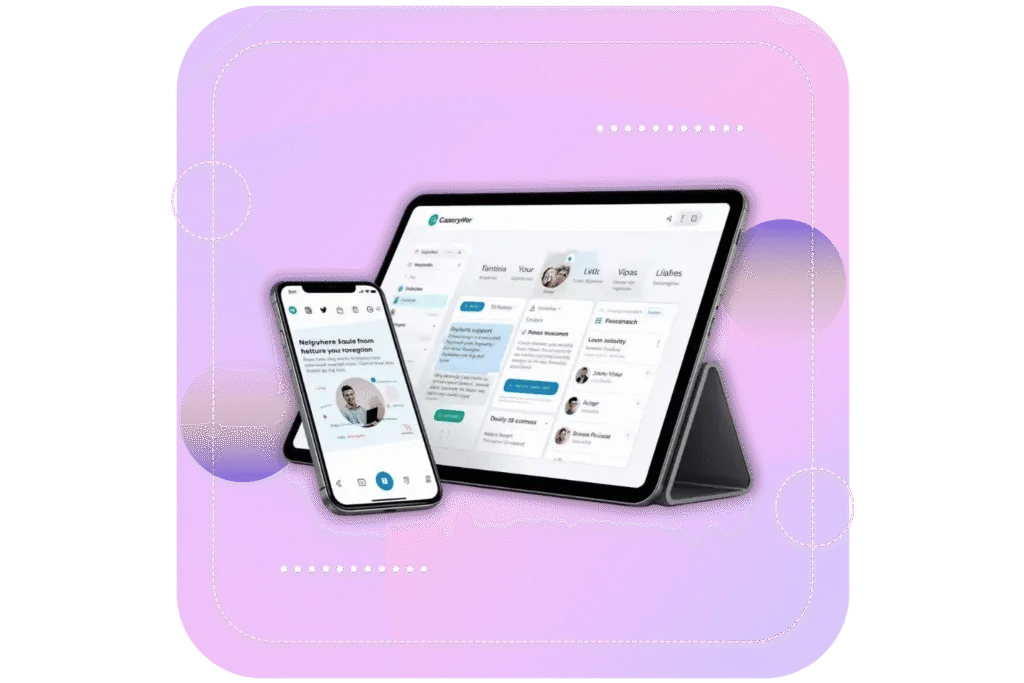
Expense 365 On-the-Go

Keep track of your expenseapprovals and reports with ease. All the things are organized at a single location, and your finances are in control. 

Timesheet 365 SharePoint Time Tracking sharepoint time tracking app​ microsoft 365 time tracking​ microsoft 365 time tracking app​

Why Expense 365?

Expense 365 also known as Expense Tracker 365makes it easy to manage expenses in a structured manner. It tracks mileage costs, manages per diem, builds accurate reports and accelerates reimbursements. Your team gets better visibility, workflows are smoother and more time is available to work on important things.

Helpdesk

Built for Microsoft 365

Built within the Microsoft ecosystem, it connects out of the box with your existing Microsoft Teams, SharePoint and Outlook tools without requiring any complex setup and runs as part of your existing Microsoft 365 environment.

Everything in One Hub

All the expenses, receipts, mileage logs, per diem entries and approvals remain in one well organized location. You can see clearly what is being spent, what is awaiting and who is doing what.

AI-Driven Accuracy

Our AI scans receipts, extracts the appropriate information, and assists in filling them automatically. It minimizes the use of manual labor, accelerates reporting, and proceeds with reimbursements with less effort.

Secure & Ready to Grow

Your financial information remains securely stored within Microsoft 365 providing you with high security and complete control. And as your team grows, Expense 365 can support additional users, additional types of expenses and additional activity with ease.
Live on Azure

Buy directly from Azure Marketplace or via your enterprise agreement.

Special Pricing for NPOs

Non-profits and government-funded educational institutes can avail exclusive rates.

Enterprise Pricing for 50+ Users

Organizations with more than 50 users can avail special pricing.

Apps 365 Advantage

Apps 365 delivers smart, cloud-powered solutions that simplify operations and fuel growth. With seamless integrations and top-tier security, it helps businesses stay agile, efficient, and ahead of the curve.

SOC
SOC 2
ISO
Microsoft
Best ROI
Momentum
Best SUpport
Microsoft Azure
Great Place to Work

Cyber Security

Cyber Security in GCC & GCC High within the Microsoft environment places high importance on stringent measures to protect sensitive government data, ensuring security with robust defenses and Microsoft applications.

GCC & GCC High

Our apps are built for GCC & GCC high tenants of US Federal clouds.

SOC2 Type II Certified

Our apps ensure security, compliance, and data protection

MS Azure Marketplace

Our apps are tested by Microsoft and available on MS Azure Marketplace

Microsoft Appstore​

Our innovative applications are available on the Microsoft Appstore.

Customer Support​

Your Support Team merges technical prowess with sincere care, fostering trust through expertise and empathy. They build lasting relationships, transcending mere service to create meaningful connections.

AI Enabled Apps

Our innovative apps are built with the options of Azure AI, Copilot, and custom AI solutions.

Swift Deployment​

Choose any deployment method—Teams, Outlook, or SharePoint—that suits your preferences.

Modern UI/UX

Every app is crafted using the latest Fluent UI, ensuring seamless functionality across all devices.

Free Updates

Our valued subscribers enjoy unlimited support, enhancements, features, and updates.

Alexander S
SharePoint Consultant, Raymond West
California
"Employee Directory 365 provided the perfect solution, offering both functionality and exceptional support. The team provided excellent service, walking us through every detail over a screenshare session and ensuring we knew everything we needed to know."
Amreen K
Finance Manager, Exeevo
New York
"Timesheet 365 helps track work hours accurately across tasks, projects, and clients. With this app, we solved technical issues like Excel exports, custom columns, and other operational inefficiencies, making our workflow easier and more efficient!"
Shiela S
Sharepoint Developer, Recor Medical
Washington, US
"The app is incredibly easy to implement, and training end users is a breeze. The customer service is outstanding, ensuring that any issues we encounter are resolved promptly."
Maggi Long
Business Manager, Cerilon
Canada
"HR365 has been a great fit for our business needs. The support team was always helpful and made the transition easy. It has improved our onboarding and offboarding processes, replacing manual work with a simpler system. I highly recommend HR365 for improving HR operations."
Kevin R
Director of IT, JConnelly
New York
"Asset Management 365 has simplified the way we manage our computers and mobile devices. It is efficient, user- friendly, and works seamlessly!"
Erik H
System Admin
Oregon, US
"Employee Directory 365 makes it easy to find coworkers by department, title, and more. My team praises its functionality and uses it regularly to connect with new employees. Setup was quick, and the customer support team has been great. SharePoint integration works smoothly, making it the best solution I have reviewed."
Carl G
IT Manager, Pallas LLP
England, UK
"Employee Directory 365 is a great platform for displaying company employee information with user-selectable options. They offer excellent remote support and customisable features to enhance the experience.."
Ahmed A
IT Officer, HanmiGlobal Saudi
Saudi Arabia
"Helpdesk 365 has been a great fit for our support operations. Its interface is easy to use, and automation features help manage tickets efficiently. The reporting tools give clear insights into performance. The support team has been responsive & reliable."
Andreas C
ICT Manager, SMT Shipping
Europe
“Helpdesk 365 integrates effortlessly with Microsoft Teams and SharePoint. With their excellent support, we customized it to fit our needs, greatly improving our internal IT helpdesk ticket management.”
Corey Jackson
Barton Associates

"Great app for SharePoint or MS Teams! We use it to help employees connect within SharePoint and MS Teams. Very happy with its functionality and the support from HR365."
JP Nicols
Cofounder

"Outstanding tech support! We use HR365 uniquely, with a small team and 1000+ members. HR365 serves as our member directory. Frank and the team spent hours resolving a complex permissions issue late on a Friday night."
John Persons
Vice President of Operations

"Great product and support! Coming from an old version of Employee Directory 365, Frank and Sakshi were fantastic during the upgrade to Modern SharePoint. All questions were promptly answered, with remote support as needed."
Wessam Baroudi
Head Of Information & Technology

"After joining ABC Mobility, I saw the need for a helpdesk to streamline IT operations. After evaluating several options, I chose HR365. This customizable SharePoint system met our needs, offering multi-team support."
Jason Gardner
Director of Infrastructure

"Our support requests came from various channels: email, Teams, texts, calls causing confusion and no way to track or verify service issues. We evaluated several ticketing systems, including building one in MS."
Kurt Mintz
Solutions Engineer
US
“We easily integrated our directory into SharePoint with Employee Directory 365. The UI is user-friendly & the support team is responsive and helpful. They quickly resolved a recent issue we faced. Great experience overall.”
Alesha S
Director of Marketing
Chicago, US
“My first experience with Helpdesk 365 was excellent. The team made setting up our new employee directory easy, providing clear and patient guidance. Their friendly support helped me learn the platform quickly, saving time and reducing stress.”
Jordi Mulder
Cloud Consultant
Netherland
“The support for Employee Directory 365 has been really helpful. The team guided us through every feature & quickly solved any issues we had. This tool gave us a clear view of our team & made key details like birthdays, roles & contacts easy to find. This has also improved communication & simplified our HR tasks.”
Shabir C
Global Head, IT & Information Security
California
“Time off manager 365 has made a real difference for our team. Support is responsive, knowledgeable, & quick to resolve any issues. Managing PTO & travel has become much simpler, with clear visibility into team availability. It is helped our managers plan better & keep operations running smoothly. We are very pleased with how well it is working for us.”
Alicia Ally
Educator, Department of Education
New York
“The no-obligation free trial gave us the confidence to get started. Helpdesk 365 is simple, customizable, & makes resolving IT & HR issues quick & easy. Our team loves how user-friendly it is & the cost fits perfectly within the budget of our growing small business.”
David Rafiq
IT Lead
Aberdeen, Scotland
"Helpdesk 365 makes it super easy to track requests and fix issues fast. We can set SLAs, monitor progress, and stay on top of every ticket. Plus, support was easy to reach and solved my problem right away"
Luis De Ande
System Administrator
San Antonio, Texas
“What I really like about Helpdesk 365 is how well it fits into our SharePoint setup. It works with what we already use. It’s straightforward, easy for the team to learn & has made ticket tracking so much easier. We’re more organized now & it definitely saves us time every day”
Hayden Grande
HR Ops & Admin Manager
Boston
“Great experience with Employee Directory 365! The support team was incredibly helpful, responsive and patient guiding me through everything and resolving issues quickly”
Waldemar Toro
Partner & President
Puerto Rico
"Performance Management 365 was easy to set up and very flexible. It keeps all performance evaluations in one place and helps track progress. I also like that it stores review records and feedback for future use, making performance management easier"
Pat Titzer
Program Manager
Adelaide, Australia
"Expense Tracker 365 is a great app with excellent support. The advanced features make it a complete tool & has really improved our expense tracking and reporting workflow"
Bianca Hughes
Learning & Development Manager
Florida, USA
"LMS 365 simplifies learning and development by providing one place to access and assign all trainings, with an easy-to-use layout and reliable support."
Raquan Lindsey
IT Manager
Indiana
“Helpdesk 365 was super easy to set up, and I could start using it with very little prior experience. The solution helps me track issues and also gather data to understand what’s causing them.”
Silvia Asti
Digital Solutions Analyst
Montréal, Canada
“Timesheet 365 is an excellent app for time tracking. The support team is very responsive and helpful. Everything works as expected, making it easy to monitor project time and stay on track.”
Chris Hayes
Asset Manager
North Carolina
“Asset Management 365 is intuitive and easy to use. The support team is always helpful when I need guidance. It’s been great for tracking our growing list of assets.”
Emelyn M
Administration
Dubai
Managing leave became so much easier with Time Off Manager 365. It’s simple, reliable, and the support team is always quick to help.
Miguel Sanchez
IT Support Specialist
Virginia, USA
Asset Management 365 offers a wide range of useful tools that are easy to use" and adapt. The support team has been very helpful throughout the process.
Jacqueline Escalante
Supervisor
Mexico
Performance Management 365 is easy to use and supports effective KPI tracking. The support team is professional and helpful.
Victor Rojas
IT Admin
United States
"Great experience with quick issue resolution and knowledgeable support. Helpdesk 365 makes it easy to track work and resolve issues efficiently through its user-friendly ticketing system."

Customer Testimonials

Hear from organizations that improved their expense management and financial processes with Expense 365. 

Clients Speak

Wessam Baroudi
Head Of Information & Technology
"After joining ABC Mobility, I saw the need for a helpdesk to streamline IT operations. After evaluating several options, I chose HR365. This customizable SharePoint system met our needs, offering multi-team support."
Jason Gardner
Director of Infrastructure
"Our support requests came from various channels: email, Teams, texts, calls causing confusion and no way to track or verify service issues. We evaluated several ticketing systems, including building one in MS."
Corey Jackson
Barton Associates
"Great app for SharePoint or MS Teams! We use it to help employees connect within SharePoint and MS Teams. Very happy with its functionality and the support from HR365."
JP Nicols
Cofounder
"Outstanding tech support! We use HR365 uniquely, with a small team and 1000+ members. HR365 serves as our member directory. Frank and the team spent hours resolving a complex permissions issue late on a Friday night."
John Persons
Vice President of Operations
"Great product and support! Coming from an old version of Employee Directory 365, Frank and Sakshi were fantastic during the upgrade to Modern SharePoint. All questions were promptly answered, with remote support as needed."

One Platform to Track and Control Every Expense

Expense 365 brings receipts, approvals, reports, and spending together in Microsoft 365, giving you clear control and visibility in one place. 

demo-timesheet

Book a Personalized Expense 365 Demo!

Frequently Asked Questions

SharePoint expense tracker reports provide expense categories, receipts, dates, amounts, mileage, Per Diems, reimbursements, and approvals, creating a clear record for financial management. 

The Microsoft expense tracker allows businesses to save time, reduce errors, comply with policies, have better visibility of their budgets, simplify the reimbursement process, and increase their overall financial efficiency.

Microsoft expense tracking solution will keep your financial data within your organization’s Microsoft 365 environment, and with enterprise-grade security and role-based access control. 

SharePoint expense tracker automates receipt scanning, policy validation, and approvals so your employee can submit a claim, and your manager can approve it quickly providing a fast and accurate reimbursement process. 

Microsoft expense tracking scans receipts, extracts the necessary details, categorizes expenses, and automatically creates expense reports so less manual work is needed while ensuring continued accuracy and compliance. 

Expense 365 can handle expenses related to travel (i.e., air fare, lodging), meals, transportation mileage, per diem rates for employees, office supplies, subscriptions, client-specific expenses, and card purchases (corporate card transactions). 

Yes! With the AI technology, the SharePoint expense tracker will scan any receipt uploaded into its system and populate the corresponding fields for date, amount, merchant, and tax automatically.  

The Microsoft expense tracking allows you to create and manage employee mileage rates based on their job role, department, or location, therefore assisting in creating an accurate employee reimbursement process. 

Using multi-level approvals in with Expense 365, your approval workflows can be configured based on various levels such as the amount or by department or project, while being able to do so quickly and providing visibility into your workflow process. 

Yes! reports generated from a SharePoint expense tracker can be exported to Excel or synced to Power BI, allowing you the flexibility to conduct advanced analyses, create dashboards, and financial planning. 

Setup is quick and straightforward, typically completed within a few hours, especially when integrated with Microsoft 365, with minimal disruption to daily operations. 

Yes, Microsoft expense tracking can support multiple currencies, and it allows for both domestic and international receipts. and it also automatically converts amounts from one currency to another by using current foreign exchange rates. 

business expense tracker app saves companies time and money by eliminating manual expense reporting and processing, preventing duplicate or out-of-policy claims and speeding up the reimbursement process. 

Schedule a free personalized 1:1 demo

By proceeding, you accept Cubic Logics’s terms and conditions and privacy policy

"Outstanding product that combines ease of use, robust security, and cut Expenses."
NPO Price Request

By proceeding, you accept Cubic Logics Terms and Conditions and Privacy Policy

Let’s Customize a Plan for You

By proceeding, you accept Cubic Logics Terms and Conditions and Privacy Policy

Try It Free, No Obligation
By proceeding, you accept Cubic Logics’s terms and conditions and privacy policy
"Exceptional tool that delivers seamless integration, powerful features, and unmatched reliability."

Please provide your contact details, we will connect with you soon!

Please provide your contact details, we will connect with you soon!

Request for the custom price​

By proceeding, you accept Cubic Logics Terms and Conditions and Privacy Policy

Schedule a free personalized 1:1 demo

By proceeding, you accept Cubic Logics’s terms and conditions and privacy policy

"Outstanding product that combines ease of use, robust security, and cut Expenses."
Request of the Free License

By proceeding, you accept Cubic Logics Terms and Conditions and Privacy Policy