






Employee Onboarding for Manufacturing Teams
Transform onboarding software for manufacturing employeeswith Employee Onboarding 365
Onboarding software for manufacturing employees bring on production hires, contractors, and shift workers every week, each needing badges, safety sign-offs, equipment access, and paperwork before they can step onto the floor. Managing this through paper forms and spreadsheets slows down ramp-up and leaves compliance gaps.
Live inside Microsoft 365 in minutes
Built on SharePoint & Microsoft Teams
Trusted by 12,100+ deployments from 172 countries
What is Manufacturing Onboarding Software?
Manufacturing onboarding software is a centralized platform that helps plants manage new-hire paperwork, safety sign-offs, shift-based training paths, and multi-site onboarding visibility.
Key benefits
- Automate document collection and e-signatures so new hires clear paperwork before their first shift.
- Track safety acknowledgments and compliance sign-offs in one place instead of chasing paper forms.
- Give HR one dashboard across every plant, shift, and department to see who’s onboarded and who’s behind.
What Happens Without a Centralized Manufacturing Onboarding Software
Manufacturing HR teams often manage new-hire paperwork, safety sign-offs, and shift assignments through paper forms, spreadsheets, and phone calls. Without a centralized onboarding system, safety acknowledgments get missed, hires sit idle waiting on access, and multi-plant visibility disappears.

Slow Time-to-Floor
New hires sit idle waiting on badges, equipment, or account access instead of starting production work on day one, pushing back a plant's ramp-up schedule.
Missed Safety Sign-Offs
Paper-based safety acknowledgments get lost or delayed, leaving compliance gaps that only surface during an audit.
Disconnected Multi-Site Onboarding
HR teams juggle spreadsheets across plants with no single view of who's onboarded and who's behind, wasting hours cross-checking status by hand.
High Early Turnover
Production hires who feel unsupported in their first weeks walk off the job before reaching full output, forcing HR to restart recruiting and safety onboarding from zero.
Manual Paperwork Overload
Physical intake forms, tax documents, and policy acknowledgments slow HR down, delay start dates, and make records slow to retrieve later.
Shift-Blind Processes
Generic onboarding tools assume a 9-to-5 schedule, leaving rotating and night-shift hires with the weakest onboarding experience of all.
What Employee Onboarding 365 Delivers for Manufacturing Teams
Everything Manufacturing HR Teams Need in One Onboarding Platform
One platform for automated tasks, digital documents, personalized journeys, and onboarding analytics.
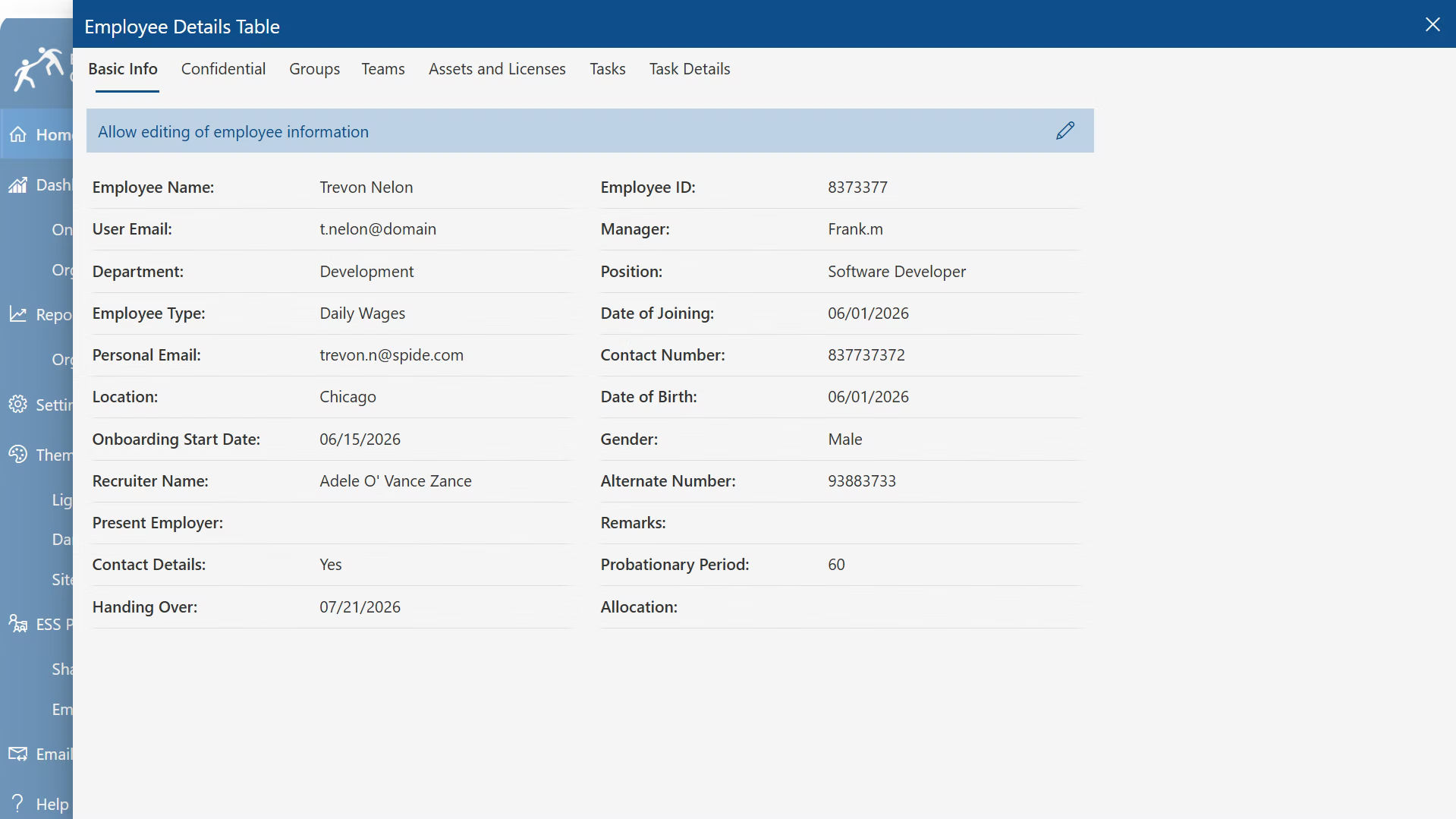
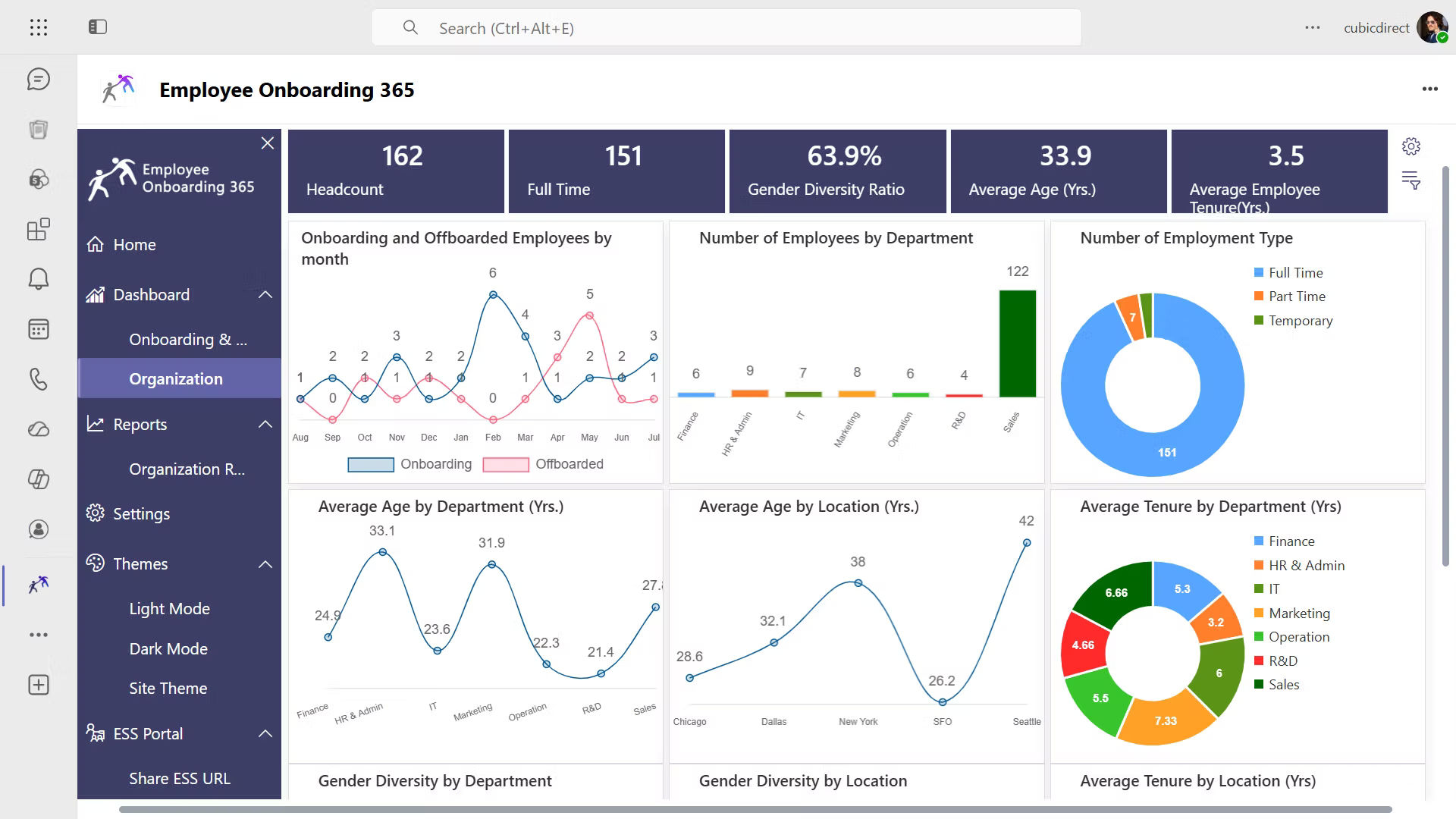
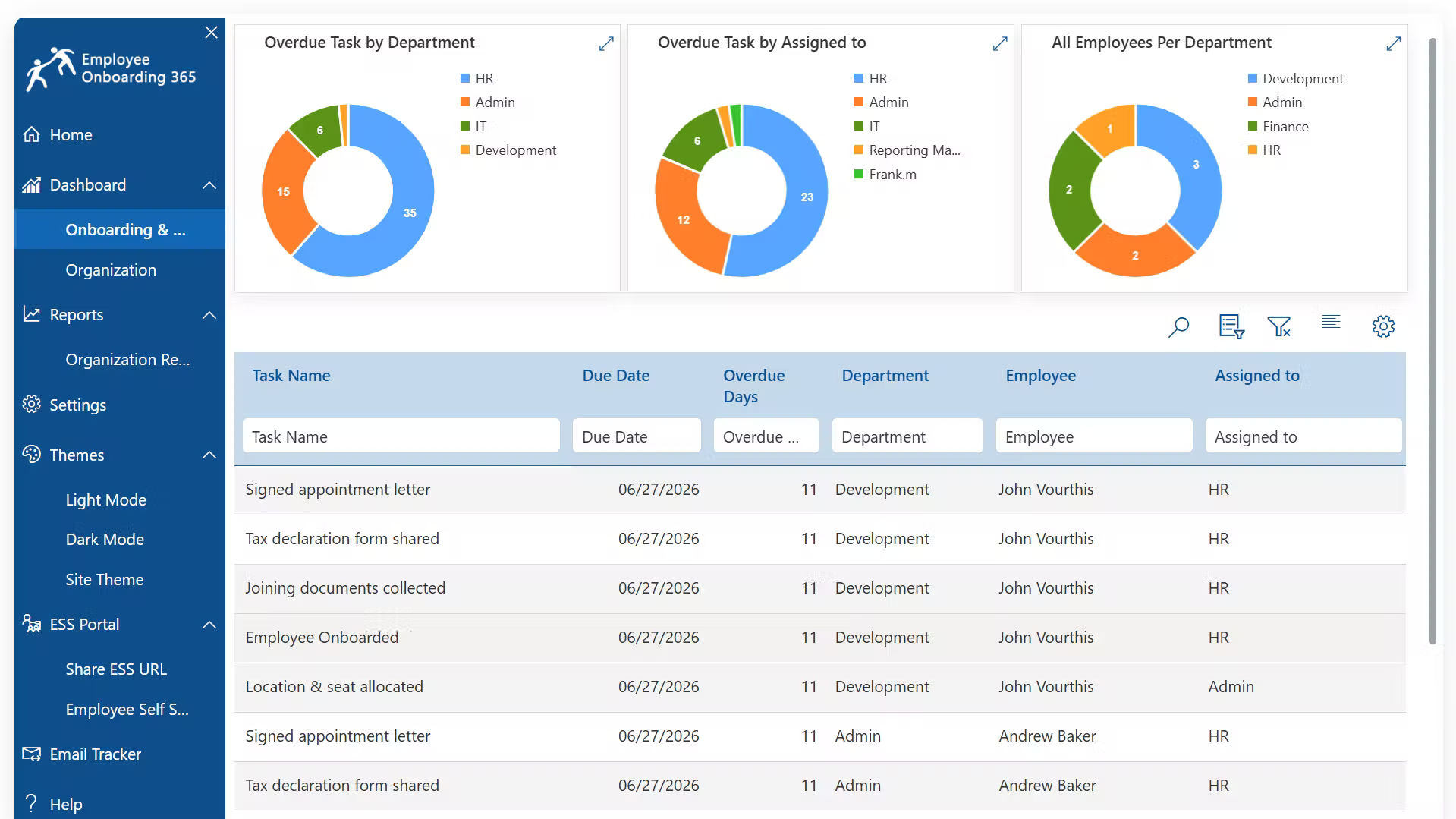
Gain complete visibility into every employee onboarding journey from one place.
- Monitor onboarding progress in real time.
- Track active, completed, and overdue tasks.
- View onboarding status across departments.
- Identify delays before they impact onboarding.
Build structured onboarding workflows tailored to your organization.
- Configure onboarding and pre-onboarding processes.
- Manage offboarding from the same platform.
- Assign and monitor tasks at every stage.
- Standardize employee lifecycle workflows
Keep every onboarding activity on schedule with automated communications.
- Send onboarding emails automatically.
- Track delivery status and communication history.
- Schedule reminders for pending activities.
- Ensure employees never miss important updates.
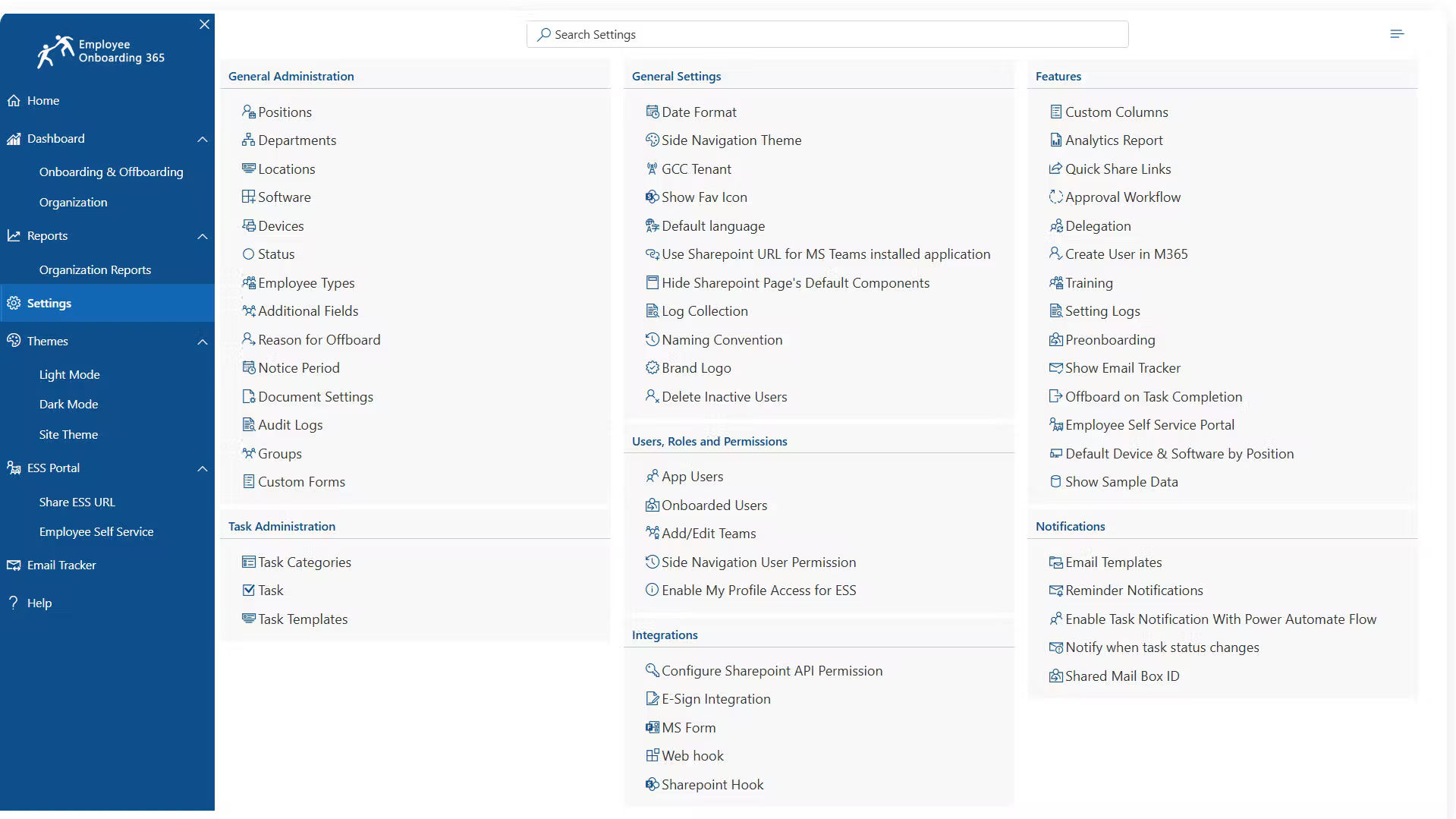
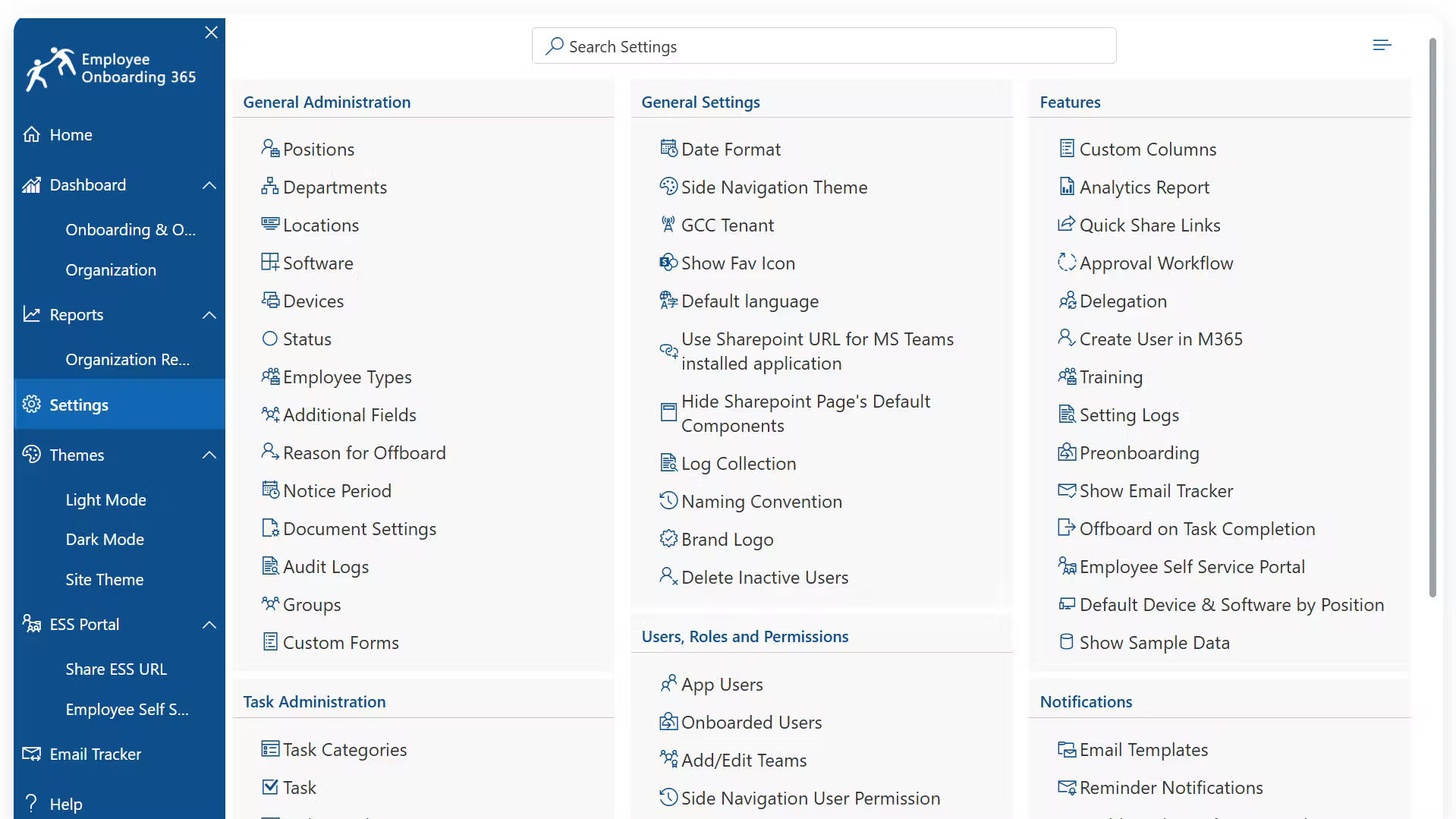
Customize Employee Onboarding 365 to match your business needs.
- Manage users, roles, and permissions.
- Configure notifications and onboarding settings.
- Integrate with Microsoft 365 and HR applications.
- Personalize workflows without custom development
Employee Onboarding 365 Built for Every Team Across Your Manufacturing Operations
Manufacturing teams bring on plant staff, technicians, and support roles fast Employee Onboarding 365 gives HR, IT, and plant supervisors a shared system to manage it all. Here’s how each team benefits.
Digital Employee Onboarding
Employee Onboarding 365 replaces manual, paper-based onboarding with a fully digital process, so employees complete tasks quickly from one centralized platform.
Document Collection & E-Signatures
Securely collect onboarding documents and enable multi-page electronic signatures, so all required forms are completed, verified, and stored in one place.
Onboarding Task Tracking & Compliance
Assign onboarding tasks, track completion status, and send reminders for pending activities to improve visibility and reduce delays.
HR System Integration Integrate
Employee Onboarding 365 with existing HR systems like HR One for seamless data flow, keeping employee records synchronized while simplifying onboarding management.
See Employee Onboarding 365 working inside your Microsoft 365
Connects with the Tools your Team already Uses
Employee Onboarding 365 works within the Microsoft 365 environment your HR and plant teams already use. Manage onboarding through Microsoft Teams, SharePoint, and Outlook, automate workflows with Power Automate, and keep records inside your organization’s Microsoft 365 tenant with role-based permissions securing plant records and personal documents across every site.
How Employee Onboarding 365 Improves Manufacturing Operations
Manufacturing HR teams rely on fast, compliant onboarding to keep production staffed. Employee Onboarding 365
centralizes paperwork, safety sign-offs, and shift-based onboarding paths in one platform, helping teams reduce time-to-floor and turnover.
Shift-Based Onboarding Paths
Build onboarding journeys around rotating and night-shift patterns with mobile-friendly access for every hire.
Safety Sign-Off & Compliance Tracking
Assign safety modules and acknowledgments automatically with a timestamped digital record for every employee.
Multi-Plant Onboarding Visibility
See onboarding status by location, shift, and role from one dashboard instead of a spreadsheet per site.
New-Hire Retention & Support
Give production hires a structured, guided onboarding experience that keeps them supported through their first weeks.
Paperwork & Documentation Automation
Replace physical intake forms and policy acknowledgments with digital collection, e-signatures, and searchable records.
How Employee Onboarding 365 Supports Manufacturing Onboarding
Employee Onboarding 365 provides a structured process to capture, assign, track, update, and report new-hire onboarding across every plant and shift.
Submit New Hire
HR initiates onboarding for a new production employee in one centralized platform.
Assign Onboarding Tasks
Tasks, documents, and safety modules are automatically assigned by role, shift, and plant.
Track Onboarding Progress
HR and supervisors monitor task completion, pending items, and overdue steps in real time.
Complete Safety Sign-Offs
Safety acknowledgments are logged digitally with a timestamped record for compliance.
Send Status Updates
Automated notifications keep new hires and HR informed at every stage.
Close and Report
Completed onboarding records stay available for audits, retention analysis, and continuous improvement.
Manufacturing Onboarding Software Guide
This guide is a practical reference for manufacturers looking to implement, optimize, or standardize onboarding across their plants. It covers new-hire paperwork, safety sign-offs, shift-based training, and multi-site visibility through a centralized platform.
Follow this guide to:
- Establish a centralized onboarding process across every plant, shift, and department.
- Define standardized onboarding workflows so every new hire is captured, assigned, and tracked consistently.
- Configure safety sign-off and compliance tracking to close audit gaps before they surface.
- Reduce time-to-floor by automating paperwork and equipment/access setup.
- Improve multi-plant visibility with one dashboard instead of per-site spreadsheets.
- Support shift-based hires with onboarding paths built around rotating and night schedules.
- Scale onboarding across multiple plants while maintaining consistent standards.
Why Manufacturing Teams Choose a Microsoft-Native Onboarding Platform
A simple side-by-side shows why a Microsoft-native platform beats generic tools or spreadsheets, at a glance.
| Capability | Employee Onboarding 365 | Generic Cloud Onboarding | Paper / Spreadsheets |
| Runs natively inside Microsoft Teams | ✓ | ✗ | ✗ |
| Data stored in your own SharePoint / M365 tenant | ✓ | ✗ | ✗ |
| Shift-based onboarding paths | ✓ | Varies by plan | ✗ |
| Multi-plant onboarding reporting | ✓ | Varies by plan | ✗ |
| Digital safety sign-off with audit trail | ✓ | Varies by plan | Manual, error-prone |
| Setup time under 10 minutes | ✓ | Rare | ✗ |
Manufacturing Teams That Use Employee Onboarding 365
Employee Onboarding 365 supports every team involved in bringing on plant staff, technicians, and support roles — HR, IT, and plant supervisors all get the workflows and visibility they need to get new hires floor-ready fast. Here’s how each team benefits.
HR Teams
Manage new-hire paperwork, e-signatures, and onboarding tasks from one centralized platform across every plant.
Plant Managers
Gain real-time visibility into onboarding progress and time-to-floor across one or multiple plants.
Safety & Compliance Officers
Track safety sign-offs and acknowledgments with a timestamped, audit-ready record.
Production Supervisors
See which new hires are ready for the floor and which are stuck at a pending step.
Multi-Site HR Administrators
Standardize onboarding workflows across plants while keeping local shift and role differences intact.
Our Clients
Global IT Director
Prague, Czechia
IT Specialist
USA
Worldwide Service Manager
Germany
IT & Systems Manager
USA
Clients Speak
Using Azure? now you can buy contract management software on Azure Marketplace or using your enterprise agreement
Get started with 14 days risk free trial.
No credit card details required.
Frequently Asked Questions
What is onboarding software for manufacturing employees?
It’s a centralized platform that helps manufacturers manage new-hire paperwork, e-signatures, safety sign-offs, and shift-based onboarding paths, replacing manual, paper-driven processes.
Why do manufacturers need onboarding software?
Manufacturing HR teams use onboarding software to get new hires production-ready faster, close safety compliance gaps, and manage onboarding consistently across multiple plants and shifts.
Does Employee Onboarding 365 support shift workers, not just office staff?
Yes. EO 365 builds onboarding paths around shift patterns and gives mobile-friendly access, so rotating and night-shift hires get the same guided experience as day-shift staff.
How does Employee Onboarding 365 handle safety sign-offs without chasing paper forms?
Safety modules and required acknowledgments are assigned automatically and logged digitally, creating a timestamped record for every employee.
Can Employee Onboarding 365support multiple manufacturing plants?
Yes. EO 365 gives HR one dashboard showing onboarding status by location, shift, and role, replacing a spreadsheet-per-site approach.
Is Employee Onboarding 365worth it for a smaller manufacturer?
It scales both ways — pricing and setup work for single-site shops just as well as multi-plant enterprises.
What's the setup time like for teams without dedicated IT?
Most organizations go live in under 10 minutes since EO 365 runs natively inside Microsoft 365 tools like Teams and SharePoint.
CanEmployee Onboarding 365 integrate with existing HR systems?
Yes. EO 365 integrates with existing HR systems such as HR One, keeping employee records synchronized while simplifying onboarding management.
Try It Free, No Obligation


Schedule a free personalized 1:1 demo
By proceeding, you accept Cubic Logics’s terms and conditions and privacy policy


By proceeding, you accept Cubic Logics Terms and Conditions and Privacy Policy
Please provide your contact details, we will connect with you soon!
By proceeding, you accept Cubic Logics Terms and Conditions and Privacy Policy
Schedule a free personalized 1:1 demo
By proceeding, you accept Cubic Logics’s terms and conditions and privacy policy