
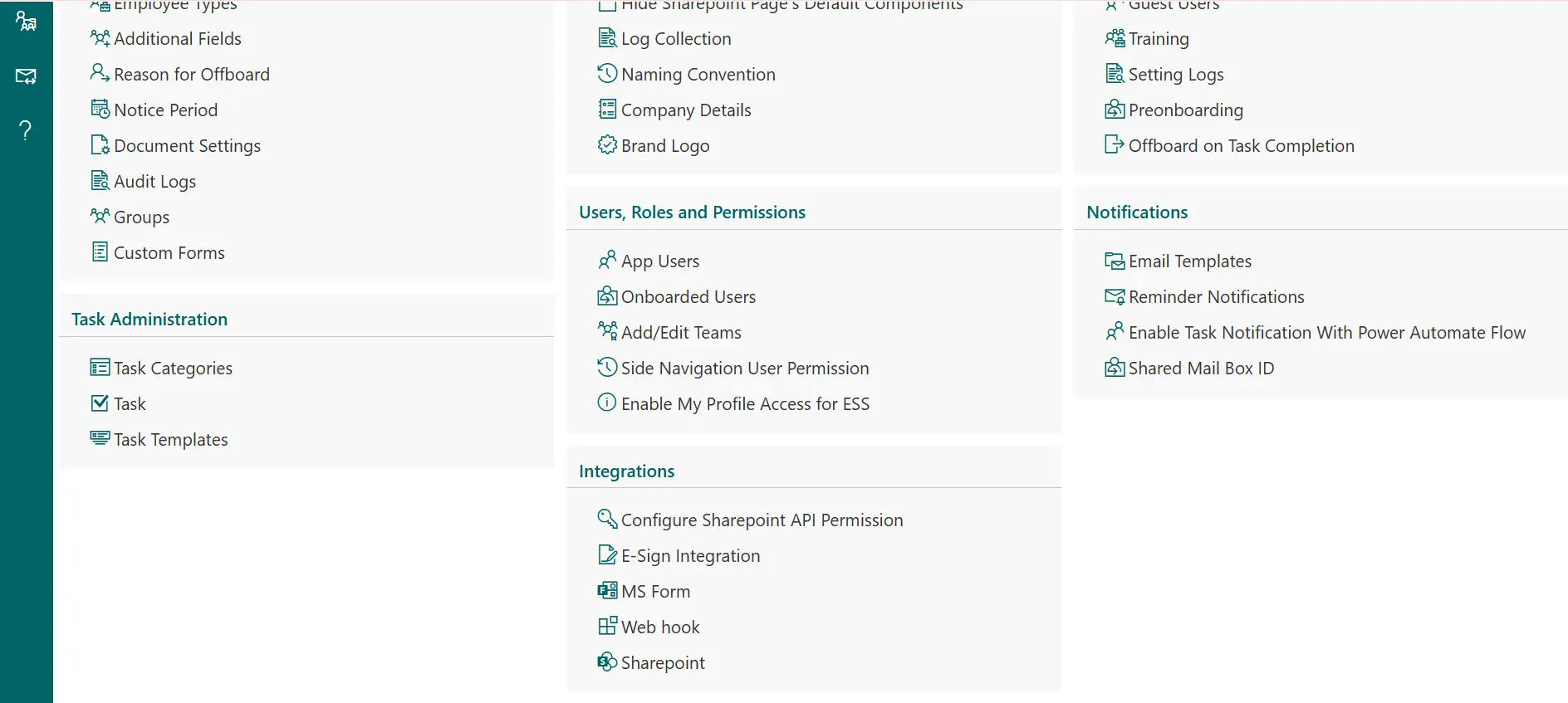
Employee Onboarding 365 + SharePoint Unifying Onboarding and Document Management
Onboarding tasks and documents are managed effortlessly within SharePoint 365. Employee Onboarding automates workflows and tracks progress without leaving the platform.
Centralized Document Hub for Onboarding
The integration of SharePoint in Employee Onboarding 365 simplifies access to key new hire documents. HR teams and managers can access forms, policies, and training materials directly from SharePoint within the Onboarding platform.
Easy access to new hire documents ensures employees always have the right files when needed. SharePoint keeps everything organized in one place, saving time and making onboarding faster, simpler, and compliant.
Enhancing Productivity with SharePoint + Employee Onboarding 365
Employee Onboarding 365 and SharePoint unite all the documents, checklists, and training materials in a single safe location. This enhances coordination, reduces manual work and provides each new employee with a more structured orientation.
%20(1).webp)
Centralized Document Hub
All onboarding documents exist in one platform SharePoint 365 to create a smoother onboarding process for every new hire, while keeping everything organized and secure.
.webp)
Role-Based Onboarding Journeys
Create individualized onboarding steps for every employee based on the department and their role in the organization for an aligned onboarding experience using SharePoint 365!

Automated Task Tracking
HR, Managers and new hire know what needs to get done and when it needs to get done with automated task creation and reminders.
Manager & HR Collaboration
Create a shared environment where managers can enter real time updates, allowing HR and managers to collaborate throughout the onboarding journey.

Integrated Compliance Workflow
Store, track and verify compliance documents with ease and enable new hires to get documents completed on time!
From tasks to documents, Employee Onboarding 365 enhances efficiency
Employee Onboarding 365 unifies tasks, forms, and new-hire documents in a SharePoint workspace for a smoother onboarding journey. Enquire now to see how it works.
Frequently Asked Questions
Employee Onboarding 365 is compatible with SharePoint 365 and allows the HR to store, access, and manage all new-hires documents in one secure place using your SharePoint onboarding template, which consolidates sensitive employee data, and therefore can be easily accessed and in accordance with company policies.
Yes! SharePoint 365 and Power Automate can be used to develop workflows that will automatically delegate tasks, monitor progress, and notify managers, which will make the onboarding process faster and error-free and make HR less manual and make sure that all steps are taken in time.
The employee portal will be where the new employees will receive the forms, policies, training resources, and onboarding checklists, which will help to increase the clarity and interest on the first day and allow the employee to locate all the things that he or she needs to be productive within the shortest possible time.
Absolutely! HR, managers and IT can collaborate on documents, tasks and approval in real-time in SharePoint, which implies that the onboarding process of every employee is seamless, and all operations are uniform.
The Employee Onboarding 365 offers ready-to-use SharePoint templates of onboarding to ensure standardization of the process, compliance, and consistency of the onboarding process across the departments to save time and deliver high-quality experience to all new employees.
























