
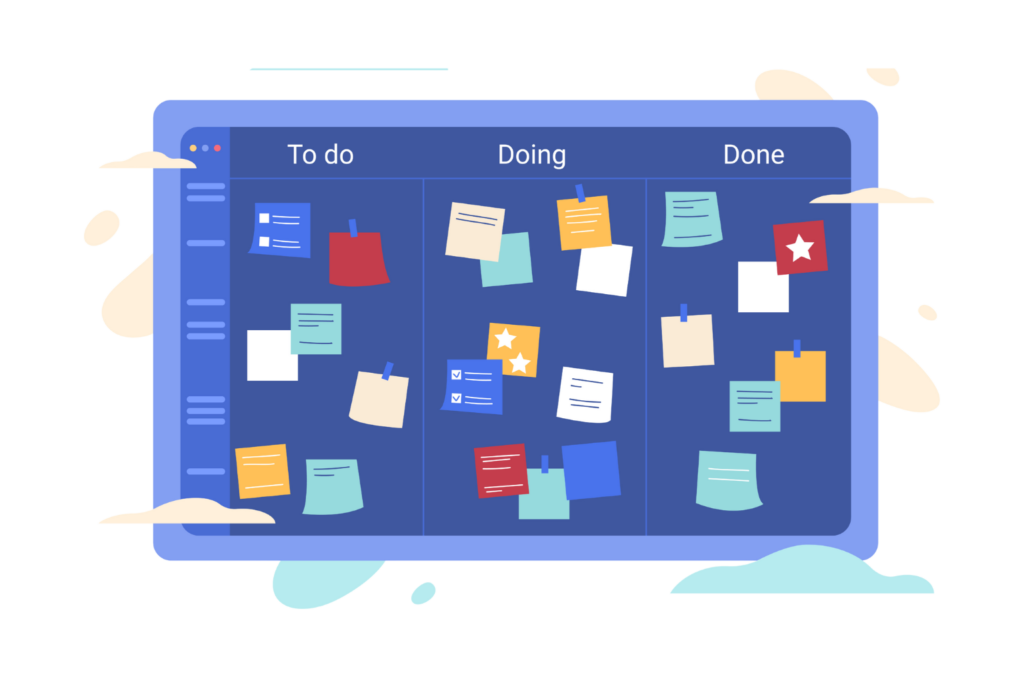

Work today is not slow or simple. Teams are dealing with more tasks, more tools, and tighter deadlines than ever. All of the emails, chats, files, approvals, and follow-ups are going on simultaneously. When work is spread out like this, people feel stressed, confused, and tired. At this point, SharePoint Task Planner is the one that really helps the situation out.
Work today is fast and complex, with teams handling many tasks, tools, and deadlines at once. This often leads to stress and confusion. SharePoint Task Planner brings order by keeping all tasks in one place, so everyone knows what to do, who owns it, and when it’s due.
It also connects tasks to files, people, and workflows, with automation that keeps work moving. The result is less stress, fewer delays, and better results through clear, simple task management.
The daily routine gets organized with SharePoint Task Planner. It makes it possible for the entire team to know what is to be done, who is responsible for which task, and when the deadline is. No more guessing or pinging for updates, instead, everyone is working with clear and confident understanding.
What Is SharePoint Task Planner?
SharePoint Task Planner is a task management tool that has its origins in Microsoft SharePoint. It helps teams plan, assign, track, and complete tasks in one central place. Instead of using emails, spreadsheets, or sticky notes, teams can manage all their work in one organized system and the whole process will be connected with respective documents, lists, workflows, and people through a SharePoint task management system. SharePoint Task Planner works closely with:
- SharePoint
- Microsoft 365
- Teams
- Power Automate
This creates a single, connected task management software that fits naturally into daily work.
Why Clarity Matters in Daily Work
Clarity at work implies that every employee is aware of their exact tasks, without the need for making assumptions or looking for answers. When the work is clear, the teams are quicker and more self-assured in their actions. Clarity is knowing:
- What needs to be done
- Who owns the task
- When it must be completed
- What comes next
Without clarity, teams often struggle. Work slows down, mistakes increase, and frustration grows. Teams without clear task visibility face:
- Missed deadlines
- Work being done twice
- Confusion about ownership
- Too many meetings and emails
Workplace studies show the impact clearly:
- Poor task clarity can reduce productivity by up to 37%
- Employees spend almost 20% of their time searching for task details
- Clear task ownership can improve delivery speed by over 25%
A strong SharePoint task management system replaces confusion with structure, helping teams stay focused, organized, and productive every day.
How SharePoint Task Planner Creates Clarity
1.One Place for All Tasks:
SharePoint Task Planner keeps all tasks in one central place. Teams no longer need to switch between tools or search through emails. Key benefits:
- One trusted source for all tasks
- Easy access for everyone
- No more lost or forgotten work
This is why SharePoint is considered one of the best Microsoft task management platforms.
2. Ownership of tasks:
The knowledge that identifies the task owner must be well known and needs to be displayed in vibrant visibility. This helps teams:
- Avoid finger-pointing
- Improve accountability
- Build trust and teamwork
Clear ownership is a core feature of any effective task management system.
3. Simple Task Status Tracking:
Task progress is easy to understand immediately. Each task shows its status:
- Not started
- In progress
- Completed
The progress of the work is always the common knowledge that every member of a team and management have on their fingertips, and no extra meetings or updates have been scheduled to facilitate work.
4. Real-Time Updates:
Updates happen instantly. When a task changes, everyone sees it right away. This helps reduce:
- Status meetings
- Follow-up emails
- Delays caused by miscommunication
Work keeps moving without interruptions.
5. Tasks Connected to Real Work:
With SharePoint Task Planner, tasks are linked directly to the work itself, including:
- Documents
- Lists
- Forms
- Records
This makes SharePoint task management smarter, more useful and far more effective than standalone task tools.
SharePoint Task Management vs Traditional Methods
Feature | SharePoint Task Planner | Manual Task Tracking |
Reporting & Tracking | Automated reports and dashboards | Time-consuming and inconsistent |
Visibility | Real-time | Limited |
Accuracy | High | Often leads to errors |
Ownership | Clear | Often unclear |
Scalability | Excellent | Poor |
Team Experience | Positive | Stressful |
Manual task tracking slows teams down and creates stress. That is why modern teams are moving away from old methods and choosing Microsoft-based task management software that offers clarity, speed, and control.
Why SharePoint Task Planner Fits Modern Teams
Built for Remote and Hybrid Work:
Teams do not work from one place anymore. SharePoint Task Planner supports:
- Remote teams
- Hybrid teams
- Global teams
Tasks stay visible and organized, no matter where people work from.
Handles Growing Workloads:
As work increases, manual tracking starts to fail. SharePoint scales easily as teams and projects grow, without adding stress.
Faster Decision-Making:
More automated management calls can happen quickly and allow for very fast response time on the part of individuals responsible for particular tasks.
- Faster decisions
- Fewer delays
- Better results
The Real Power of SharePoint Task Planner
Automation removes manual effort from daily work and keeps things moving smoothly. With Power Automate:
- Tasks are created automatically
- Owners are assigned instantly
- Due dates follow clear rules
- Alerts are sent on time
This turns SharePoint into a smart task management system, not just a task list.
Real examples:
- A form submission creates a task
- An approval triggers follow-up work
- A deadline sends reminders automatically
Workflow studies show automation can improve speed by up to 40%, helping teams work faster with less stress.
SharePoint Task Planner for Different Roles
SharePoint Task Planner adds value across the entire organization. Every stakeholder can drive benefits from clear tasks, better visibility and a smoother workflow.
Team Members:
For employees, SharePoint Task Planner removes daily confusion. Tasks are clear, priorities are set, and work feels more manageable.
- Clear daily priorities so no guessing is needed
- Less stress from missed or unclear tasks
- Fewer interruptions from emails and follow-ups
When people know exactly what to work on, they stay focused and confident.
Managers:
Managers need visibility to keep work moving. SharePoint Task Planner gives them a real-time view of everything that matters.
- Instant visibility into task progress
- Easy tracking without chasing updates
- More effective planning with clear schedules and responsible parties
This allows managers to make quicker decisions and provide more efficient support to their teams.
Executives:
Leaders need reliable data to guide the business. SharePoint Task Planner delivers clear insights without extra effort.
- Accurate and reliable reports
- Better, data-driven decisions
- Faster execution across teams
Through the clarity of roles, the management has the advantage of being able to monitor the tasks while ensuring that these tasks are in keeping with the work that is theoretically being done on the ground.
IT Teams:
IT teams benefit from a system that is secure, scalable, and easy to manage.
- A secure platform built on Microsoft standards
- Easy system integration with Microsoft 365
- Fewer tools to manage, reducing complexity
This lowers maintenance effort and keeps systems simple and controlled. Because it supports every role so well, SharePoint Task Planner becomes a core part of the best Microsoft task management strategy, helping teams work together with clarity, speed, and confidence.
Security and Trust
Security is critical in current workplace and Microsoft builds it into every tool. SharePoint Task Planner is designed to protect your data while keeping work moving. It offers:
- Role-based access, so only the right people see the right tasks
- Audit logs for full visibility and accountability
- Strong data protection across files, tasks, and workflows
- Compliance with global security standards, meeting business and industry needs
It is no surprise that over 90% of Fortune 500 companies trust Microsoft cloud services for their daily work. With SharePoint Task Planner, teams can work with confidence, knowing their data is safe and secure.
Why SharePoint Task Planner Matters More in 2026
Work is moving faster than ever before. Teams are handling more tasks, tighter deadlines, and higher expectations all with the same or fewer resources. In this fast-paced environment, even small delays or unclear tasks can slow everything down. That is why clear and reliable task management is no longer a “nice to have”—it is essential.
Companies that use modern task management software see real, measurable benefits:
- Up to 30% fewer delays because tasks move forward automatically
- About 25% fewer errors thanks to clear ownership and tracking
- 20–40% time savings by reducing manual work and follow-ups
The teams that will be successful in 2026 will be the ones that cooperating with clearness, velocity, and concentration. SharePoint Task Planner supports teams in being orderly, quick, and giving confusion-free results. The clarity of tasks is not a luxury anymore, it is a real advantage over the competitors.
How SharePoint Task Planner Improves Team Experience
Automation and clarity make work feel easier and more manageable. When tasks are clear and automated:
- Employees feel more confident
- Focus improves
- Motivation goes up
Clearing away the stress and the confusion builds trust and cooperation among the team members who work together more effectively every day.
Common Use Cases:
SharePoint Task Planner is a tool that is used across all divisions of the organization making daily tasks more manageable and more organized.
Project management:
Groups are able to slice the project apart into simple tasks, designate an owner for each, establish the date for completion, and watch the work done in real-time. Everybody sees what is being done and what requires attention.
HR recruitment:
Through the collection of documents to the training steps, new-hire-related tasks are generated automatically for each employee. This guarantees that everything is covered and the new employee receives help starting from day one.
IT assistance requests:
The moment a support ticket is submitted, the related activities are generated and assigned at once. The IT department can monitor the problems, react quicker, and inform the users during the whole process.
Sales communications:
After a call, meeting, or form submission, tasks are automatically set according to the business’s needs. The sales representatives are always following up, their response times are getting better, and they are sealing deals quicker
Compliance duties:
Periodic assignments, approval procedures, and alerts keep the teams on track and compliant. Unmistakable monitoring cuts down on risk and guarantees responsibility.
The reason it is so adaptable and user-friendly is that SharePoint Task Planner caters to each department thus making it possible for teams to stay organized, well-directed, and productive every day.
Why SharePoint Is a Smart Choice
- SharePoint is not simply a task application, rather it is a tool that supports modern team’s ways of working. In contrast to standalone task applications that operate in isolation, SharePoint integrates with the software that teams are already using on a daily basis.
- Microsoft 365 and SharePoint work together perfectly, as are Teams, Outlook, OneDrive, and Power Automate. Therefore, tasks, emails, files, and conversations remain interconnected rather than existing in isolated systems. Teams will always have access to all tools without changing the one they are working on in order to finish their tasks.
- It also connects tasks directly to data and documents. Tasks are not isolated checklists, they are linked to real work like files, forms, approvals, and records. This gives teams full context and helps them work faster with fewer mistakes.
- SharePoint will grow along with your business. It can support more users, more projects, and even more complicated workflows without any performance issues at all. SharePoint is perfect for companies of all sizes because it nicely fits everyone’s needs, from a small team to a large organization.
- This, in turn, transforms SharePoint into a full-fledged SharePoint task management system rather than just a basic task list. It provides daily work with organization, transparency, and long-term value.
Getting Started with SharePoint Task Planner
Using SharePoint Task Planner can safely be classified as an easy and fast process. No need to change everything at once. Taking small steps can lead to quick results.
Begin by finding the work that can be repeated:
Spot tasks that occur repeatedly, like approvals, follow-ups, requests, or status updates. These tasks are suitable for automation.
Then, articulate clear task rules:
Determine a task creation time, what its trigger is, and what the next steps are. Clear rules eliminate uncertainty and allow the operation to run seamlessly.
Determine accountability and time limits:
Each task should be allocated to the appropriate individual with a deadline attached. This will keep everyone answerable and it will also be ensured that no task is overlooked.
Introduce automation wherever it is possible:
Power Automate should be enlisted to take on tasks of automatic creation, reminders sending, and status updating. The outcome is less manual work and time savings.
Monitor the results and get better:
Check the outcomes regarding progress, time saved, and team input. Make adjustments to the workflows if necessary in order to achieve even greater results.
The Future of Task Management
The way we get work done is changing and fast. The approach towards task management in the future is not simply a matter of listing things to do. It is a matter of the development of systems that are able to think, connect and even guide us through the whole process.
Automated:
No more boring updates and tracking done manually. The most advanced task management tools will take charge over the low-skilled and time-consuming work for you such as reminders, deadlines, and even progress updates so that your focus can be on the work that really has the highest priority.
Connected:
Work is not done separated from others. The upcoming systems will effortlessly link your tasks to people, projects, and tools. There will be no need for endless back-and-forth as everybody will be aware of what is needed to be done, when, and by whom.
Clear:
The rule is clear communication equals power. Intelligent task management will automatically highlight priorities, make deadlines apparent, and provide a clear-cut next step. No more estimating, no more misunderstandings, just a straightforward path ahead.
Beyond the List:
Task lists are just the beginning. Tomorrow’s tools will guide work forward, helping you make smarter decisions, stay on track, and get results faster.
Conclusion
SharePoint Task Planner makes work simple. It organizes daily work, links tasks with people, data, and workflows, and keeps everyone on the same page. The result? Less confusion, more time, and stronger confidence across your team. For teams that want fewer delays, less stress, and better results, SharePoint Task Planner makes work simple, clear, and effective.
Book a demo today and see SharePoint Task Planner in action clear, connected, and automated task management made simple.
Join Our Creative Community
Frequently Asked Questions
What is SharePoint Task Planner?
SharePoint Task Planner is a task management tool built on SharePoint that helps teams plan, assign, and track work. It keeps everything in one place, so teams can see what is due, who is responsible, and what is coming next.
Is SharePoint Task Planner good for large teams?
Absolutely. It works just as well for small teams as it does for large organizations. It scales easily, so everyone stays aligned no matter the size of the team.
Can it automate tasks?
Yes! Using Power Automate, routine tasks can be created and updated automatically. That means less manual work and more time to focus on what really matters.
Is it secure?
Yes. SharePoint Task Planner follows Microsoft’s global security and compliance standards, so your data stays safe and protected.
Is it better than manual tracking?
Definitely. Compared to spreadsheets or sticky notes, SharePoint Task Planner boosts speed, improves accuracy, and gives full visibility across teams. No more guessing or missed deadlines.


_JiluXJRGNl.svg)























