


Staying organized can be hard. Tasks build quickly. A right tool can make a big difference. This task management tools comparison shows how the best options help clear confusion, lower stress, keep work on track.
Hiring can become confusing when teams rely on emails, spreadsheets and different tracking methods. Important candidate updates get lost, follow-ups are missed and recruiters struggle to keep the process organized. A recruitment management template brings structure by defining clear hiring stages, tracking candidates in one place and keeping communication consistent.
Recruitment Management 365 takes this further with ready-to-use templates for candidate tracking, dashboards, communication and interview scheduling. Built within Microsoft 365, it uses AI and automation to simplify hiring, improve visibility and help teams fill roles faster with better candidates.
Here is the thing, this is not a people problem. Your HR team is working hard. Your recruiters are doing their best. The problem is that your hiring process has no real structure holding it together. Every role gets managed differently. Every recruiter tracks things their own way. And when things fall through the cracks, the whole team pays for it. That is exactly what a recruitment management template is built to fix.
What Is a Recruitment Management Template?
A recruitment management template is a pre-built framework that gives your hiring process a consistent shape. It defines the stages, the actions, the communication checkpoints and the tracking metrics that every hire should go through, so nothing gets skipped and no one is left guessing what happens next.
Think of it like a recipe. Without one, every cook makes the dish differently. With one, the results are consistent every single time, regardless of who is in the kitchen. In practice, a recruitment management template covers:
- How jobs get posted and to which platforms
- How candidates get tracked from application to offer
- How interviews get scheduled and who gets notified
- How communication flows to candidates at every stage
- How hiring data gets reported to the people who need it
- How the whole pipeline looks in real time on a dashboard
When all of these pieces are templated and connected, hiring becomes smooth and easy, starts being a process your team can actually run with confidence.
Why Most Hiring Processes Break Without a Template
Most HR teams are not failing at hiring because they lack effort. They are failing because the process itself is inconsistent. One recruiter tracks candidates in a spreadsheet. Another uses sticky notes and calendar reminders. A third relies entirely on email threads that nobody else can see.
The result? Duplicate outreach. Missed follow-ups. Candidates who applied two weeks ago have not heard a word. Hiring managers are frustrated because nobody can give them a straight answer on where things stand. And somewhere in the middle of all that, your best candidates are quietly accepting offers from other companies.
That is what an inconsistent hiring process actually costs you and it adds up faster than most teams realize. When there is no clear hiring process template holding things together, roles that should take two weeks to fill drag on for six.
When candidate tracking is left to whoever has time, strong applicants may be missed, while easier-to-see candidates move forward. And when there is no recruitment tracking template giving the team a shared view of the pipeline, nobody really knows what is working, so the same mistakes keep happening, hire after hire.
6 Core Templates of Recruitment Management 365
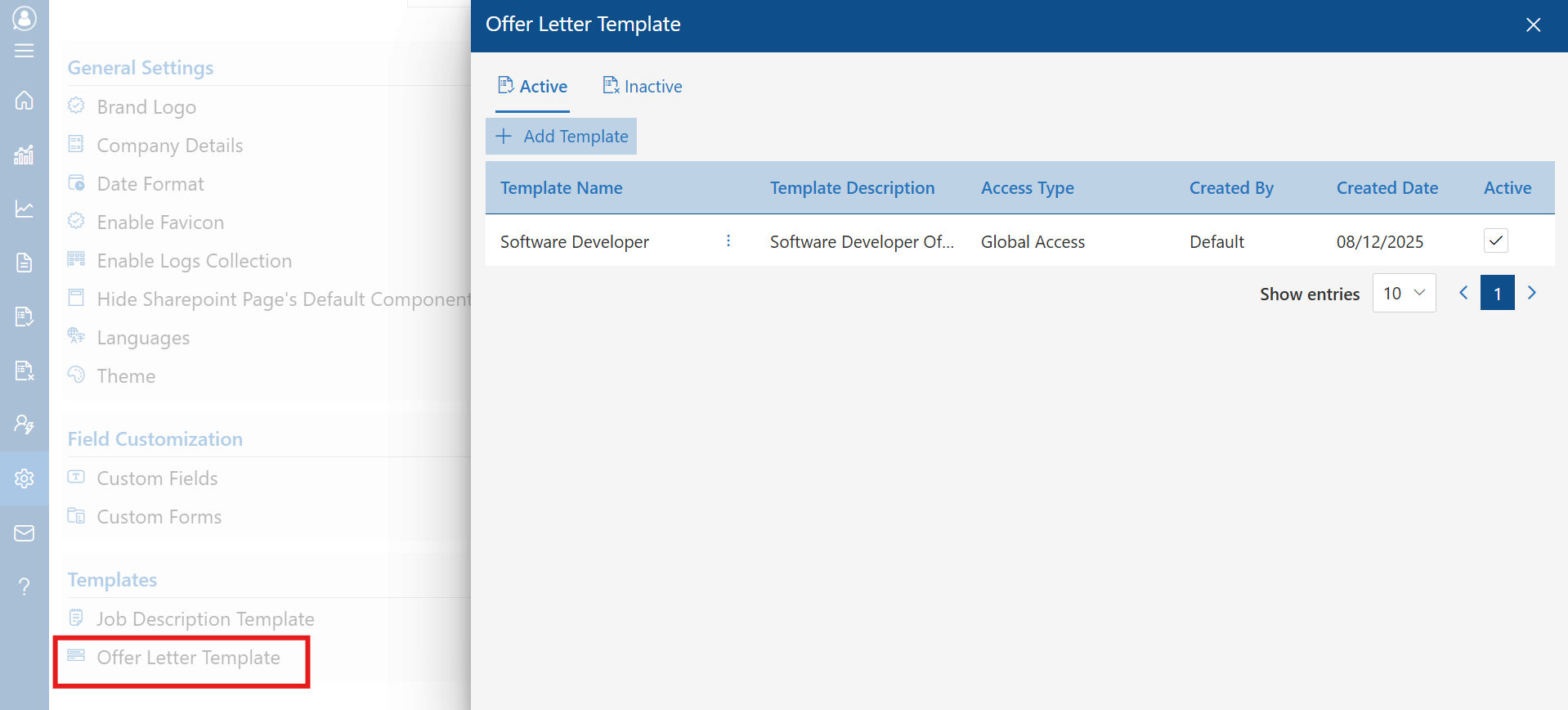
Recruitment Management 365 is not just a software platform. It comes loaded with smart, customizable templates that cover every stage of the hiring journey. Here is what each one does and why it matters:
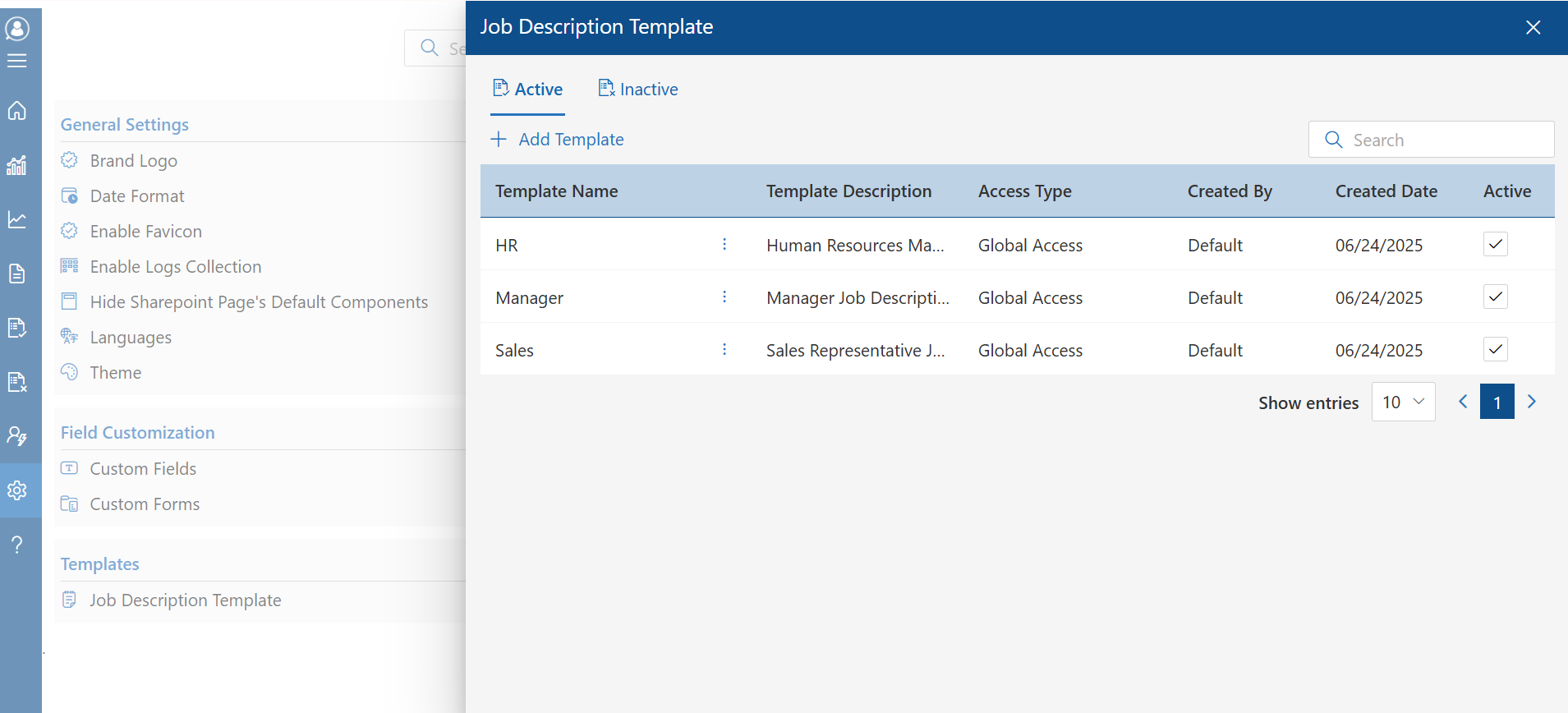
1. Hiring Process Template:
- Every solid hiring process needs a foundation, something that holds the whole thing together from the day a role opens to the day an offer lands in someone’s inbox. That is exactly what the hiring process template does.
- It maps out every step, every checkpoint and every handoff in between. No more wondering what comes next. No more different recruiters running the same role in completely different ways. Everyone on the team works from the same playbook and the process moves forward the way it is supposed to.
- What makes it work inside Recruitment Management 365 is that nothing is locked in. You build the stages around the way your organization hires sourcing, screening, first interview, second interview, assessment, offer, onboarding, whatever your process looks like. Once it is set up, the system tracks every candidate through those stages on its own. Nothing gets skipped. Nothing quietly falls off the list on a busy Friday afternoon.
- For HR Managers handling ten open roles at once or Recruitment Agencies running pipelines for multiple clients, that kind of structure is not just helpful, it is the difference between a hiring process that holds together and one that constantly needs rescuing.
2. Candidate Tracking Template:
- Here is something that happens more than most hiring teams want to admit. A strong candidate applies, their resume reaches someone’s inbox, a quick note is written and then work gets busy. A week later nobody can find the note, the email is buried and that candidate has already moved on.
- It is not careless. It is just what happens when there is no single place holding everything together.
- The candidate tracking template inside Recruitment Management 365 fixes that. Every applicant gets their own centralized profile resume, interview notes, communication history, feedback from the hiring manager and current stage, all sitting in one place that anyone on the team can pull up in seconds. No more asking a colleague if they remember what was said in that first call three weeks ago.
- Recruiters can sort, filter and rank candidates easily without slowing down the process. Hiring managers can check in on a profile without waiting for someone to compile a report and send it over.
- And here is why that actually matters beyond just staying organized, when your process makes it easy to find the best person, you hire the best person. When it does not, you end up moving forward with whoever was easiest to track down. That difference shows the quality of every team you build.
3. Recruitment Tracking Template:
- Knowing where individual candidates stand is one thing. Understanding how your entire pipeline is performing is another.
- The recruitment tracking template gives you a bird’s eye view of every open role, how many candidates are in each stage, where slowdowns are forming and how long each step is taking. For Operations Heads and Executives who need to understand hiring performance without going through every file one by one, this template delivers the clarity they need.
- It also helps identify patterns over time, which job boards bring the strongest candidates, which roles consistently take longest to fill and where the process needs tightening.
4. Recruitment Dashboard Template
- Data is only useful if someone can actually read it. The recruitment dashboard template in Recruitment Management 365 turns your hiring data into a clean, visual, real-time display that anyone on the team can understand immediately.
- Time-to-hire. Candidate source performance. Pipeline health by role. Drop-off rates by Offer acceptance rates. All of it live, all of it clear, all of it in one place.
- For Department Heads and Executives who need to report on hiring performance upward or simply stay informed without being pulled into every conversation, this dashboard template changes everything.
5. Email Communication Template
- One of the most overlooked parts of hiring is candidate communication. How you respond to applicants and how quickly, directly affects whether top candidates stay engaged or quietly accept a different offer.
- Recruitment Management 365 includes pre-built email communication templates for every stage of application confirmation, interview invitations, follow-up reminders, offer letters and rejection messages. Each template is customizable and triggers automatically based on where a candidate is in the process.
- The result is a professional, consistent candidate experience, without your team having to write and send every message manually.
6. Interview Scheduling Template
- Back-and-forth scheduling emails are one of the biggest time drains in the hiring process. The interview scheduling template inside Recruitment Management 365 eliminates them entirely. It syncs directly with Microsoft Teams and Outlook calendars, automatically matches availability and sends confirmations and reminders to both candidates and hiring managers.
- No double bookings, No missed interviews. No three-day email chains to find a thirty-minute slot.
Research Says
McKinsey research shows that companies with standardized hiring processes reduce time-to-hire by up to 20% and significantly improve the quality of candidates who make it to the final stage. When those processes are supported by AI-driven tools, the efficiency gains compound, with manual coordination effort dropping by 20 to 30% across the hiring team.
Deloitte’s workforce research points to a clear finding: organizations that use structured, data-informed hiring practices are 2.5 times more likely to make hires that perform well in their first year. The difference between a structured process and an improvised one is not just efficiency, it directly affects the quality of talent landing in your organization.
LinkedIn’s Global Talent Trends report adds another dimension, 73% of hiring leaders say the candidate experience is a top priority, yet most organizations still lack the consistent communication framework to deliver it. A proper candidate tracking template with automated touchpoints closes that gap immediately.
Who Gets the Most Out of a Recruitment Management Template?
Recruitment Management 365 is built for the people who feel the weight of hiring most directly.
- HR Managers carry the operational load of every open role. A structured recruitment management template means less manual tracking, fewer things falling through the cracks and a process that runs consistently whether it is one hire or fifty.
- Recruiters spend their best hours on candidate relationships, not on spreadsheet maintenance. With templates handling tracking, communication and scheduling automatically, recruiters get back the time they need to do the work that requires human judgment.
- SMBs often do not have a dedicated HR department. They are hiring with limited resources and limited bandwidth. A smart template system means a small team can run a professional, consistent hiring process without hiring a team of recruiters to manage it.
- Recruitment Agencies manage multiple clients and multiple pipelines simultaneously. Without templated processes, that gets messy fast. With Recruitment Management 365, every client gets a structured, trackable process and the agency has full visibility across all of them in one place.
- Executives and Operations Heads need to move fast and produce results. Recruitment dashboard templates give them the visibility to understand what is happening without getting pulled into the operational details.
How Recruitment Management 365 Powers Every Template
What makes Recruitment Management 365 different from a static template document or a basic spreadsheet is that every template is live, connected and intelligent.
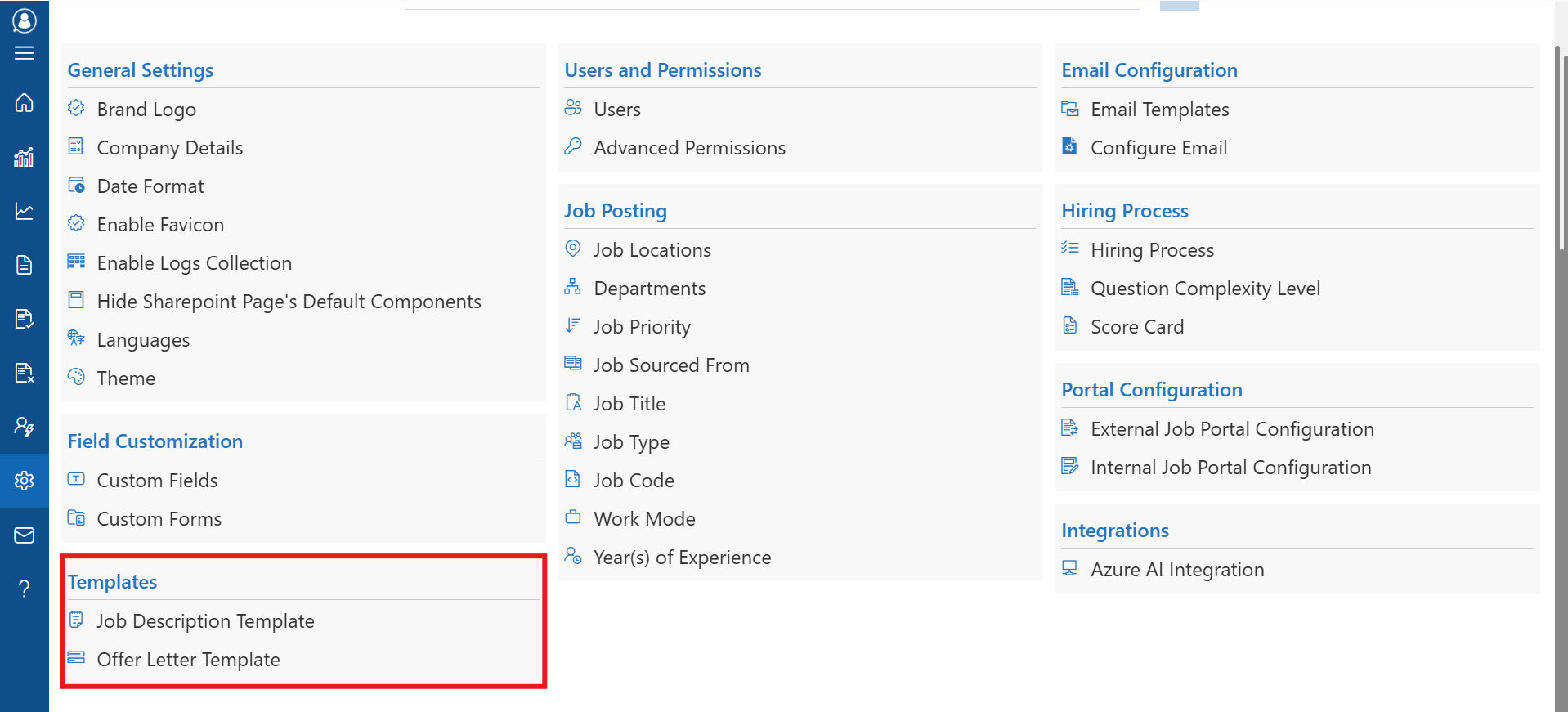
Because it is built natively inside Microsoft 365, everything works inside the tools your team already uses. Templates connect to Teams for collaboration, Outlook for communication, SharePoint for document storage and Power Automate for workflow automation. There is no new platform to learn and no separate login to remember.
The AI layer inside Recruitment Management 365 takes templates further still. It automatically screens resumes against your criteria, suggests candidate rankings, flags bottlenecks in the pipeline and sends smart reminders when action is needed. Your templates do not just organize the process, they actively push it forward.
Conclusion
Every open role that drags on too long is costing you. Every strong candidate who falls through the cracks because nobody followed up is a missed opportunity your competitors may be capitalizing on. And every hour your HR team spends manual tracking, back-and-forth scheduling and chasing status updates is an hour that could have gone toward finding better people faster.
A smart recruitment management template does not just organize your hiring. It transforms it. It gives your team a process they can run consistently, a pipeline they can see clearly and a candidate experience that reflects well on your organization.
Recruitment Management 365 brings all of that together with ready-to-use templates for every stage of hiring, AI-powered automation that keeps things moving and seamless integration inside the Microsoft 365 environment your team already works in every day.
Your next great hire is out there right now!
Start your free 14-day trial of Recruitment Management 365 today. Just a clear, structured hiring process that works from day one and a team that finally feels on top of things.
Frequently Asked Questions
What is a recruitment management template?
A recruitment management template is a structured framework that defines every step of the hiring process from job posting to candidate communication to final offer. It gives HR teams a consistent, repeatable system so every hire is handled the same way, nothing gets missed and results improve over time.
What is included in a hiring process template?
A hiring process template typically includes job posting steps, application review criteria, interview stages, candidate communication checkpoints, offer letter workflows and onboarding handoff procedures. In Recruitment Management 365, these are fully customizable and automated.
How does a candidate tracking template improve hiring?
A candidate tracking template gives every applicant a centralized profile with their resume, notes, interview feedback and current stage all in one place. It eliminates the need for manual spreadsheets and ensures no strong candidate gets overlooked or forgotten during a busy hiring cycle.
What is a recruitment tracking template used for?
A recruitment tracking template gives hiring teams a pipeline-level view of all open roles, showing how many candidates are at each stage, where delays are forming and how long each step is taking. It helps identify bottlenecks and supports data-driven decisions about where to focus effort.
What should a recruitment dashboard template show?
A good recruitment dashboard template displays real-time data including time-to-hire, source performance, pipeline health by role, candidate drop-off rates and offer acceptance rates. In Recruitment Management 365, this dashboard updates live so leaders always have a current picture without pulling reports manually.
Is Recruitment Management 365 suitable for small businesses?
Yes. Recruitment Management 365 is designed to scale. Small businesses benefit from the same structured templates and automation as large enterprise, without needing a dedicated IT team or a large HR department to run it.
Does Recruitment Management 365 integrate with Microsoft Teams and Outlook?
Absolutely. Recruitment Management 365 is built natively inside Microsoft 365. It connects directly with Teams, Outlook, SharePoint, OneDrive and Power Automate, so your team manages hiring inside the tools they already use every day.
How quickly can a team get started with Recruitment Management 365?
Setup is fast because the platform lives inside your existing Microsoft 365 environment. Most teams are up and running quickly, and every subscription includes one free customization of up to four hours at no extra cost.


_JiluXJRGNl.svg)























