

Best OneDirectory alternatives for Microsoft 365 Organizations
_eH2jDg7dZ.png)
If you’ve been using OneDirectory to manage your employee directory and you’re looking for something better, or if you’re just starting to shop around, you’re in the right place.
This guide walks you through why Microsoft 365 organizations need a solid employee directory solution, what features actually matter, and how Employee Directory 365 stacks up against the competition.
Let’s get into it.
- Choose a directory that integrates seamlessly with Microsoft 365.
- Look beyond basic contact lists with features like org charts and people search.
- Compare alternatives based on your organization’s size and needs.
- Prioritize scalability, ease of use, and long-term value.
Why Microsoft 365 Organizations Need an Employee Directory Solution
Microsoft 365 is already inside most companies. Teams, Outlook, SharePoint, your employees live in these tools every single day. But here’s the thing: Microsoft 365 doesn’t come with a great people-search experience out of the box.
Yes, there’s Azure Active Directory (now called Microsoft Entra ID). And yes, you can look up a person’s name and email. But that’s about where the convenience ends.
Here’s what most Microsoft 365 organizations are dealing with:
- Outdated profile information. IT manages Active Directory, but they’re not going to update someone’s department, skills, or office location every time something changes. Profiles get stale fast.
- No way to search by skills or expertise. If you want to find the person in your company who knows SQL or has experience with regulatory compliance, Active Directory won’t help you. You’ll end up asking around on Teams, which wastes everyone’s time.
- Poor org chart visibility. Seeing the hierarchy of a 500-person company using only Azure AD is painful. Reporting lines aren’t clear, teams are hard to map, and new employees have no idea who’s who.
- No self-service profile management. In most setups, employees can’t update their own profiles. That means a lot of manual work for HR or IT, and a lot of “please update my title, it still says intern” tickets.
- Remote and hybrid work made things worse. When everyone was in the office, you learned who people were organically. Now, with distributed teams, a proper employee directory isn’t nice to have, it’s a necessity.
- Pro tip: Microsoft 365 gives you the infrastructure, but it doesn’t give you a user-friendly employee directory. That’s exactly the gap that tools like Employee Directory 365, OneDirectory, and others are built to fill.
Key Features to Look for in a OneDirectory Alternative
Not all employee directory tools are created equal. Before you commit to a solution, here are the features that actually make a difference for day-to-day use.
1.Native Microsoft 365 Integration
This is the most important one. Your directory should sync directly with Azure AD / Microsoft Entra ID. That means:
- No manual imports or CSV uploads
- Employee data stays current automatically
- Single sign-on (SSO) through Microsoft 365 — no extra logins
If a tool requires you to maintain a separate database of employees, it’s going to be a maintenance headache. Look for something that treats Microsoft 365 as the source of truth.
2.Employee Self-Service Profiles
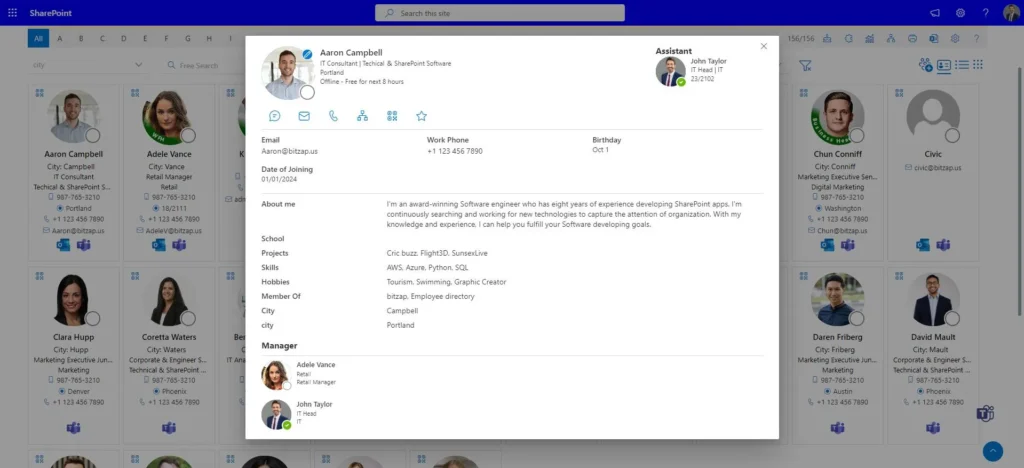
The best directories let employees update their own profiles, things like bio, skills, certifications, languages spoken, and profile photos. This takes the burden off HR and IT, and it means the information is actually accurate.
Make sure there are admin controls so IT can lock down fields that shouldn’t be edited (like legal name or employee ID).
3.Powerful Search and Filters
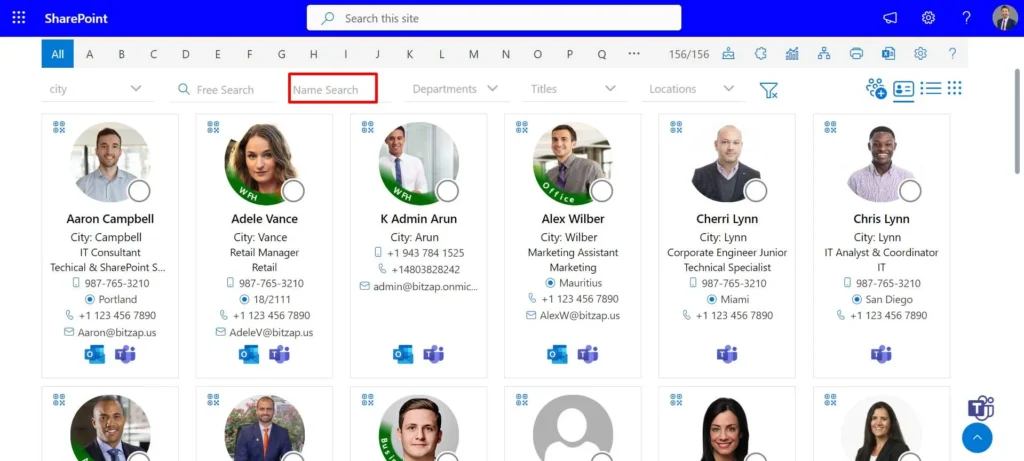
A directory is only useful if people can find who they’re looking for. Look for search that goes beyond just name and email. Good filters include:
- Department and team
- Location and time zone
- Job title and seniority level
- Skills and expertise
- Project or team membership
The ability to search by skill is especially valuable in larger organizations. “Find me someone in London who knows data analytics and speaks French” that should be possible in a few clicks.
4.Interactive Org Charts
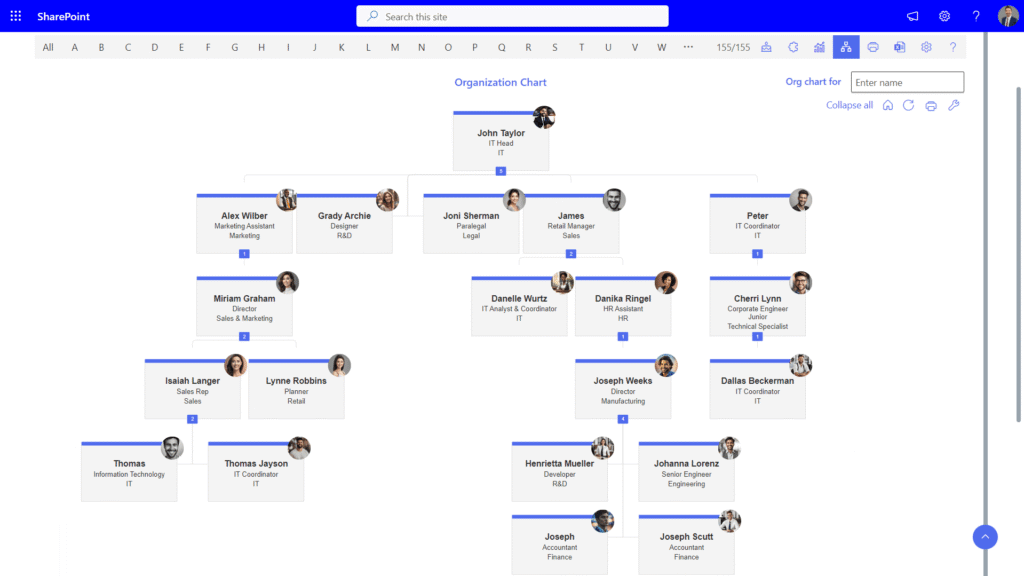
A visual org chart helps employees understand how the company is structured. New hires especially benefit from being able to see who reports to whom, which team sits where, and how departments connect.
Look for org charts that are interactive, clickable, zoomable, and linked to individual profiles. Static screenshots don’t cut it.
5.Embedded in Microsoft 365 Workflow
The best tools don’t make employees go to a separate website just to look someone up. They embed directly into:
- Microsoft Teams (as a tab or app)
- SharePoint (as a web part)
- Outlook (through profile cards)
When the directory is right inside the tools your team already uses, adoption is much higher.
6.Custom Fields and Branding
Every organization is different. Your directory should let you add custom profile fields relevant to your business, things like certifications, years of experience, or internal employee ID. You should also be able to brand it with your company logo and colors.
7. Privacy and Access Controls
Not all profile information should be visible to everyone. A good directory lets you control which fields are visible to which users, for example, mobile numbers might only be visible to managers, or certain data may be hidden from external guests.
8.Analytics and Admin Dashboard
Admins should be able to see how the directory is being used, what’s being searched, which profiles are incomplete, and where data quality needs attention. A good admin dashboard makes it easy to keep things running smoothly.
OneDirectory vs Other Employee Directory Software: Feature Comparison
Here’s how OneDirectory stacks up against some of the most popular alternatives.
Employee Directory 365
Best for: Microsoft 365 organizations that want a fully integrated, easy-to-use solution with strong SharePoint and Teams support.
Sharepoint Employee Directory 365 is built specifically for the Microsoft 365 ecosystem. It syncs with Azure AD in real time, embeds into SharePoint as a web part, and works inside Microsoft Teams as a tab, so employees never have to leave the tools they already use.
Key strengths:
- Real-time sync with Azure Active Directory / Microsoft Entra ID
- Beautiful, searchable directory with custom fields and filters
- Interactive org charts with click-through profiles
- Employee self-service profile editing
- Fully embeds in SharePoint and Teams
- Easy setup — no developer needed
- Flat, predictable pricing with no per-user fees on most plans
Where it stands out: Employee Directory 365 is genuinely fast to set up. Most organizations are live within a day, without IT project work. The interface is clean and modern, and employees actually enjoy using it — which is rare for enterprise software.
OneDirectory
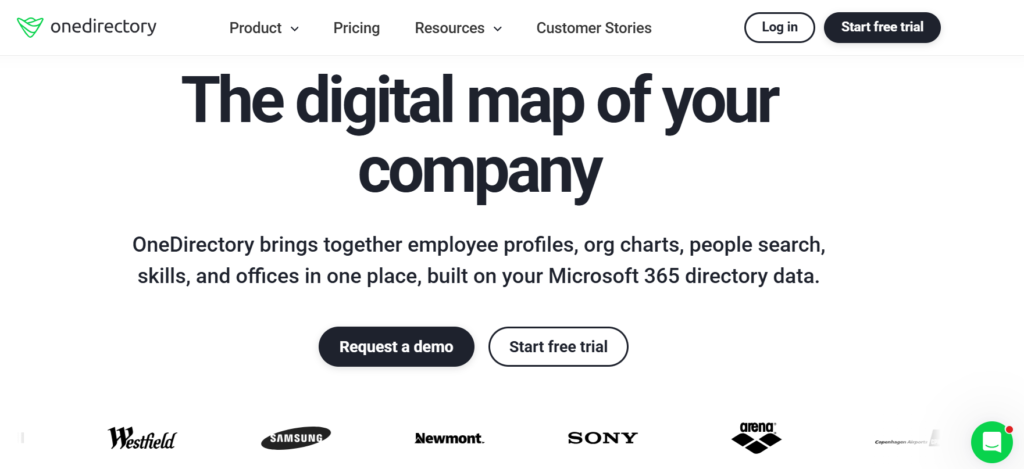
Best for: Organizations that want a standalone web app with a polished look.
OneDirectory has been around for a while and has a good reputation for design. It connects to Azure AD and offers a clean directory experience.
Key strengths:
- Nice user interface
- Org chart feature
- Works with Azure AD
Where it falls short:
- Limited customization options compared to newer tools
- SharePoint and Teams integration is not as deep
- Pricing can get expensive as headcount grows
- Some users report the self-service profile editing is limited
- Setup requires more configuration
Pingboard
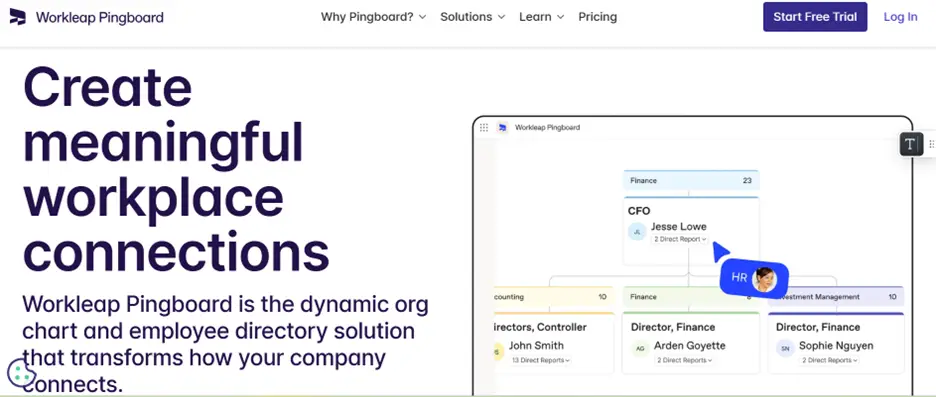
Best for: Companies that want org chart software with directory features built in.
Pingboard started as an org chart tool and added directory features over time. It’s a good option if org charts are your primary use case.
Key strengths:
- Strong org chart and people-planning features
- Clean UI
- Good for HR teams doing workforce planning
Where it falls short:
- Not purpose-built for Microsoft 365
- More expensive, especially at scale
- SharePoint integration is minimal
- Better suited for HR ops than everyday employee lookups
Staffbase
Best for: Large enterprises that want a full employee communications platform.
Staffbase is a much bigger product — it’s an internal communications platform that happens to include a directory. If you need a company intranet, news feed, and employee app all in one, Staffbase is worth looking at.
Where it falls short:
- It’s a big, complex product, overkill if you just need a directory
- Significantly more expensive
- Implementation takes months, not days
- Not tightly integrated with Microsoft 365
Eddy
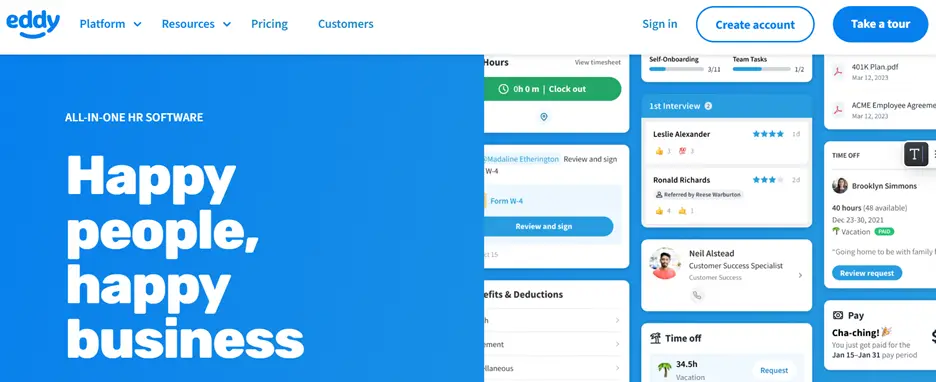
Best for: Small and mid-sized businesses looking for an easy-to-use HR platform with employee directory features.
Eddy includes employee directory capabilities as part of its HR and people management platform. It works well for businesses that want HR tools and employee information in one place.
Where it falls short:
• Limited advanced directory customization
• Not ideal for large enterprise organizations
• Fewer Microsoft 365 and SharePoint integrations
• Directory features are not the primary focus of the platform
Feature Comparison Table
| Feature | Employee Directory 365 | OneDirectory | Pingboard | Staffbase | Eddy |
| Azure AD / Entra ID Sync | ✅ Real-time | ✅ Yes | ✅ Yes | ✅ Yes | ⚠️ Limited |
| SharePoint Web Part | ✅ Native | ⚠️ Limited | ❌ No | ❌ No | ❌ No |
| Teams App | ✅ Yes | ⚠️ Basic | ❌ No | ✅ Yes | ❌ No |
| Self-Service Profiles | ✅ Yes | ⚠️ Limited | ✅ Yes | ✅ Yes | ✅ Yes |
| Custom Fields | ✅ Yes | ✅ Yes | ✅ Yes | ✅ Yes | ⚠️ Basic |
| Interactive Org Charts | ✅ Yes | ✅ Yes | ✅ Strong | ✅ Yes | ⚠️ Basic |
| Skills Search | ✅ Yes | ⚠️ Basic | ✅ Yes | ✅ Yes | ❌ Limited |
| Setup Time | Fast (1 day) | Medium | Medium | Slow (months) | Fast |
| Pricing Model | Flat/tenant | Per user | Per user | Enterprise | Per user |
| Best For | M365 orgs | General use | Org charts | Large enterprise | SMB HR teams |
Benefits of Using a Microsoft 365 Integrated Employee Directory
To calculate depreciation, several key factors must be considered:
People Find Each Other Faster
This sounds simple, but the impact is real. When employees can search by skill, location, or expertise in seconds, collaboration starts faster. You don’t lose hours in back-and-forth emails trying to find the right person to answer a question.
Studies consistently show that employees spend a significant chunk of their week just looking for information or the right people. A proper directory cuts that waste down significantly.
New Employees Get Up to Speed Quicker
Onboarding is one of the places where a good directory makes the biggest difference. New hires can browse the org chart, see who’s on their team, read about their colleagues’ backgrounds, and understand how the company is structured — all without scheduling a single “introductory coffee chat.”
This matters especially for remote and hybrid teams where there’s no hallway conversation to rely on.
HR and IT Spend Less Time on Manual Work
When employees can update their own profiles, the IT helpdesk stops getting “please update my job title” requests. HR doesn’t have to manually sync spreadsheets. The directory becomes self-maintaining, with IT only stepping in to manage admin settings.
Better Cross-Team Collaboration
One thing that constantly gets in the way of good cross-functional work is not knowing who to talk to. With a skills-based directory, a product manager can find the engineer who worked on a specific system, or a sales rep can find the right subject matter expert before a big client call.
This is especially valuable in companies with more than 200 people, the size at which you genuinely stop knowing who does what.
Stronger Company Culture
A directory with rich employee profiles, photos, bios, fun facts, interests, helps build a sense of community. Especially in distributed teams, it makes the company feel less like a list of names in an email thread and more like a group of real people.
Some organizations use their employee directory to surface work anniversaries, birthdays, and new hires, which creates natural touchpoints for connection.
Compliance and Data Accuracy
For regulated industries, having accurate, up-to-date employee records isn’t optional. An integrated directory that syncs with Azure AD ensures there’s a single source of truth for employee data, fewer discrepancies between HR systems, Active Directory, and other tools.
How to Choose the Right Employee Directory Software for Your Organization
With several good options on the market, here’s a straightforward framework for making the decision.
Step 1: Start With Your Non-Negotiables
Write down the things you absolutely need. For most Microsoft 365 organizations, this usually includes:
- Real-time Azure AD sync
- Self-service profile editing
- Org chart support
If a tool doesn’t meet your non-negotiables, take it off the list regardless of how good everything else looks.
Step 2: Think About Your Organization Size and Growth
Some tools are priced per user, which can get expensive quickly. Others charge a flat rate per tenant, which works better for larger or growing organizations. Think about where you’ll be in two to three years, not just today.
Step 3: Consider Your IT Team’s Capacity
Some tools require developer resources to set up and maintain. Others are genuinely no-code, an IT admin can have it live in a few hours. Be honest about how much time your IT team has and pick a tool that matches.
If you’re a lean IT team supporting a mid-sized company, a heavy implementation project isn’t the right call. You want something that stays out of your way once it’s set up.
Step 4: Think About End-User Adoption
The best directory in the world is useless if employees don’t actually use it. Choose a tool that:
- Lives inside tools employees already use (Teams, SharePoint)
- Has a clean, intuitive interface, not an enterprise tool from 2012
- Loads fast and works on mobile
If you have to train people extensively on how to use the directory, something has gone wrong.
Step 5: Test Before You Buy
Most good directory tools offer a free trial. Take advantage of it. Set up a pilot with 20-30 employees across different departments. Ask for their honest feedback. Does it actually make their work easier? Are profiles being filled out? Are people using the search?
Pilot results tell you more than any feature comparison table.
Step 6: Check Support and Roadmap
Software that gets abandoned is a problem. Check whether the vendor is actively developing the product, has responsive support, and has a community or customer base you can tap into for advice.
Conclusion
Finding the right employee directory for a Microsoft 365 organization comes down to one main question: how well does it work with the tools your employees already use?
OneDirectory is a capable product, but it’s not the only option — and for many organizations, it’s not the best one.
Employee Directory 365 is purpose-built for Microsoft 365 environments. It syncs with Azure AD in real time, embeds natively in SharePoint and Teams, and gives employees a fast, modern experience for finding colleagues, understanding the org structure, and collaborating better. Setup is fast, pricing is predictable, and it doesn’t require a big IT project to get live.
If you’re evaluating your options, we’d encourage you to try Employee Directory 365 for yourself. Most organizations are up and running within a day, and the difference it makes — especially for hybrid and remote teams, tends to be immediately obvious.
Join Our Creative Community
Frequently Asked Questions
Is Employee Directory 365 different from the default Microsoft 365 directory?
Yes. Microsoft 365 comes with Azure Active Directory (now Microsoft Entra ID) for identity management, but it doesn’t offer a user-friendly employee directory experience. Employee Directory 365 builds on top of your existing Azure AD data to give you a searchable, filterable, visually rich people directory that lives right inside SharePoint and Teams.
Does Employee Directory 365 work with Microsoft Teams?
Yes. Employee Directory 365 has a native Microsoft Teams app, so employees can search the directory and browse org charts without leaving Teams.
Can employees update their own profiles?
Yes. Employees can update fields like their bio, skills, profile photo, and other non-restricted information. Admins can control which fields are editable and which are locked to IT or HR.
How long does setup take?
Most organizations are fully set up within a day. Because Employee Directory 365 syncs directly with Azure AD, there’s no manual data migration needed. An IT admin can configure and deploy it without developer support.
What happens if someone leaves the company?
When an employee is removed or disabled in Azure Active Directory, they’re automatically removed from the Employee Directory 365 directory. No manual cleanup is needed.
Is Employee Directory 365 secure?
Yes. Employee Directory 365 is built on Microsoft Azure infrastructure and inherits the security standards of Microsoft 365. Data stays within your tenant, and all access is governed by your existing Microsoft 365 permissions.
Can I customize the directory with our company branding?
Yes. You can add your company logo, choose brand colors, and configure the layout to match your organization’s look and feel.
How is Employee Directory 365 priced?
Employee Directory 365 uses tenant-based pricing rather than per-user fees, which makes it cost-effective as your organization grows. Visit the pricing page for current plans and details.


_JiluXJRGNl.svg)























