

How Microsoft Software Asset Management Helps You Optimize Software Usage
_eH2jDg7dZ.png)
Software is one of the largest and most critical investments for any organization, but managing it effectively can be a challenge. With the complexity of licensing structures, varying subscription models, and multiple vendors, organizations often struggle to maintain control over their software assets.
Microsoft Software Asset Management (SAM) helps organizations track and optimize software usage by providing visibility into license allocation and identifying underused software. This reduces unnecessary costs, ensures compliance, and simplifies audits.
With Asset Management 365, built on Microsoft 365 and SharePoint, businesses can streamline license management, enhance efficiency, and make data-driven decisions to optimize software investments and maximize ROI.
This is where Software Asset Management (SAM) comes into play. By providing a structured approach to track, optimize, and manage software assets, SAM not only helps ensure compliance but also reduces waste and maximizes the value of each software purchase.
Built on the Microsoft 365 platform, Asset Management 365 helps businesses automate their software tracking, optimize costs, and stay compliant without the need for additional, disconnected software solutions.
Let’s dive deeper into how Microsoft Software Asset Management can help you optimize your software usage and why integrating it with a platform like Asset Management 365 is a game-changer.
Improved Visibility into Software Usage and Inventory
One of the primary challenges faced by IT teams is gaining visibility into their software assets. Without proper tracking, it’s easy to lose sight of what’s being used, who is using it, and whether it’s being used effectively. Many organizations rely on spreadsheets or fragmented systems to track software, which leads to inaccuracies, inefficiencies, and missed opportunities to optimize.
With Microsoft Software Asset Management, businesses can centralize their software inventory and gain real-time visibility into all their software assets. This includes:
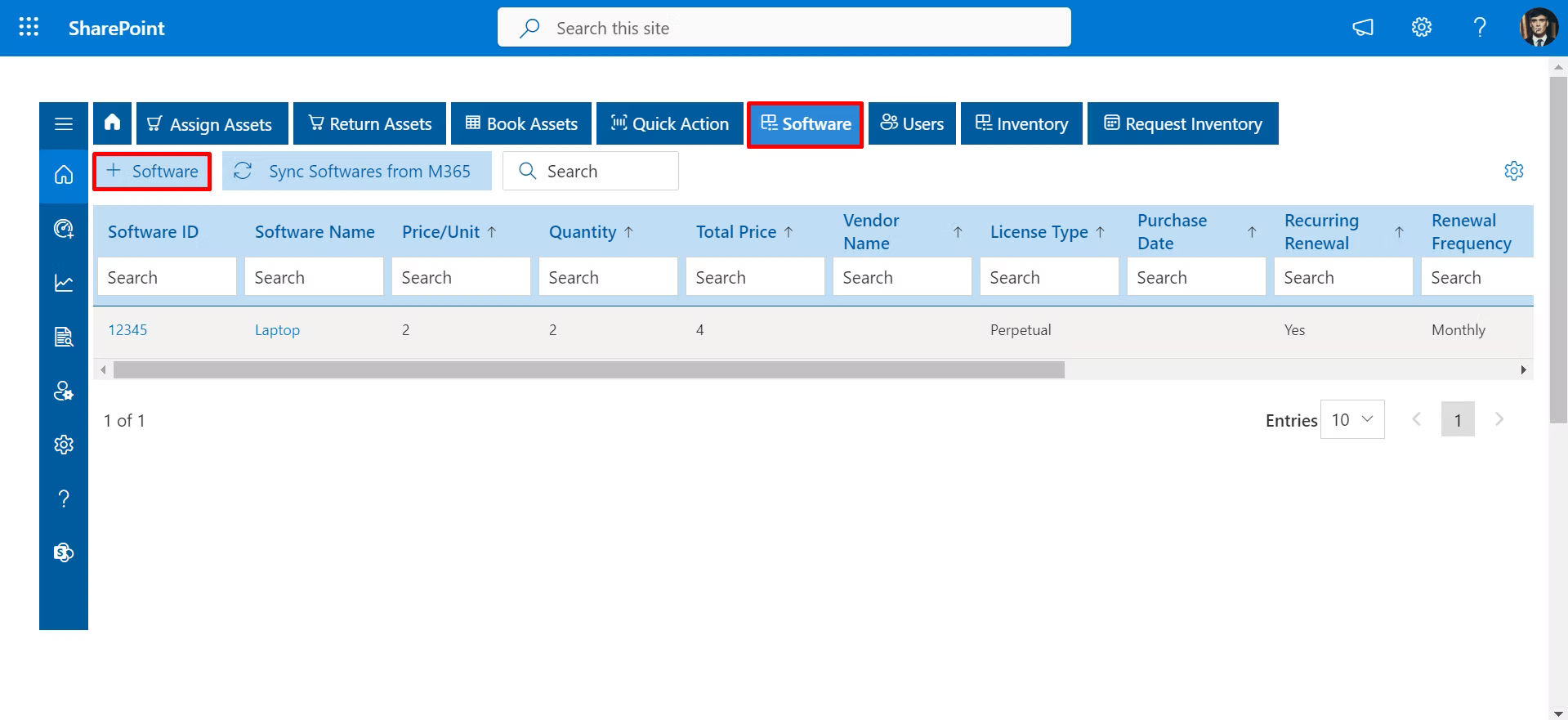
- Tracking installed software across devices
- Managing licenses and tracking their usage
- Monitoring renewals and contract expiry dates
- Assigning software to specific users and tracking their usage patterns
By consolidating this information into one platform, Asset Management 365 eliminates the need for manual audits and provides a clear, single source of truth for your software assets. When you can see exactly what software is installed, who is using it, and how often, you can make informed decisions about which licenses to renew, which to consolidate, and which to eliminate.
This level of visibility is crucial for any organization that wants to reduce software waste, prevent unauthorized software installations, and ensure they’re only paying for what they use. Ultimately, full visibility into software usage and inventory empowers businesses to make smarter, data-driven decisions about their software investments.
Automating License Management and Compliance
Compliance is a critical aspect of software asset management, and managing licenses manually is time-consuming and error-prone. Without an automated system in place, organizations are at risk of over-licensing, under-licensing, or failing to renew licenses on time. This can lead to compliance violations, legal exposure, and unnecessary costs.
Microsoft Software Asset Management automates the license tracking process. With Asset Management 365, organizations can automate the following:
- License allocations: Track which users have which licenses and ensure that they are being used appropriately.
- Renewal tracking: Keep track of renewal dates and avoid last-minute rushes to procure licenses or face expired software.
- Audit preparation: Automatically generate asset reports for software audits, ensuring your organization is always compliant.
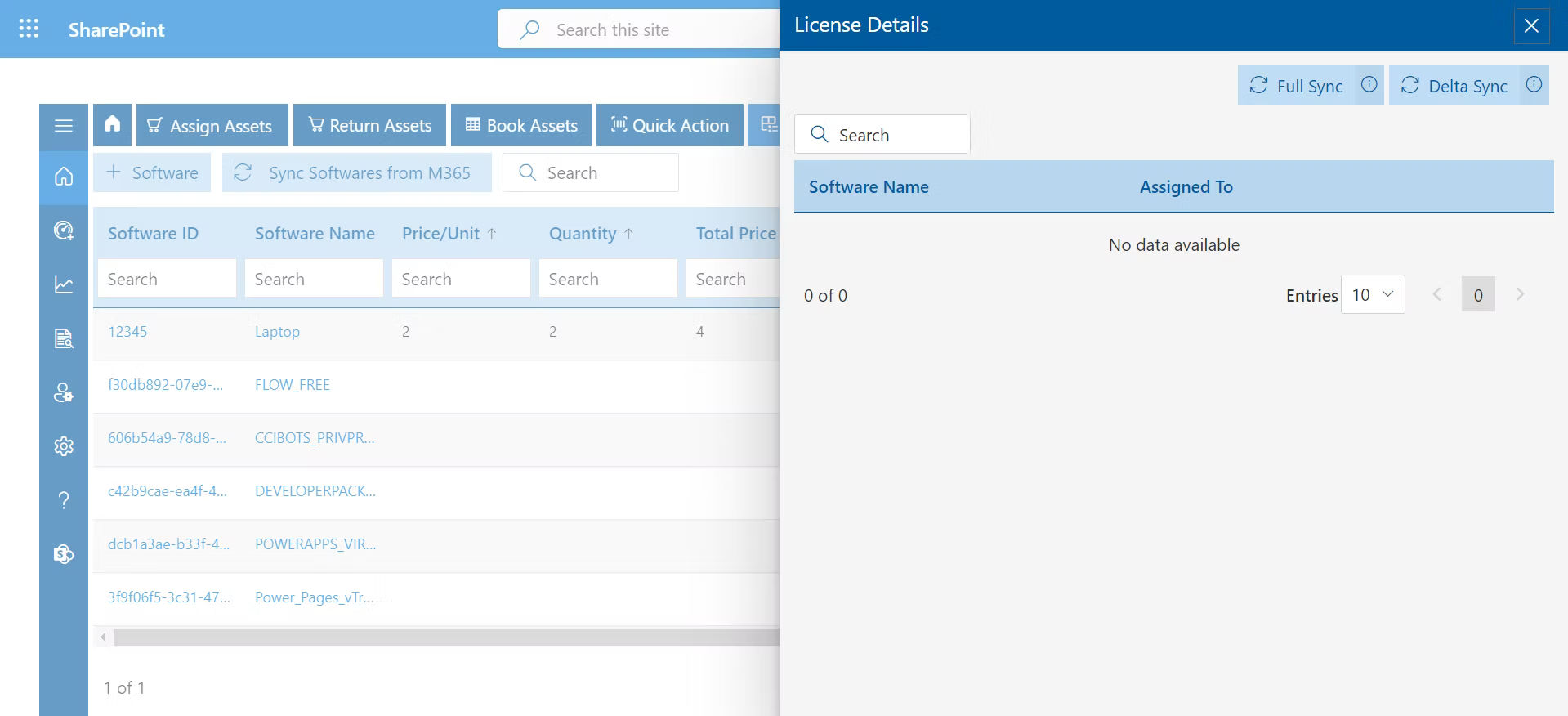
Automation significantly reduces the risk of manual errors and ensures that all software licenses are correctly assigned and managed throughout their lifecycle. This not only saves time but also helps organizations avoid costly compliance penalties that can arise from mismanagement of licenses.
With Asset Management 365, you’re not just managing licenses, you’re actively monitoring and controlling them in a way that ensures compliance, reduces risk, and optimizes software usage.
Identifying Unused or Underused Software
One of the biggest sources of inefficiency in any IT environment is unused or underused software. It’s common for businesses to over-purchase software licenses, only to find that many of those licenses are never used. Whether it’s due to employees leaving the company, departments no longer needing specific tools, or the software simply being underutilized, the result is wasted budget.
Microsoft Software Asset Management helps solve this problem by providing the tools needed to identify unused or underused software. With Asset Management 365, organizations can track:
- Software usage patterns: Identify which applications are being actively used and which ones are collecting dust.
- Inactive licenses: Track licenses assigned to employees who have left the company or departments that no longer need them.
- Redundant software: Find instances where two different tools are performing the same function, allowing you to consolidate licenses and reduce unnecessary expenses.
By identifying unused or underused software, organizations can reallocate licenses to other users or departments, avoid unnecessary renewals, and reduce overall software costs. Asset Management 365 makes this process easy by providing real-time data on software usage, helping businesses cut down on waste and ensure their software investments are aligned with actual needs.
Optimizing Software Costs through Usage Analytics
Optimizing software costs is a priority for any organization, but many businesses make the mistake of basing their software purchases on guesses rather than actual usage data. With Microsoft Software Asset Management, businesses gain access to powerful usage analytics that help them make more informed purchasing decisions.
Through Asset Management 365, organizations can:
- Analyze usage trends: Track how frequently software is being used across different departments and user groups.
- Forecast software needs: Based on usage patterns, predict future licensing requirements and avoid over-buying.
- Evaluate the cost-effectiveness: Assess which software is providing the most value relative to its cost, and identify areas where licenses could be consolidated or downgraded.
Usage analytics provide a clear picture of software consumption, allowing businesses to better allocate resources and optimize their software spending. For instance, if analytics show that a certain tool is only used by a small group of employees, it may make sense to downgrade or shift them to a less expensive version.
When software costs are aligned with actual usage, organizations can maximize ROI and reduce unnecessary expenditure, ensuring that every dollar spent on software is justified.
Conclusion
Microsoft Software Asset Management is an essential tool for any organization that wants to optimize its software usage, stay compliant, and reduce waste. By providing full visibility into software assets, automating license management, and offering usage analytics, SAM helps businesses make smarter decisions about their software investments.
With Asset Management 365, built on Microsoft 365 and SharePoint, businesses can seamlessly integrate SAM into their existing ecosystem, automate manual processes, and gain deeper insights into their software usage. The result is a streamlined, cost-effective software management system that supports both operational efficiency and financial discipline.
Join Our Creative Community
Frequently Asked Questions
What is Microsoft Software Asset Management?
Microsoft Software Asset Management (SAM) is a comprehensive approach to managing software licenses and ensuring compliance with licensing agreements. It helps organizations track, optimize, and manage software assets throughout their lifecycle.
How can SAM reduce software costs?
SAM helps businesses identify unused or underused software, optimize license allocation, and avoid over-purchasing. By leveraging usage data and analytics, organizations can make informed decisions that reduce unnecessary software expenses.
Why is compliance important in software management?
Compliance ensures that organizations are adhering to licensing agreements, avoiding legal penalties, and maintaining good relationships with software vendors. SAM provides the tools needed to automate compliance tracking and ensure that licenses are correctly assigned and managed.
Can Asset Management 365 integrate with Microsoft 365?
Yes. Asset Management 365 operates directly within the Microsoft 365 environment and leverages SharePoint Online for seamless integration with your existing IT infrastructure. This ensures your software asset management processes remain streamlined and fully integrated.
How often should software usage be reviewed?
It’s best practice to review software usage at least quarterly. However, ongoing monitoring and real-time data can help businesses continuously optimize their software usage and adapt to changing needs.


_JiluXJRGNl.svg)























